MagicMirror Forum
    • Recent
    • Tags
    • Unsolved
    • Solved
    • MagicMirror² Repository
    • Documentation
    • 3rd-Party-Modules
    • Donate
    • Discord
    • Register
    • Login
    A New Chapter for MagicMirror: The Community Takes the Lead
    Read the statement by Michael Teeuw here.

    MMM-CalendarExt3

    Scheduled Pinned Locked Moved Utilities
    689 Posts 82 Posters 2.8m Views 86 Watching
    Loading More Posts
    • Oldest to Newest
    • Newest to Oldest
    • Most Votes
    Reply
    • Reply as topic
    Log in to reply
    This topic has been deleted. Only users with topic management privileges can see it.
    • S Offline
      sdetweil @DDE12
      last edited by

      @DDE12 no, I was giving you the config for the MMM-Pages module.

      I don’t use Carousel, so not sure there

      Sam

      How to add modules

      learning how to use browser developers window for css changes

      D 1 Reply Last reply Reply Quote 0
      • D Offline
        DDE12 @sdetweil
        last edited by

        @sdetweil
        Like so…?

        modules:  [
           {
                  module: "MMM-CalendarExt3",
                  position: "fullscreen_above",
                  classes: 'MonthPage',
                        config: {
                             mode: "month",
                             instanceId: "FamilyMonth",
                             calendarSet: ['Holidays', 'Dad', 'Mom', 'Child'],
                        }
            },
            {
                  module: "MMM-CalendarExt3",
                  position: "fullscreen_above",
                  classes: 'WeeksPage' 
                        config: {
                             mode: "week",
                             instanceId: "FamilyWeek",
                            calendarSet: ['Holidays', 'Dad', 'Mom', 'Child'],
                        }
            },
            {
                    module: 'MMM-pages',
                         config: {
                                     modules: [
                                                    ['MonthPage'],
                                                    ['WeeksPage']
                                       ],
                          },
             },
          }
        ]
        
        S 1 Reply Last reply Reply Quote 0
        • S Offline
          sdetweil @DDE12
          last edited by

          @DDE12 yes

          I would label the pages ( in pages config)

          page1
          page2

          cause that is the order they are shown.

          you can have as many modules on a page as u want and can fit of course.

          Sam

          How to add modules

          learning how to use browser developers window for css changes

          D 1 Reply Last reply Reply Quote 0
          • D Offline
            DDE12 @sdetweil
            last edited by

            @sdetweil
            Yeah, that would definitely be less confusing. Do I have the classes: “FamilyWeek” and classes: “FamilyMonth” in the right place in the CalenderExt3 config(s)?

            S 1 Reply Last reply Reply Quote 0
            • S Offline
              sdetweil @DDE12
              last edited by

              @DDE12 either can be used in css to select elements to style

              Sam

              How to add modules

              learning how to use browser developers window for css changes

              D 1 Reply Last reply Reply Quote 0
              • D Offline
                DDE12 @sdetweil
                last edited by

                @sdetweil
                I’m completely lost now. I thought all of this went in config.js.

                S 1 Reply Last reply Reply Quote 0
                • S Offline
                  sdetweil @DDE12
                  last edited by

                  @DDE12 all of THAT goes.in config.js

                  but if you want to change the color of the text for the second day of the week

                  in custom.css

                  . MMM-CalendarExt3  .weekday_1 {
                        color:green;
                  }
                  

                  Sam

                  How to add modules

                  learning how to use browser developers window for css changes

                  1 Reply Last reply Reply Quote 0
                  • B Offline
                    bicolorbore586
                    last edited by

                    @fedale @MMRIZE @chadjohn2 I am also trying (unsuccessfully) to have the Calendar event change color depending on which name is in the title.

                    With the original magicmirror calendar, I’ve used
                    customEvents: [ {keyword: “Ben”, color: “Brown”} ], which shows the event title and associated symbol in Brown.
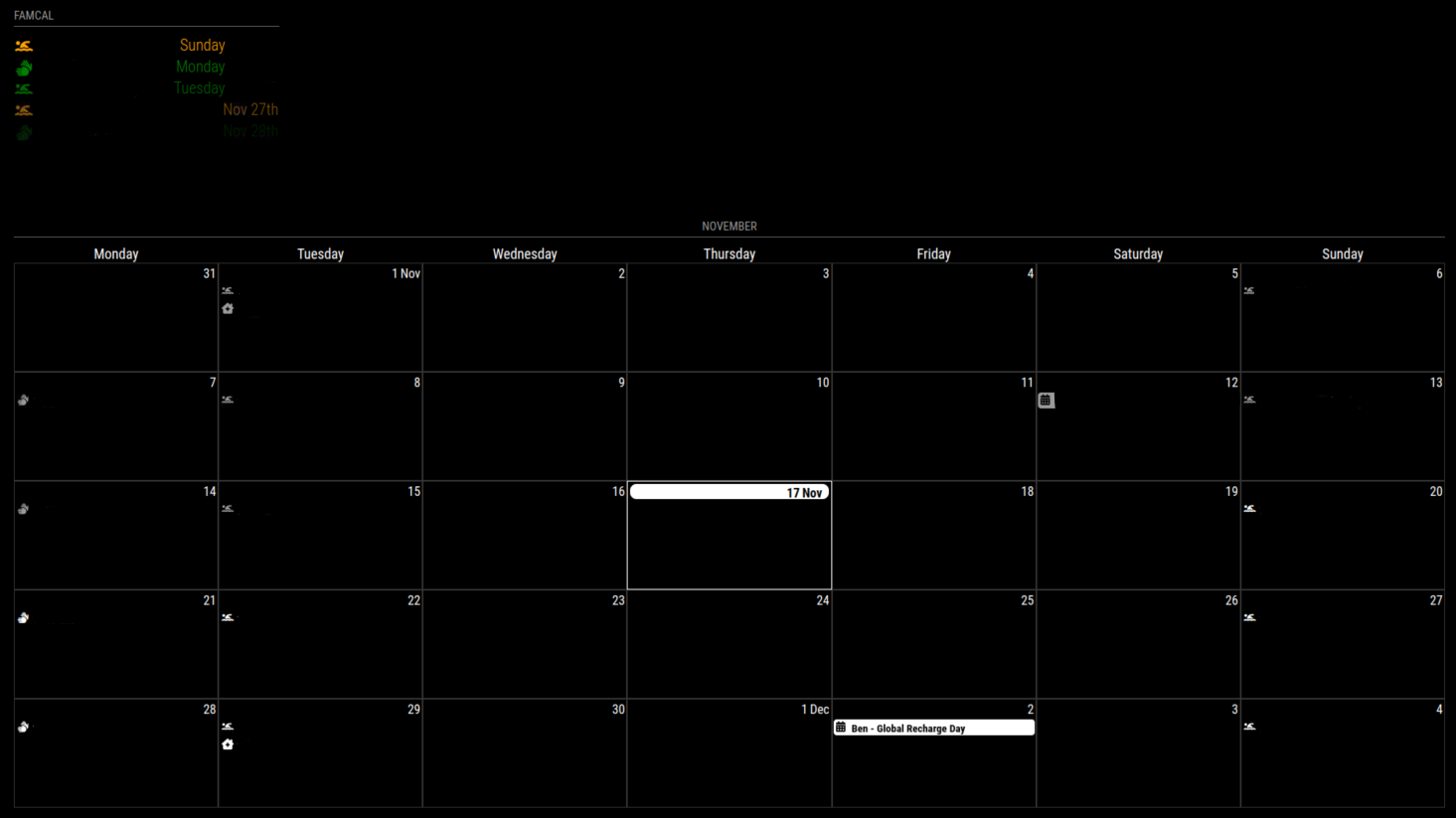
                    1290b0bd-b654-42fe-9b13-051ec662cdf2-image.png

                    In EXT3, using eventTransformer, only the symbol shows in color

                    I’ve tried to use
                    eventTransformer: function(event) {
                    if (event.title.search(“Ben”) > -1) {
                    event.className = “Ben”;
                    }
                    }
                    with customer.css
                    .CX3 .Ben {
                    color: brown;
                    }

                    However, this then shows a blank calendar
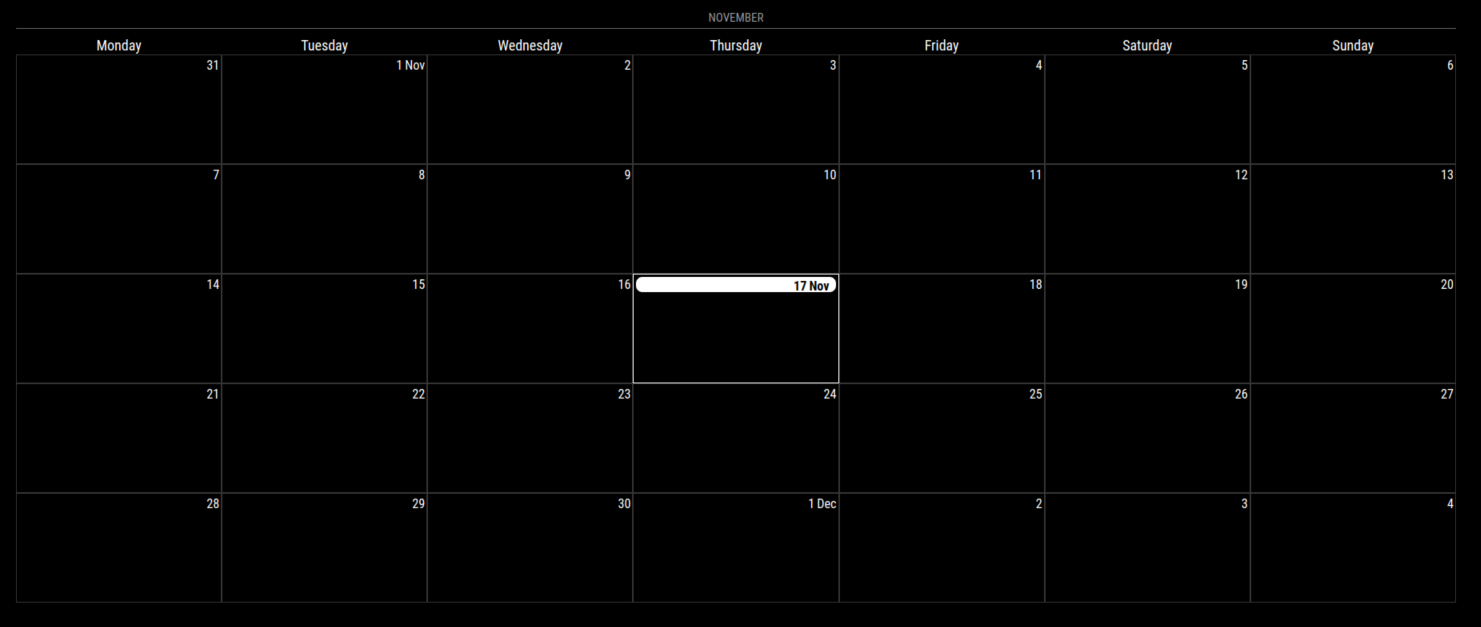
                    e0bc6deb-9688-4354-a914-bbeae156c41e-image.png

                    Have any of you been successful?
                    Where am I going wrong?

                    Thanks

                    M 1 Reply Last reply Reply Quote 0
                    • M Offline
                      MMRIZE @bicolorbore586
                      last edited by MMRIZE

                      @bicolorbore586
                      You have to return event object in eventTransformer function. When you omit ‘return’ statement in a function, implicitly it is same with ‘return null’

                      B 1 Reply Last reply Reply Quote 0
                      • B Offline
                        bicolorbore586 @MMRIZE
                        last edited by

                        @MMRIZE have tried that, still doesn’t show anything.

                        eventTransformer: function(event) {
                        if (event.title.search(“Ben”) > -1) {
                        event.className = “Ben”;
                        return event
                        }
                        }

                        mumblebajM 1 Reply Last reply Reply Quote 0
                        • mumblebajM Offline
                          mumblebaj Module Developer @bicolorbore586
                          last edited by

                          @bicolorbore586 If I am not mistaken, your return goes outside the IF statement

                          Check out my modules at: https://github.com/mumblebaj?tab=repositories
                          Check my blog-post: https://mumblebaj.xyz/
                          Check my MM Container: https://hub.docker.com/repository/docker/mumblebaj/magicmirror/general

                          BKeyportB B 2 Replies Last reply Reply Quote 0
                          • BKeyportB Offline
                            BKeyport Module Developer @mumblebaj
                            last edited by BKeyport

                            @mumblebaj

                            Try this:

                            eventTransformer: function(ev) {
                              if (ev.title.search(“Ben”) > -1)  ev.className = “Ben”;
                              return ev
                            }
                            

                            directly off the README.md :

                            eventTransformer: (ev) => {
                              if (ev.title.search('John') > -1) ev.color = 'blue'
                              return ev
                            }
                            

                            The "E" in "Javascript" stands for "Easy"

                            1 Reply Last reply Reply Quote 0
                            • B Offline
                              bicolorbore586 @mumblebaj
                              last edited by

                              @mumblebaj so that now means I can see the events again, but still not coloured how I want.

                              1 Reply Last reply Reply Quote 0
                              • M Offline
                                mike23pizzo
                                last edited by

                                I’m having some issues with broadcastPastEvents: true. Past events aren’t showing up on the calendar. Below is the default calendar code and the MMM-CalendarExt3 code. As well as a screenshot.

                                {
                                			module: "calendar",
                                			header: "Events",
                                			position: "top_left",
                                			config: {
                                				fetchInterval: "1000",
                                				colored: true,
                                				broadcastPastEvents: true,
                                				calendars: [
                                					{
                                						name: "us_holidays",
                                						url: //URL//,
                                						symbol: "calendar-check",
                                						color: "#338FFF",
                                						broadcastPastEvents: true,
                                					},
                                					{
                                						name: "mikes_cal",
                                						url:  //URL//,
                                						
                                					},
                                					{
                                						name: "dinners",
                                						url:  //URL//,
                                						symbol: "utensils",
                                						color: "#FFFB21",
                                						broadcastPastEvents: true,
                                					},
                                				]
                                			}
                                		},
                                
                                {
                                			module: "MMM-CalendarExt3",
                                			position: "bottom_right",
                                			weekIndex: "0",
                                			config: {
                                				broadcastPastEvents: true,
                                				mode: "week",
                                				firstDayOfWeek: "0",
                                				refreshInterval: "10000",
                                				calendarSet: ['us_holidays','mikes_cal','dinners'],
                                			}
                                		},
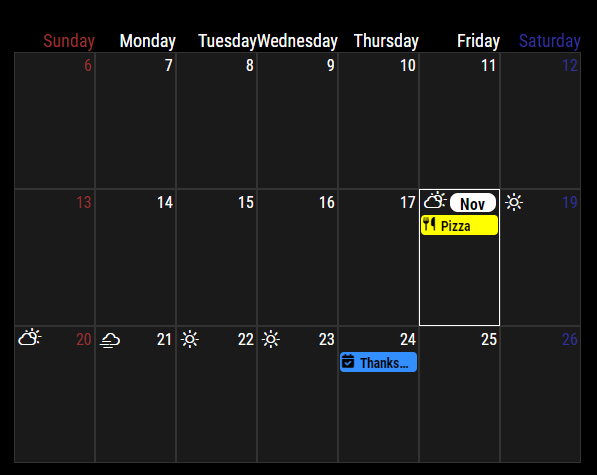
                                

                                a0ac3fee-a5d4-4249-bb24-a9cc4578a959-image.png

                                S 1 Reply Last reply Reply Quote 0
                                • S Offline
                                  sdetweil @mike23pizzo
                                  last edited by

                                  @mike23pizzo it’s only set before the calendars list.

                                  what mm version are u on? fix in latest 2.20 for events being truncated

                                  Sam

                                  How to add modules

                                  learning how to use browser developers window for css changes

                                  M 1 Reply Last reply Reply Quote 0
                                  • M Offline
                                    mike23pizzo @sdetweil
                                    last edited by

                                    @sdetweil when I start MM it says Starting MagicMirror: v2.21.0.

                                    When you mention that it’s only set before the calendars list, do you mean as long as it’s listed in the config on the default calendar it should feed down to MMM-CalendarExt3?

                                    EDIT: It seems the past events are now showing. I didn’t change anything in the config file, so I’m not quite sure what fixed it. But as of now they are there.

                                    S 1 Reply Last reply Reply Quote 0
                                    • S Offline
                                      sdetweil @mike23pizzo
                                      last edited by sdetweil

                                      @mike23pizzo yes, in the common calendar config not with each calendar/url entry

                                      glad it’s working… past events can be a big pile

                                      I see just fromm 2015

                                      Sam

                                      How to add modules

                                      learning how to use browser developers window for css changes

                                      1 Reply Last reply Reply Quote 0
                                      • D Offline
                                        DDE12
                                        last edited by

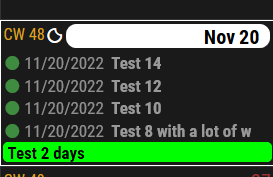
                                        My events are displayed in reverse chronological order in mode: “week”. Where is the setting the for this? I can post the config.js settings if necessary.
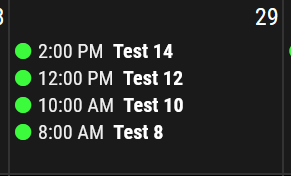
                                        Reverse order.PNG

                                        M 1 Reply Last reply Reply Quote 0
                                        • M Offline
                                          MMRIZE @DDE12
                                          last edited by

                                          @DDE12
                                          Only in week mode, does that symptom happen?
                                          What’s your environment? (Platform, OS, Browser)

                                          D 1 Reply Last reply Reply Quote 0
                                          • D Offline
                                            DDE12 @MMRIZE
                                            last edited by

                                            @MMRIZE
                                            Occurs in week and month modes. I am using Windows 10 and Firefox. I just tested it in Edge to see and it is in the correct order. I also looked at it Pale Moon browser (Firefox like fork) and it shows the date and reversed chrono order, but no time.


                                            Pale Moon reverse order.PNG

                                            M 2 Replies Last reply Reply Quote 0

                                            Hello! It looks like you're interested in this conversation, but you don't have an account yet.

                                            Getting fed up of having to scroll through the same posts each visit? When you register for an account, you'll always come back to exactly where you were before, and choose to be notified of new replies (either via email, or push notification). You'll also be able to save bookmarks and upvote posts to show your appreciation to other community members.

                                            With your input, this post could be even better 💗

                                            Register Login

                                            • 1
                                            • 2
                                            • 9
                                            • 10
                                            • 11
                                            • 12
                                            • 13
                                            • 34
                                            • 35
                                            • 11 / 35
                                            • First post
                                              Last post
                                            Enjoying MagicMirror? Please consider a donation!
                                            MagicMirror created by Michael Teeuw.
                                            Forum managed by Sam, technical setup by Karsten.
                                            This forum is using NodeBB as its core | Contributors
                                            Contact | Privacy Policy