Read the statement by Michael Teeuw here.
MMM-CalendarExt3
-
1.1.0 (2022-05-29)
- ADDED : control interval of refreshing on fetching calendar
- config option
waitFetchfor waiting for too frequent fetching. - config option
refreshIntervalfor refresh view by force. - config option
glanceTimefor focusing temporal moment then returning to current moment - config option
animationSpeedfor update animation
- config option
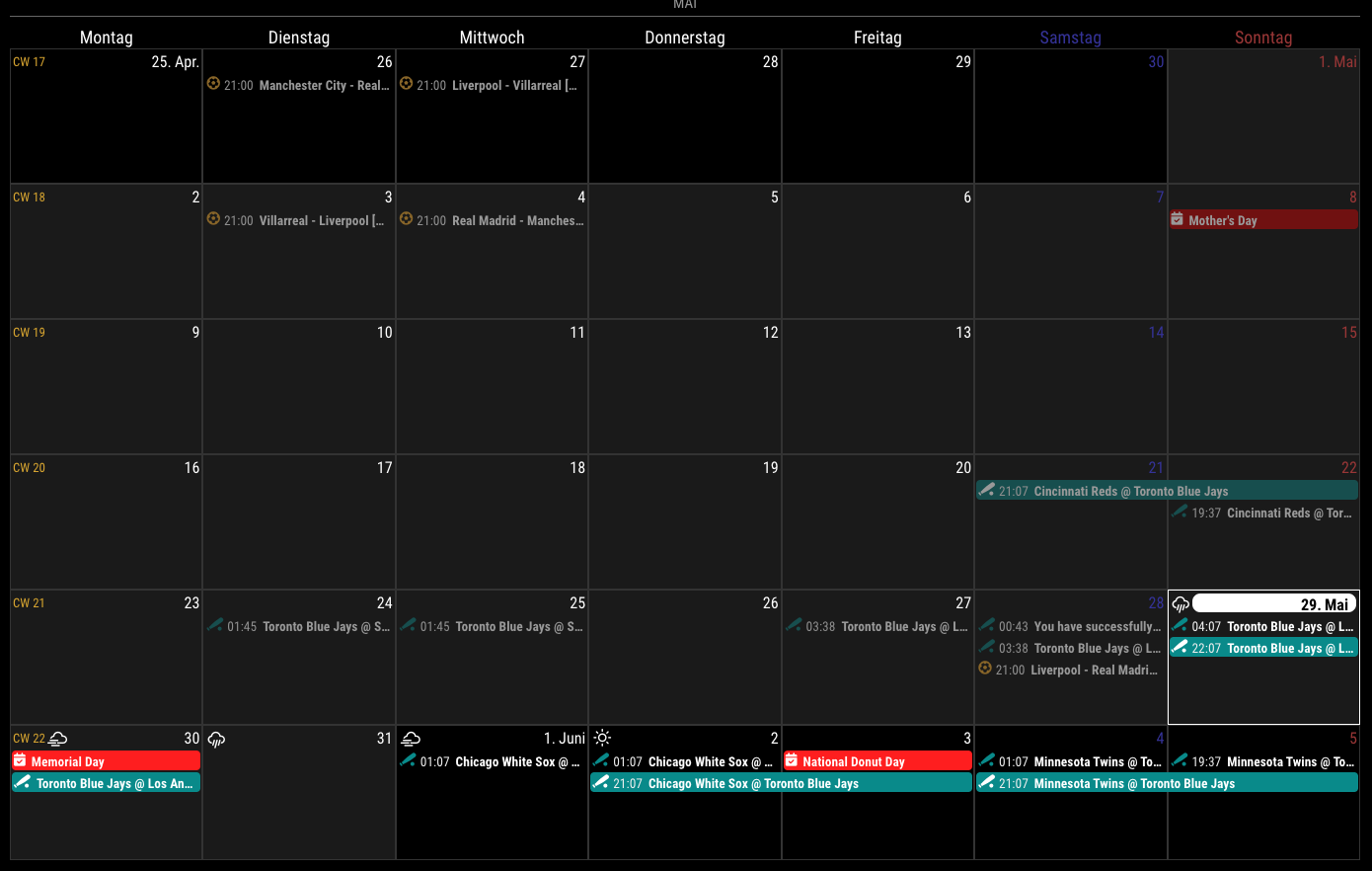
- ADDED : calendar symbol can be used. (config option
useSymbole) - ADDED : weather forecast could be displayable. (From
MM 2.20 releasedorMM 2.19 developbranch) - CHANGED : Now,
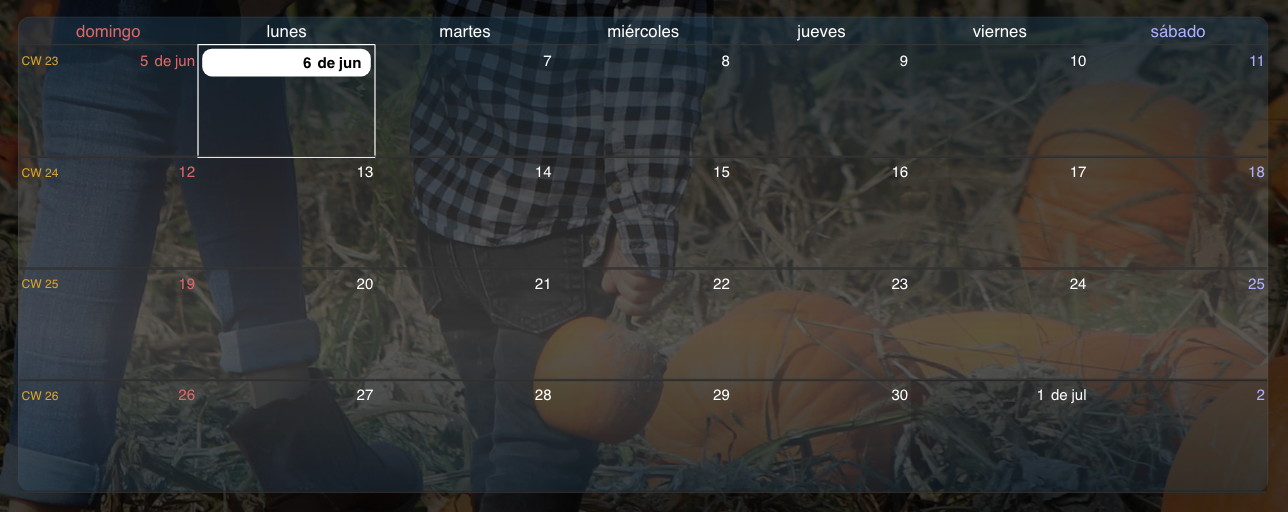
monthview could has a fit weeks by the days not fixed 6 weeks.
- ADDED : control interval of refreshing on fetching calendar
-
Just a couple of quick questions. First, how do you remove icons from events? I see in the sample pics that it’s been done, but I can’t seem to make it happen. Second, in CalExt2, I could style event borders and would show/color those instead of having a completely filled in event color. I could also show only certain borders (for full day I only had the left and bottom, but single day events only had the left border). Is that possible with CalExt3?
-
- Not to use symbol:
useSymbol: false
// config of your module; ... config: { useSymbol: false, ...- Is this what you wanted?
/* in your custom.css */ .CX3 .event.fullday, .CX3 .event.multiday { border-left: 4px solid var(--calendarColor); border-bottom: 1px solid var(--calendarColor); background-color: rgba(0, 0, 0, 0.2); } .CX3 .event.singleday { border-left:4px solid var(--calendarColor); } .CX3 .event.singleday:not(.useSymbol)::before { content: ''; } - Not to use symbol:
-
@MMRIZE That’s perfect. Thanks. I just wasn’t sure if those attributes were available and I honestly just didn’t feel like experimenting at that moment. Last question (think): Is there a way to hide the default calendar module and still populate CX3. I found a way to hide the module (by editing the calendar module’s base config) on startup, but then CX3 doesn’t have any events. Here’s what I used (courtesy of @sdetweil from a thread a couple of years ago):
hidden: false, suspend: function(){ this.hidden=true }, restore: function(){ this.hidden=false }, notificationReceived: function(notification, payload, source){ // this comes before the first call to getDom() if(notification === "ALL_MODULES_STARTED") this.hidden=true; }. getDom: function (){ var wrapper=document.createElement('div') if(this.hidden==false){ //create normal content } return wrapper; }, -
@almightyyoshi I think you will have to use css to hide, vs code
-
@almightyyoshi
You can hide it with CSS, or just drop out “position”. -
@MMRIZE Dropping position worked. I thought I’d get an error or blank screen for that. Thanks again!
-
@almightyyoshi Every time i think this is fixed then it comes back again…
I have 3 calendars so I renamed calendar1 and calendar2, as I don’t want these calendars to conflict with CX3.
Then I have my calendar module and dropped the position as I don’t want to show it.
My CX3 loads empty and after a while the information appears, then it goes and then it comes back. I think I have not set up properly the refresh. I’ve tried many combinations but nothing works{
module: “MMM-CalendarExt3”,
position: “bottom_bar”,
title: “Calendario”,
waitFetch: 10000, // (ms) waiting the fetching of last calendar to prevent flickering view by too frequent fetching.
refreshInterval: 1000 * 60 * 1, // (ms) refresh view by force if you need it.
glanceTime: 1000 * 60 * 1, // (ms) Return to original view when you move to other moment by notification.
//animationSpeed: 2000, // (ms) Refreshing the view smoothly.
rotateInterval: 0,
eventTimeOptions: {
timeStyle: “short”
},
fetchInterval: 1000,
config: {
mode: “week”,
instanceId: “WeeklyCalendar”,
locale: ‘es-CO’,
maxEventLines: 3,
firstDayOfWeek: 0,
weekIndex: 0,
weeksInView: 4,
broadcastPastEvents: true, // <= IMPORTANT to see past events
calendarSet: [‘Cal1’, ‘Cal2’, ‘Cal3’, 'Cal4, ‘Cal5’],
}
},And Go Jays Go!! :beaming_face_with_smiling_eyes:
-
@luisestrada do you have 3 instances of
module:‘calendar’
? -
@sdetweil said in MMM-CalendarExt3:
@luisestrada do you have 3 instances of
module:‘calendar’
?Yes, I have 3 modules, the holidays (shows 3), the birthday calendar (shows 2) and the normal calendar (shows 8).
-
@luisestrada each sends out its own list of entries. maybe calext3 is replacing a with b with c
-
@sdetweil said in MMM-CalendarExt3:
@luisestrada each sends out its own list of entries. maybe calext3 is replacing a with b with c
That’s exactly what i thought, so thats why I created 3 different modules by copying the entire module in a separate folder and renaming it, similar to this: https://forum.magicmirror.builders/topic/14724/run-two-instances-of-the-same-module-sometimes-tutorial
but still, if I have 3 modules called, calendar, calendar1 and calendar2, it does it
-
@luisestrada
Well, I was worried about just that case when I developed this module - multiple calendar instances. I thought Nobody would use the calendar module like that. So I haven’t considered supporting that case. But I was wrong.The current behaviour of this module is replacing whole events when the notification arrives, not combining each. So you cannot get proper whole events from multi-emitter of notifications.
I’ll modify the module in a few days to stack each event not replace it. Wait for a little.
-
@luisestrada
By the way, your configuration is not quite effective. Some options are located in the wrong place, some are invalid.-
All module-specific user configuration should be placed in
config: { ... }. YourwaitFecthoreventTimeOptionsand something more would not be applied. -
there is no
fetchIntervalorrotateIntervaloption in CX3. -
broadcastPastEventsis not forCX3module but forcalendarmodule. -
refreshInterval: 1000 * 60 * 1means redraw calendar every 1 minute. Is it really needed?
-
-
@luisestrada the info inside(event broadcast) is still the same
and u didn’t need to do the rename. it supports multiple instances -
@MMRIZE u can see in config if multiple instances and maybe the ‘from’ on notification
-
@MMRIZE said in MMM-CalendarExt3:
@luisestrada
Well, I was worried about just that case when I developed this module - multiple calendar instances. I thought Nobody would use the calendar module like that. So I haven’t considered supporting that case. But I was wrong.The current behaviour of this module is replacing whole events when the notification arrives, not combining each. So you cannot get proper whole events from multi-emitter of notifications.
I’ll modify the module in a few days to stack each event not replace it. Wait for a little.
Thank you, I will show you my code so you all can understand the mess I did :beaming_face_with_smiling_eyes:
@MMRIZE said in MMM-CalendarExt3:
@luisestrada
By the way, your configuration is not quite effective. Some options are located in the wrong place, some are invalid.-
All module-specific user configuration should be placed in
config: { ... }. YourwaitFecthoreventTimeOptionsand something more would not be applied. -
there is no
fetchIntervalorrotateIntervaloption in CX3. -
broadcastPastEventsis not forCX3module but forcalendarmodule. -
refreshInterval: 1000 * 60 * 1means redraw calendar every 1 minute. Is it really needed?
It was supposed to be ten minutes but because I was trying and adding and testing, I forgot to change it back
-
-
@sdetweil said in MMM-CalendarExt3:
@luisestrada the info inside(event broadcast) is still the same
and u didn’t need to do the rename. it supports multiple instancesAll calendar were working under the same name, however i thought it was the cause of the blank CX3 so that’s why i tried to create one version for each module as a last resort
-
My code with the changes based on your feedback (and it seems to be working for now) Thank you!
//Calendar hidden Module
        {
            module: "calendar",
            //position: "top_left",
            header: "Eventos",
            config: {
                broadcastPastEvents: true, // <= IMPORTANT to see past events
                instanceId: "WeeklyCalendar",
                calendars: [
                    {
                        url: "URL1",
                        name: "Cal1", // <= RECOMMENDED to assign name
                        color: "#0760d1", // <= RECOMMENDED to assign color
                        symbol: false
                    },
                    {
                        url: "URL2",
                        name: "Cal2", // <= RECOMMENDED to assign name
                        color: "#2a4d56", // rgb(92%, 33%, 55%), // <= RECOMMENDED to assign color
                        symbol: "birthday-cake"
                    },
                    {
                        url: "URL3",
                        name: "Cal3", // <= RECOMMENDED to assign name
                        color: "#333", // rgb(92%, 33%, 55%), // <= RECOMMENDED to assign color
                        symbol: "bank"
                    },
                    {
                        url: "URL4",
                        name: "Cal4", // <= RECOMMENDED to assign name
                        color: "#3f0101", // <= RECOMMENDED to assign color
                        symbol: "flag"
                    },
                    {
                        url: "URL5",
                        name: "Cal5, // <= RECOMMENDED to assign name
                        color: "#765f02", //rgb(58%, 24%, 45%) // <= RECOMMENDED to assign color
                        symbol: "flag"
                    },
                    ],
            }
        },
// CX3 Module
        {
            module: "MMM-CalendarExt3",
            position: "bottom_bar",
            title: "Calendario",
            config: {
                mode: "week",
                instanceId: "WeeklyCalendar",
                locale: 'es-CO',
                maxEventLines: 3,
                firstDayOfWeek: 0,
                weekIndex: 0,
                weeksInView: 4,
                waitFetch: 1000 * 10, //	(ms) waiting the fetching of last calendar to prevent flickering view by too frequent fetching.
                refreshInterval: 1000 * 60 * 10, //	(ms) refresh view by force if you need it.
                glanceTime: 1000 * 60 * 10,	// (ms) Return to original view when you move to other moment by notification.
                eventTimeOptions: {
                    timeStyle: "short"
                },
                //useSymbol: false,
                calendarSet: ['Cal1', 'Cal2', 'Cal3', 'Cal4', 'Cal5'],
                }
        },
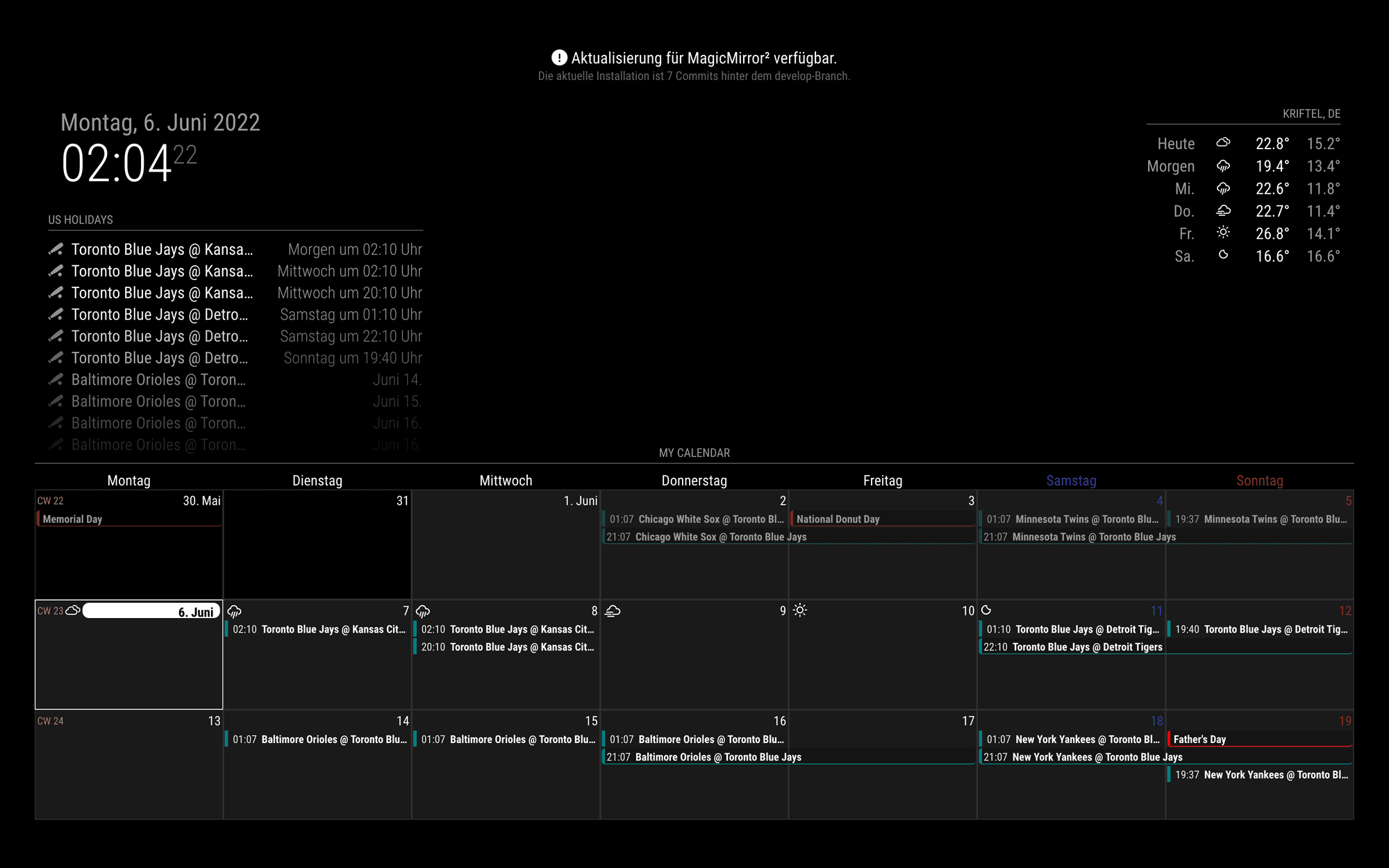
Now these 3 calendars seem not to be conflicting with CX3
{
			module: "calendar2",
			header: "CAL2",
			position: "top_left",
			config: {
				calendars: [
					{
                        url: "CAL2"
                    },
				],
				maximumEntries: "2",
                wrapEvents: true
			}
		},
{
			module: "calendar2",
			header: "CAL3",
			position: "top_left",
			config: {
				calendars: [
					{
                        url: "CAL3"
                    },
				],
				maximumEntries: "3",
                wrapEvents: true
			}
		},
{
			module: "calendar2",
			header: "CAL",
			position: "top_left",
			config: {
				calendars: [
					{
                        url: "CAL"
                    },
				],
				maximumEntries: "5",
                wrapEvents: true
			}
		},
Sorry for the long message
-
@luisestrada said in MMM-CalendarExt3:
My code with the changes based on your feedback (and it seems to be working for now) Thank you!
I talked too fast, I pressed submit and the issue came back :anxious_face_with_sweat:

Hello! It looks like you're interested in this conversation, but you don't have an account yet.
Getting fed up of having to scroll through the same posts each visit? When you register for an account, you'll always come back to exactly where you were before, and choose to be notified of new replies (either via email, or push notification). You'll also be able to save bookmarks and upvote posts to show your appreciation to other community members.
With your input, this post could be even better 💗
Register Login