MagicMirror Forum
    • Recent
    • Tags
    • Unsolved
    • Solved
    • MagicMirror² Repository
    • Documentation
    • 3rd-Party-Modules
    • Donate
    • Discord
    • Register
    • Login
    A New Chapter for MagicMirror: The Community Takes the Lead
    Read the statement by Michael Teeuw here.

    MMM-CalendarExt3

    Scheduled Pinned Locked Moved Utilities
    689 Posts 82 Posters 2.8m Views 86 Watching
    Loading More Posts
    • Oldest to Newest
    • Newest to Oldest
    • Most Votes
    Reply
    • Reply as topic
    Log in to reply
    This topic has been deleted. Only users with topic management privileges can see it.
    • A Offline
      aircliff
      last edited by

      Have a question I’m hoping others may have seen and resolved.

      Currently I run my MagicMirror in server mode and have popover enabled on my calendar. When I access from a computer with a mouse and click the individual calendar events the popover comes up as expected. When I access from my tablet the popover will not come up when I touch the individual events. Other modules I have such as MMM-OnScreenMenu responds appropriately to touch on the tablets.

      I’m hoping others may have seen this and have a recommendation for what I should look at. I’m assuming there is a setting somewhere in one of the files I need to enable or define in some specific way in the config file.

      Everything with the module otherwise works perfectly, just the one item I’m trying to resolve with popover when using with a tablet touchscreen.

      Thank you

      S M 2 Replies Last reply Reply Quote 0
      • S Do not disturb
        sdetweil @aircliff
        last edited by

        @aircliff it’s probable that the tablet doesn’t support the right level of JavaScript for the pop-up to happen

        Sam

        How to add modules

        learning how to use browser developers window for css changes

        1 Reply Last reply Reply Quote 0
        • M Offline
          MMRIZE @aircliff
          last edited by MMRIZE

          @aircliff
          I’m using new way to handle popover thing, the “popover” API which is suggested recently as standard, but not all the browser supports it yet.

          https://github.com/MMRIZE/MMM-CalendarExt3/discussions/80

          S 1 Reply Last reply Reply Quote 0
          • S Do not disturb
            sdetweil @MMRIZE
            last edited by

            @MMRIZE and tablets and TVs and fix devices are using fairly old browsers and don’t generally have any mechanism to upgrade them to the latest releases so it’s unlikely that the tablet will ever support the pop-up the same way as a native browser will

            Sam

            How to add modules

            learning how to use browser developers window for css changes

            1 Reply Last reply Reply Quote 0
            • C Offline
              CurlyQ12391
              last edited by

              Hello, I hope that this is the correct place to ask about this…

              I’ve been playing around with adding backgrounds to my CalX3 for US holidays (example of the Valentines background below):
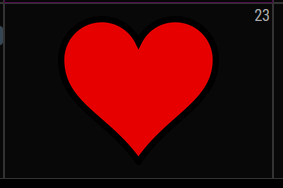
              1964916b-3525-40e5-a81b-7f691ef45676-image.png

              Since the CSS is applying the background to a specific month/date combo I am unsure how I can accommodate holidays that occur on the same day but different dates each year (e.g., Thanksgiving, Labor Day, etc).

              The below CSS is all the dates Labor Day could fall on, but this wouldn’t work unless I comment out the incorrect dates each year :/ any ideas/suggestions?

              /* Labor Day - First Monday in September */
              .CX3 .month_9.date_1,
              .CX3 .month_9.date_2,
              .CX3 .month_9.date_3,
              .CX3 .month_9.date_4,
              .CX3 .month_9.date_5,
              .CX3 .month_9.date_6,
              .CX3 .month_9.date_7,
              .CX3 .month_9.date_8 {
                background-image: url("/modules/MMM-CalendarExt3/Backgrounds/LaborDay");
                background-position: center center;
                background-size: 60%;
                background-repeat: no-repeat;
              }
              

              Thank you!

              M 1 Reply Last reply Reply Quote 0
              • M Offline
                MMRIZE @CurlyQ12391
                last edited by MMRIZE

                @CurlyQ12391
                There is the selector “.weekday_N”(0-6). ATM I cannot remember exactly but “weekday_0” probably is “Sunday” (or Monday), anyway try it.
                https://github.com/MMRIZE/MMM-CalendarExt3#styling-with-css

                C 1 Reply Last reply Reply Quote 0
                • C Offline
                  CurlyQ12391 @MMRIZE
                  last edited by

                  @MMRIZE,

                  That did the trick! Adding “weekday” prevented the image from populating on multiple cells :) This module is by far my favorite because of how customizable it is.

                  /* Labor Day - First Monday in September */
                  .CX3 .month_9.date_1.weekday_1,
                  .CX3 .month_9.date_2.weekday_1,
                  .CX3 .month_9.date_3.weekday_1,
                  .CX3 .month_9.date_4.weekday_1  {
                    background-image: url("/modules/MMM-CalendarExt3/Backgrounds/LaborDay");
                    background-position: center center;
                    background-size: 60%;
                    background-repeat: no-repeat;
                  }
                  

                  The only one I haven’t been able to figure out is Easter Sunday because it is the first between March 22 and April 25. I dont believe CSS can handle that type of logic, maybe JS but thats a little too complex for me. For now I will just leave Easter off the calendar.

                  M 2 Replies Last reply Reply Quote 0
                  • M Offline
                    MMRIZE @CurlyQ12391
                    last edited by

                    @CurlyQ12391
                    I think it is possible with “manipulateDateCell”. I will show example after my return from a business trip in a few days.

                    1 Reply Last reply Reply Quote 0
                    • M Offline
                      MMRIZE @CurlyQ12391
                      last edited by MMRIZE

                      @CurlyQ12391

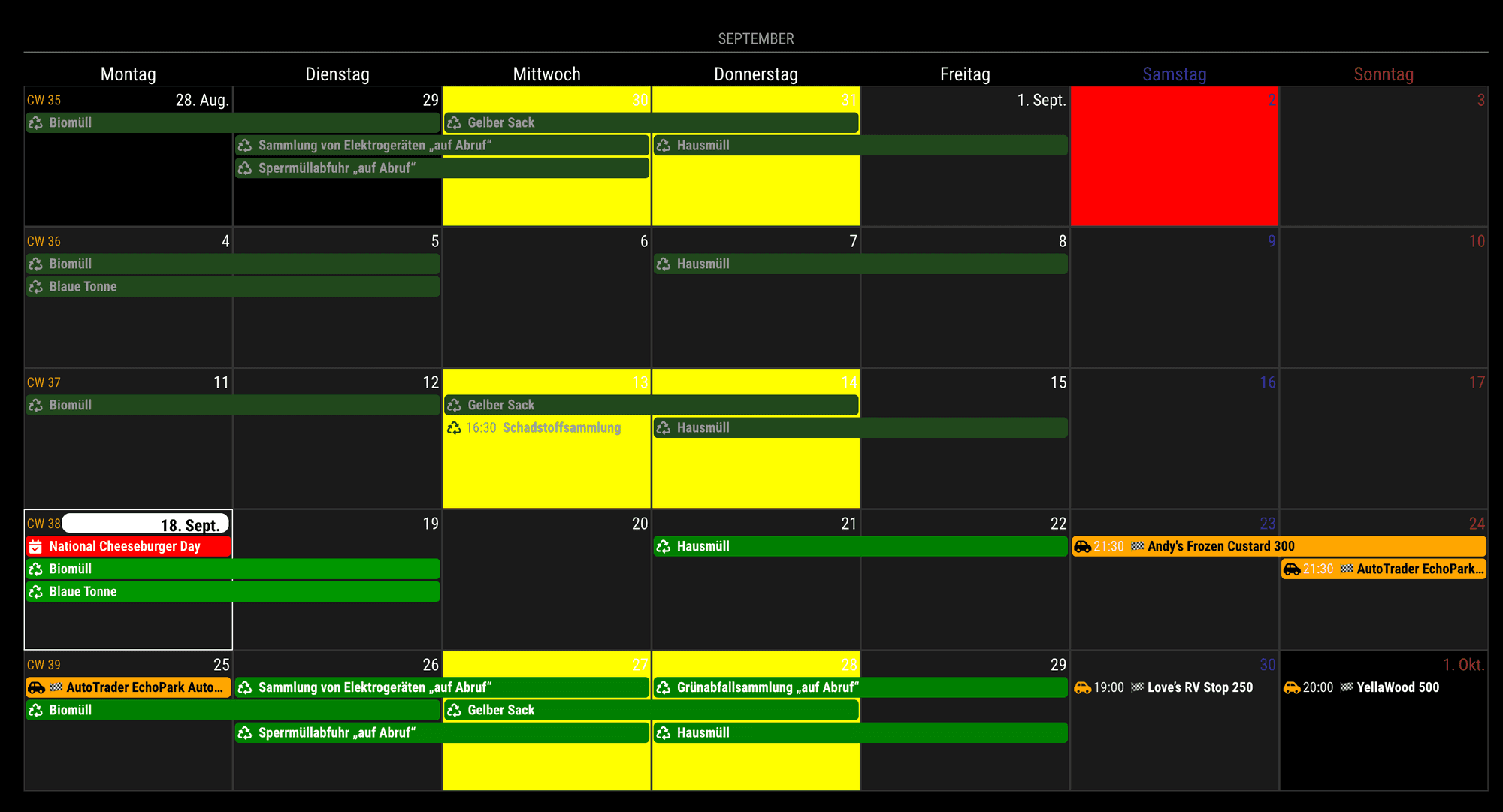
                      {
                        module: "MMM-CalendarExt3",
                        position: "bottom_bar",
                        config: {
                          mode: 'month',
                          manipulateDateCell: (dom, events) => {
                            let date = new Date(+dom.dataset.date)
                            if (date.getMonth() == 8 && date.getDate() == 2) { // specific cell by absolute date
                              dom.classList.add('specialHoliday')
                              dom.style.backgroundColor = 'red'
                              // do whatever you want.
                            }
                      
                            if (events.some(e => e.title.search("Gelber") > -1)){ // specific cell by event
                              dom.classList.add('specialEvent')
                              dom.style.backgroundColor = 'yellow'
                              // do whatever you want.
                            }
                          }
                        }
                      },
                      

                      107e15de-2d5a-4b38-bab6-0eb97f9dbe53-image.png

                      1 Reply Last reply Reply Quote 0
                      • N Offline
                        nekreg9
                        last edited by

                        How can I delay the start of the MMM-CalendarExt3 module? I have the default calendar module showing and I can see the 3 calendars load events into it. The problem is CalendarExt3 starts while the calendars are still loading. I changed the refreshInterval to more frequent to deal with that, but really a delay start would be more efficient.

                        I supposed this would only be a problem while I am troubleshooting.

                        M 1 Reply Last reply Reply Quote 0
                        • M Offline
                          MMRIZE @nekreg9
                          last edited by

                          @nekreg9
                          There is a configurable option “waitFetch”.
                          But I doubt your real issue would be that. Because, CX3 starts rendering after one calendar which has at least one event have fetched successfully. (and in a “waitFetch”, no more calendar is fetched)
                          So if your CX3 starts late, It means your events source provider(usually default calendar module) might have timing issue to fetch calendars(e.g. too frequent fetch cycles or something else)

                          1 Reply Last reply Reply Quote 0
                          • K Offline
                            Kaisies 0
                            last edited by

                            Is it at all possible to alter the grid to only divide the screen into 5 sections? I was able to alter code to only show m-f, but the sat and sun sections are still there. Just completely blank. For the life of me I can’t figure out where in the code it sets this part up.

                            M 2 Replies Last reply Reply Quote 0
                            • M Offline
                              MMRIZE @Kaisies 0
                              last edited by

                              @Kaisies-0
                              1f6f210b-dd20-4887-b394-f2525233ad7b-image.png

                              1 Reply Last reply Reply Quote 0
                              • M Offline
                                MMRIZE @Kaisies 0
                                last edited by MMRIZE

                                @Kaisies-0
                                Anyway,
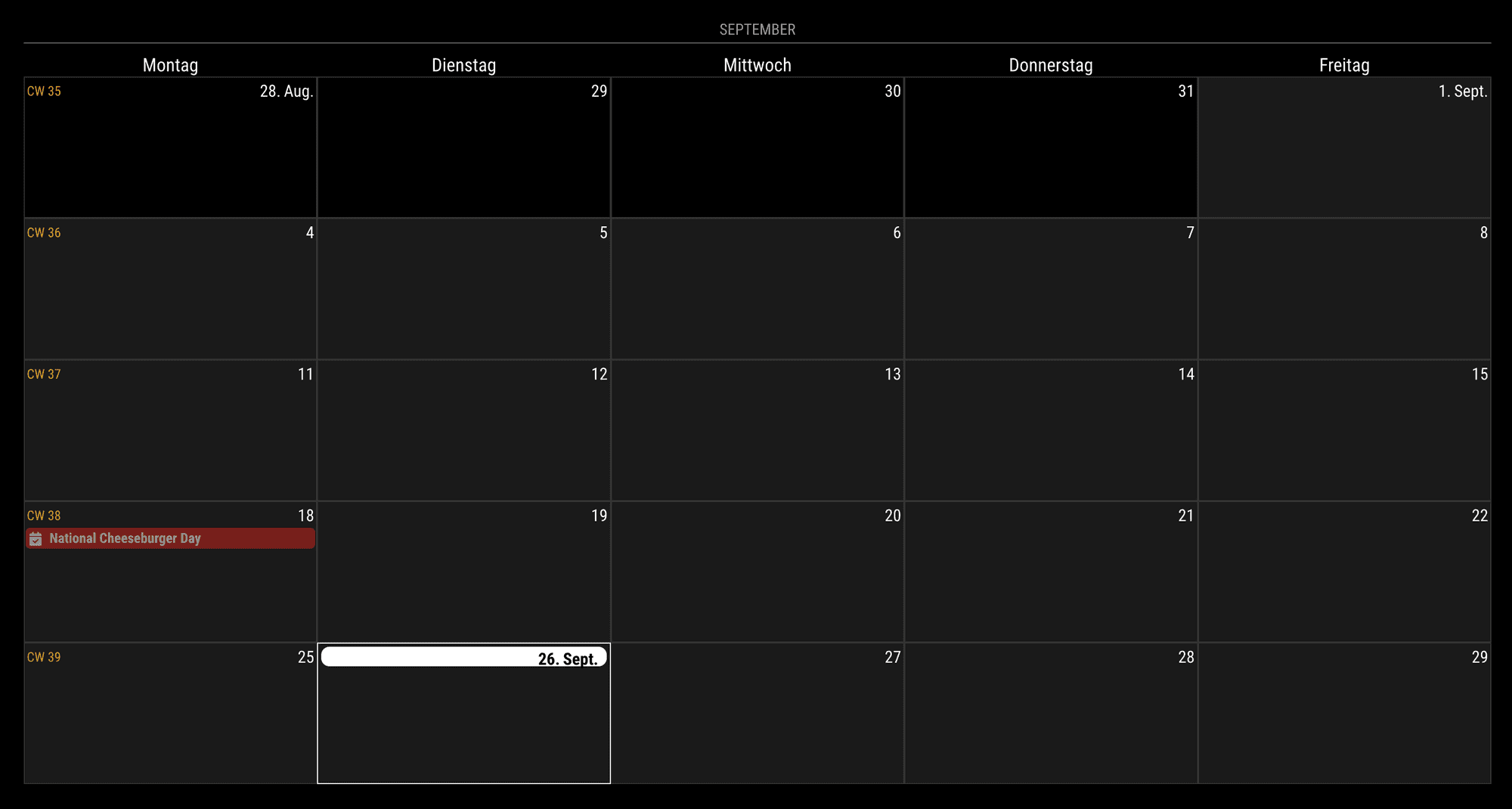
                                For the firstDayOfWeek: 1 (Week starts from Monday), It could be achieved like below;

                                .CX3 .weekGrid {
                                  grid-template-columns: repeat(5, [cell-start] 1fr [cell-end]) 0fr 0fr;
                                }
                                
                                .CX3 .weekday.weekday_6,
                                .CX3 .weekday.weekday_0 {
                                  display: none;
                                }
                                
                                .CX3 .cell.weekday_6,
                                .CX3 .cell.weekday_0 {
                                  display: none;
                                }
                                

                                This will work.
                                ca91b736-4bef-46da-8af9-93877ca4a0e0-image.png
                                But for the firstDayOfWeek:0 or another case, .weekGrid should be adjusted more heavily. And not sure side-effects.

                                BKeyportB 1 Reply Last reply Reply Quote 0
                                • BKeyportB Offline
                                  BKeyport Module Developer @MMRIZE
                                  last edited by

                                  @MMRIZE I wanna do things a little different (of course) - what I’d like is to have CX3 display the calendar symbol only. No title, preferably horizontally. I can get the title out of the way, but the rest of it I’m not quite sure how - for some reason I’m having a hard time deconstructing how you build.

                                  Thanks!

                                  The "E" in "Javascript" stands for "Easy"

                                  M 2 Replies Last reply Reply Quote 0
                                  • M Offline
                                    MMRIZE @BKeyport
                                    last edited by

                                    @BKeyport

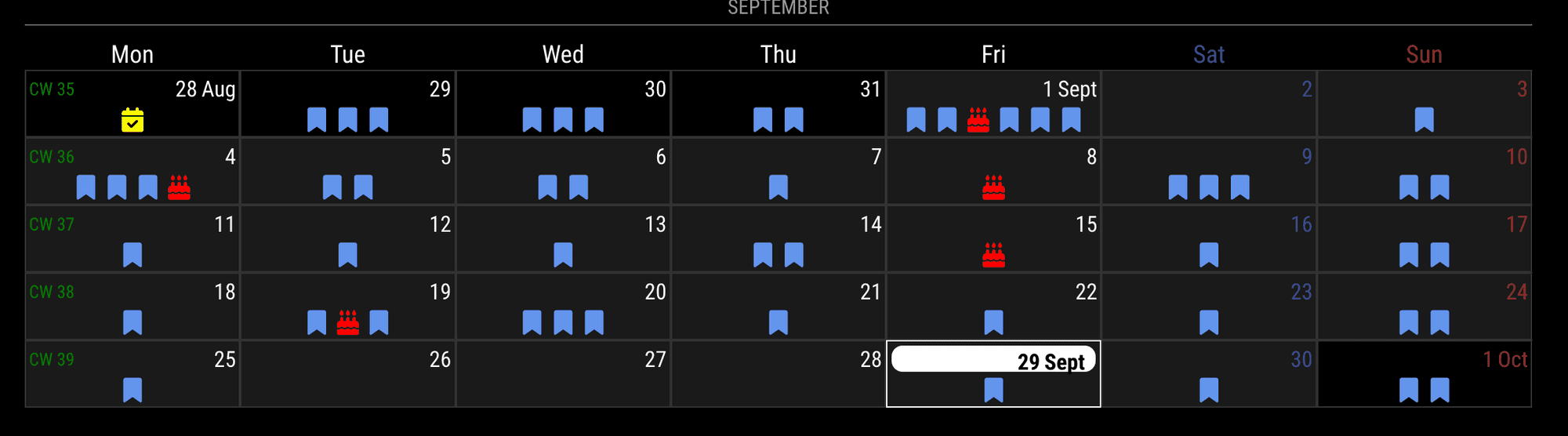
                                    Is this what you want?
                                    ff1c0f88-fc4b-4def-b904-2e49216dc86e-image.png

                                    BKeyportB 1 Reply Last reply Reply Quote 0
                                    • M Offline
                                      MMRIZE @BKeyport
                                      last edited by MMRIZE

                                      @BKeyport
                                      What a coincidence.
                                      Yesterday, a user asked me how to manipulate day-cell and remove events together at the same time. It is ideally the same with your purpose.

                                      To reach your goal; 1) extracting an icon from an event and 2) putting it into the daycell would be needed.
                                      However, manipulateDayCell is executed after all events processes are done, so it cannot be achieved with CX3 alone. With manipulateDayCell, you can extract icons and inject them into the daycell, but you cannot remove original events together easily.

                                      With MMM-ModuleMonkeyPatch, you can remove events after rendering (before revealing)

                                      /* In MMM-CalendarExt3 config */
                                        manipulateDateCell: (cellDom, events) => {
                                          let body = cellDom.querySelector('.cellBody')
                                          Array.from(events).forEach((e) => {
                                            if (Array.isArray(e.symbol) && e.symbol.length > 0) {
                                              let icon = document.createElement('span') 
                                              icon.className = e.symbol
                                              body.appendChild(icon)
                                              icon.style.color = e.color
                                            }
                                            
                                          })
                                        },
                                        maxEventLines: 1,
                                      
                                      /* MMM-ModuleMonkeyPatch */
                                      {
                                        module: "MMM-ModuleMonkeyPatch",
                                        config: {
                                          patches: [
                                            {
                                              module: "MMM-CalendarExt3",
                                              method: "getDom",
                                              patch: function (original, args) {
                                                let dom = original(args)
                                                let target = Array.from(dom.querySelectorAll('.event')) || []
                                                target.forEach((e) => {
                                                  e.style.display = 'none'
                                                })
                                                return dom
                                              }
                                            }
                                          ]
                                        }
                                      },


                                      These codes are just concept-proof. There are many holes like overflowed events, order of events, … I bet you can improve codes for your purpose.

                                      BKeyportB 1 Reply Last reply Reply Quote 0
                                      • BKeyportB Offline
                                        BKeyport Module Developer @MMRIZE
                                        last edited by

                                        @MMRIZE that would be perfect, yes.

                                        The "E" in "Javascript" stands for "Easy"

                                        1 Reply Last reply Reply Quote 0
                                        • BKeyportB Offline
                                          BKeyport Module Developer @MMRIZE
                                          last edited by

                                          @MMRIZE actually, I don’t need to extract - the symbols are set by default Calendar app, so I’d be using “useSymbol:True” to get them only.

                                          The "E" in "Javascript" stands for "Easy"

                                          1 Reply Last reply Reply Quote 0
                                          • X Offline
                                            XDmToter
                                            last edited by

                                            I am having trouble integrating MMM-CalendarExt3 with MMM-GoogleCalendar.
                                            I’m not sure what else is required other than adding a “name” to the Google Calendar and then listing that in the “calendarSet” parameter in CalendarExt3.

                                            Can anyone point out what I am missing?

                                            Here is my config:

                                            {
                                                        module: 'MMM-GoogleCalendar',
                                                        header: "Family Calendar",
                                                        position: "top_left",
                                                        config: {
                                                            maximumEntries: 4,
                                                            broadcastPastEvents: true,
                                                            calendars: [
                                                              {
                                                                symbol: "calendar-week",
                                                                calendarID: "XXXXXXXXXXXXXXXXXXXX@group.calendar.google.com",
                                                                name: 'famCal',
                                                              },
                                                            ],
                                                        }
                                                    },
                                                    {
                                                        module: "MMM-CalendarExt3",
                                                        position: "bottom_bar",
                                                        title: "Family Calendar",
                                                        config: {
                                                            mode: "week",
                                                            instanceId: "basicCalendar",
                                                            calendarSet: ['famCal'],
                                                        }
                                                    },
                                            

                                            I see the List view from MMM-GoogleCalendar, but I just get a blank calendar from MMM-CalendarExt3
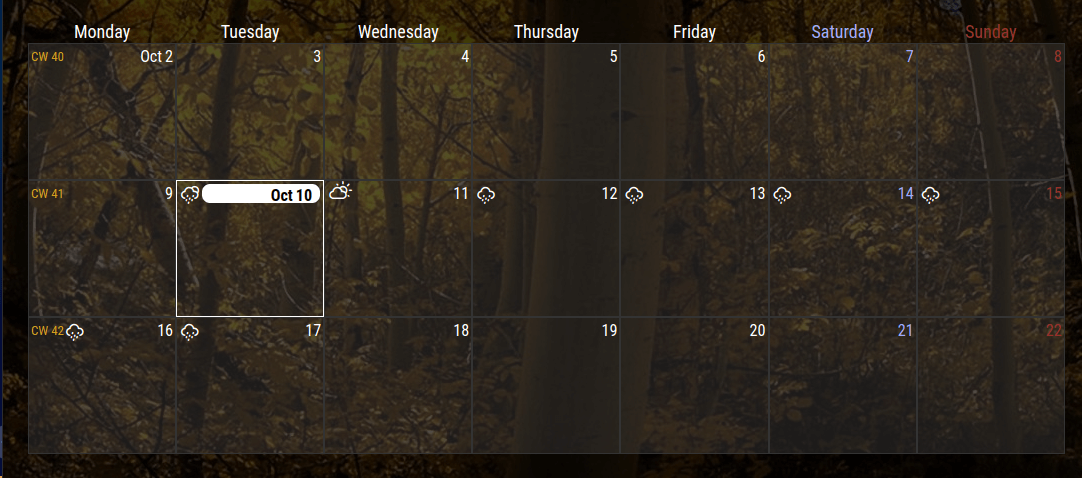
                                            MM-Blank-Calendar.png

                                            M 2 Replies Last reply Reply Quote 0

                                            Hello! It looks like you're interested in this conversation, but you don't have an account yet.

                                            Getting fed up of having to scroll through the same posts each visit? When you register for an account, you'll always come back to exactly where you were before, and choose to be notified of new replies (either via email, or push notification). You'll also be able to save bookmarks and upvote posts to show your appreciation to other community members.

                                            With your input, this post could be even better 💗

                                            Register Login

                                            • 1
                                            • 2
                                            • 16
                                            • 17
                                            • 18
                                            • 19
                                            • 20
                                            • 34
                                            • 35
                                            • 18 / 35
                                            • First post
                                              Last post
                                            Enjoying MagicMirror? Please consider a donation!
                                            MagicMirror created by Michael Teeuw.
                                            Forum managed by Sam, technical setup by Karsten.
                                            This forum is using NodeBB as its core | Contributors
                                            Contact | Privacy Policy