Read the statement by Michael Teeuw here.
MMM-Strava ID Unauthorized
-
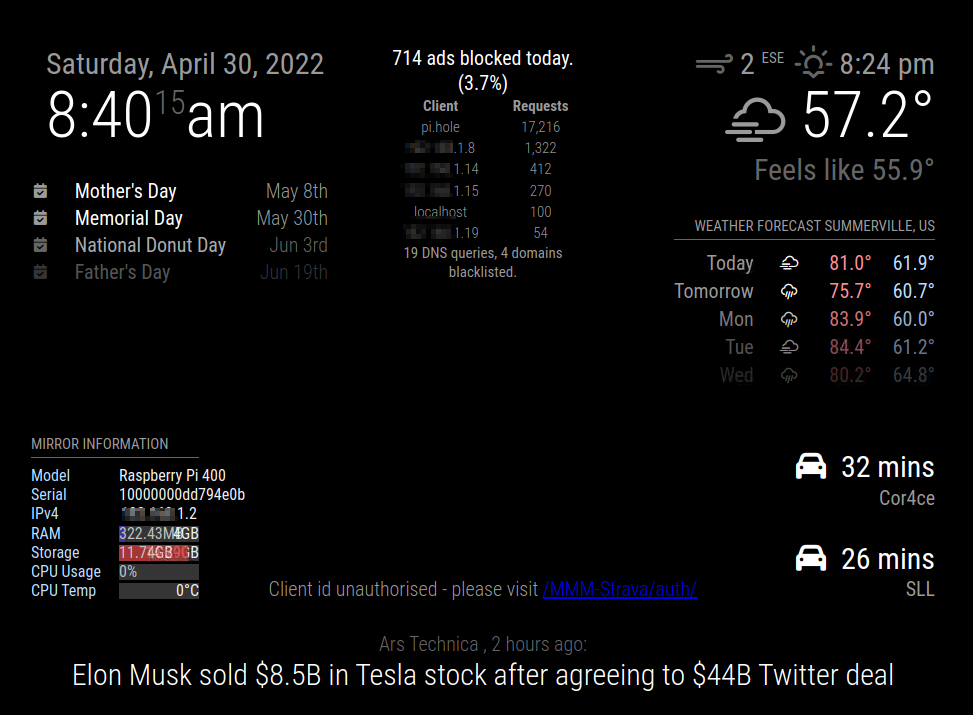
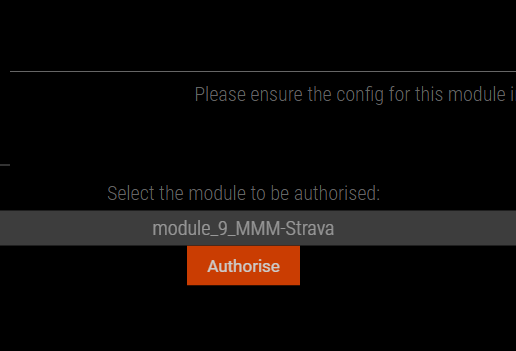
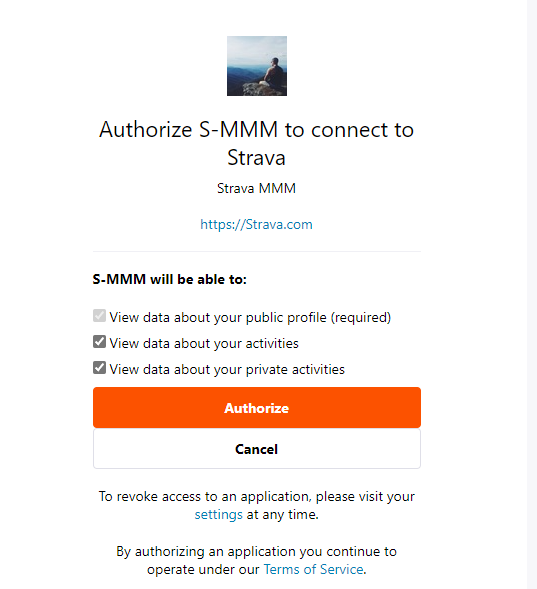
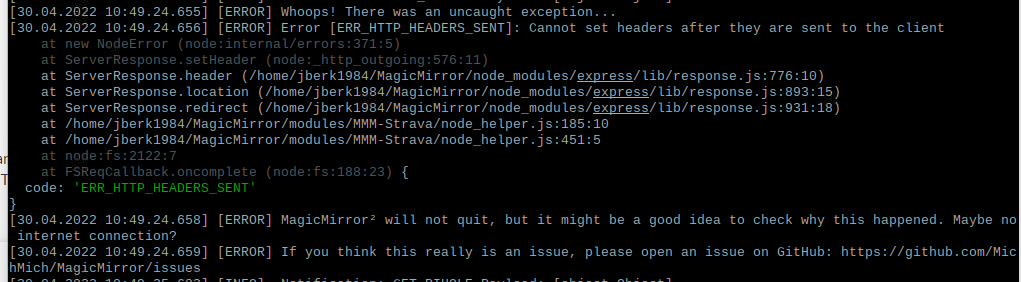
Hello, I am getting client id not authorized, despite having my client ID and client secret correct (from Strava API page). I also have the whitelist setup correctly and can access my MM from my local browser (the MM itself is on a RPI4). I receive the link within the magic mirror and am redirected to the authorization page on Strava, but after clicking authorize and restarting MM, I am still getting the same client ID not authorized. In looking in electron, I do so a ERR_HTTP_HEADERS_SENT error message…
Any help would be greatly appreciated. Screenshots below:

-
@BerkSmash1984 Opening developer tools shows the following at this point in the authorization:
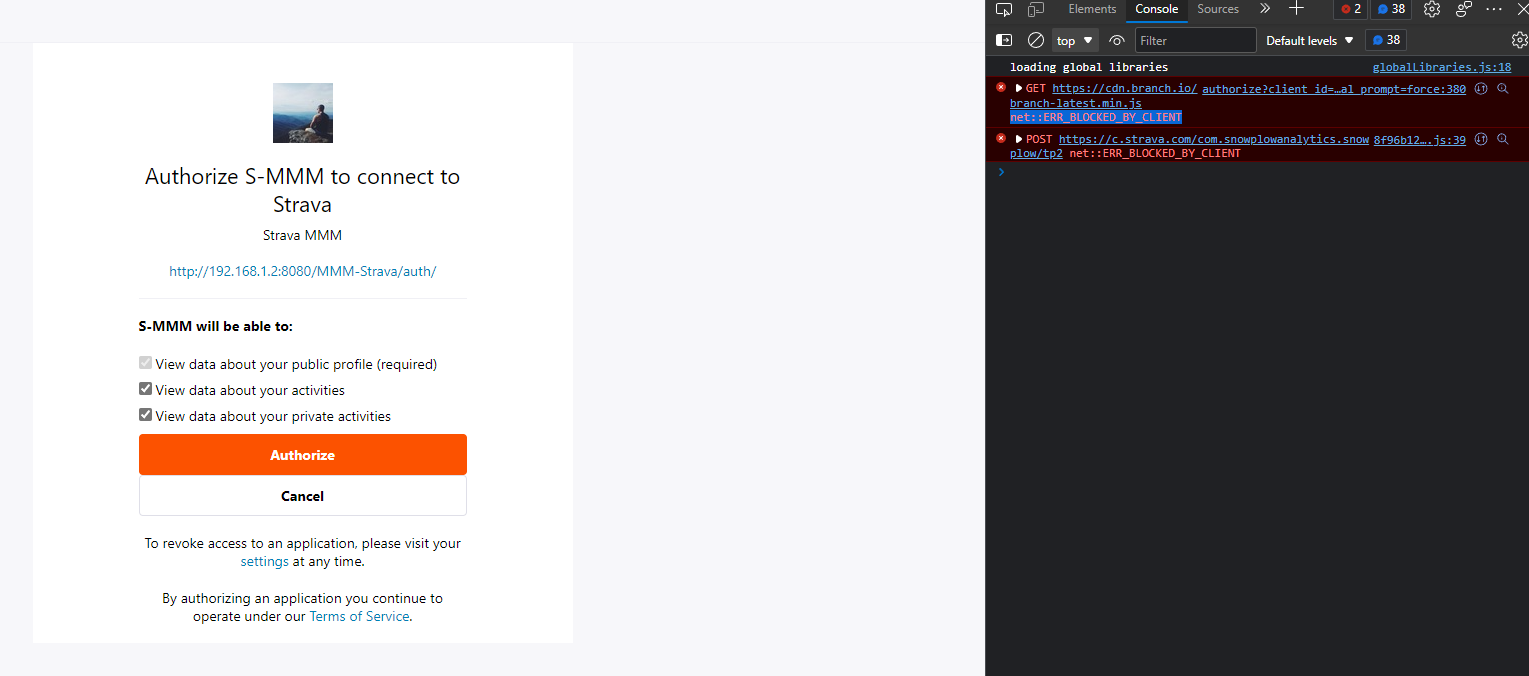
Note: I have my pihole disabled while testing, as it is also on this RPI
-
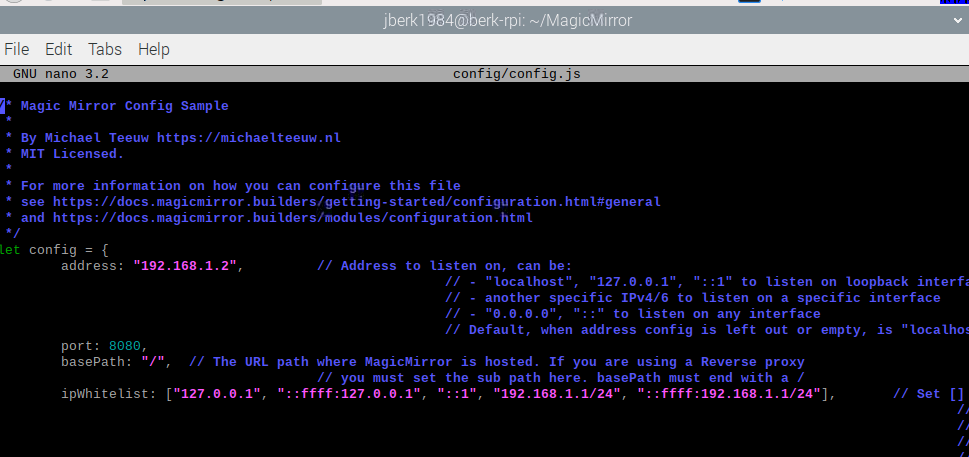
@BerkSmash1984 if your MagicMirror config.js
address:“0.0.0.0”change to the ip address of the pi
address:“191.168.?.?”
and try again
-
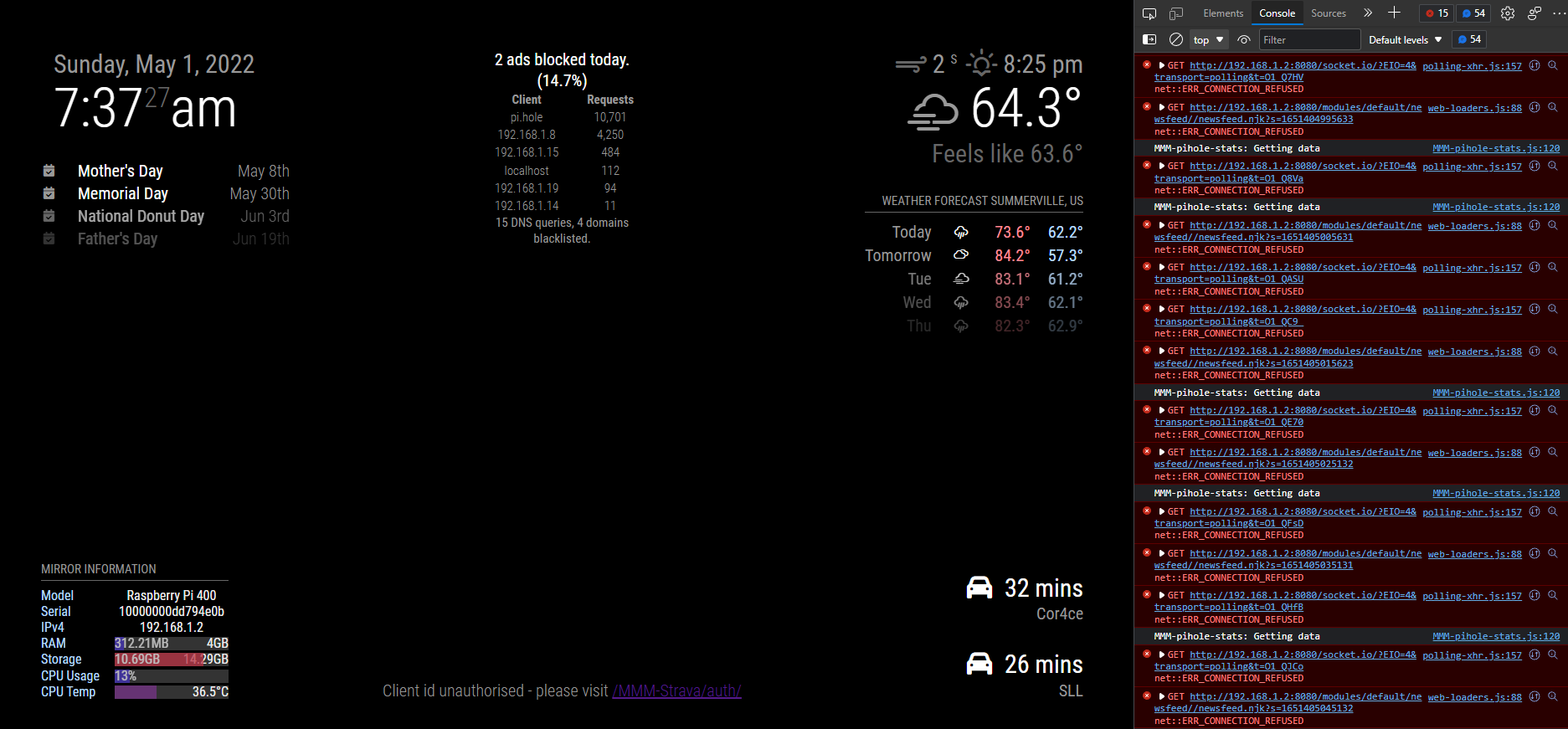
@sdetweil changed it
No luck though. I see lots of errors with Dev tools from PiHole module if I change from 0.0.0.0 to the IP of the RPI4
-
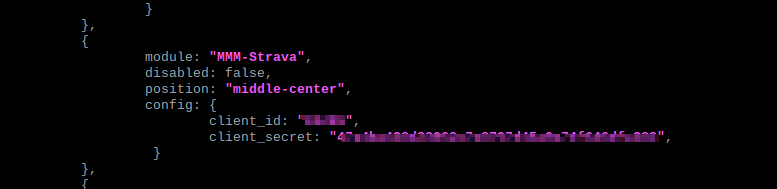
@BerkSmash1984 Did you add your client_id and client_secret to the config,js?
{
                        module: "MMM-Strava",
                        header: "My STRAVA Stats",
                        position: "middle_center",
                        config: {
                                        client_id: "your_client_id",
                                        client_secret: "your_client_secret"
                                        activities: ["ride", "run", "swim"],
                                        period: "all",
                                        stats: ["count", "distance", "achievements"],
                                        units: "metric",
                                        updateInterval: 86400000,
                                        reloadInterval: 86400000
I am using address: “0.0.0.0” and I am not having any issues.
Check out my modules at: https://github.com/mumblebaj?tab=repositories
Check my blog-post: https://mumblebaj.xyz/
Check my MM Container: https://hub.docker.com/repository/docker/mumblebaj/magicmirror/general -
@mumblebaj he posted in discord
-
@mumblebaj Yes, I did:
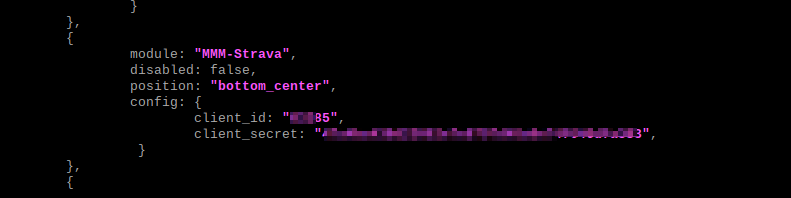
-
@mumblebaj Any ideas here? Would really like to get this functional. Appreciate any help!
-
@BerkSmash1984 Let’s trace all the required steps.
-
Have run
npm installin the MMM-Strava folder? -
Did you do the browser auth on the PI?
-
Does the
tokens.jsonfile exist in theMMM-Stravafolder and does it have the required information in it? This should be created once the authorization step has been completed from the Browser on the RPi and should be populated with some token and user information.
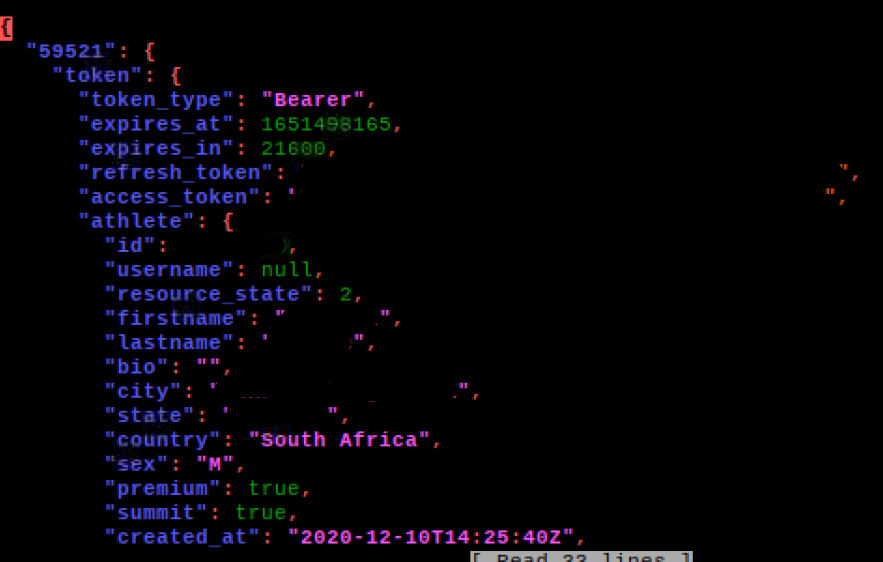
Other than checking that I am not sure what else you can check. Other than starting the process from scratch to re-install and re-auth I don’t know what else you can do.
Check out my modules at: https://github.com/mumblebaj?tab=repositories
Check my blog-post: https://mumblebaj.xyz/
Check my MM Container: https://hub.docker.com/repository/docker/mumblebaj/magicmirror/general -
-
@mumblebaj Thanks for the response.
- yes npm install was run the MMM-Strave folder
- yes I did the browser auth on the RPI as well
- no, I do not see a tokens file in the MMM-Strava folder after attempting the authorization:
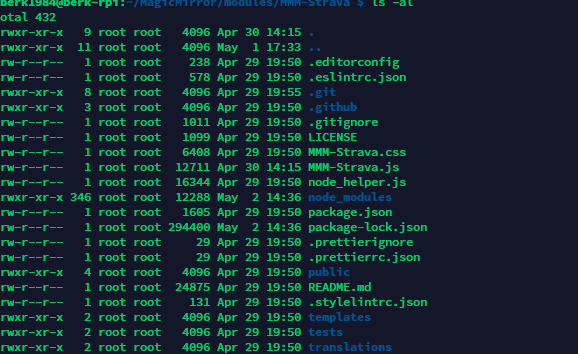
-
@mumblebaj I did attempt a reinstall of the MMM-Strava module but can certainly do it again. Is best method to rm-rf the MMM-Strava modiue folder and then redo the steps listed in the Github for MMM-Strava?
-
@BerkSmash1984 u can edit your posts… don’t have to leave pad text, wrong info, bad tag…
-
@sdetweil my bad, thanks! I corrected my post
-
@BerkSmash1984 not bad, maybe you didn’t know. lol
-
@mumblebaj just removed the MMM-Strava module and installed from scratch. Still seeing the same issue. Would you by chance be able to do any direct troubleshooting with me? I am on discord in the MM channel and can dm you in there, if you have any free time at any point.
Note: when I click the authorize button a the Stava auth site after being redirected there from my MM on the RPI, in Electron, I see this generated:
[03.05.2022 10:13.13.537] [ERROR] Whoops! There was an uncaught exception…
[03.05.2022 10:13.13.538] [ERROR] Error [ERR_HTTP_HEADERS_SENT]: Cannot set headers after they are sent to the client
at new NodeError (node:internal/errors:371:5)
at ServerResponse.setHeader (node:_http_outgoing:576:11)
at ServerResponse.header (/home/jberk1984/MagicMirror/node_modules/express/lib/response.js:776:10)
at ServerResponse.location (/home/jberk1984/MagicMirror/node_modules/express/lib/response.js:893:15)
at ServerResponse.redirect (/home/jberk1984/MagicMirror/node_modules/express/lib/response.js:931:18)
at /home/jberk1984/MagicMirror/modules/MMM-Strava/node_helper.js:185:10
at /home/jberk1984/MagicMirror/modules/MMM-Strava/node_helper.js:451:5
at node:fs:2122:7
at FSReqCallback.oncomplete (node:fs:188:23) {
code: ‘ERR_HTTP_HEADERS_SENT’So the issue seems to be whatever is causing that. I never do see the token.js being generated after clicking the authorize button. My client and secret ID are correct in my config.js file (can’t tell you how many times I have checked to make sure)
-
@BerkSmash1984 said in MMM-Strava ID Unauthorized:
Cannot set headers after they are sent to the client
so, this error is typically caused by some code doing two sends for an incoming request
the module sets up a little server to receive and does a redirect response…
but this could be an async problem
start sending one response, continue while it runs and then fall into another send… oops…I only made a cursory look at the code. i have done similar things in some of my coding here and on other platforms.
I don’t ‘see’ it, but there is a library in there too
this says it is handling a callback on request complete,
line 185 is in the handling of the token auth . but the stravea lib is calling back into the function (function (err, payload, limits) at line 176
so the node_helper called strava, who called us back at the function on line 185 ( (err, data) => { (err, data) => { ) which does a redirect… WHILE the strava request to get the auth token handler is still active…strava.oauth.getToken(authCode, function (err, payload, limits) { if (err) { console.error(err); res.redirect(`/${self.name}/auth/?error=${err}`); return; } // Store tokens self.saveToken(clientId, payload.body, (err, data) => { // line 185 // redirect route res.redirect(`/${self.name}/auth/?status=success`); }); });line 451, is in the end of the saveFile() function, supposedly to save the tokens.json
	saveToken: function (clientId, token, cb) {
		var self = this;
		this.readTokens();
		// No token for clientId - delete existing
		if (clientId in this.tokens && !token) {
			delete this.tokens[clientId];
		}
		// No clientId in tokens - create stub
		if (!(clientId in this.tokens) && token) {
			this.tokens[clientId] = {};
		}
		// Add token for client
		if (token) {
			this.tokens[clientId].token = token;
		}
		// Save tokens to file
		var json = JSON.stringify(this.tokens, null, 2);
		fs.writeFile(this.tokensFile, json, "utf8", function (error) {
			if (error && cb) {
				cb(error);
			}
			if (cb) {
				cb(null, self.tokens);  // line 451  --- this calls back into the  ( (err, data) =>)  function
			}
		})
at FSReqCallback.oncomplete (node:fs:188:23) {
-
@BerkSmash1984 did you ever fixed this issue?
I just had the same issue, and it turns out it was a permissions issue in the MagicMirror folder, I changed the permissions of the folder and re-authorized, it’s now working.
Best regards


Hello! It looks like you're interested in this conversation, but you don't have an account yet.
Getting fed up of having to scroll through the same posts each visit? When you register for an account, you'll always come back to exactly where you were before, and choose to be notified of new replies (either via email, or push notification). You'll also be able to save bookmarks and upvote posts to show your appreciation to other community members.
With your input, this post could be even better 💗
Register Login