Read the statement by Michael Teeuw here.
Struggling with Weather... module
-
hi all
been trying for a while to get the default “weather” app to work for me and im struggling a little bit, NPM syntax check comes back clean.

im 95% sure i have all the relevant info in the config.js file.
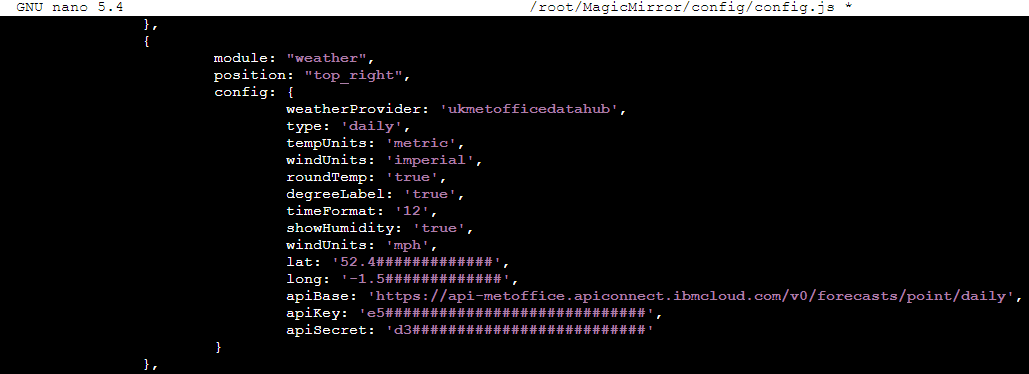
But im not seeing weather output on screen.
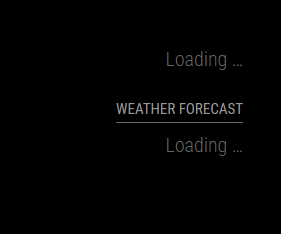
Figured i’d put it here instead of Discord.
All suggestions warmly recieved
-
This “issue” is fixed.
Advised by Sam, I ran these 2 commands to find modified files that differ from a “clean install/default” of MM.
git status
git diff
Any that varied… I ran:
git checkout <dir-tree>/file.extensionRebuilt my config.js and found that apiBase HAS to be commented out.
On reflection DO NOT CHANGE ANY FILE aside from “config.js”
I had 3 causes for this issue.- (edit) i had longitude set in config.js to “long:”… it should be “lon:” and the lat/lon do not have to be surrounded by any quote marks.
- I’d modified other *.js files, that didn’t need to be modified.
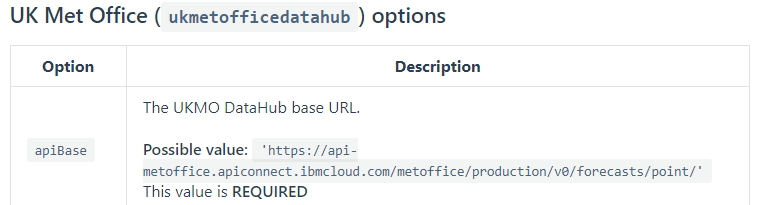
- the “apiBase” argument listed in (MagicMirror Documentation > Modules > Weather Module > Configuration Options) was, in my case, not “REQUIRED”.
@sdetweil … Sam, publically, I cant thank you enough for your help with this. Sorry for being a n00b, your insight and help was invaluable, and you taught me some stuff, which is great!!
-
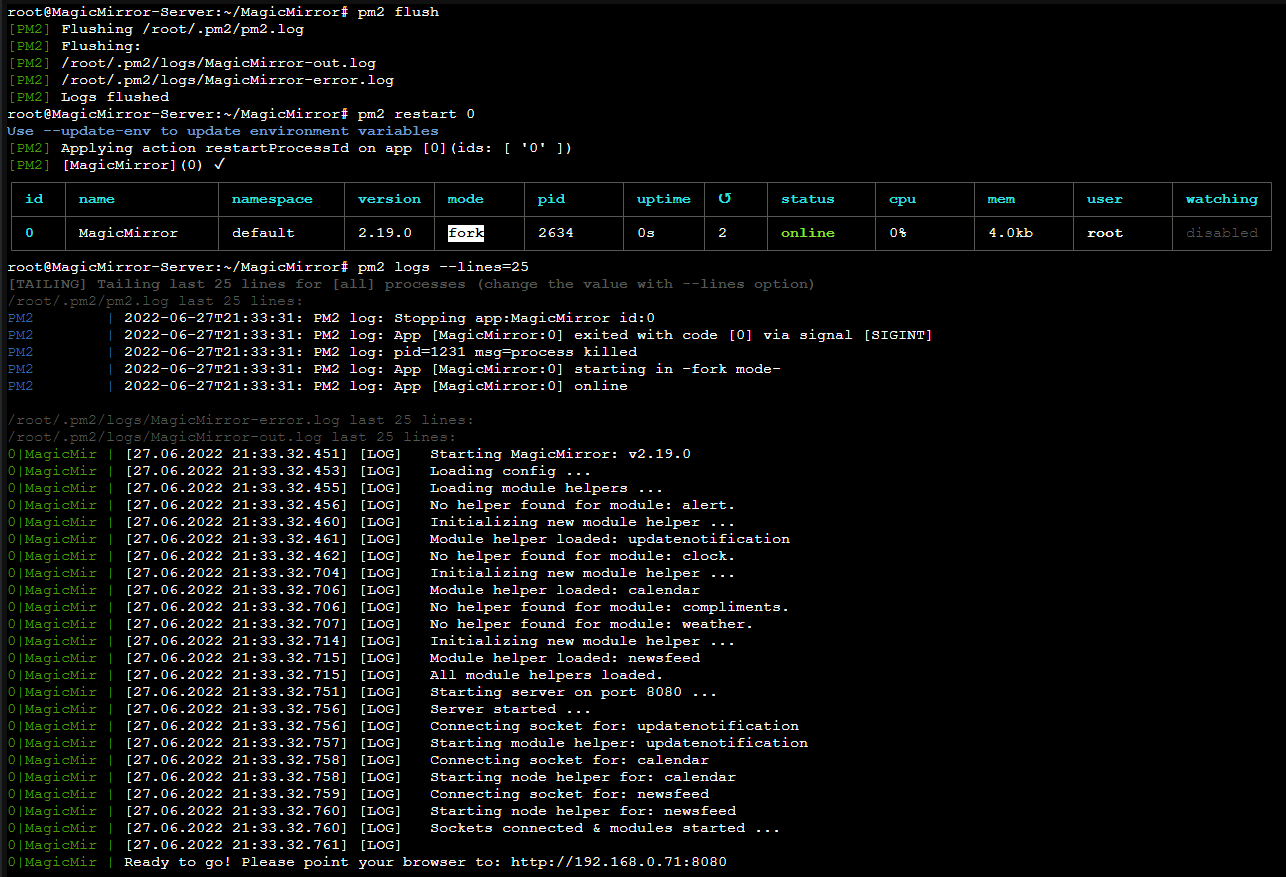
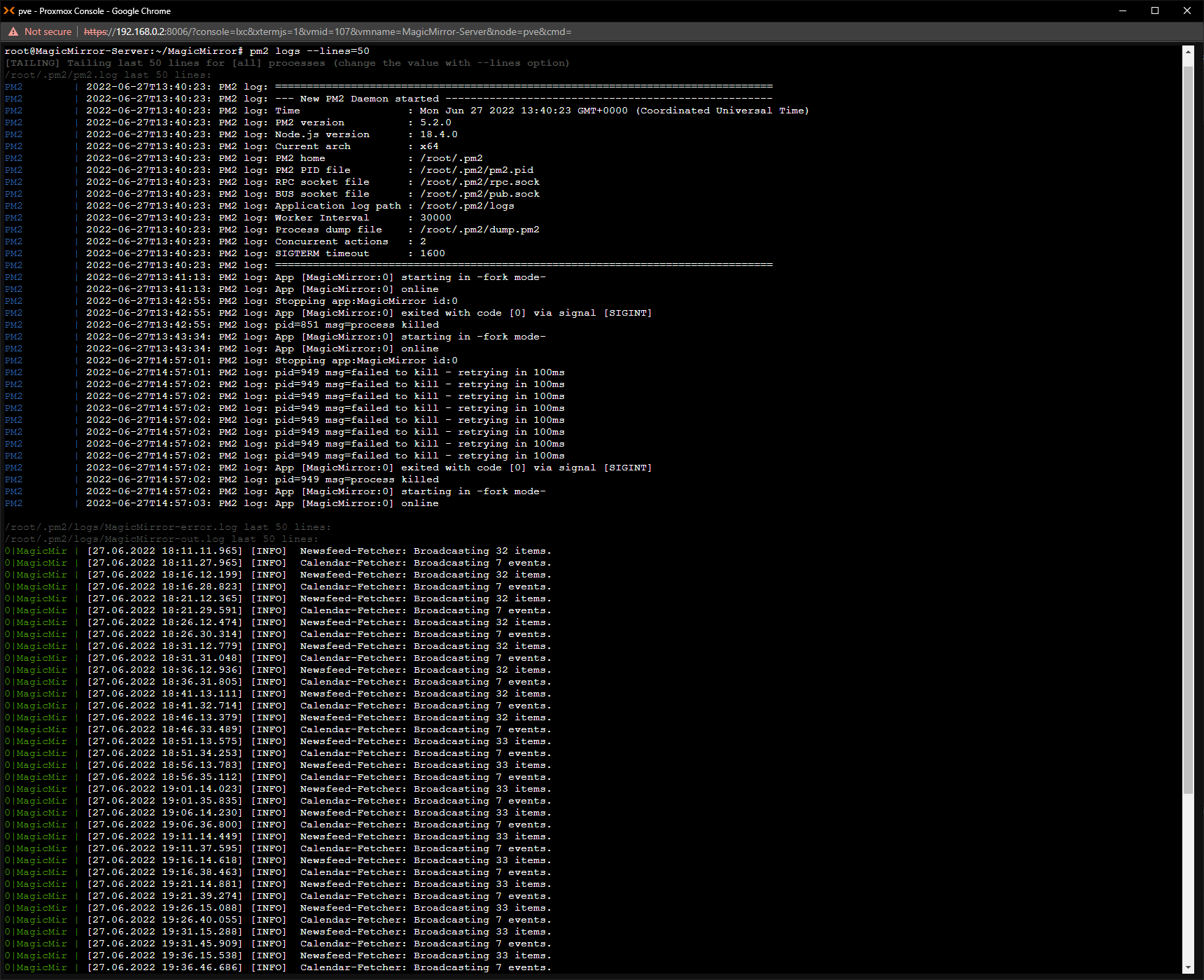
@D3dl3g cool… can u show the messages at runtime
where you do npm start, or if using pm2, then the command
pm2 logs --lines=???
will show the output
??? is a number, default 15, but may need to be higher to see the output…
you can do pm2 flush to empty the log and then start again (pm2 restart all)
-
@D3dl3g as a first check, you can use my working config-entry and extend it one by one with your needs:
//#################################################################################
		{
			disabled: false,
			module: "weather",
			position: "top_right",
			header: "Wetter aktuell",
			config: {
				type: "current",
				location: "Bonn",
				locationID: "2946447",
				apiKey: "myKey",
				showWindDirectionAsArrow: true,
				showHumidity: true,
				showFeelsLike: false
				}
		},
//#################################################################################
Just replace the apikey.
-
@thgmirror nice, but he is trying a different provider.
-
@sdetweil I know, but to have a first sense of achievement he will see something different than “LOADING”
-
@thgmirror yes, but his API key is to a different service…
-
-
@thgmirror I’d gladly try, but I’d need an API key, my friend.
without an API for that particular weather service, it will just come up with “loading” as the server will not give the info to you.i saw the post of yours earlier, but as it didnt match my issue with UK Met Office weather service.
-
@sdetweil said in Struggling with Weather... module:
you can do pm2 flush to empty the log and then start again (pm2 restart all)
-
@D3dl3g if you get a free api key from openweathermap and then you can test with a known weather api that we all know works. (openweathermap works for me ). then you’ll narrow down the possibilities of why your particular setup isn’t working. 1) if it is the way you have installed the module, or 2) if the problem is with the weather endpoint you are trying to use. 3) maybe the uk weather api isn’t availble to you if you aren’t physically in the uk, 4) something else…
but getting the module working first in a known working configuration… will narrow down a lot of possibilities. it doesn’t mean that you can’t use the api you want later (unless that’s the issue).
-
@D3dl3g try lines=50
-
@sdetweil
many restarts as i was modifying and testing layouts and features
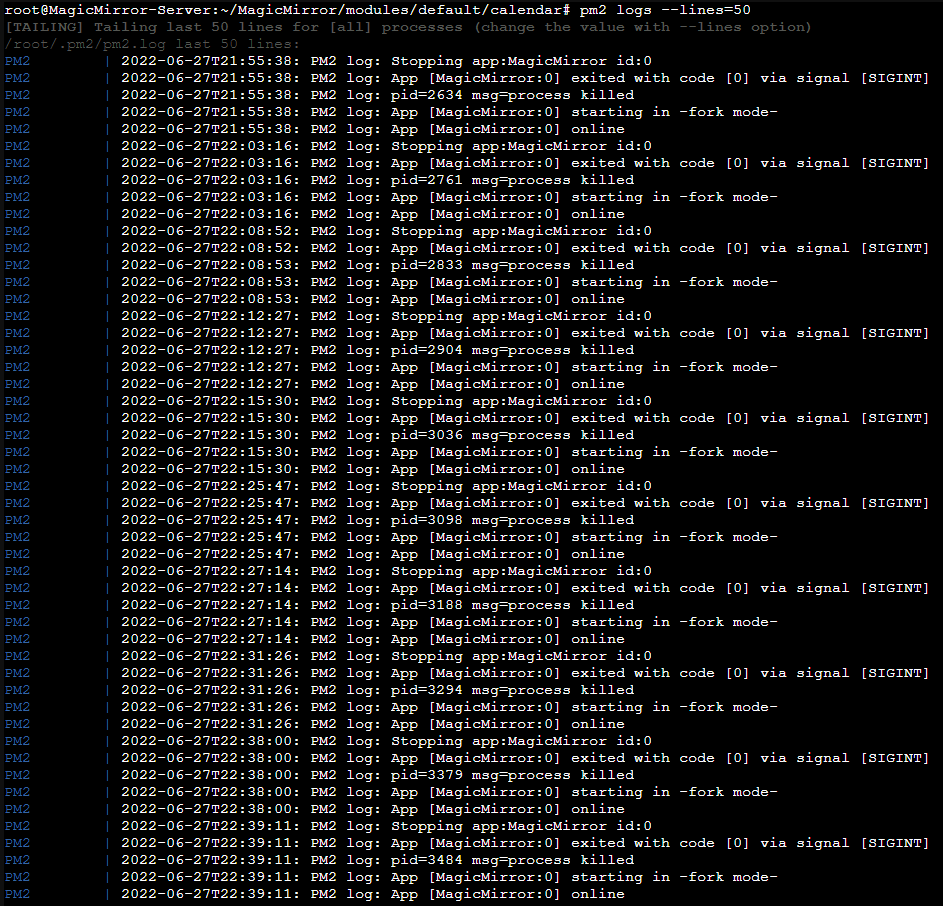
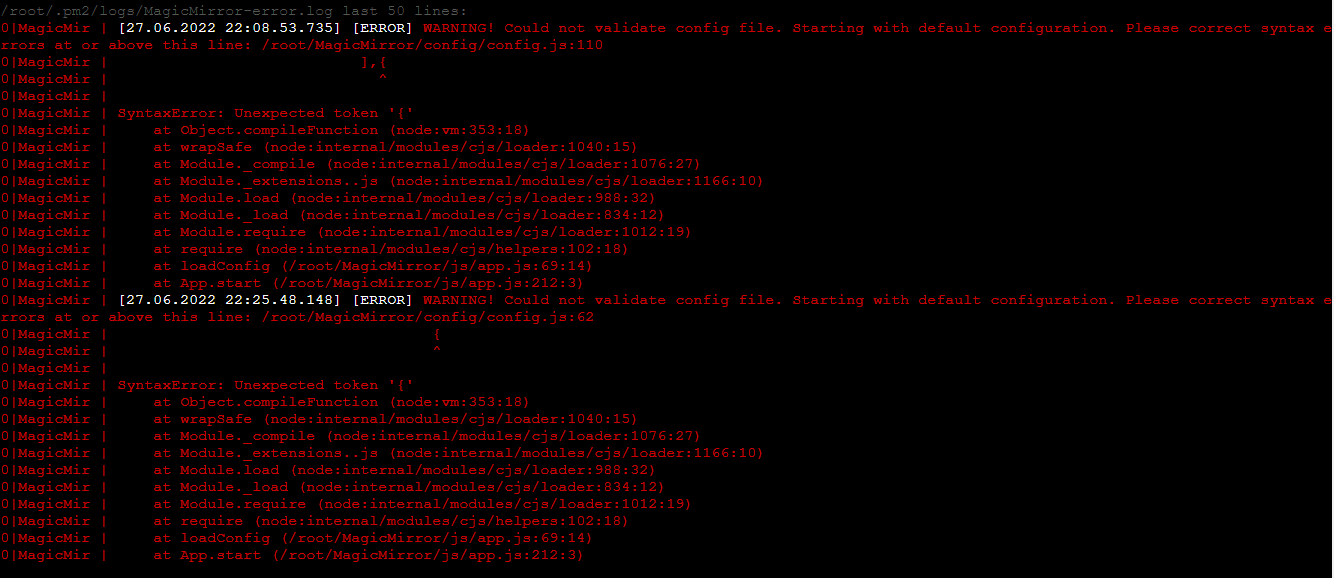
couple of syntax errors, when i was playing around last night.
(blanked out sensitve info on calendar line)
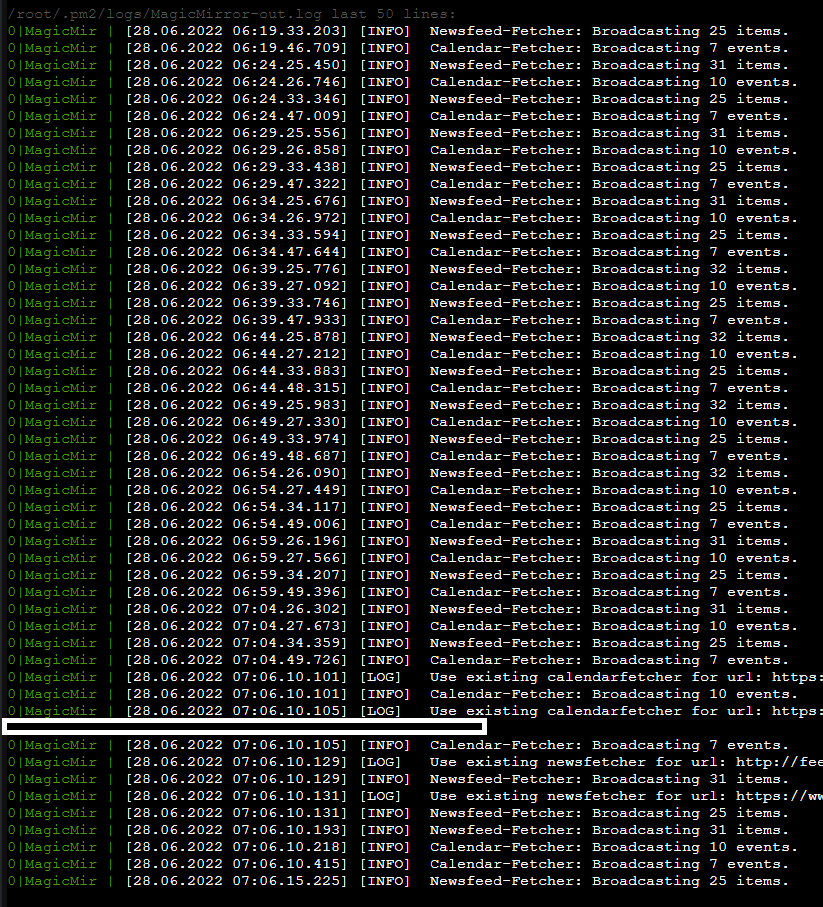
-
@D3dl3g hm. should have had some info…
-
@sdetweil
:grinning_face_with_smiling_eyes: always the way. -
could it be *js file setup.
been poking around on the Met Office website
is this “request” something that could be used
GET https://api-metoffice.apiconnect.ibmcloud.com/v0/forecasts/point/hourly?latitude=52.################&longitude=-1.################
Headers:
Accept: application/json
X-IBM-Client-Id: e52######################
X-IBM-Client-Secret: *********
a “Header”
cache-control: no-cache, no-store, max-age=0, must-revalidate
content-length: 3634
content-type: application/json
expires: 0
pragma: no-cache
x-global-transaction-id: 9####################
x-ratelimit-limit: name=rate-limit-1,360;
x-ratelimit-remaining: name=rate-limit-1,358;
theres also a “Body” that starts
{
    "type": "FeatureCollection",
    "features": [
        {
            "type": "Feature",
            "geometry": {
                "type": "Point",
                "coordinates": [
                    -1.###,
                    52.###,
                    ###
                ]
            },
            "properties": {
                "requestPointDistance": 736.6499,
                "modelRunDate": "2022-06-28T13:00Z",
                "timeSeries": [
                    {
                        "time": "2022-06-28T13:00Z",
                        "screenTemperature": 19.6,
                        "maxScreenAirTemp": 19.6,
                        "minScreenAirTemp": 19.1,
                        "screenDewPointTemperature": 7.7,
                        "feelsLikeTemperature": 16.83,
                        "windSpeed10m": 5.1,
                        "windDirectionFrom10m": 200,
                        "windGustSpeed10m": 11.3,
                        "max10mWindGust": 13.42,
                        "visibility": 24714,
                        "screenRelativeHumidity": 46.06,
                        "mslp": 101420,
                        "uvIndex": 4,
                        "significantWeatherCode": 3,
                        "precipitationRate": 0,
                        "totalPrecipAmount": 0,
                        "totalSnowAmount": 0,
                        "probOfPrecipitation": 1
i hashed out sensitive info BTW, the Long/lat and API Keys
-
in addition… looking at “ukmetofficedatahub.js”
API Base URL looks like this…
apiBase: “https://api-metoffice.apiconnect.ibmcloud.com/v0/forecasts/point/<hourly/3hourly/daily>”,where as the next section down API URL is stated to be
“https://metoffice.apiconnect.ibmcloud.com/metoffice/production/api”seems to be a mismatch although im still looking at where to test that theory…
i would have hoped which ever way the URL is structured its the JS info thats the important bit, not the structure of the URL -
I’m stumped!
As outlined here
ukmetofficedatahub.js is set to
        // Set the default config properties that is specific to this provider
        defaults: {
                apiBase: "https://api-metoffice.apiconnect.ibmcloud.com/v0/forecasts/point/daily/",
                apiKey: "<myID>",
                apiSecret: " <my secret>",
                lat: <my lat>,
                lon: <mylong>,
                windUnits: "mph"
(lines 50-55)
////////////////////////////////////////////////////////////////////////////////////////////////////////////////////////
config.js set to
  		weatherProvider: "ukmetofficedatahub",
  		apiBase: "https://api-metoffice.apiconnect.ibmcloud.com/v0/forecasts/point/daily/",
  		apiKey: "<myID>",
  		apiSecret: " <my secret>",
  		lat: <my lat>,
  		lon: <my long>,
 		windUnits: "mph",
 		tempUnits: "metric",
(lines 20-27)
///////////////////////////////////////////////////////////////////////////////////////////////////////////////////////

///////////////////////////////////////////////////////////////////////////////////////////////////////////////////////logs are clear… many server restarts…
i can curl required info and get something vaguely intelligent from the Met office Servers
curl --request GET \
  --url 'https://api-metoffice.apiconnect.ibmcloud.com/v0/forecasts/point/hourly?excludeParameterMetadata=false&includeLocationName=true&latitude=<my lat>&longitude=<my long>' \
  --header 'X-IBM-Client-Id:  <myID>' \
  --header 'X-IBM-Client-Secret: <my secret>' \
  --header 'accept: application/json'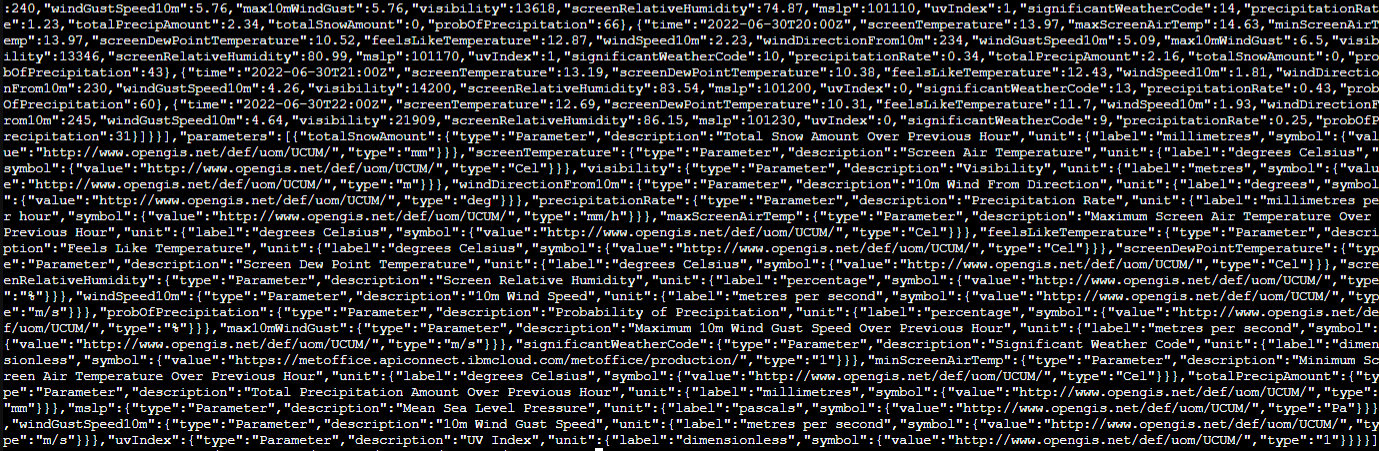
-
any ideas?? @sdetweil
Is this portion of the module broke for me, do i need to use a different service?
-
@D3dl3g I don’t KNOW for sure… the provider has its own apiBase set…
* apiBase: "https://api-metoffice.apiconnect.ibmcloud.com/metoffice/production/v0/forecasts/point/",so comment that out in your config
add // to the start of the line with apiBase:also, as this doesn’t have a node helper, we should be looking in the browser logs
ctrl-shift-i, select the console tab and put
weathin the filter field
-
@kayakbabe
For some reason i glossed over your reply, apologies.Trying with a different provider will be my plan of attack today. After running some diag, as sam has suggested.
I find the met office to be insanely accurate for my area when compared to other online weather services. Hence my desire to use it.
One of the reasons my posts are peppered with pictures and code is to help ensure i am setting it up correctly. I didnt realise about the .js in the weather folder for 2 days i thought it was all set up from config.js…
As it stands im convinced i have it set right, now, but its totally possible i have a comma in the wrong place. As im a total n00b with JS. i know sometimes it is difficult to see the forest through the trees and a fresh set of eyes can help.
Thank-you for your reply, looks like im experiencing option 4 😄


Hello! It looks like you're interested in this conversation, but you don't have an account yet.
Getting fed up of having to scroll through the same posts each visit? When you register for an account, you'll always come back to exactly where you were before, and choose to be notified of new replies (either via email, or push notification). You'll also be able to save bookmarks and upvote posts to show your appreciation to other community members.
With your input, this post could be even better 💗
Register Login