Read the statement by Michael Teeuw here.
MMM Hue Lights is not updated
-
{ module: 'mmm-hue-lights', position: 'top_right', // pick whichever position you want config: { bridgeIp: '192.168.178.68', user: 'xxxxxxxxxxx', displayType: 'grid', displayMode: 'groups', minimalGrid: true, minimalList: true, alignment: 'center', // ... and whatever else configuration options you want to use } }, -
@JoeFranz seems like you should get some message
we put in new messages this release if we couldn’t find the folder or js file that matches the module name. so that’s not it
-
@JoeFranz I always seem to have to push the button on my hue bridge whenever i add a new app to talk to those lights
-
@sdetweil Ok, I don’t really understand. Does that mean the module no longer works with the new MM version?
It’s the mmm-hue-lights module, not Mitch’s MMM-Hue.
Then I’ll try that :-) -
@JoeFranz I don’t know. never tried it.
-
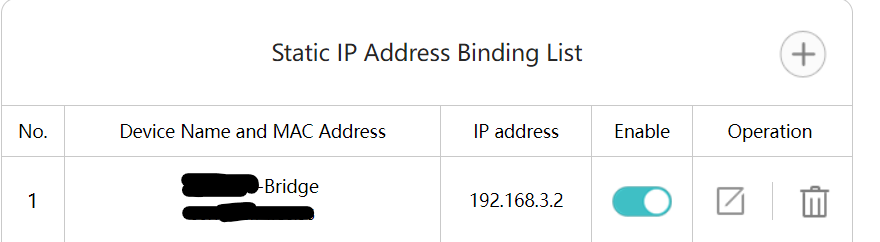
@JoeFranz Does your bridge have the same IP address? It could be that the IP for the bridge has changed. I added a fixed IP for my bridge to the router so that it never changes.
-
@mumblebaj
Yes, the bridge still has the same address. It works for about 1-2 hours after starting, but then the display no longer updates :-( -
@JoeFranz You could try my MMM-PhilipsHue module.
Unfortunately I am not sure what the issue is with the one you are using. Are you seeing any errors for the module popup anywhere?
-
@mumblebaj
No errors are displayed :-( -
@mumblebaj How can I display errors?
-
@JoeFranz Depends on how you start your mirror. If you use
npm startthen you can check in the console window. If you pm2 then you can dopm2 logsand check the logs for any errors. You can also check the Developers Window, pressCtrl + shift + ikeys together and check the console tab. You can filter by typing the module name in the filter box and check if there are any errors shown there. Or as suggested, you could give my module a try and see if that works for you. -
@mumblebaj No errors are shown anywhere :-(
-
@JoeFranz Have you tried using my version?
-
@mumblebaj I tried Mitch’s (https://github.com/MitchSS/MMM-Hue). That seems similar to yours. However, I have problems excluding individual rooms or zones using “hideGroupsWithString”. How do I enter multiple zones in the line?
"hideGroupsWithString: “Entertainment Area 1”, “Garden” doesn’t work. So I haven’t let it run for a long time and don’t know if it works. But I’ll try it :-) -
@JoeFranz Apologies, I cannot assist with that. Have no idea how his module works.
-
@mumblebaj Ok, I installed it and am trying it out. However, I would like to exclude several groups in the line “hideGroupsWithString”. How do I enter multiple groups in the line?
-
@JoeFranz That feature does not work on my module currently. I need to make time to implement.
-
@JoeFranz I just had a quick look at the code and the way it works is that if you have the following list of lights, Room1, Room2, Kitchen, Garden, Workshop and you select the options :
 hideSpecificGroups: true,
 hideGroupsWithString: "Room"
Then it will exclude anything that contains the word “Room”. It does not cater for multiple input exclusions. I will see what I can do about that.
-
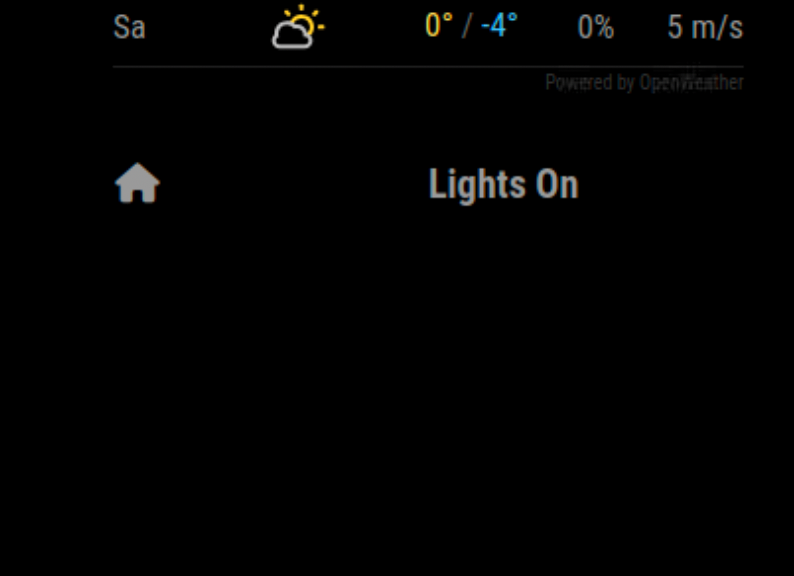
@mumblebaj This is displayed when your module is installed, no lights… :-(
IP and userid are correct.
-
@JoeFranz Show me your config please.

Hello! It looks like you're interested in this conversation, but you don't have an account yet.
Getting fed up of having to scroll through the same posts each visit? When you register for an account, you'll always come back to exactly where you were before, and choose to be notified of new replies (either via email, or push notification). You'll also be able to save bookmarks and upvote posts to show your appreciation to other community members.
With your input, this post could be even better 💗
Register Login