Read the statement by Michael Teeuw here.
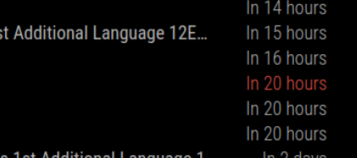
Date display for Calendar entries to be DD MM YYYY hh:mm - currently is "In 3 days"/"In 15 hours"
-
I would like to show the date and time of an event in the format
DD MM YYYY hh:mmI have tried the options in
link text
I just cannot get it right.Any help will be appreciated
Frits
-
@frits-erasmus this is because you have timeFormat:“relative” (relative to today)
you need timeFormat:“absolute”
then the dateFormat: string will be used
from the doc
timeFormat Display event times as absolute dates, or relative time, or using absolute date headers with times for each event next to it Possible values: absolute or relative or dateheaders Default value: relative <------- -
@sdetweil Hi Sam,
I must be doing something wrong and I cannot figure out how to resolve this.
Below my code and screenshot of results{ module: "calendar", header: "Daphne school program", position: "top_left", config: { maximumEntries: 15, maximumNumberOfDays: 5, maxTitleLength: 65, fade: false, colored: true, wrapEvents: true, format: "absolute", dateFormat: "Do MMMM hh:mm", calendars: [ { fetchInterval: 7 * 24 * 60 * 60 * 1000, symbol: "calendar ", color: "#B4B4B4", url: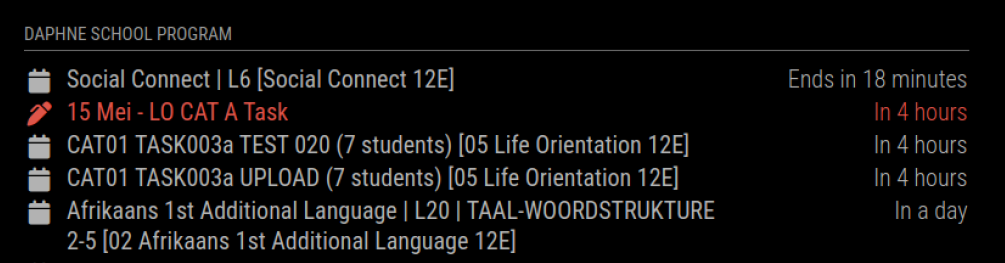
Could you please kindly help with some pointers?
Also I am studying the following to do the right thing, but it appears you quoted from another source - Do you mind providing that for me:
and
Thank you in advance
Frits -
@frits-erasmus said in Date display for Calendar entries to be DD MM YYYY hh:mm - currently is "In 3 days"/"In 15 hours":
format: “absolute”,
but it’s timeFormat
yes, the calendar doc is here
https://docs.magicmirror.builders/modules/calendar.html#using-the-modulethe upper/first part is settings for ALL calendars
the lower/second part is settings for a particular calendar. { url:…} -
Thank you Sam for that but I still do not get it to do what I want.
I might be too thick.To make sure I understand you correct?
White = upper part
Yellow = lower part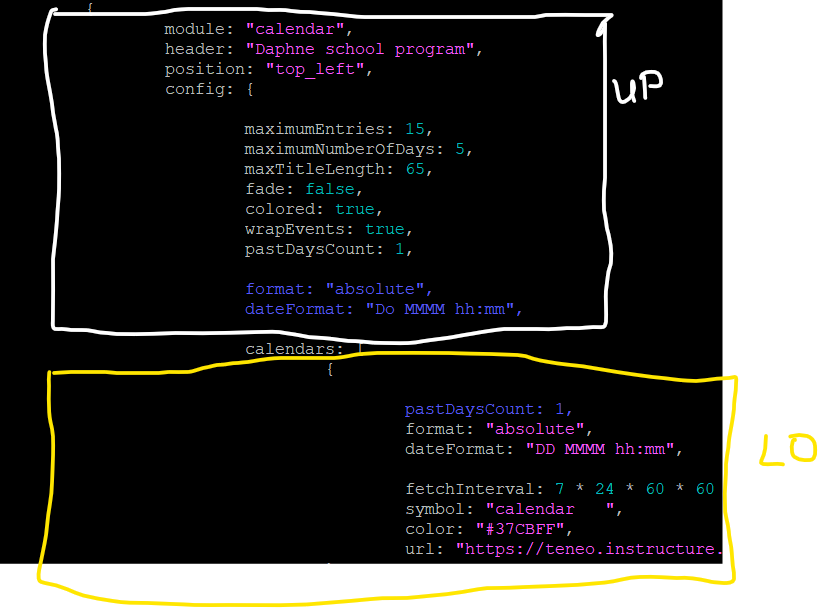
I have now tried the : format: “absolute” setting in the second part and as I understand in the manual set the date and time to show 15 May 14:25 .
Just to make sure I also commented out the two format and dateFormat lines in the upper part
What am I doing wrong then?
-
Okay, I also changed format to timeFormat
-
@frits-erasmus can u chat text me the config for the calendar module…
i did this
      {
        module: "calendar",
        classes:"page1",
        header: "US Holidays",
        position: "top_left",
        config: {
          timeFormat: "absolute",
          dateFormat:"MMM, HH:mm",
          fullDayEventDateFormat: "MMM DD",
          colored:true,
          hidePrivate: true,
          fetchInterval: 120000,
          broadcastPastEvents: false,
          calendars: [
            {
              fetchInterval: 604800000,
              symbol: "calendar-check",
              color: "pink",
              url: "http://localhost:8090/modules/default/calendar/test_time_width.ics",

            },
            {
              url: "https://www.google.com/calendar/ical/en.usa%23holiday@group.v.calendar.google.com/public/basic.ics",
              color:"green"
            }
          ]
        },
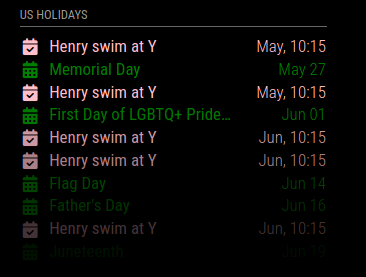
and got this
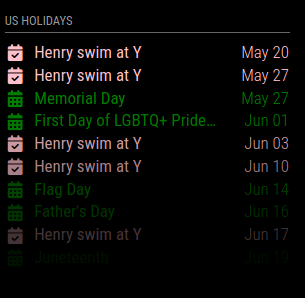
note that dateFormat andfullDayEventDateFormat: “MMM DD” are different settings… (one has a time, the other doesn’t) (oops no time shown, see next post)
extra spaces cause problems too … symbol:"calendar ", is NOT correct
-
@frits-erasmus I also changed the test cal to have time and used other properties to force absolute
      {
        module: "calendar",
        classes:"page1",
        header: "US Holidays",
        position: "top_left",
        config: {
          timeFormat: "absolute",
          dateFormat:"MMM, HH:mm",
          fullDayEventDateFormat: "MMM DD",
          colored:true,
          urgency: 0,
          getRelative: 0,
          hidePrivate: true,
          fetchInterval: 120000,
          broadcastPastEvents: false,
          calendars: [
            {
              fetchInterval: 604800000,
              symbol: "calendar-check",
              color: "pink",
              url: "http://localhost:8090/modules/default/calendar/test_time_width.ics",
              //url: "https://calendar.google.com/calendar/ical/brigidspina%40gmail.com/private-065de47caae525540e8b162d9af31b3f/basic.ics"
            },
            {
              url: "https://www.google.com/calendar/ical/en.usa%23holiday@group.v.calendar.google.com/public/basic.ics",
              color:"green"
            }
          ]
        },
}
-
My Code
                {
                        module: "calendar",
                        header: "Daphne school program",
                        position: "top_left",
                        config: {

                                timeFormat: "absolute",
                                dateFormat: "DD MMMM HH:mm",
                                colored: true,
                                timeFormat: "absolute",
                                maximumEntries: 15,
                                maximumNumberOfDays: 5,
                                maxTitleLength: 65,
                                fade: false,
                                wrapEvents: true,
                                pastDaysCount: 1,
                                fetchInterval: 5 * 60 * 1000,

                                calendars: [
                                        {
                                                symbol: "calendar   ",
                                                color: "#37CBFF",
                                                url: "https://teneo.instructure.com/feeds/calendars/user_.ics"
                                        },
                                       {
                                                symbol: "fa-solid fa-pen-clip",
                                                color: "#F22E66",
                                                url: "https://calendar.google.com/calendar/ical//basic.ics"
                                        }
                                ]
                        }
                },
Yes - I deleted a few characters from the URLs
MMM display
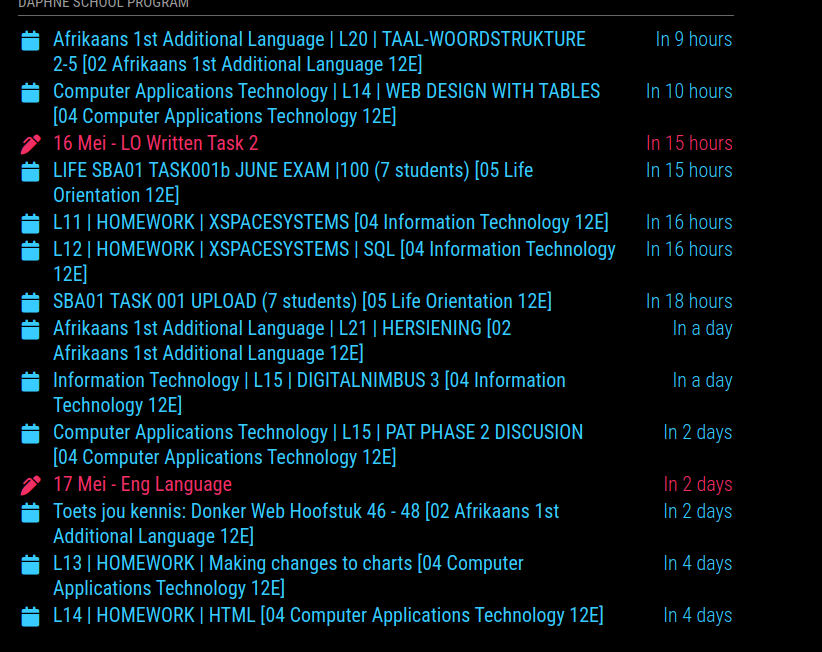
I double-checked everything and cannot find the error
-
@frits-erasmus notice the getRelative in mine
-
@sdetweil
Thank you very much SAM - I really appreciate your help.My understanding was that I needed to use one of the options:
the options timeFormat:“absolute”, urgency:0, getRelative:0,Now, with hindsight, it makes sense that I should have all.
Thank you - you have taught me a lot. - now for me to tackle the next one.
My calendar:
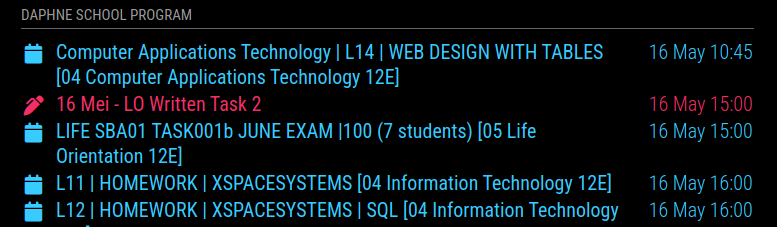
I am going to try and fade the events that are in the past …Is that even possible? …Have to search
-
@frits-erasmusthe default calendar does not display events from the past, ever.
other add on modules that display a wall calendar view will do that.
Hello! It looks like you're interested in this conversation, but you don't have an account yet.
Getting fed up of having to scroll through the same posts each visit? When you register for an account, you'll always come back to exactly where you were before, and choose to be notified of new replies (either via email, or push notification). You'll also be able to save bookmarks and upvote posts to show your appreciation to other community members.
With your input, this post could be even better 💗
Register Login