MagicMirror Forum
    • Recent
    • Tags
    • Unsolved
    • Solved
    • MagicMirror² Repository
    • Documentation
    • 3rd-Party-Modules
    • Donate
    • Discord
    • Register
    • Login
    A New Chapter for MagicMirror: The Community Takes the Lead
    Read the statement by Michael Teeuw here.

    Install MM on Debian 12

    Scheduled Pinned Locked Moved General Discussion
    11 Posts 2 Posters 2.2k Views 2 Watching
    Loading More Posts
    • Oldest to Newest
    • Newest to Oldest
    • Most Votes
    Reply
    • Reply as topic
    Log in to reply
    This topic has been deleted. Only users with topic management privileges can see it.
    • S Do not disturb
      sdetweil @DarrenO 0
      last edited by

      @DarrenO-0 interesting.

      I have not upgraded to Debian 12 but have installed 12 without problems.

      and then my install script worked as
      before. I have tried both Wayland and x11 without issue.

      if you don’t have desktop then MagicMirror cannot display, as it is using a browser which requires desktop graphical mode.

      hmm
      maybe I installed Ubuntu 24.04

      ill try Debian tomorrow

      Sam

      How to add modules

      learning how to use browser developers window for css changes

      S 1 Reply Last reply Reply Quote 0
      • S Do not disturb
        sdetweil @sdetweil
        last edited by

        @DarrenO-0 I lied… I am trying it now… I’ll be awake all night otherwise…lol

        Sam

        How to add modules

        learning how to use browser developers window for css changes

        S D 2 Replies Last reply Reply Quote 0
        • S Do not disturb
          sdetweil @sdetweil
          last edited by sdetweil

          @DarrenO-0

          pm2 is having trouble on debian 12. I opened an issue on pm2 and wayland a few weeks ago
          https://github.com/Unitech/pm2/issues/5820
          its the same error

          0|MagicMirror  | Authorization required, but no authorization protocol specified
          0|MagicMirror  | [13888:0625/223821.984899:ERROR:ozone_platform_x11.cc(244)] Missing X server or $DISPLAY
          0|MagicMirror  | [13888:0625/223821.984944:ERROR:env.cc(257)] The platform failed to initialize.  Exiting.
          PM2            | App [MagicMirror:0] exited with code [1] via signal [SIGINT]
          

          pm2 stop all
          cd ~/MagicMirror
          npm start

          works fine (running in my vmware as a vm)
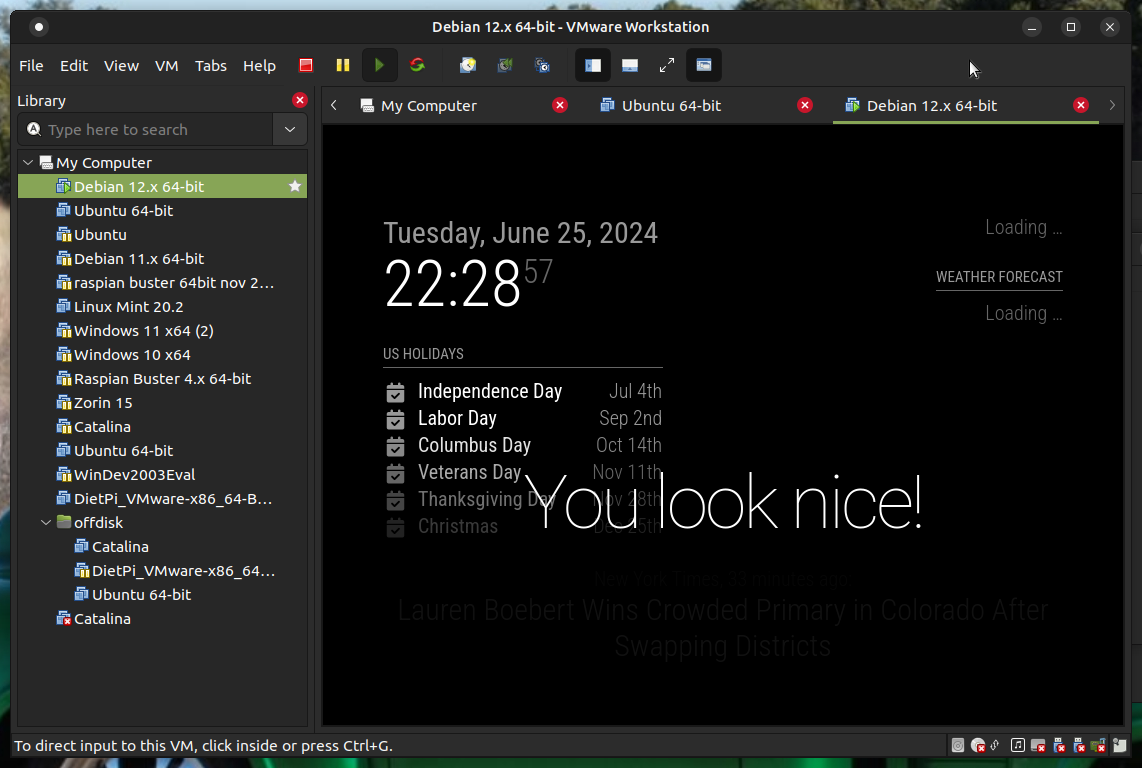
          Screenshot at 2024-06-25 22-28-57.png

          Sam

          How to add modules

          learning how to use browser developers window for css changes

          D 1 Reply Last reply Reply Quote 1
          • D Offline
            DarrenO 0 @sdetweil
            last edited by

            @sdetweil LOL. Thanks
            I’ll wait to hear back what you find out.

            I figured there’d have to be some sort of Desktop environment for it to work on a physical machine.
            Just didn’t/don’t know if I had to use of the various Desktop flavors available during the OS installation or if I could just use the base Debian environment.

            1 Reply Last reply Reply Quote 0
            • D Offline
              DarrenO 0 @sdetweil
              last edited by

              @sdetweil yeah, that was the error I was seeing in the pm2 logs as well

              Perhaps, I’ll have to go back to Debian 11 for the time being.

              S 1 Reply Last reply Reply Quote 0
              • S Do not disturb
                sdetweil @DarrenO 0
                last edited by

                @DarrenO-0 there might be some way to switch back to x11. I know raspi bookworm provides that

                Sam

                How to add modules

                learning how to use browser developers window for css changes

                D 1 Reply Last reply Reply Quote 0
                • D Offline
                  DarrenO 0 @sdetweil
                  last edited by

                  @sdetweil
                  Just trying Debian12 again and ran your script.
                  It failed during the node and npm installation stage…

                  installing correct version of node and npm, please wait
                  curl: (92) HTTP/2 stream 1 was not closed cleanly: INTERNAL_ERROR (err 2)
                  xz: (stdin): Unexpected end of input
                  tar: Unexpected EOF in archive
                  tar: Unexpected EOF in archive
                  tar: Error is not recoverable: exiting now

                  Error: failed to download archive for 20.8.0

                  node failed to install, exiting

                  Going back to Debian11 now to see if I can get things back up and running.

                  S 1 Reply Last reply Reply Quote 0
                  • S Do not disturb
                    sdetweil @DarrenO 0
                    last edited by

                    @DarrenO-0 that is a networking error.

                    Sam

                    How to add modules

                    learning how to use browser developers window for css changes

                    D 1 Reply Last reply Reply Quote 0
                    • D Offline
                      DarrenO 0 @sdetweil
                      last edited by

                      @sdetweil retried 3x and same result.
                      I was SSH’d into the device at the time and it had internet access at all times

                      S 1 Reply Last reply Reply Quote 0
                      • S Do not disturb
                        sdetweil @DarrenO 0
                        last edited by

                        @DarrenO-0 I just execute the curl command. I have no control over its networking code.

                        every time it’s failed due to networking there has been a real problem somewhere

                        Sam

                        How to add modules

                        learning how to use browser developers window for css changes

                        1 Reply Last reply Reply Quote 0

                        Hello! It looks like you're interested in this conversation, but you don't have an account yet.

                        Getting fed up of having to scroll through the same posts each visit? When you register for an account, you'll always come back to exactly where you were before, and choose to be notified of new replies (either via email, or push notification). You'll also be able to save bookmarks and upvote posts to show your appreciation to other community members.

                        With your input, this post could be even better 💗

                        Register Login

                        • 1 / 1
                        • First post
                          Last post
                        Enjoying MagicMirror? Please consider a donation!
                        MagicMirror created by Michael Teeuw.
                        Forum managed by Sam, technical setup by Karsten.
                        This forum is using NodeBB as its core | Contributors
                        Contact | Privacy Policy