MagicMirror Forum
    • Recent
    • Tags
    • Unsolved
    • Solved
    • MagicMirror² Repository
    • Documentation
    • 3rd-Party-Modules
    • Donate
    • Discord
    • Register
    • Login
    A New Chapter for MagicMirror: The Community Takes the Lead
    Read the statement by Michael Teeuw here.

    MMM-Carousel Pagination Icons

    Scheduled Pinned Locked Moved Development
    48 Posts 8 Posters 17.5k Views 9 Watching
    Loading More Posts
    • Oldest to Newest
    • Newest to Oldest
    • Most Votes
    Reply
    • Reply as topic
    Log in to reply
    This topic has been deleted. Only users with topic management privileges can see it.
    • BerkSmash1984B Offline
      BerkSmash1984 @sdetweil
      last edited by

      @sdetweil @doriangrey

      Just to show what the final edits look like in my custom.css and how that looks on my mirror, for the good of the group:

      d5c838bf-7a94-4365-88d3-aca1f34280b3-image.png

      The content entries are the unicodes for the respective icons found on Font Awesome’s website (https://fontawesome.com).

      For example, F073 in the first entry (for nth-child(1)) is for a calendar-days Font Awesome icon:

      4762ce12-8c6e-4b2b-b972-f5cc6d69ffe9-image.png

      You can see this icon, and all others used on my MagicMirror display to change pages, in the red box of the screenshot below:

      01db63e9-c58a-4326-baa9-5d6c6b194fdd-image.png

      Thank you @sdetweil for your help, as always!

      I hope this helps others looking to accomplish the same thing!

      S 1 Reply Last reply Reply Quote 1
      • S Do not disturb
        sdetweil @BerkSmash1984
        last edited by

        @BerkSmash1984 and he only has that many entries because he has that many pages defined

        Sam

        How to add modules

        learning how to use browser developers window for css changes

        BerkSmash1984B 1 Reply Last reply Reply Quote 0
        • BerkSmash1984B Offline
          BerkSmash1984 @sdetweil
          last edited by BerkSmash1984

          @sdetweil Yup!

          That is correct, I have 10 unique pages on my MM display. Happy to share more info of my config if anyone needs it.

          I did share a lot of info on my display (some small things have changed since then) in my post below:

          https://forum.magicmirror.builders/topic/18513/my-magic-mirror-desk-display?_=1721136289198

          1 Reply Last reply Reply Quote 0
          • P Offline
            Philip 0
            last edited by

            Hello ,
            By making a small modification, I colored each icon with a different color.

            20bf04fb-feb0-4230-be29-4e6462e21dc3-image.png

            Line 588 of MMM-carousel.js, I removed the Style.

            label.innerHTML = “<i class='”+Object.values(this.config.icons)[i]+“>”;

            I copied it into each icon line of config.js.

            icons: {
            1: “fa-solid fa-sun’ style=‘color: #ffff00;’”,
            2: “fa-solid fa-house-flood-water’ style=‘color: #718fea;’”,
            3: “fa-solid fa-triangle-exclamation’ style=‘color: #0099ff;’”,
            4: “fa-solid fa-gas-pump’ style=‘color: #ff0000;’”,
            5: “fa-solid fa-calendar-days’ style=‘color: #ffcc00;’”,
            6: “fa-solid fa-person-walking-luggage’ style=‘color: #00cccc;’”,
            7: “fa-brands fa-spotify’ style=‘color: #009933;’”,
            8: “fa-solid fa-person-hiking’ style=‘color: #ffffff;’”,
            9: “fa-solid fa-video’ style=‘color: #cc00ff;’”,
            10: “fa-brands fa-raspberry-pi’ style=‘color: #ff0000;’”,
            11: “fa-solid fa-umbrella’ style=‘color: #999999;’”,
            12: “fa-solid fa-image-portrait’ style=‘color: #ff6600;’”
            },

            S 1 Reply Last reply Reply Quote 0
            • S Do not disturb
              sdetweil @Philip 0
              last edited by

              @Philip-0 you could do the same in css.

              Sam

              How to add modules

              learning how to use browser developers window for css changes

              1 Reply Last reply Reply Quote 0
              • S sdetweil referenced this topic on
              • S sdetweil referenced this topic on
              • S sdetweil referenced this topic on
              • J Offline
                J2FK
                last edited by

                Hi,
                I also use pages and page indicator with 7 pages and have successfully replaced the circles with colored icons as described above, thank you for that!!

                Is there a way to highlight the icons or make them a little bigger, like with the hollow and solid circles, so you can see which page you are on?

                thx

                S 1 Reply Last reply Reply Quote 0
                • S Do not disturb
                  sdetweil @J2FK
                  last edited by sdetweil

                  @J2FK yes, somehow wit CSS… maybe they change styles when selected…

                  use the developers window (see second slink in my signature below)

                  looking in the dev window when active each icon gets the class

                  indicator

                  applied

                  the default style is (in MMM-page-indicator.css)

                  .MMM-page-indicator .indicator {
                      padding: 0 5px;
                      margin: 0;
                      font-size: 0.5em;
                   }
                  

                  so you would put this in css/custom.css and change it as you want/need

                  I tried fiddling with this , but the override for the icon is causing trouble.

                  Sam

                  How to add modules

                  learning how to use browser developers window for css changes

                  1 Reply Last reply Reply Quote 0
                  • C Offline
                    com1cedric
                    last edited by

                    Dear @sdetweil , hoping your going well, may I ask you something about the comment you put on this page?
                    -> see this for how to locate the items to set new custom.css entries for https://forum.magicmirror.builders/topic/14862/help-with-a-couple-css-issues/2?_=1719951675453

                    I do not find where the https://fontawesome.com is referenced to search for the icones.

                    has it been erased or could you explain me?

                    Wishing you a relaxing and sunny week-end,

                    Cédric

                    S 1 Reply Last reply Reply Quote 0
                    • S Do not disturb
                      sdetweil @com1cedric
                      last edited by

                      @com1cedric search is under the multi bar icon top
                      left ( often called the hamburger icon, two buns and patties between)

                      Sam

                      How to add modules

                      learning how to use browser developers window for css changes

                      C 1 Reply Last reply Reply Quote 0
                      • C Offline
                        com1cedric @sdetweil
                        last edited by sdetweil

                        @sdetweil hum… I have to re-explain my question:

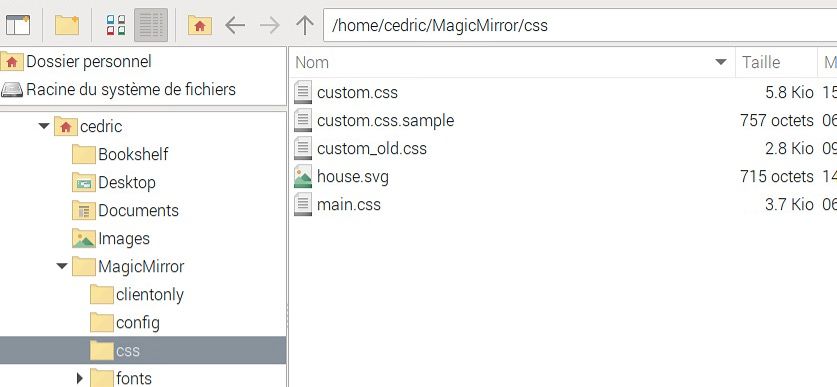
                        fo the moment, in custom.css, the word “hockey” is used for a page using MMM-page-indicator like this:

                        .MMM-page-indicator div i:nth-child(5)::after {
                        content: “Hockey”;
                        }

                        Let’s say, I want to replace this word “hockey”, with an image of a hockey-puck --> e.g. image “F453” on https://fontawesome.com/search?q=hockey&o=r

                        Shoud I “just” write instead in custom.css:

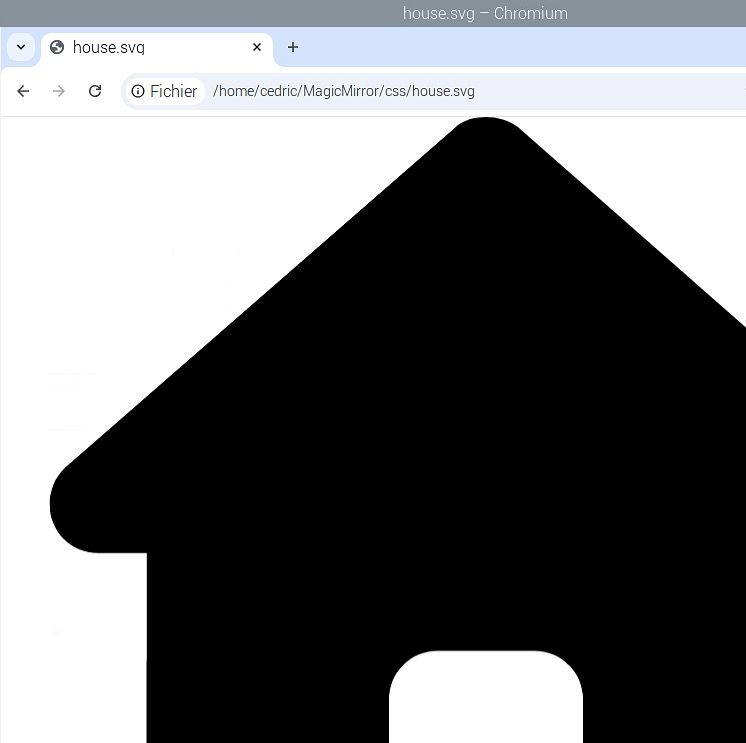
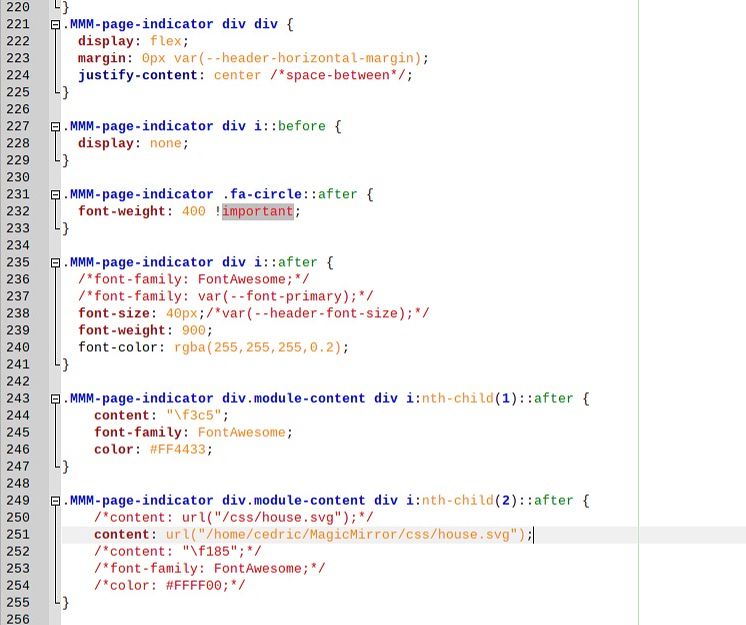
                        .MMM-page-indicator div.module-content div i:nth-child(2)::before {
                            content: "\f453";
                            font-family: FontAwesome;
                        }
                        

                        When I try that, the word “hockey” has disappeared, but not image of a puck is shownd. I should have missed a step…

                        Can you help me? (could interest other user as well I hope). Thanks in advance!

                        S mumblebajM 4 Replies Last reply Reply Quote 0
                        • S Do not disturb
                          sdetweil @com1cedric
                          last edited by

                          @com1cedric is the puck in the free section of icons?

                          Sam

                          How to add modules

                          learning how to use browser developers window for css changes

                          1 Reply Last reply Reply Quote 0
                          • S Do not disturb
                            sdetweil @com1cedric
                            last edited by

                            @com1cedric i am traveling and dont have my computer out currently, maybe after lunch time.

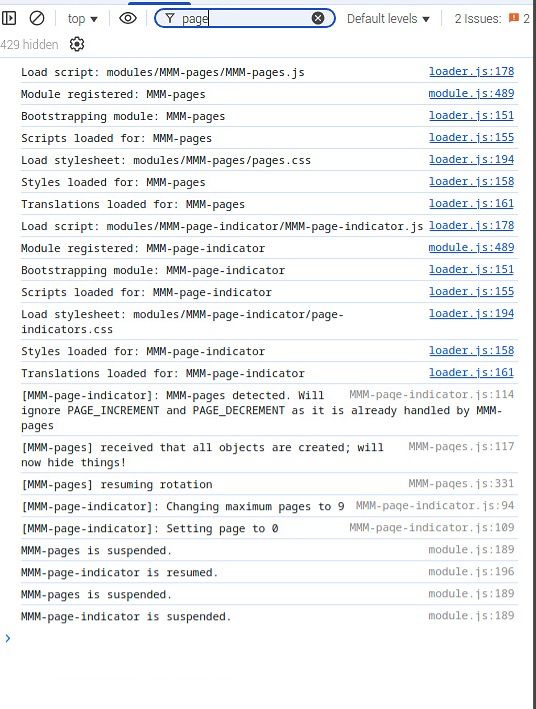
                            can you look in the developers window console tab and see if there are any errors

                            Sam

                            How to add modules

                            learning how to use browser developers window for css changes

                            1 Reply Last reply Reply Quote 0
                            • S Do not disturb
                              sdetweil @com1cedric
                              last edited by

                              @com1cedric also, is this the 1st or second icon you are trying to change?

                              Sam

                              How to add modules

                              learning how to use browser developers window for css changes

                              C 1 Reply Last reply Reply Quote 0
                              • C Offline
                                com1cedric @sdetweil
                                last edited by

                                @sdetweil hello, and thank you for your time. It helped me a lot, as it is finally working now…

                                I had to change “before” with “after” after the ::

                                .MMM-page-indicator div.module-content div i:nth-child(2)::AFTER {
                                content: “\f453”;
                                font-family: FontAwesome;
                                }

                                So, thank you very much for your help and have a great week-end.

                                1 Reply Last reply Reply Quote 0
                                • mumblebajM Offline
                                  mumblebaj Module Developer @com1cedric
                                  last edited by mumblebaj

                                  @com1cedric I have submitted a PR for MMM-page-indicator which should give more flexibility per page. See example below:

                                  .MMM-page-indicator .fa.indicator.page-2::before {
                                      content:"\f005";
                                      color: orange !important;
                                  }
                                  
                                  .MMM-page-indicator .indicator.active-page {
                                     animation: pulse 1.2s ease-in-out infinite;
                                  }
                                  

                                  If PR is accepted you should be able to target specific page indicators as shown in example above from custom.css.

                                  You could use this fork in the meanwhile:
                                  MMM-page-indicator

                                  Check out my modules at: https://github.com/mumblebaj?tab=repositories
                                  Check my blog-post: https://mumblebaj.xyz/
                                  Check my MM Container: https://hub.docker.com/repository/docker/mumblebaj/magicmirror/general

                                  S 1 Reply Last reply Reply Quote 0
                                  • S Do not disturb
                                    sdetweil @mumblebaj
                                    last edited by

                                    @mumblebaj you know there has to be one of the icon entries for every page the user defined, right?

                                    Sam

                                    How to add modules

                                    learning how to use browser developers window for css changes

                                    mumblebajM 1 Reply Last reply Reply Quote 0
                                    • mumblebajM Offline
                                      mumblebaj Module Developer @sdetweil
                                      last edited by

                                      @sdetweil Not sure if I understand you properly but the other pages would default to the standard circle. The changes I made allows you to target specific pages if you want to change the icon, add animations etc. A little easier to target individuals.

                                      Check out my modules at: https://github.com/mumblebaj?tab=repositories
                                      Check my blog-post: https://mumblebaj.xyz/
                                      Check my MM Container: https://hub.docker.com/repository/docker/mumblebaj/magicmirror/general

                                      S 1 Reply Last reply Reply Quote 0
                                      • S Do not disturb
                                        sdetweil @mumblebaj
                                        last edited by sdetweil

                                        @mumblebaj ah, what you meant to say is

                                        .fa.indicator.page-n
                                        

                                        where n is a number for each page found, starting at 0

                                        page-0 for first page
                                        page-1 for second page
                                        etc

                                        Sam

                                        How to add modules

                                        learning how to use browser developers window for css changes

                                        mumblebajM 1 Reply Last reply Reply Quote 1
                                        • mumblebajM Offline
                                          mumblebaj Module Developer @sdetweil
                                          last edited by

                                          @sdetweil Correct. Although, MMM-page-indicator is 0 based, same as MMM-pages, so page-0 would be page 1 etc.

                                          Check out my modules at: https://github.com/mumblebaj?tab=repositories
                                          Check my blog-post: https://mumblebaj.xyz/
                                          Check my MM Container: https://hub.docker.com/repository/docker/mumblebaj/magicmirror/general

                                          S 2 Replies Last reply Reply Quote 0
                                          • S Do not disturb
                                            sdetweil @mumblebaj
                                            last edited by

                                            @mumblebaj i updated my post

                                            Sam

                                            How to add modules

                                            learning how to use browser developers window for css changes

                                            1 Reply Last reply Reply Quote 1

                                            Hello! It looks like you're interested in this conversation, but you don't have an account yet.

                                            Getting fed up of having to scroll through the same posts each visit? When you register for an account, you'll always come back to exactly where you were before, and choose to be notified of new replies (either via email, or push notification). You'll also be able to save bookmarks and upvote posts to show your appreciation to other community members.

                                            With your input, this post could be even better 💗

                                            Register Login

                                            • 1
                                            • 2
                                            • 3
                                            • 3 / 3
                                            • First post
                                              Last post
                                            Enjoying MagicMirror? Please consider a donation!
                                            MagicMirror created by Michael Teeuw.
                                            Forum managed by Sam, technical setup by Karsten.
                                            This forum is using NodeBB as its core | Contributors
                                            Contact | Privacy Policy