Read the statement by Michael Teeuw here.
modules
-
Hello, I installed MMM-RTSPtream and I’m having the following problem: my camera works perfectly; I can see the video when the taskbar is present. However, once I click on Magic Mirror to go into full-screen mode, my video disappears. What should I do? Thank you.
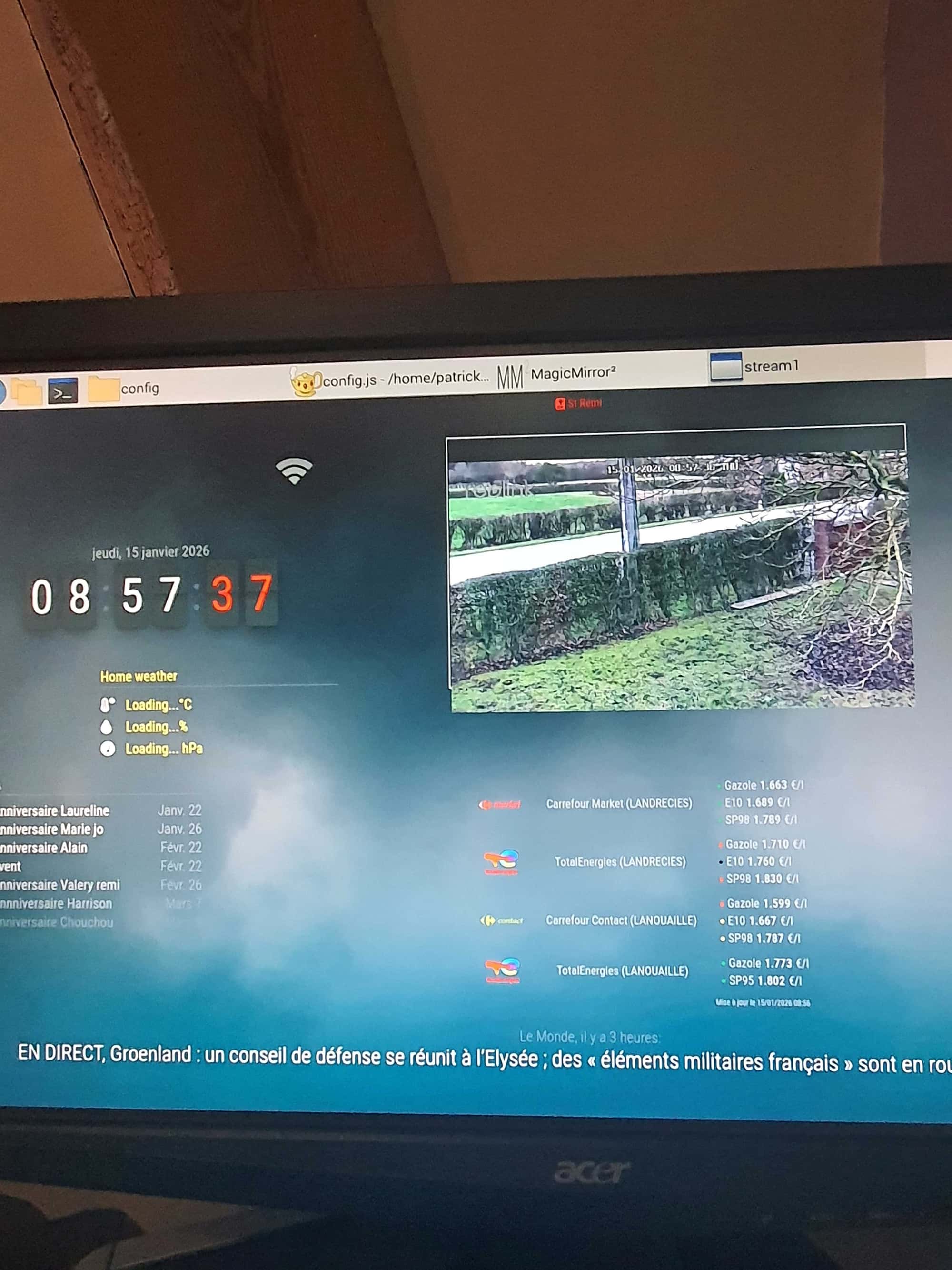
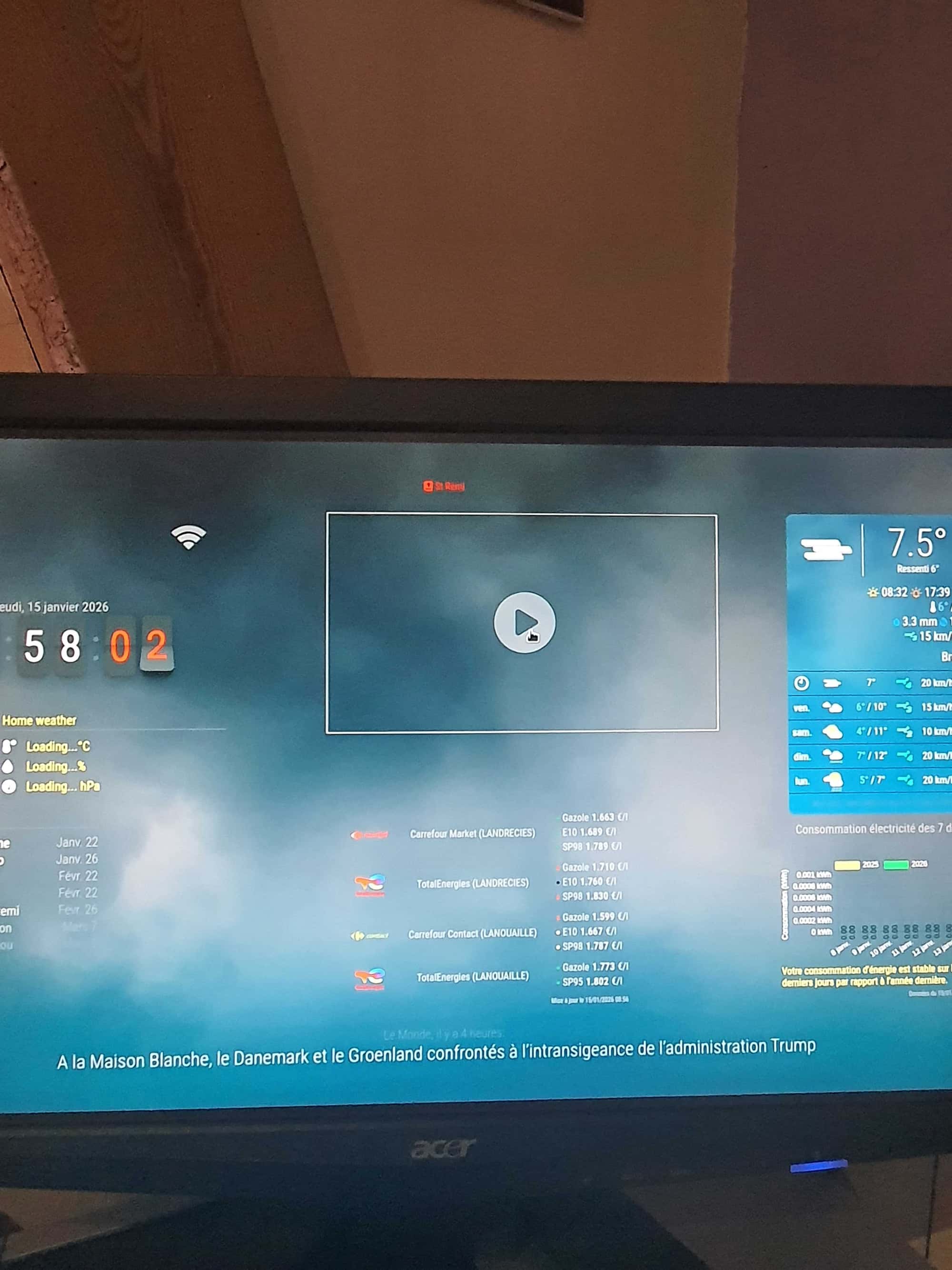
-
Hi @pat59,
why doesn’t Magic Mirror start in full screen mode? Can you show me the module config?
-
Hello and thank you for your feedback.
@KristjanESPERANTO{ module: "MMM-RTSPStream", position: "top_center", config: { autoStart: true, localPlayer: "vlc", remotePlayer: false, stream1: { name: "reolink 823S2", url: "rtsp://admin:cxxxxxxxxx.:554/h264Preview_01_sub", snapshotUrl: "http:///cgi-bin/api.cgi?cmd=Snap&channel=0&rs=abc123&user=admin&password=Sis1058!", snapshotRefresh: 10, // Seconds frameRate: 30, width: 640, height: 360 } } }, -
@pat59 You may should remove your credentials from the urls ….
Regards,
Ralf -
@rkorell edited
-
@sdetweil Hello, have you found anything unusual in JavaScript? Thank you
-
@pat59 no… but there have been many changes in the UI and tasking by the OS…
and MMM-RTSPtream has had trouble in the past…
as the background pgm used doesn’t blend well…maybe try https://github.com/evroom/MMM-MPlayer
-
@pat59 Again my question: Why doesn’t Magic Mirror start in full screen mode? I think the problem is that neither VLC nor mplayer are inline in the Electron window. They are a separate window. And when you click on the Electron window the player window gets in the background.
-
@KristjanESPERANTO correct, the task keeps getting surfaced even tho the module said background.
Just another fun day in we only changed a few lines of code somewhere (not MagicMirror)
-
@sdetweil Hello, thank you. I will try it and get back to you. Thank you in advance. Sincerely.
-
Quick question: I installed MMM-MPlayer. Do I need to disable RTSPstream for the MPlayer module to work?
Thanks
-
@pat59 yes, one or the other
-
@sdetweil Hello, I installed MPlayer but it doesn’t work; the screen is black.
-
I uninstalled MPlayer and reinstalled RTSPTream, it works except that I still encounter the same problem
-
@pat59 black screen, what were the messages at MagicMirror startup time?
-
@sdetweil Good evening, no message, normal startup for the Raspberry Pi, normal startup for MagicMirrorr2, and a black screen, no message.
-
@pat59 can you show the messages
-
@sdetweil Good evening, there was no message displayed for MPlayer, so I uninstalled it in config.js and reinstalled RTSTseam. Everything is back to normal except that I still have the taskbar displayed. Thank you.
-
@sdetweil Good evening, there was no message displayed for MPlayer, so I uninstalled it in config.js and reinstalled RTSTseam. Everything is back to normal except that I still have the taskbar displayed. Thank you.
-
@pat59 I know. But if you keep changing we can’t debug what’s going on
There had to be at least one message for bolster in the startup messages.

Hello! It looks like you're interested in this conversation, but you don't have an account yet.
Getting fed up of having to scroll through the same posts each visit? When you register for an account, you'll always come back to exactly where you were before, and choose to be notified of new replies (either via email, or push notification). You'll also be able to save bookmarks and upvote posts to show your appreciation to other community members.
With your input, this post could be even better 💗
Register Login