MagicMirror Forum
    • Recent
    • Tags
    • Unsolved
    • Solved
    • MagicMirror² Repository
    • Documentation
    • 3rd-Party-Modules
    • Donate
    • Discord
    • Register
    • Login
    A New Chapter for MagicMirror: The Community Takes the Lead
    Read the statement by Michael Teeuw here.

    Apply color to future events in CalendarExt3

    Scheduled Pinned Locked Moved Custom CSS
    38 Posts 3 Posters 1.3k Views 3 Watching
    Loading More Posts
    • Oldest to Newest
    • Newest to Oldest
    • Most Votes
    Reply
    • Reply as topic
    Log in to reply
    This topic has been deleted. Only users with topic management privileges can see it.
    • S Offline
      sdetweil @sdetweil
      last edited by

      Another question. When did you install ext3

      You DID run npm install the that module folder right?

      Sam

      How to add modules

      learning how to use browser developers window for css changes

      K 1 Reply Last reply Reply Quote 0
      • K Offline
        kkmirr04 @sdetweil
        last edited by

        @sdetweil

        I believe ext3 was one of the first modules I installed when I started everything this weekend. I do remember having some errors so theres a good chance I messed something up. I just ran npm install again and it processed fine, but no changes on the functionality.

        Would it make sense to delete out the folder and try downloading / configuring the module again?

        S 2 Replies Last reply Reply Quote 0
        • S Offline
          sdetweil @kkmirr04
          last edited by

          @kkmirr04 no, there was a fix a couple weeks ago, but if you just loaded it, should be fine

          Can you add waitFetch:20000,

          To the EXT3 module config

          Sam

          How to add modules

          learning how to use browser developers window for css changes

          1 Reply Last reply Reply Quote 0
          • S Offline
            sdetweil @kkmirr04
            last edited by

            @kkmirr04 can you try release 2.36 just released.

            Sam

            How to add modules

            learning how to use browser developers window for css changes

            1 Reply Last reply Reply Quote 0
            • K Offline
              kkmirr04
              last edited by

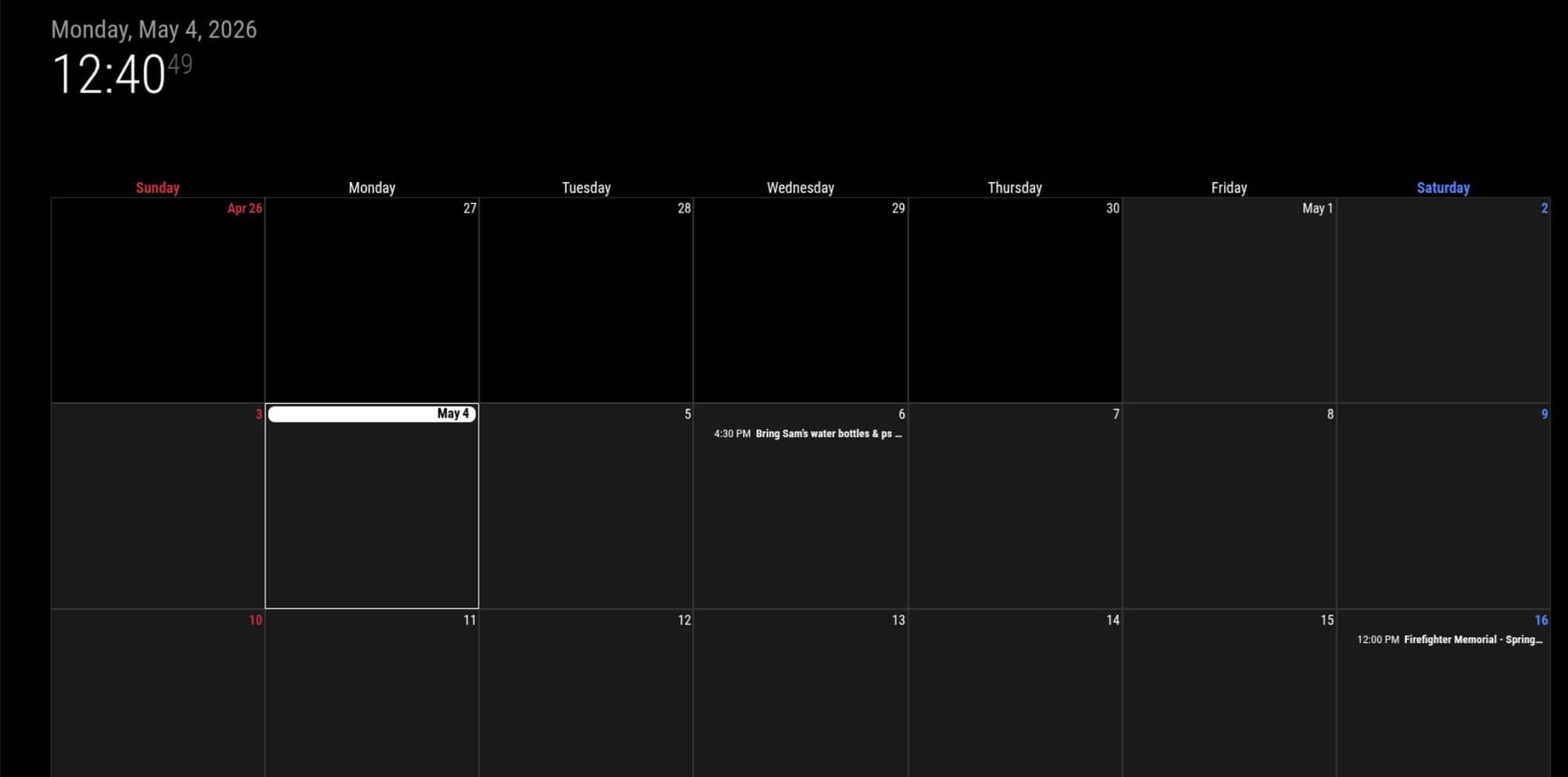
              I tried adding the waitFetch and updating and no changes on my end. Do you think doing a clean install might be the next best step?cal1.jpg

              S 1 Reply Last reply Reply Quote 0
              • S Offline
                sdetweil @kkmirr04
                last edited by sdetweil

                @kkmirr04 can you show the default cal and ext3 on the same page. With the same events.

                Can you remove the calendarSets from the ext3 config

                npm install in the ext3 module folder is enough

                Sam

                How to add modules

                learning how to use browser developers window for css changes

                K 1 Reply Last reply Reply Quote 0
                • K Offline
                  kkmirr04 @sdetweil
                  last edited by

                  @sdetweil Here is the events with the calendar
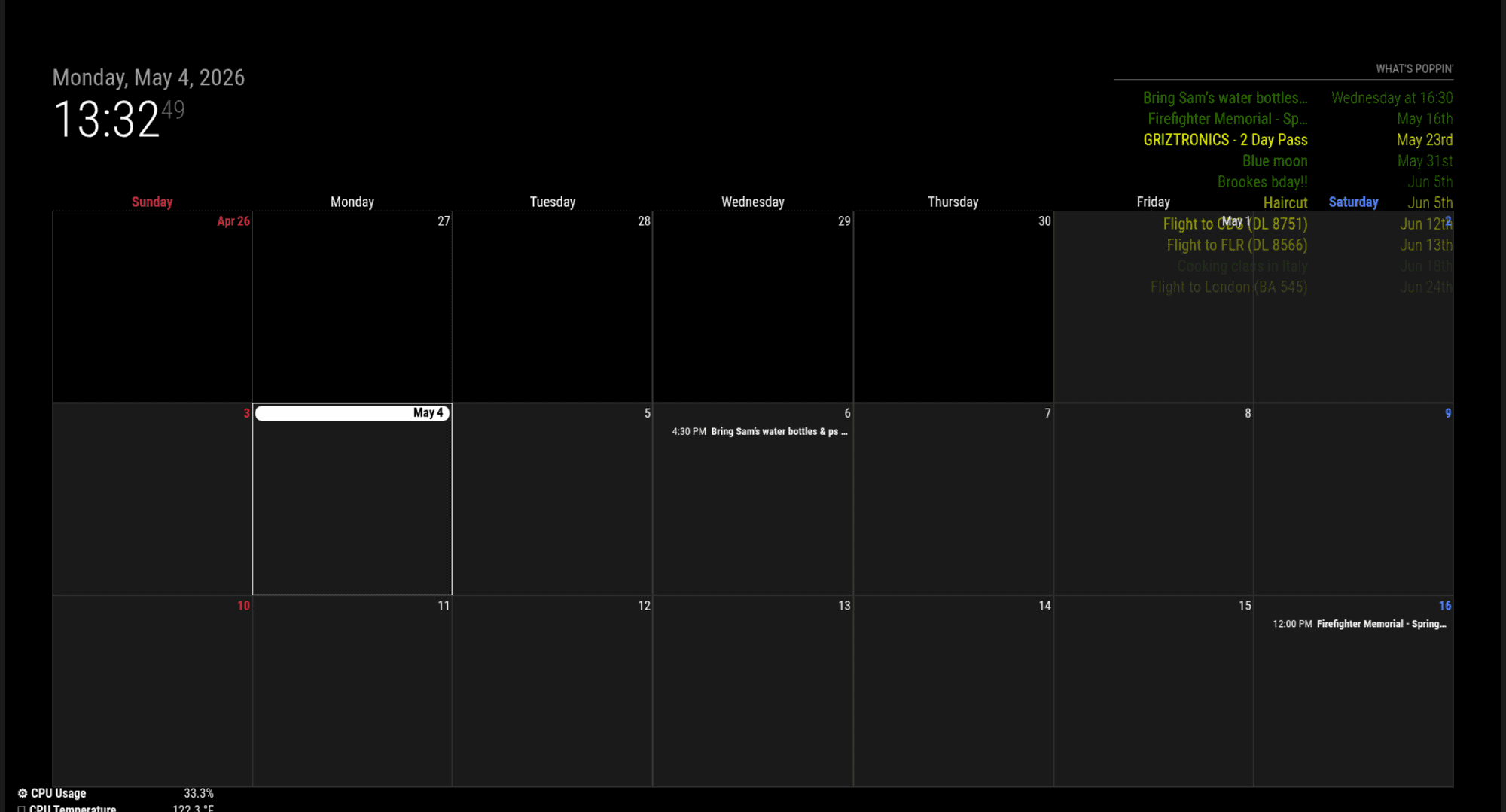
                  cal2.png

                  Remove the calendar sets and then run npm install again? I did see there is an update for my NPM - should i do that update too?

                  npm.jpg

                  I also just noticed theres an error with CalExt3 when I close MM

                  calext3 error.png

                  S 3 Replies Last reply Reply Quote 0
                  • S Offline
                    sdetweil @kkmirr04
                    last edited by

                    @kkmirr04 thanks. I will try to test this out in a little bit

                    No, ignore the npm message

                    Yes, we found a bug in MagicMirror when looking for module updates. No harm done

                    Sam

                    How to add modules

                    learning how to use browser developers window for css changes

                    1 Reply Last reply Reply Quote 0
                    • S Offline
                      sdetweil @kkmirr04
                      last edited by

                      @kristjanesperanto

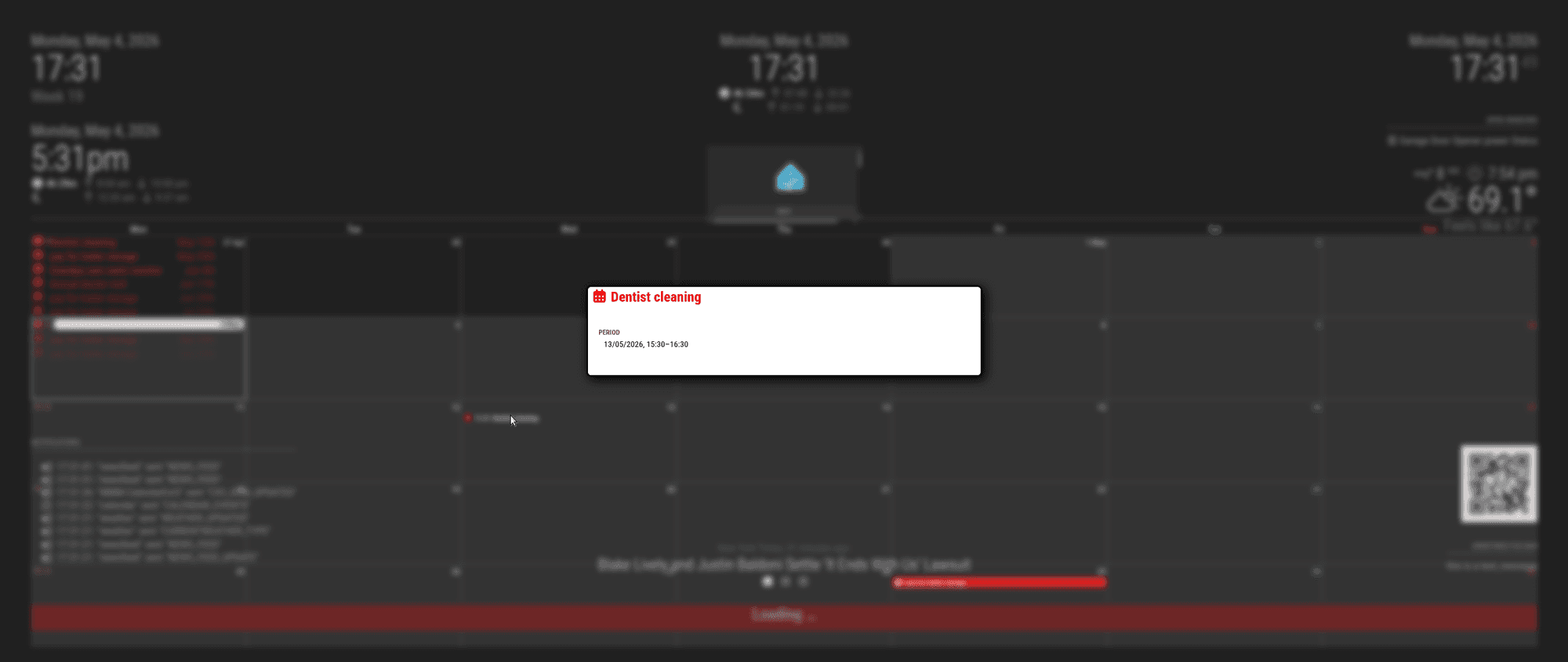
                      can you explain this? the default cal shows colored, but Ext3 does not

                      I can duplicate, text not colored in Ext3
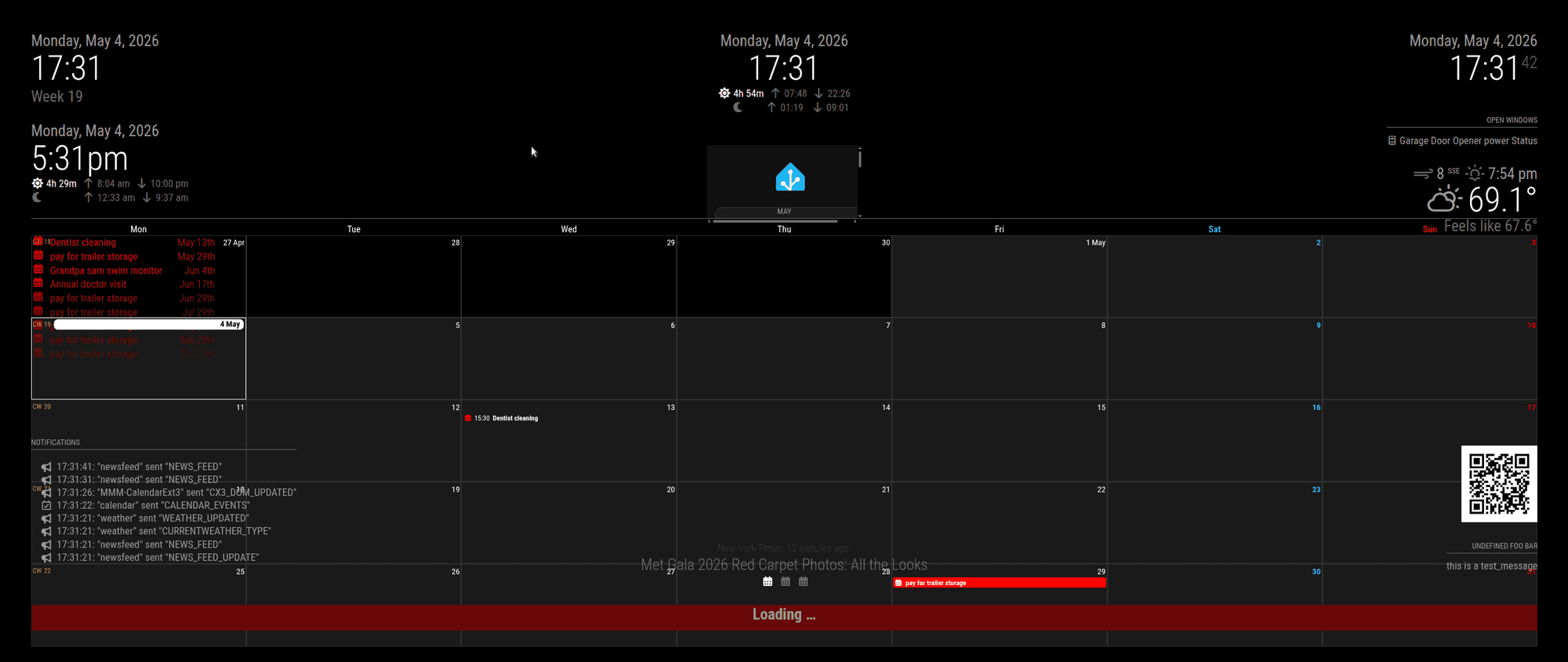
                      Screenshot at 2026-05-04 17-31-42.png

                      but pop is all colored.

                      Screenshot at 2026-05-04 17-31-49.png

                      Sam

                      How to add modules

                      learning how to use browser developers window for css changes

                      1 Reply Last reply Reply Quote 0
                      • S Offline
                        sdetweil @kkmirr04
                        last edited by

                        @kkmirr04 on your second cal instance not showing

                        can you show the config, xxx out the cal url…

                        I am using pages, with ext3 on diff and cal on diff without problem… (except for ext3 color)

                        Sam

                        How to add modules

                        learning how to use browser developers window for css changes

                        K 1 Reply Last reply Reply Quote 0
                        • K Offline
                          kkmirr04 @sdetweil
                          last edited by

                          @sdetweil I think I might’ve just found its related to the month / week views of Ext3…

                          This is how I have it now:

                          {
                          			module: "calendar",
                          			classes: "page0",
                          			header: "What's Poppin'",
                          			position: "top_right",
                          			config: {
                          			   colored: true,
                          				calendars: [
                          					{
                          						name: "xx_cal",
                          						color: 'yellow',
                          						fetchInterval: 7 * 24 * 60 * 60 * 1000,
                          						symbol: "calendar-check-o",
                          						url: "basic.ics"
                          						
                          					},
                          				{
                          						name: "yy_cal",
                          						color: 'green',
                          						fetchInterval: 7 * 24 * 60 * 60 * 1000,
                          						symbol: "calendar-check-o",
                          						url: "webcal"
                          					},
                          				
                          				],
                          			    
                          			}
                          		},
                          

                          When I separate them to two instances, this is the code I have:

                          {
                          			module: "calendar",
                          			classes: "page0",
                          			header: "XX Calendar'",
                          			position: "top_right",
                          			config: {
                          			   colored: true,
                          				calendars: [
                          					{
                          						name: "xx_cal",
                          						color: 'yellow',
                          						fetchInterval: 7 * 24 * 60 * 60 * 1000,
                          						symbol: "calendar-check-o",
                          						url: "basic.ics"
                          						
                          					},
                          
                          					],
                          				}
                          			},
                          {
                          			module: "calendar",
                          			classes: "page0",
                          			header: "YY Calendar'",
                          			position: "top_right",
                          			config: {
                          			   colored: true,
                          				calendars: [
                          					{
                          					name: "yy_cal",
                          						color: 'green',
                          						fetchInterval: 7 * 24 * 60 * 60 * 1000,
                          						symbol: "calendar-check-o",
                          						url: "webcal"
                          					},
                          				
                          				],
                          			    
                          			}
                          		},
                          

                          And without the Pages module, I do get both to load
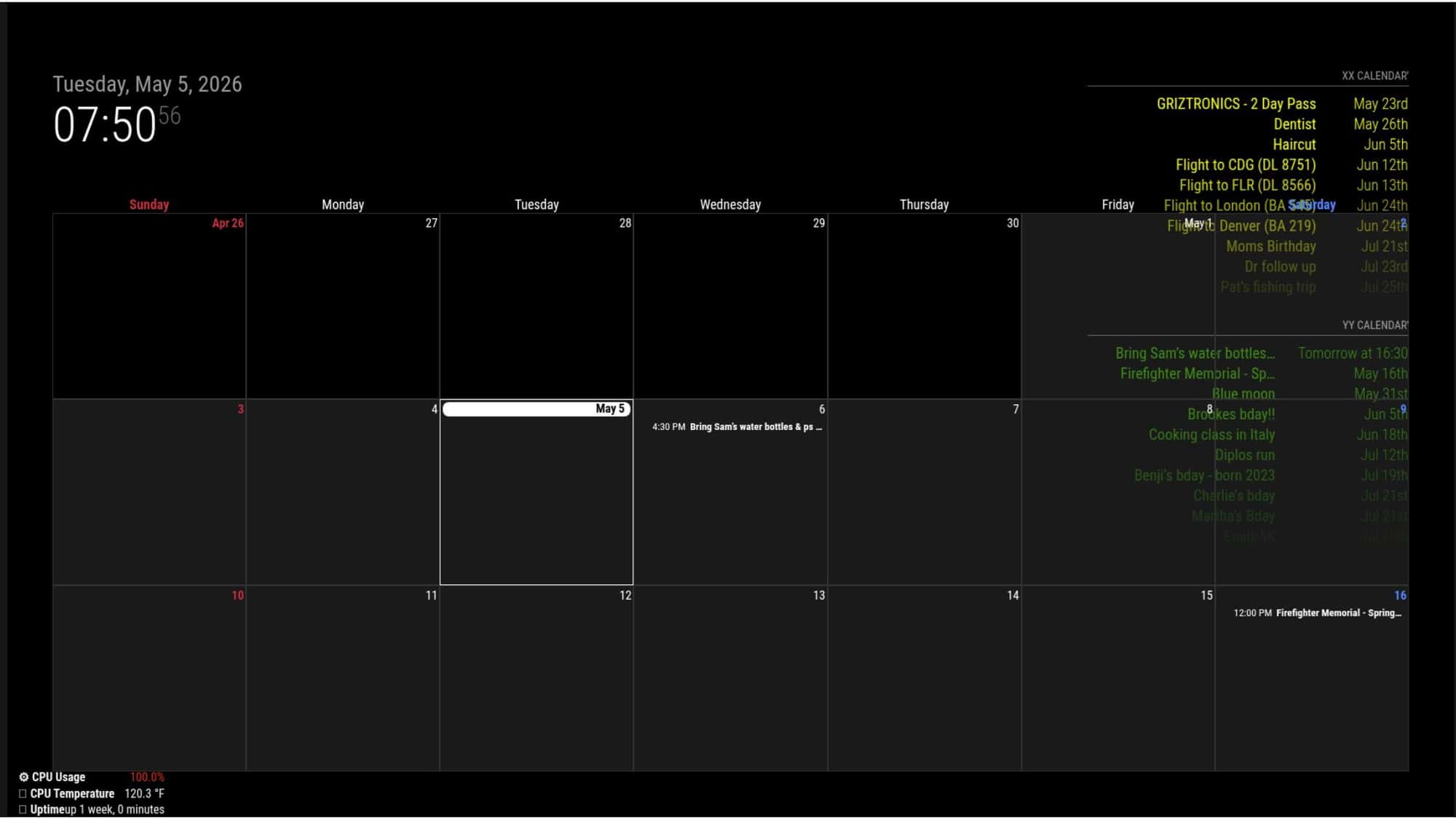
                          3.jpg

                          I went to add Pages back in with the two calendar instance configuration and have EXT3 on week mode, the second calendar stream does not load
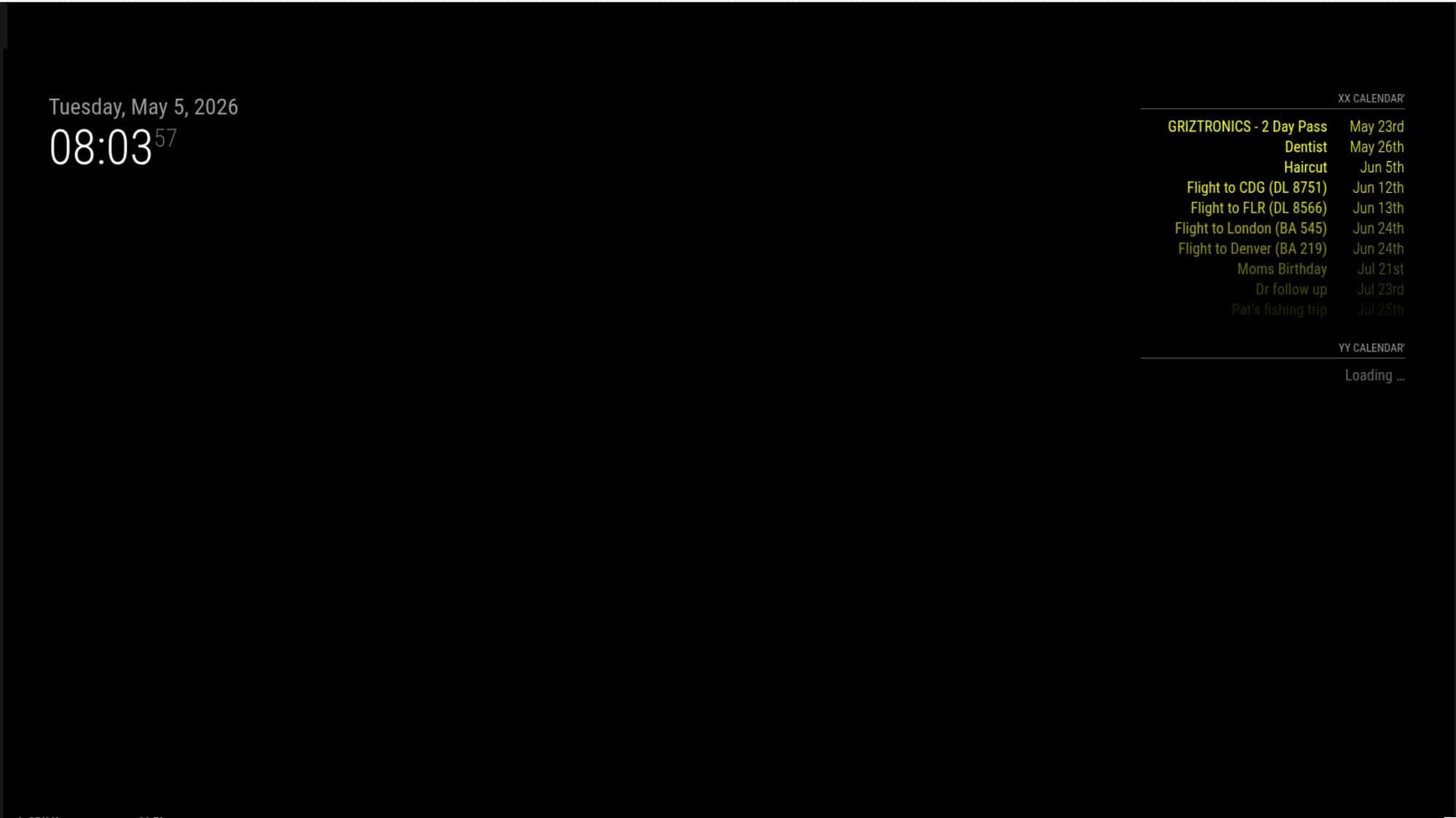
                          4.jpg
                          And still no color on calendar view on the second page
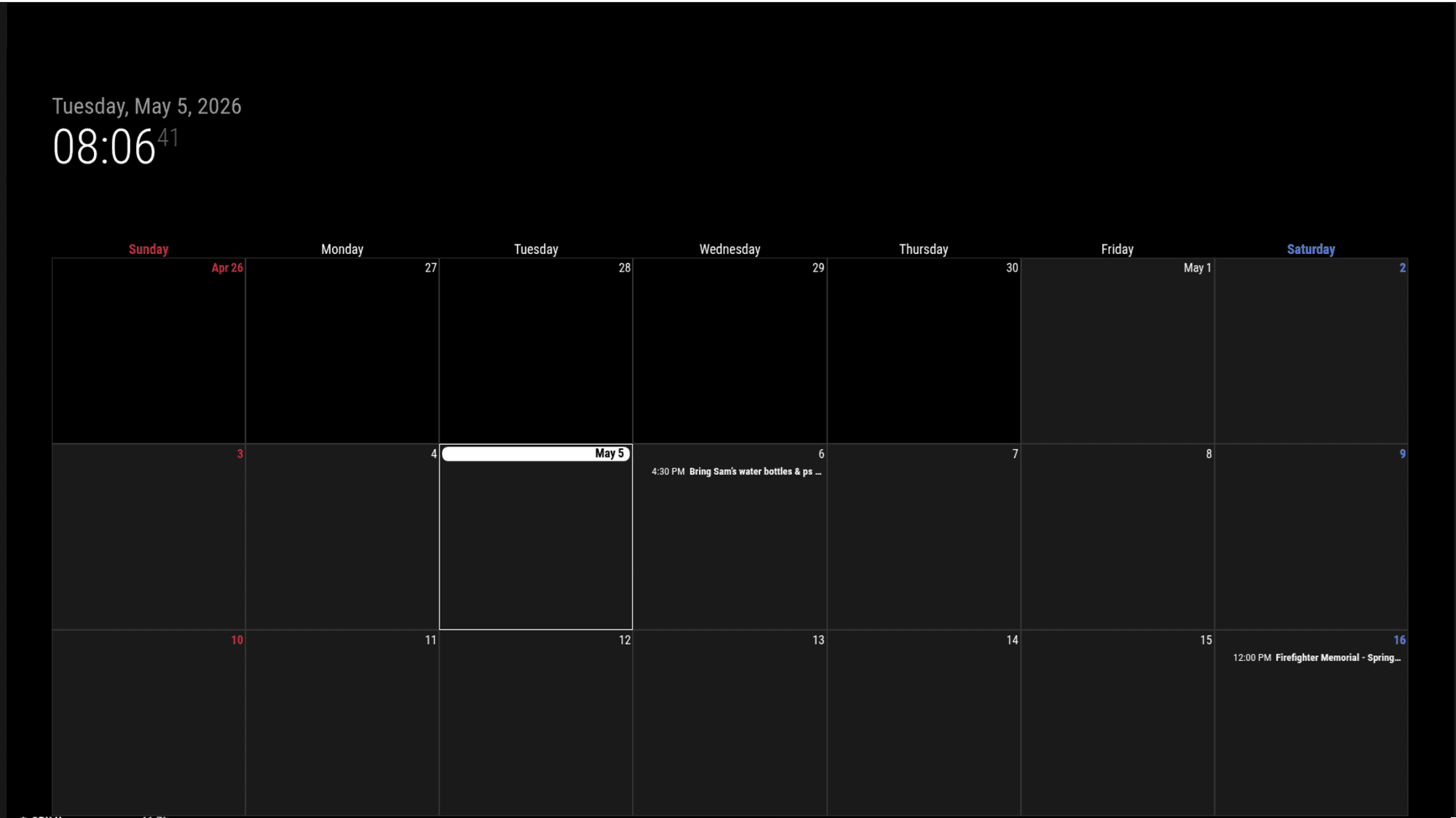
                          5.png

                          But then if I switch to month mode in EXT3 streams are loading in and some colors work - but there’s still two events (from the XX calendar) that loaded but did not get color applied.
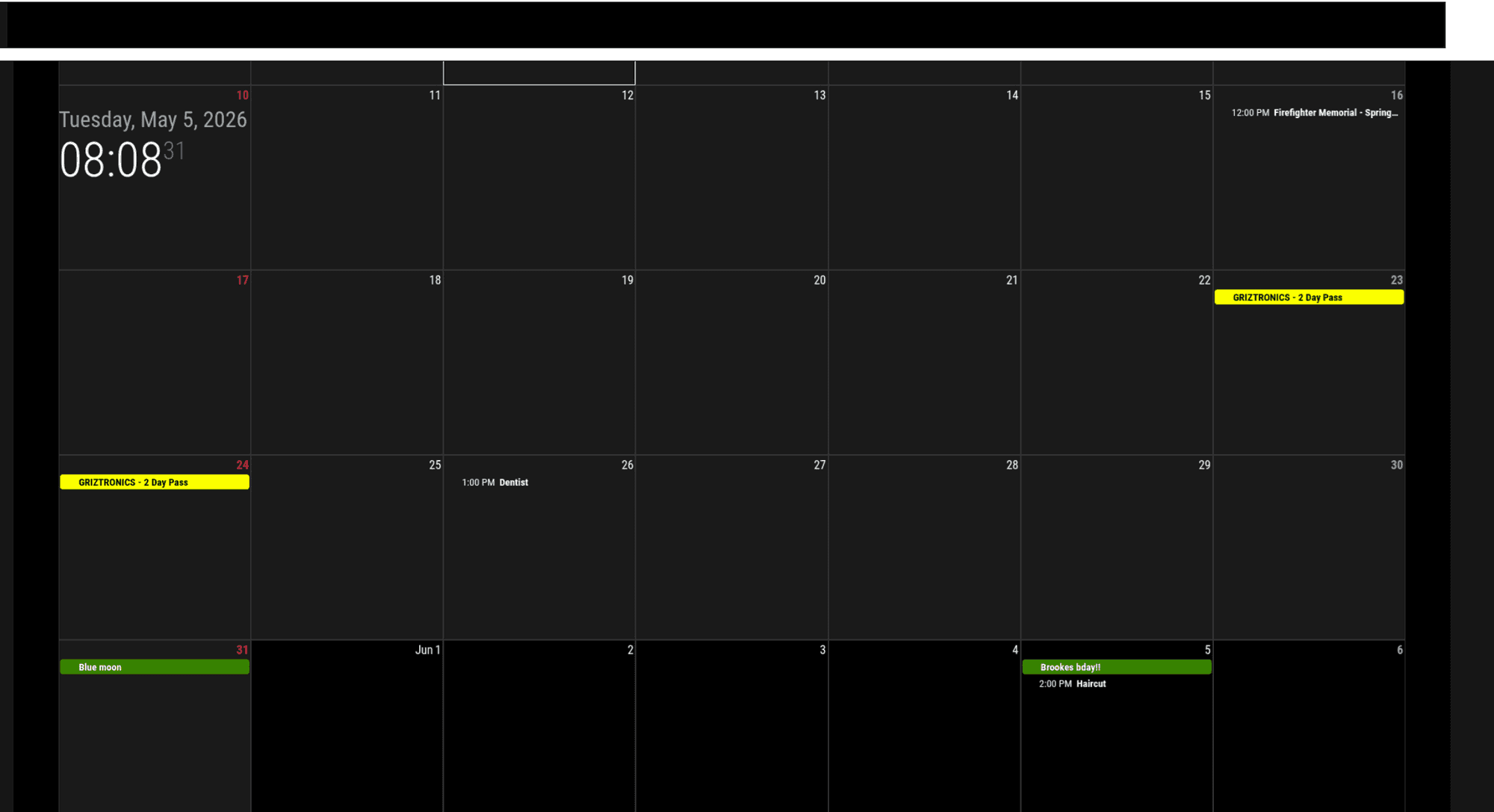
                          6.png

                          As I’ve been messing with it, sometimes on the first run it will load both calendar streams when its in week mode, but it usually doesn’t load it after it runs once. Sometimes in month mode, it still doesn’t load the second calendar, so its not 100% accurate

                          S 1 Reply Last reply Reply Quote 0
                          • S Offline
                            sdetweil @kkmirr04
                            last edited by

                            @kkmirr04 interesting.

                            Also, you are using an old term , colored
                            We’ve update to coloredText, symbol,
                            There should have been a message in the console output at MagicMirror startup

                            pm2 logs —lines=xxx
                            xxx is the number of most recent lines in the output, default 15

                            I saw that when I was testing yesterday

                            When you get the not displayed, can you
                            Open the developers console

                            On the MagicMirror screen, ctrl-shift-I
                            Select the console tab and scroll around for errors(red text usually)

                            When one script has a fault in a browser, others will be impacted
                            Modules are all script

                            Sam

                            How to add modules

                            learning how to use browser developers window for css changes

                            K 1 Reply Last reply Reply Quote 0
                            • K Offline
                              kkmirr04 @sdetweil
                              last edited by

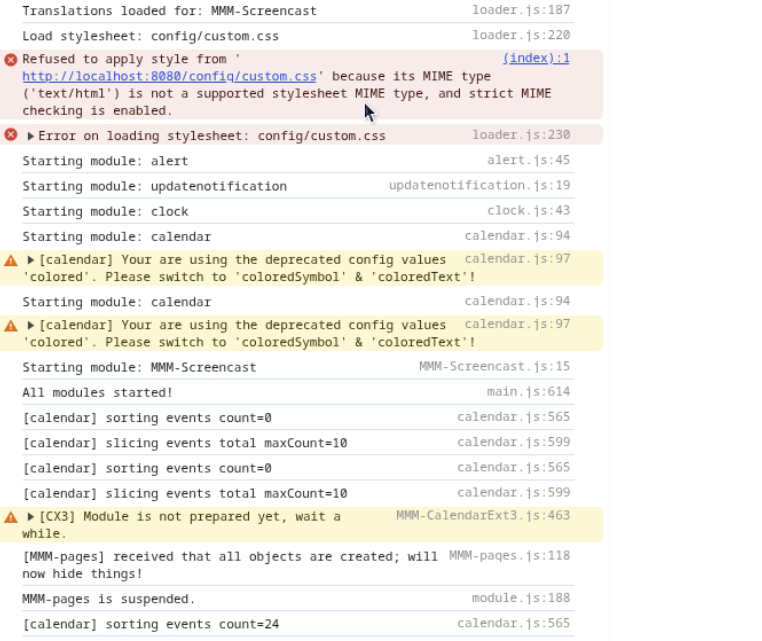
                              @sdetweil I’ll keep messing with coloredText, so far everything is staying white when I use that. Here is the errors I’m seeing
                              7.png

                              S 1 Reply Last reply Reply Quote 0
                              • S Offline
                                sdetweil @kkmirr04
                                last edited by

                                @kkmirr04 custom.css not loaded just means there isn’t one. (The default as MagicMirror installed)
                                If you had used the scripted install it would have created an empty one so this error wouldn’t be there

                                There is the colored vs coloredText, coloredSymbol warning

                                No Obvious other errors in that part

                                Calendar sorting events=0, means there weren’t any?

                                Just for testing, if you disable pages and ext3
                                ( add disabled:true, after the module:line)
                                Do both instances of calendar draw and with color?

                                If yes, then set disabled false on ext3

                                Sam

                                How to add modules

                                learning how to use browser developers window for css changes

                                K 1 Reply Last reply Reply Quote 0
                                • K Offline
                                  kkmirr04 @sdetweil
                                  last edited by

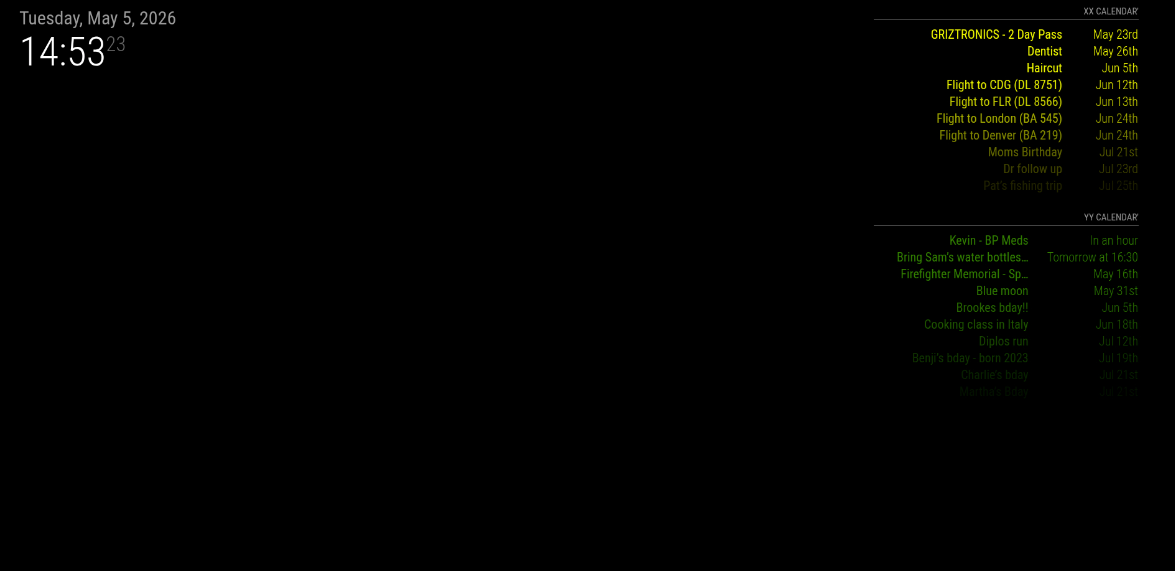
                                  @sdetweil with both disabled it did draw both instances with color
                                  8.png

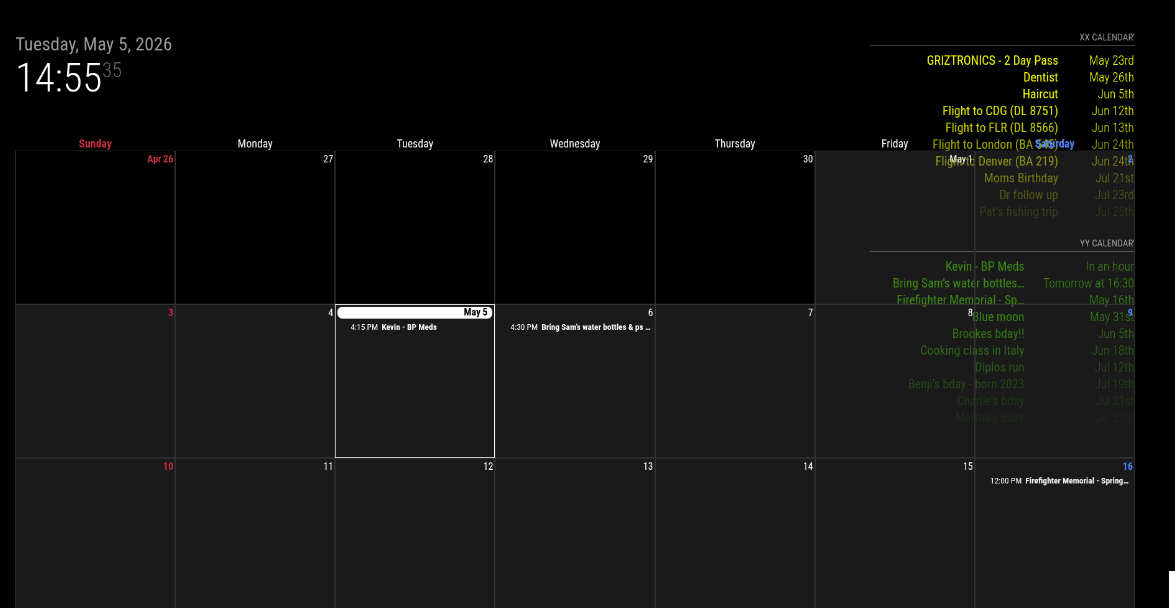
                                  Then turning EXT3 back on I’ve got no color on any events again
                                  9.png

                                  S 1 Reply Last reply Reply Quote 0
                                  • S Offline
                                    sdetweil @kkmirr04
                                    last edited by

                                    @kkmirr04 that’s ext3 not showing color

                                    In the off chance of some module install fluke
                                    Delete the Mmm-CalendarExt3 folder
                                    Then git clone
                                    And npm install in the folder created by clone

                                    Then restart MagicMirror

                                    Sam

                                    How to add modules

                                    learning how to use browser developers window for css changes

                                    K 1 Reply Last reply Reply Quote 0
                                    • K Offline
                                      kkmirr04 @sdetweil
                                      last edited by

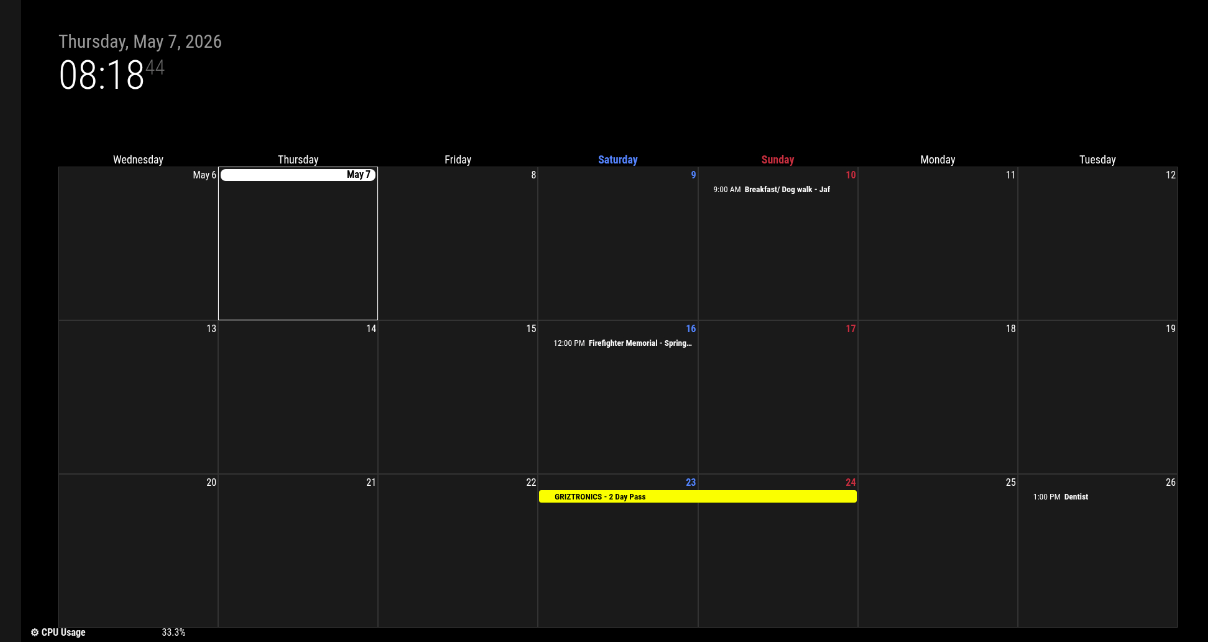
                                      @sdetweil No change unfortunately. Both event streams load fine and with color, but the calendar still is displaying everything just white, except for one event that did come with color 10.png
                                      S 1 Reply Last reply Reply Quote 0
                                      • S Offline
                                        sdetweil @kkmirr04
                                        last edited by sdetweil

                                        @kkmirr04 just for testing, if you have a mouse on that system
                                        Mouse over the event without color and click. This will show a new view of that event with the rest in blur behind,

                                        Does the text appear in the proper color?
                                        Escape key to exit that view

                                        Could you also add

                                        coloredSymbol:true, 
                                        

                                        To the base calendar module config.
                                        Next to

                                        coloredText:true
                                        

                                        Sam

                                        How to add modules

                                        learning how to use browser developers window for css changes

                                        K 1 Reply Last reply Reply Quote 0
                                        • K Offline
                                          kkmirr04 @sdetweil
                                          last edited by

                                          @sdetweil clicking on the event did bring the color in on that new view
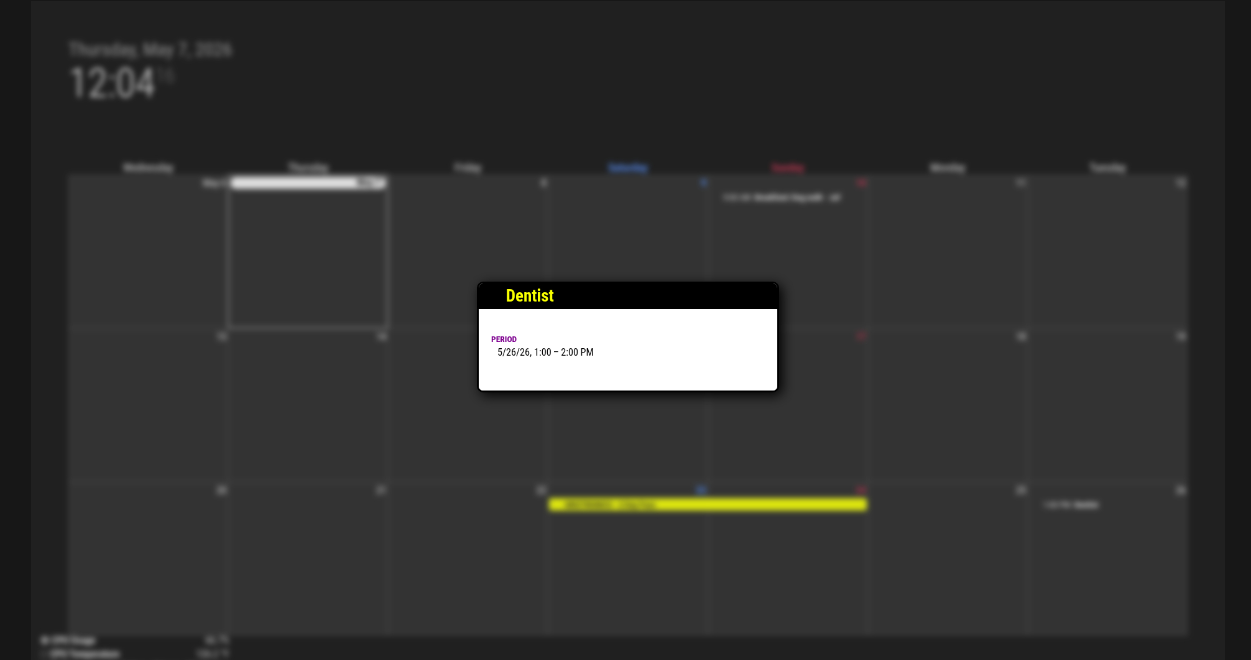
                                          11.png

                                          It didn’t seem like the coloredSymbol and coloredText had an effect, but not sure if I put them in the right spot? Should I remove the old colored:true, value?

                                          {
                                          			module: "calendar",
                                          			disabled:false,
                                          			coloredSymbol:true,
                                          			coloredText:true,
                                          			classes: "page0",
                                          			header: "XX Calendar'",
                                          			position: "top_right",
                                          			config: {
                                          			   colored: true,
                                          				calendars: [
                                          					{
                                          						name: "xx_cal",
                                          						color: 'yellow',
                                          						fetchInterval: 7 * 24 * 60 * 60 * 1000,
                                          						symbol: "calendar-check-o",
                                          						url: "https:basic.ics"


                                          			module: "calendar",
                                          			classes: "page0",
                                          			coloredSymbol:true,
                                          			coloredText:true,
                                          			header: "YY Calendar'",
                                          			position: "top_right",
                                          			config: {
                                          			   colored: true,
                                          				calendars: [
                                          					{
                                          					name: "yy_cal",
                                          						color: 'green',
                                          						fetchInterval: 7 * 24 * 60 * 60 * 1000,
                                          						symbol: "calendar-check-o",
                                          						url: "webcal:
                                          			
                                          
                                          S 1 Reply Last reply Reply Quote 0
                                          • S Offline
                                            sdetweil @kkmirr04
                                            last edited by

                                            @kkmirr04 they replace the colored:true which did everything,
                                            Now you can control each separately

                                            Inside the config: { section
                                            Before the calendars: [ list

                                            Sam

                                            How to add modules

                                            learning how to use browser developers window for css changes

                                            K 1 Reply Last reply Reply Quote 0

                                            Hello! It looks like you're interested in this conversation, but you don't have an account yet.

                                            Getting fed up of having to scroll through the same posts each visit? When you register for an account, you'll always come back to exactly where you were before, and choose to be notified of new replies (either via email, or push notification). You'll also be able to save bookmarks and upvote posts to show your appreciation to other community members.

                                            With your input, this post could be even better 💗

                                            Register Login

                                            • 1
                                            • 2
                                            • 1 / 2
                                            • First post
                                              Last post
                                            Enjoying MagicMirror? Please consider a donation!
                                            MagicMirror created by Michael Teeuw.
                                            Forum managed by Sam, technical setup by Karsten.
                                            This forum is using NodeBB as its core | Contributors
                                            Contact | Privacy Policy