Read the statement by Michael Teeuw here.
Apply color to future events in CalendarExt3
-
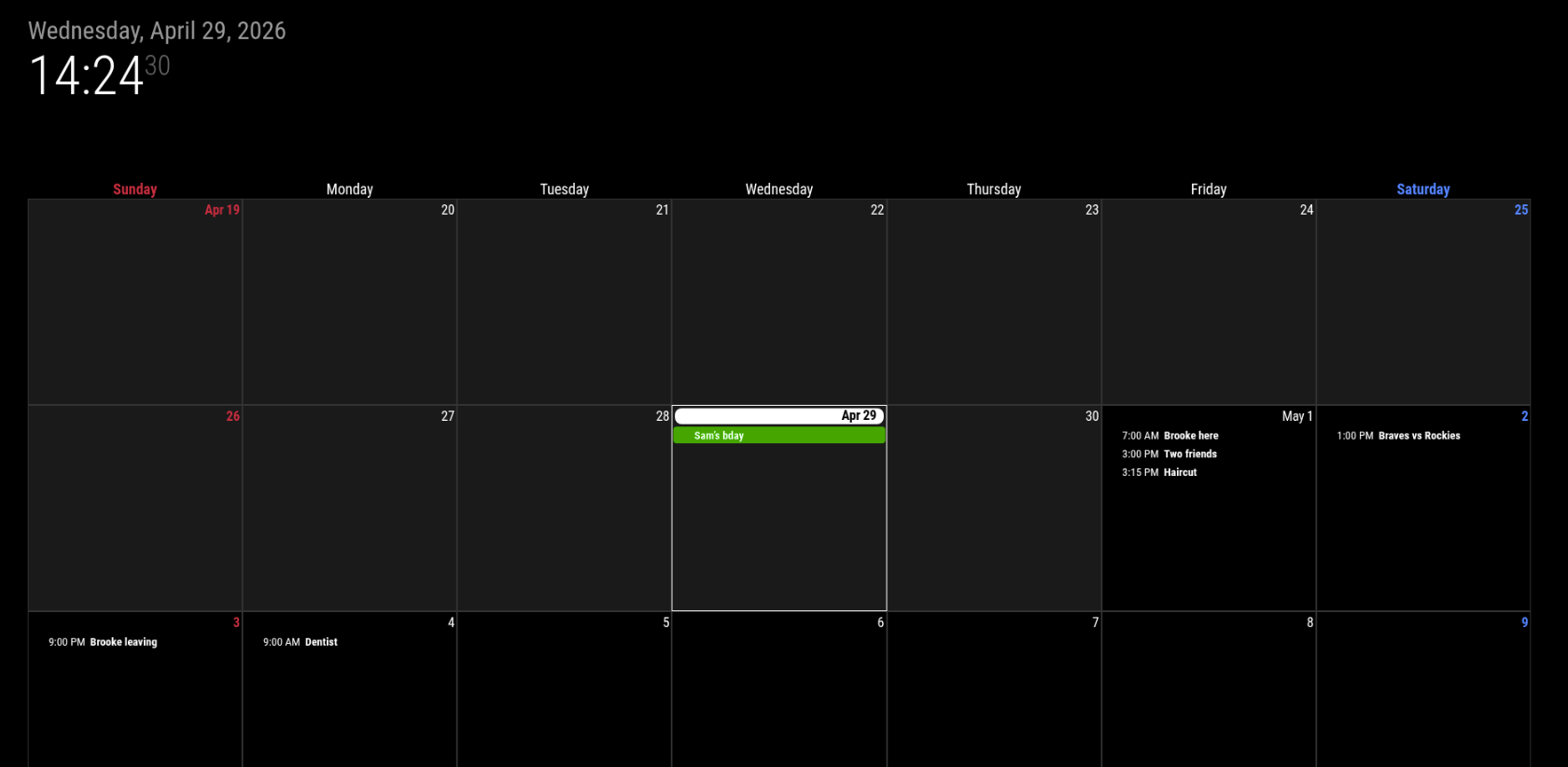
Currently, my CalendarExt3 module is only applying color to events that are within 48 hours. None of the events on the calendar past 48 hours have any coloring applied to them. I took a read through the pinned CSS guide but I’m not sure how to hunt down the sheet / items I need to change to implement this. I didn’t see anything obvious in the readme to edit this either.
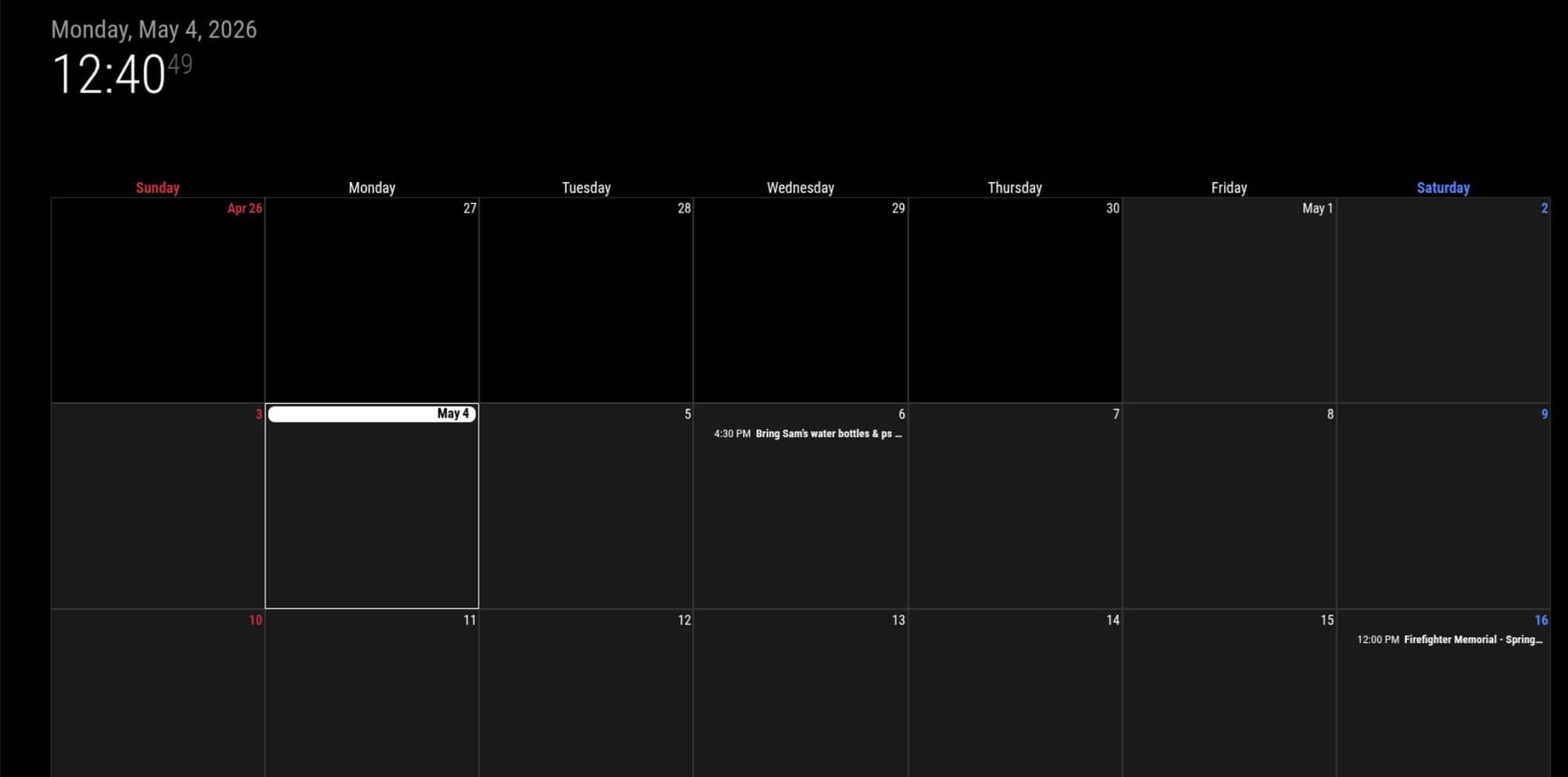
Here is what my calendar looks like right now - only Sams Birthday which is today has color applied
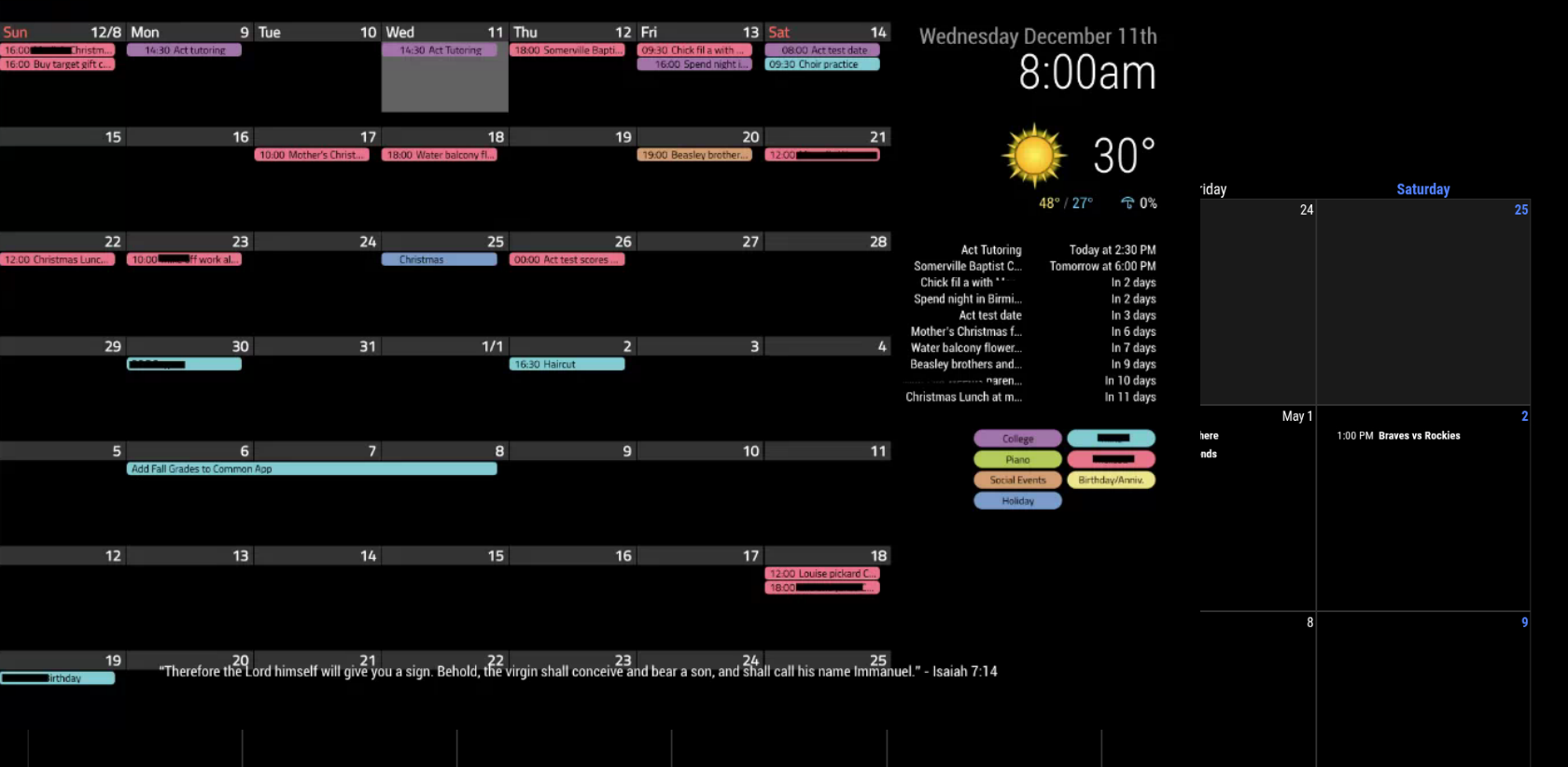
And here is an example from Google where all of the events for the month have color applied to them:
-
@kkmirr04 ext3 gets its events from the default c as lender module and can use the color definition there
Different for each url used/definedCan you show your default cal Module config
Xxx out the urls -
@sdetweil Yup here it is, pretty basic. I’ve tried running the default calendar module twice with one calendar in each config, but then the second calendar fails to load once I also add in the pages module. Goal is to show a list of the events on the first page, and then the second page is just the monthly calendar
{ module: "calendar", classes: "page0", header: "What's Happening'", position: "top_right", config: { colored: true, calendars: [ { name: "xx_cal", color: 'yellow', fetchInterval: 7 * 24 * 60 * 60 * 1000, symbol: "calendar-check-o", url: "https://calendar/basic.ics" }, { name: "yy_cal", color: 'green', fetchInterval: 7 * 24 * 60 * 60 * 1000, symbol: "calendar-check-o", url: "webcal:xx//" }, ], } }, -
@kkmirr04 ok,
1st does the default cal show color on the events in the list per the URL configs?
the config you presented will show ALL the events together, intertwined. in a single list
EXT3 could see them differently by name
can you show the ext3 configs
please, always use the code block wrapper around config or logs)to do in this message editor
paste the text you want to present
blank line above and below
select the text you just pasted
hit the code block button </> in the menu above the editor -
@sdetweil
I do have color on the events list - hopefully this is what you were asking for
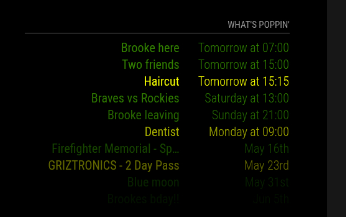
I would love to have it broken back out into two separate lists, but when I do that and integrate MMM-Pages, it refuses to load the second calendar stream on the events list and also into the calendar. Its like it just refuses to go out and check.
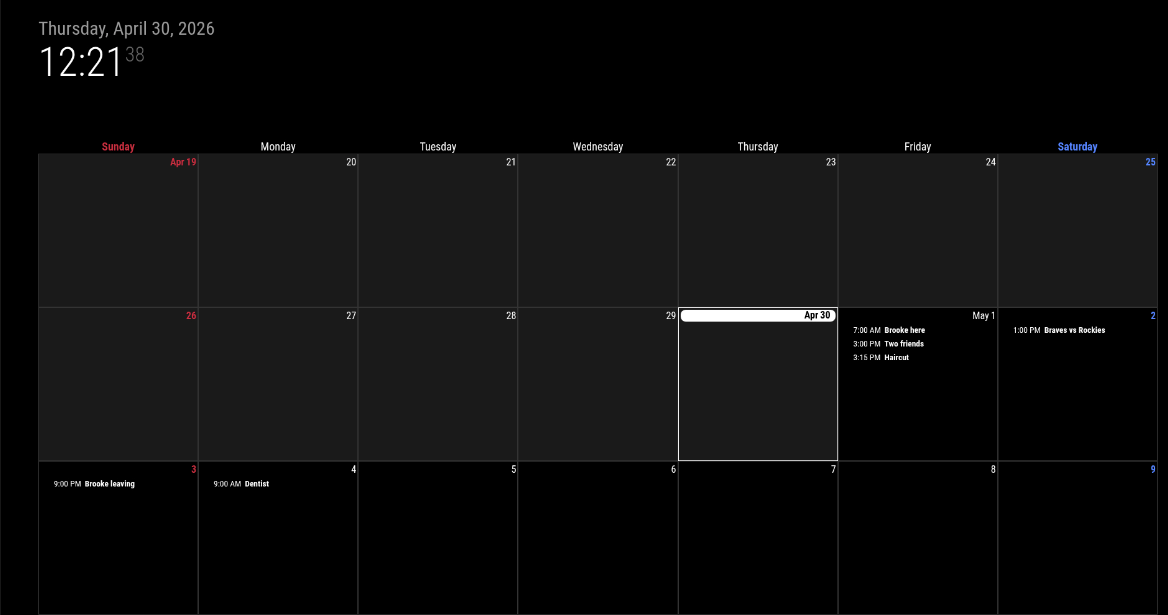
I think its a limitation of the Pages module, I’ve got it setup for the classes configuration. You can call the same module on different pages, but it doesn’t seem like I can call the default calendar module twice on the same page. I haven’t done much research on the Pages issue, thats my next one to tackle.Interestingly, looking at the CalendarExt3 view today - none of the future events have color applied to them:
Think I got the code block correct this time - thanks for pointing that out to me.
{ module: "MMM-CalendarExt3", classes: "page1", position: "bottom_bar", title: "", config: { mode: "week", instanceId: "main", showWeekNumber: false, //useSymbol: true, //displayLegend: true, maxEventLines: 10, //useWeather: true, firstDayOfWeek: 0, calendarSet: ['xx_cal', 'yy_cal'], } }, -
@kkmirr04 ok, there is a quirk in the EXT3 family of modules .
They don’t know when the messages are coming. And don’t want to flash the screen with changes each time they arrive.
Some events of today from cal 1 and more from cal 2 at a different timeSo they use a refreshInterval default 15 minutes
But you don’t want to wait 15 mins for the first draw.
So they have another setting waitFetch:5 secondsAfter startup wait waitFetch time and draw whatever events have arrived. Even if none
THEN you have to wait refreshInterval time
You have both at default
A little downside on the waitFetch is you get NOTHING til it expires
-
Another question. When did you install ext3
You DID run npm install the that module folder right?
-
I believe ext3 was one of the first modules I installed when I started everything this weekend. I do remember having some errors so theres a good chance I messed something up. I just ran npm install again and it processed fine, but no changes on the functionality.
Would it make sense to delete out the folder and try downloading / configuring the module again?
-
@kkmirr04 no, there was a fix a couple weeks ago, but if you just loaded it, should be fine
Can you add waitFetch:20000,
To the EXT3 module config
-
@kkmirr04 can you try release 2.36 just released.
-
I tried adding the waitFetch and updating and no changes on my end. Do you think doing a clean install might be the next best step?
-
@kkmirr04 can you show the default cal and ext3 on the same page. With the same events.
Can you remove the calendarSets from the ext3 config
npm install in the ext3 module folder is enough
-
@sdetweil Here is the events with the calendar
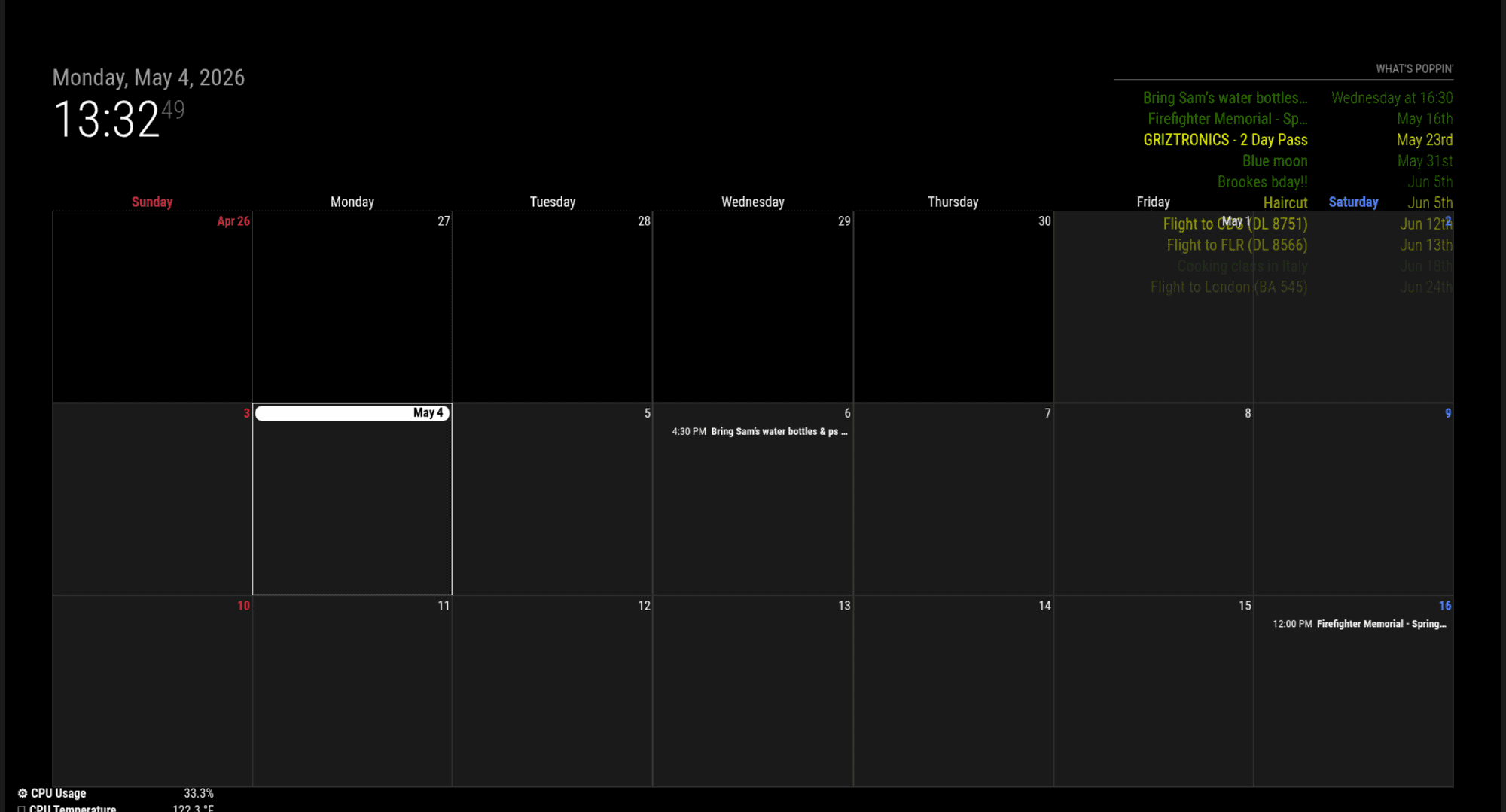
Remove the calendar sets and then run npm install again? I did see there is an update for my NPM - should i do that update too?

I also just noticed theres an error with CalExt3 when I close MM

-
@kkmirr04 thanks. I will try to test this out in a little bit
No, ignore the npm message
Yes, we found a bug in MagicMirror when looking for module updates. No harm done
-
can you explain this? the default cal shows colored, but Ext3 does not
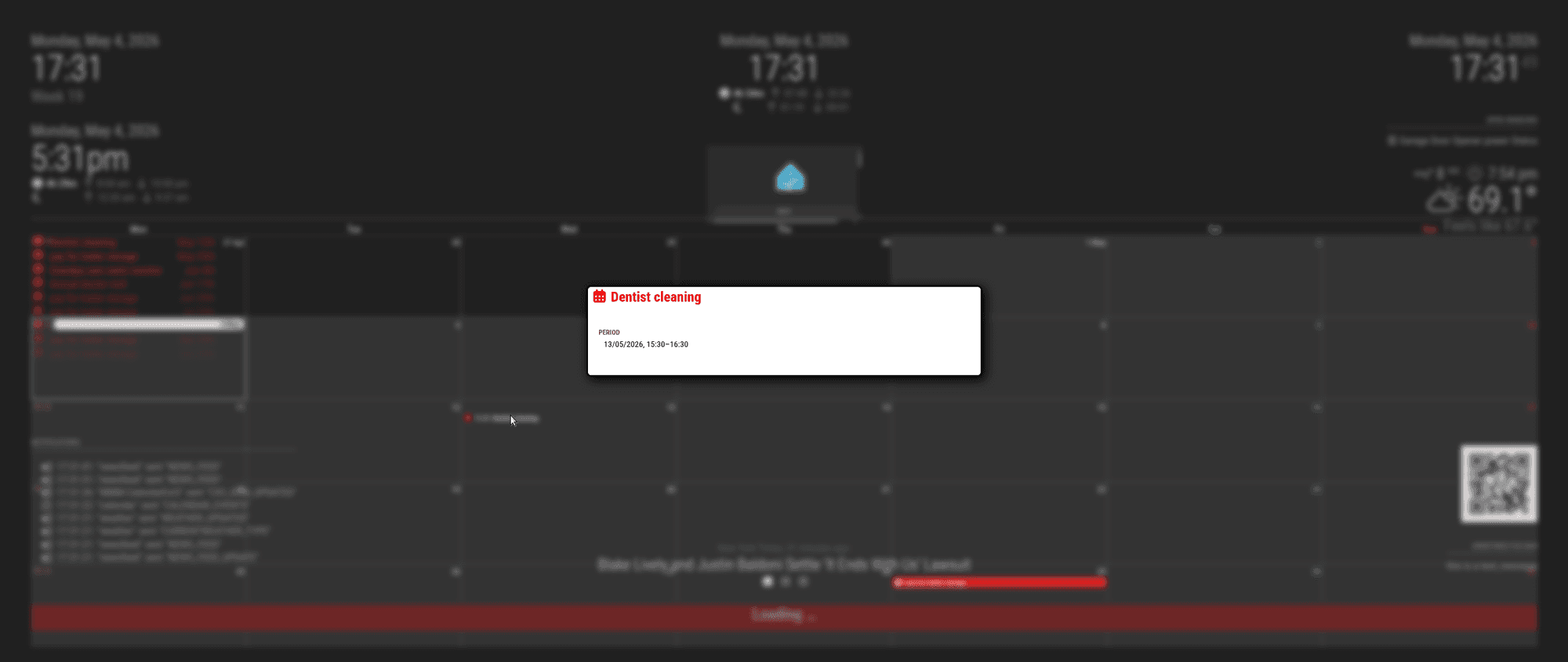
I can duplicate, text not colored in Ext3
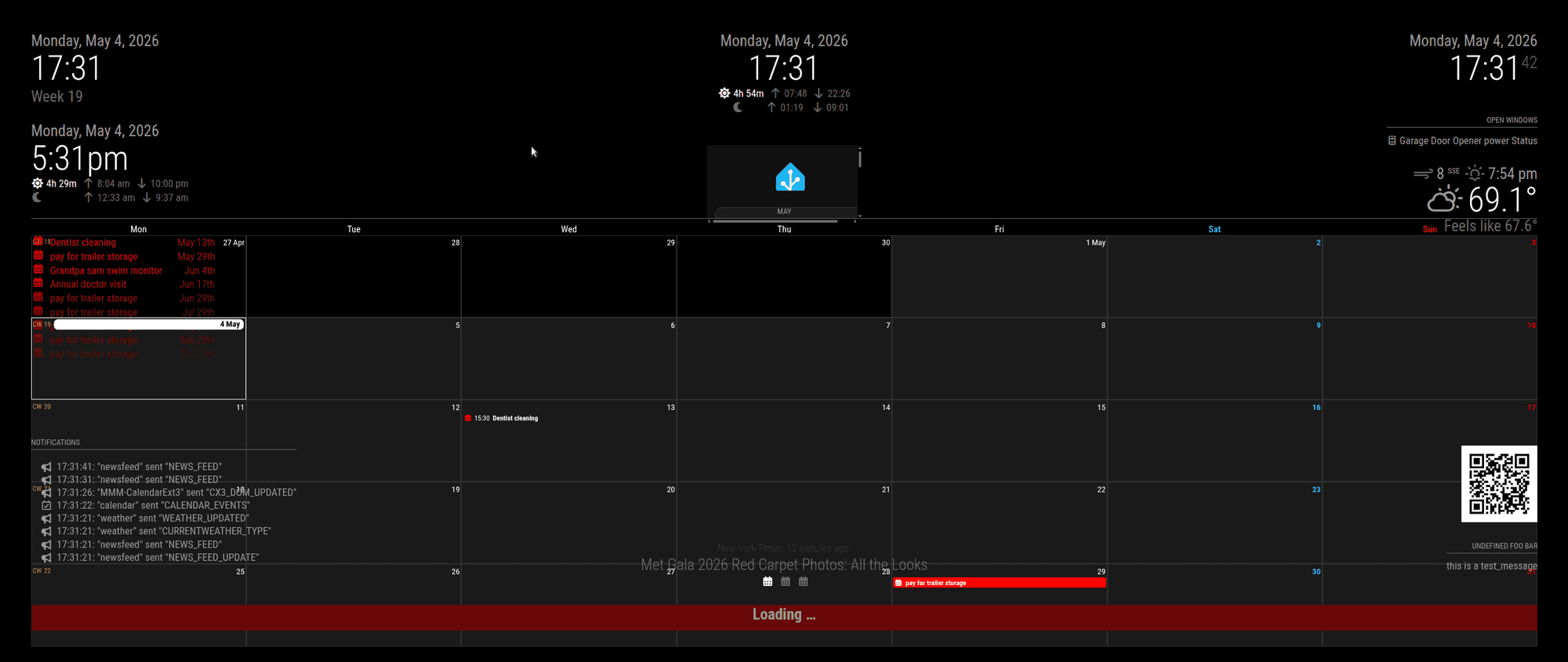
but pop is all colored.
-
@kkmirr04 on your second cal instance not showing
can you show the config, xxx out the cal url…
I am using pages, with ext3 on diff and cal on diff without problem… (except for ext3 color)
-
@sdetweil I think I might’ve just found its related to the month / week views of Ext3…
This is how I have it now:
{
			module: "calendar",
			classes: "page0",
			header: "What's Poppin'",
			position: "top_right",
			config: {
			   colored: true,
				calendars: [
					{
						name: "xx_cal",
						color: 'yellow',
						fetchInterval: 7 * 24 * 60 * 60 * 1000,
						symbol: "calendar-check-o",
						url: "basic.ics"

					},
				{
						name: "yy_cal",
						color: 'green',
						fetchInterval: 7 * 24 * 60 * 60 * 1000,
						symbol: "calendar-check-o",
						url: "webcal"
					},

				],

			}
		},
When I separate them to two instances, this is the code I have:
{
			module: "calendar",
			classes: "page0",
			header: "XX Calendar'",
			position: "top_right",
			config: {
			   colored: true,
				calendars: [
					{
						name: "xx_cal",
						color: 'yellow',
						fetchInterval: 7 * 24 * 60 * 60 * 1000,
						symbol: "calendar-check-o",
						url: "basic.ics"

					},

					],
				}
			},
{
			module: "calendar",
			classes: "page0",
			header: "YY Calendar'",
			position: "top_right",
			config: {
			   colored: true,
				calendars: [
					{
					name: "yy_cal",
						color: 'green',
						fetchInterval: 7 * 24 * 60 * 60 * 1000,
						symbol: "calendar-check-o",
						url: "webcal"
					},

				],

			}
		},
And without the Pages module, I do get both to load
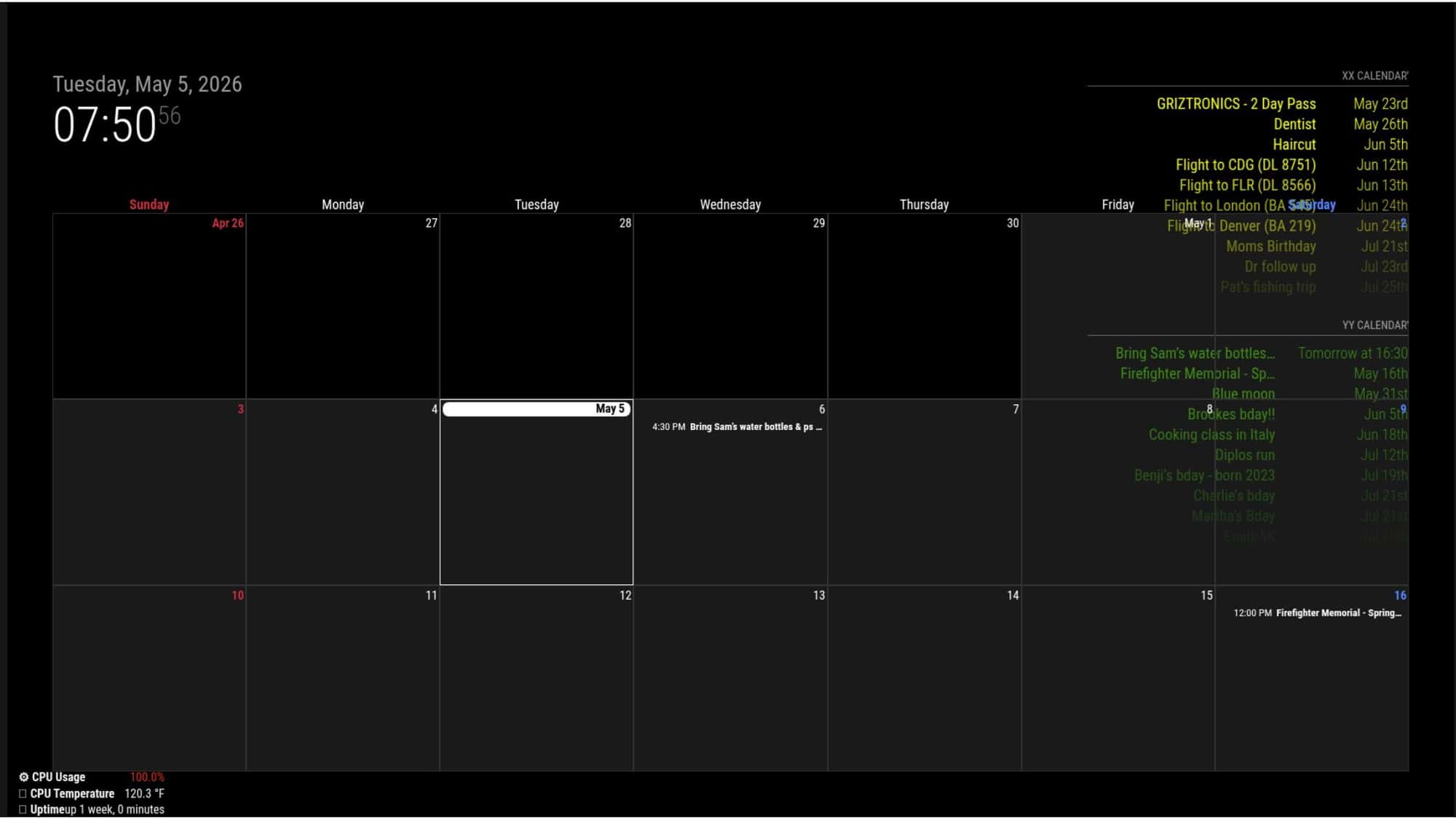
I went to add Pages back in with the two calendar instance configuration and have EXT3 on week mode, the second calendar stream does not load
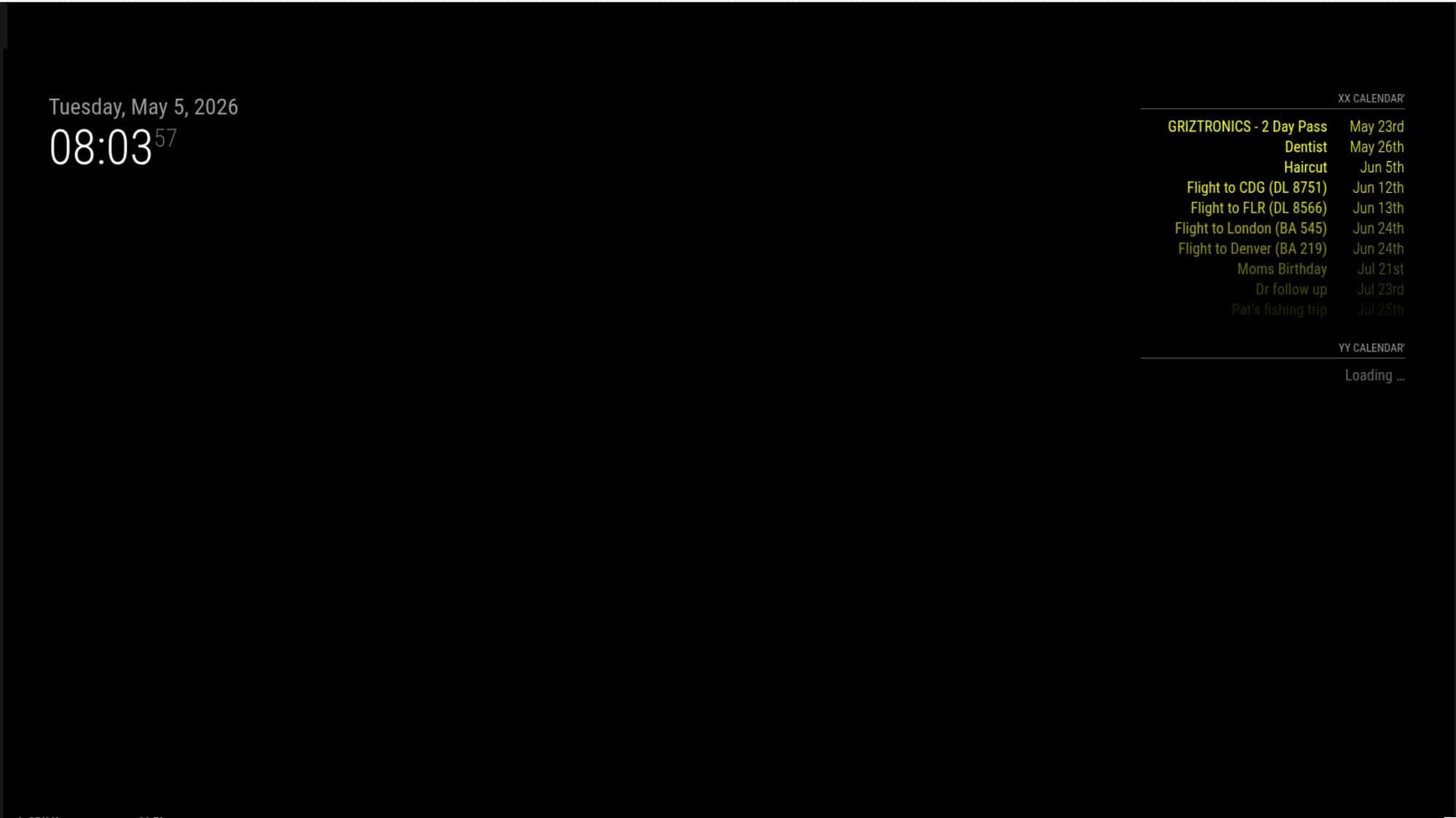
And still no color on calendar view on the second page
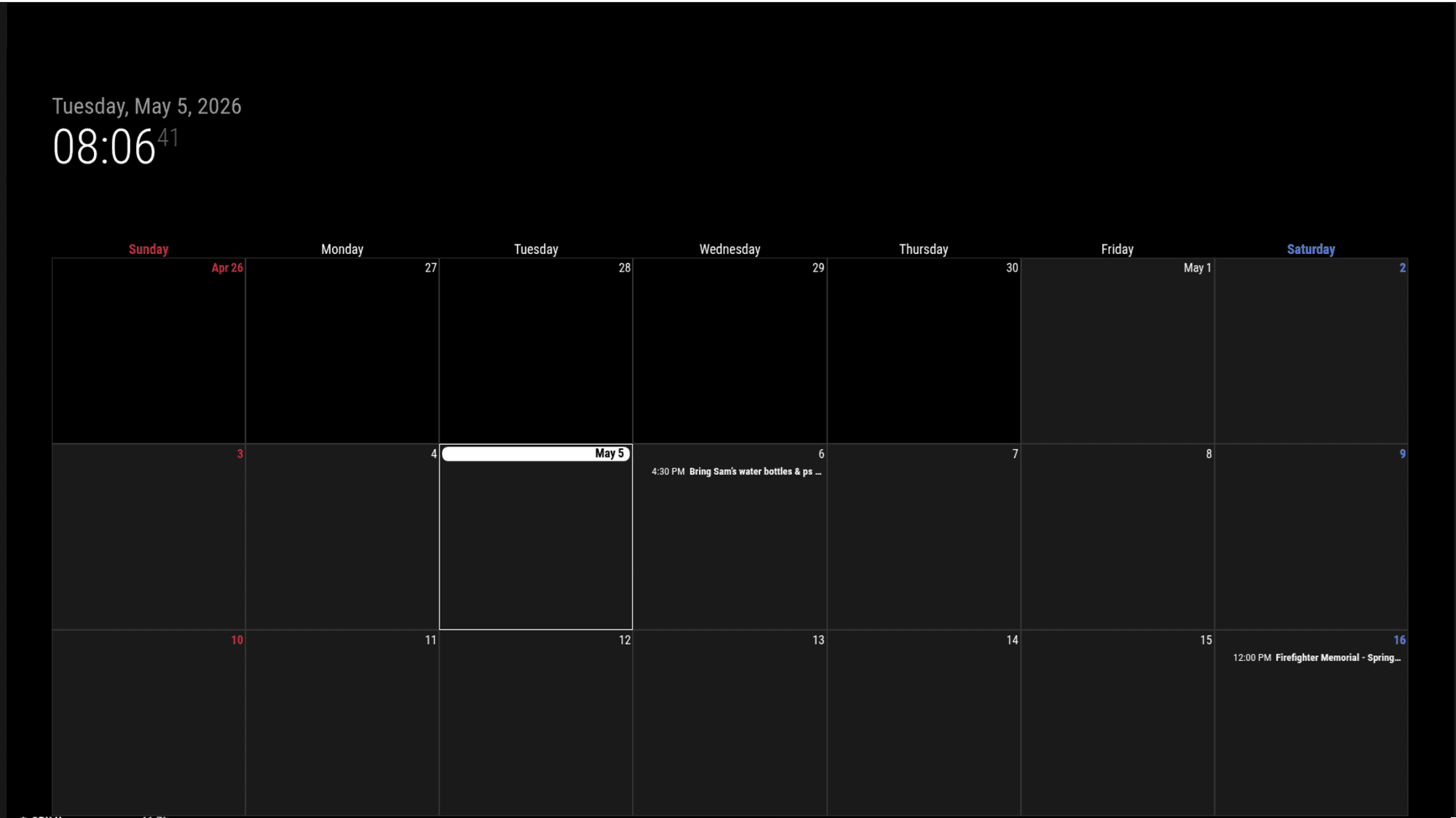
But then if I switch to month mode in EXT3 streams are loading in and some colors work - but there’s still two events (from the XX calendar) that loaded but did not get color applied.
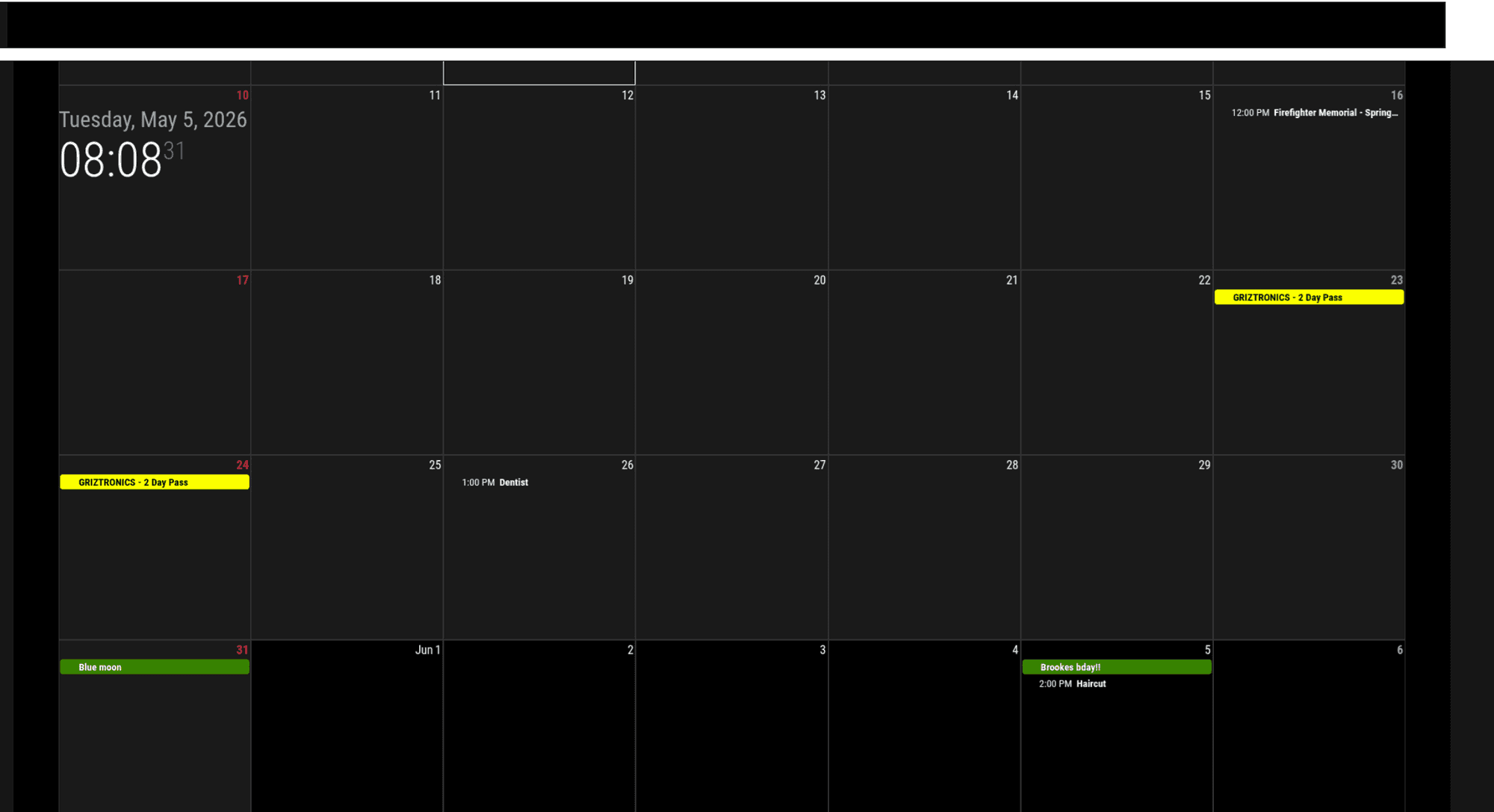
As I’ve been messing with it, sometimes on the first run it will load both calendar streams when its in week mode, but it usually doesn’t load it after it runs once. Sometimes in month mode, it still doesn’t load the second calendar, so its not 100% accurate
-
@kkmirr04 interesting.
Also, you are using an old term , colored
We’ve update to coloredText, symbol,
There should have been a message in the console output at MagicMirror startuppm2 logs —lines=xxx
xxx is the number of most recent lines in the output, default 15I saw that when I was testing yesterday
When you get the not displayed, can you
Open the developers consoleOn the MagicMirror screen, ctrl-shift-I
Select the console tab and scroll around for errors(red text usually)When one script has a fault in a browser, others will be impacted
Modules are all script -
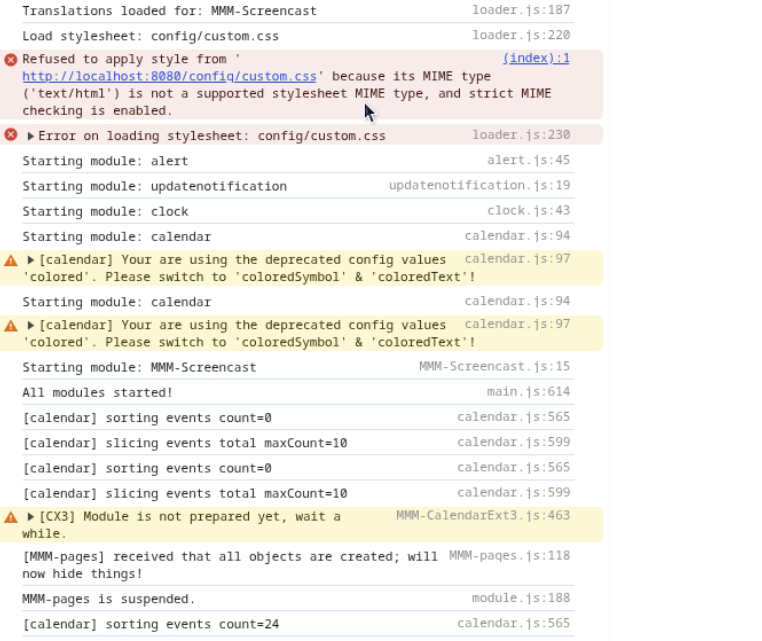
@sdetweil I’ll keep messing with coloredText, so far everything is staying white when I use that. Here is the errors I’m seeing
-
@kkmirr04 custom.css not loaded just means there isn’t one. (The default as MagicMirror installed)
If you had used the scripted install it would have created an empty one so this error wouldn’t be thereThere is the colored vs coloredText, coloredSymbol warning
No Obvious other errors in that part
Calendar sorting events=0, means there weren’t any?
Just for testing, if you disable pages and ext3
( add disabled:true, after the module:line)
Do both instances of calendar draw and with color?If yes, then set disabled false on ext3
Hello! It looks like you're interested in this conversation, but you don't have an account yet.
Getting fed up of having to scroll through the same posts each visit? When you register for an account, you'll always come back to exactly where you were before, and choose to be notified of new replies (either via email, or push notification). You'll also be able to save bookmarks and upvote posts to show your appreciation to other community members.
With your input, this post could be even better 💗
Register Login