Read the statement by Michael Teeuw here.
MMM-Loxone
-
Hi everyone!
I am owning a Loxone Smart Home, but I couldn’t find a compatible module for Loxone.
So decided to work on
MMM-Loxone.
It enables other modules to communicate with your Loxone Miniserver via a secure connection with token based authentication, so no unsecure basic authentication!Right now the Loxone module doesn’t have any UI, but it emmits the
INDOOR_TEMPERATUREnotification which enables other modules like default Current Weather Module, or my fork of MMM-forecast-io to display the room temperature without adding yet another module.Current Features:
- Emmit
INDOOR_TEMPERATURE(The room temperature the MacigMirror is located in, ready to use for other modules). Just define the room, the module will automatically figure out the temperature of the room, given you use an “Inteligent Room Controller” in this room! - Show notifications (info, error, system and notifications of controls) using the default, alread installed
alertmodule - Lets other modules communicate with your Loxone Miniserver (You must explicitly enable this in your config.json)
What do you think about this module, are you exited, do you miss any feature? I am planing on releasing this module within the next week.
Update:
- Define a virtual output that enables/ disables the Interface of the MagicMirror
- Blank out the screen also works on web interface only installations
- Stability improvements (Will automatically reconnect in case of a reboot due to an update)
[card:idoodler/MMM-Loxone]
- Emmit
-
GREAT this is what i am looking for aswell.
A feature i would like to see would be: My mirror is in the bathroom, so i am not in this room on regular basis. It would be nice if the motion sensor in the bathroom is activated that the monitor comes alive. After a certain activity period in the bathroom the MM should go back to “energy saving” -->either a screensaver or shutting off the monitor.Awesome work dude, looking forward for the module!
Thanks Robert
-
@bobbythemoh Yes, I was already thinking about that I will add this for sure!
-
@bobbythemoh Here is my implementation idea.
The user enters the room, the MagicMirror awakes and keeps activated untill the light goes out.
I have no idea to connect the Loxone Presence detector with the MagicMirror in an easy to configure way.
-
It would be nice if the module can work with udp commands. I would suggest sending „activity in room“ plus an integer and this is the alive time for the magic mirror.
-
@bobbythemoh This seems like a solution for thinkerers. I want solutions for everyone using built-in function from the Loxone eco system.
-
I just published the module, please try it out and file feature requests:)
[card:idoodler/MMM-Loxone]
-
Hi, i tried to install the module today but i cant run it.
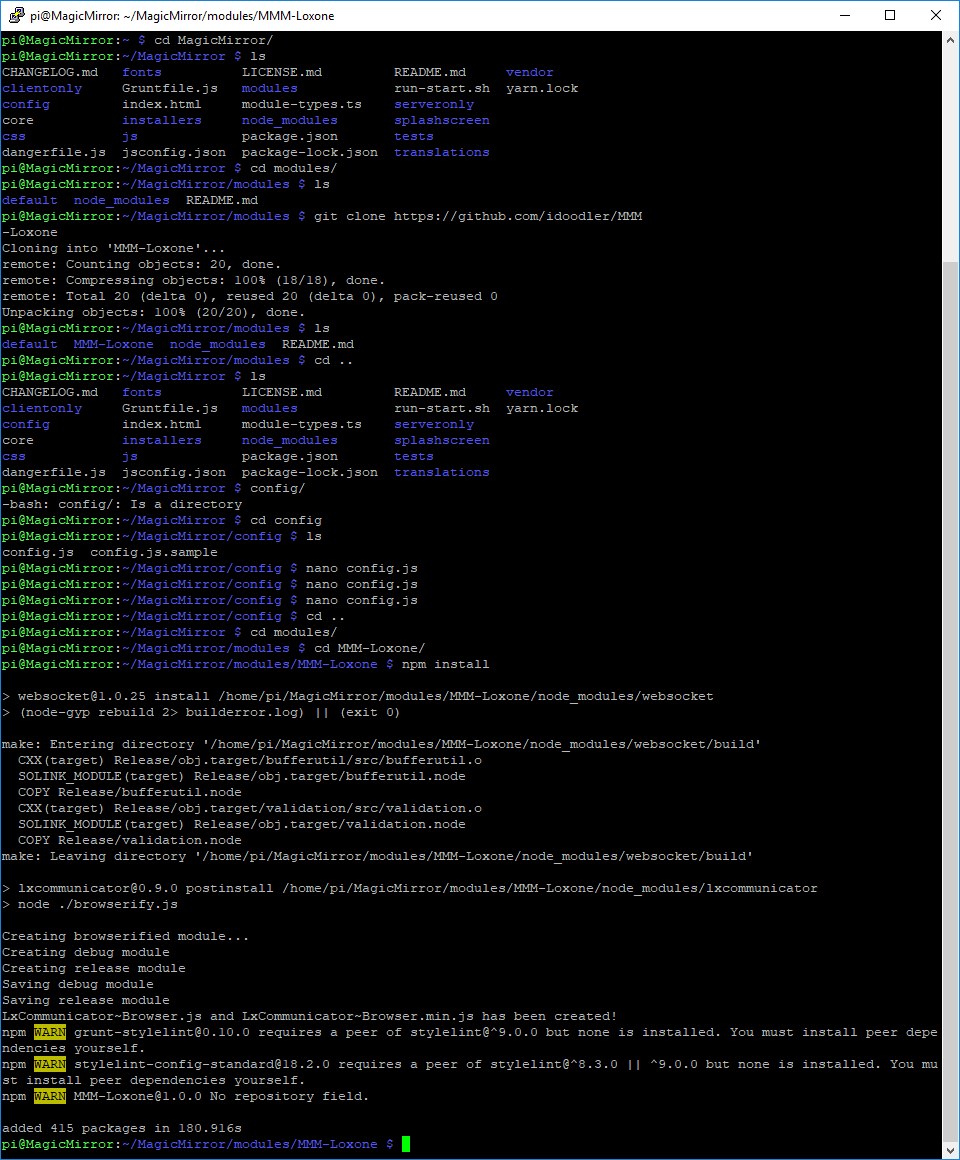
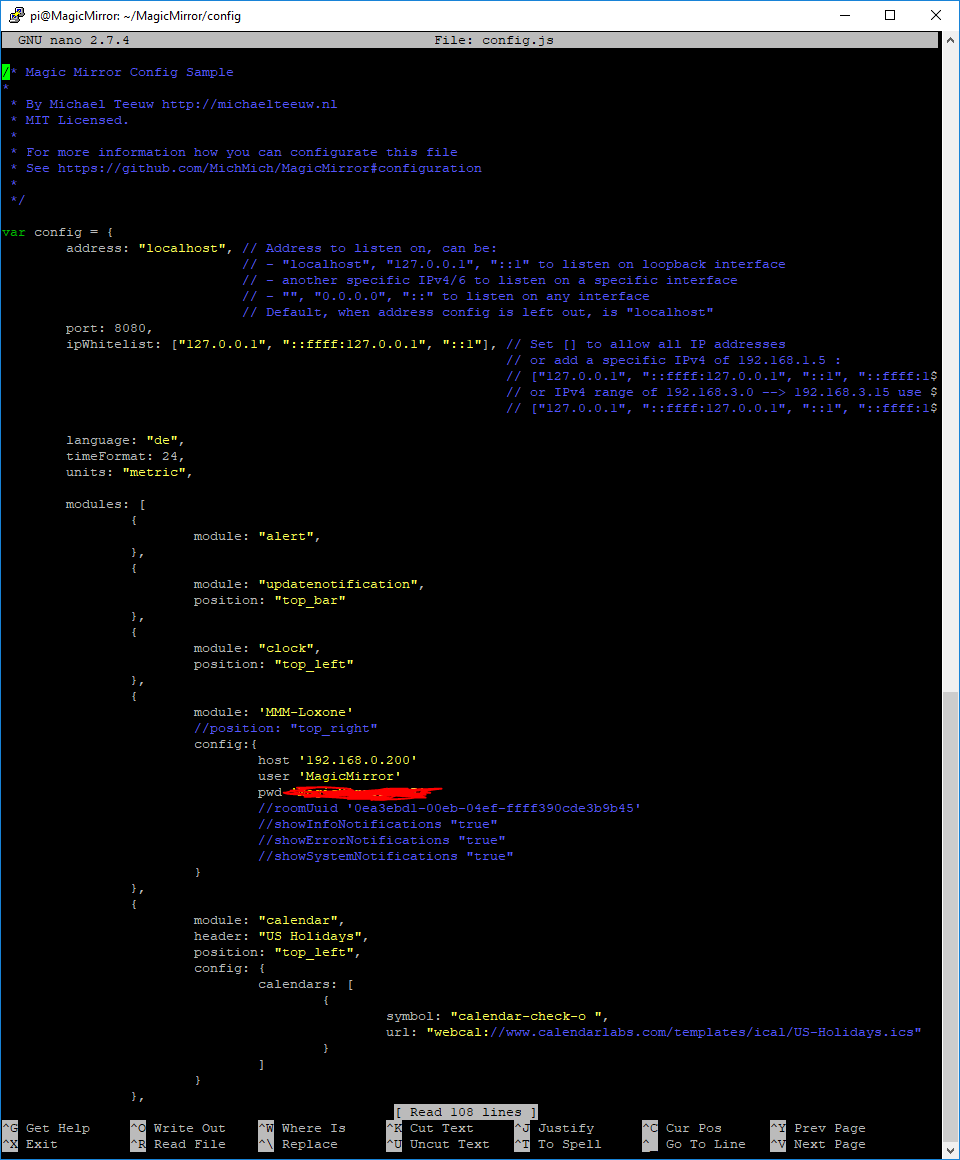
Please find attached a screenshot with a waring when i ran “npm install” and secondly the config i add in config.js
The magic mirror shows me that there is an error in the config.jsThanks for the help!
[npm install]
-
@bobbythemoh Please check your
config.jsonthis is not a valid object. Your config should look like this:config: { host: '192.168.0.200', user: 'MagicMirror', pwd: 'YOUR_PW' }You are missing both the
:and,.Everything should be fine after you corrected the
config.json. Your first screenshot just shows the correct installation process, you can ignore theWARNmessages. -
Hey, the first thing i have observerd so far is the power consumption of the Magic Mirror. Without Monitor i measure approx. 5 Watts, and if the monitor is on i measure 45W. The system was now running for some hours, but the monitor does not switch to “standby” mode. any ideas?
-
Hi, the mirror looks like that right now:
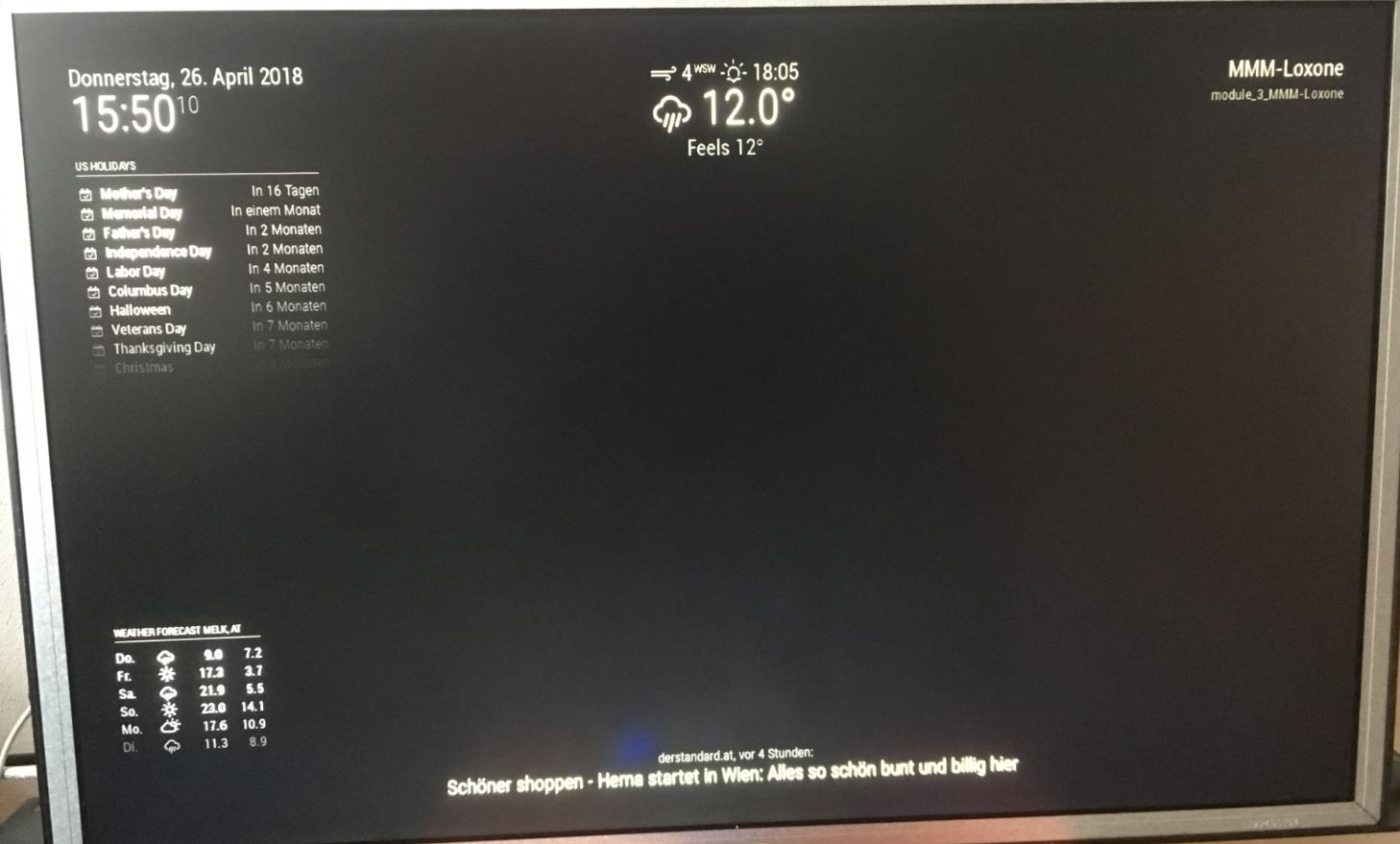
I dont see the temperature in the “current weather” module
How can i check, if the communication to loxone is working? Motion sensor activation does not work aswell.I think i am doing something wrong.
-
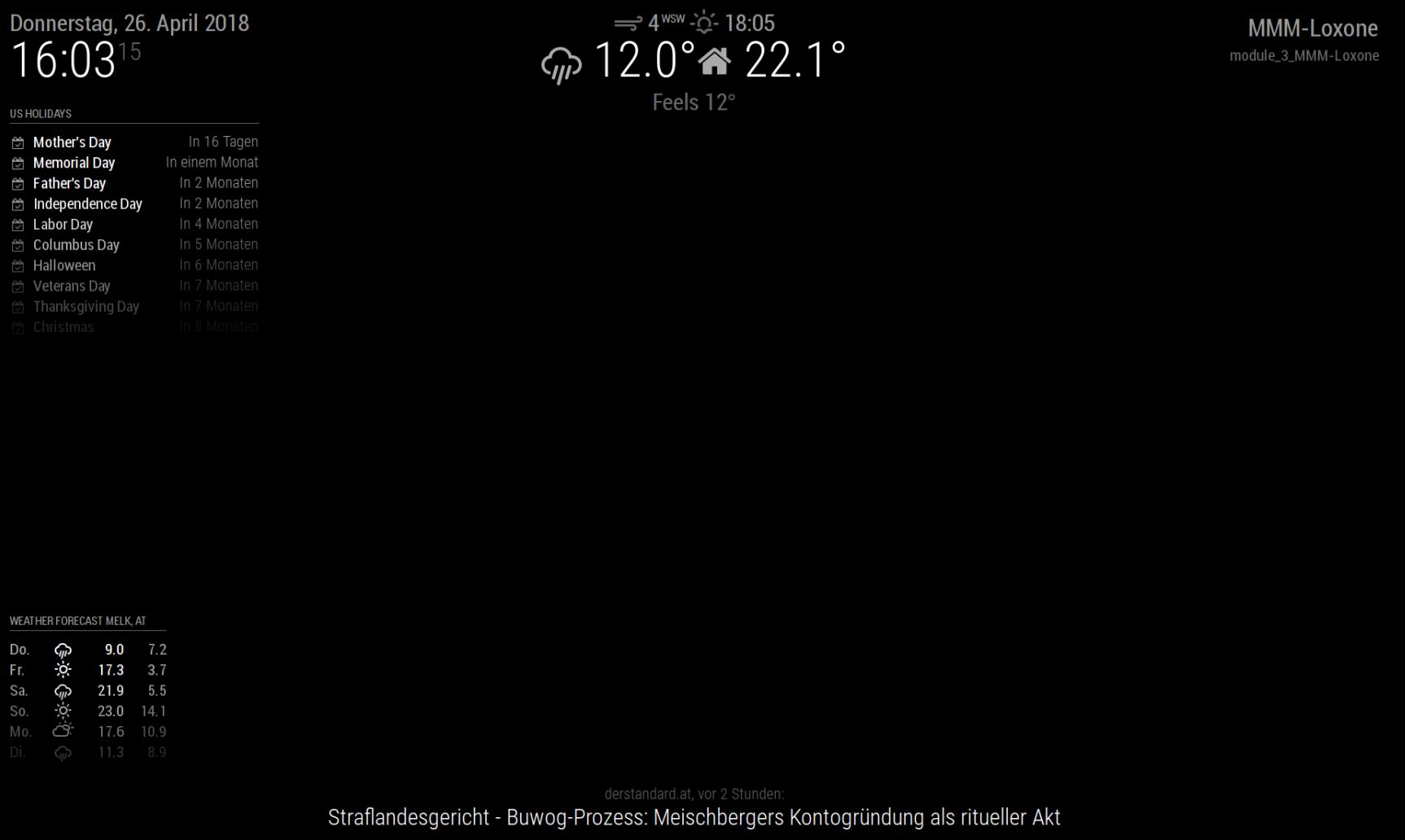
alright, i had to reboot the mirror, now i can see the room temperature, communication seems to work.
how is the motion sensor supposed to work? My mirror shows blackscreen after some time but no standby for the monitor. Activating the motion sensor the display does not light up. Any ideas? How do you manage power consumption?Thanks
-
Is there a way to display things like Energy Production / Consumption), which window / door is open or generally variables id like to see?
What about the underline below “MMM-Loxone” --> “module_3_MMM-Loxone” should there be the alarm notifications?
would you mind posting a screenshot of your MM?
Thanks
-
@bobbythemoh Let me quote the Readme.md for you.
This module doesn’t have its own visualisation, but it exposes information like the room temperature and other states other modules can and will use.
There is no UI, so it doesn’t make any sense to display it in the top right corner. Just uncomment
position: "top_right",andMMM-Loxonewon’t be displayed on your screen.Motion sensor
Again, let me quote the Readme.md
If enabled this module will use the LightControllerV2 in the defined room to set the MagicMirror to sleep or wake it up
Requirements:
roomUuidmust be defined in yourconfig.json- The defined Room must contain at lease one
LightControllerV2 presencemust be defined and set to true in yourconfig.json
How it works:
The HDMI port of the Raspbery Pi will be dissabled, whenever you switch off your lights. Your monitor should then dissable its backlight automatically if there is no HDMI signal after a specific time.Right now there is no automatic power saving (after a specific time), I may add it later tho.
Example:
- You enter the room -> Light switches on, mirror switcheson
- You leaf the room -> Light switches off after the defined timeout, mirror switches off
Definition:
Lights off = The mood “All off”Do I use the LightControllerV2"?
Well, you should, it is much more powerfull than its predecessor:)
Just open the App, open your LightController, click on the lower right “More” button and look out for the word “Moods” (“Stimmungen” in German).But I am missing an importand Feature!
Please file a Issue and describe what you are missing, I may implement it;) -
Thank you very much for the help, its really nice what you created with this module.
I skipped the GUI as you suggested, RoomID is set, LightcontrollerV2 is in use, Presence is TRUE.
What i changed on RPI config was :
/boot/config.txt
#hdmi_force_hotplug=1
hdmi_group=2
hdmi_mode=68
hdmi_blanking_1
I am using VGA Monitor with HDMI to VGA adapter.
Setting “presence” to true gives me a black screen after loading MM. Swtiching on the light in the room switches on the backlight of the monitor but does not show the content. The good thing is, with this configuration there is no power consumption of the lcd any more.
Using VNC i can see the magic mirror, so i think its a “screensaver” issue.
next thing i am trying is
sudo apt-get install xscreensaverThere was a hint that it is possible to disable the screensaver with this tool.
thanks for the help
-
OK it seems that it is not a screensaver issue. I fully disabled it and the content of the magic mirror is not coming back. its just the backlight of the LCD that is getting switched on and off. any Idea?
-
@bobbythemoh This sounds like you use some kind of other „screensaver“ which just displays a black screen instead of switching off the HDMI Port. I think you somehow enabled „screen blanking“.
-
@bobbythemoh btw. Just blacking out the screen is not realy saving much power if the backlight is still on… You just have to install MMM-Loxone, it will switch off the HDMI signal everytime the lights go out, your monitor will handle the rest (you might check your monitors Power saving setting).
-
@idoodler
Here is what i have observed:
XScreensaver is installed, Screensaver is disabled.
Rebooting the magic mirror with presence ON and light in the room on gives the magic mirror as it should be.
Leaving the magic mirror in this state (and also the light in the room) does not lead to screensaver, the picture stays as it is.
Switching off the light in the room also blacks out the monitor, power consumption goes down to 5W also without “#hdmi_blanking_1” but here is the issue:
Switching on the light in the room after blacked out monitor brings the monitor backlight and the power consumption back but not the UI.With VNC i can see the UI, moving the mouse does not bring the UI back on the direct connected monitor.
Any idea?
-
@bobbythemoh I guess you have some sort of other “power saving” feature activated I am not familiar with.
MMM-Loxonedirectly toggles the HDMI output on or off. It isn’t displaying a black view on top of the screen.Please verify your
/boot/config.txt!
In one ofyour posts you wrotehdmi_blanking_1but it should behdmi_blanking=1.

Hello! It looks like you're interested in this conversation, but you don't have an account yet.
Getting fed up of having to scroll through the same posts each visit? When you register for an account, you'll always come back to exactly where you were before, and choose to be notified of new replies (either via email, or push notification). You'll also be able to save bookmarks and upvote posts to show your appreciation to other community members.
With your input, this post could be even better 💗
Register Login