Read the statement by Michael Teeuw here.
Changing icons of the modules Current Weather and Weather Forecast
-
@sdetweil In detail he says this:
(apiVersion The OpenWeatherMap API version to use. Change it to “2.5” if you have an old apikeyDefault value: 3.0)
I understood that if we had an old version then we had to change this parameter but I may have misinterpreted -
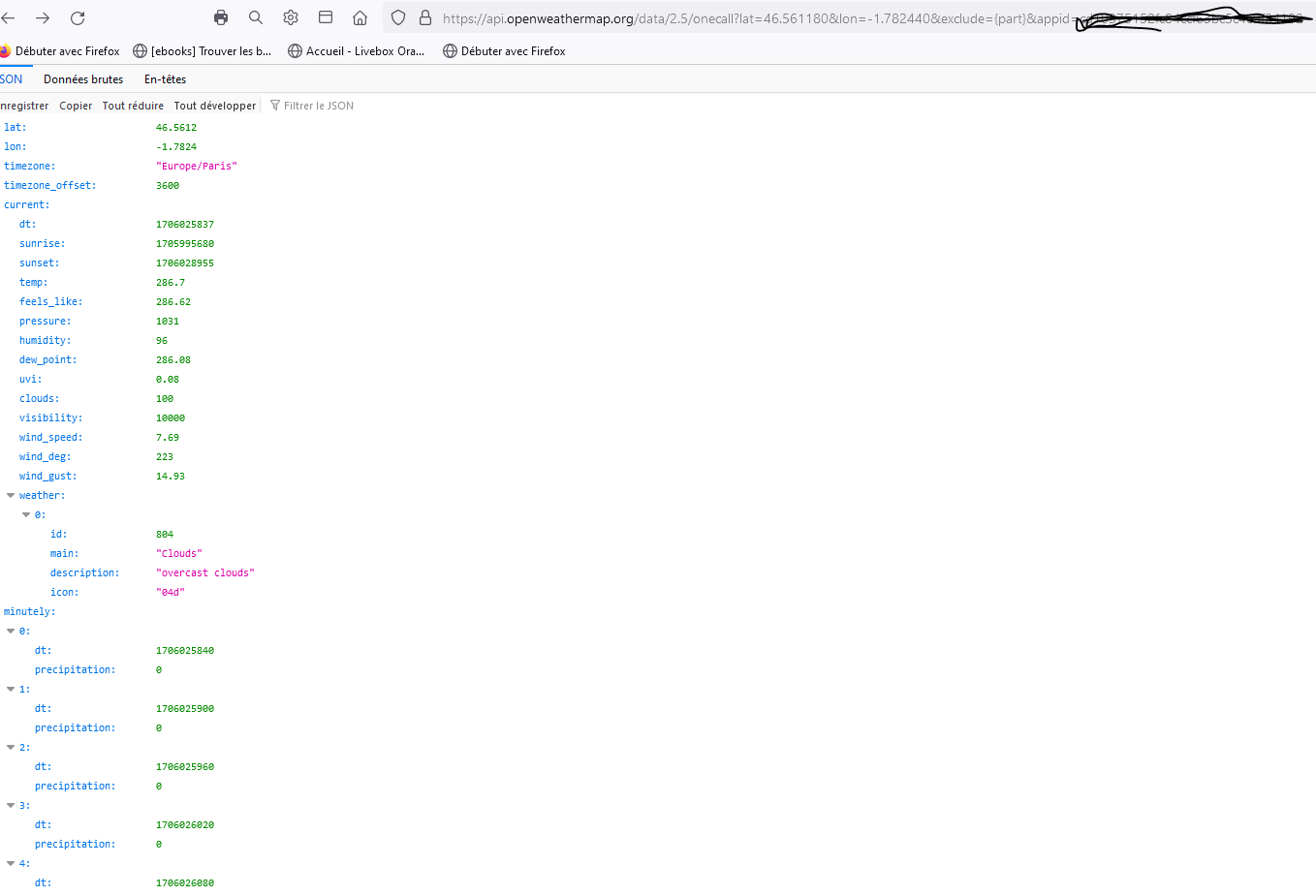
@sdetweil when I connect to an internet page it gives me this, so I think it’s active, I entered lat, long and api key
-
@Manu85 as far as I can tell, the one call API with keys since mid 2023 is only available via the v3.0 apikey setting
-
@sdetweil So it pays?
-
@sdetweil on my weather module I have an api key 2.5, I don’t know if that’s it but I have the impression that the weather data is wrong. Do you know of a weather module for the MM with current and forecast that would be graphically nice and free? because if to have version 3.0 you have to pay that doesn’t interest me, thank you for your help
-
@Manu85 in the console (where u start magicmirror, npm start )
you might see
[23.01.2024 12:12.22.384] [LOG] [MMM-OneCallWeather] 23-Jan-24 12:12 ** ERROR ** Error: Unauthorizedif you are using the wrong api key
-
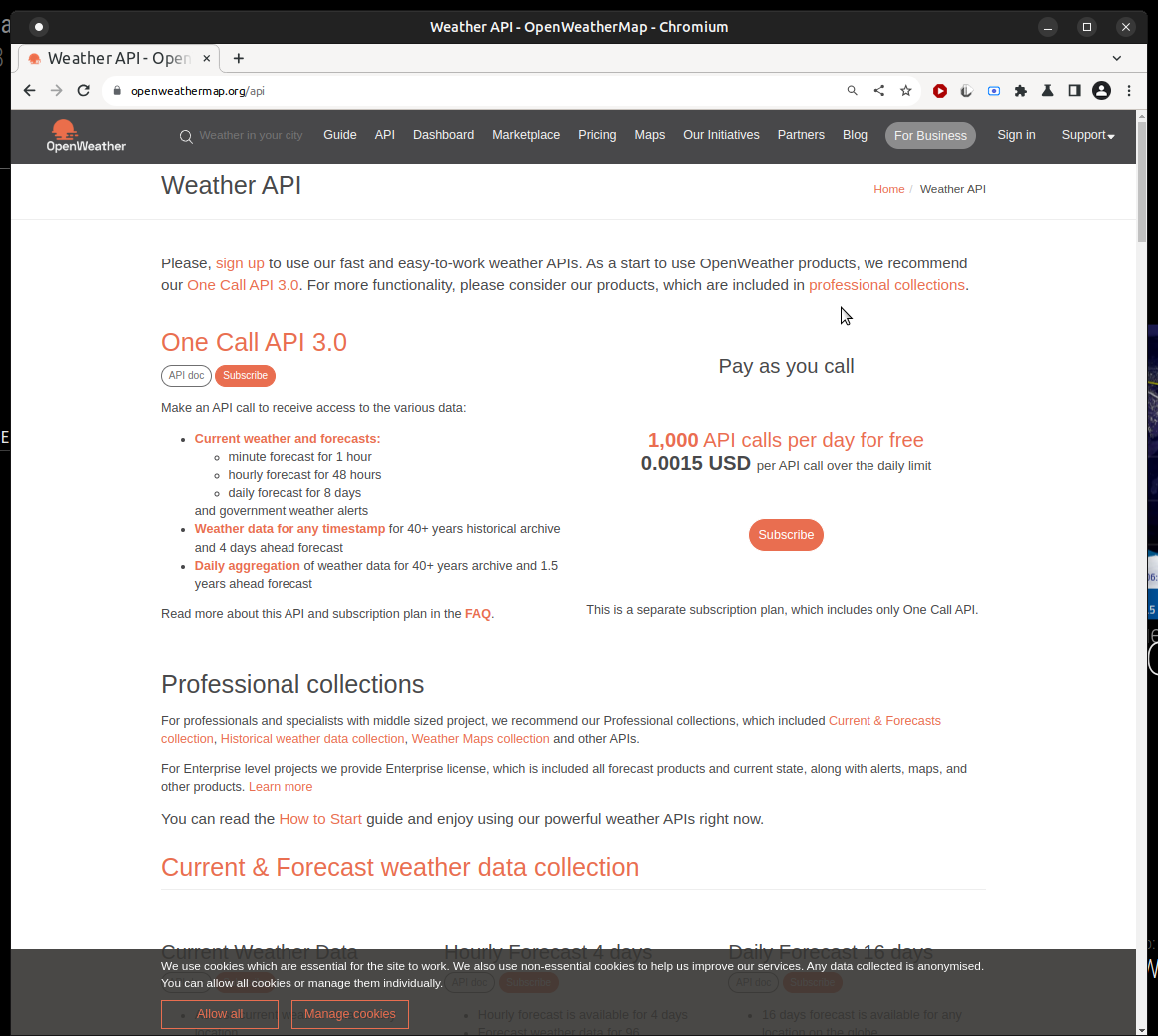
@Manu85 the page says v3 api, and 1000 calls per day free
-
@sdetweil Yes I went to this page, but then they ask you for your bank card!!!
-
@Manu85 yes, they will charge you IF you go over the 1000/day… nothing is free anymore… you MUST provide a valid card, or the api key is not functional
-
@sdetweil Thank you for your answer and you are right everything is charged today, fortunately there are still sites and people like you to share for FREE what they know
-
@Manu85 yes, but I don’t generate any pretty user interfaces!! no icons or graphs…lol
-
@sdetweil Yes but it’s thanks to people like you that there is still communication without banking intermediary to build projects… I would therefore stay with my version 2.5 which is free while waiting for a developer to find a solution:- ) what bothers me is that the weather forecast with pretty icons etc. there are some on smartphones, cars, television, internet etc. and all this is free, as soon as you want to do something different you have to PAY :-(
-
@Manu85 said in Changing icons of the modules Current Weather and Weather Forecast:
version 2.5 which is free while waiting for a developer to find a solution:- )
the problem is that the provider (openweathermap), is only providing v3 api keys now for the OneCall api used by the module.
SO… there is nothing the developer can do to get around that.
openweathermap is no longer issuing 2.5 api keys
-
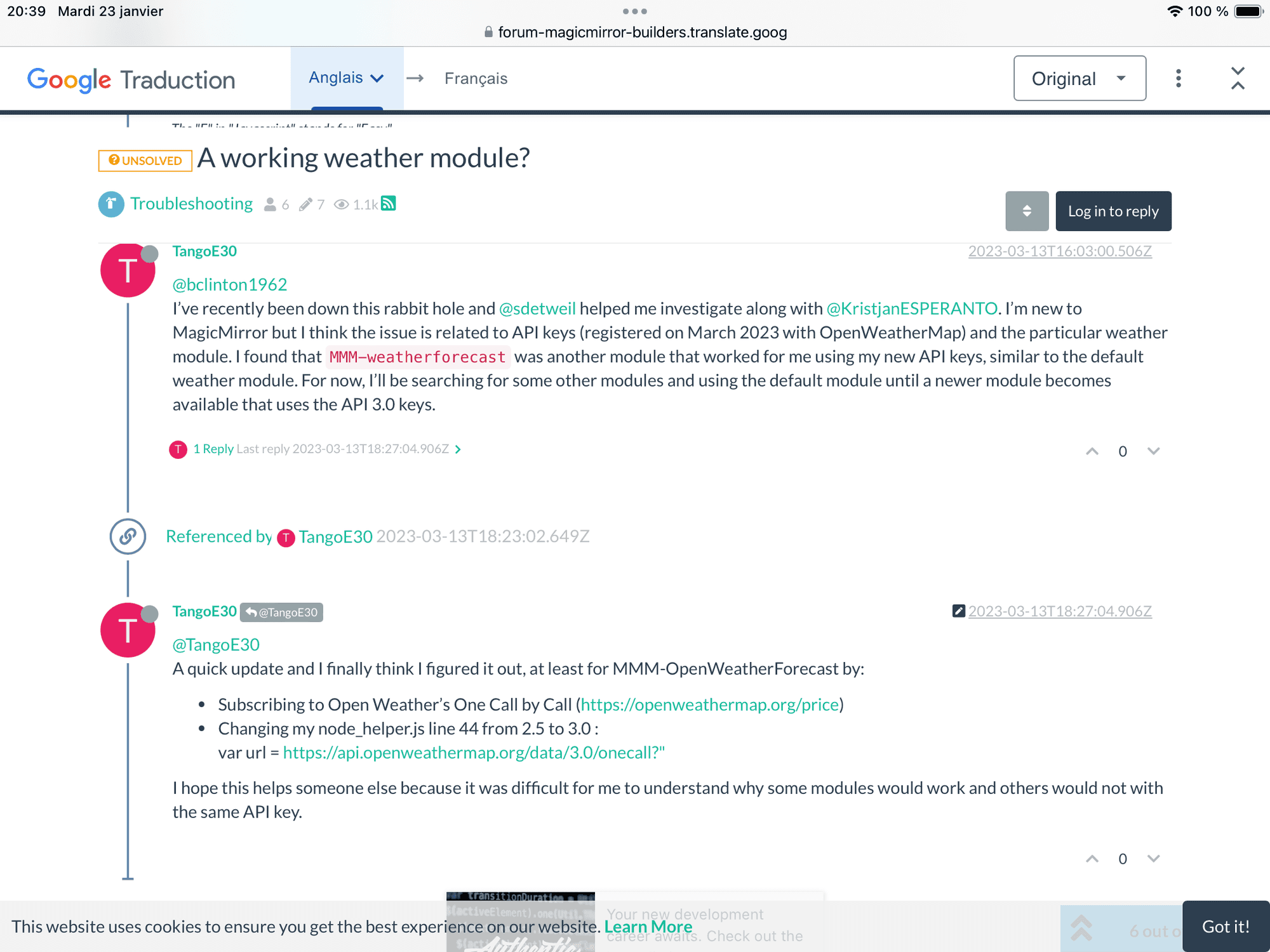
@sdetweil I found a post from March 2023 where we talk about you on the same subject 😉
-
@manu85340 yes, this module is already using all that
apiVersion: "3.0", `https://api.openweathermap.org/data/${config.apiVersion}/onecall` + -
@sdetweil I subscribed to onecall and I just tested this morning and I still have the same “loading” thing, in my config.js I put the following things:
{
module: "MMM-OneCallWeather",
     position: "top_right", // This can be any of the regions.
     // Best results in bottom_bar region due to horizontal default layout and icon sizes.
     config: {
       // See 'Configuration options' for more information.
       latitude: "46.561180", // Longitude from https://www.latlong.net/
       longitude: "-1.782440", // Longitude from https://www.latlong.net/ - is West + is East of London
       apikey: "MY NEW API KEY V3.0" // openweathermap.org API key.
     }
   },
in MMM-OneCallWeather.js I have this:
letdata;Module.register("MMM-OneCallWeather", { // Default module config. defaults: { latitude: true, longitude: true, apikey: "", apiVersion: "3.0", units: config.units, layout: "vertical", // default showRainAmount: false, showWind: true, showWindDirection: true, showFeelsLike: true, tempUnits: "c", windunits: "mph", useBeaufortInCurrent: false, initialLoadDelay: 2500, // 2.5 seconds delay. This delay is used to keep the OpenWeather API happy. updateInterval: 10 * 60 * 1000, // every 10 minutes animationSpeed: 1000, updateFadeSpeed: 500, lang:config.language, language: config.language, requestDelay: 0,I haven’t touched anything else, can you help me please?
-
-
@sdetweil Is that what we need to do? I ran the npm start command in putty
pi@MagicMirror:~ $ npm start npm ERR! code ENOENT npm ERR! syscall open npm ERR! path /home/pi/package.json npm ERR! errno -2 npm ERR! enoent ENOENT: no such file or directory, open '/home/pi/package.json' npm ERR! enoent This is related to npm not being able to find a file. npm ERR! enoent npm ERR! A complete log of this run can be found in: npm ERR! /home/pi/.npm/_logs/2024-01-24T12_40_06_083Z-debug.log -
@Manu85 need to be in the MagicMirror folder
-
@sdetweil I did that, I hope it’s ok, however the cursor remains stuck at the bottom left and does not return to: ```
pi@MagicMirror:~/MagicMirror $pi@MagicMirror:~/MagicMirror $ npm start > magicmirror@2.23.0 start /home/pi/MagicMirror > DISPLAY="${DISPLAY:=:0}" ./node_modules/.bin/electron js/electron.js [24.01.2024 14:15.19.980] [LOG] Starting MagicMirror: v2.23.0 [24.01.2024 14:15.19.999] [LOG] Loading config ... [24.01.2024 14:15.20.009] [DEBUG] config template file not exists, no envsubst [24.01.2024 14:15.20.024] [LOG] Loading module helpers ... [24.01.2024 14:15.20.031] [WARN] No /home/pi/MagicMirror/js/../modules/MMM-Logging/MMM-Logging.js found for module: MMM-Logging. [24.01.2024 14:15.20.034] [LOG] No helper found for module: MMM-Logging. [24.01.2024 14:15.20.036] [LOG] No helper found for module: clock. [24.01.2024 14:15.20.075] [LOG] Initializing new module helper ... [24.01.2024 14:15.20.079] [LOG] Module helper loaded: MMM-PiTemp [24.01.2024 14:15.20.153] [LOG] Initializing new module helper ... [24.01.2024 14:15.20.155] [LOG] Module helper loaded: MMM-OneCallWeather [24.01.2024 14:15.20.161] [LOG] Initializing new module helper ... [24.01.2024 14:15.20.163] [LOG] Module helper loaded: MMM-DHT [24.01.2024 14:15.20.681] [LOG] Initializing new module helper ... [24.01.2024 14:15.20.682] [LOG] Module helper loaded: calendar [24.01.2024 14:15.20.683] [LOG] No helper found for module: MMM-SmartWebDisplay. [24.01.2024 14:15.20.685] [LOG] No helper found for module: MMM-ISS-Live. [24.01.2024 14:15.20.746] [LOG] Initializing new module helper ... [24.01.2024 14:15.20.747] [LOG] Module helper loaded: newsfeed [24.01.2024 14:15.20.748] [LOG] All module helpers loaded. [24.01.2024 14:15.20.777] [LOG] Starting server on port 8080 ... [24.01.2024 14:15.20.791] [WARN] You're using a full whitelist configuration to allow for all IPs [24.01.2024 14:15.20.818] [ERROR] Whoops! There was an uncaught exception... [24.01.2024 14:15.20.834] [ERROR] Error: listen EADDRINUSE: address already in use 0.0.0.0:8080 at Server.setupListenHandle [as _listen2] (node:net:1432:16) at listenInCluster (node:net:1480:12) at doListen (node:net:1629:7) at process.processTicksAndRejections (node:internal/process/task_queues:84:21) { code: 'EADDRINUSE', errno: -98, syscall: 'listen', address: '0.0.0.0', port: 8080 } [24.01.2024 14:15.20.834] [ERROR] MagicMirror² will not quit, but it might be a good idea to check why this happened. Maybe no internet connection? [24.01.2024 14:15.20.835] [ERROR] If you think this really is an issue, please open an issue on GitHub: https://github.com/MichMich/MagicMirror/issues [24.01.2024 14:15.21.545] [LOG] Launching application. [1330:0124/141522.949654:ERROR:viz_main_impl.cc(186)] Exiting GPU process due to errors during initialization [1353:0124/141523.177443:ERROR:gpu_memory_buffer_support_x11.cc(44)] dri3 extension not supported.code_text
Hello! It looks like you're interested in this conversation, but you don't have an account yet.
Getting fed up of having to scroll through the same posts each visit? When you register for an account, you'll always come back to exactly where you were before, and choose to be notified of new replies (either via email, or push notification). You'll also be able to save bookmarks and upvote posts to show your appreciation to other community members.
With your input, this post could be even better 💗
Register Login