Read the statement by Michael Teeuw here.
MMM-AssistantMk2
-
MMM-AssistantMk2
MMM-AssistantMk2is an embedded google assistant on MagicMirror. This is more improved than my last MMM-Assistant.What is different from my prior?
I made
MMM-Assistantlast year, But it was notorious for its difficulty of installation and configuration. And it was based on the old APIs and dependencies. I was so disappointed with its limitation, so I have half forgotten this module and it was almost abandoned. Sorry about that to everyone. (And special Thanks to @E3V3A and many participants for maintenance project during my absence)
Now, the environments are improved. Google has also released new sdks, new tools and ‘Assistant for device’. It means, there is no need of ‘Commander’ anymore. Custom commands(actions) could be integrated into Assistant itself.So, I’d made this module newly.
Improvements
- pure javascript, no other python program or daemon needed.
- Hotword(MMM-Hotword) and Assistant(MMM-AssistantMk2) are separated. Now you can wake up your Assistant with other modules. (e.g; H/W buttons or other module notifications or anything)
- Command mode is deprecated. Now Google Assistant itself has the ability to react with a custom action. And possible to use IFTTT or transcriptionHooking.)
- See MMM-NotificationTrigger for transcriptionHooking or using IFTTT.
- See MMM-GAction for custom google action.
- Visual response!!! (like Google Home with screen or Google Assistant on your phone, but some functions are limited or missed.)
- Multi-user supported.
- Auto find Youtube clip and playing.
Download
[card:eouia/MMM-AssistantMk2]
[card:eouia/MMM-GAction] - For customized Google Action for MagicMirror sample.Demonstartion
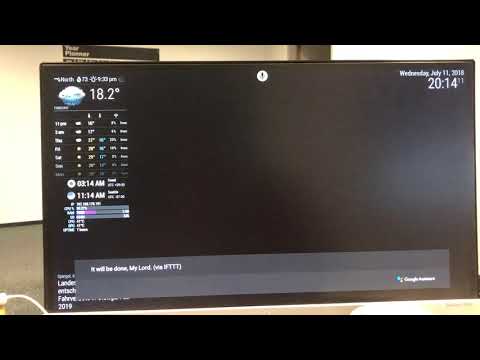
Voice commands demo
Multi profile and language demo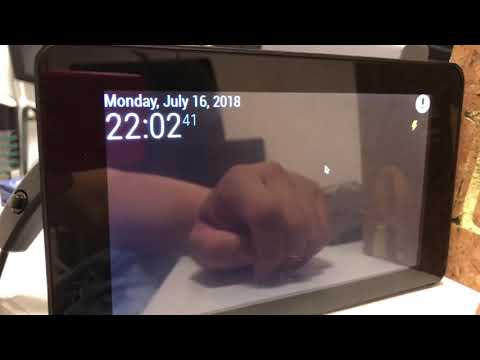
Touchscreen version without HotwordTested
- MagicMirror : 2.4.1
- nodeJS : 8.11.3 & 10.0.x
- SBC : Asus TinkerBoard & Raspberry Pi 3 / Kiosk mode and Serveronly mode both work.
Related modules
[card:eouia/MMM-Hotword] [card:eouia/MMM-NotificationTrigger]
-
@Sean I especially love how you splitted the single parts into different Modules, so you can easily use parts of your stuff without having to edit the code first :)
-
@maxbachmann My prior always give me some kind of maintenance-phobia, So, I break into 4 modules for maintenance and better usages. Thanx for your appreciation.
-
@Sean I know the trouble gets a nightmare to maintain code thats not splitted properly
-
@sean
Hi,
I followed installation step by step until configuration part. credentials works fine when test.js ran.
Once reboot, i initially had blank screen but once electron build completed, i have mic icon on MM but unable to activate google assistant. I am using default config.js with single default profile.
I am using HDMI as output from TV which confirmed working after forcing HDMI output via raspi-config.
As input, I use USB Mini Microphone which confirmed after command “arecord -l” ran.
Do i need to install MMM-Hotword & MMM-NotificationTrigger too?
-
@komodoteler
Unless using other awakener or touchscreen, you need MMM-Hotword &MMM-NotificationTrigger. -
Apparently my microphone was not setup correctly. without MMM-Hotword and MMM-NotificationTrigger, it works but i have manually click the mic icon on every interaction with GA.
All i need is to use the hotword module to trigger the GA. The sample config file is too complicated for me and i don’t use IFTTT, GAction, etc.
Please help.
-
@komodoteler
How can I help you? Give me a detail.
If you need personal contact;
Mail: eouia0819@gmail.com
Telegram: @eouia -
Sean, thanks for the help and patience, finally managed to work out the issue.
it was mainly with improper setting on .asoundrc and config.js
This is hands down the best voice recognition with visual there is.
One small thing I noticed is the youtube video opened sometimes throw “invalid parameter”. Could it be default youtube parameter on config.js?
-
@komodoteler Most of those cases are, “Not allowed playing on ‘embeded player(out of youtube)’ by Authorities”.
-
- Start Create Project, what option to choose, is it for Home control ?
- During the process of register a device model, What to choose in Device Type?
-
- You can skip that part or select whatever you want.
- That is also whatever you want. Usually, I set as “TV”. (because it definitely has screen to display something)
-
Finally, Got the microphone icon in my mirror. Didn’t detect the voice yet I still have to install mmm-hotword.
But I can ask one question by click the microphone icon and see the pop-up.I use hdmi on my tv as well. Still no sound.
I will install mmm-hotword and test.
Also the mmm-gaction if it make the mirror better.
I will keep you update and might need your help if I got struck in some part.
Thank you very much Mr.Sean.
-
Install mmm-hotword everything went fine during installation and load magic mirror normally. But no hotword detected.
also show in command promt.
Refreshed access token because it has expired. Expired at: 18:57:26 now is: 18:57:29
Refreshed access token because it has expired. Expired at: 19:57:29 now is: 18:57:29
Refreshed access token because it has expired. Expired at: 19:57:29 now is: 18:57:29
Refreshed access token because it has expired. Expired at: 19:57:29 now is: 18:57:30and when click the microphone icon. I can only click once after restart and ask question. Hotword didn’t detect smart mirror, snowboy.
in command promt shows
at Speaker._write (/home/pi/MagicMirror/modules/MMM-AssistantMk2/node_modules/speaker/index.js:183:23)
at doWrite (/home/pi/MagicMirror/modules/MMM-AssistantMk2/node_modules/readable-stream/lib/_stream_writable.js:428:64)
at writeOrBuffer (/home/pi/MagicMirror/modules/MMM-AssistantMk2/node_modules/readable-stream/lib/_stream_writable.js:417:5)
at Speaker.Writable.write (/home/pi/MagicMirror/modules/MMM-AssistantMk2/node_modules/readable-stream/lib/_stream_writable.js:334:11)
at Conversation.conversation.on (/home/pi/MagicMirror/modules/MMM-AssistantMk2/node_helper.js:75:16)
at emitOne (events.js:116:13)
at Conversation.emit (events.js:211:7)
at ClientDuplexStream.Conversation.conversation.on (/home/pi/MagicMirror/modules/MMM-AssistantMk2/node_modules/google-assistant/components/conversation.js:154:12)
at emitOne (events.js:116:13)
Conversation Completed
[HOTWORD] << snowboy >> is detected.
[HOTWORD] stops listening -
@sun
have you removed or refreshed yourcredentials.jsonordefault.jsonin MMM-AssistantMk2?I suggest you remove or disable all other modules (including MMM-AssistantMk2) except MMM-Hotword in
config.jsand test it.Definitely success with MMM-Hotword could make things simple and easy.
After removing all modules except MMM-Hotword in
config.js, run MM.(npm start)
You can see;
[HOTWORD] begins listening
saysmart mirror
You can see;[HOTWORD] << smart mirror >> is detected. [HOTWORD] stop listeningYou should confirm this before going forward.
-
@sun
OK. have you installed “MMM-NotificationTrigger” ?
Or give me a chat in this forum, or telegram me (@eouia) -
Not yet install mmm-notificationtrigger.
Do I have to install mmm-notificationtrigger as well?
I manage to get
[HOTWORD] << smart mirror >> is detected.
[HOTWORD] stop listeningbut when I say something. it won’t detect what I said. Only detect the hotword.
-
Got it done. Very nice. However, the sound is so lag. Might be because I run on rp3 and quite many modules in magic mirror.
-
@sun
Maybe. I always use BT speaker for my RPI and ATB. I cannot bear the crumpled sounds from analog or USB. -
This is fantastic thank you, I have got everything set up, it hears and responds (on screen) to every request - but unfortunately I get no sound (no speaking feedback), when a youtube video plays, the sound works fine, do I need to change the output device somewhere? I’m struggling to find the config for it.
Hello! It looks like you're interested in this conversation, but you don't have an account yet.
Getting fed up of having to scroll through the same posts each visit? When you register for an account, you'll always come back to exactly where you were before, and choose to be notified of new replies (either via email, or push notification). You'll also be able to save bookmarks and upvote posts to show your appreciation to other community members.
With your input, this post could be even better 💗
Register Login