Read the statement by Michael Teeuw here.
Screen shines black / Don´t know if it´s an Pi or Screen-Error?
-
Hello @ all,
unfortunately I don´t know how to describe my problem excactly and therefore I don´t know if its in the right corner of the forum.
After I start my Pi (connected via HDMI to the screen) it works fine. The MagicMirror starts automatically after a few seconds on the destop.
After 10 to 15 minutes the screen turns black but is still on (the notebook screen shines on the backside completly white).
If I connect a mouse and/or a keyboard to the pi and press any key nothing happend, so it seems not to be a screensaver issue?!
On the screen menu I switched the screen sleep mode to off so it can´t be this issue as well?!Is there an sleep mode on the pi or included in the MagicMirror code?
Any help is appreciated.Thanks in advance
Killing Joke aka Daniel
P.S.: Whenever I switch the screen off and on again it´s still black.
-
stop the auto run and goo to the magicmirror folder in the command line and type npm start dev
chek if ther are errors… bicase then the application is blank and your monitor is going in sleep…
-
@jcklerk only is jou didnt see ennything on the screan if you start up the magicmirror
like so https://gyazo.com/88b59086d8b394e8cdf94dd3faa1b014and this is the screan when the dev is tunt on…
https://gyazo.com/d2492aa8a2988b37a353e49b72aee5d9 -
When I go to the MM folder and type
npm stopI got an errors:
npm ERR! missing script: stop npm ERR! A complete log of this run can be found in: nom ERR! /home/pi/.npm/_logs/2018-07-26T14_14_20_020Z-debug.log but I can´t open the folder because there is no folder like this. So I can´t stop it?! I can´t stop the npm aswell via remote desktop from Windows... I´m confused -
@killing-joke try pm2 stop mm or pm2 stop mm.sh
-
It worked with
pm2 stop MagicMirrorafter
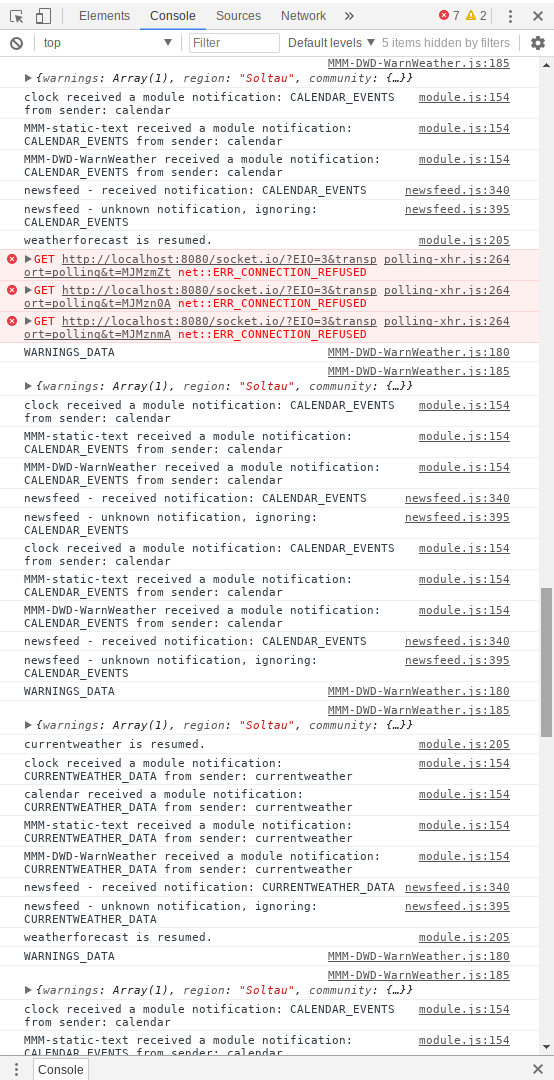
npm start devthere are some errors… but they appeared after I connected via remote desktop
(see picture)!
0_1532617380576_forum.png -
and wat does the consel put out?? ( wher you type npm start )
-
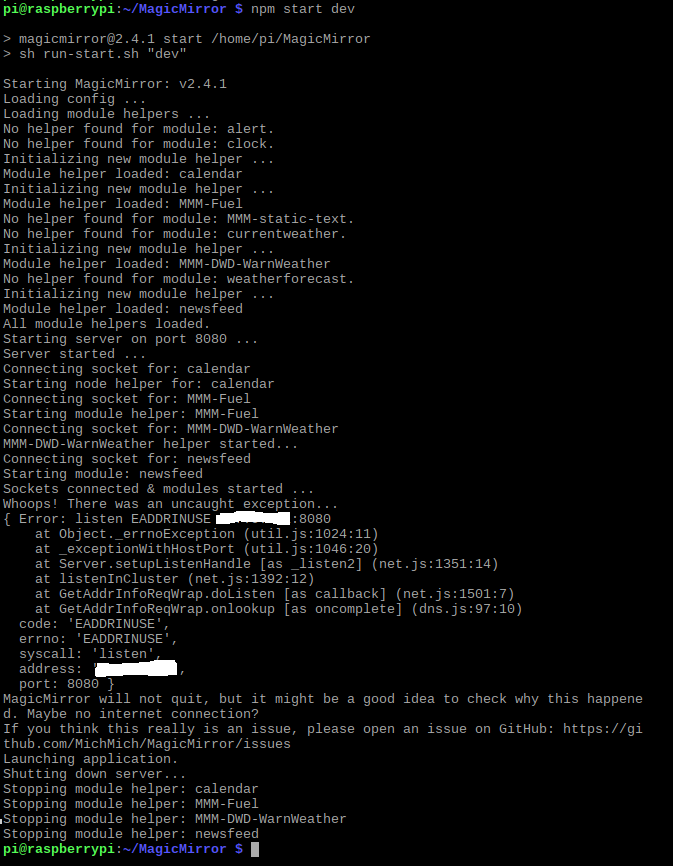
-
@killing-joke
check if the screensaver is deactivated -
On the screen the the screensaver is deactivated.
Is there an option on the pi?
-
@killing-joke said in Screen shines black / Don´t know if it´s an Pi or Screen-Error?:
On the screen the the screensaver is deactivated.
Is there an option on the pi?
what you can still try
open
sudo nano /boot/config.txtand add
# uncomment to put the monitor into power saving mode (DPMS) hdmi_blanking=1 -
After I edit the code as you described above, the screen shows “no signal” after 10 to 15 minutes.
-
@killing-joke - When the screen does its fade-to-black thing, what happens if you hook up a mouse or keyboard to the pi and wiggle it? Does everything come back?
In my experience, the best way to keep the screen from going black is to install XScreenSaver and set it to never run a screensaver.
-
That was the strange thing. Nothing happend after I connected a keyboard or a mouse to it and pressed any key or wiggled the mouse.
I´ll try to install the XScreenSaver and give feedback afterwards.Thanks for your help @all!!
P.S.: After half an hour it seems to work. Final check tomorrow, Cheers.
P.P.S.: After a night the screen is still on. Thanks for your help. The problem was solved by installing the XScreenSaver and put the pi in “no screen saver mode”.

Hello! It looks like you're interested in this conversation, but you don't have an account yet.
Getting fed up of having to scroll through the same posts each visit? When you register for an account, you'll always come back to exactly where you were before, and choose to be notified of new replies (either via email, or push notification). You'll also be able to save bookmarks and upvote posts to show your appreciation to other community members.
With your input, this post could be even better 💗
Register Login