B
Offline
A New Chapter for MagicMirror: The Community Takes the Lead
Read the statement by Michael Teeuw here.
Read the statement by Michael Teeuw here.
Posts
-
RE: MMM-Lunartic
-
RE: MMM-Lunartic
I tried your suggestion (thanks) and the top header line is still showing. Here is the contents of my custom.css
/***************************************************** * Magic Mirror * * Custom CSS * * * * By Michael Teeuw http://michaelteeuw.nl * * MIT Licensed. * * * * Add any custom CSS below. * * Changes to this files will be ignored by GIT. * *****************************************************/ body { .MMM-Lunartic .xsmall.bright { font-size:22px; } .MMM-Lunartic img.photo { /* display: none; uncomment if you don't want an image */ width: 100%; /* adjust size of moon picture */ margin-left: 0px; /* Precisely align moon picture with these */ margin-right: 0px; margin-top: 0px; /* -41px for current. -21px for animation or static. */ margin-bottom: -11px; /* -51px for current. -21px for animation or static. */ } MMM-Lunartic .header { border-bottom: none; } -
RE: Hi, there is a new Alexa Module
I installed both MMM-Pages
MMM-page indicator as well as the Alexa Module and never was able to discover my MagicMirror. I think I will move on to the MMM-Awesome-Alexa module and give that a whirl. -
RE: MMM-Lunartic
@sdetweil Strangeness! I guess I will just create a file in that directory and name it custom.css and then paste in the code you posted above.
-
RE: MMM-Lunartic
@sdetweil Sam - Where is this file located . I have looked and looked.
Here is the only file listed under MagicMirror/css
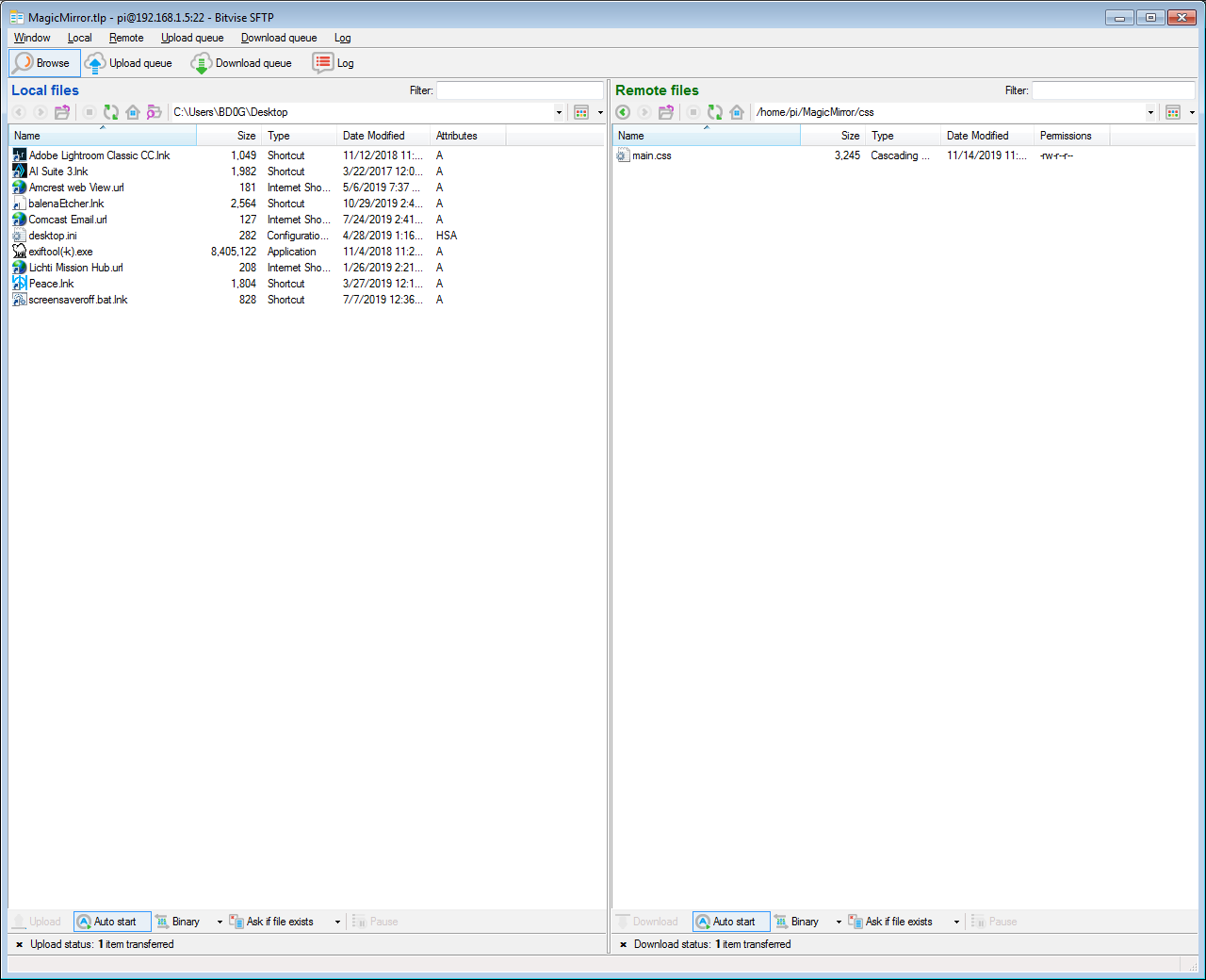
-
RE: MMM-Lunartic
I have no custom.css file that was created during the install. I used the new installer script from @sdetweil when I installed my MagicMirror software.
Here is a picture of the line I am referring to. It is below the text and above the moon image.
https://www.dropbox.com/s/k1un0q2ofu6w02c/20191118_161043.jpg?dl=0I think a centered text that reads “Moon Phase” and no line would be more aesthetically pleasing.
-
RE: MagicMirror electrical cabinet door
Most Excellent! Fit it right between the door molding! Great spot for visibility!
-
RE: MMM-Lunartic
@Mykle1 Thanks.
I have currently adjusted those settings from within my Lunartic.css file and they do change where the text and moon image are positioned. I cannot find a way to remove the horizontal line over the moon image.
I currently only have a main.css file, but I am assuming I can just create a blank custom.css file and place it in the MagicMirror/css directory and that will work?
-
RE: MMM-DumpsterDay
Thanks @DeanoNoire . Any plans to implement the “Tomorrow is Trash Day” and “Today is Trash Day” text?
-
RE: MMM-Lunartic
I am using the current view of the moon. I have the module working. I just need to remove the line over the moon image and center the text that states “Moon Phase” to line it up in the center over the moon image.
-
RE: MMM-DumpsterDay
@Doughboy99
Good catch. Seems logical that the statement should pertain to Landscape because of what precedes it.I made the change to my MMM-DumpsterDay.js . You can report the issue via github and the author @DeanoNoire can add the changes.
Here is the link to report github MMM-DumpsterDay Issues
-
RE: MMM-Sonos no Artwork
I have installed snille’s version as well. I can get the output via a webpage using “ipaddress of Pi”:5005/zones
This is only after switching to the node-sonos-http-api directory and then running npm start. If I close the console window it stops providing that information to the webpage.
If I run the sonos.sh file that just changes to the node-sonos-http-api directory and does a Display=0: npm start then the data is not sent to the webpage. So I modified the sonos.sh to just change to the node-sonos-http-api directory and do a npm start only without the Display=0:Still will not send the data to the webpage to check.
So I figured I would do an npm start from the node-sonos-http-api directory and then use another console window to launch the MagicMirror. Still does not display what is playing on Sonos even though the data is displaying on the webpage to check it.
My config comes back with no errors when using the linter. I just get multiple modules reporting “Loading” I have waited for 20 minutes and no load of modules.
-
RE: config
Stick with it! Its a great learning experience. Just take your time and dont rush.
Here is how you post your config entries.
Open the MagicMirror/config/config.js file in a text editor. Highlight the entries in the config file. CTRL-C or copy command. Then come back to the forum and start a reply post. When you want to paste your code click on the little </> icon above the post. You will see a notification in the posting then that reads Code Here. Highlight that Code Here and choose CTRL-V or paste command. That will paste the code. Choose Submit! Done.
-
RE: MMM-Sonos - To show what your SONOS is playing.
@cohron OK , Im getting somewhere. When I visit http://192.168.1.5:5005/zones after installing sonos-http-api and then doing npm install --production and then npm start. I do see a webpage of output information from my sonos device.
However, when I run my sonos.sh file after creating it like this
create another pm2 script named sonos.sh in ~ directory
cd ~
sonos.sh file contents:
cd ~/node-sonos-http-api
DISPLAY=:0 npm startpm2 start sonos.sh
pm2 start mm
pm2 saveIt does start sonos as noted here
│ id │ name │ mode │ ↺ │ status │ cpu │ memory │
├────┼────────────────────┼──────────┼──────┼──────────┼──────────┼──────────┤
│ 0 │ MagicMirror │ fork │ 2 │ stopped │ 0% │ 0b │
│ 1 │ sonos │ fork │ 212 │ online │ 0% │ 2.4mb │Then if I visit the same address (http://192.168.1.5:5005/zones) to see if there is still output . There is not!
I realize that the Magic Mirror is not started as I stopped it as I just wanted to see if there was still output on http://192.168.1.5:5005/zones
Sonos is playing when I visit http://192.168.1.5:5005/zones so there should be data being output.
-
RE: MagicMirror and adruino over ethernet
@sdetweil Was referring to @Kereknjek and recommending he backup the SD card on the Arduino that is working for safe keeping.
I have an 8266 as well ! Its dedicated to my smartblinds control that I control via smarthings and a custom 3 D printed enclosure for a servo that mounts in the top rail of the blinds. Works splendidly!
-
RE: MagicMirror and adruino over ethernet
@Kereknjek Sounds like you need to backup the entire SD Card of your Arduino and create an image for safe keeping. If you Download Win32 Disk Imager you can create an image of the entire SD card and write it to a hard drive. Then if catastrophe strikes simply remove the SD card and use Win 32 Disk Imager to write the working image back to the SD card.
It can be downloaded here Win32DiskImager
-
RE: MagicMirror and adruino over ethernet
@Kereknjek So in a nutshell. Yes the Arduino can serve a whole webpage of data , but it will take a long time. If one just sends the data from the Arduino to the Raspberry Pi then the Raspberry Pi can display the webpage faster as its processor and potentially memory is faster.