@cowboysdude I’ve made a clickable newsfeed that gives you the description of the headline when touched, it’s not the entire article, but it’s a little more info on the headline.
A New Chapter for MagicMirror: The Community Takes the Lead
Read the statement by Michael Teeuw here.
Read the statement by Michael Teeuw here.
 Offline
Posts
-
RE: RSS News Feeds (Viewing Content)
-
RE: Page change when approaching the mirror
@dc11r you could probably use the pir module with the profile module to accomplish this.
Instead of blacking the screen it could just change profile when nobody is in front of it. -
RE: Possible to enable mouse cursor on screen?
As paviro said, the cursor is hidden as default, and to make stuff clickable you have to change the z-index of region-fullscreen to 0 (the fullscreen div is over everyrhing and blocks links and on click events.)
-
RE: How to uninstall unclutter?
@l8kerjuan sudo apt-get remove unclutter
-
RE: [MMM-ShipmentTracking] Config problem - MagicMirror does not start anymore
can you post the entire config.js file?
-
RE: [MMM-ShipmentTracking] Config problem - MagicMirror does not start anymore
@vicdilou said in Error MMM-ShipmentTracking:
 {
     module: 'MMM-ShipmentTracking',
     position: 'top_right',
     config: {
        tracking: {
            17track: ['0123456789123']
        },

     }
 }
remove the three dots
-
MMM-newsfeedtouch - News so hot you wanna touch it
Description:
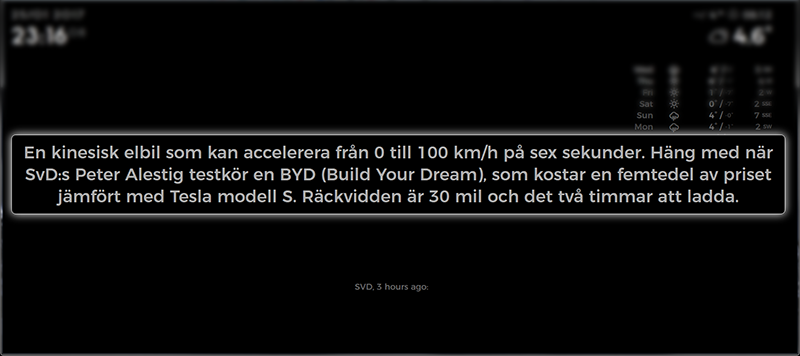
This module caters to you who are running touch mirrors and wants some more information on the headlines without having the description of the headline to be visible the entire time.
When you touch the Headline, a larger Description of the Headline appears. The Description is set on a timer (set by readInterval, standard read time is 15 seconds) OR you can actively touch the description to close it and load the next Headline.
Works otherwise exactly as the default news feed module.
Thanks to @strawberry-3-141 for the help to get me started with this!
Screenshots:
Download:
[card:brobergp/MMM-newsfeedtouch]
Version 0.1
- First release, evaluation needed
- Get Description on touch
-
RE: Adjust modules size to match each other (weather/calendar)
@l8kerjuan It’s up to the the person who made the module, the xsmall, small etc are all classes that can be assigned to different divs in the module,
checking the .js file for each module you can see what part of the module the classes are used on.
As for the calendar, the normal class is used on the events. -
RE: Calendar not showing added items
@l8kerjuan default value is 5 minutes.
But any changes made to the code will require a reload.
-
RE: Way to display/refresh an image URL?
@fjnorb yes, but in the .js file you can alter the line
var src = "http://www.yr.no/place/" + this.config.country +, "/" + this.config.area + "/" + this.config.city + "/meteogram.png?" + new Date().getTime();to
var src = "http://images.intellicast.com/WxImages/Radar/bgm.gif";But that is altering the module and you still would have to change the width and height further down in the same .js file.
the globe module is the easier route and you should be able to just change the css to render another image size.