@rayduin
I had no particular reason to buy IPS, but the viewing angle is best.
There is an interesting article to read tn-ips-va on hardware info in Dutch
I have used the same screen at some of my customers so it was my first try.
@rayduin
I had no particular reason to buy IPS, but the viewing angle is best.
There is an interesting article to read tn-ips-va on hardware info in Dutch
I have used the same screen at some of my customers so it was my first try.
I also have a black screen.
Tried both options
dtoverlay=vc4-fkms-v3d
and
dtoverlay=vc4-kms-v3d
Hello Roy,
I bought acrylic ‘glass’ at pyrasied.nl in Friesland. They cut to the millimeter.
The monitor I used is a DELL P2317H 23" Full HD IPS Zwart computer bought at Acesdirect.nl
Good monitor with a very good view angle.
Good luck
Charley
The MMM-rain-forecast module has been updated. The brightness level was too low on some mirrors. The size of the graphics matches the module.
Download
To make the Domoticz System better I have made a WiFi Thermometer that is extremely precise. It is based on an infrared Non-touch sensor module. If you want to control devices this may be a good solution.
Available on gitHub WiFi highly precise thermometer
@yawns I also missed them just after the } bracket.
@Peter made an update this morning.
The grouping must be set now and is not a default.
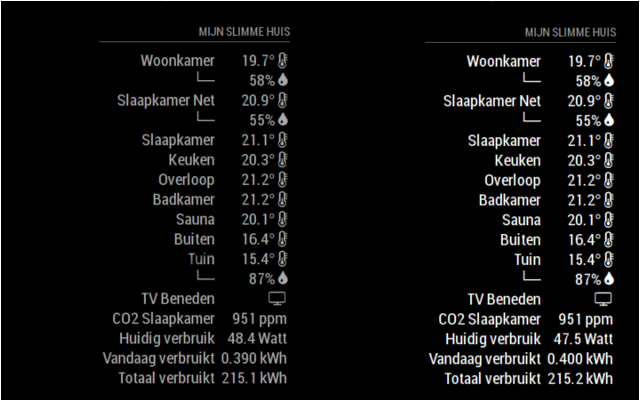
If you like the same sensor with different values grouped add
groupSensors: true
To config.js for the module and the sensors will be grouped. However if the module is placed on a left position the hook └─ (right) ─┘(left) sometimes shows unexpected behavior.
The best way is to comment out a module and restart the mirror if the error persists than it is another module.
@peter
I am sorry this happend. i flip the screen if you have the app on the left side. the L should point the otherway as well. I try to fix it on monday or tuesday. However is quick fix is putting the module op the right side in the config
@Peter there are no stupid questions
You should make the changes in the MagicMirror config.js file, if you make them in the MMM-Domoticz.js they will be gone in the next updates.
In the MMM-Domoticz.js that are the default values if you don’t put it in the MM config.js file the value from the module will be used.
Good luck
To prevent alignment problems the portfolio is a nested table.
The only way to get the alignment properly for now I have removed the total asset label if the logo is set to ‘back’
Your assets are too high if you keep your wealth below the 1000 GDP it would have worked fine :-)
I had the same problem with my cities Garbage collection calendar
First i checked their calendar with Validator
I have solved the issue by giving whole day events a start time and an endtime
DTSTART;VALUE=DATE:20180427T0000
DTEND;VALUE=DATE:20180428T2359
It is an issue in MagicMirror
@jaminben Yes it is possible
In the newest update from today you have three new options
        showLabels: true,       // true or false
        logoPosition: "front",  // option front, middle, back
        graphPosition: "back",  // option front, back
However the labels for price changes will always be visible (just percentages without label look silly)
Hope you like it
Today I have added to set the text colour to White.
Just add in your config.js the option
textWhite:true
You are missing a comma
{
						title: "Google News", // ADD a comma here
						url: "https://news.google.com/news/rss/?ned=us&gl=US&hl=en"
					}
Today I have updated the module.
By request the width of the graph have been decreased by about 25%
The graph line has been updated to fit the canvas better according to received data.
I would say calendar monthly
Every line from the first { until the last }
Just type // before if it runs that points to the module That holds the rest.