Hi has anybody solved the issues with the MMM Globe.
I am using MMM Globe, but the pictures/ jpgs are not longer available on the EUMETSAT server. Does anybody have a solution?
Thx, Chris
A New Chapter for MagicMirror: The Community Takes the Lead
Read the statement by Michael Teeuw here.
Read the statement by Michael Teeuw here.
C
Offline
Posts
-
MMM Globe - The Image Gallery has moved!
-
RE: MMM-DarkSkyForecast - Yet ANOTHER weather module
@onkelbobby
Done… after several trails I got the right setup …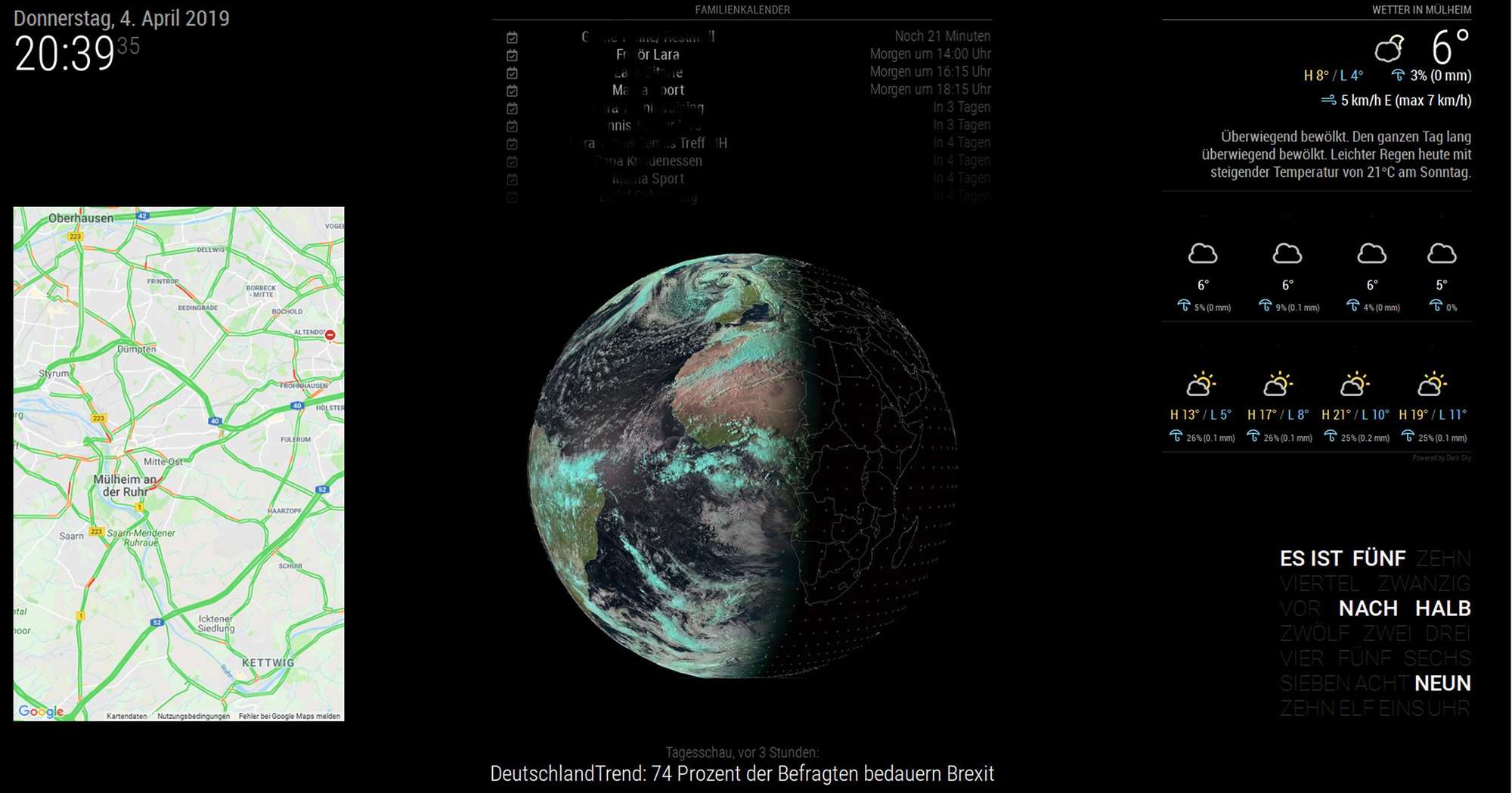
Thanks -
RE: MMM-DarkSkyForecast - Yet ANOTHER weather module
The crazy situation is, that I have done it before… after a crash I had to config the system again, but I do not know how I have done this in the past. My backup didn’t work and the file was corrupt… :-(
This is the design I would like to have again.
Hope that an expert can support…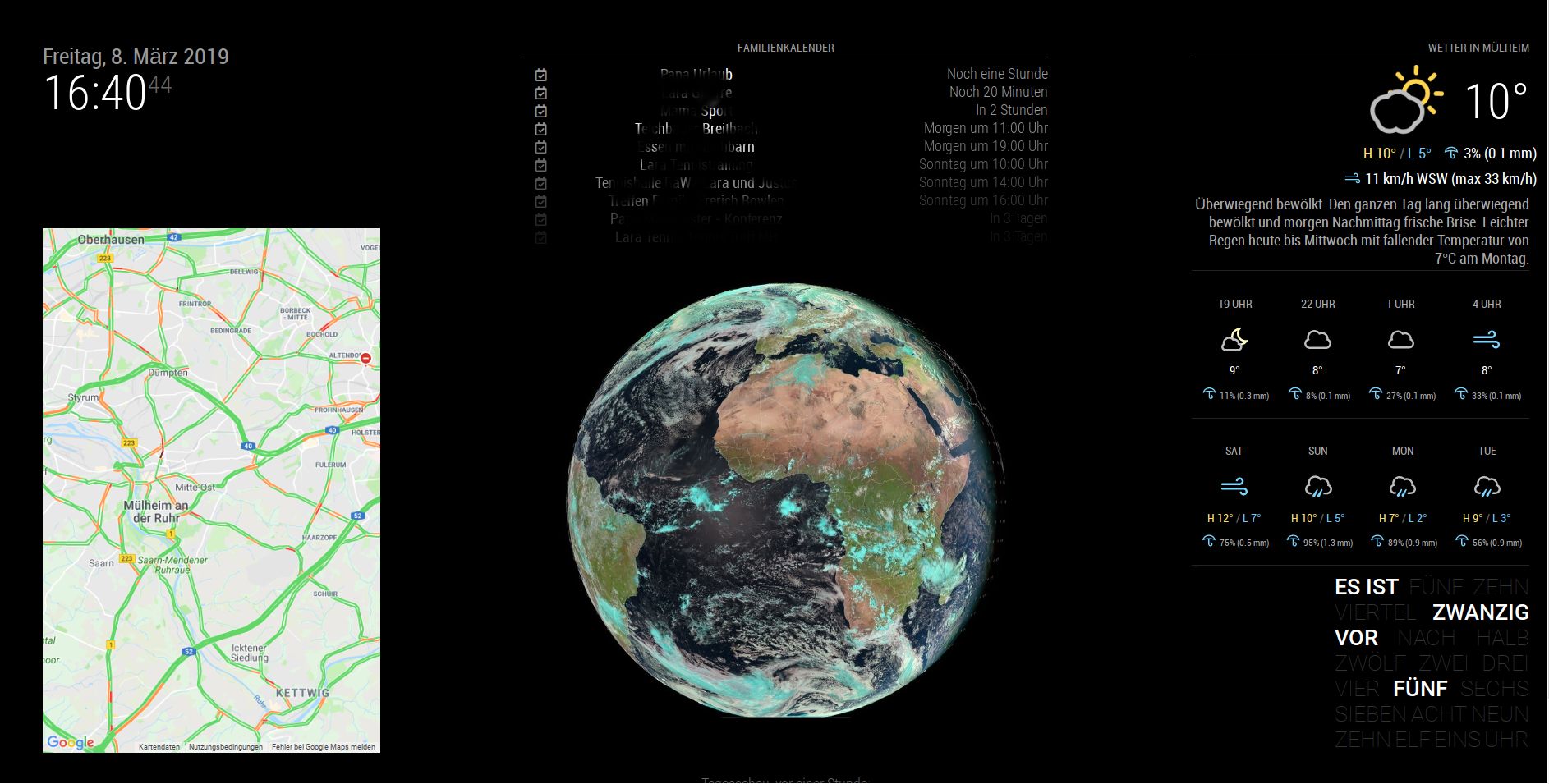
-
RE: MMM-DarkSkyForecast - Yet ANOTHER weather module
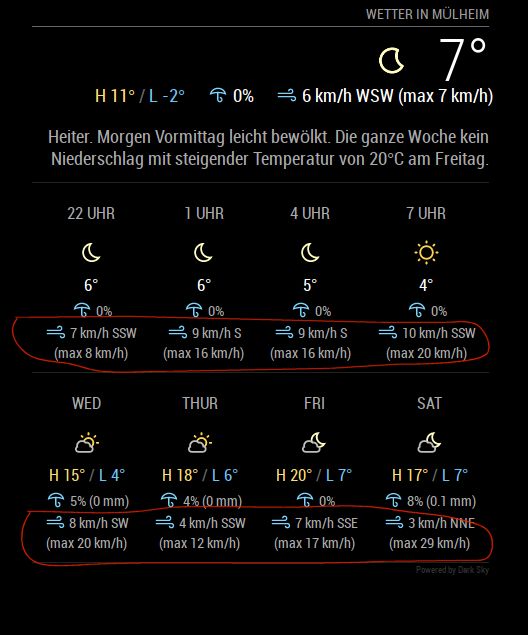
how can I delete the 2 lines in the forecast?
-
RE: MMM-DarkSkyForecast - Yet ANOTHER weather module
@Cr4z33 - Thx - I tried a new API and the module is running. Does anybody know how to minimize the font size in the module. Especially in the tiled view?
-
RE: MMM-DarkSkyForecast - Yet ANOTHER weather module
Oh my god… everything was running and I have shoot the system…and try to install it again.
Now the module is not loading anymore. here is my config:
{
module: “MMM-DarkSkyForecast”,
header: “Wetter in Mülheim”,
position: “top_right”,
classes: “default everyone”,
disabled: false,
config: {
apikey: “xxxxxxxxxxxxxxxxxxxx”,
latitude: “51.4185682”,
longitude: “6.8845226”,
iconset: “3c”,
maxHourliesToShow: 4,
maxDailiesToShow: 4,
useAnimatedIcons: true,
label_timeFormat: “k[h]”,
concise: false,
forecastLayout: “table”
}
},Do you see any problems? I only see in the top right region “Weeter in Mülheim” and Loading… but the module isn’t running…
Please advise - Thanks, Chris
-
Update MM 2 not sucessfull
Hi, I tried to update MM2 to 2.0.6 with git pull.
The result is:
pi@raspberrypi:~/MagicMirror $ git pull
error: object file .git/objects/f2/99ba6218ab2557af8b84010ca5f5cee453bd06 is empty
error: object file .git/objects/f2/99ba6218ab2557af8b84010ca5f5cee453bd06 is empty
fatal: loose object f299ba6218ab2557af8b84010ca5f5cee453bd06 (stored in .git/objects/f2/99ba6218ab2557af8b84010ca5f5cee453bd06) is corrupt
fatal: The remote end hung up unexpectedlyAny ideas whats going wrong? Where can I see the version number from the installed MM?
Thanks, Chris
-
Blank screen - Uncaught SyntaxError: Invalid or unexpected token
Hi guys,
this norning my mirror was black. With npm start dev I see this problem:Uncaught SyntaxError: Invalid or unexpected token
main.js:450 Initializing MagicMirror.
translator.js:1 Uncaught SyntaxError: Invalid or unexpected token
at Object.init (main.js:452)
at main.js:580Any idea?
Thanks, Chris -
Optimize position in "bottom right"
Hi,
I try to optimize the positioning of my text ckock. My plan is to shift it a few mm down to get more space for the weather. Do you have any ideas how to shift the module?{
module: ‘MMM-TextClock’,position: 'bottom_right', config: { layout: "Field", its24: "HOLY SHIT IS IT", to24: "BLOODY", after24: "ALREADY?", marked: "color: white; font-weight: 500;", }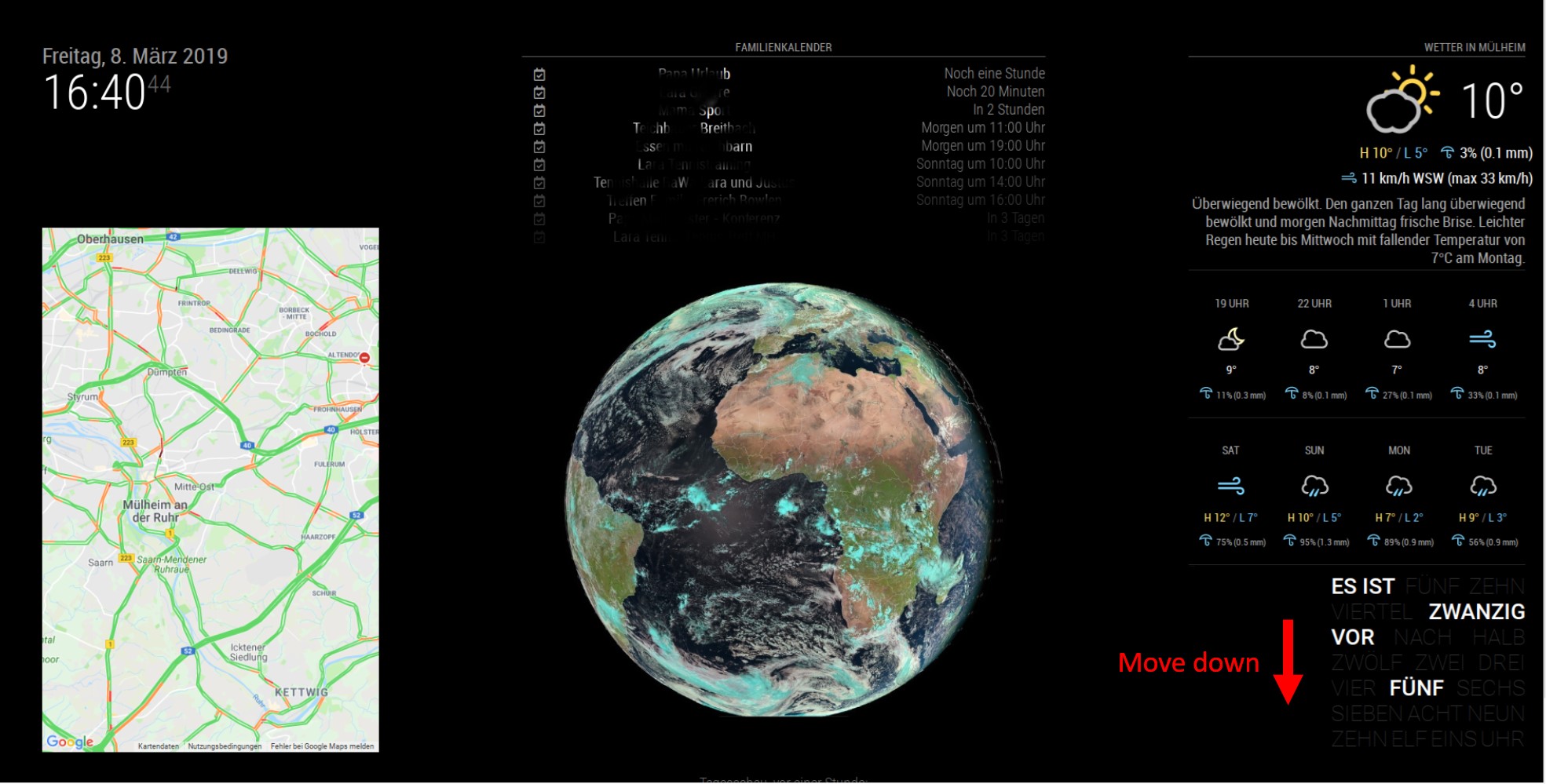
-
RE: MMM-DarkSkyForecast - Yet ANOTHER weather module
@j-e-f-f Yes I have executed npm install… everything is running smooth right now. Can you explain how I can set the font size of the forecast text?
It would be great if you could implement time for sunrise/ sunset and a moonphase… :-)Thanks for the great module!!! Chris
-
RE: MMM-DarkSkyForecast - Yet ANOTHER weather module
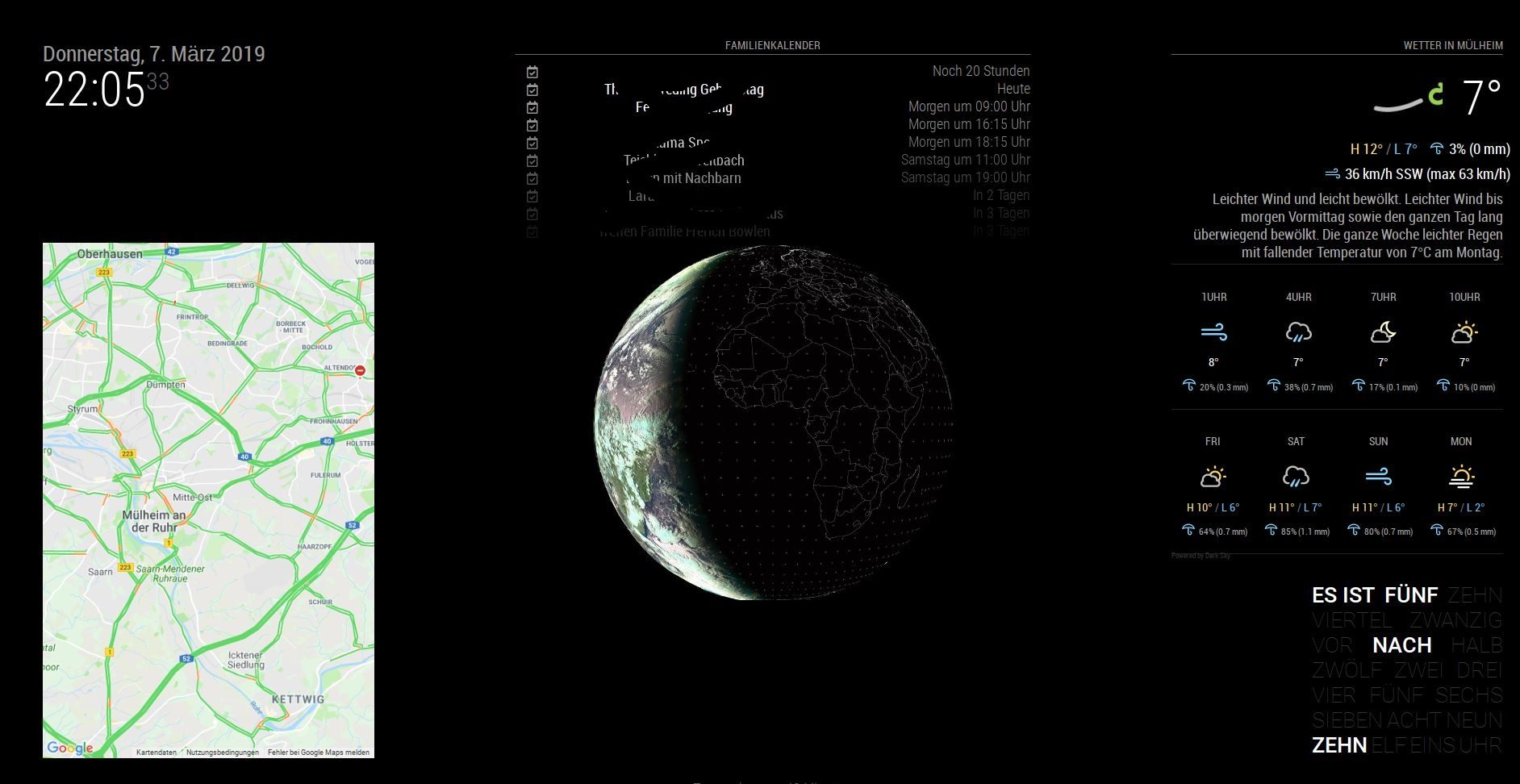
After several trials I think it’s o.k.
Thanks for the support.
Chris
-
RE: MMM-DarkSkyForecast - Yet ANOTHER weather module
The adjustment of the width was the key factor… thx…
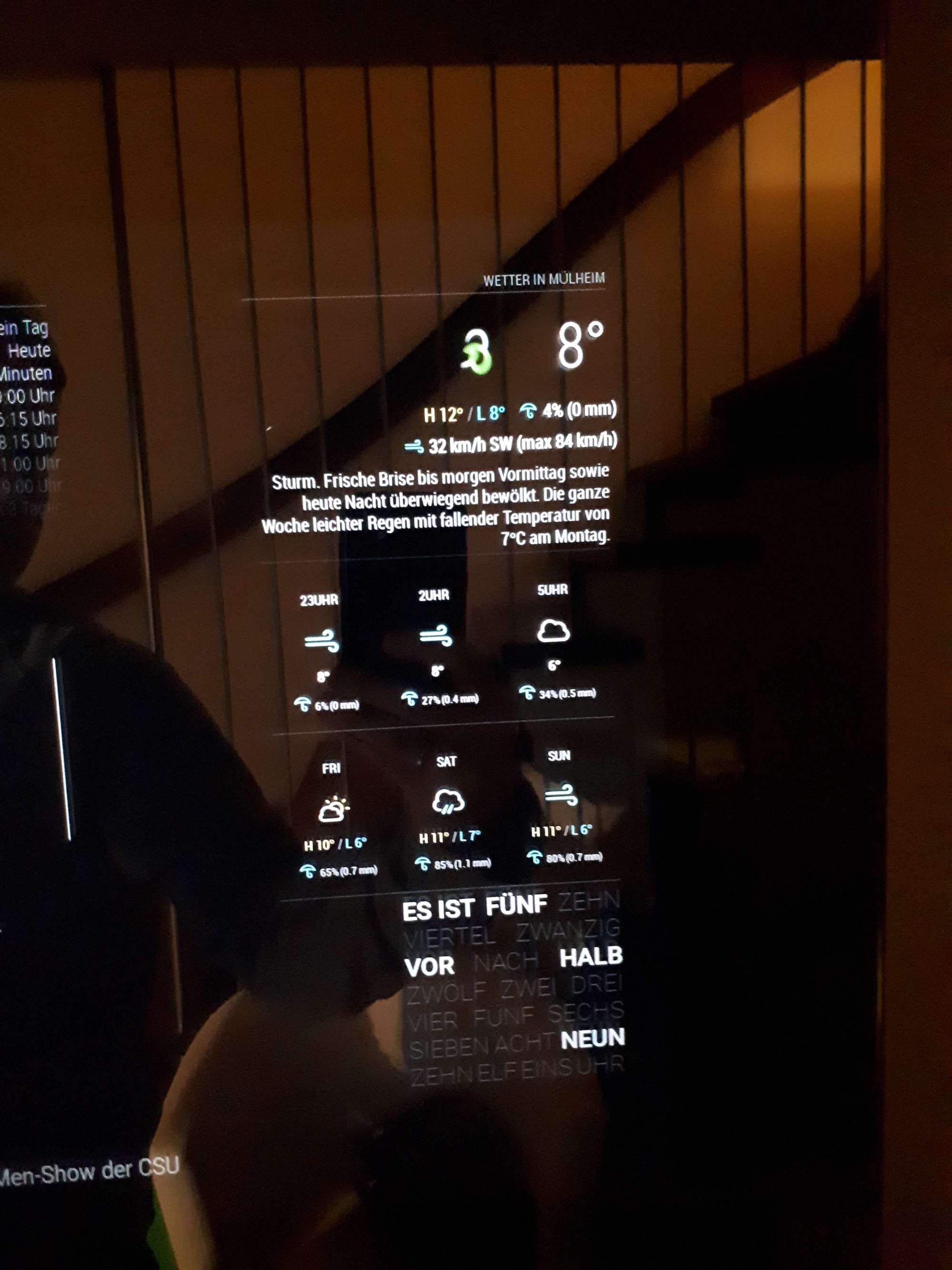
But I do not found out how to adjust the font size or position of the long forecast text… Do I have to do this in the custom.css?
This is my try in the custom.css - but seem not to work as expected…
}
.MMM-DarkSkyForecast .module-content {
width: 400px;
}.MMM-DarkSkyForecast .wrapper.tiled .forecast-container .forecast-item .wind-container,
.MMM-DarkSkyForecast .wrapper.table .forecast-container .forecast-item .precipitation-container,
.MMM-DarkSkyForecast .wrapper.table .forecast-container .forecast-item .wind-container {
display: none;
}
}
.MMM-DarkSkyForecast .wrapper.table .forecast-container .forecast-item > span,
.MMM-DarkSkyForecast .wrapper.table .forecast-container .header-row > span {
font-size: 4px;
}
}.MMM-DarkSkyForecast .attribution {
font-size: 10px;
line-height: 5px;
color: #333;
text-align: left;
} -
RE: MMM-DarkSkyForecast - Yet ANOTHER weather module
thanks- I tried to reduce the size of the long forecast text - do you know how to adjust? I think I have to do this in the DarkSky.css…
-
RE: MMM-DarkSkyForecast - Yet ANOTHER weather module
sorry - I copied the config of an older status…
-
RE: MMM-DarkSkyForecast - Yet ANOTHER weather module
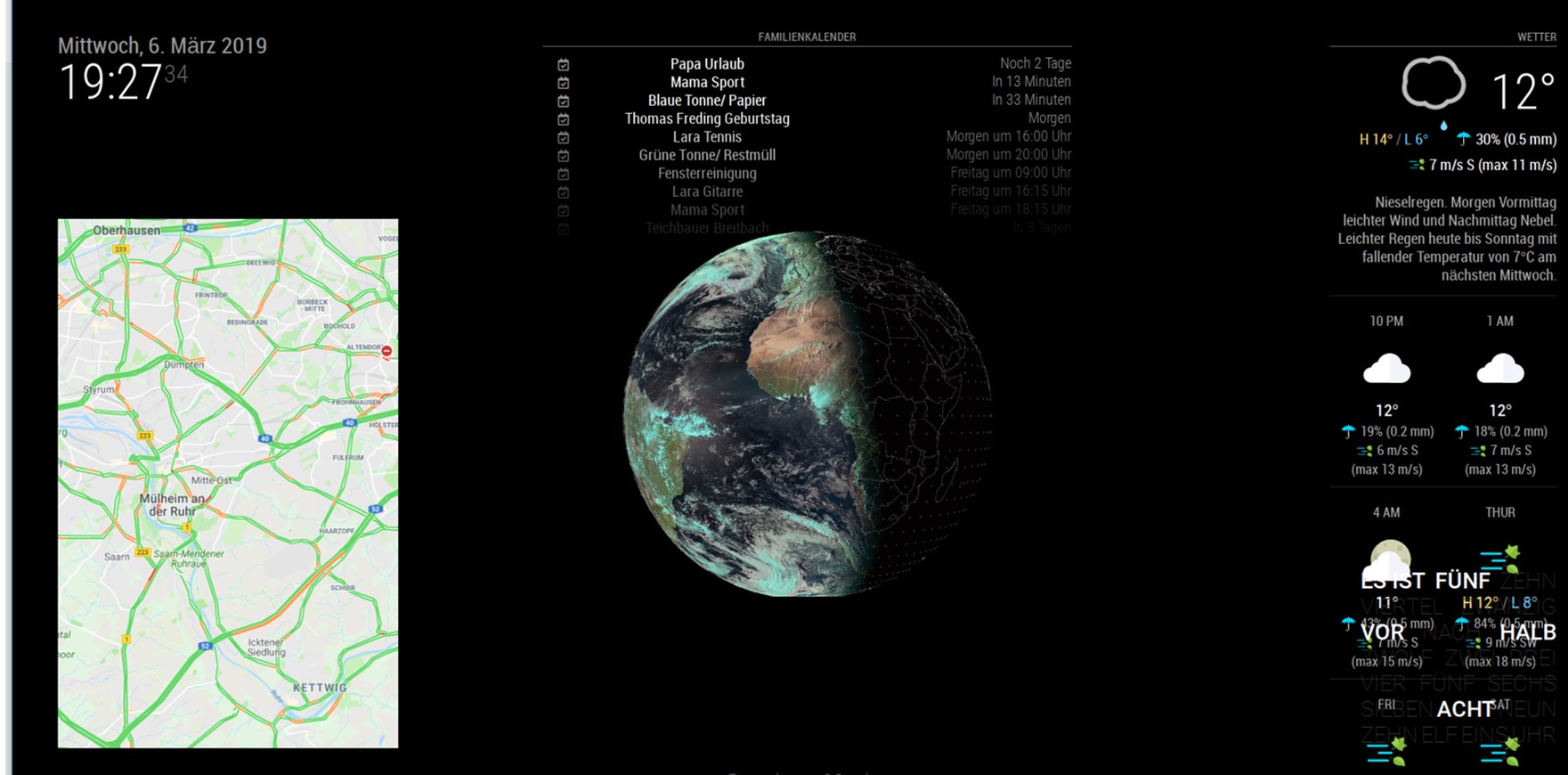
Yes, have “tiled” in the config - but the size is not like in the pic…the module is shown over the entire right screen size… pls. refer to the upper picture…
-
Noob needs advice - DarkSkyForecast
Noob need some advise with size of the “tiled” view. Would like to have it in a compact way “top right”. I do not find any possibility to adjust the size.
In the moment it looks like this:
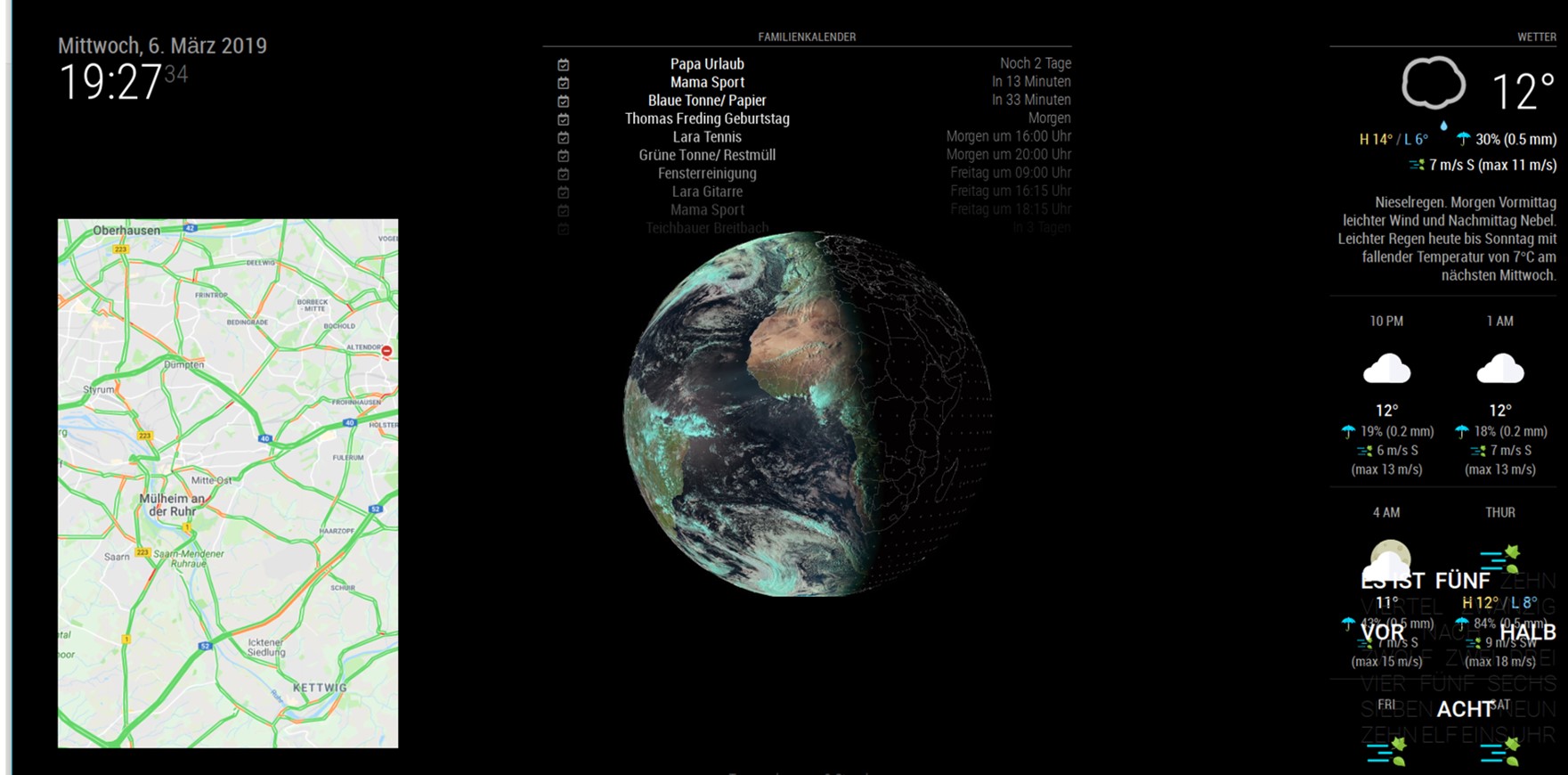
I would like to have smaller to get my worldclock below…
like this:
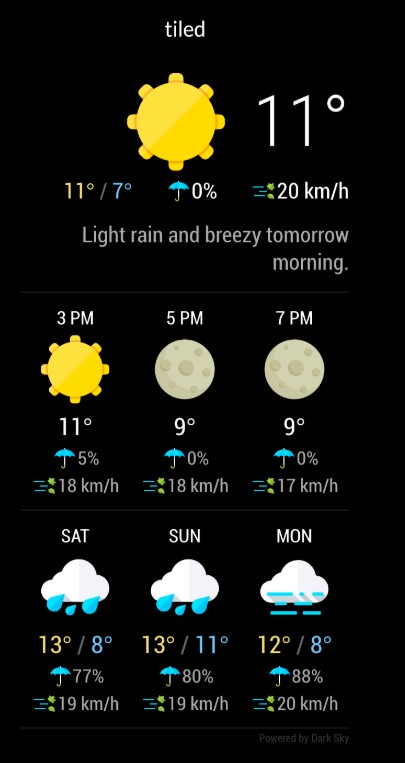
Any ideas?
Thanks, Chris -
RE: Noob need support for MM2 Update to 2.2.2
How can I mark to solved? Sorry…?
-
RE: MMM-DarkSkyForecast - Yet ANOTHER weather module
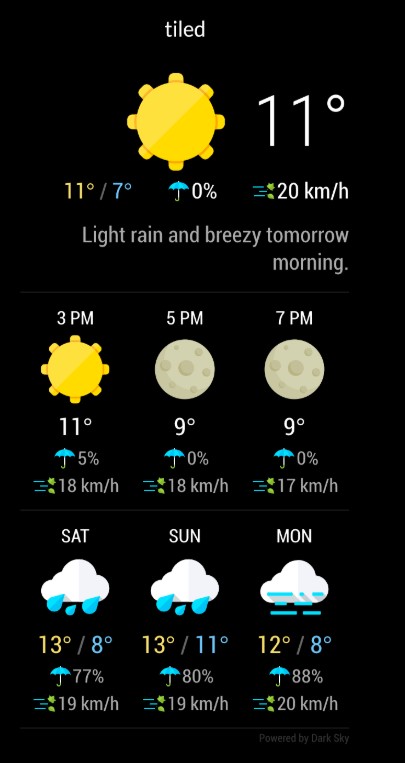
So, I have added the nice module. I have to adjust the size - who can give some tips/ advice to bring the module in shape?
I would like to have it in this shape:
-
RE: Noob need support for MM2 Update to 2.2.2
thanks - done and updated to MM ver 2.6.0
-
RE: MMM-DarkSkyForecast - Yet ANOTHER weather module
Noob need some advice: Wunderground was running properly untill my API key expired. Now I try to install DarkSKy. I have updated MM to 2.6.0 and installed MMM-DarkSkyForecast and got a newe folder home/pi/MagicMirror/MMM-DarkSkyForecast.
How can I implement the module that its’s running? What do I have to change:
config.js:
{
module: “MMM-DarkSkyForecast”,
header: “Weather”,
position: “top_right”,
classes: “default everyone”,
disabled: false,
config: {
apikey: “xxxxxxxxxxxxxxxxxxxxxxx”,
latitude: “51.4185682”,
longitude: “6.8845226”,
iconset: “4c”,
concise: false,
forecastLayout: “table”
}
},