Thanks for the hint - I got an error based on unavailibility of RSS newsfeed service. An update to another newsfeed helped to fix the problem!
C
Offline
A New Chapter for MagicMirror: The Community Takes the Lead
Read the statement by Michael Teeuw here.
Read the statement by Michael Teeuw here.
Posts
-
RE: Issues with Newsfeed module since 3 days
-
RE: Issues with Newsfeed module since 3 days
Thanks for response,
Do you know where I can check the logfile?
-
RE: Issues with Newsfeed module since 3 days
Yes - the mirror is online. Seems that the news are displayed if I open der config.js via remotedesktop… After disconnecting the error occurs again.
All other modules are running fine. -
Issues with Newsfeed module since 3 days
Hi, I have some issues with the Newsfeed module. I always get the messsage “error in module newsfeed - please check logfile”
Where can I check the logfile?
My config: ```
{module: "newsfeed", position: "bottom_bar", config: { feeds: [ { title: "Radio Mülheim", url: "http://www.radiomuelheim.de/lokalnachrichten.xml", }, { title: "Tagesschau", url: "http://www.tagesschau.de/xml/rss2" }, ], showSourceTitle: true, showPublishDate: true, reloadInterval: 600000, updateInterval: 15000, } },{
-
RE: MMM-OpenmapWeather - Weather still loading
@sdetweil Thanks - I read some threads about the OpenWeather and found a solution which works for me: https://forum.magicmirror.builders/post/121018
-
RE: MMM-OpenWeatherForecast
I had the same problem with my weather forecast. I made a subscription for an API 3.0 key and modified the config in this way:
{
		module: "MMM-OpenWeatherForecast",
		position: "top_right",
		header: "Wetter in Mülheim",
		config: {
        apiBaseURL: "https://api.openweathermap.org/data/3.0/onecall?",
        apikey: "xxxxxxxxxxxxxxxxxxxxxxxx", //only string here
      latitude: 51.xxxxxxxx,            //number works here
      longitude: 6.9xxxxxxxx,          //so does a string
      updateInterval: 45,
	iconset: "3c",
	maxDailiesToShow: 4,
	maxHourliesToShow: 4,
	label_hourlyTimeFormat: "k[ Uhr]",
	label_sunriseTimeFormat: "k:mm",  // change the format for this one
	label_days: ["So", "Mo", "Di", "Mi", "Do", "Fr", "Sa"]
In addition I added “https://api.openweathermap.org/data/3.0/onecall?” as mentioned by @Ray in the node_helper.js in the weather module. The update intervall is 45 minutes - which means below 1000 calls per month
The module is running again!!!Thx to this community and forum,
Chris -
RE: MagicMirror With Face Recognition
Which weather module do you use? Could it be used for Germany?
-
RE: MMM-OpenmapWeather - Weather still loading
@sdetweil Thanks for the great support!!!
-
RE: MMM-OpenmapWeather - Weather still loading
@sdetweil Do you have a description what to do to run MMM-OpenmapWeather in future? I am not an expert in working with the modules and was happy to have a running system… ;-)
Thanks, Chris -
RE: MMM-OpenmapWeather - Weather still loading
@Doppellhelix : Have you found a solution? I have similar issues…
-
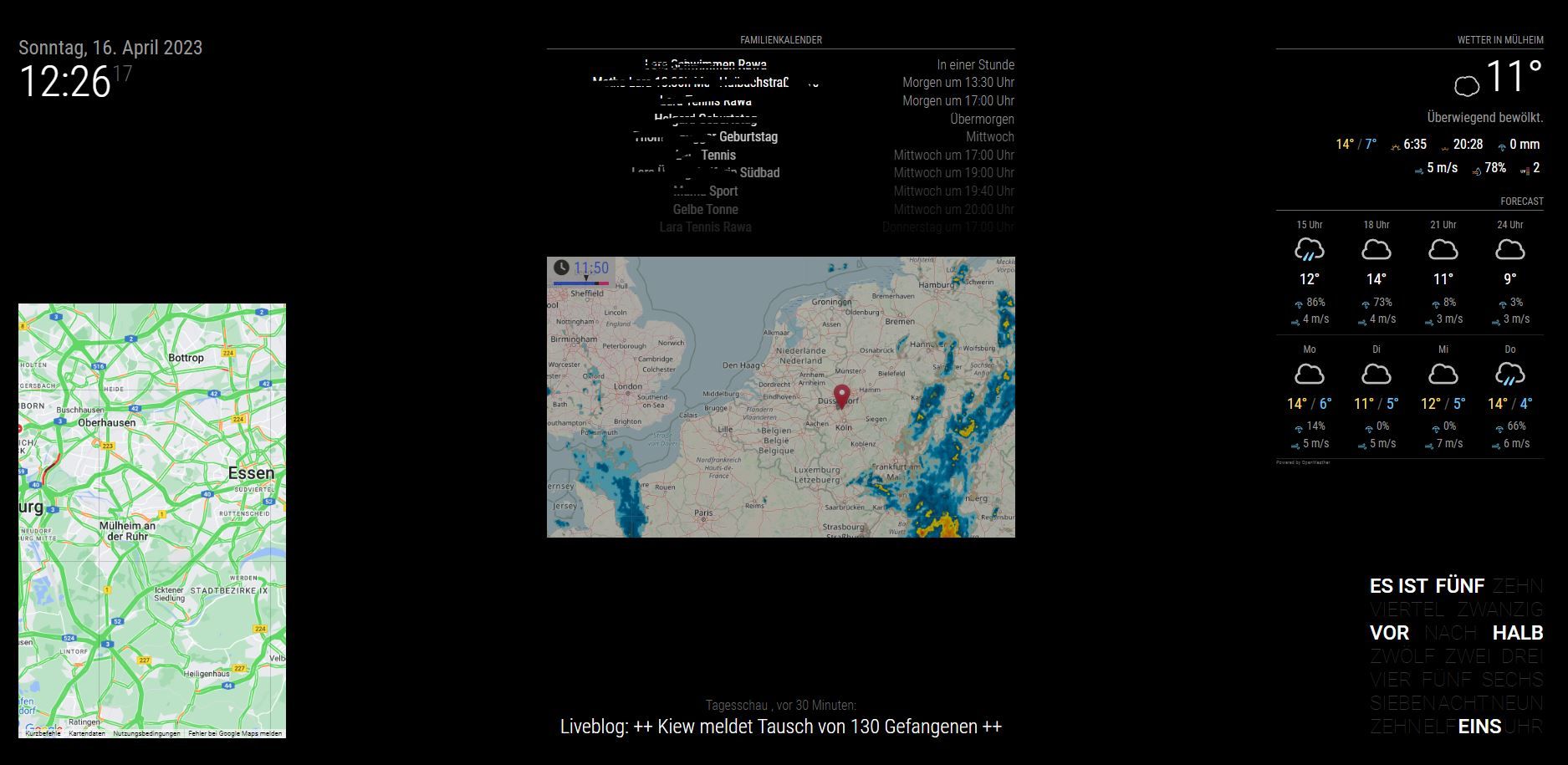
RE: My 1st MM Project as a noob.... 1,2m x 0,6m with 22" display
New installation after DarkSky was not longer supported…
- GoogleMapsTraffic
- TextClock
- Rain
- Openweather
- Calendar
- Clock
- Newsfeed
-
RE: Position and size of module
@BKeyport I had to adjust some numbers in main.css to lower the clock module. Now is fits perfectly.
-
RE: MMM-OpenWeatherForecast - Replacement for MMM-DarkSkyForecast
@sdetweil Thanks for this outstanding support!!!
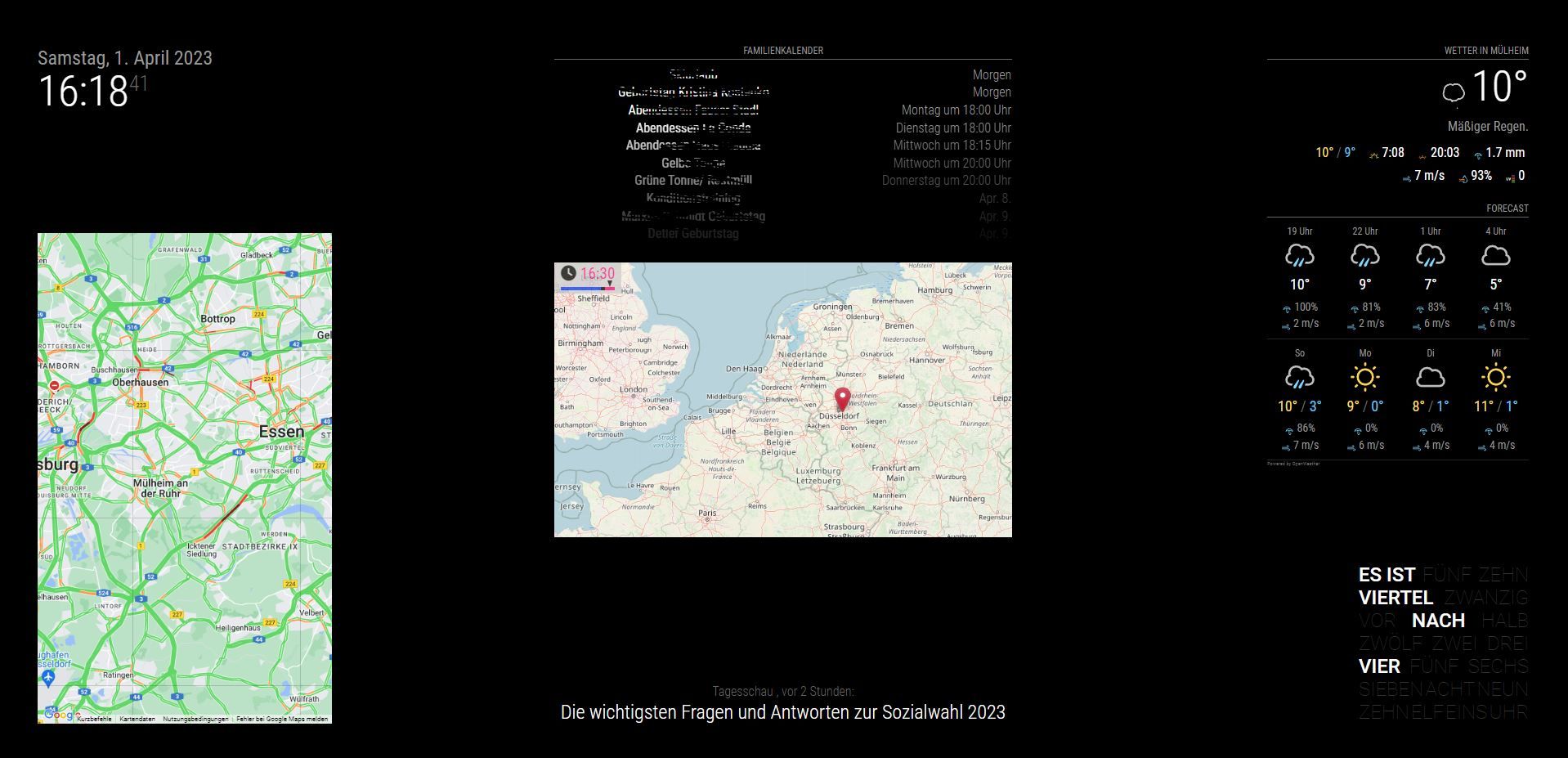
I learned o lot - I have installed the MM some years ago and was a little bit concerned if I can do this again…Now the best: The MM is running with Openweather and Goggle Maps - I tried several times install/ deinstall and found your modified script for Maps - maybe this was a solution at the end. I still see some errors in the strting script - but MM is running now with the weather module after shutdown the Darksky service - this was the only reason for me to change the system again…
Thanks again!!!
-
RE: MMM-OpenWeatherForecast - Replacement for MMM-DarkSkyForecast
@sdetweil Thanks for your support - a solution for the maps issue would be really nice!!!
The 1st topic with the remote desktop is my minor challenge
-
RE: MMM-OpenWeatherForecast - Replacement for MMM-DarkSkyForecast
@sdetweil many thanks - but I have to install/ modify the Mirror from my computer. That’s the reason why I would like to connect via WIFI and get easy access to the modules/ config, etc.
With Putty I only have access to the terminal - not to the PI Explorer…Your recommendation is not to install sudo apt-get install xrdp - it seems that this install mekes the trouble with 2 systems…
-
RE: MMM-OpenWeatherForecast - Replacement for MMM-DarkSkyForecast
@sdetweil
Short summary: I installed MM new with your script - I agreed to the installation of pm2 and disable screensaver. To get a connection to my WIN 10 via remote desktop computer I need to install sudo apt-get install xrdp. Without this installation I’m not able to start the remote desktop connetcion - Only via putty.
After the installation I am not able to run npm start without getting a black screen. I have to pm2 stop all - then npm start again and I see the MM screen on my computer to update the modules, config, etc.
This is what we have seen before:[31.03.2023 14:13.31.869] [LOG] Starting server on port 8080 …
[31.03.2023 14:13.31.892] [WARN] You’re using a full whitelist configuration to allow for all IPs
[31.03.2023 14:13.31.940] [ERROR] Whoops! There was an uncaught exception…
[31.03.2023 14:13.31.961] [ERROR] Error: listen EADDRINUSE: address already in use 0.0.0.0:8080
at Server.setupListenHandle [as _listen2] (node:net:1432:16)
at listenInCluster (node:net:1480:12)
at doListen (node:net:1629:7)
at process.processTicksAndRejections (node:internal/process/task_queues:84:21) {
code: ‘EADDRINUSE’,
errno: -98,
syscall: ‘listen’,
address: ‘0.0.0.0’,
port: 8080
}
With this error MM is running on the Mirror screen without problems.
When I install MMM-GoogleMapsTraffic I get following message:
npm ERR! code ERESOLVE
npm ERR! ERESOLVE could not resolve
npm ERR!
npm ERR! While resolving: MMM-GoogleMapsTraffic@1.0.0
npm ERR! Found: stylelint@14.16.1
npm ERR! node_modules/stylelint
npm ERR! peer stylelint@“14.x” from grunt-stylelint@0.18.0
npm ERR! node_modules/grunt-stylelint
npm ERR! dev grunt-stylelint@“latest” from the root project
npm ERR!
npm ERR! Could not resolve dependency:
npm ERR! dev stylelint-config-standard@“latest” from the root project
npm ERR!
npm ERR! Conflicting peer dependency: stylelint@15.4.0
npm ERR! node_modules/stylelint
npm ERR! peer stylelint@“^15.4.0” from stylelint-config-standard@32.0.0
npm ERR! node_modules/stylelint-config-standard
npm ERR! dev stylelint-config-standard@“latest” from the root project
npm ERR!
npm ERR! Fix the upstream dependency conflict, or retry
npm ERR! this command with --force, or --legacy-peer-deps
npm ERR! to accept an incorrect (and potentially broken) dependency resolution.
npm ERR!
npm ERR! See /home/pi/.npm/eresolve-report.txt for a full report.npm ERR! A complete log of this run can be found in:
npm ERR! /home/pi/.npm/_logs/2023-04-01T11_07_55_012Z-debug-0.logAfter installation of MMM-GoogleMapsTraffic the Openweather is not loading anymore.
-
RE: MMM-OpenWeatherForecast - Replacement for MMM-DarkSkyForecast
@sdetweil
npm run server - no successI deleted pm2 - then I was able to start MM from the console without black screen with npm start. But then MM didn’t start on the mirror.
Maybe I will setup a new system tomorrow … thanks for your input until now - cheers
-
RE: MMM-OpenWeatherForecast - Replacement for MMM-DarkSkyForecast
@sdetweil thanks for xxx
What is your recommendation? Delete maps and new install?
Can you explain why I see the MM in the terminal correct, if I stop all and start npm? Is ist possible to delete PM2? -
RE: MMM-OpenWeatherForecast - Replacement for MMM-DarkSkyForecast
@sdetweil I placed the “export ELECTRON_DISABLE_GPU=1” in the install.
Where do I have to place the “export ELECTRON_DISABLE_GPU=1” in the terminal window?
Info from console (red):
>Uncaught TypeError: Cannot read properties of undefined (reading ‘length’)
at script.onload (MMM-GoogleMapsTraffic.js:77:52)
MMM-OpenWeatherForecast.js:685 Uncaught (in promise) TypeError: console.log is not a function
at Class.addIcon (MMM-OpenWeatherForecast.js:685:13)
at Class.processWeatherData (MMM-OpenWeatherForecast.js:370:61)
at Class.socketNotificationReceived (MMM-OpenWeatherForecast.js:282:40)
at module.js:245:9
at Socket. (socketclient.js:38:4)
at Emitter.emit (index.mjs:136:20)
at Socket.emitEvent (socket.js:498:20)
at Socket.onevent (socket.js:485:18)
at MMSocket.socket.onevent (socketclient.js:32:11)
at Socket.onpacket (socket.js:455:22)
js?key=cccc:221 You have included the Google Maps JavaScript API multiple times on this page. This may cause unexpected errors.
js?key=uuuuu:217 Google Maps JavaScript API has been loaded directly without a callback. This is not supported and can lead to race conditions and suboptimal performance. For supported loading patterns please see https://goo.gle/js-api-loading
MMM-GoogleMapsTraffic.js:77 Uncaught TypeError: Cannot read properties of undefined (reading ‘length’)
at script.onload (MMM-GoogleMapsTraffic.js:77:52) -
RE: MMM-OpenWeatherForecast - Replacement for MMM-DarkSkyForecast
sdetweil 5 minutes ago
@chris1971 pm2 stop all
then cd ~/MagicMirror
npm start
ahhh… ok: with this I am able to see the scree in the terminal - but the weather module is still not loading in the terminal
Errors like before:
[31.03.2023 17:19.15.233] [LOG] Launching application.
MESA-LOADER: failed to retrieve device information
MESA-LOADER: failed to retrieve device information
MESA-LOADER: failed to retrieve device information
…/…/buildtools/third_party/libc++/trunk/include/vector:1425: assertion __n < size() failed: vector[] index out of bounds[2465:0331/171918.392802:ERROR:gpu_process_host.cc(991)] GPU process exited unexpectedly: exit_code=6
MESA-LOADER: failed to retrieve device information
MESA-LOADER: failed to retrieve device information
MESA-LOADER: failed to retrieve device information
…/…/buildtools/third_party/libc++/trunk/include/vector:1425: assertion __n < size() failed: vector[] index out of bounds[2465:0331/171919.478457:ERROR:gpu_process_host.cc(991)] GPU process exited unexpectedly: exit_code=6
MESA-LOADER: failed to retrieve device information
MESA-LOADER: failed to retrieve device information
MESA-LOADER: failed to retrieve device information
…/…/buildtools/third_party/libc++/trunk/include/vector:1425: assertion __n < size() failed: vector[] index out of bounds[2465:0331/171920.679631:ERROR:gpu_process_host.cc(991)] GPU process exited unexpectedly: exit_code=6
[2509:0331/171921.424506:ERROR:command_buffer_proxy_impl.cc(128)] ContextResult::kTransientFailure: Failed to send GpuControl.CreateCommandBuffer.
[31.03.2023 17:19.25.235] [LOG] Create new calendarfetcher for url: https://calendar.google.com/calendar/ical/c.euro%40gmx.de/private-8dd63e4cddfec3349/basic.ics - Interval: 50000
[31.03.2023 17:19.25.774] [LOG] Create new newsfetcher for url: http://www.radiomuelheim.de/lokalnachrichten.xml - Interval: 300000
[31.03.2023 17:19.25.793] [LOG] Create new newsfetcher for url: http://www.tagesschau.de/xml/rss2 - Interval: 300000
[31.03.2023 17:19.25.813] [LOG] Working notification system. Notification: MMM-GOOGLE_MAPS_TRAFFIC-GET payload: { style: ‘standard’ }have to go out for a beer now…:dizzy_face: