I´m using a RPi 2 B+ with the latest Jessie release. In addidion to MM2 I have installed midnight commander, x11vnc, cec-utils and xscreensaver.
Does the error give any hint what I could look at?
 F
Offline
F
Offline
I´m using a RPi 2 B+ with the latest Jessie release. In addidion to MM2 I have installed midnight commander, x11vnc, cec-utils and xscreensaver.
Does the error give any hint what I could look at?
Just tested with only GQuotes activated - screen stays black.
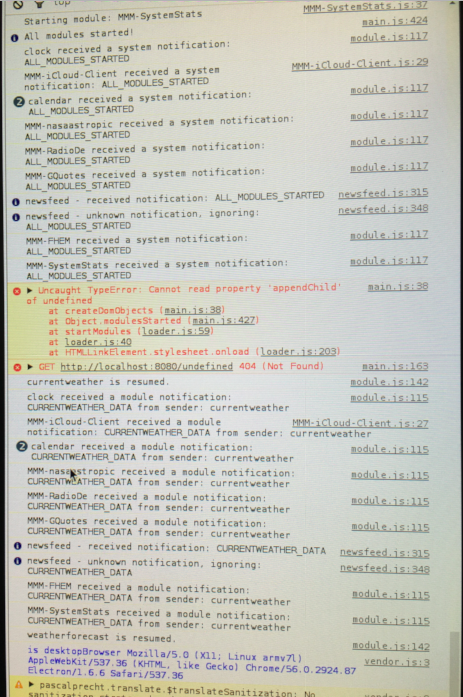
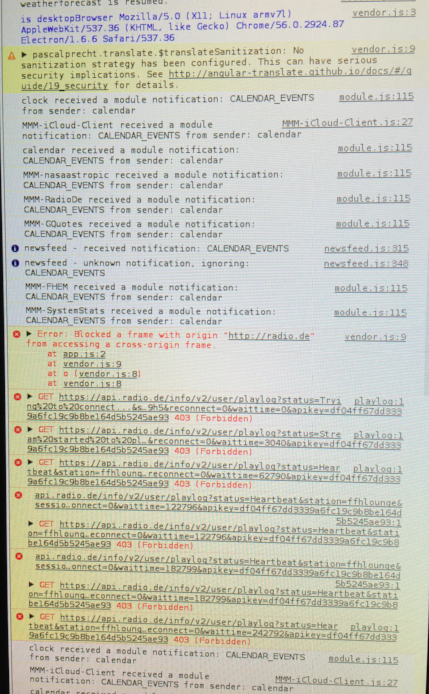
The following error shows up:
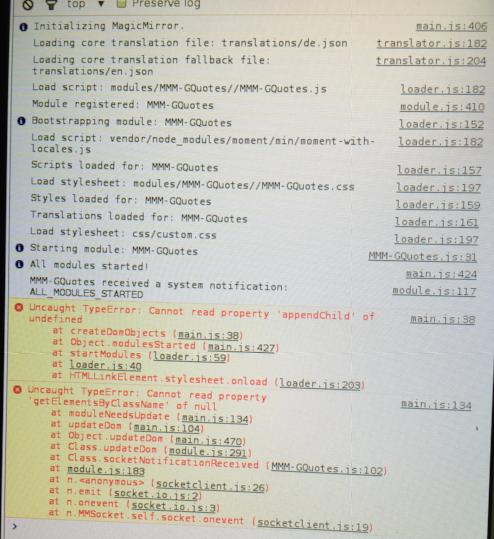
@cowboysdude: this is exactly the procedure I was following. Could it probably be caused by some shared ressources with another module?
The following modules are installed:
iFrame
MMM-FHEM
MMM-nasaastropic
MMM-SystemStats
MMM-iCloud-Client
MMM-RadioDe
MMM-GQuotes
F.
OK, fixed it by myself. Had to remove the max-width: 300px; from fhem.css.
Hi,
thx for your module. It exactly meets my requirements! One thing I´m currently struggeling is the alignment. I´m using:
body {
margin: 30px;
height: calc(100% - 60px);
width: calc(100% - 60px);
}
in my custom. css. The FHEM module is located at top_right but it has not the same margin as other modules. I made the border vissible using border-style: solid; to make see if it is the text alignment or something else. Se the attachment to get a better picture of what I´m talking about. Does anybody have an idea how to move it left?
regards,
F.
Just integrated another player (https://www.muses.org/setup) using iFrame which is working without dropouts. Maybe a problem with radio.de?
Found a workaround. Added some blank lines before the player. Meanwhile I have moved the radio to the bottom…
Hi Steff,
I have just tested your module which is working quite good so far. The are two things I would like to address:
best regards,
F.
Hi cowboysdude,
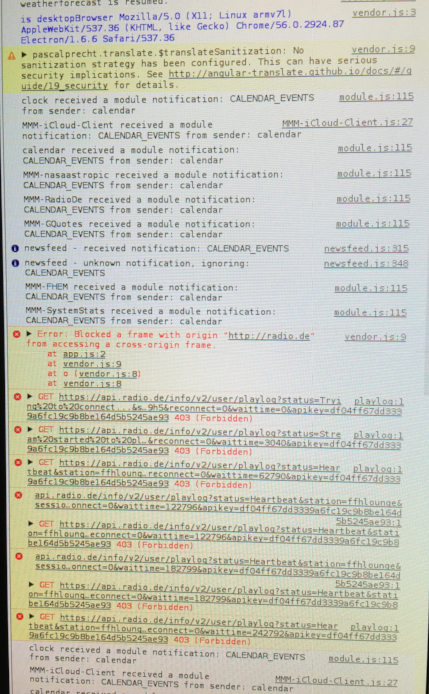
regrading the problem of not showing other modules I have done some further investigation running the mirror in dev mode. Attached there are some “screenshots” of errors appearing if I enable GQuotes. The Radio errors I will address to the radio module owner. As this appears also with disabled GQuotes. But the uncaught type error seems to give some hint?
regards,
F.
Hi,
after reading the forum and quite a lot of different versions of my custom.css I did not get it working so I´m asking for your help.
Here my modules:
weatherforecast -> top_right
MMM-RadioDE -> top_right
I would like to get some space between the modules. What do I need to enter in my custom.css?
.MMM-RadioDE{
padding-top : 800px;
margin-top : 100px
}
.MMM-RadioDE .region.top.right{
padding-top : 800px;
margin-top : 100px
}
.region.top.right .MMM-RadioDE{
padding-top : 800px;
margin-top : 100px
}
.MMM-RadioDE .region.top{
padding-top : 800px;
margin-top : 100px
}
… I tried so many different things…
(800px and 100px are just values to see any difference)
Latest update I have installed :(
pi@Magic_Mirror:~/MagicMirror/modules/MMM-GQuotes $ git pull
Already up-to-date.
Hi,
thank you very much for your effort. I have just tested your module. The module standalone is working fine but when I load other modules as well some do not work anymore:
MMM-FHEM
newsfeed
As these two modules follow the GQuotes it is also possible that every module which follows GQuotes will fail. Can you please have a look into that issue?
Thx F.
Hi, did you find a solution for this?
Hi,
i´m using the iFrame module to display a live news video feed:
{
		module: 'iFrame',
		position: 'top_right',	// This can be any of the regions.
		config: {
			url: "http://de.euronews.com/live",
			width: "800px",     // Optional. Default: 100% or Example "200px"
			height: "600px",   //Optional. Default: 100px or Example "300px"
		}
	},
Does anynody know how I can just display the video without that other website stuff?
F.
Hi, if not too late I also would like to place an order. The mirror should be 1.5m x 0,7m, polished edges and delivery to Bannewitz/Saxony.
thx,
F.