MagicMirror Forum
    • Recent
    • Tags
    • Unsolved
    • Solved
    • MagicMirror² Repository
    • Documentation
    • 3rd-Party-Modules
    • Donate
    • Discord
    • Register
    • Login
    1. Home
    2. ganther
    3. Posts
    A New Chapter for MagicMirror: The Community Takes the Lead
    Read the statement by Michael Teeuw here.
    G
    Offline
    • Profile
    • Following 0
    • Followers 0
    • Topics 1
    • Posts 20
    • Groups 0

    Posts

    Recent Best Controversial
    • MMM-Solaredge

      Hi there,

      I tried every Solaredge module but always the same problem.
      The mirror is only showing the module is loading. In the logs when I start in dev mode there is no error listed.
      The Api is enabled and works fine when I do a http request with the api.

      Is there any workaround or does anybody has it actually running?

      Thanks for any hints.

      Sandy
      posted in Troubleshooting
      G
      ganther
    • RE: MMM-NOAA

      Same behavior with my mirror.
      After latest MMM-NOAA update my MMM-CalendarExt doesn‘t work anymore. No errors in logs.
      I was forced to deactivate NOAA. :(

      posted in Troubleshooting
      G
      ganther
    • RE: MMM-NOAA - Another Weather Module

      I forgot:
      No errors shown at pm2 log mm or npm start dev

      posted in System
      G
      ganther
    • RE: MMM-NOAA - Another Weather Module

      Hi Cowboydude,

      after the last MMM-NOAA update it’s not possible to show MMM-NOAA and MMM-CalendarExt at the same time.
      If both modules are activated in config MMM-CalendarExt will not be shown.
      If I comment out MMM-NOAA everything works fine.

      I deleted MMM-NOAA module and made a clean install but no effect.

      Any ideas?

      Thank you.

      Sandy

      posted in System
      G
      ganther
    • RE: MagicMirror Pimatic (Home Automation) Dashboard

      @Mr.Sponti
      Something I‘m doing wrong.
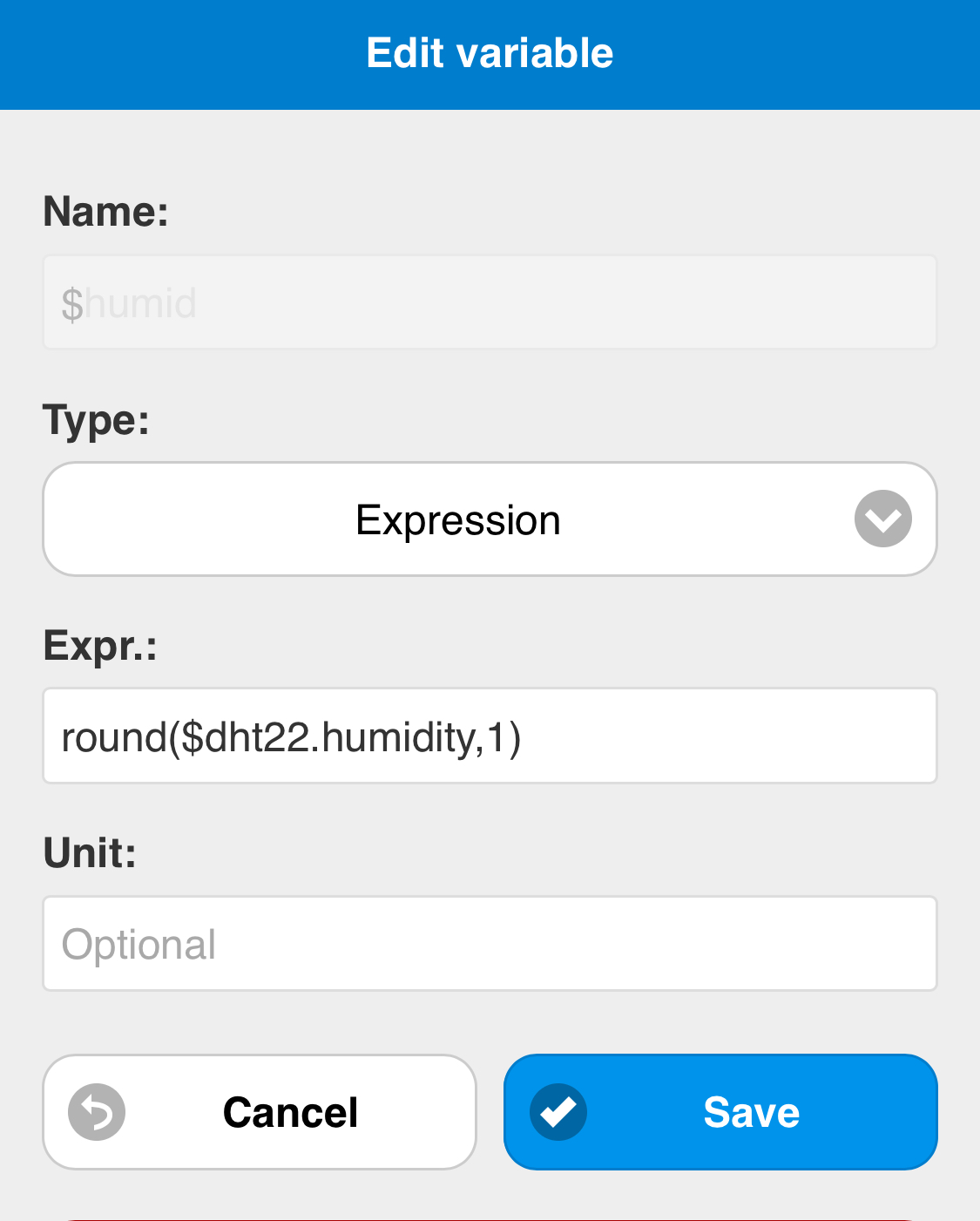
      If I add the unit in expression I always get parse errors.
      The only thing that works is that way:
      0_1524770800998_9B9D828F-0271-47E2-BF6D-31049576D7D8.jpeg

      „{round($dht22.humidity,1)}%“
      gives always parse errors

      ¯_(ツ)_/¯

      posted in Show your Mirror
      G
      ganther
    • RE: MagicMirror Pimatic (Home Automation) Dashboard

      @Mr.Sponti

      Yes, Great! Both values are shown now rounded.
      How can I get the unit also be shown?
      In pimatic variables the units are declared and are shown.
      But not in notification board.

      Thank you!

      posted in Show your Mirror
      G
      ganther
    • RE: MagicMirror Pimatic (Home Automation) Dashboard

      One last thought:

      If you add this feature in one of the next versions, it would be fantastic, if you could implement it on notification-board too (rounding and unit).
      Then one module would be enough, it looks very nice and I would save one module-space.

      Sandy

      posted in Show your Mirror
      G
      ganther
    • RE: MagicMirror Pimatic (Home Automation) Dashboard

      @Mr.Sponti said in MagicMirror Pimatic (Home Automation) Dashboard:

      Rounding of the values is not a big issue as there is a method '.toFixed(2) ’ available. At the moment the unit specified in the config file is assigned to all values in the table. To implement the value rounding and a individual unit for every value I need to enhance the code. I will put it on my action list for the next version.

      Thank you very much!

      posted in Show your Mirror
      G
      ganther
    • RE: MagicMirror Pimatic (Home Automation) Dashboard

      Yes, Temperatur is shown.
      But with 13 digits behind ‚.‘ just like 24.1234567890123

      Is there a way to cut after 1 or 2 digits behind ‚.‘?
      And a way to select another unit (% instead of degree) or do i have to move it to the notification board?

      Thanks again
      Sandy

      posted in Show your Mirror
      G
      ganther
    • RE: MagicMirror Pimatic (Home Automation) Dashboard

      Oh sorry, I didn‘t recognize the variables menue entry before oO🤦‍♂️

      It shows $dht22.temperature and .humidity

      I will try these ones in config.

      posted in Show your Mirror
      G
      ganther
    • RE: MagicMirror Pimatic (Home Automation) Dashboard

      And the second menu area:

      0_1524504173601_EAAF835E-1BBC-4158-8E86-03658E10C918.png

      posted in Show your Mirror
      G
      ganther
    • RE: MagicMirror Pimatic (Home Automation) Dashboard

      @Mr.Sponti
      Thanks for your response.
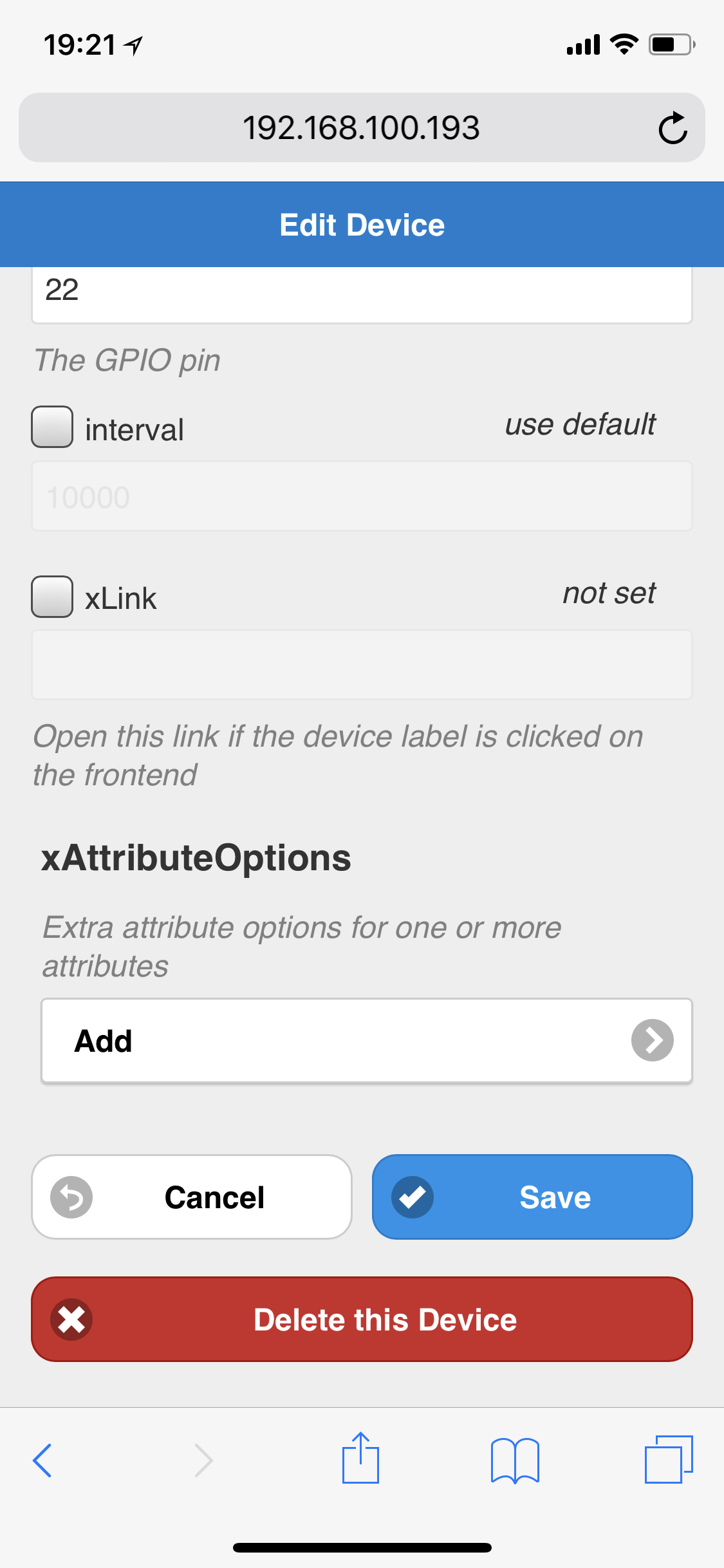
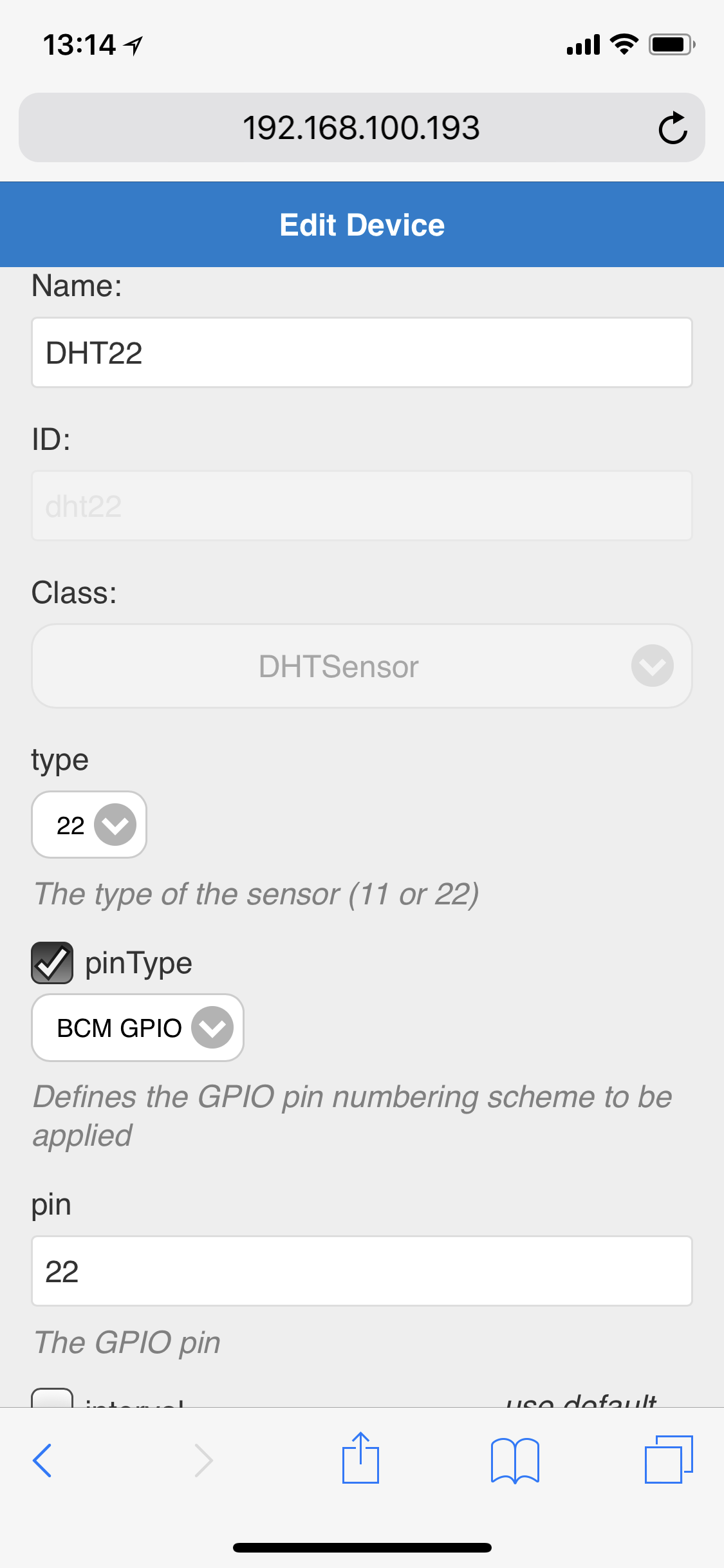
      Yes, i use the dht-sensors plugin. It is directly connected to GPIO-Pin22

      Here is a Screenshot of a part of the device-config. Perhaps it‘s helpful.

      0_1524503788527_6D37A3E0-7FC5-4B74-9818-F8EAF370BD47.png

      Thank you
      Sandy

      posted in Show your Mirror
      G
      ganther
    • RE: MagicMirror Pimatic (Home Automation) Dashboard

      Hello,

      I also installed your great module to observe the pimatic-sensor data on my MM.
      The normal systemsensor-temps are perfectly shown. But how can I get the values of my dht22-sensor because the class dhtsensor has no attributes. It delivers 2 values (Temp and humidity).

      Is there any solution?

      Thanks a lot.
      Sandy

      posted in Show your Mirror
      G
      ganther
    • RE: MMM-CalendarExt

      First of all thankyou for this great module!!

      One little question. I use my calendar in weekly View with 2 weeks shown.
      I would like to reduce the black margin left and right. Could you tell me which code I have to add in the custom.css to define the width of the calendar?

      Thank you so much
      Sandy

      posted in Productivity
      G
      ganther
    • RE: Sync private iCloud calendar with MagicMirror

      @maestro82
      Did you check your calendar-url in conf/config.js?

      My calendar is running now correctly. Don‘t know why but now my ics-file isn‘t empty anymore.

      posted in Tutorials
      G
      ganther
    • RE: Sync private iCloud calendar with MagicMirror

      @Gailby no, same behavior here.

      @beh Thank you and good luck for your exams.

      posted in Tutorials
      G
      ganther
    • RE: Sync private iCloud calendar with MagicMirror

      @Gailby
      Is your ics-file in modules/calendars also 0kb?

      posted in Tutorials
      G
      ganther
    • RE: Sync private iCloud calendar with MagicMirror

      @Gailby
      Yes. Just type these commands as given:

      touch ~/.vdirsyncer/config
      nano ~/.vdirsyncer/config

      posted in Tutorials
      G
      ganther
    • RE: Sync private iCloud calendar with MagicMirror

      @Gailby
      The file is named config. It‘s not a directory, it‘s the name of the file. (No ending).

      posted in Tutorials
      G
      ganther
    • RE: Sync private iCloud calendar with MagicMirror

      Hi there,
      i followed the instructions, my calendars are shown in discovery.
      I copied the UUID and it starts syncing, but the saved files are 0kb.
      I tried several calendars and checked the UUID’s but can’t find any mistake?

      any ideas?
      thanks!!

      posted in Tutorials
      G
      ganther
    • 1 / 1