Sam, you are totally right by changing the port number it fixed the issue ;-)
thanks you are genius!
Kind regards
Lukas
Sam, you are totally right by changing the port number it fixed the issue ;-)
thanks you are genius!
Kind regards
Lukas
thank you Sam ,
hmm, i have got a XRPD running on this pi , so i could access it from my main PC
also i have got another pi connected as the retro PI
with the script nothing is happening
pi@raspberrypi:~ $ sudo netstat -a | grep 8080
pi@raspberrypi:~ $ sudo netstat -a | grep 8080
pi@raspberrypi:~ $
Hi Sam,
pi@raspberrypi:~ $ pm2 status
bash: pm2: command not found
pi@raspberrypi:~ $ sudo pm2 status
sudo: pm2: command not found
pi@raspberrypi:~ $ pm2 stop 0
bash: pm2: command not found
pi@raspberrypi:~ $
Hi Sam, please see below :
i@raspberrypi:~/MagicMirror $ npm start
magicmirror@2.12.0 start /home/pi/MagicMirror
DISPLAY=“${DISPLAY:=:0}” ./node_modules/.bin/electron js/electron.js
[2020-09-06 18:45:02.435] [LOG] Starting MagicMirror: v2.12.0
[2020-09-06 18:45:04.939] [LOG] Loading config …
[2020-09-06 18:45:05.050] [LOG] Loading module helpers …
[2020-09-06 18:45:05.115] [LOG] No helper found for module: alert.
[2020-09-06 18:45:05.127] [LOG] No helper found for module: clock.
[2020-09-06 18:45:29.773] [LOG] Initializing new module helper …
[2020-09-06 18:45:29.931] [LOG] Module helper loaded: MMM-DarkSkyForecast
[2020-09-06 18:46:00.633] [LOG] Initializing new module helper …
[2020-09-06 18:46:00.802] [LOG] Module helper loaded: MMM-SORT
[2020-09-06 18:46:01.052] [LOG] No helper found for module: MMM-xiaomi.
[2020-09-06 18:46:01.058] [LOG] No helper found for module: MMM-Remote-Control.
[2020-09-06 18:46:01.062] [LOG] No helper found for module: MMM-NetworkConnection.
[2020-09-06 18:46:01.281] [LOG] No helper found for module: MMM-WorldTides.
[2020-09-06 18:46:01.296] [LOG] No helper found for module: MMM-Lunartic.
[2020-09-06 18:46:01.301] [LOG] No helper found for module: calendar_monthly.
[2020-09-06 18:46:06.074] [LOG] Initializing new module helper …
[2020-09-06 18:46:06.076] [LOG] Module helper loaded: calendar
[2020-09-06 18:46:06.157] [LOG] No helper found for module: MMM-AirQuality.
[2020-09-06 18:46:07.196] [LOG] Initializing new module helper …
[2020-09-06 18:46:07.201] [LOG] Module helper loaded: newsfeed
[2020-09-06 18:46:07.204] [LOG] All module helpers loaded.
[2020-09-06 18:46:14.610] [LOG] Starting server on port 8080 …
[2020-09-06 18:46:15.474] [LOG] Server started …
[2020-09-06 18:46:15.477] [LOG] Connecting socket for: MMM-DarkSkyForecast
[2020-09-06 18:46:15.480] [LOG] ====================== Starting node_helper for module [MMM-DarkSkyForecast]
[2020-09-06 18:46:15.481] [LOG] Connecting socket for: MMM-SORT
[2020-09-06 18:46:15.483] [LOG] Starting node_helper for: MMM-SORT
[2020-09-06 18:46:15.484] [LOG] Connecting socket for: calendar
[2020-09-06 18:46:15.488] [LOG] Starting node helper for: calendar
[2020-09-06 18:46:15.495] [LOG] Connecting socket for: newsfeed
[2020-09-06 18:46:15.498] [LOG] Starting node helper for: newsfeed
[2020-09-06 18:46:15.504] [LOG] Sockets connected & modules started …
[2020-09-06 18:46:28.584] [ERROR] Whoops! There was an uncaught exception…
[2020-09-06 18:46:28.598] [ERROR] Error: listen EADDRINUSE: address already in use 127.0.0.1:8080
at Server.setupListenHandle [as _listen2] (net.js:1226:14)
at listenInCluster (net.js:1274:12)
at GetAddrInfoReqWrap.doListen [as callback] (net.js:1413:7)
at GetAddrInfoReqWrap.onlookup [as oncomplete] (dns.js:65:10) {
code: ‘EADDRINUSE’,
errno: ‘EADDRINUSE’,
syscall: ‘listen’,
address: ‘127.0.0.1’,
port: 8080
}
[2020-09-06 18:46:28.810] [ERROR] MagicMirror will not quit, but it might be a good idea to check why this happened. Maybe no internet connection?
[2020-09-06 18:46:28.819] [ERROR] If you think this really is an issue, please open an issue on GitHub: https://github.com/MichMich/MagicMirror/issues
[2020-09-06 18:46:28.911] [LOG] Launching application.
Hi every one…
i have got an issue with MMM-SORT - the module wont load,
is stuck on ( first the tide rushes in… )
does anyone know why this is happened. i have valid key and also bough a credits so it should work correctly.
can you please show the link ? did you managed to sot this ?
Hi
You can get token by installing older version of mi home app on you mobile
https://www.apkmirror.com/apk/xiaomi-inc/mihome/mihome-5-0-19-release/mihome-5-0-19-android-apk-download/
Then you will need to follow this tutorial to obtain the token
https://www.youtube.com/watch?v=Q4QV8tMI8H4
however so far i have swap the tokens but with no luck. i think the device need to be discovered by MIiio.
pi@raspberrypi:~/miio $ miio discover
INFO Discovering devices. Press Ctrl+C to stop.
Device ID: 72558327
Model info: lumi.gateway.v3
Address: 192.168.0.9
Token: ???
Support: At least generic
HI there i have got same problem the gateway was turned off
then i have tried to reconnect all the temperature sensors and tokens shows with ??? question marks… can some one help please!
fix -
sudo npm install -g miio
Hi i got different problem am trying to install Miio to discover the sensors Numbers but i got error messages :
pi@raspberrypi:~ $ npm install --save miio
npm WARN saveError ENOENT: no such file or directory, open ‘/home/pi/package.json’
/home/pi
└── miio@0.14.0
npm WARN enoent ENOENT: no such file or directory, open ‘/home/pi/package.json’
npm WARN pi No description
npm WARN pi No repository field.
npm WARN pi No README data
npm WARN pi No license field.
hey barnosch !!! too late i got the sensors with out getaway , LOL typical me…
anyway… i have soldered 10k resistor across 1st and second leg of the sensor … still do not working , so surly it has to be faulty sensor … i really do not know , i have spent too much time on this anyway… thank you for your support, you are star!! mate ,i will let you know how the xiaomi goes once i got the gateway lol ;-)
Regards
LuK
Barnosh thanks for coming back!!.. i have run this sensor from 3v and 5 v with no changes, yes i been waiting round 3min or even longer, managed to brew capa and sensor was still reading when i get back. It does work on Python code , the sensor is soldered to pcb and it has got 2k7 resistor across and CAP, i will take it to work tomorrow and i will solder resistor and see whats this change anything … i will let you know, so far i have bougth this to play with
https://uk.gearbest.com/living-appliances/pp_344665.html
Regards
Lukas
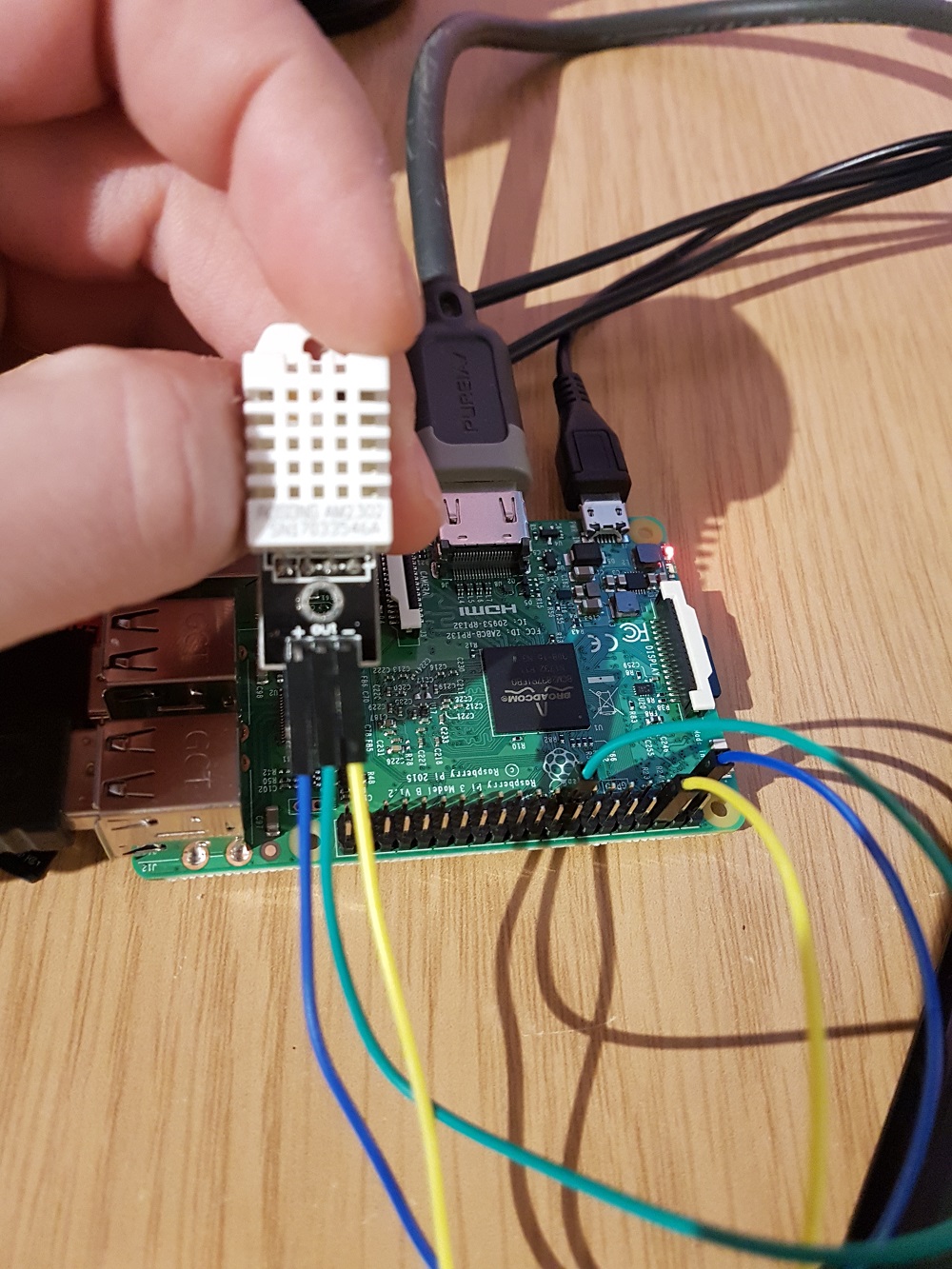
OK i have reinstalled everything please see pictures with the steps still no luck the sensor wont read…
my wiring :
code :
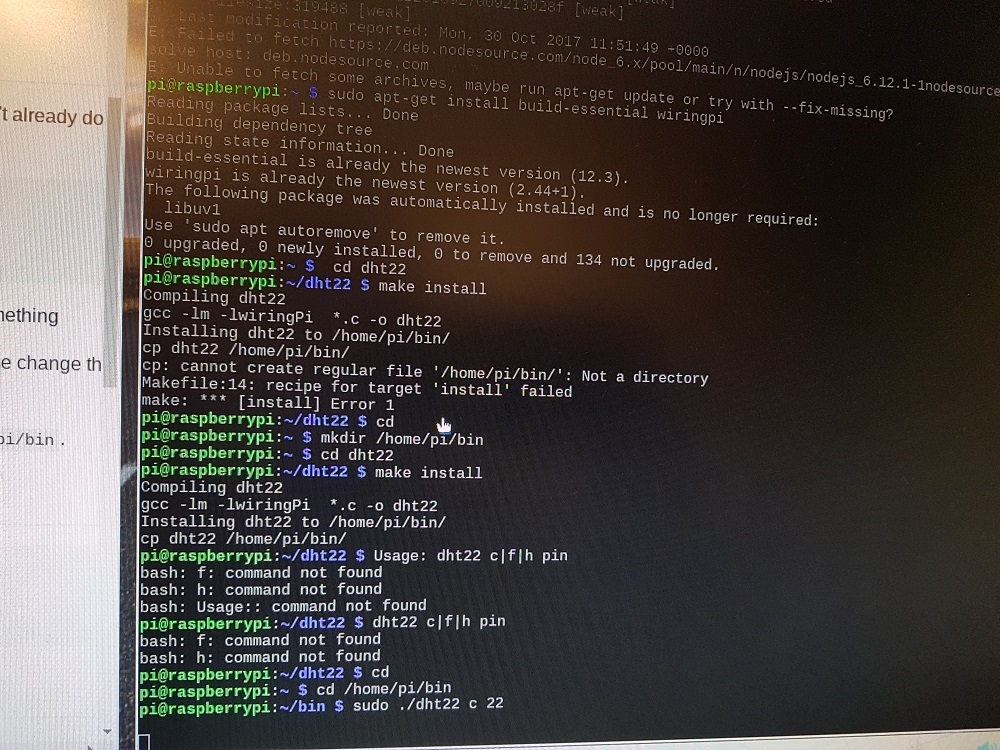
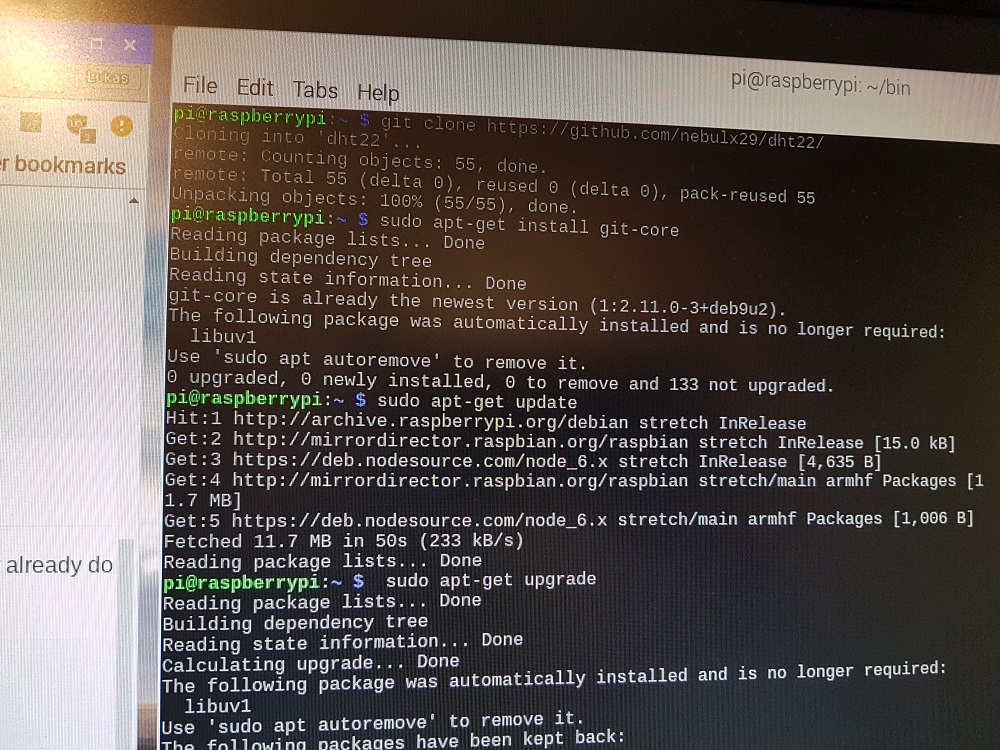
Hi thank you for reply… i have tested the outputs with same code, and it doesn’t work
the sensor is connected to gpo22 , 8th pin from the top, 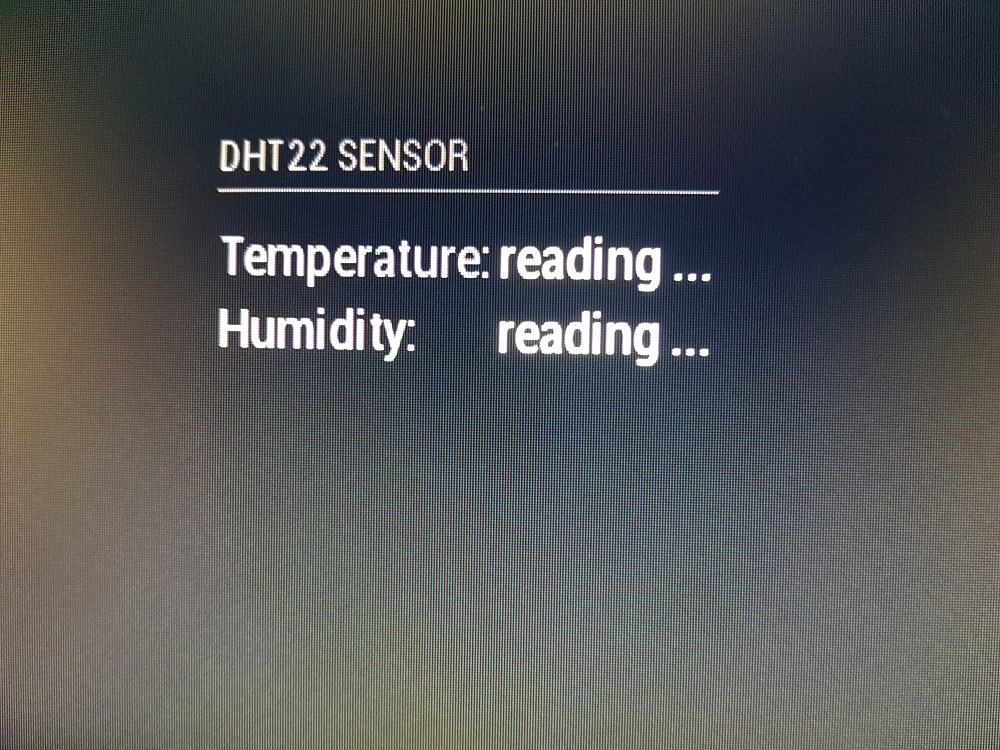
hi there , i need help with DHT22 sensor
so i have installed the module form :
https://github.com/nebulx29/MMM-dht22
https://github.com/nebulx29/dht22
and the module does not work correctly , the module is just updating ( reading) - please see the picture , i have tryied the trutolial to see if the sensor actualy works form :
https://www.rototron.info/dht22-tutorial-for-raspberry-pi/
and it does. i also dont have any errors .
please help

hi there am new in programming and in PI but i have managed to set all the modules in my magic mirror and my next step is to connect PIR and temperature sensor
i have been trying to using some modules but with no luck ! can some one help me please ??
i need to know how to wire PIR and what which code should i use??
this one wont work - https://github.com/nebulx29/dht22
Regards
Lukas
hi is me…again after changing the file name the screen went black so there is no any writing or text
also there was 2 files one looks like the text file am assuming is that is the one i should change…
Regards
luk
@Mykle1 - you are star thank you so much x
MM wont start
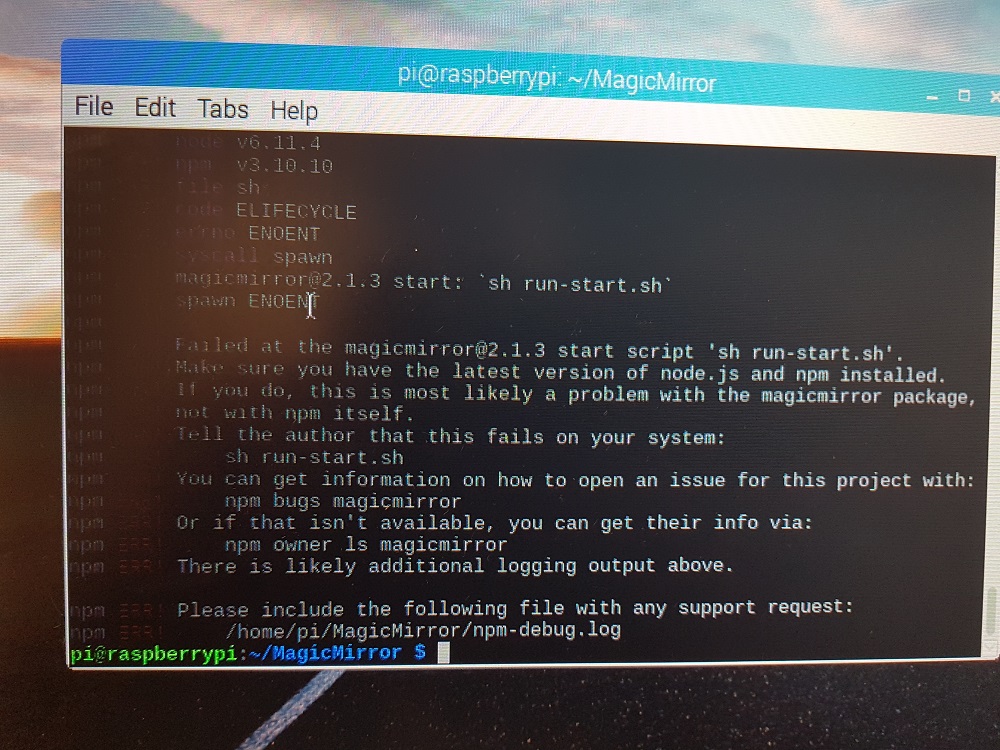
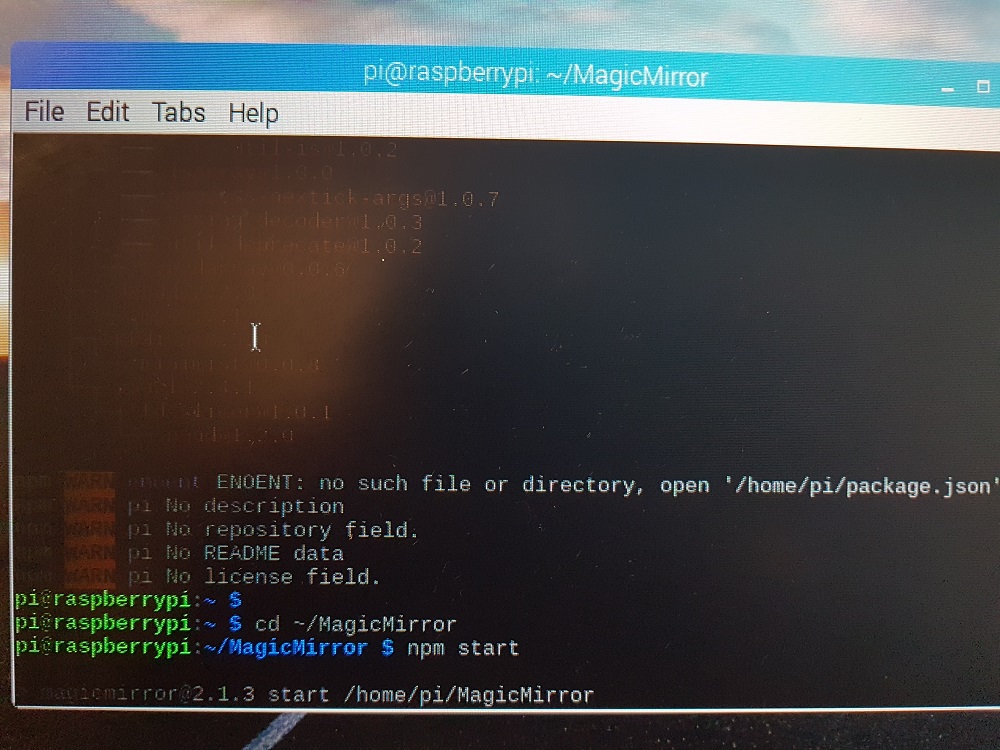
Hi there i need help i have tried to install magic mirror on my raspberry pi 3 using this tutorial :
https://forum.magicmirror.builders/topic/236/complete-setup-tutorial/5
unfortunately it it does not start i have now re reinstalled the MM twice updated the NOD and NpM electron
but is still wont start please see picture for more info is anything i can do to make it working ?
Regards
LUK