So I have Calendar to show two upcoming birthdays. It is showing them one day too early. Is it the same problem as mentioned earlier? And will the same fix fix them for me?
J
Offline
A New Chapter for MagicMirror: The Community Takes the Lead
Read the statement by Michael Teeuw here.
Read the statement by Michael Teeuw here.
Posts
-
RE: 2.12 repeating all day calendar events not shown for today, or weather only showing 2 days and missing analog clock numbers
-
RE: MMM-Todoist - Your todoist tasks on your mirror
Hi! How can I get sorting working? No matter what I try, items are only added to the end of the list. I would like to sort them by priority and then by due date, but can’t figure of how.
-
RE: MM not starting after update
@sdetweil yeah… the instructions should be updated so that others won’t make same mistake as I did.
-
RE: MM not starting after update
@sdetweil well actually 3 parts, as apparently I didn’t know what I was doing.
- git pull
- bash -c “$(curl -sL https://raw.githubusercontent.com/MichMich/MagicMirror/master/installers/upgrade-script.sh)” apply
- npm install (after finding out it is needed)
-
RE: MM not starting after update
@sdetweil no that I remember, I actually used instruction from this forum before and used “git pull” in MagicMirror directory first. After that I found the instructions I told you in the earlier post when my MM wouldn’t start. Then I tried that and when it still didn’t start I posted here.
-
RE: MM not starting after update
@sdetweil is there any easy way of backing up any modified files, configs or .css files. The upgrade messed up a lot and even when I thought I had everything backed up as files there were a lot of changes I had to manually fix afterwards.
The upgrade process mentioned custom.css to be saved and restored after but it didn’t.
-
RE: MM not starting after update
@sdetweil
from here:https://github.com/MichMich/MagicMirror#updating-you-magicmirrorand followed the instructions in “updating”-section. I first did the “test” update and then after no problems used the “apply” as instructed there.
It didn’t mention “npm install” there. -
MM not starting after update
I updated my MagicMirror to latest version, and now it does not start.
pm2 logs mmshows this:
0|mm  | A JavaScript error occurred in the main process
0|mm  | Uncaught Exception:
0|mm  | Error: Cannot find module 'module-alias/register'
0|mm  |     at Module._resolveFilename (internal/modules/cjs/loader.js:602:15)
0|mm  |     at Function.Module._resolveFilename (/home/pi/MagicMirror/node_modules/electron/dist/resources/electron.asar/common/reset-search-paths.js:35:12)
0|mm  |     at Function.Module._load (internal/modules/cjs/loader.js:528:25)
0|mm  |     at Module.require (internal/modules/cjs/loader.js:658:17)
0|mm  |     at require (internal/modules/cjs/helpers.js:20:18)
0|mm  |     at Object.<anonymous> (/home/pi/MagicMirror/js/app.js:15:1)
0|mm  |     at Object.<anonymous> (/home/pi/MagicMirror/js/app.js:283:3)
0|mm  |     at Module._compile (internal/modules/cjs/loader.js:711:30)
0|mm  |     at Object.Module._extensions..js (internal/modules/cjs/loader.js:722:10)
0|mm  |     at Module.load (internal/modules/cjs/loader.js:620:32)
I had a feeling I shouldn’t do this, but I did anyway. How to fix it?
-
RE: MMM-CalendarExt2
@Sean said in MMM-CalendarExt2:
@jani-karna
https://github.com/eouia/MMM-CalendarExt2/wiki/4.-Styling
EacheventhaseventSub(and its sub-elementseventLocationandeventDescription). By default, agenda(upcomingandcurrent) views would revealeventSub, so, you can use that CSS selector to specify.Missed that styling part… :grimacing_face: got it working, thank you again!
-
RE: MMM-CalendarExt2
@Sean said in MMM-CalendarExt2:
Hmmm… in Original CSS, there was no huge gap. It would be only 2px. I think you probably have modified CSS by yourself, but I don’t know what you changed. Sorry, can’t help you.
Thats fine, I’ll figure it out.
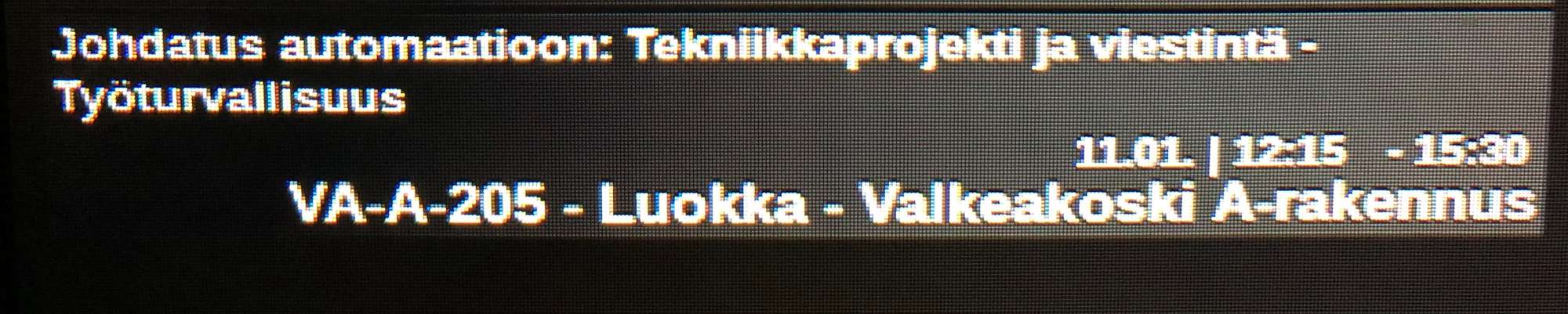
In the upcoming calendar, I have location or additional information in the events and their font is too big. Can I somehow make it smaller? Here’s a pic, the last row being the additional information:
-
RE: MMM-CalendarExt2
@Sean said in MMM-CalendarExt2:
Can I also shrink the gap between events vertically somehow?
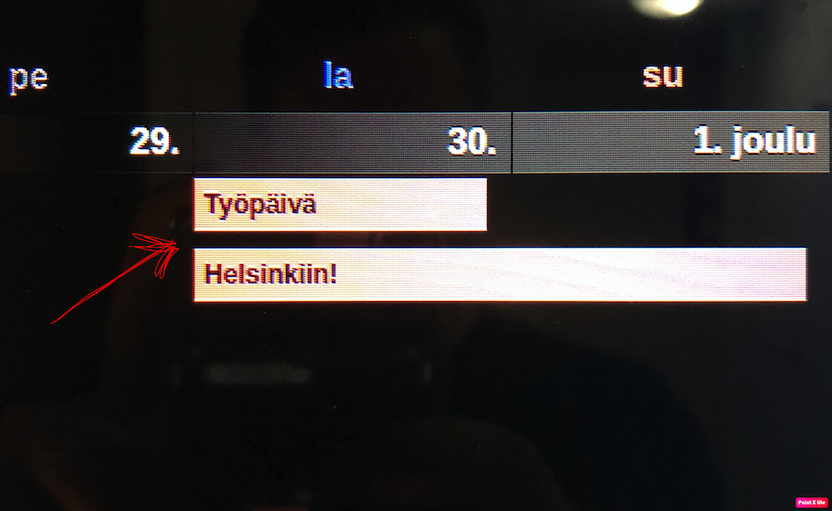
Tell me more exact details? Even a picture will help.
What I mean with gap between events is this:
-
RE: MMM-CalendarExt2
@Sean said in MMM-CalendarExt2:
@jani-karna
- Slightly narrow event’s width is intentional to avoid margin of error on calculation. It is hardcoded. But if you want to modify it by yourself,
https://github.com/eouia/MMM-CalendarExt2/blob/a5d509ada997034f91e0790ad72e87512cb24c60/CALEXT2_Slot.js#L250
eventDom.style.width = width - 15 + "px"Change
15to what you want.Worked perfectly, thank you!
- Slightly narrow event’s width is intentional to avoid margin of error on calculation. It is hardcoded. But if you want to modify it by yourself,
-
RE: MMM-CalendarExt2
I really appreciate the module and it is (almost) exactly what I want. I still looking the same thing as @mrmagoo_83 that I could wrap the events in multiple lines when needed.
Also, is there a way to make events as wide as the column? Now it is slightly narrower. Here’s a picture of what I mean.
https://www.dropbox.com/s/9iosscweizpthrb/IMG_0603.jpg?dl=0
Can I also shrink the gap between events vertically somehow? -
NewsFeed only shows "Loading..."
Can’t get NewsFeed to work. It says “Loading…” (in Finnish) but doesn’t show anything else.
Heres the config:module: "newsfeed", position: "middle_center", config: { ignoreOlderThan: "86400000", showSourceTitle: true, showPublishDate: false, broadcastNewsFeeds: false, broadcastNewsUpdates: false, feeds: [ { title: "YLE Uusimaa", url: "http://yle.fi/alueet/rss/uusimaa.rss", }, -
RE: MMM-CalendarExt2
@Sean said in MMM-CalendarExt2:
For some reason “localhost” tries to use 127.0.0.1 which gives error, but I tried “http://192.168.1.187:8080/modules/MMM-CalendarExt2/Pyhat.ics” and that worked! Thank you!
-
RE: MMM-CalendarExt2
I finally had a chance trying this. By trying “https://192.168.1.187:8080/Pyhat.ics” with browser while MM is running I get “ERR_SSL_PROTOCOL_ERROR”. I have no idea how to solve this. “Localhost” gives a little different error, but so does MM. But neither of them work. I know it is not about your module, but if you have any suggestions I’d be glad to hear.
-
RE: MMM-CalendarExt2
Have to see if the problem comes back after RPI reinstall. It seems my SD-card just came to the end of its life.