you can put this into css/custom.css file:
.newsfeed-desc {
  display: none;
}
 Offline
you can put this into css/custom.css file:
.newsfeed-desc {
display: none;
}
concerning the duplicate weather alerts and mix up between german and english I got an answer from openweathermap.org:
Currently we receive data in such format from the provider. The development team is working on the new version of alerts, which should eliminate such behavior.
@oberfragger said in MMM-OpenWeatherForecast - Replacement for MMM-DarkSkyForecast:
label_sunsetTimeFormat
there is no property label_sunsetTimeFormat, only label_sunriseTimeFormat, remove the not existing one …
label_sunriseTimeFormat: "k:mm",
@j-e-f-f
I don’t think there is much I can do here.
yes, I’m aware of this. Sent a mail to openweathermap.org and will let you know if I ever get a response …
@codac all these modules have the same position top_right?
For the warnings module you could use custom.css and overwrite the text-align: left; in the module css with text-align: right;
You can also play with css in the browser, e.g. see this thread.
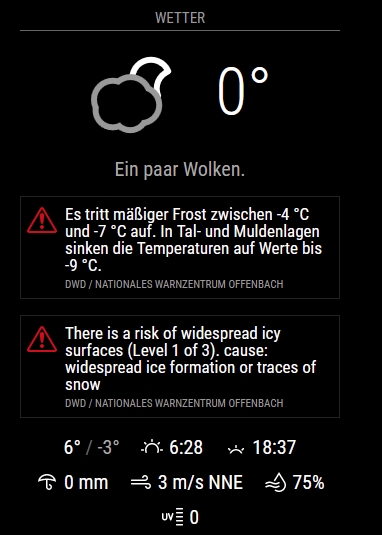
so now i catched the situation where the alerts are in english and in german:
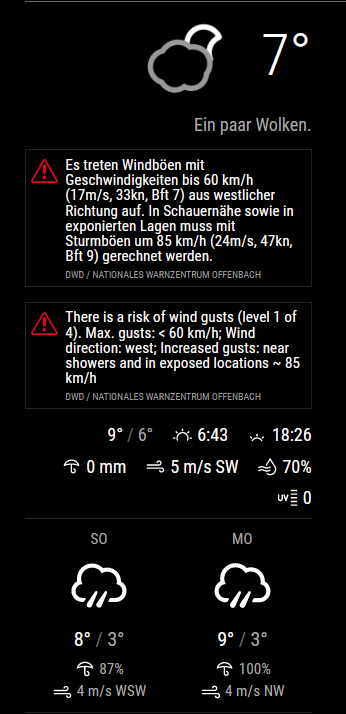
the data is coming directly from openweathermap, here the json-part:

Still inspecting the storm warning in german…
same problem here, saw meanwhile some of this warnings in german but mostly in english. Looks like a problem on the provider side, when inspecting the called url in the browser the retrieved data is in english.
So this can’t be solved by the module.
there is already a pull request which includes the update to 11.3.0, should be merged within the next days into develop