Does anyone know of any current Twitter Feed Modules for Magic Mirror? Looks like Twitcontrol hasn’t been updated to work with current twitter developer API logins.
K
Offline
A New Chapter for MagicMirror: The Community Takes the Lead
Read the statement by Michael Teeuw here.
Read the statement by Michael Teeuw here.
Posts
-
Any Twitter Feed Modules
-
RE: MMM-Flights
Is there a way to configure the flight data output to make the units Imperial instead of metric?
-
RE: MMM-Flights Not Working
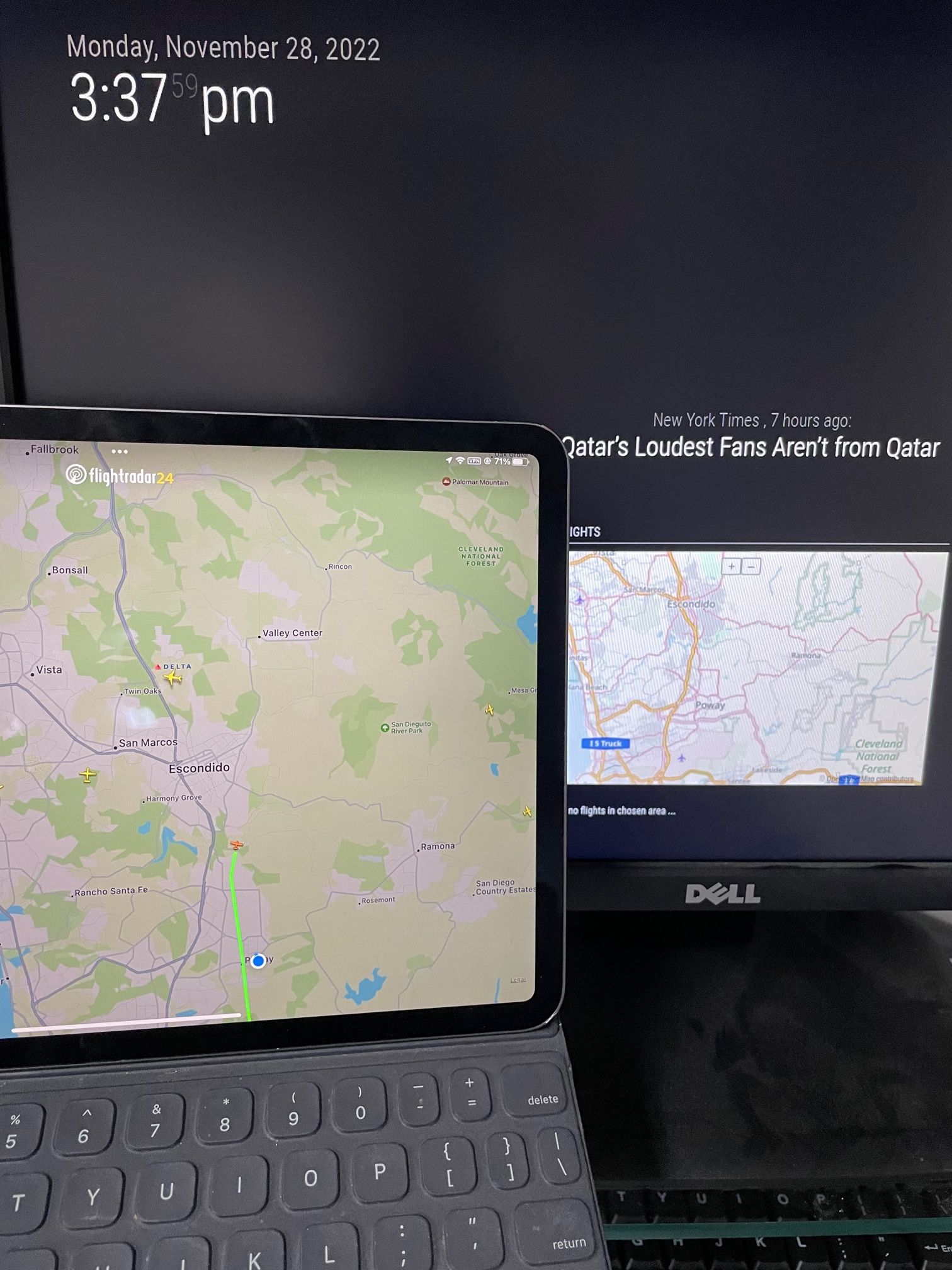
Thanks, bottom center is much better. I just compared the map to my iPad version of Flightradar and the MM module doesn’t seem to be showing any air traffic.
-
RE: MMM-Flights Not Working
I was missing the } to close out the flights module.
My coordinates do not include the ocean, but my map extends the width of the entire screen to include areas outside my area of interest. Do you know if there is a way to constrain it to just the area of interest?
-
RE: MMM-Flights Not Working
@sdetweil said in MMM-Flights Not Working:
Got it working. Thanks to all!!
-
RE: MMM-Flights Not Working
I used the exact same install technique. Could you post your code section with the module above and below the flights module so I can see how it is supposed to be nested in the config file? The module author said I’m missing a { somewhere.
Thanks!
-
RE: MMM-Flights Not Working
@sdetweil
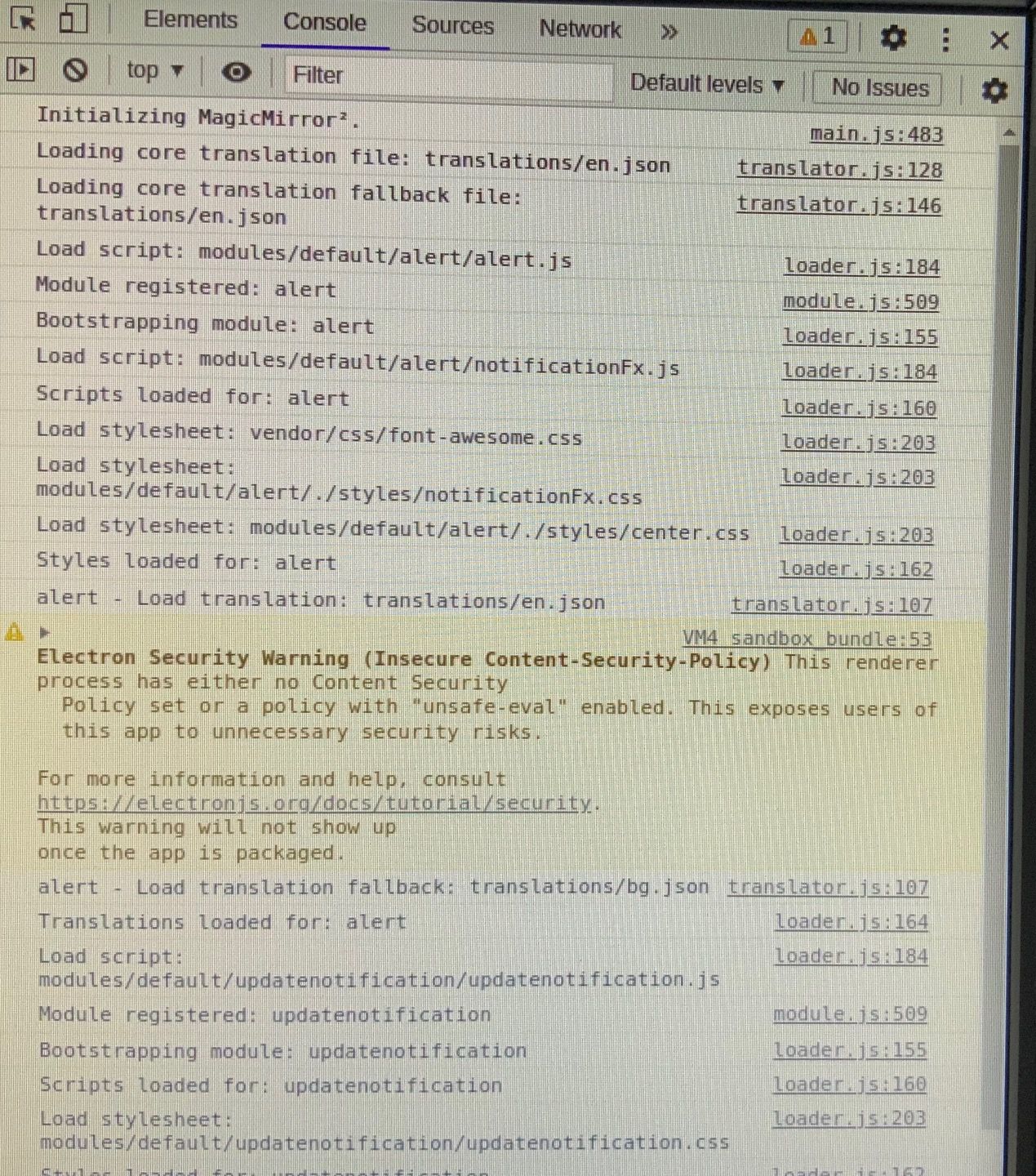
Seems odd, but absolutely nothing comes up with “flight” in the filter field.There is this error without filtering:
-
MMM-Flights Not Working
Does anyone have MMM-Flights working? I have it installed, and configured, but just a dead space in my MagicMirror. No indication that it is working at all. Any suggestions would be helpful. Thanks.
Here is the section in my config.js file:
{
module: “MMM-Flights”,
position: “middle_center”,
config: {
laMin: 33.183537,
laMax: 32.849596,
loMin: -117.204895,
loMax: -116.790161,
}, -
RE: Weather not working
Did fresh OS install anyway, and then ran your MM install script. Pasted my updated config file that we worked over into the new install and weather is working great. Now back to MMM-Flights.
So, the final analysis for anyone reading this is to use the @sdetweil Magic Mirror install script, then edit the config.js
The only config options for openweathermap that I used were:
- Location
- LocationID
- apiKey (used a free one from openweathermap.org)
I did not have to use lat/lon or any other config options for it to work.
-
RE: Weather not working
Thank you, I really appreciate all your help!!
-
RE: Weather not working
Never edited the weather.js file. Ran the git checkout line and it said Updated 0 paths from index. Version is 2.21.0
I’ll do a complete redo tomorrow with your GitHub scripts on a fresh RPi OS install. I’ll post the result here.
-
RE: Weather not working
Used in the install script npm install-mm from the website instructions. nodejs version is 16.18.1
-
RE: Weather not working
That brought up module weather.js, Uncaught SyntaxError: unexpected token .
-
RE: Weather not working
@sdetweil
Something must be wrong with my api key. I did not see the instructions for opening a developers window. Could you send again? -
RE: Weather not working
@sdetweil
No luck with that. Should the apiVersion be in ‘ ‘ or raw? Is there a different weather app api that is easier to configure? -
RE: Weather not working
@sdetweil
No luck. I noticed you used ‘ ‘ instead of “ “ for the ‘3.0’. I used “ “ for all my other variables, such as type: “forecast”. Is that correct?The doc file doesn’t have any notation for how the lat/Lon is presented. Should that read…lat: ‘33.3025’ or nothing as it would imply in the doc file, I.e., lat: 33.3025
-
RE: Weather not working
@sdetweil
I took out the endpoint line and that fixed the parsing error, but still no weather. I rechecked my api key and it is correct. Any other ideas? Thanks!!