Maybe. Sometimes it’s worth simply trying something before you start changing things. :) More often than not it will work without modifying anything.
A New Chapter for MagicMirror: The Community Takes the Lead
Read the statement by Michael Teeuw here.
Read the statement by Michael Teeuw here.
 Offline
Posts
-
RE: USB-Microphone TP6920
-
RE: USB-Microphone TP6920
I have no experience with this specific microphone (or any other for that matter), but I would recommend starting to compare what the systems report when you plug them in. On your laptop, look at the systems log (often that’s
'/var/log/messages'but may be different on ubuntu), plug the microphone in and watch the messages. Also check what'lsusb'reports.now do the same on the raspberry pi, see what the system messages are when you plug in the microphone, and also check what
'lsusb'reports. If you discover it’s a driver issue, then you need to see what driver your laptop is using for the microphone, and see if it exists on the raspberry pi.Another possibility is that the rpi might not have the master audio mixer enabling the microphone. Unfortunately that’s more involved and something you’ll have to research on Google perhaps. Each hardware is different, but I’m sure others out there have purchased the same hardware.
-
RE: Weatherunderground - currently - hourly - daily - configurable
That looks like everything did load up properly there. There’s a way to look at electron’s console logs but I don’t know what the keystroke is (maybe CTRL-W?). But, at times like this, I find it’s easier/faster for me to debug by using a different machine with Chrome/Firefox and load up the mirror that way by going to the rpi’s IP and port: http://10.0.0.1:8080 (assuming your rpi’s IP is 10.0.0.1, change it to match yours.) Black screen or not, you can always hit F12 on a windows browser and pull up the console log. Look for Javascript errors.
-
RE: Monthly Calendar View
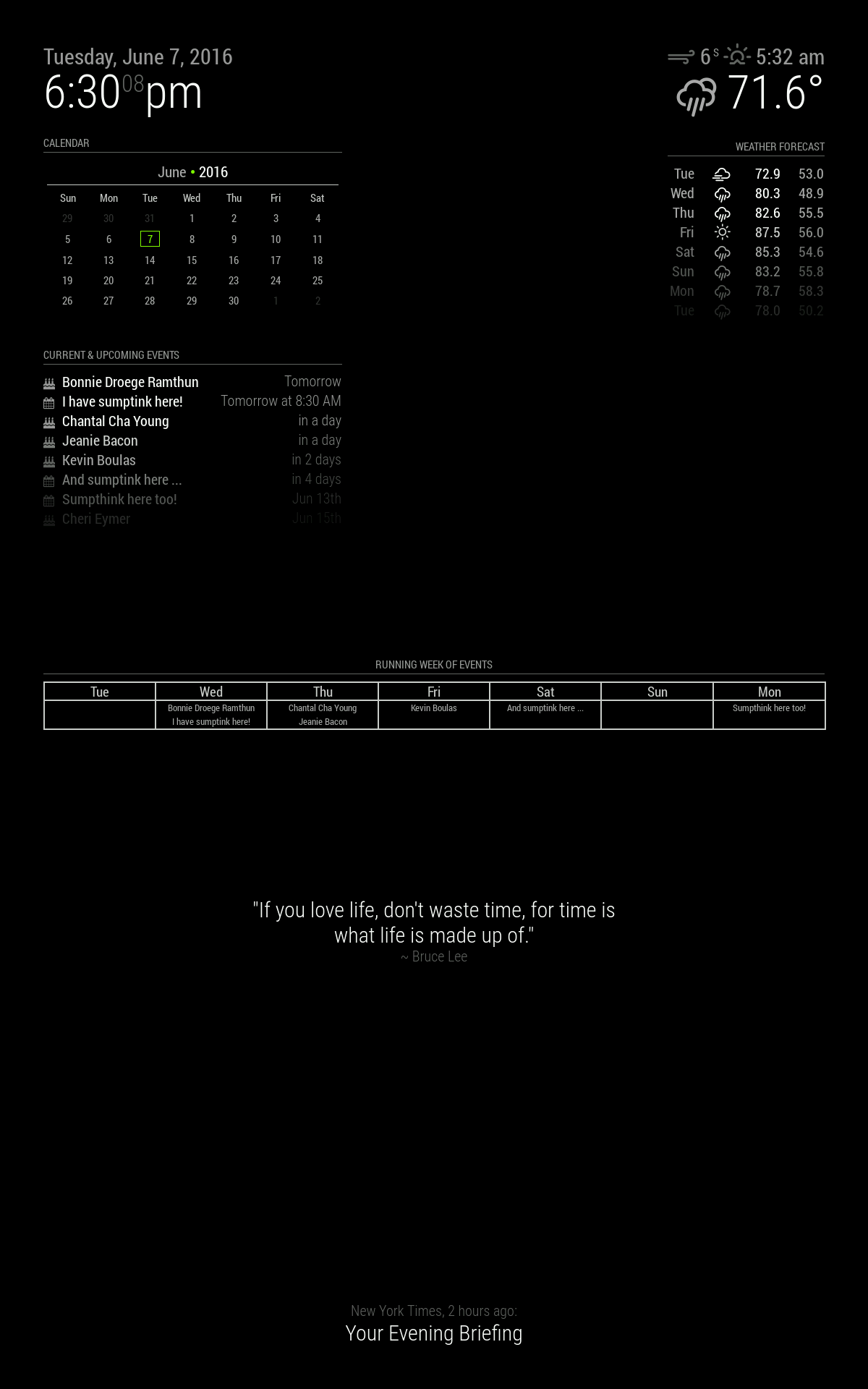
There are three different calendars on that screen, the default one which is the list of events, the monthly calendar, and the running week. Both the monthly calendar and running week are unreleased code because they’re both still being developed.
-
RE: need help with config file
Which time? What’s displayed above the weather portion isn’t the current time, it’s showing you when the sun sets or rises.
-
RE: Monthly Calendar View
And now that I’m home, on the vertical layout, I left the other calendarS turned on:
-
RE: Monthly Calendar View
Thanks. It’s still in it’s very early stages. A lot can and will change still.
-
RE: need help with config file
You might want to read the README on the module:
https://github.com/MichMich/MagicMirror/tree/master/modules/default/currentweatherBasically, you need to go get your own API key for that to work.
-
RE: sudo npm start - Does nothing on a Pi Zero
Looks like they’re a bit … out of stock at my usual vendors. Hrm.
-
RE: sudo npm start - Does nothing on a Pi Zero
Heh, yeah, don’t worry about it. :)