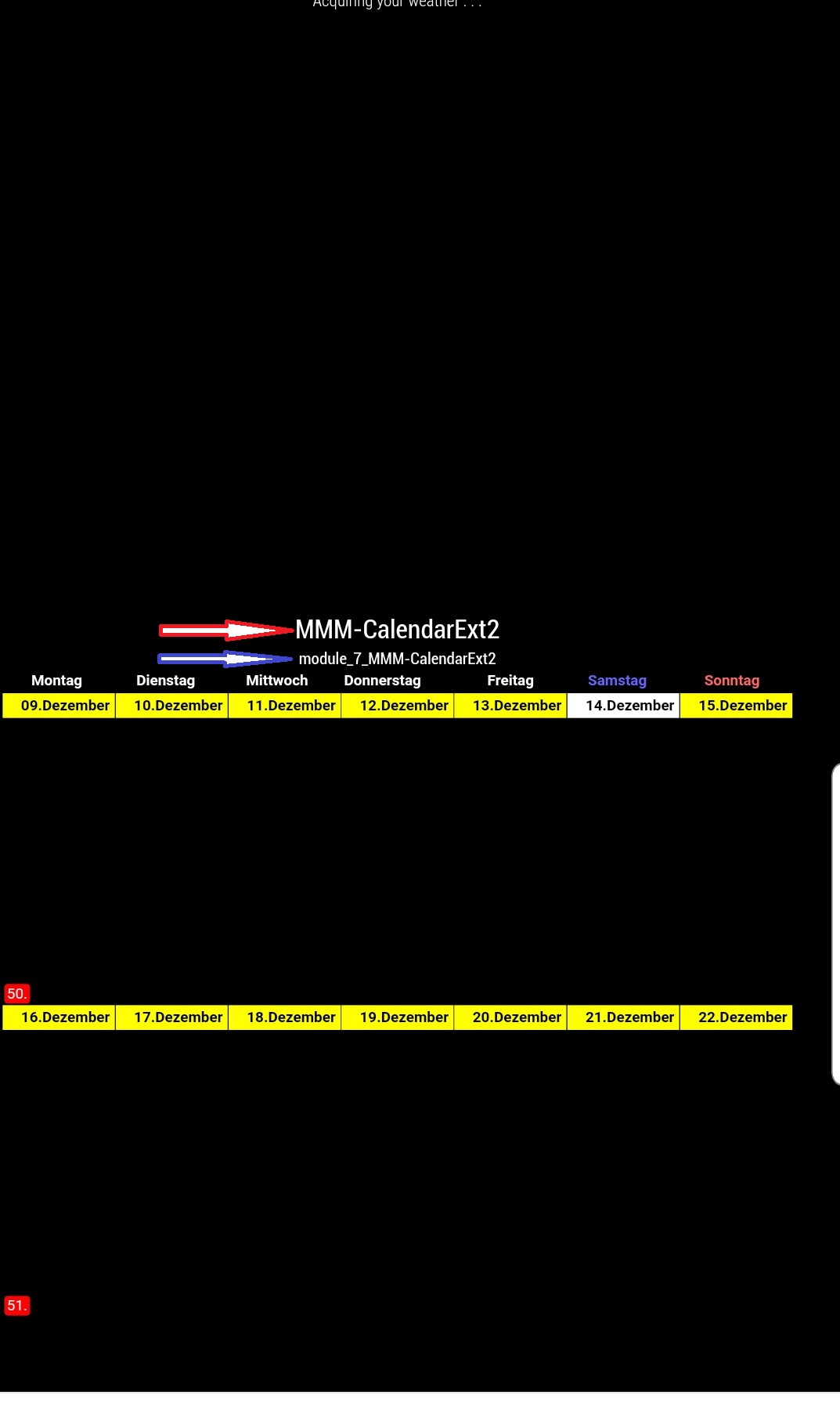
Do you know how I remove the “module name (red)” and the “module counter blue”? The two things were only added after the installation of “MMM-Page-Selector”.
 L
Offline
L
Offline
Do you know how I remove the “module name (red)” and the “module counter blue”? The two things were only added after the installation of “MMM-Page-Selector”.
Thanks for tips.
With “MMM-Page-Selector” it looks exactly the way I want it.
This module should display several pages and automatically go to the next page. After an adjustable time. I would be very grateful for suggestions or tips. I would personally prefer a config with examples.
Lordy
Hello,
@lavolp3 “MMM-Forecast-IO” is a nice Module.
Irgendetwas brauche ich noch für das Modul, denn es startet, aber es nichts Angezeigt?
Kannst Du mir bitte sagen oder zeigen was?
config:
{
module:“MMM-Celebrations”,
disabled: false,
position: “top_right”,
language: “de”,
},
Thanks for the Link
Hello,
First of all, I wanted to thank the many people who develop and support the beautiful modules. I’m always on the lookout for more modules that will enhance my Magic Mirror.
My previous Mudols are:
Do you have any further recommendations or a “link” for me where I can find new modules? If possible in German, because I live in a more generation house (with grandparents). Thank you in advance for your help.
(in german)
Hallo Zusammen,
Ich wollte mich erstmal bedanken, an die vielen Leute, die die wunderschönen Module entwickeln und supporten. Ich bin immer auf Suche nach weiteren Modulen, die mein “Magic Mirror” verbesser.
Meine bisherigen Mudole sind:
Hab Ihr für mich noch weitere Empfehlungen oder einen “Link”, wo ich neue Module finde? Wenn möglich in Deutsch, da ich in einen mehr Generationenhaus wohne. Vielen Dank dafür schon im Voraus.
Hello,
I need your help, because I can not find the “token” for Berlin?
Here is an example of the weather module:
/*.MMM-BMW-DS .header {color: yellow}*/         /* Header color. */
.MMM-BMW-DS .image {width: 5%; height: 5%; margin-top: 0px; margin-bottom: -10px; } /* icon size */
.MMM-BMW-DS .current {color: #FFFFFF; font-family: Gloria Hallelujah; font-size: .99em;}/* text forecast color. Default is white. */
.MMM-BMW-DS .summary {color: #FFFFFF; font-family: Gloria Hallelujah; font-size: .99em; display: none; }/* text forecast color. Default is white. */ /* uncomment to hide */
.MMM-BMW-DS .daily {color: #FFFFFF; font-family: Gloria Hallelujah; font-size: .99em; }/* days of the week color. Default is white. */
I have now discovered a new problem.
I want to read the entire line and not the same line twice. *(Ich möchte die gesamte Zeile und nicht zweimal dieselbe Zeile lesen.)
Where can you extend the display time? (Wo kann man die Anzeigezeit verlängern?)
Thanks, great job.:winking_face:
There you can see how “important” is important, the same, did yesterday too.
Thanks first. (Erstmal Danke)
But feel no difference to before. (Aber spüre keinen unterschied zu voher)
Can you do it even faster? (Kann man es noch schneller machen?)
Hello,
I would like to make the marquee faster, but do not know how?
I’ve already tried it with “Animation Speed”.
Which possibilities are still there?
Lordy
(translate by google)
@Sean said in MMM-CalendarExtMinimonth:
Sorry, late for the reply. I’m on vacation in Budapest.
As I described in CSS, the border will be displayed when the event exists. Of course, you can modify it in your
Hello,
Have fun on holiday and enjoy it. :)
Lordy
Hello,
It has resolved itself.
The border had something to do with the events, if there were no events, then the border was missing.
Good work, looks good. :)
Thanks Lordy
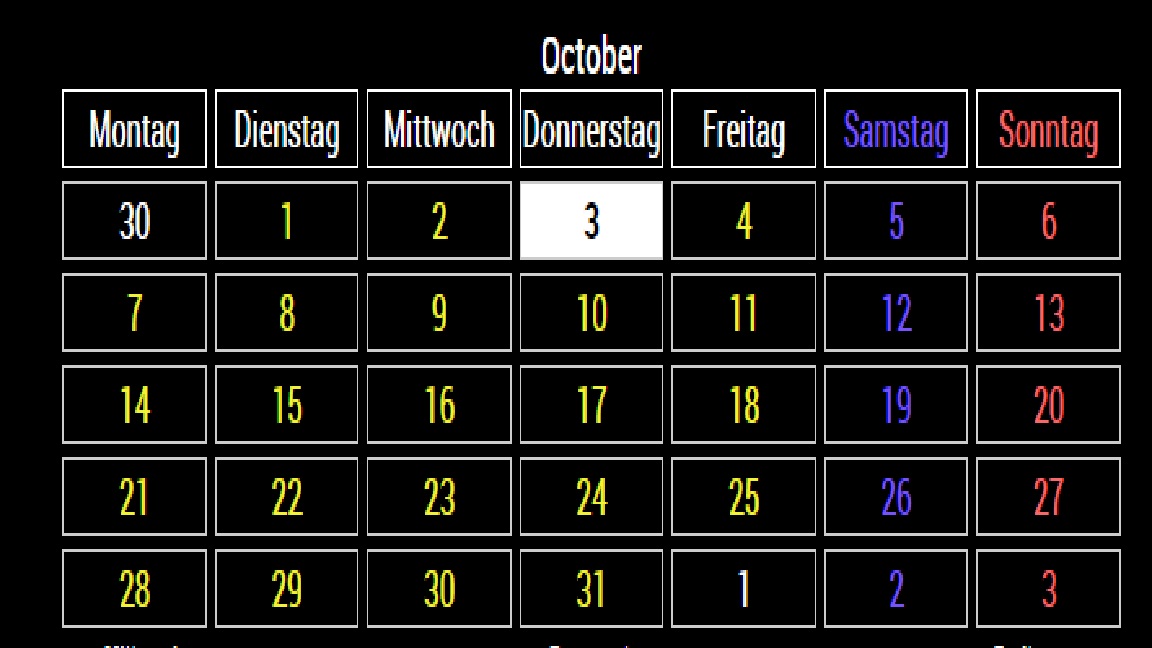
@Sean !
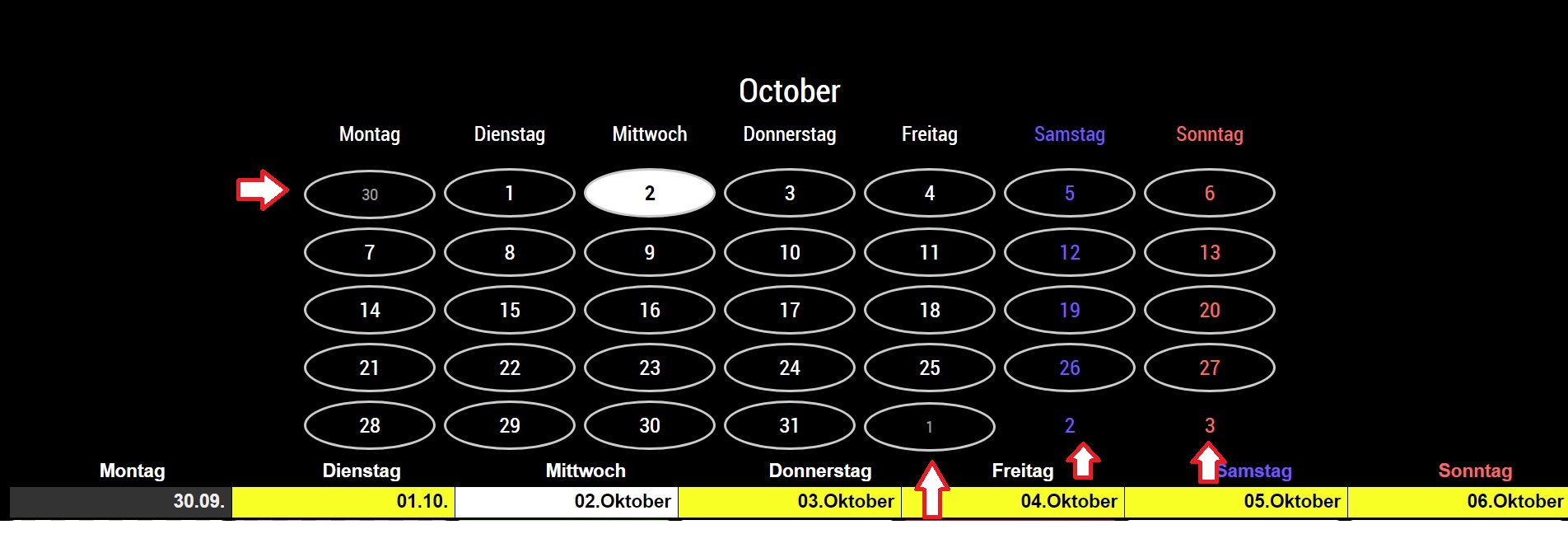
Hello,
As you can see at the arrows, I am different in the border of the days (not this month).
How do I get that all borders are the same? Either all or all gone (not this month).
I hope you will be satisfied with the picture for explanation.
(“translate by google”)
Lordy
@Sean Hello Sean,
the calendar looks good. Can you please tell me where you can remove the outline of the “not this month”?
Kind regards Lordy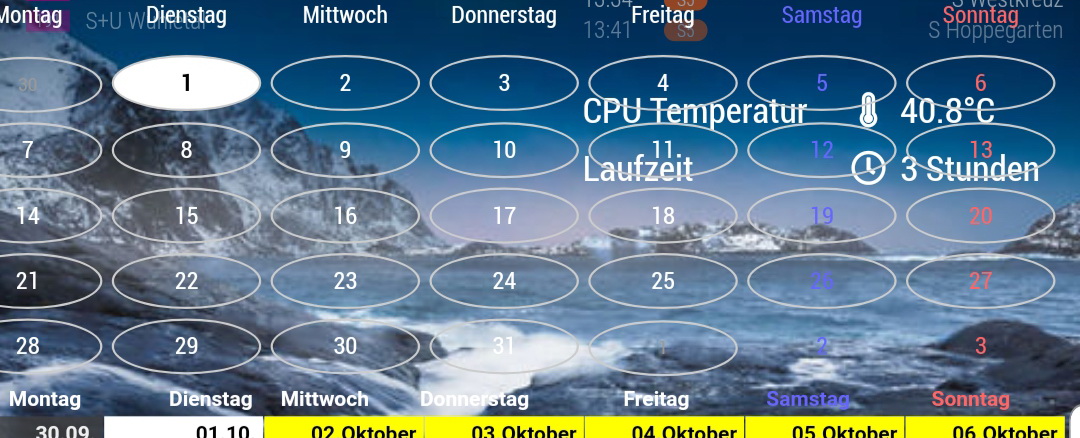 image url)
thanks, I’ve already found (copy and paste in “custom.css”.