MagicMirror Forum
    • Recent
    • Tags
    • Unsolved
    • Solved
    • MagicMirror² Repository
    • Documentation
    • 3rd-Party-Modules
    • Donate
    • Discord
    • Register
    • Login
    1. Home
    2. majsoft
    3. Posts
    A New Chapter for MagicMirror: The Community Takes the Lead
    Read the statement by Michael Teeuw here.
    M
    Offline
    • Profile
    • Following 2
    • Followers 0
    • Topics 4
    • Posts 18
    • Groups 0

    Posts

    Recent Best Controversial
    • RE: MM won't launch at startup, but will launch manually

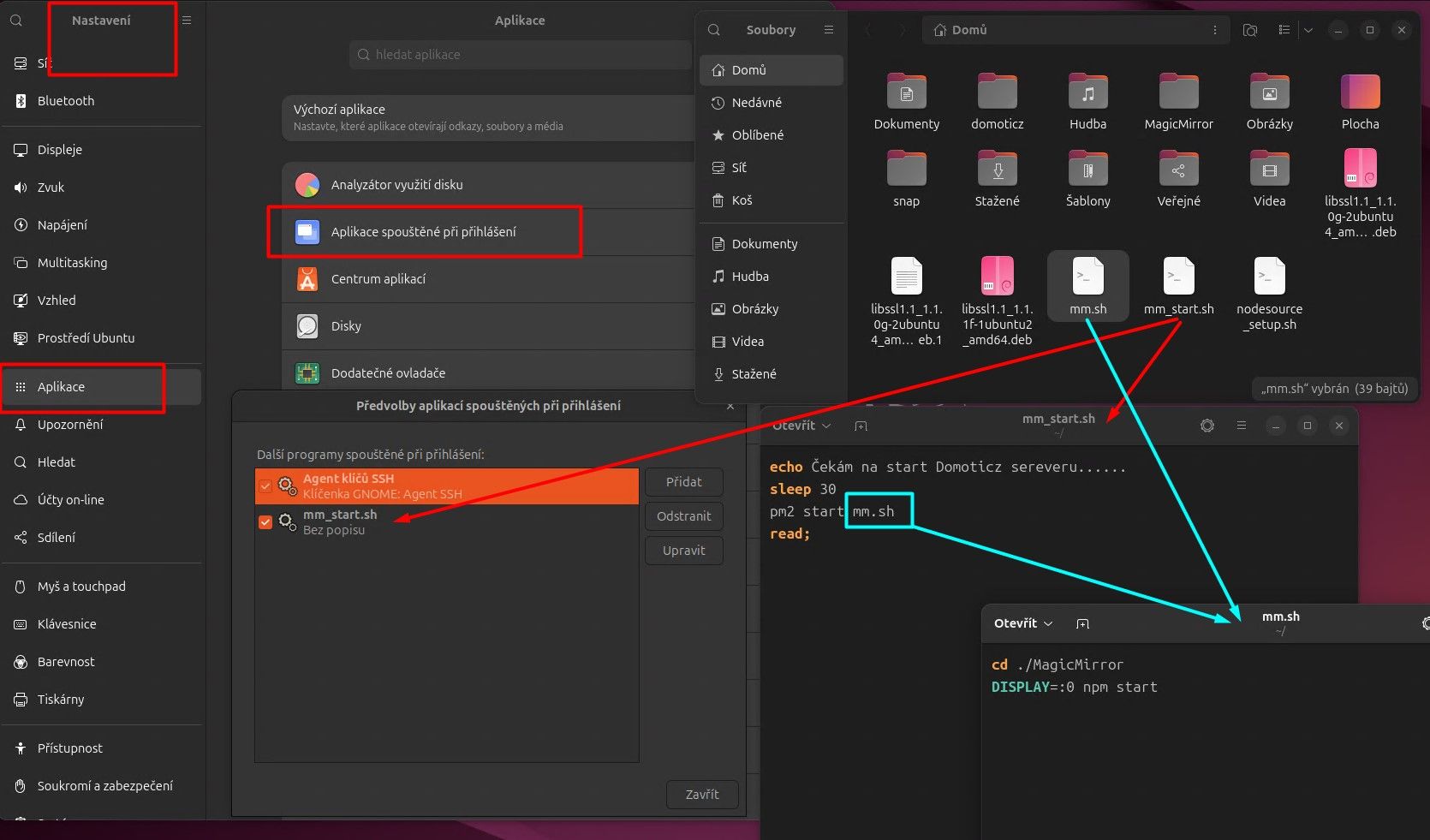
      Hi, this is how I’m running it for now, maybe it will help someone.

      I will install PM2 according to the instructions

      I will skip the command “pm2 startup”

      After installation i proceed like this

      i will create another boot file

      cd ~
      nano mm_start.sh
      

      Add the following lines:

      echo Start PM2......
      pm2 start mm.sh
      read;
      

      set permissions

      chmod +x mm_start.sh
      

      we will set up the script after booting Ubuntu

      Screenshot_5.jpg

      now i can start and stop services at will.

      posted in Troubleshooting
      M
      majsoft
    • RE: ubuntu - run the script before sleeping and after waking up the PC

      @sdetweil

      i looked on github but i can’t see or find a fix.

      posted in Troubleshooting
      M
      majsoft
    • RE: ubuntu - run the script before sleeping and after waking up the PC

      Hi, thanks for guiding me in the right direction.
      I had an error in the placement of the script.

      Now I have verified that it works.
      I will then delete the sleep 60 command and the output to the file, I had time to find out if the necessary services are really turned off.

      so my solution was as follows:

      file creation

      sudo nano /usr/lib/systemd/system-sleep/wakeup.sh
      

      the contents of the file

      #!/bin/sh
      
      case $1/$2 in
      pre/*)
      echo "zastavuji domoticz......"
      service domoticz.sh stop >> /home/meteo/vystup_off.txt
      sleep 60
      ;;
      post/*)
      echo "spouštím domoticz......"
      service domoticz.sh start >> /home/meteo/vystup_on.txt
      sleep 0
      ;;
      esac
      

      permission settings

      sudo chmod a+x /usr/lib/systemd/system-sleep/wakeup.sh
      

      once again thank you very much.

      my next goal : Control MM Using systemd/systemctl
      PM2 is not working correctly on Ubuntu 24 and I need to have MM as a service.
      so far I’m using mm.sh after startup.

      cd ./MagicMirror
      DISPLAY=:0 npm start
      read;
      
      posted in Troubleshooting
      M
      majsoft
    • RE: MMM-Domoticz-ext BME280 temperature, pressure and humidity are not displayed

      yes i know that but i was hoping someone has dealt with a similar problem with this module and would know some advice.

      posted in Utilities
      M
      majsoft
    • MMM-Domoticz-ext BME280 temperature, pressure and humidity are not displayed

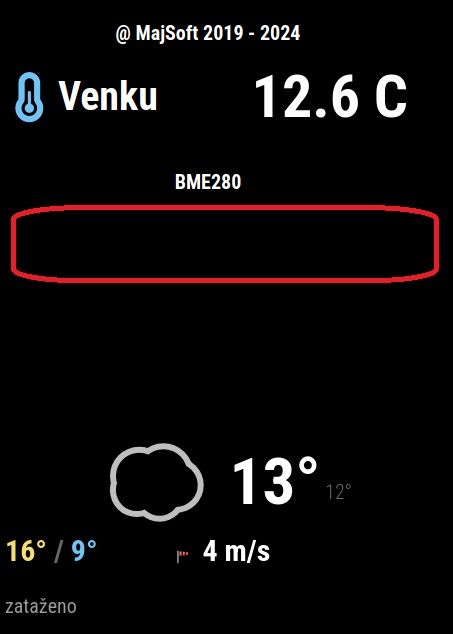
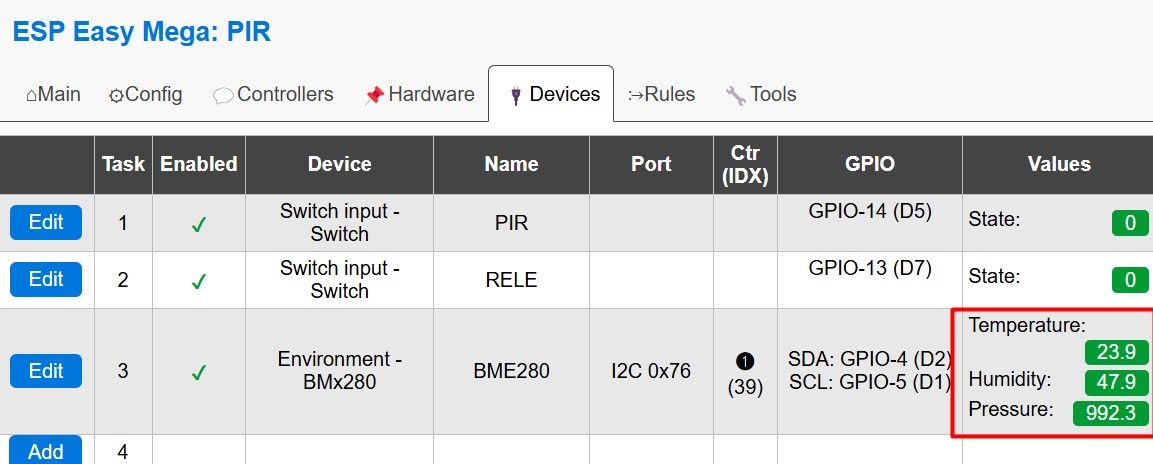
      Hello everyone, can someone please help? I don’t see the data from the BME280, I only see the inscription. I have no idea where my mistake is.

      bme280.jpg

      {
        module: "MMM-Domoticz-ext",
        
        position: "top_left",
        config: {
          apiBase: "192.168.2.90",
          apiPort: "8081",
              updateInterval: 15,
      displayType: "room",
                alwaysShowDashboard: false,
                alwaysShowActions: false,
                showButtons: false,
                       horizontal: false,
                columnCount: 3,
                dashboardColumnCount: 13,
                maxTitleLength: 18,
      
      coloredIcons: true,
       				
           rooms: [      
      { idx: "1", name:"@ MajSoft 2019 - 2024" },
      //{ idx: "2", name:"" },
      { idx: "3", name:"BME280" },
          ],
      
         }
      },


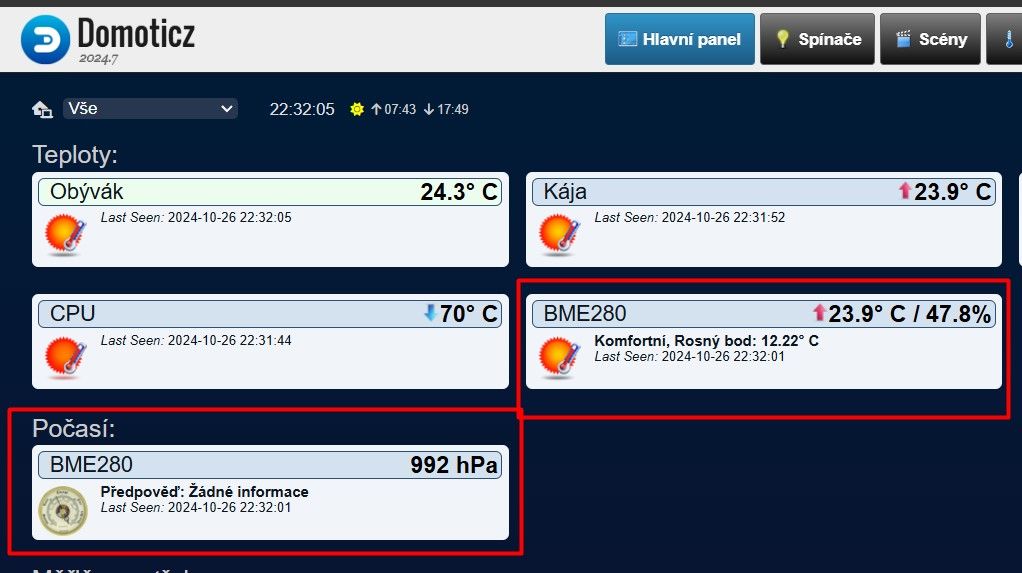
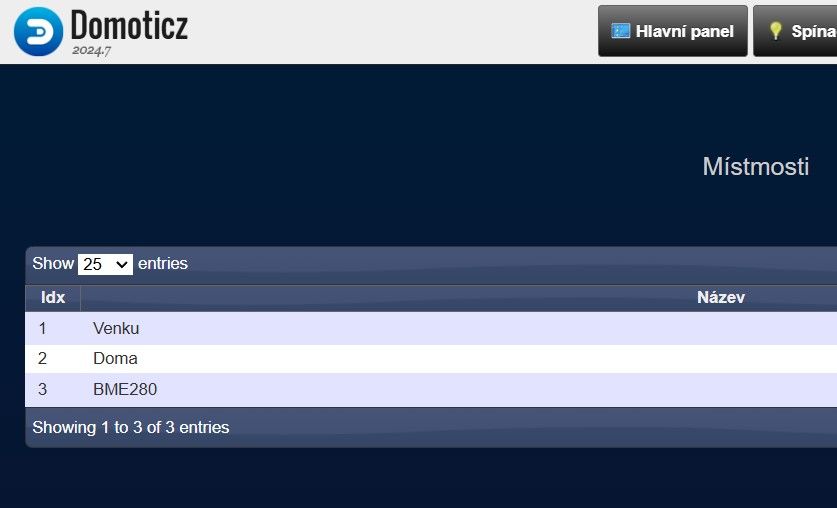
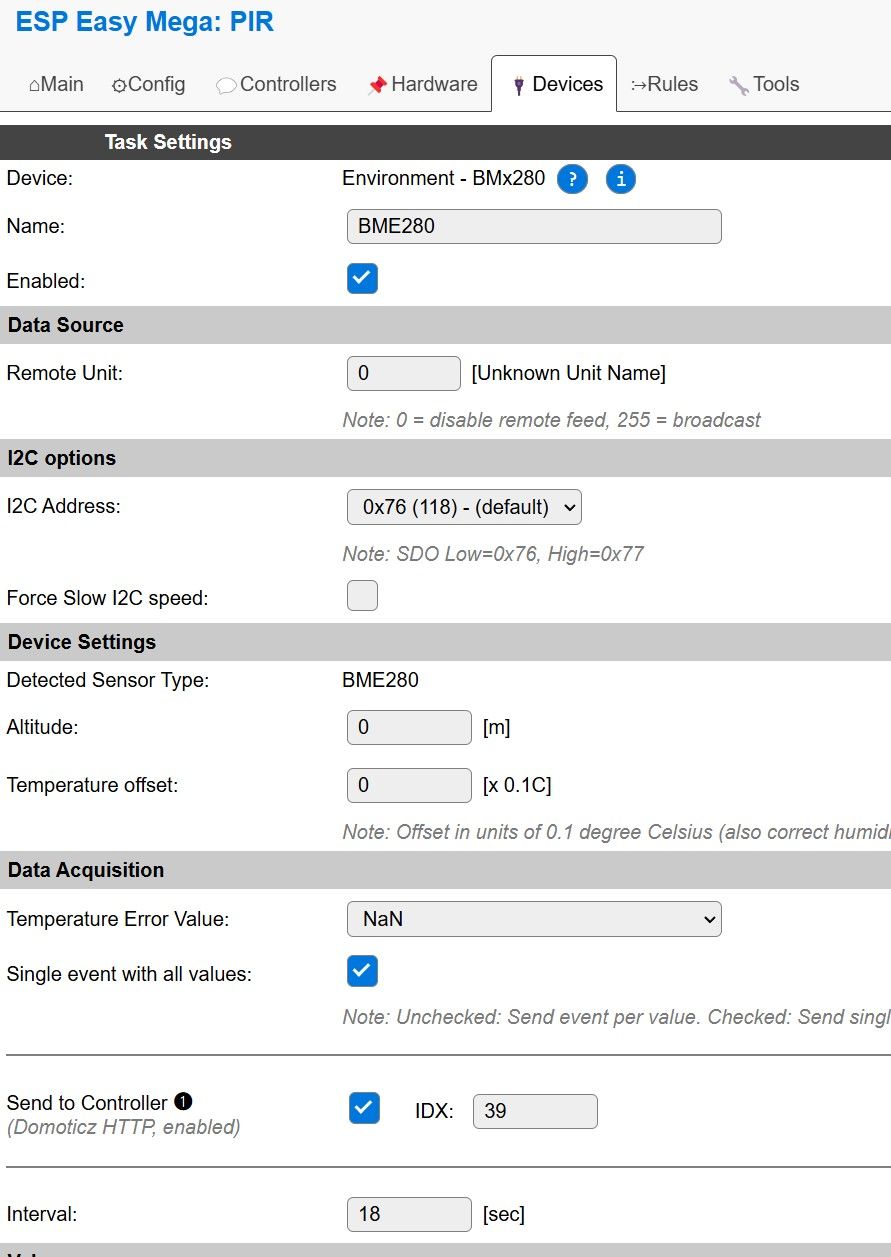
      the sensor is connected to the ESP8266 and the data is sent to the domoticz server where the data can be seen.

      domoticz1.jpg
      domoticz2.jpg

      ESP

      ESP1.jpg
      ESP2.jpg

      posted in Utilities
      M
      majsoft
    • RE: ubuntu - run the script before sleeping and after waking up the PC

      I can’t get the script to run itself, there are tutorials everywhere but none of them worked for me. I have to study further.

      posted in Troubleshooting
      M
      majsoft
    • ubuntu - run the script before sleeping and after waking up the PC

      Hello everyone, can I ask for help? I’m sorry, I’m using a translator, I can’t speak English.
      I am using the new Ubuntu, where I have Domoticz server and MagicMirror running.
      after 15 minutes the PC goes to sleep and then wakes up with PIR (ESP8266).

      After waking up, it takes a long time for the domoticz server to start working and sending Information to MagicMirror. I don’t want to solve it with service monitor.

      I would like to set up a script:

      before putting the PC to sleep run “sudo service domoticz.sh stop”
      after waking up the PC run “sudo service domoticz.sh start”
      it works reliably in the command line, it just needs a password that I enter and it’s ok.

      I saw somewhere that something like this can be used, but I don’t know exactly where to write, save and that it doesn’t ask for a password. Would someone be willing to write the exact procedure where to write what and save? I found a lot of versions and maybe I got it wrong or the instructions are for older Ubuntu

      First of all thank you very much for the joy and newbie to ubuntu.

      #!/bin/sh
      
      PATH=/sbin:/usr/sbin:/bin:/usr/bin
      
      case "$1" in
          pre)
                  #code execution BEFORE sleeping/hibernating/suspending
          ;;
          post)
                  #code execution AFTER resuming
          ;;
      esac
      
      exit 0


      Snímek2.jpg

      posted in Troubleshooting
      M
      majsoft
    • RE: MMM-OpenWeatherMapForecast - delete line

      @sdetweil

      vše vyřešeno. Děkuji.

      Screenshot_1.jpg

      posted in Troubleshooting
      M
      majsoft
    • RE: MMM-OpenWeatherMapForecast - delete line

      @sdetweil

      great tool, thank you very much

      Screenshot_3.jpg

      i used like this:

      .MMM-OpenWeatherMapForecast .module-header {
      font-size: 35px;
      color: white;
      text-transform: none;
      border-bottom: 0px;
      padding-bottom: 5px;
      margin-bottom: 20px;
      }
      

      can you advise how to move the text by a few pixels?
      I can’t use text-align center, the module is wide and the text would interfere with the map.
      I can’t figure it out. Thanks in advance

      Screenshot_4.jpg

      posted in Troubleshooting
      M
      majsoft
    • MMM-OpenWeatherMapForecast - delete line

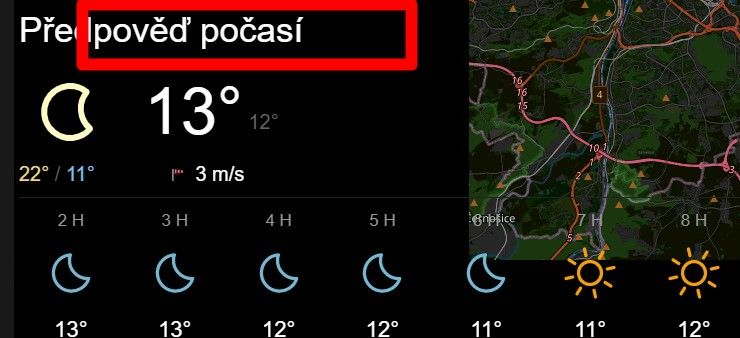
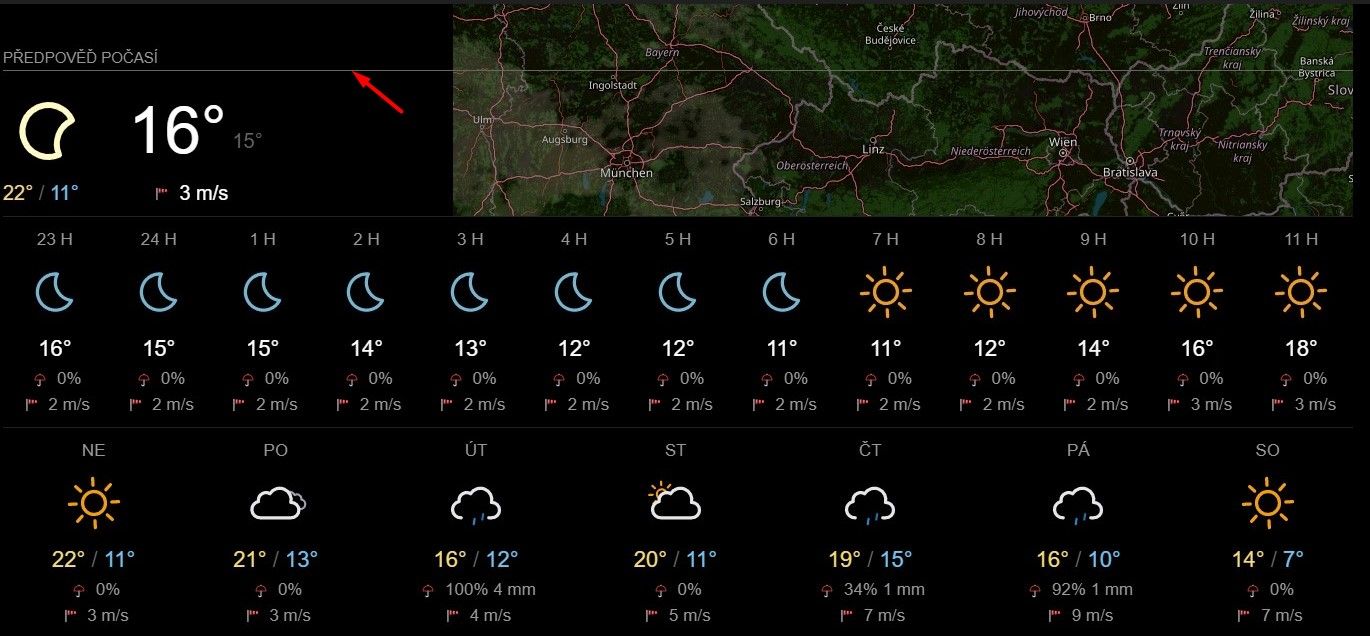
      Good morning,

      please advise how to delete this line marked with a red arrow?

      I assume it will be a CSS edit, would someone be willing to write exactly what I should edit?

      Thank you very much in advance.

      Screenshot_1.jpg

      posted in Troubleshooting
      M
      majsoft
    • RE: MMM-Domoticz-ext: interact with Domoticz

      @goedh452 said in MMM-Domoticz-ext: interact with Domoticz:

      You could create your own module based on the code and modify that css.

      I found that both mmm-domoticz-ext and mmm-domoticz-ext2 work separately for both modules

      If I enter them both at once in config.js it always works only the one that is written as the last one. Can anyone help please?

      posted in Utilities
      M
      majsoft
    • RE: MMM-Domoticz-ext: interact with Domoticz

      @majsoft
      I found that both mmm-domoticz-ext and mmm-domoticz-ext2 work separately for both modules

      If I enter them both at once in config.js it always works only the one that is written as the last one. Can anyone help please?

      posted in Utilities
      M
      majsoft
    • RE: MMM-Domoticz-ext: interact with Domoticz

      @goedh452 said in MMM-Domoticz-ext: interact with Domoticz:

      @majsoft

      You could create your own module based on the code and modify that css.

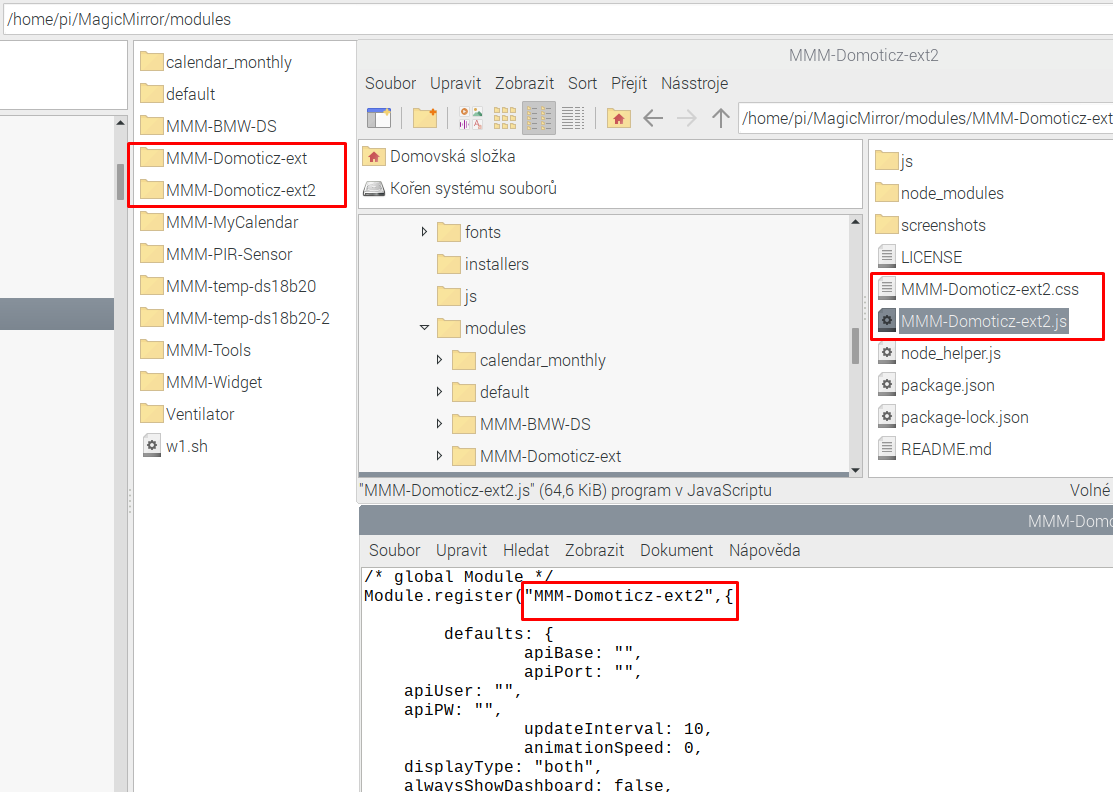
      I can’t get the copied module up and running, it still reports loading. Basic methods for copying a module fail. Can you advise me how to copy the module?

      d99d8125-8520-41fa-a40a-159f34cca99c-image.png

      a17375b7-6e8c-4d7e-a78e-8c3ebfc7a3d8-image.png

      
      {
        module: "MMM-Domoticz-ext",
          position: "bottom_bar",
        config: {
          apiBase: "192.168.2.80",
          apiPort: "8081",
              updateInterval: 15,
      displayType: "room",
                alwaysShowDashboard: false,
                alwaysShowActions: false,
                showButtons: false,
                       horizontal: true,
                columnCount: 3,
                dashboardColumnCount: 12,
                maxTitleLength: 18,
       	     rooms: [
            { idx: "1" },
      { idx: "9" },
      { idx: "8" },
          ],
        }
      },
      
      {
        module: "MMM-Domoticz-ext2",
          position: "bottom_bar",
        config: {
          apiBase: "192.168.2.80",
          apiPort: "8081",
              updateInterval: 20,
      displayType: "room",
                alwaysShowDashboard: false,
                alwaysShowActions: false,
                showButtons: false,
                       horizontal: true,
                columnCount: 3,
                dashboardColumnCount: 12,
                maxTitleLength: 18,
       	     rooms: [
            { idx: "11" },
      { idx: "12" },
      { idx: "13" },
          ],
        }
      },

      
      posted in Utilities
      M
      majsoft
    • RE: MMM-Domoticz-ext: interact with Domoticz

      @goedh452
      yes, I’m just trying to create a new mmm-domoticz-ext-2 module, but even if I replace the text mmm-domoticz-ext with mmm-domoticz-ext-2 in all files, it doesn’t work. then it would be easy in CSS to assign a font size to each module. I’m not a programmer either. I have to follow the trial and error method

      posted in Utilities
      M
      majsoft
    • RE: MMM-Domoticz-ext: interact with Domoticz

      @majsoft

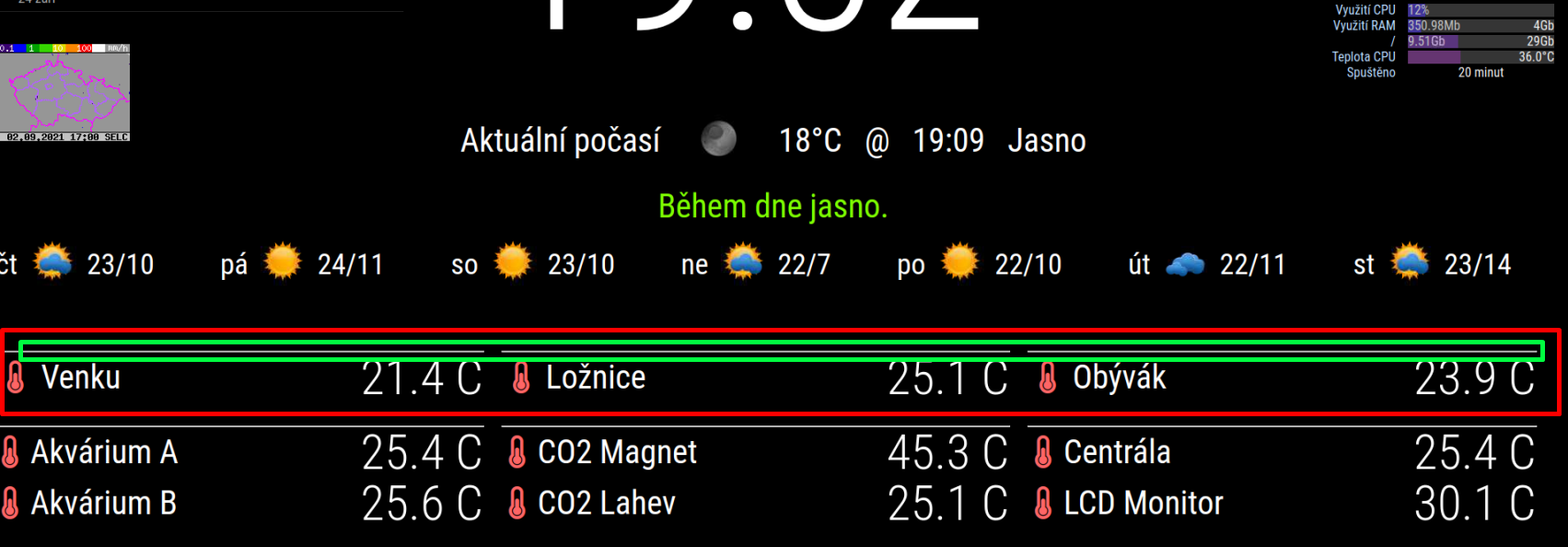
      How to remove the lines (marked in green) I have already come.
      using this code

      hr.domoDivider {
        display: none;
      }
      

      If it is not possible to change the font size of only the first three sensors, it is possible to run 2 instances of the module in config.js, but I do not know how to distinguish these instances in customs.css

      posted in Utilities
      M
      majsoft
    • RE: MMM-Domoticz-ext: interact with Domoticz

      Hi everyone, please help with setting up customs.css
      Can anyone advise me how to change the font and icon size only for the first three rooms? (Red marked)
      I would also need to delete the dividing lines marked in green.
      I will be very grateful for more detailed advice.

      Screenshot_1.png

      customs.css

      .domoCellState {
        text-align: right;
      vertical-align: center;
        padding-left: 10px;
      font-size: 300%; 			/* velikost čísla teploměru */
      color: #FFFFFF; 
      line-height: 100%;
      
      }
      
      .domoIconDiv {
        padding-right: 5px;
        font-size: 200%;                        /* velikost ikony teploměru */
        vertical-align: center;
      }
      
      .domoCell {
        text-align: left;
        vertical-align: center;
       font-size: 200%;			/* velikost pisma popisku teplomeru - vedle ikony teploměru */
      line-height: 100%;
      }
      
      
      .domoRoomCell {
        vertical-align: center;
        padding-right: 20px;
      font-size: 0%;			/* velikost pisma nadpisu room */
      }


      Config.js
      the room numbers for which I would like to change the font size are idx 1, 8, 9

      {
        module: "MMM-Domoticz-ext",
        
        position: "bottom_bar",
        config: {
          apiBase: "192.168.2.80",
          apiPort: "8081",
              updateInterval: 15,
      displayType: "room",
                alwaysShowDashboard: false,
                alwaysShowActions: false,
                showButtons: false,
                       horizontal: true,
                columnCount: 3,
                dashboardColumnCount: 12,
                maxTitleLength: 18,
      
        				
           rooms: [
            { idx: "1" },
      { idx: "9" },
      { idx: "8" },
      { idx: "11" },
      { idx: "12" },
      { idx: "13" },
          ],
      
      
        }
      },


      Another question is whether it is possible to replace the character C with ° (character Celsius)

      posted in Utilities
      M
      majsoft
    • several ds18b20 connected separately to gpio Maggic mirror

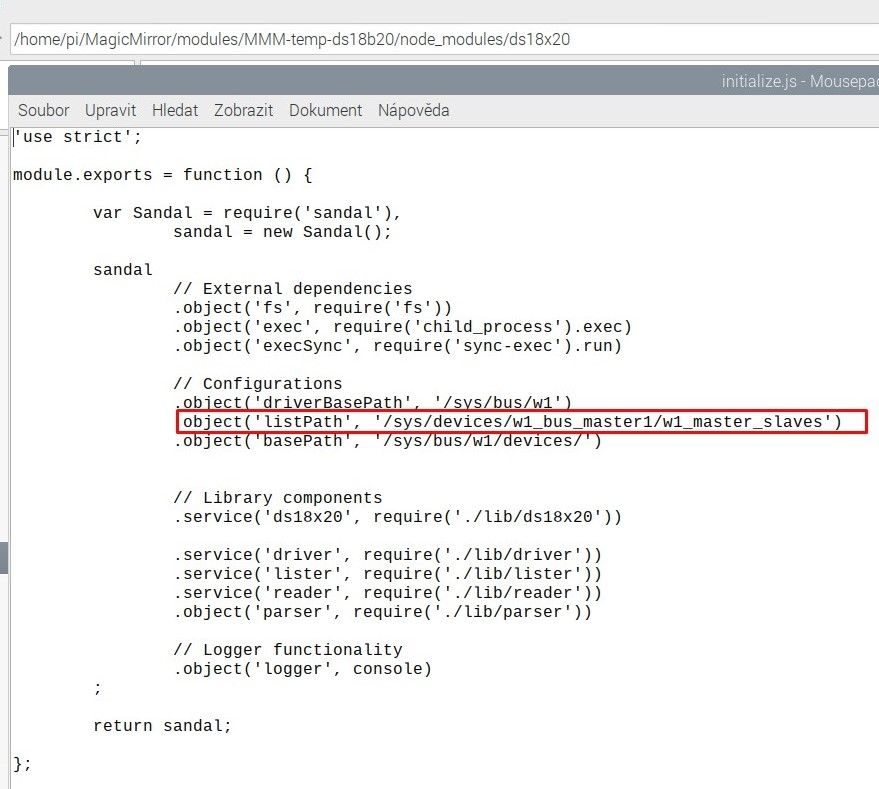
      Hi, I can’t put this module into operation on several thermometers connected separately to different Gpio. The system sees them, but I don’t know how to modify the module to read them. For example, mmm-domoti cz can read them, but I would like to use this module [https://github.com/Thlb/MMM-temp-ds18b20](link url) for magic mirror. Please here’s advice on how to set it up? Hardware RPI4

      each w1_bus_master * directory contains a w1_master_slaves file how to include them all in the driver path? marked red.

      it always shows me only the temperature from the sensor that is listed on the last line of dtoverlay …

      222.jpg

      111.jpg

      posted in Troubleshooting
      M
      majsoft
    • 1 / 1