MagicMirror Forum
    • Recent
    • Tags
    • Unsolved
    • Solved
    • MagicMirror² Repository
    • Documentation
    • 3rd-Party-Modules
    • Donate
    • Discord
    • Register
    • Login
    1. Home
    2. Manu85
    3. Posts
    A New Chapter for MagicMirror: The Community Takes the Lead
    Read the statement by Michael Teeuw here.
    M
    Offline
    • Profile
    • Following 2
    • Followers 2
    • Topics 10
    • Posts 287
    • Groups 0

    Posts

    Recent Best Controversial
    • RE: Changing icons of the modules Current Weather and Weather Forecast

      @sdetweil ah ok here are the entries in my custom css file for the weather, is this what you want?

      .weather .wi-day-sunny {
      content: url(“/css/icons/day.svg”);
      }
      
      .weather .wi-day-cloudy {
      content: url(“/css/icons/cloudy-day-1.svg”);
      }
      
      .weather .wi-rain {
      content: url(“/css/icons/rainy-6.svg”);
      }
      
      .weather .wi-night-clear {
      content: url(“/css/icons/night.svg”);
      }
      
      .weather .wi-night-cloudy {
      content: url(“/css/icons/cloudy-night-2.svg”);
      padding-right: 15px;
      padding-top: 10px;
      }
      
      .weather .wi-cloudy {
      content: url(“/css/icons/cloudy.svg”);
      }
      
      .weather .wi-showers {
      content: url(“/css/icons/rainy-7.svg”);
      }
      
      .weather .wi-thunderstorm {
      content: url(“/css/icons/thunder.svg”);
      }
      
      .weather .wi-snow {
      content: url(“/css/icons/snowy-6.svg”);
      }
      
      .weather .wi-cloudy-windy {
      content: url(“/css/icons/cloudy-day-3.svg”);
      }
      
      .weather .wi-night-rain {
      content: url(“/css/icons/rainy-6.svg”);
      }
      
      .weather .wi-night-snow {
      content: url(“/css/icons/snowy-6.svg”);
      }
      
      .weather .wi-night-thunderstorm {
      content: url(“/css/icons/thunder.svg”);
      }
      
      .weather .wi-night-showers {
      content: url(“/css/icons/rainy-7.svg”);
      }
      
      .weather .wi-fog {
      content: url(“/css/icons/cloudy.svg”);
      }
      
      .weather .wi-night-alt-cloudy-windy {
      content: url(“/css/icons/cloudy-night-1.svg”);
      }
      
      /* Aenderungen Wettervorhersage */
      
      .weather .weathericon {
      position: absolute;
      left: 35px;
      z-index: 1;
      margin-top: -30px;
      height: 60px;
      }
      
      .weather .wi-day-sunny {
      content: url(“/css/icons/day.svg”);
      padding-left: 6px;
      padding-top: 5px;
      height: 50px;
      }
      
      .weather .wi-day-cloudy {
      content: url(“/css/icons/cloudy-day-1.svg”);
      }
      
      .weather .wi-rain {
      content: url(“/css/icons/rainy-6.svg”);
      padding-left: 8px;
      padding-top: 5px;
      height: 45px;
      }
      
      .weather .wi-night-clear {
      content: url(“/css/icons/night.svg”);
      }
      
      .weather .wi-night-cloudy {
      content: url(“/css/icons/cloudy-night-2.svg”);
      height: 50px;
      padding-left: 5px;
      padding-top: 7px;
      }
      
      .weather .wi-cloudy {
      content: url(“/css/icons/cloudy.svg”);
      }
      
      .weather .wi-showers {
      content: url(“/css/icons/rainy-7.svg”);
      }
      
      .weather .wi-thunderstorm {
      content: url(“/css/icons/thunder.svg”);
      }
      
      .weather .wi-snow {
      content: url(“/css/icons/snowy-6.svg”);
      }
      
      .weather .wi-cloudy-windy {
      content: url(“/css/icons/cloudy-day-3.svg”);
      height: 45px;
      padding-left: 8px;
      padding-top: 7px;
      }
      
      .weather .wi-night-rain {
      content: url(“/css/icons/rainy-6.svg”);
      padding-left: 8px;
      padding-top: 5px;
      height: 45px;
      }
      
      .weather .wi-night-snow {
      content: url(“/css/icons/snowy-6.svg”);
      }
      
      .weather .wi-night-thunderstorm {
      content: url(“/css/icons/thunder.svg”);
      }
      
      .weather .wi-night-showers {
      content: url(“/css/icons/rainy-7.svg”);
      }
      
      .weather .wi-fog {
      content: url(“/css/icons/cloudy.svg”);
      }
      
      .weather .wi-night-alt-cloudy-windy {
      content: url(“/css/icons/cloudy-night-1.svg”);
      height: 50px;
      padding-left: 5px;
      padding-top: 7px;
      }
      
      posted in Development
      M
      Manu85
    • RE: Changing icons of the modules Current Weather and Weather Forecast

      @sdetweil dans mon custom css j’ai fait ces entrées par exemple (je ne sais pas si c’est ce que vous voulez…):

      /*
       * SONDE DHT 22 temperature interieur
      */
      #dht_temp {
        font-size: 40px;
      
      /*
       * TEMPERATURE CPU
      */
      }
      #pi_temp {
        font-size: 30px;
      }
      
      /*
       * CALENDRIER ICONES AGENDA
      */
      .fa.fa-male {
        color: #2B60DE; /* Dodger Blue */
      }
      .fa.fa-birthday-cake {
        color: #ff0000; /* Red */
      }
       
      .fa.fa-trash-o {
        color: #00FF00; /* Green */
      }
      
      .fa.fa-calendar {
        color: #F660AB; /* Hot Pink */
      
      posted in Development
      M
      Manu85
    • RE: Changing icons of the modules Current Weather and Weather Forecast

      @sdetweil exactly right, but I no longer have weather icons :beaming_face_with_smiling_eyes:

      posted in Development
      M
      Manu85
    • RE: Changing icons of the modules Current Weather and Weather Forecast

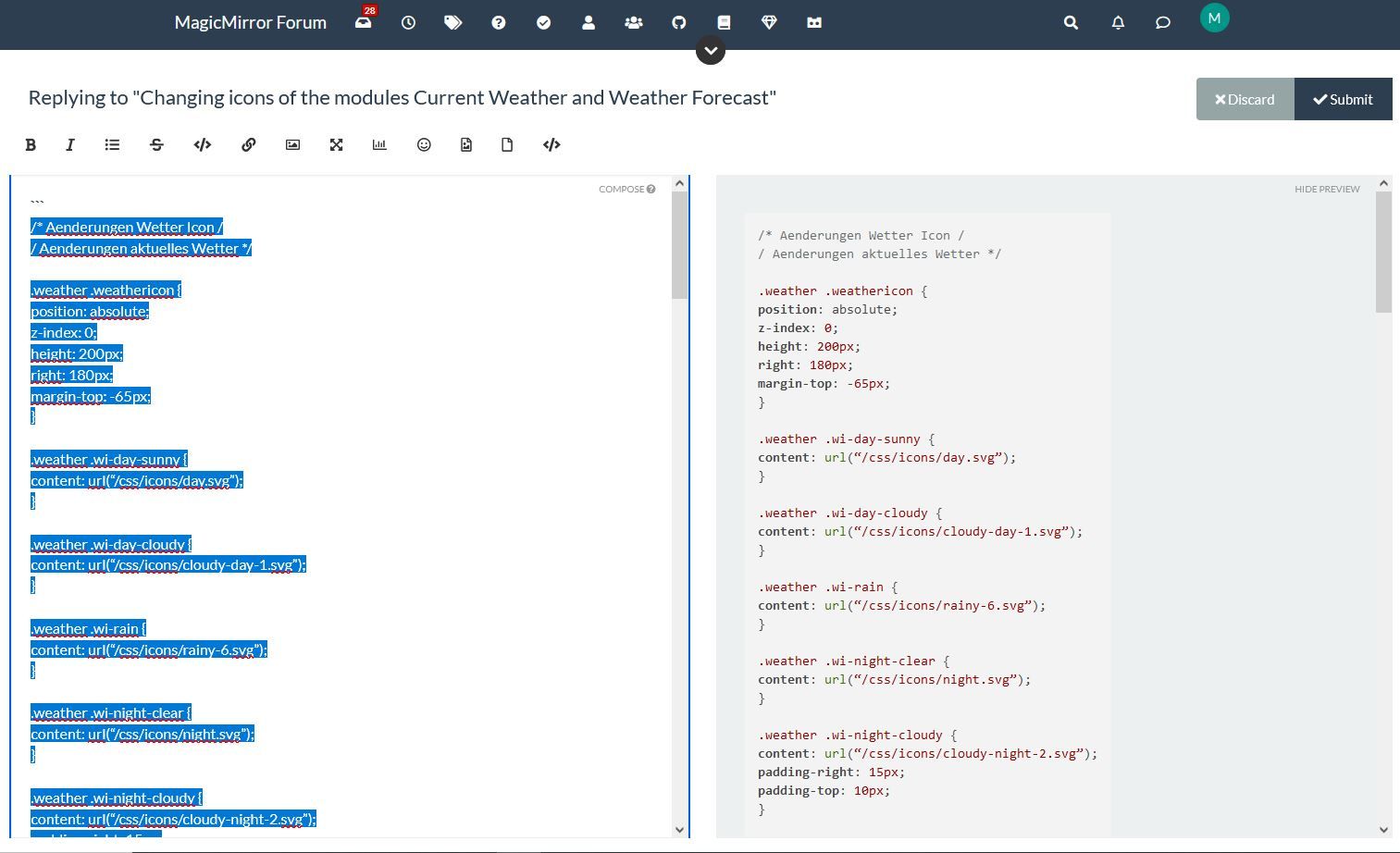
      @sdetweil I did the manipulation on this forum and the text that I copied into my custom css has this form:
      .weather .wi-day-sunny {
      content: url(“/css/icons/day.svg”);
      }

      posted in Development
      M
      Manu85
    • RE: Changing icons of the modules Current Weather and Weather Forecast

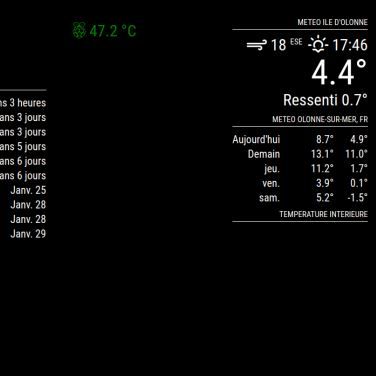
      @sdetweil thank you for your patience and for your help, I copied all the lines for the custom css and I pasted it into the “site text editor” sorry for the terms but they are probably not good, then I selected the text, I pressed the </> button and on the other window I had the modified text (see screen copy) then I copied this new text and I copied it into the custom css and the original weather icons have disappeared but I don’t have any new icons, see the other screenshot, I will get there thanks to you :-)

      selection pour css custom1.JPG Copie ecran MM.JPG

      posted in Development
      M
      Manu85
    • RE: Changing icons of the modules Current Weather and Weather Forecast

      @sdetweil hello, I waited this morning to read your response and have clear ideas, but I do not have the level of knowledge required to do what you are asking me :-( , I have never used "code block wrapper " etc. and I have never coded, you are really very nice but this is beyond my skills, I managed to install the MM on my raspberry pi 3b+, I know how to install modules from github, make some adaptations in the custom css file by following tutorials but my skills stop there, initially I just wanted to change the icons of the weather module, the module is very good because the icons are not very pretty but I realize that it is not is not as simple as I thought, I am really sorry to have wasted your time and I thank you again for your patience and your sharing of knowledge, I have the temperament of a winner but in this specific case I reach my limits :-)

      posted in Development
      M
      Manu85
    • RE: electron.js HELP

      @sdetweil Thank you for your answer

      posted in Troubleshooting
      M
      Manu85
    • RE: MMM-SORT out of credits

      @Mykle1 hi, for information, now it’s a trial version with 200 calls and after that you need a paid subscription

      posted in Troubleshooting
      M
      Manu85
    • RE: electron.js HELP

      @sdetweil
      I don’t see this line!

      app.commandLine.appendSwitch(‘autoplay-policy’, ‘no-user-gesture-required’);

      posted in Troubleshooting
      M
      Manu85
    • RE: electron.js HELP

      @sdetweil you know me well :-)

      posted in Troubleshooting
      M
      Manu85
    • 1 / 1