@codac
In chrome/chromium, it might be --disable-web-security flag on execution.
M
Offline
A New Chapter for MagicMirror: The Community Takes the Lead
Read the statement by Michael Teeuw here.
Read the statement by Michael Teeuw here.
Posts
-
RE: Compliments with remote file doesnt work.
-
RE: Compliments with remote file doesnt work.
@codac
Modern browser doesn’t allow cross-originated contents(code, data whatever) by default for security reason. I think there might be an option to turn it off(in browser or electron) I’m in out of my pc, so can’t test it by myself, but definitely exist, I know. -
RE: MMM-Parcel
@johnbachini
The Mmm-Parcel may be using node-fetch, but it calls that in wrong way. Ask the creator. -
RE: Personalized Widgets with fingerprintsensor
@im_ibjo
Ideally, possible, but heavy modification might be needed. Because;- What you need is fully personalized MM, not so easy. MM doesn’t consider
profileoraccountby default. Some modules support multi profiles or accounts, but not all modules can do that. And MM doesn’t support dynamic configuration, so you need to restart to apply a different configuration. - Just what you need is one or two specific modules for personalizing, It makes sense. Just make those modules you need on your own, and connect the fingerprint handler. Handling fingerprints is not a job of MM, so you need to find how to handle it by yourself. Anyway, once you find a way how to work with the sensor, you can build your needed modules by yourself (or with a help…)
- What you need is fully personalized MM, not so easy. MM doesn’t consider
-
RE: MMM-CalendarExt2
@askedal
Anyway, I need to point this; The MMM-CalendarExt2 is going to die because of its unusual complexity to use and heavy dependencies of obsoleted legacy node modules. I already have archived it. I wish I can release Ext3 in near future to solve those problems. -
RE: MMM-CalendarExt2
@askedal
I think you are missing some options;
They might beslotCountandfromNow.
slotCountindaily viewpoints How many days will appear
fromNowindaily viewpoints From which day the view begins.So if you set daily view like this;
fromNow: -1,
slotCount: 5
It will show 5 days schedules from yesterday.
I think you probably want 7 days schedule from today. In that case, this will work; (You may need more options and CSS modifying to beautify the look of view)
{ name: "VIEW1", mode: "daily", title: "My Schedule", position: "bottom_bar", type: "row", slotCount: 7, fromNow: 0, useEventTimeRelative: true, }, -
RE: MMM-CalendarExt2
@askedal
And the start day of week respects your locale. So in your country, if the week starts from Monday, adjust your locale to it. -
RE: MMM-CalendarExt2
@askedal
Weeks views purpose is that. Use Daily view with horizontal layout. -
MMM-Scenes
MMM-Scenes
“Life is a theatre set in which there are but few practicable entrances.”
― Victor Hugo, Les MisérablesMagicMirror module to change screen scenes by time and order with ANIMATION EFFECT.
Demo
Concept
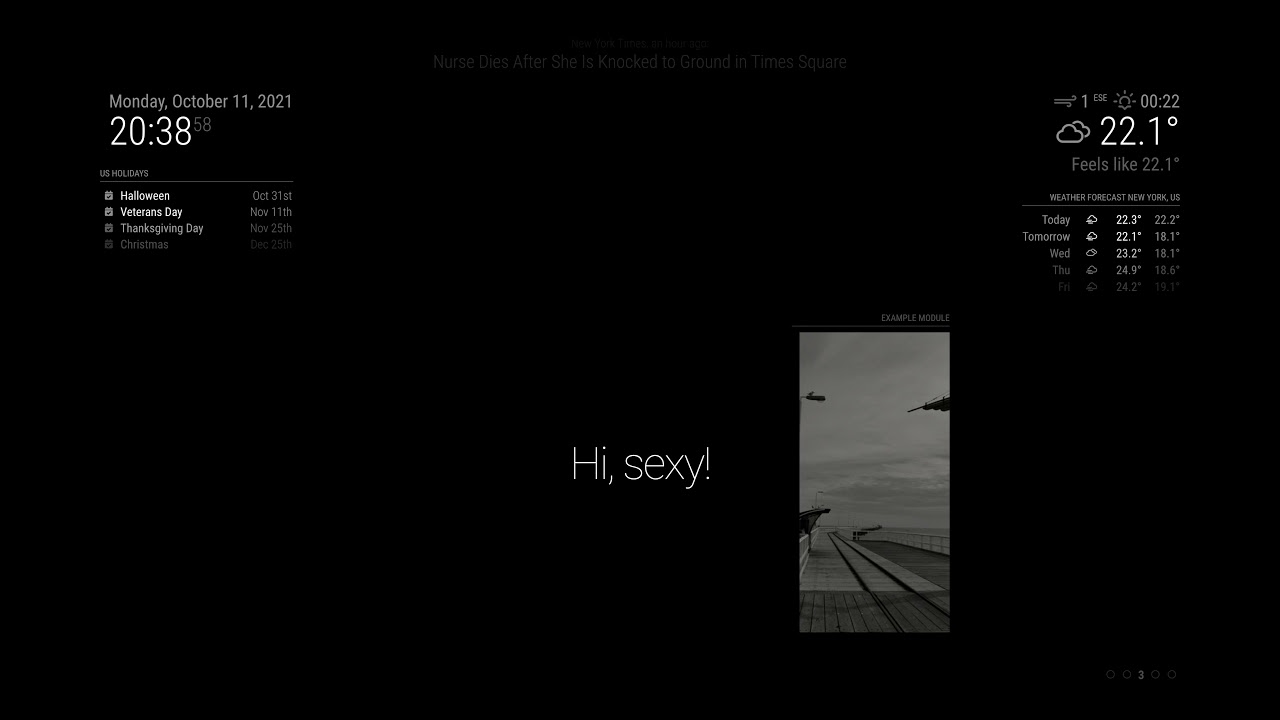
The scenario of the MM screen is made up of a series of scenes. Each module has its role in its appearance scenes to enter and exit by design.
When a scene begins, all modules whose roles end, will be expelled, and all modules that have the parts in that scene will be admitted.
As described in the scenario, your MM screen will play a drama with modules.
Features
- control show/hide modules by assigning scene names into the module’s class
- custom animations for modules expel/admit
- control scenes by notification and WebURL endpoints.
- Loop control
- custom indicators
Warning
Old/weak SBCs (e.g. RPI 3 or older) may not have enough power to handle severe animations.
More Details
https://github.com/MMRIZE/MMM-Scenes -
RE: Segment fault MMM-GoogleTTS
@jamesarm
Glad to hear it works for you now. -
RE: Start and Stop the MagicMirror
@mike-0
Have you considered this? https://github.com/gfischershaw/MMM-Touch
It can define your touch gesture then assign jobs even shell scripts execution. -
RE: Connecting Modules to Each Other
@tonkxy
Hmmmm… I cannot understand thesetCurrentWeatherType.Anyway, I recommend you this module; https://github.com/BrianHepler/MMM-WeatherBackground
You need to study how MM module works, at least to train how to use.You don’t need to pull weather info from an external weather API like Darksky. Already there are many modules showing weather info on MM screen and spitting that info out through
notification.For example, default
weathermodule also emit notifications of weather info periodically. All you need to do is catching that notification and consume them in your module.default
weathermodule would emitCURRENTWEATHER_TYPEnotification.
You can catch that notification like this.notificationReceived: function (notification, payload, sender) { if (notification === 'CURRENTWEATHER_TYPE') { console.log(payload) // manipulate payload then extract data what you need. // do your job } }Anyway, Study the above module. That has almost all features you are trying. (except the image source)
-
RE: Blank Screen after New Installment
@rxldavid
You need ‘request’ module. It was deprecated from MM, but your quote of the day module is depending on it.- the best thing is to request module developers fixing it.
- you can install ‘request’ module by yourself
Go to quote of day module directory then;
npm install request -
RE: Connecting Modules to Each Other
@tonkxy
And there be already similar modules. Look inside and study how they did. -
RE: Connecting Modules to Each Other
@tonkxy
Usually some module might spit out some notifications with various data those want to be consumed.
With luck you can gather all data you need from the notifications.Some modules might provide public method functions to interact with other modules.
Some modules might provide WebAPI url endpoints to communicate with world.
Well, even if there exists nothing to use, you can inject or reassign(overwrite) MM module methods for your needs, because MM module is not encapsulated by default.
-
RE: Voice Assistant
@jairojosy
This would be unnecessary worrying, but I have to point these things;- Implementing Google Assistant in a device doesn’t mean you can handle that device with voice commands. The two things are less related.
- For native commanding MM with voice, you need to host
Custom Device Actionsby yourself. (Or you can depend on IFTTT, but somewhat limited features) - To get the benefit of native flawless conversation, you might need
dyanmic or local fulfillment, but in that case Certificated server is needed.
However, whole the experience will probably be interesting and funny. Good luck to you.
-
RE: Voice Assistant
@jairojosy
Ok.
I assume you are using Google Assistant Service SDK with Python library.
You may get the response from Assistant Server asAssistResponse. You can find some member data of that response likeaudio_outorscreen_out, orDialogStateOut.supplemental_display_textor whatever you need.Once you extract the data you need, the next thing you need to do is emit that data into MM. A usual way might be REST-like requesting/responsing. You need to build MM module which can handle HTTP request/response, like
GET http://localhost:8080/MMM-MyGoogleAssistant/message?...I think you can make your python app to request your data through that REST-like URL.Another way might be using MQTT, or websocket messaging. Or if you have some experience, you can execute your python app inside your node module then get the
stdoutas an input stream.I recommend implementing with native MM module by nodeJS instead of external Python thing. but decision is yours.
-
RE: Voice Assistant
@jairojosy
Use already existing module like MMM-GoogleAssistant.
Your python app is not compatible with MM. At least you need to hook the output response then transmit to MM, and also you need to build a receiver module to get and display conversation. I will not say it is impossible, but not so quite simple. Why are you reinventing wheel again? -
RE: Need help with resizing regions
@techlady
Unfortunately, MMM-CalendarExt2 doesn’t respect MM’s default show/hide mechanism, so you need some tweek to achieve your goal with some paging modules.
I’m regretting that I made that way, I thought it was a nice idea at that time. Anyway CalExt2 is going to its life ends due to dying dependencies. So at this moment I have no plan to improve. (Maybe new module instead?)