After updating to the newest version and MagicMirror 2.15 too, the UV-index produces an extra line.
How is that possible to have every icon in the same line?
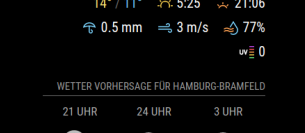
After updating to the newest version and MagicMirror 2.15 too, the UV-index produces an extra line.
How is that possible to have every icon in the same line?
Hi,
after upgrading to 2.15 i have an additional line in the “newsfeed” module.
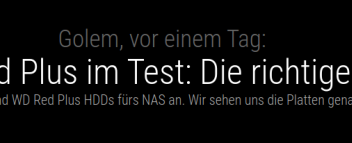
How is that possible to hide the 3rd line? Didnt found any config possibility.
Did anyone got this running.
I have tested on MM2 - 2.14 and 2.15. No sucess.
Just the Time runs…
Do i have to do anything special like pairing the toothbrush (not possible, pairing nit sucessful).
Im using RPI4 with BT build in.
@sdetweil Thanks for you fast reply. I think im using the wrong terms and now youre confused ab bit.
First of all- i think i found a solution with MMM-Remote-Control so i can show/ hide modules like i want.
Now i try to explain it a bit better.
I use MMM-pages and configured MMM-MotionEye under the fixed section. Every time i have movement, i want to show the camera-stream with the http-command:
http://mirror:8080/motioneye
I always want to hide the stream, but not for 60 seconds when i have movement in my entrance. So the camera stream needs to be activated.
With the MMM-pages module i have configured 2 different pages and auto-flipping every 60 seconds.
The problem is: Every time i hide the stream with http://mirror:8080/motioneye/hide … with the flip to the next side, the stream is showing up again.
I hope you understand me now in a better way. Now i have to figure out, how to show/hide the MMM-MotionEye via API in MMM-Remote-Control.
Hi,
im using MMM-Pages togehther with MMM-Motioneye.
I fixed MMM-Motioneye in Pages so i have no “refresh” Its possible to disable MMM-Motioneye via http-request.
I disable MMM-Motioneye butwith every flip, MMM-Motioneye is loaded again.
I checked the developer settings, but no new loading of MMM-Motioneye in sight. Pretty strange.
Does anyone have an idea? I just want to use both modules.
@oberfragger
ok. solved.
Somehow it was working after an hour or so.
Also- you have to enable access to the mirror via
address: “0.0.0.0” and whitelist
The the commands http://mirror:8080/motioneye and http://mirror:8080/motioneye/hide are working.
I had the same problem. After 1 hour or so, the stream was gone.
Also- you have to enable access to the mirror via
address: “0.0.0.0” and whitelist
Then the commands
http://mirror:8080/motioneye and http://mirror:8080/motioneye/hide are working.
@Cato
I really want to use the AutoHide feature. But the stream is fixed and always displayed. Is there any possibility…?
	{
		module: "MMM-MotionEye",
		position: "bottom_left",
		config: {
			url: "http://pihole:8081",
			autoHide: true,
			autoHideDelay: "10000",
			forcedRefreshInterval: 60000,
			width: "400px",
			debug: false
				}
	},
@goldjunge_chriz said in *NEW LIST 23.08.2020* Two way community order for mirror glass for all european countries - Open until at least 10 people have entered:
In the past, I went in advance with the payment in such cases, but unfortunately I was left sitting on the mirror and the money a few times (people have not contacted me at all or had no more money). And to sell a custom-made mirror with very special dimensions elsewhere is very difficult. Therefore, I no longer go with the payment in advance.
I would have done it in the same way.