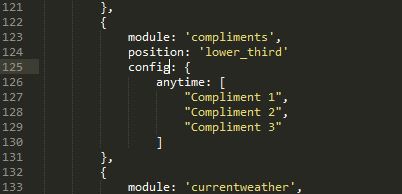
Ok, these are done and no longer an issue, hurrah!:grinning:
    css/main.css
    modules/default/compliments/compliments.js
    modules/default/newsfeed/newsfeed.js
    modules/default/weatherforecast/weatherforecast.js
Can’t get
modules/default/calendar/calendar.js
into config.js though.
			module: 'calendar',
			header: 'Calendar',
			position: 'top_left',
			config: {
                    maximumEntries: 8, // Total Maximum Entries
                    maximumNumberOfDays: 365,
                    displaySymbol: true,
                    defaultSymbol: "calendar", // Fontawesome Symbol see http://fontawesome.io/cheatsheet/
                    displayRepeatingCountTitle: false,
                    defaultRepeatingCountTitle: "",
                    maxTitleLength: 25,
                    fetchInterval: 5 * 60 * 1000, // Update every 5 minutes.
                    animationSpeed: 2000,
                    fade: true,
                    urgency: 0,
                    timeFormat: "absolute",
                    dateFormat: "ddd Do MMMM",
                    getRelative: 2,
                    fadePoint: 0.25, // Start on 1/4th of the list.
                    hidePrivate: false,
                    calendars: [
					{
						symbol: 'calendar-check-o ',
						url: 'https://calendar.google.com/calendar/ical/PRIVATE_KEY/basic.ics'
					}
				]
			}
		},
		{
			module: 'calendar',
			header: 'Binday',
			position: 'bottom_left',
			config: {
                    maximumEntries: 8, // Total Maximum Entries
                    maximumNumberOfDays: 365,
                    displaySymbol: true,
                    defaultSymbol: "calendar", // Fontawesome Symbol see http://fontawesome.io/cheatsheet/
                    displayRepeatingCountTitle: false,
                    defaultRepeatingCountTitle: "",
                    maxTitleLength: 25,
                    fetchInterval: 5 * 60 * 1000, // Update every 5 minutes.
                    animationSpeed: 2000,
                    fade: true,
                    urgency: 0,
                    timeFormat: "absolute",
                    dateFormat: "ddd Do MMMM",
                    getRelative: 2,
                    fadePoint: 0.25, // Start on 1/4th of the list.
                    hidePrivate: false,
                    calendars: [
                    {
						symbol: 'pagelines ',
						url: 'https://calendar.google.com/calendar/ical/PRIVATE_KEY/basic.ics'
					}
				]
                titleReplace: {
                //	"'s birthday": "",
                //	"Recycling": "Bins",
                    "Red Bin": "Red and Black Bins",
                    "Green Bin": "Green and Black Bins"
                }
			}
		},
What have I missed?!
Thanks.