@dazza120 right. That makes my script executable, so motion can execute it
Now u will see files appear in the MMM-SleepWake/motion folder
When the motion module detects motion, and when it ends.
My module uses those files
@dazza120 right. That makes my script executable, so motion can execute it
Now u will see files appear in the MMM-SleepWake/motion folder
When the motion module detects motion, and when it ends.
My module uses those files
@cluelesscarter not windowed, but you can minimize. alt, spacebar, n. same as on windows.
but, if u open the developers window ctrl-shift-i on the keyboard, and select the elements tab, u can edit the styles directly. and then you know what to.put in css/custom.css. then u can reload with ctrl-r or refresh in the developers pane
@sdetweil u start the motion tool with sudo motion &
And u can see it’s actions in /var/log/motion/motion.log
The tail command will show you the last few lines (default 20) of a file
@bkeyport now, and later, use the new library in your module and add it to your package.json.
then if the system provides it npm install will say ‘done’
and if the system doesn’t, then it will load it for your module…
@joey I did this before in css, I’ll have to look for it later,
But basically change the direction from column to row
Original
.region .container {
display: flex;
flex-direction: column;
}
Override in custom.css
.region.top.left .container {
flex-direction: row;
}
Then put all those in the top-left position
modules do not reload… their content is not shown when hidden
@BD0G said in MMM-Lunartic:
MMM-Lunartic .header {
missing the dot in front of MMM-Lunartic
@elleclouds ok…
the motion module needs a video device…
run these two commands
sudo apt-get install v4l-utils
v4l2-ctl --list-devices
find the ‘camera’ device in the list
mine shows
odroid@odroid:~/MagicMirror$ v4l2-ctl --list-devices
s5p-mfc-dec (platform:11000000.codec):
/dev/video10
/dev/video11
s5p-jpeg encoder (platform:11f50000.jpeg):
/dev/video30
/dev/video31
s5p-jpeg encoder (platform:11f60000.jpeg):
/dev/video32
/dev/video33
exynos-gsc gscaler (platform:13e00000.video-scaler):
/dev/video20
exynos-gsc gscaler (platform:13e10000.video-scaler):
/dev/video21
UVC Camera (046d:0825) (usb-xhci-hcd.3.auto-1.2):
/dev/video0
the last is the camera…
so, in the motion.conf,
set the line videodevice to the value returned for the camera, in my case /dev/video0
# Videodevice to be used for capturing (default /dev/video0)
# for FreeBSD default is /dev/bktr0
videodevice /dev/video0
after changing the config file
either do
ps -ef | grep motion
get the process id (pid) use below
kill -s SIGHUP pid
mine is
odroid@odroid:~/MagicMirror$ ps -ef | grep motion
root 7756 1 0 Mar08 ? 00:14:21 motion
pid = 7756
or reboot
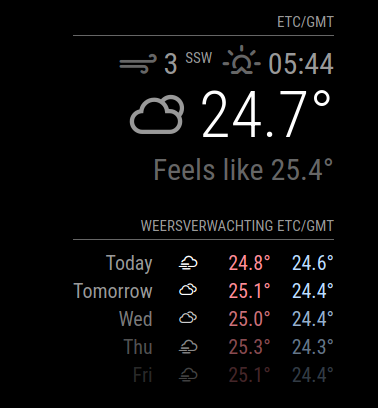
@dazza120 the tv is an energystar device. which will show the ugly no input screen until the energyStar timeout (15 minutes) and then power off…
that is what the HIDE setting on my MMM-SleepWake module does. it blanks the screen, instead of turn off the signal.
@thedk unlikely… or so small as to be unmeasurable
@uros76 use css to control the picture size
see here to learn how
https://forum.magicmirror.builders/topic/14862/help-with-a-couple-css-issues?_=1624533876114
@t-architecture99 could u provide a little more info… someone might be able to help you
@MichMich thanks for the trust…
sudo nano /etc/motion/motion.conf
nano or whatever editor you choose…
@j-e-f-f I have a mopdule that tracks water usage and tank levels, once every 5 minutes… calls an api, gets all the values, and draws the graphs…
my SleepWake module puts the mirror to sleep when no one is around… but when it wakes up, it updates…
in like 5-10 seconds…
no point pulling all that data overnight, or when I am gone for the day…
@uros76 what MM version are you on? there is a bug in releases prior to 2.17.1 in e;lectron handling expired certificates…
use my script to upgrade if on 2.16 or earlier
as we have transitioned the Forum to new systems and newer NodeBB software, we are still finding things we need to adjust…
so daily we will need to restart … its about 5pm US eastern time… only down for a couple minutes…
thanks for your patience
@dazza120 no, those are comments to explain what these lines do