@nowayto all mmFetchTimeout does is allow waiting longer in the modules mode-helpers
The black screen means the app crashed, lucky that ctrl-r works
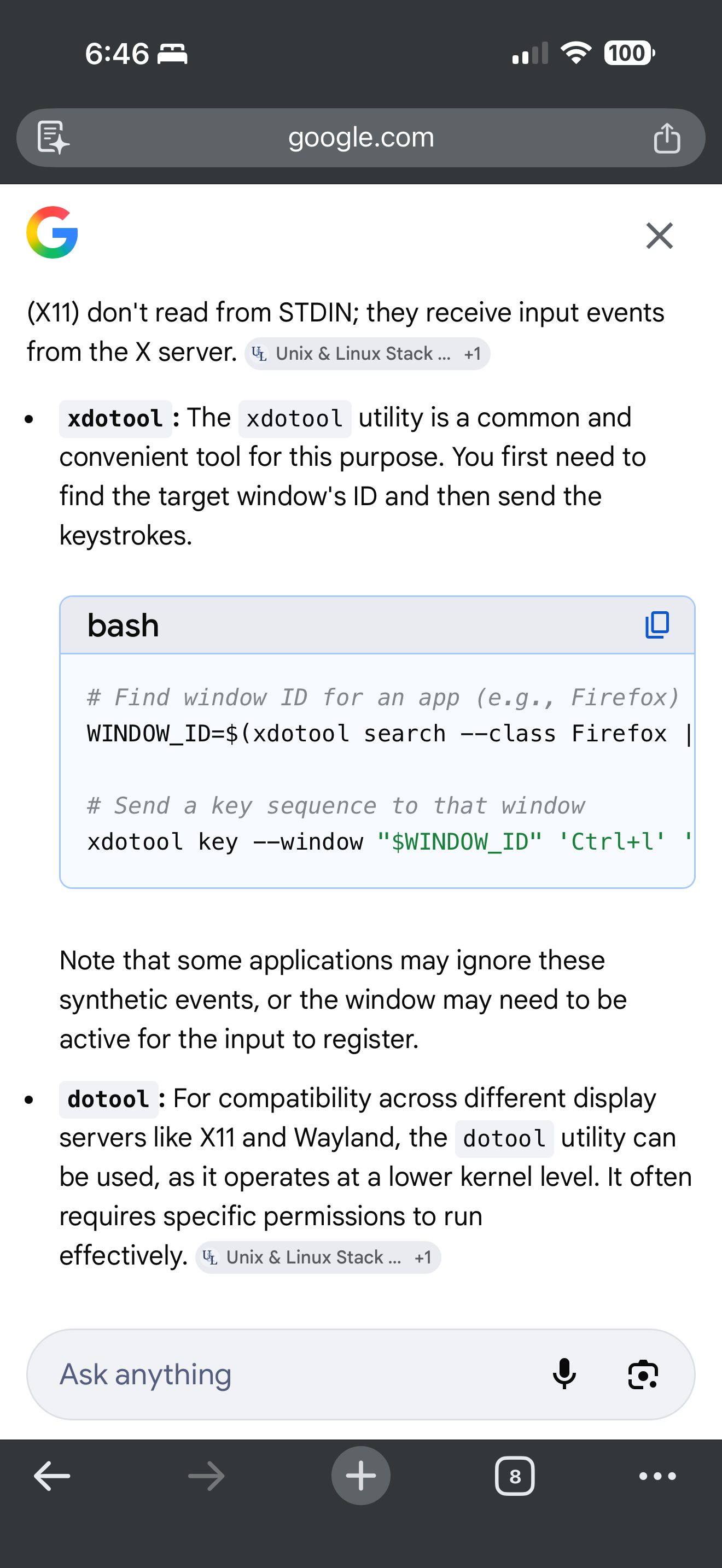
There are Linux tools that can send keystrokes
@nowayto all mmFetchTimeout does is allow waiting longer in the modules mode-helpers
The black screen means the app crashed, lucky that ctrl-r works
There are Linux tools that can send keystrokes
@nowayto I don’t know.
You could try adding a sleep xxx (seconds)
In front of the npm start in mm.sh to let the system settled down a little.
The remote control module has a refresh api url you could invoke thru curl
But, I think this may indicate the beginning of the sd card death, they are not made to handle a lot of writes. And your system is doing the worst kind, restarting every day.
Make sure you have a good backup
@videogame95 if you logoff and login again, does that make a difference?
@jpiatt because there are multiple vevents with the same UUID, AND NO rrule, this says the actual event has been expanded somewhere… are you using MMM-CalDav??
if so, please change the server side property
expand true
to false
@daportelli Ah, you are using MMM-GoogleCalendar
which doesn’t support the text replacement
I am talking about the default module:‘calendar’
@daportelli ok, I just setup an event, happening every day
‘Spotify Event’
added the custom event def you showed
                {
                        module: "calendar",
                        header: "US Holidays",
                        position: "top_left",
                        config: {
                                customEvents: [
                                        { keyword:'.*', transform :{ search:'Spotify', replace:'Music'} }
                                        ],
                                calendars: [
                                        {
                                                fetchInterval: 7 * 24 * 60 * 60 * 1000,
                                                symbol: "calendar-check",
                                                url: "https://ics.calendarlabs.com/76/mm3137/US_Holidays.ics"
                                        },
and got this result
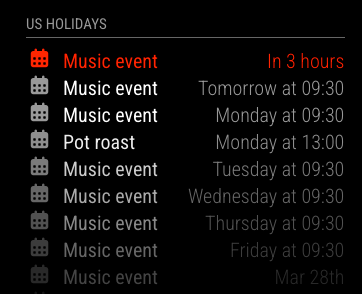
MM 2.34
I changed the customEvent definition to
{ keyword:'event', transform :{ search:'Spotify', replace:'Music'} }
and it produced the same resutlts
@videogame95 I do not know
when I go there I see the button, but it is disabled as I have 3 apps defined

@jpiatt can you show the event from the iCal data
curl -sL the cal_url > somefile.txt
Edit somefile.txt and find the vevent for that
Paste here w code block around
You can change the title and any other thing that exposes you or your url. Don’t delete any lines
There is a big rewrite of the calendar processing coming on April 1.
You could test that now, see the troubleshooting section pinned topics on testing fixes
@evroom keyword is not insensitive and cannot be set that way.
the search can be
@Nidra57 this module is broken, a pull request was posted to fix it, but not merged
I see you opened the PR
@rmonkey nothing I can think of
@videogame95 ok, I led you on the wrong path.
did you translate the module github page into your preferred language? it has all the instructions
install the module
launch the web page
Access it by going to https://onsp.fabriz.co/
create the app on the spotify developers site
add the redirect URL
Now add https://onsp.fabriz.co/ as the redirect URI (include the trailing /), so Spotify knows to redirect you here with the credentials
scroll down and press save
click on Save
add you as a user
Once you added yourself as a user, go back to the Basic Information tab,
see/copy the clientid and client secret values into the fields on the web page
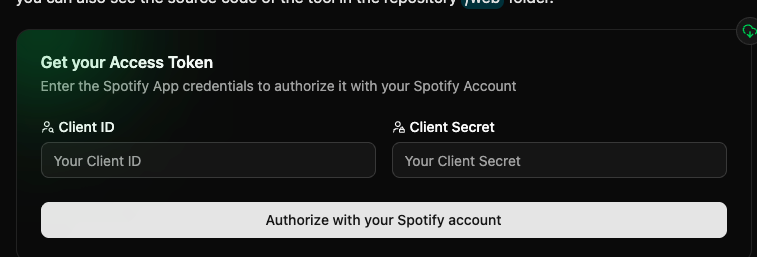
press
authorize with your Spotify account
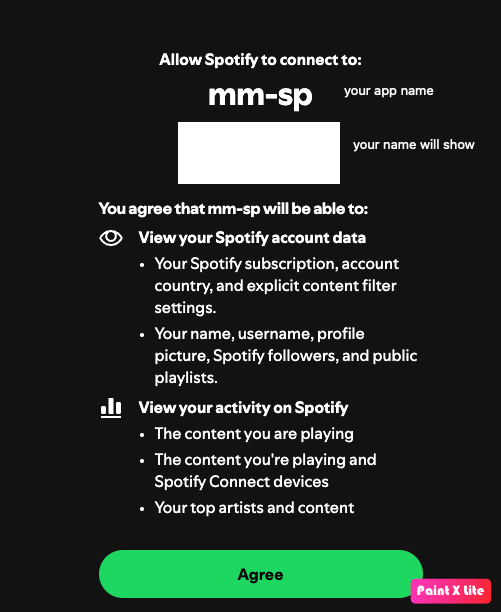
on return from authorize it will display the sample module definition for config.js (clipped here so you can see it)
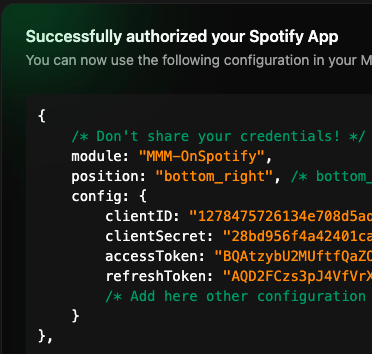
copy that blob to your config.js
save and restart MagicMirror
@rmonkey one quick test for custom.css, rename it to sone other name
@Nidra57 please , code block around config, log, js
There could be errors shown in the place you start MagicMirror
If pm2, then
pm2 logs —lines=xxxx
Where xxxx is the count of most recent lines, default 15
@videogame95 the refresh token will be created by the module
Install Module,
cd to It’s folder
Run the authorize command line app
Then go to the web page
Note that the module requires the Spotify premium account
As Spotify locks out the free api
@wishmaster270 thx… I know you get busy sometimes…
@rmonkey I’d also post an issue in the repo GitHub, for the author. Tom is usually very responsive.