MagicMirror Forum
    • Recent
    • Tags
    • Unsolved
    • Solved
    • MagicMirror² Repository
    • Documentation
    • 3rd-Party-Modules
    • Donate
    • Discord
    • Register
    • Login
    1. Home
    2. shbatm
    3. Posts
    A New Chapter for MagicMirror: The Community Takes the Lead
    Read the statement by Michael Teeuw here.
    S
    Offline
    • Profile
    • Following 0
    • Followers 3
    • Topics 12
    • Posts 208
    • Groups 1

    Posts

    Recent Best Controversial
    • RE: MMM-Swipe - Hand gestures

      To anyone still looking to continue development of this module or to adjust it so the Mirror does not need to be run as sudo: I started work on a fork to change to using the onoff node module which doesn’t require sudo.

      The new version is about 90% there and just needs some additional testing to make sure everything works as intended. Unfortunately, after I put the effort into re-writing a lot of the code, I realized that the sensors and my dog do not get along so I need to try something else.

      I’m putting the code out there in case anyone is interested in taking it any further… there are some development notes on the readme page to explain some of the differences in the two versions.

      Thank you to @mochman for the original development and inspiration.

      [card:shbatm/MMM-Swipe]

      posted in Troubleshooting
      S
      shbatm
    • RE: [MMM-RTSPStream] - Video Streaming from Live Feeds & Security Cameras

      Great! I’m glad it’s working!

      Still trying to find a more robust way for getting the right location for the overlay that doesn’t get messed up by margins and borders.

      Starting on line 321 of MMM-RTSPStream.js try changing the +47 at the end of each line. I’d start with making them 0 and see if that helps:

      box: {
          top: rect.top + 47,       // Compensate for Margins 
          right: rect.right + 47,   // Compensate for Margins
          bottom: rect.bottom + 47, // Compensate for Margins
          left: rect.left + 47      // Compensate for Margins
      }
      

      ICYW: The 47 comes from a combo of the body margin, padding and borders on my setup.

      posted in Utilities
      S
      shbatm
    • RE: [MMM-RTSPStream] - Video Streaming from Live Feeds & Security Cameras

      @bhepler Have you tried the omxplayer method above? This should be using hardware acceleration–on my RPi3 this is using ~10% CPU.

      Note: I have updated the development branch to use omxplayer by default for the local screen. You do not need to change anything in your config, just switch to the branch using:

      cd ~/MagicMirror/modules/MMM-RTSPStream
      git checkout wip
      # Update node modules
      npm run-script update
      

      See the updated README here for more details – once tested I’ll update the main branch:
      https://github.com/shbatm/MMM-RTSPStream/tree/wip

      posted in Utilities
      S
      shbatm
    • RE: [MMM-RTSPStream] - Video Streaming from Live Feeds & Security Cameras

      @Niggich Just letting you know that I’m testing an alternate method for displaying the video if you want to test it out. It uses omxplayer to overlay the video stream directly onto the display, which uses hardware acceleration. It only works on the local display and is still a work in progress, but there is minimum latency since it’s a direct stream.

      To use, make sure you have omxplayer installed and then switch to the development branch:

      cd ~/MagicMirror/modules/MMM-RTSPStream
      git checkout wip
      

      And update your module config to add: player: 'omx' (outside of the streamX configs).

      Future plans include:

      • Ability to play full screen
      • Show thumbnails on remote screen when playing locally with OMX
      • Show ffmpeg stream on remote screen when playing locally with OMX
      posted in Utilities
      S
      shbatm
    • RE: [MMM-RTSPStream] - Video Streaming from Live Feeds & Security Cameras

      I have some things to try when I get back in town this week. Please make sure you have hideFfmpegOutput: false in your stream config section and post any errors. Were you able to get it back working after reverting the changes?

      posted in Utilities
      S
      shbatm
    • RE: Multipages

      @RamblingGeekUk – Check out my fork of MMM-Carousel with Pages/Navigation. You can find it here (also now linked in the bottom of the post above).
      [card:shbatm/MMM-Carousel]

      posted in Feature Requests
      S
      shbatm
    • [MMM-OnScreenMenu] Simple On-Screen Menu for controlling the MagicMirror²

      Description

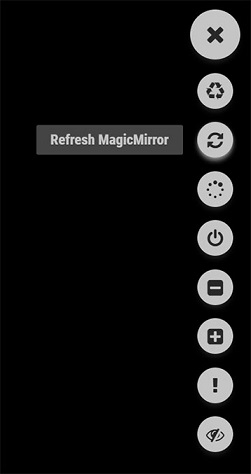
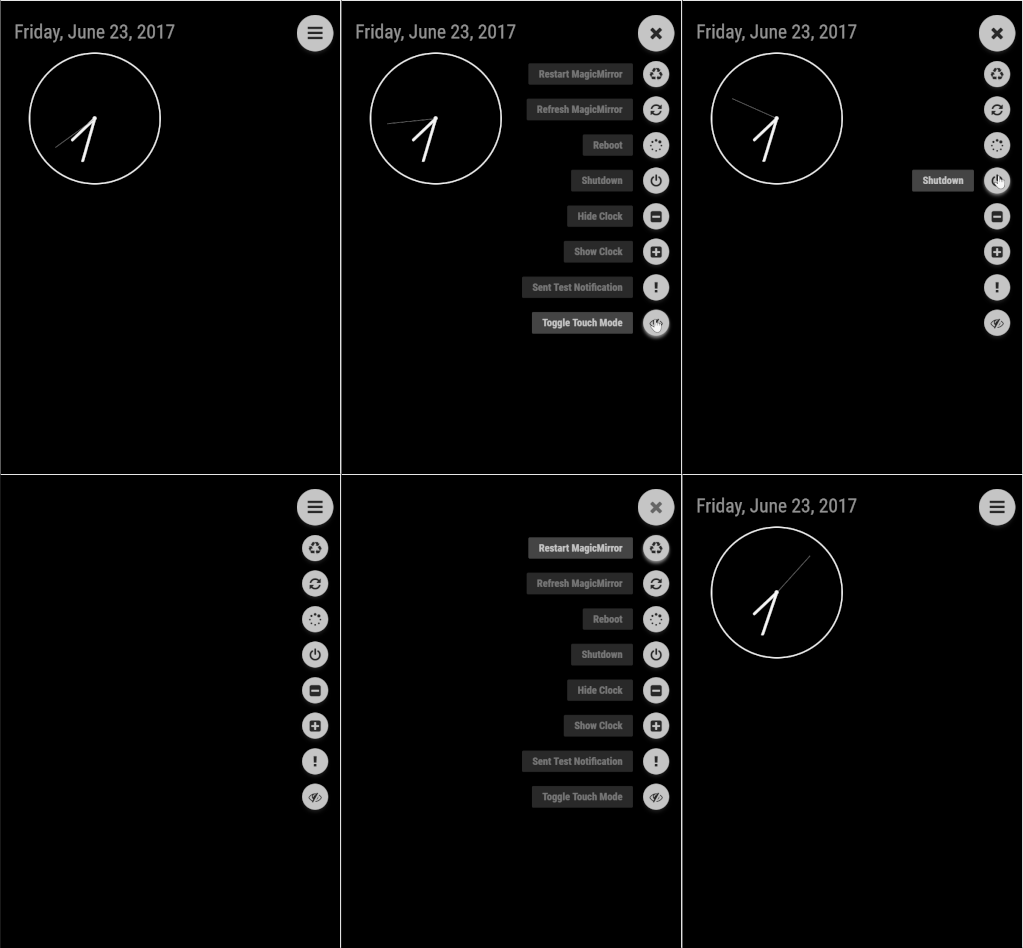
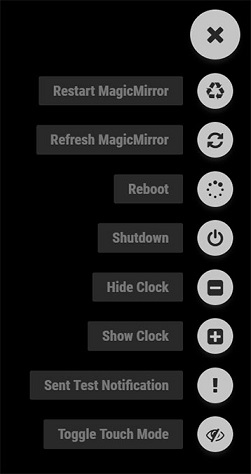
      The MMM-OnScreenMenu Module provides a small, customizable, material-style floating action button menu for controlling the MagicMirror².

      Basic Functions:

      1. Control the power to the screen (On/Off/Toggle).
      2. Manage the Mirror (Shutdown/Reboot/Restart MM²/Refresh Window).
      3. Module Visibility (Show/Hide/Toggle).
      4. Send Notifications to Other Modules:
        • Switch Profiles in MMM-ProfileSwitcher
        • Perform other module functions from a button in the menu.

      The menu is designed to be controllable from multiple devices:

      • Mouse Control
      • Touchscreen Control
      • Keyboard Control
      • Bluetooth Remote via MMM-KeyBindings
      • Module Notifications from other modules

      Screenshots

      SEE LIVE DEMO/MOCKUP HERE: https://codepen.io/shbatm/pen/OggMbr/


      First: Touch Mode; Middle: Hidden/Mouseover Mode; Last: Demo

      Download:

      [card:shbatm/MMM-OnScreenMenu]


      Version 0.1.3

      • Added menu options for minimizing, toggle fullscreen mode, opening DevTools, stopping MM via PM2,
      • Added delayed menu items (e.g. call a function after a certain timeout–like to turn off the mirror after X seconds)
      • Added external control of the menu/functions from other modules via notifications–includes the ability to call any function the module knows how to handle, even if it’s not in the menu. This lets you use modules like MMM-Buttons or MMM-MPR121 to control the menu.

      Version 0.0.9

      • Initial Public Release for Testing – please let me know via this thread or GitHub Issues if you find any bugs or have any feature requests; always open to feedback!
      posted in Utilities
      S
      shbatm
    • RE: [MMM-RTSPStream] - Video Streaming from Live Feeds & Security Cameras

      @Niggich - There is something I found that you can try. Please let me know if this tweak helps and I’ll roll it into the module.

      For any suggested ffmpeg changes, you’ll need to edit Line 14 (or 15, depending on version) of the following file, whichever has the ffmpeg argument list:

             ~/MagicMirror/modules/MMM-RTSPStream/node_modules/node-rtsp-stream-es6/src/mpeg1muxer.js
      
      1. Ignore audio stream: add "-an", after "mpeg1video", and before "-bf",

      As I find more things to try, I’ll post them back on here.

      posted in Utilities
      S
      shbatm
    • RE: Synchronus socketNotification ?

      I’m not sure how you would block JavaScript to actually make it synchronous since it is an asynchronous language. I use the “circular” method I described in one of my modules with very little lag; yes you would have to break it up into two functions for part A and part B.

      Is the GET you are mentioning just getting a config value from the module’s config? If so, why not just pass the config value you need with a module.js->node_helper socket notification and have the node_helper store the value until you need it? Any time it needs to be updated, just resend the notification; that way node_helper always has the latest value available.

      node_helper.js:

      module.exports = NodeHelper.create({
          config: {},
          socketNotificationReceived: function(notification, payload) {
              if (notification === 'CONFIG') {
                  this.config = payload;
              }
          },
          yourFunction: function(variables) {
              configValueNeeded = this.config.valueNeeded;
              ... // do something
          },
          ...
      });
      

      module.js:

      start: function() {
          this.updateConfig();
      },
      
      updateConfig: function() {
          this.sendSocketNotification('CONFIG', this.config);
      },
      
      someFunction: function() {
          // config changed for some reason
          this.updateConfig();
      },
      

      If you’re getting a config value from some third-party service: in your node_helper you can use the request module:

      getData: function() {
          // DO STUFF
          var request = require('request');
          request({
              url: apiUrl,
              method: 'GET',
          }, (error, response, body) => {
              if (!error && response.statusCode == 200) {
              // CONTINUE DOING YOUR STUFF
              } else if (response.statusCode === 401) {
                  console.error(this.name, error);
              } else {
                  console.error(this.name, "Could not load data.");
              }
          });
      },
      
      posted in Troubleshooting
      S
      shbatm
    • RE: Synchronus socketNotification ?

      Can’t you just send a socketNotification back to the associated js file when the information is received and call a function? Both node_helper and the module.js file have both socketNotificationReceived: function(notification, payload) and sendSocketNotification(notification, payload) methods.

      posted in Troubleshooting
      S
      shbatm
    • RE: MMM-KeyBindings: Control your mirror with Amazon Fire Stick Remote and Generic Keyboard Inputs

      You are welcome. Glad you made it work and happy to see someone can make use of the module!

      posted in Utilities
      S
      shbatm
    • RE: MMM-pages & MMM-pages-indicator - Lightweight module pages on your mirror!

      Very nice module!

      I actually worked on something similar with a fork of MMM-Carousel with clickable indicators and arrow buttons here: https://github.com/shbatm/MMM-Carousel

      After working on a few modules for navigation I can totally understand walking the fine line between features and bloat. Feel free to take a look and borrow anything you want… I’m also open to any suggestions for improvement.

      posted in System
      S
      shbatm
    • RE: MMM-KeyBindings: Control your mirror with Amazon Fire Stick Remote and Generic Keyboard Inputs

      @AgilesChroms - I’m out of town for business, so bear with me since I’m unable to fully test these suggestions.

      To use custom keyboard keys AND the remote, you can also modify the evdevKeymap and handleKeys in the MMM-KeyBindings Config. The module tries to “map” the remote’s key names to more standard keyboard key names and this can be tweaked. For example in the MMM-KeyBindings Config:

       ...
       evdevKeymap: {  
           Home: "KEY_HOMEPAGE", 
           Enter: "KEY_KPENTER", 
           j: "KEY_LEFT",          // Change default "ArrowLeft" to "j"
           k: "KEY_RIGHT",         // Change default "ArrowRight" to "k"
           ArrowUp: "KEY_UP", 
           ArrowDown: "KEY_DOWN",
           Menu: "KEY_MENU", 
           MediaPlayPause: "KEY_PLAYPAUSE", 
           MediaNextTrack: "KEY_FASTFORWARD", 
           MediaPreviousTrack: "KEY_REWIND",
           Return: "KEY_BACK"
           },
       handleKeys: ['j','k']       //  Add the new keys to the keyboard bindings
      

      In MMM-Carousel, you can now use:

       keyBindings: { NextSlide: "k", PrevSlide: "j", Slide0: "Return", ... }
      

      Side note:

      Something you may also find useful: the evdevKeymap tries to standardize keys, but if it receives a key that isn’t in the map, it will still pass it along. I use this to also control my Mirror via my home automation system using GET requests.

      For example: if you add a keybinding to MMM-Carousel like Slide1: "SomeSlideTitle", you can jump to that slide with a GET request to the following URL:

      http://mirror_ip:8080/MMM-KeyBindings/notify?notification=KEYPRESS&payload=%7B%22KeyState%22%3A%20%22KEY_PRESSED%22%2C%20%22Duration%22%3A%200.0%2C%20%22KeyName%22%3A%20%22SomeSlideTitle%22%7D
      
      // payload parameter is a url-encoded JSON string:
      {"KeyState": "KEY_PRESSED", "Duration": 0.0, "KeyName": "SomeSlideTitle"}
      
      posted in Utilities
      S
      shbatm
    • RE: MMM-KeyBindings: Control your mirror with Amazon Fire Stick Remote and Generic Keyboard Inputs

      @AgilesChroms By default, the Carousel module will only respond to remote control keys on the “server’s” screen. This was done so you could pull up the MM in a browser on another computer and navigate separately with a keyboard/mouse. It’s in the plan down the road for multiple remotes on different screens running from one server, but I haven’t made it that far yet.

      EDIT: I’m assuming that when you say browser, you’re talking about a browser on a different computer and not just another window on the server/RPi running MM. The suggestions below are based on that assumption.

      For now:

      First 2 corrections in your config:

      • Remove handleKeys: true, from MMM-KeyBindings, this is for adding extra keyboard keys to bind to.
      • Add "MMM-KeyBindings" to the ignoreModules list in MMM-Carousel (probably doesn’t do anything at the moment, but just future proofing).

      Next, 2 options for a fix:

      1. If you want to control the browser’s slides separately (i.e. from a keyboard attached to that computer):
        • In MMM-KeyBindings config section, add: enableMousetrap: true, which will turn on regular keyboard binding in the browser window.
        • Keyboard key presses only work when the browser is active and focused – usually have to click in the window and make sure it’s active before it will respond. I also had issues with some media keys not being sent to to browser at all-which is why I went with the evdev path in the first place.
        • Optional (and untested, but should work): If you want to use additional keyboard keys other than the standard keys, then in MMM-Carousel config section: add a duplicate entry in the keyBindings section:
          keyBindings: { 
              NextSlide: "ArrowRight", // Remote Key Name
              NextSlide: "r",          // Keyboard Key Name
              PrevSlide: "ArrowLeft",  // Remote Key Name
              PrevSlide: "l"           // Keyboard Key Name
          },
          
          You’ll also need to add any new “non-default” keys to MMM-KeyBindings:
          handleKeys: [ 'r', 'l' ],
          
      2. If you want the remote to control ALL screens: Remove the following from Line 71 in modules/MMM-Carousel/MMM-Carousel.js
         && payload.Sender === this.instance
        
        • This is a temporary test for now. In the future I will add a config option for the remote to control all instances or just the main screen. At the moment there is no good way to synchronize the screens when just using the Previous/Next navigation (e.g. if your main screen is on Slide 2 and you open a browser to Slide 0 and press next, both will move but one will be on Slide 3 and the other Slide 1).

      Please let me know if this helps / works – still new to MM2 and just starting development of these modules so any feedback or feature requests are more than welcome! I’m glad someone else is able to make use of the modules.

      posted in Utilities
      S
      shbatm
    • RE: MMM-KeyBindings: Control your mirror with Amazon Fire Stick Remote and Generic Keyboard Inputs

      @AgilesChroms First thing I would check: What browser are you using to view the mirror? If using Chrome/Chromium on the browser (or any others with DevTools), please check the console and see if there are any errors (Ctrl+Shift+I). Also, which modules are you using besides KeyBindings? Could you post or message me a snippet of your config file?

      I am using this module with my fork of MMM-Carousel on both the monitor connected to the Pi and a separate browser without issue.

      posted in Utilities
      S
      shbatm
    • RE: [MMM-RTSPStream] - Video Streaming from Live Feeds & Security Cameras

      Unfortunately, at the moment I don’t have an answer for how to decrease the lag time, but I’m still trying to find better ways to process the feed to the front end. My delay is only 3-4 seconds and has a lot to do with the hardware you’re using to process the stream.

      posted in Utilities
      S
      shbatm
    • RE: Stream RTSP Security CAM Feed

      Check out my new module here:
      [card:shbatm/MMM-RTSPStream]

      posted in Requests
      S
      shbatm
    • RE: 27" custom framed magic mirror - fun to get done

      @disakos I just posted a module for pulling an RTSP Stream from my Hikvision Cameras. Check it out here:
      [card:shbatm/MMM-RTSPStream]

      posted in Show your Mirror
      S
      shbatm
    • [MMM-RTSPStream] - Video Streaming from Live Feeds & Security Cameras

      Description

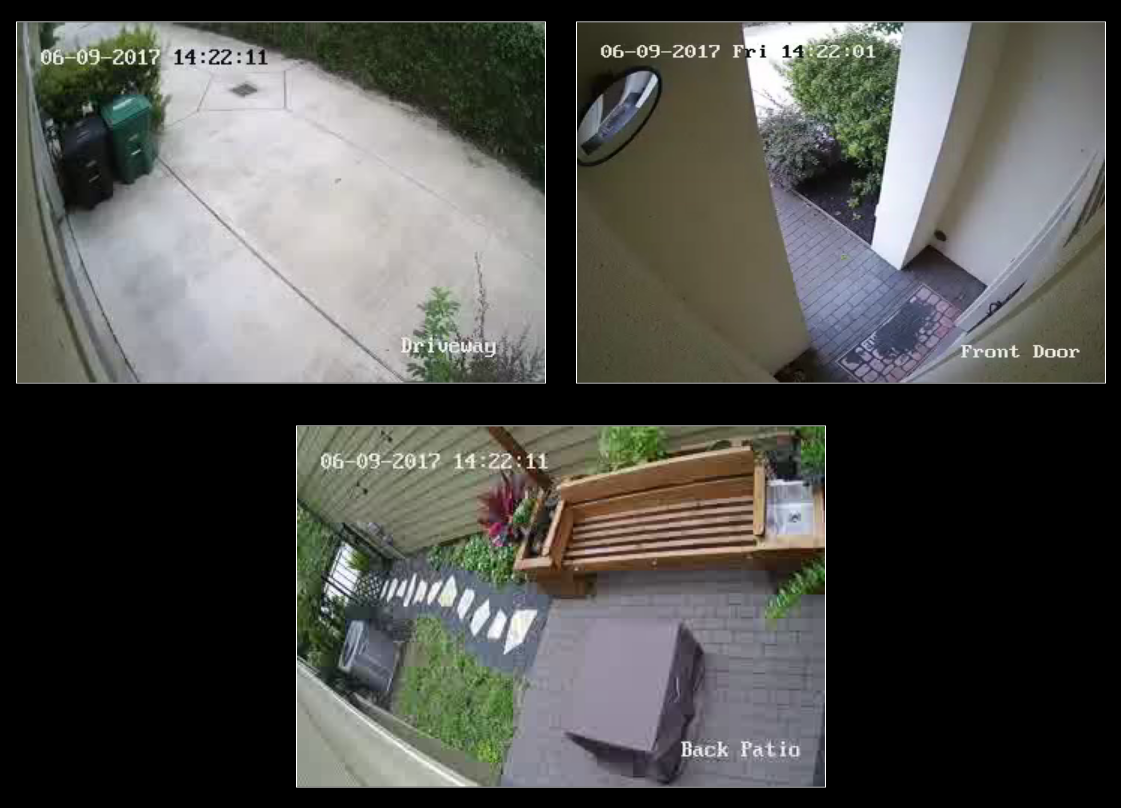
      This module will show a live RTSP video stream and/or periodic snapshots on the Magic Mirror from any IP Security Camera which supports the RTSP protocol and/or can serve a snapshot periodically.

      Features:

      • Supports single or multiple camera streams/snapshots
      • For multiple streams: supports rotating through streams in a single window or displaying multiple windows (with customizeable layout)
      • Supports fetching snapshots from a file or url when not actively streaming
      • Flexible configurations to limit resource use on Raspberry Pi –
        • Stops all streams when module is hidden
        • Option for AutoPlay or manual starting of stream
        • Plays one or all streams (when displaying multiple)
        • ffmpeg process only started when active stream window is shown and customizeable delay for shutdown after stopping.
        • Note: 3 simultaneous streams on a RaspberryPi 3 is about the limit for usability.
      • Support for MMM-KeyBindings module for Play/Pause Remote Control and navigation of multiple streams

      Screenshot:

      Download:

      [card:shbatm/MMM-RTSPStream]


      Version 1.2.1 (Updated 15 Oct 2017)

      • Now uses hardware-accelerated OMXPlayer as default player for local video
      • Resolved latency issues
      • Uses PM2 to control stream playback – automatically restarts streams when they close
      • Fullscreen, custom window and offset options now available.
      • Important - please update your configurations after updating this module. A new configuration tool is available, see the README on GitHub for info.

      Version 1.0.0

      • Initial Release – Please submit bugs and issues via GitHub Issues
      posted in Utilities
      S
      shbatm
    • RE: Change Modules name

      On the Raspberry Pi, a shortcut to renaming all of the instances of ‘MMM-This’ inside the files is to use the following​ command. Don’t forget to navigate to the new module’s directory!

      find . -type f | xargs sed -i 's/MMM-This/MMM-That/g'

      You still need to rename the actual files.

      posted in Forum
      S
      shbatm
    • 1 / 1