MagicMirror Forum
    • Recent
    • Tags
    • Unsolved
    • Solved
    • MagicMirror² Repository
    • Documentation
    • 3rd-Party-Modules
    • Donate
    • Discord
    • Register
    • Login
    1. Home
    2. shbatm
    3. Best
    A New Chapter for MagicMirror: The Community Takes the Lead
    Read the statement by Michael Teeuw here.
    S
    Offline
    • Profile
    • Following 0
    • Followers 3
    • Topics 12
    • Posts 208
    • Groups 1

    Posts

    Recent Best Controversial
    • [MMM-OnScreenMenu] Simple On-Screen Menu for controlling the MagicMirror²

      Description

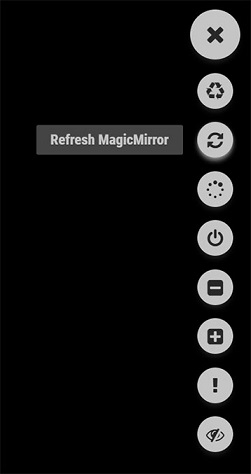
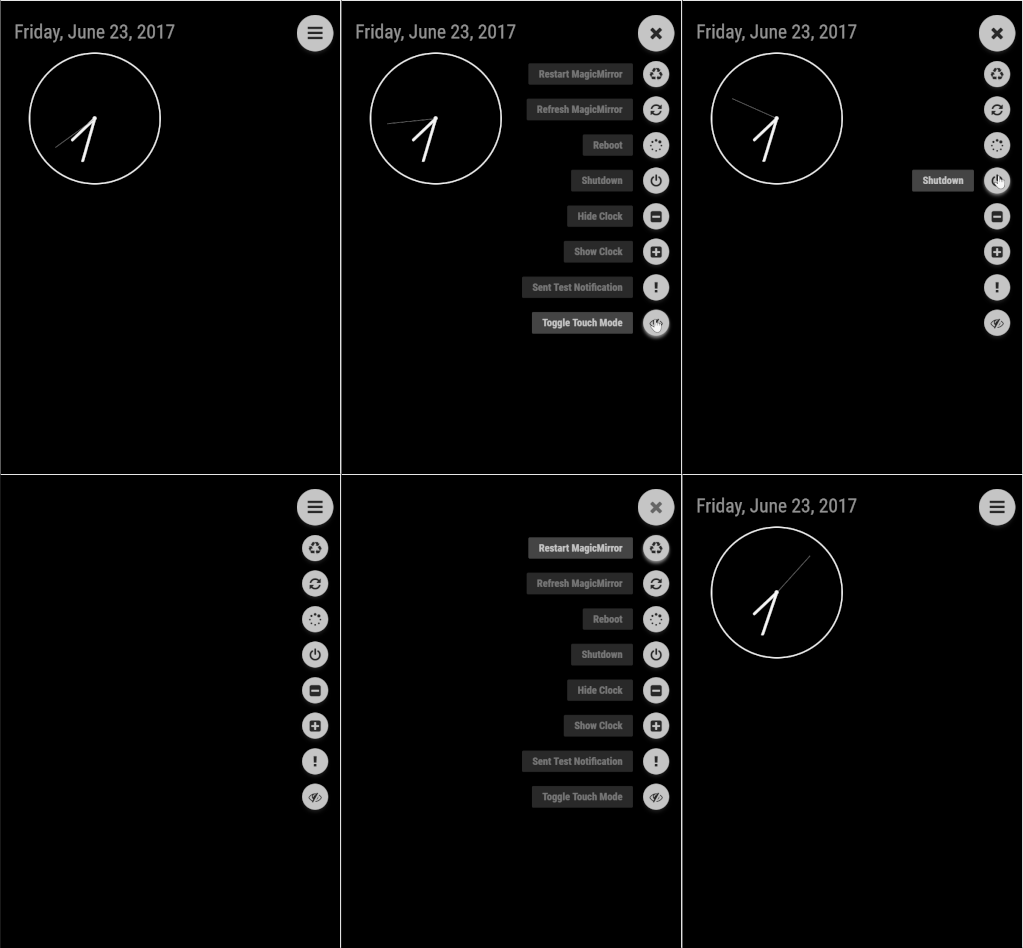
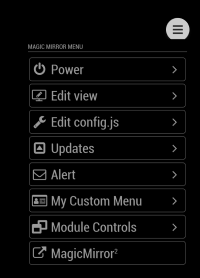
      The MMM-OnScreenMenu Module provides a small, customizable, material-style floating action button menu for controlling the MagicMirror².

      Basic Functions:

      1. Control the power to the screen (On/Off/Toggle).
      2. Manage the Mirror (Shutdown/Reboot/Restart MM²/Refresh Window).
      3. Module Visibility (Show/Hide/Toggle).
      4. Send Notifications to Other Modules:
        • Switch Profiles in MMM-ProfileSwitcher
        • Perform other module functions from a button in the menu.

      The menu is designed to be controllable from multiple devices:

      • Mouse Control
      • Touchscreen Control
      • Keyboard Control
      • Bluetooth Remote via MMM-KeyBindings
      • Module Notifications from other modules

      Screenshots

      SEE LIVE DEMO/MOCKUP HERE: https://codepen.io/shbatm/pen/OggMbr/


      First: Touch Mode; Middle: Hidden/Mouseover Mode; Last: Demo

      Download:

      [card:shbatm/MMM-OnScreenMenu]


      Version 0.1.3

      • Added menu options for minimizing, toggle fullscreen mode, opening DevTools, stopping MM via PM2,
      • Added delayed menu items (e.g. call a function after a certain timeout–like to turn off the mirror after X seconds)
      • Added external control of the menu/functions from other modules via notifications–includes the ability to call any function the module knows how to handle, even if it’s not in the menu. This lets you use modules like MMM-Buttons or MMM-MPR121 to control the menu.

      Version 0.0.9

      • Initial Public Release for Testing – please let me know via this thread or GitHub Issues if you find any bugs or have any feature requests; always open to feedback!
      posted in Utilities
      S
      shbatm
    • [MMM-Logging] Module for better Node.js console logging with Timestamps and Function Calls

      Description:

      This is a simple module which extends the Node.js console logging capabilities of the MagicMirror² project through implementation of the tracer Node.js module, including adding timestamps, call sources, and stack traces.

      By default, this module will intercept and format ALL console log messages from the MagicMirror instance once it is loaded so no additional changes need to be made to individual modules. If they log output using the standard console.log() or console.error() they will be reformatted and pretty printed.

      Examples:

      Before MMM-Logging:

      0|mm  | Starting MagicMirror: v2.6.0-dev
      0|mm  | Loading config ...
      0|mm  | Loading module helpers ...
      0|mm  | Initializing new module helper ...
      0|mm  | Module helper loaded: MMM-Logging
      0|mm  | No helper found for module: alert.
      

      After MMM-Logging:

      0|mm  | Starting MagicMirror: v2.6.0-dev
      0|mm  | Loading config ...
      0|mm  | Loading module helpers ...
      0|mm  | 2018-12-05T12:42:51 <log> Initializing new module helper ... (js/app.js:128 loadModule)
      0|mm  | 2018-12-05T12:42:51 <log> Module helper loaded: MMM-Logging (js/app.js:161 loadNextModule)
      0|mm  | 2018-12-05T12:42:51 <log> No helper found for module: alert. (js/app.js:163 )
      

      Download:

      [card:shbatm/MMM-Logging]


      Current Version: 1.0.1 – CHANGELOG

      posted in System
      S
      shbatm
    • [MMM-RTSPStream] - Video Streaming from Live Feeds & Security Cameras

      Description

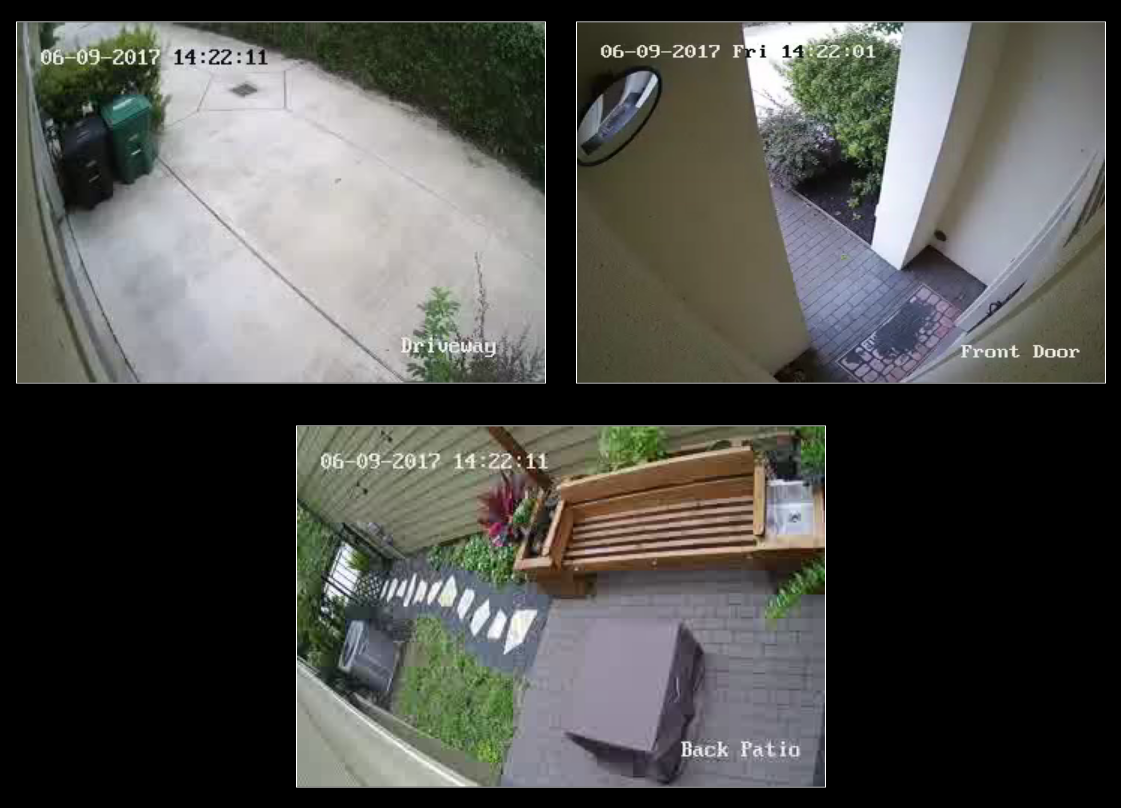
      This module will show a live RTSP video stream and/or periodic snapshots on the Magic Mirror from any IP Security Camera which supports the RTSP protocol and/or can serve a snapshot periodically.

      Features:

      • Supports single or multiple camera streams/snapshots
      • For multiple streams: supports rotating through streams in a single window or displaying multiple windows (with customizeable layout)
      • Supports fetching snapshots from a file or url when not actively streaming
      • Flexible configurations to limit resource use on Raspberry Pi –
        • Stops all streams when module is hidden
        • Option for AutoPlay or manual starting of stream
        • Plays one or all streams (when displaying multiple)
        • ffmpeg process only started when active stream window is shown and customizeable delay for shutdown after stopping.
        • Note: 3 simultaneous streams on a RaspberryPi 3 is about the limit for usability.
      • Support for MMM-KeyBindings module for Play/Pause Remote Control and navigation of multiple streams

      Screenshot:

      Download:

      [card:shbatm/MMM-RTSPStream]


      Version 1.2.1 (Updated 15 Oct 2017)

      • Now uses hardware-accelerated OMXPlayer as default player for local video
      • Resolved latency issues
      • Uses PM2 to control stream playback – automatically restarts streams when they close
      • Fullscreen, custom window and offset options now available.
      • Important - please update your configurations after updating this module. A new configuration tool is available, see the README on GitHub for info.

      Version 1.0.0

      • Initial Release – Please submit bugs and issues via GitHub Issues
      posted in Utilities
      S
      shbatm
    • [MMM-Remote-Control](v2-dev) Extensible REST API, Dynamic Menus, and Socket Communications, plus other updates

      Description

      I created an updated version of @Jopyth’s excellent MMM-Remote-Control module with an extensible REST API for controlling everything about your mirror, as well as an upgrade of the /remote.html tool to use the module’s node_helper socket connection for communication back and forth–instead of get/post calls.

      Example REST Calls:

      Turn on the monitor

      GET /api/monitor/on  (curl -X GET 'http://magicmirror:8080/api/monitor/on')
      

      Hide All Modules

      GET /api/modules/all/hide (curl -X GET 'http://magicmirror:8080/api/modules/all/hide')
      

      Here’s the link to the API README and API Documentation. The API also includes the ability to automatically interpret other modules’ anticipated notifications to create a “guessed” API to control it (created from MMM-API). Modules’ can also send a notification to this module to explicitly declare their own API actions.

      This is still in testing, and I’m still adding a few features, but I wanted to share in case anyone is interested in testing as well.

      Inspiration

      I’ve now written several modules and end up constantly including similar functions into my code (things like monitor control, module switching, etc.) for the different modules and I wanted to start migrating to a “One Remote to Rule Them All”-style module. @Jopyth’s module is an awesome base with a lot of the functions needed already built in, but I also wanted to have a better RESTful interface (inspired by @juzim’s MMM-API module natively incorporated) so I could control the mirror from my home automation devices. Eventually, I’ll scrub my other modules like MMM-OnScreenMenu and MMM-KeyBindings to just call the functions from this module and keep them focused on their own key features.

      Download

      [card:shbatm/MMM-Remote-Control]
      Recommend using the Develop Branch for most recent changes.

      Key Features and Changes

      Added:

      • REST API interface for controlling all aspects of the MagicMirror from HTTP RESTful-style GET and POST calls, based on principles from MMM-Api
        • Full API Documentation at API/README.md
        • Extensible Actions – Interprets other modules’ notifications to “guess” an API, but also allows a module to explicitly provide API actions to use.
      • Live daily updates of modules.json from the MagicMirror wiki, based on @eouia’s MMM-Remote-Control-Repository.
      • Incorporated some features found in MMM-OnScreenMenu that were not originally in this module.
        • Monitor (Connected Screen) On-Off Status and Toggle
        • If using Electron: Open Dev Tools, Minimize, Toggle Fullscreen
      • Configuration Option to send custom shell commands to use. Currently, only custom monitor on/off/status commands are supported. Addresses PR #99.

      Changed:

      • Updates to remote.html and the node_helper.js to use direct SocketIO communication back and forth instead of separate HTTP calls.
        • Future framework for following PM2 logs and more live update options.
      • General clean-up and standardization of status reporting for GET and POST calls, to original URLs and to new API URLs.
      • Updated to ES2015 (ES Version 6) function calls in most locations.
      • Added USER_PRESENCE controls from AgP42, PR #84
      • Added translations from BKeyport, PR #103
      • Added SHOW/HIDE/TOGGLE ALL modules option per request from Rene1709, Issue #101
      posted in Development
      S
      shbatm
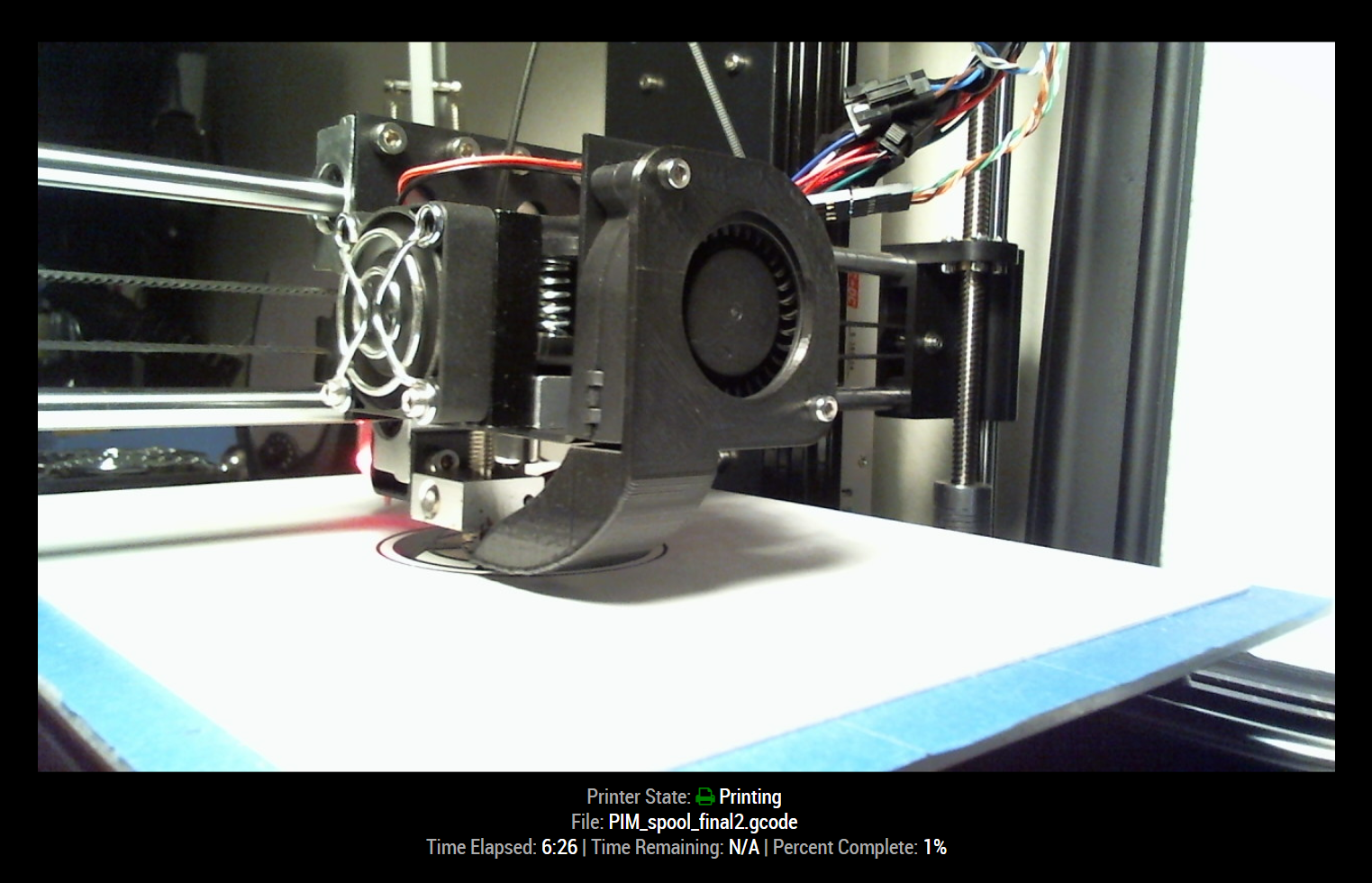
    • [octomirror-module] Monitor & Control an OctoPrint 3D Printer Server

      Description:

      Monitor & Control an OctoPrint 3D Printer Server. Originally created by @DongerZonnie, expanded & updated by @shbatm

      The module will allow you to:
      View a live feed of the raspicam stream
      Start and stop prints
      View G-Code viewer
      Manually control the printer
      Recieve live updates on printer status

      Screenshots:

      Download:

      [card:shbatm/octomirror-module]


      Version 1.0.4

      • Implemented translations feature and added English & German
      • Added ability to show most recent temperatures
      • Added ability to hide additional details when the printer is offline.

      Version 1.0.3

      • Added options to disable camera feed and customize stream URL.

      Version 1.0.2

      • Refactored to use OctoPrint Client JS library and provide live updates via SockJS connection.
      posted in Productivity
      S
      shbatm
    • MMM-KeyBindings: Control your mirror with Amazon Fire Stick Remote and Generic Keyboard Inputs

      Description:

      MMM-KeyBindings is a Utility Module to accept inputs from an Amazon Fire Stick Remote (or any bluetooth-connected HID device) as well as generic keyboard inputs and pass them to other modules for control.
      0_1494777951798_fire_stick_remote.jpg

      The module can perform basic functions such as turning on/off the screen based on certain remote keys, but the real power is in the ability to send key press notifications to other modules. My plan is to use this to control other plugins such as my fork of @barnabycolby’s MMM-Carousel (Fork w/ Navigation Enabled: MMM-Carousel w/ KeyBindings and MMM-ProfileSwitcher to switch screens based on remote control input. In the future I also plan to add an on-screen menu with functions similar to those found in the MMM-RemoteControl module.

      See the README for full details on the features.

      Download:

      [card:shbatm/MMM-KeyBindings]

      Version 1.3.0 - Updated 3-Jan-2019 - [BREAKING CHANGES] See details here

      posted in Utilities keyboard remote control fire stick remote bluetooth
      S
      shbatm
    • Restarting MM² when config.js file changes

      This has been helpful for me, but I didn’t see it mentioned anywhere, so I thought I’d share. For anyone looking for a simple way to automatically restart your MM² when you change the config.js file:

      Note: This assumes you are using pm2 to start the server, as described here: Auto Starting MagicMirror

      1. Create a file in the same location as your mm.sh script called mm.json.
      2. Paste the contents of this gist into the file (adjust if needed for your setup).
      3. Run pm2 stop mm && pm2 delete mm to stop & remove the current mm script.
      4. Run pm2 start mm.json to restart MM. Now any time you change config.js, pm2 will automatically restart the process.
      5. Run pm2 save to save your changes for the next reboot.

      That’s it!

      Originally inspired by: Restart Mirror?

      posted in Troubleshooting
      S
      shbatm
    • [MMM-ISY] Graphical Home Automation Status and Control for ISY Users

      Description:

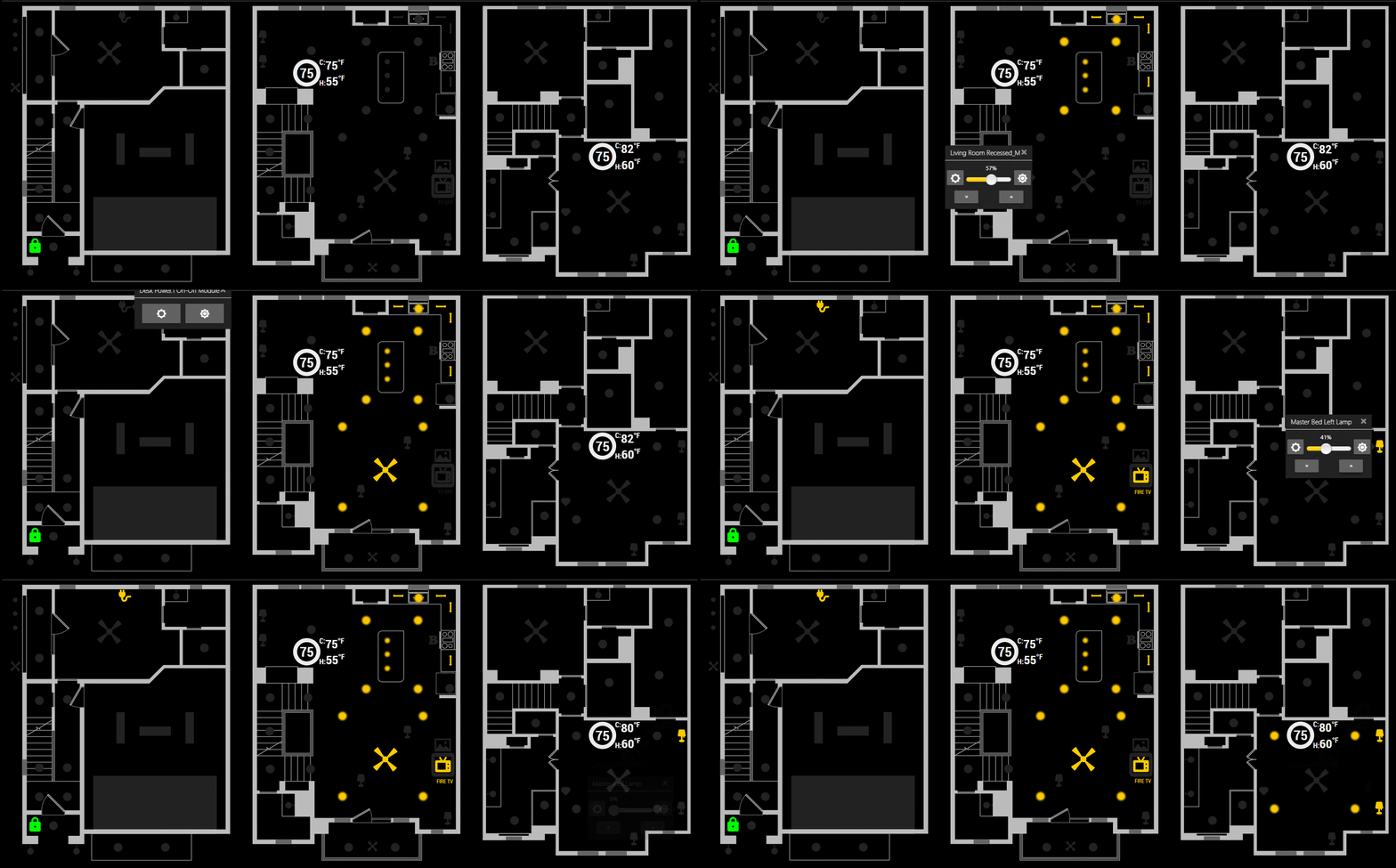
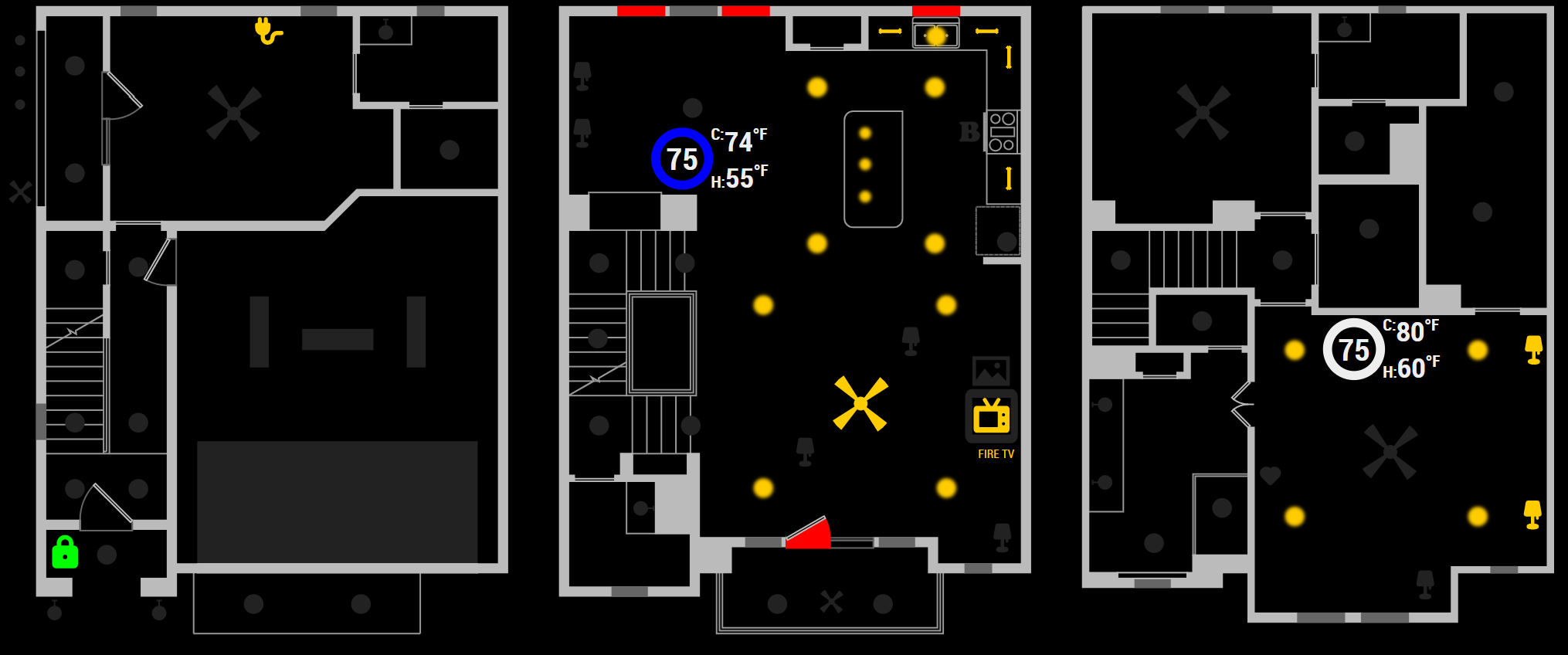
      Inspired by the MMM-OpenHABFloorplan module, this is a module for the MagicMirror² to connect to an ISY device from Universal Devices (http://www.universal-devices.com) using a WebSocket. It will display a floor plan showing live updates of which Insteon, Z-Wave, or ISYv5 Node Server devices are turned on/off (including dimming levels), which alarm zones are tripped, and the status of the thermostats.

      Setup takes a little while as you have to create your own floorplan in SVG (Scalable Vector Graphics) format using something like Inkscape or Adobe Illustrator. It can be as simple or as complex as you want it to be, the most important thing is the tagging. Whatever style you make your lights, lamps, outlets, or devices–as long as you tag them with the correct ISY address format–they will be picked up by the module automatically and their status updated on the graphic. The screenshots above are an “extreme” example SVG image which was created from an AutoCAD blueprint originally, with icons from various sources dropped in to represent the devices. The config options for the module give you even more advanced control, by letting you set custom display options for the different devices.

      New in version [1.0.7]+ – Control popups can now be enabled for various devices, to directly control your home automation from a touchscreen or any web browser with the MagicMirror page loaded.

      Screenshots:

      Live view:

      Download:

      [card:shbatm/MMM-ISY]


      Version 1.0.7 - Initial Controls Implementation

      Added: Initial implementation of a control system using Bootstrap 4 to display tooltip style popups when devices are clicked.

      Version 1.0.0

      • Initial Release

      [EDITED 27-APR-18 WITH NEW VERSION]

      posted in Utilities isy home automation insteon thermostat floorplan
      S
      shbatm
    • Check Statuses via JSON API Calls (MMM-JSONStatusChecker)

      Description:

      MMM-JSONStatusChecker will periodically call a URL and display a “true / false” (or “connected / disconnected”) status based on the results of a value in a JSON response from the API call.

      Multiple instances of the module can be used to call different URLs/APIs using the same background helper. Each instance has it’s own configuration and refresh time.

      See the config options on GitHub for full details, but everything can be customized; including: the key/value in the response being evaluated, the icon displayed, the CSS classes applied for true/false, the text for each status, and even whether or not to show an alert on status change.

      Screenshots:

      Download:

      [card:shbatm/MMM-JSONStatusChecker]


      Version 1.0.0

      • Initial Release;

      Please let me know if you find this useful. leave any comments or issues here or in the GitHub Repo Issues.

      posted in Utilities
      S
      shbatm
    • RE: [MMM-OnScreenMenu] Simple On-Screen Menu for controlling the MagicMirror²

      New version posted with expanded options:

      Version 0.1.3

      • Added menu options for minimizing, toggle fullscreen mode, opening DevTools, stopping MM via PM2,
      • Added delayed menu items (e.g. call a function after a certain timeout–like to turn off the mirror after X seconds)
      • Added external control of the menu/functions from other modules via notifications–includes the ability to call any function the module knows how to handle, even if it’s not in the menu. This lets you use modules like MMM-Buttons or MMM-MPR121 to control the menu.

      See the full details of everything the menu can do on the GitHub README:

      [card:shbatm/MMM-OnScreenMenu]

      Remember to re-run npm install after updating:

      cd ~/MagicMirror/modules/MMM-OnScreenMenu
      git pull
      npm install
      
      posted in Utilities
      S
      shbatm
    • RE: 27" custom framed magic mirror - fun to get done

      @disakos I just posted a module for pulling an RTSP Stream from my Hikvision Cameras. Check it out here:
      [card:shbatm/MMM-RTSPStream]

      posted in Show your Mirror
      S
      shbatm
    • RE: PM2 MM2 Not starting on start up

      I solved the same issue by using the command:
      sudo pm2 startup systemd -u pi --hp /home/pi

      And then using pm2 save to save the state.

      posted in Troubleshooting
      S
      shbatm
    • RE: [MMM-OnScreenMenu] Simple On-Screen Menu for controlling the MagicMirror²

      MODULE UPDATED

      This module has been updated to Version 0.2.1 in the develop channel.

      Major Changes:

      • Removed all of the server-side functions in favor of using MMM-Remote-Control pending PR#104. When using this version, you will need to also have MMM-Remote-Control Version 2.0.0 or above installed for all functions to work. This is a strategic move to allow simplification of this module and focus on the front-end, while MMMRC handles the heavy lifting on the back-end.
      • You can now use MMMRC as a menu item, or the whole menu:
        0_1546389590028_Capture.PNG

      Once the pull request is accepted for MMM-Remote-Control, this will be merged into the master branch.

      posted in Utilities
      S
      shbatm
    • RE: MMM-Swipe - Hand gestures

      To anyone still looking to continue development of this module or to adjust it so the Mirror does not need to be run as sudo: I started work on a fork to change to using the onoff node module which doesn’t require sudo.

      The new version is about 90% there and just needs some additional testing to make sure everything works as intended. Unfortunately, after I put the effort into re-writing a lot of the code, I realized that the sensors and my dog do not get along so I need to try something else.

      I’m putting the code out there in case anyone is interested in taking it any further… there are some development notes on the readme page to explain some of the differences in the two versions.

      Thank you to @mochman for the original development and inspiration.

      [card:shbatm/MMM-Swipe]

      posted in Troubleshooting
      S
      shbatm
    • RE: Update

      It looks like you’ve made some changes to the currentweather modules’ source code.

      If you want to keep your changes - this should do it

      git stash
      git pull && npm install
      git stash apply
      

      If you don’t need your changes to that file:

      git checkout -- modules/default/currentweather/currentweather.js
      git pull && npm install
      
      posted in Troubleshooting
      S
      shbatm
    • RE: [MMM-OnScreenMenu] Simple On-Screen Menu for controlling the MagicMirror²

      @robiv8 OnScreenMenu puts a little floating button on your mirror (either visible always, or only visible when you hover over that corner) and gives you a menu on the mirror’s screen itself. The new version has an option to use MMM-Remote-Control and basically takes a small mini version of the “/remote.html” page and puts it in an iFrame on the MIrror’s screen.

      Basically – Remote Control is a remote (phone, another computer, etc.) and OSM is for the actual mirror, if you have a touchscreen, or use a mouse, keyboard, or physical remote (w/ MMM-KeyBindings).

      posted in Utilities
      S
      shbatm
    • RE: Could use some assistance setting up MMM-Carousel w/ Navigation and understanding the architecture

      @beeficecream - Welcome to the project and I’m glad you got it working. I just wanted to leave this here for anyone who needs it in the future:

      To use multiple instances of the same module with Carousel w/ Navigation:
      This example allows for 2 different style clocks on different slides:

      In the OTHER module’s config, add a CarouselId variable:

      {
              module: "clock",
              position: "middle_center",
              config: {
                  carouselId: "1",
                  displayType: "both"
              }
          }, {
              module: "clock",
              position: "top_left",
              config: {
                  carouselId: "2",
              }
          },
      

      In the MMM-Carousel config slides section, instead of just "clock", use {name:"clock", carouselId:"1"}

          ...
          mode: 'slides',
          slides: [
              [   {name:'clock', carouselId: "1"} ],
              [   {name:'clock', carouselId: "2"}, 'calendar', 'MMM-WunderGround', 'newsfeed' ] ]
          ...
      

      You can also use the same object format to move a module around for different slides or change the sizes. See https://github.com/shbatm/MMM-Carousel#example---advanced-slides-carousel for details.

      posted in Troubleshooting
      S
      shbatm
    • RE: [MMM-RTSPStream] - Video Streaming from Live Feeds & Security Cameras

      All, I just wanted to check in and apologize for not only lack of support for this module but lack of response on here and on GitHub.

      Thank you for those who have been continuously trying to get others’ setups working. You are showing the true value of this community.

      I feel I at least owe a bit of an update, since I’ve been utterly frustrated before by developers who disappear without a trace, but officially: I am not planning on actively supporting this module any further.

      The underlying software for the OMXPlayer and VLC overlays are not under my control, and in several years of searching I have not found a “smooth” or “robust” way of maintaining a low-resource-demand RTSP Stream without significant lag, and I was a bit overwhelmed trying to make a one-size-fits-all module that worked for everything. I actually have only used the stills/snapshot feature of this module on my own mirror for the last year and a half, and found myself never using the live stream, that functionality has been delegated to my Home Assistant setups, which have people much better than me working on the Stream components.

      Both of my mirrors are also presently in pieces as part of a home move that is going terribly and coupled with a COVID-19-impacted work schedule (now working 2/3s of my days away from home), I will not have time to make any improvements to this module in the foreseeable future.

      I’m sorry to have to make this decision and will try and accept any Pull Requests outstanding and clean up the dev/master branches to be consistent. If there is someone willing to take over developing, I can transfer the repo to your fork.

      For those who have been continually helping to get streaming working for everyone on here, again, thank you, you are helping drive what this community is about (and helping me by knowing the countless hours put into this module have at least helped a few others).

      posted in Utilities
      S
      shbatm
    • RE: Change Modules name

      On the Raspberry Pi, a shortcut to renaming all of the instances of ‘MMM-This’ inside the files is to use the following​ command. Don’t forget to navigate to the new module’s directory!

      find . -type f | xargs sed -i 's/MMM-This/MMM-That/g'

      You still need to rename the actual files.

      posted in Forum
      S
      shbatm
    • Multiple Pages of Modules using CSS

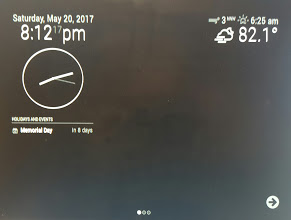
      Update 21-May-17

      I was able to fork and tweak @barnabycolby’s MMM-Carousel to manually switch between slides and show the page dots and navigation arrows without touching any core code. I also added the ability to move or change appearances of each module on a per-slide basis.

      If anyone is interested my fork w/ navigation enabled is here:

      [card:shbatm/MMM-Carousel]

      The navigation uses my module MMM-KeyBindings, which isn’t necessary if you just want to use a mouse or touchscreen.
      0_1495391253670_20170520_201316.jpg

      Original Post Below:

      After a bit of searching for the best way to manage multiple sets of modules on a screen with fairly limited real-estate, I decided to try my hand at rolling my own solution. I wanted to have multiple screens of modules that I could page through and see different information (eventually via remote control). This isn’t a stand-alone module yet and there are probably cleaner / easier ways of doing this, but I wanted to share my progress in case anyone else was interested.

      My Mirror uses a pure-CSS3 solution to create multiple “pages” of modules using full screen sliders without relying on any JavaScript–although JS can be used to change the page by simply updating which radio button is checked programmatically.

      Notice the small faint arrows and dots along the bottom of the screen in the attached images. The original source for the CSS is from here
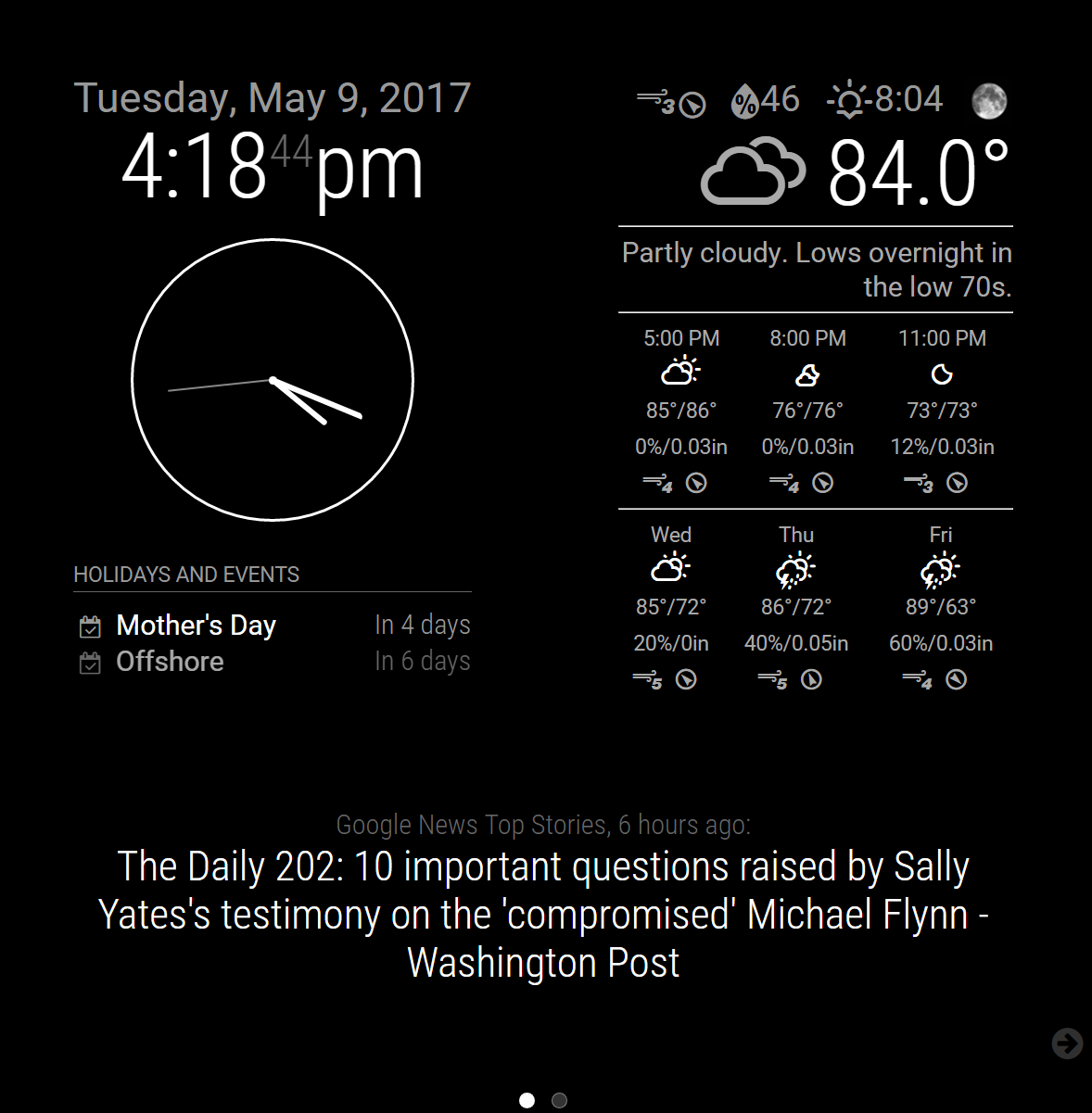
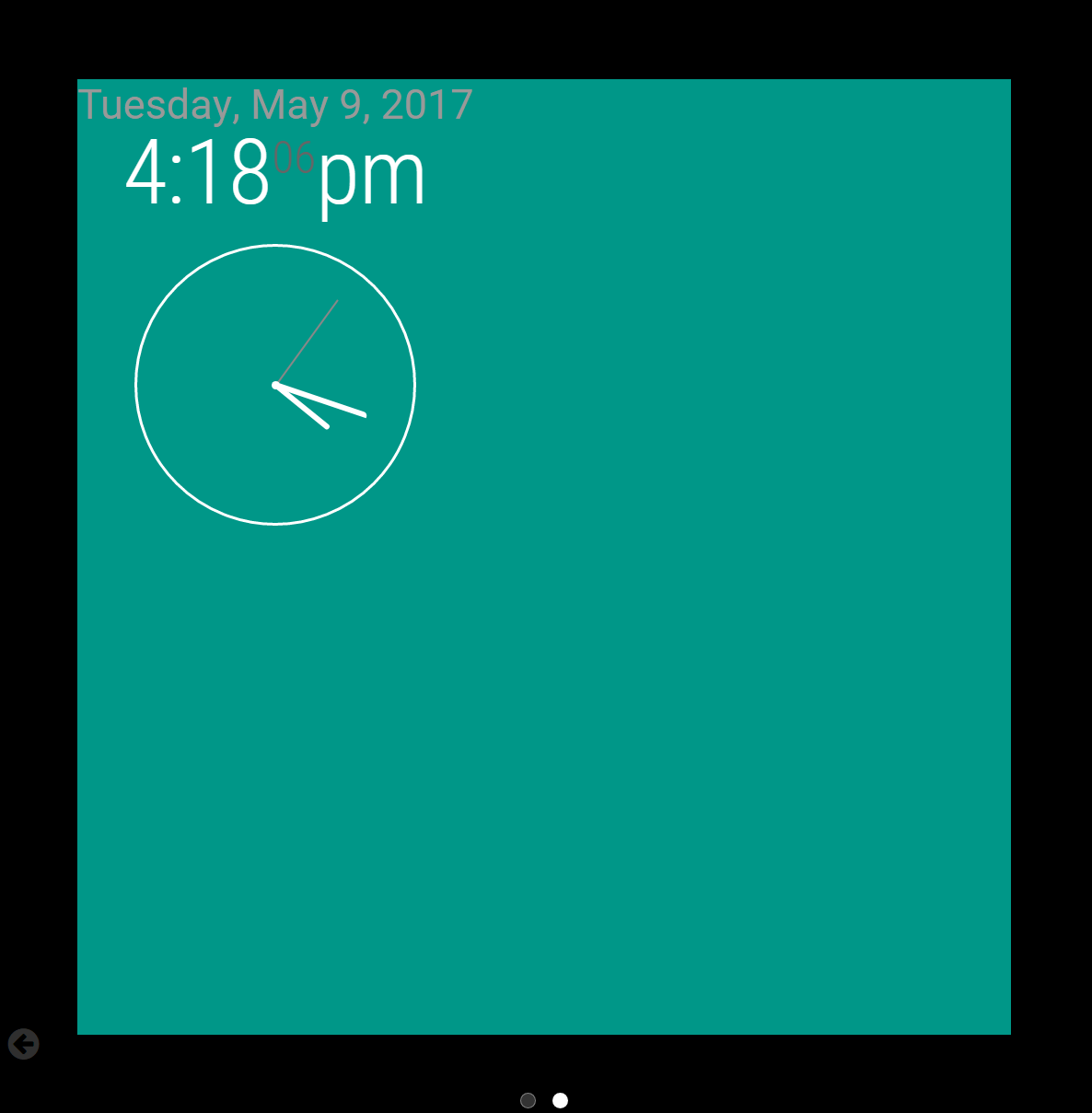
      0_1494366227199_Page1.PNG
      0_1494366269398_Page2.PNG

      The basic principle is to duplicate the containers in index.html onto up to 4 different “sliders”; then depending on which page you want a particular module to appear on, you modify the position in config.js, appending slideXmods_ to the beginning.

      For example, to show a clock on Slide 2, the config now looks like:

              {
                  module: "clock",
                  position: "slide2mods_top_left",
                  config: {
                  	displayType: "both"
                  }
              },
      

      The modified versions of index.html and my css/custom.css can be found in the attached zip. The reason I haven’t made this into a Module yet is because I also needed to modify js/main.js to account for the changes to the position names.

      The changes required in js/main.js are:

      • Modify the first line of selectWrapper (Line ~65) to use RegEx and replace all instances of “_” in the position variable.
      var classes = position.replace(/_/g," ");
      
      • Modify the first line of updateWrapperStates (Line ~275) to account for the rest of the new position names.
      var positions = ["slide1mods_top_bar", "slide1mods_top_left", "slide1mods_top_center", "slide1mods_top_right", "slide1mods_upper_third", "slide1mods_middle_center", "slide1mods_lower_third", "slide1mods_bottom_left", "slide1mods_bottom_center", "slide1mods_bottom_right", "slide1mods_bottom_bar", "slide1mods_fullscreen_above", "slide1mods_fullscreen_below", "slide2mods_top_bar", "slide2mods_top_left", "slide2mods_top_center", "slide2mods_top_right", "slide2mods_upper_third", "slide2mods_middle_center", "slide2mods_lower_third",  "slide2mods_bottom_left", "slide2mods_bottom_center", "slide2mods_bottom_right", "slide2mods_bottom_bar", "slide2mods_fullscreen_above", "slide2mods_fullscreen_below" 
       /* Uncomment lines below to add more slides
       , "slide3mods_top_bar", "slide3mods_top_left", "slide3mods_top_center", "slide3mods_top_right",  "slide3mods_upper_third", "slide3mods_middle_center", "slide3mods_lower_third",  "slide3mods_bottom_left", "slide3mods_bottom_center", "slide3mods_bottom_right", "slide3mods_bottom_bar", "slide3mods_fullscreen_above", "slide3mods_fullscreen_below",  "slide4mods_top_bar", "slide4mods_top_left", "slide4mods_top_center", "slide4mods_top_right",  "slide4mods_upper_third", "slide4mods_middle_center", "slide4mods_lower_third",  "slide4mods_bottom_left", "slide4mods_bottom_center", "slide4mods_bottom_right", "slide4mods_bottom_bar", "slide4mods_fullscreen_above", "slide4mods_fullscreen_below" */
       ];
      

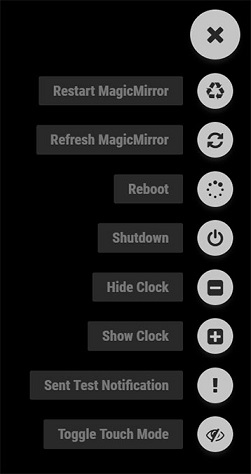
      Download Modified Files
      posted in Development
      S
      shbatm
    • 1
    • 2
    • 3
    • 1 / 3