@sdetweil ok I’ll have to attach a kb and mouse to the pi then. Will try this tonight.
A New Chapter for MagicMirror: The Community Takes the Lead
Read the statement by Michael Teeuw here.
Read the statement by Michael Teeuw here.
S
Offline
Posts
-
RE: iFrame blank when displaing http://<ipaddress LMS server>:9000/material
-
RE: iFrame blank when displaing http://<ipaddress LMS server>:9000/material
O, to add this probably important information: This issue only exists on the mirror (Rpi Electron app) itself, not when browsing from another device to http://<ip address mirror>:8080. In that case it works perfectly well.
-
iFrame blank when displaing http://<ipaddress LMS server>:9000/material
I have used the iFrame (as well as MMM-iFrame) module(s) for showing the material skin interface of the Lyrion Media Server, formerly know as SqueezeServer or Logitech Media Server.
But since the latest MMM update (2.28.0), the iFrame show completely blank.
There are no (mpm) log errors or warnings when restarting MM2. Other websites, e.g. nu.nl as well as http://<ipaddress LMS server>:9000 (so the standard skin) are working.
How can I troubleshoot this? -
RE: Bathroom mirror
Hi @bdeelman ,
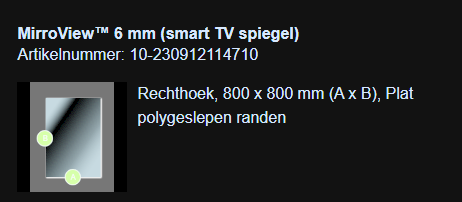
I have used this 80-20 mirroring glass:
-
RE: Round MagicMirror
Wow, this is a nice MM!
I have created a bathroom MM (https://forum.magicmirror.builders/topic/18406/bathroom-mirror/2?_=1705489145468) but something like this for the hallway or kitchen would be awesome. Thanks for the ideas!Regards,
Stephan -
RE: Remove I frame border
@sdetweil I found it!
In custom.css I place the following section:
iframe{

border:0 ;
/*transform: scale(0.5) ; */
/*margin-bottom: 200px;*/

}
(source: https://github.com/AgP42/MMM-iFrame-Ping/blob/master/MMM-iFrame-Ping.css)
Thanks for your support!
-
RE: Remove I frame border
<iframe src="https://server.vdplas.net:8999/material/?player=dc:a6:32:18:b6:fd&layout=desktop&action=expandNowPlaying/true&css=msk--np-only&js=msk--np-only&single=true&theme=Black" width="675" height="250" scrolling="no"></iframe> iframe[Attributes Style] { width: 675px; height: 250px; } user agent stylesheet iframe { overflow-clip-margin: content-box !important; overflow: clip !important; border-width: 2px; border-style: inset; border-color: initial; border-image: initial; }Here indeed I see a border. Still no clue where it comes from.
-
RE: Remove I frame border
@sdetweil said in Remove I frame border:
@stephanvdplas if the border is INSIDE the frame, then u cannot change it. that is the point of frame. inline embedded frame of original content
There is certainly no border in the content. At least not what I see when using differen devices with this same URL
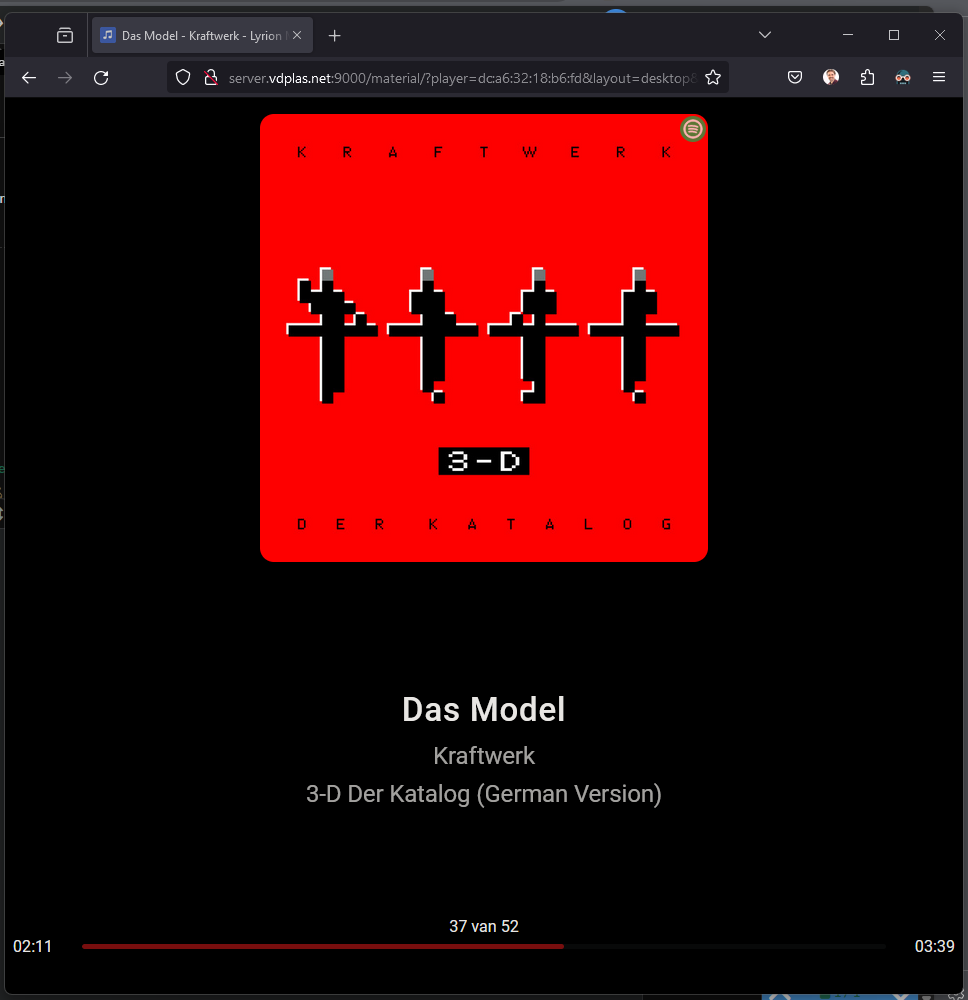
Also the border appears directly, whereas the content is loaded in 5 seconds
-
RE: Remove I frame border
@stephanvdplas said in Remove I frame border:
@barnosch said in Remove I frame border:
should ne something like this in your
/css/custom.css file.MMM-iFrame { //exact name of the module border: none; //or border: 0px; }I tried your suggestion, but still a border is shown. Is there any other option?
MMM-Iframe:
{ module: 'MMM-iFrame', header: 'Speelt nu', position: 'bottom_left', // This can be any of the regions. config: { // See 'Configuration options' for more information. // url: ["http://server.vdplas.net:9000/material/?player=dc:a6:32:18:b6:fd&layout=desktop&action=expandNowPlaying/true&css=msk--np-only&js=msk--np-only&single=true&theme=Black"], // as many URLs you want or you can just ["ENTER IN URL"] if single URL. url: ["http://server.vdplas.net:9000/material/?player=dc:a6:32:18:b6:fd&layout=desktop&action=expandNowPlaying/true&css=msk--np-only&js=msk--np-only&single=true&theme=Black"], // as many URLs you want or you can just ["ENTER IN URL"] if single URL. updateInterval: 500 * 60 * 1000, // rotate URLs every 30 seconds width: "700", // width of iframe height: "260", // height of iframe frameWidth: "100" // width of embedded iframe, height is beeing calculated by aspect ratio of iframe } }, -
RE: Remove I frame border
@barnosch said in Remove I frame border:
should ne something like this in your
/css/custom.css file.MMM-iFrame { //exact name of the module border: none; //or border: 0px; }I tried your suggestion, but still a border is shown. Is there any other option?
-
RE: newsfeed ignoreOlderThan different per feed?
@sdetweil said in newsfeed ignoreOlderThan different per feed?:
@stephanvdplas please open an issue on the mm GitHub page
Done!
-
newsfeed ignoreOlderThan different per feed?
In the “newsfeed” module, one can set ignoreOldItems: true and ignoreOlderThan: 46060*1000 for 4 hours. But I’d like to have different ignoreOlderThan times per feed.
Suggestion: a parameter per feed ignoreOlderThanOverride that overrides the ignoreOlderThan “global parameter”.
-
RE: Bathroom mirror
/* MagicMirror² Config Sample
 * By Michael Teeuw https://michaelteeuw.nl
 * MIT Licensed.
 */
let config = {
	address: "0.0.0.0",
	port: 8080,
	basePath: "/",
	useHttps: false, 		// Support HTTPS or not, default "false" will use HTTP
	httpsPrivateKey: "", 	// HTTPS private key path, only require when useHttps is true
	httpsCertificate: "", 	// HTTPS Certificate path, only require when useHttps is true

	language: "nl",
	locale: "nl-NL",
	logLevel: ["INFO", "LOG", "WARN", "ERROR"], // Add "DEBUG" for even more logging
	timeFormat: 24,
	units: "metric",

	modules: [
		{
			module: "alert",
		},
		{
			module: 'MMM-Remote-Control',
			config: {
				apiKey: '01***d4',
                customCommand: {
                        monitorOnCommand: "sudo /usr/bin/vcgencmd display_power 1",
                        monitorOffCommand: "sudo /usr/bin/vcgencmd display_power 0"
                },
                showModuleApiMenu: false,
			}
		},
		{
			module: "newsfeed",
			position: "bottom_bar",
			config: {
				feeds: [
					{
						title: "Nu.nl Algemeen",
						url: "https://www.nu.nl/rss/Algemeen"
					},
					{
						title: "RTV Oost",
						url: "http://rss.rtvoost.nl/"
					},
					{
						title: "Stentor Zwolle",
						url: "https://www.destentor.nl/zwolle/rss.xml"
					},
					{
						title: "Stadshagen Nieuws",
						url: "https://www.stadshagennieuws.nl/feed"
					},
					{
						title: "Christelijk Nieuws",
						url: "https://christelijknieuws.nl/feed/"
					},
				],
				showSourceTitle: true,
				showPublishDate: true,
				showDescription: true,
				wrapDescription: false,
				ignoreOldItems: true,
				ignoreOlderThan: 4 * 60 * 60 * 1000,
				broadcastNewsFeeds: true,
				broadcastNewsUpdates: true,
				hideLoading: true,
				updateInterval: 20000,
				animationSpeed: 1000,
			}
		},
		{
			module: "weather",
			position: "top_right",
			config: {
				weatherProvider: "openweathermap",
				type: "current",
				location: "Zwolle",
				locationID: "2743476", //ID from http://bulk.openweathermap.org/sample/city.list.json.gz; unzip the gz file and find your city
				apiKey: "06***d7",
				showPrecipitationAmount: true,
				appendLocationNameToHeader: false,
				roundTemp: true,
				windUnits: "beaufort",
			}
		},
		{
			module: "weather",
			position: "top_right",
			header: "komende uren",
			config: {
				weatherProvider: "openweathermap",
				type: "hourly",
				weatherEndpoint: "/onecall",
				lat: 52.5125,
				lon: 6.09444,
				apiKey: "06***d7",
				maxEntries: 16,
				showPrecipitationAmount: true,
				colored: true,
				appendLocationNameToHeader: false,
				roundTemp: true,
			}
		},
		{
			module: "weather",
			position: "top_right",
			header: "komende dagen",
			config: {
				weatherProvider: "openweathermap",
				type: "daily",
				location: "Zwolle",
				locationID: "2743476", //ID from http://bulk.openweathermap.org/sample/city.list.json.gz; unzip the gz file and find your city
				apiKey: "06***d7",
				maxNumberOfDays : 11,
				showPrecipitationAmount: true,
				colored: false,
				appendLocationNameToHeader: false,
				roundTemp: true,
			}
		},
		{
			module: "clock",
			position: "top_left",
			config: {
				clockBold: false,
				displayType: "digital",
				showSunTimes: false,
				lat: 52.5125,
				long: 6.09444,
			}
		},
		{
			module: "calendar",
			header: "Agenda",
			position: "top_left",
			config: {
				fetchInterval: 60 * 60 * 1000,
				maximumEntries: 18,
				displaySymbol: true,
				coloredSymbol: true,
				calendars: [
					{
						maximumNumberOfDays: 31,
						symbol: "calendar-check",
						url: "https://calendar.google.com/calendar/ical/vdplas.net_***%40group.calendar.google.com/public/basic.ics",
						color: "white",
					},
					{
						maximumNumberOfDays: 31,
						symbol: "toggle-off",
						url: "https://calendar.google.com/calendar/ical/nl.dutch%23holiday%40group.v.calendar.google.com/public/basic.ics",
						color: "green",
					},
				{
						maximumNumberOfDays: 3,
						symbol: "cake-candles",
						url: "https://calendar.google.com/calendar/ical/***%40group.calendar.google.com/public/basic.ics",
						color: "#5e0817",
					},
				]
			}
		},
		{
			module: 'MMM-JsonTable',
			position: 'bottom_right',
			header: 'Aanwezig',
			config: {
				url: 'https://server.vdplas.net:8083/thuis.json', // Required
				arrayName: 'items', // Optional
				tryFormatDate: true,
			}
		},
		{
			module: 'MMM-iFrame',
			header: 'Speelt nu',
			position: 'bottom_left',	// This can be any of the regions.
			config: {
				// See 'Configuration options' for more information.
					url: ["https://server.vdplas.net:8999/material/?player=dc:a6:32:18:b6:fd&layout=desktop&action=expandNowPlaying/true&css=msk--np-only&js=msk--np-only&single=true&theme=Black"],  // as many URLs you want or you can just ["ENTER IN URL"] if single URL.
					updateInterval: 500 * 60 * 1000, // rotate URLs every 30 seconds
					width: "400", // width of iframe
					height: "800", // height of iframe
					frameWidth: "200" // width of embedded iframe, height is beeing calculated by aspect ratio of iframe
				}
		},
		{
			module: 'nstreinen',
			position: 'bottom_right',
			header: 'Treinen naar Deventer',
			config: {
				apiKey:'35***17',
				fromStation: 'ZL',
				toStation: 'DV',
				maxEntries: 4
			}
		},
		{
			module: 'MMM-RSS-FEED',
			position: 'top_center',
			config: {
			url: 'https://feed.dagelijkswoord.nl/rss2'
			}
		},
	]
};

/*************** DO NOT EDIT THE LINE BELOW ***************/
if (typeof module !== "undefined") {module.exports = config;}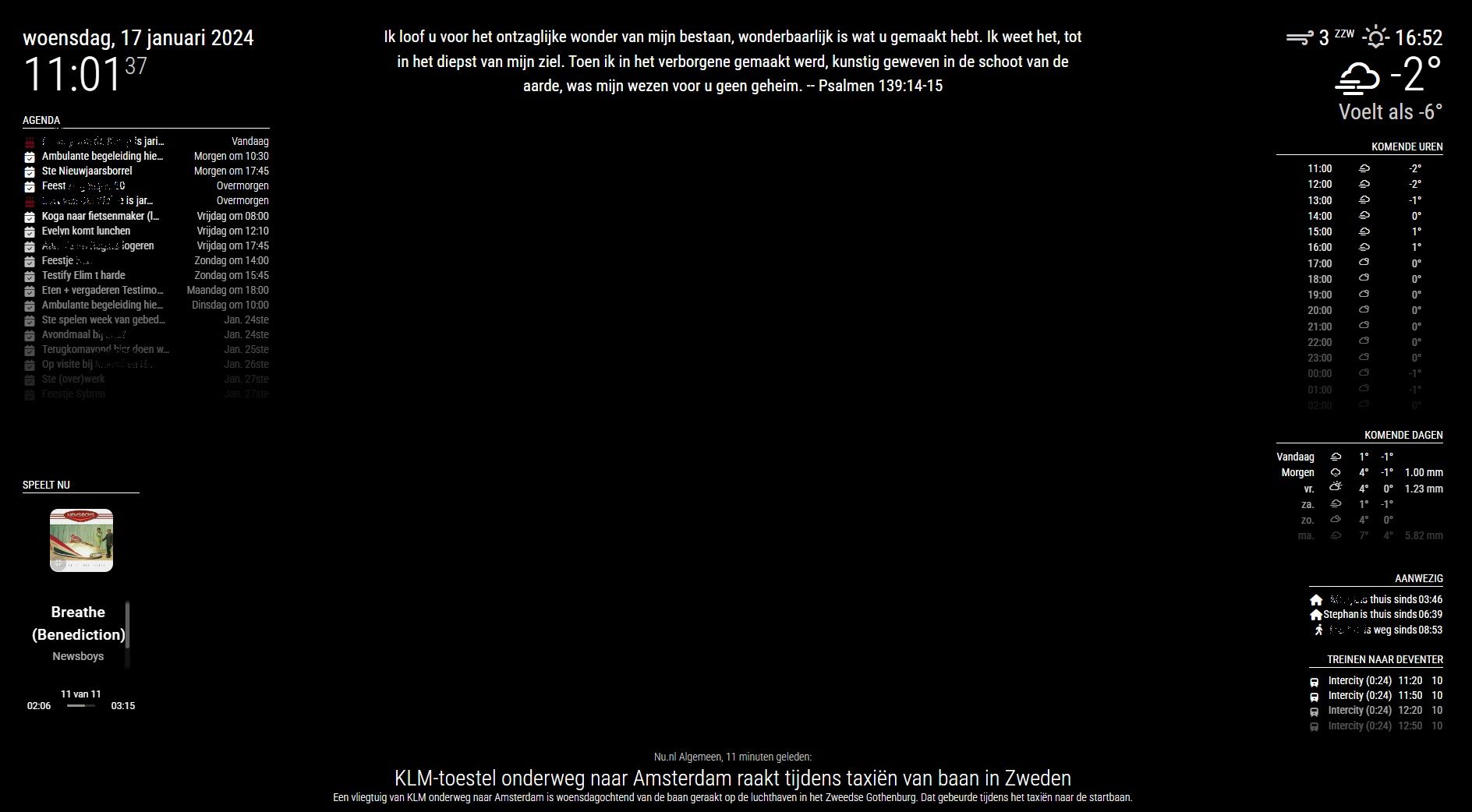
-
RE: Bathroom mirror
@zdenek said in Bathroom mirror:
@stephanvdplas said in Bathroom mirror:
Amazing. Just few questions:
- cau u please post the JSON, how you did it?
- how you make it on/off by switch?
- and the most important - do u have some pics/videos of the “wood” part? (mountinng, cabling…)
thanks
-
I will post the JSON in the next post together with screendumps.
-
The switching is done via MMM-remote setting modules on/off. The button triggers a scene in Domoticz which sets the modules on (and automatically off after 45 minutes) or off via commands like http://192.168.x.y:8080/remote?action=SHOW&module=module_5_weather and http://192.168.x.y:8080/remote?action=HIDE&module=module_5_weather.
-
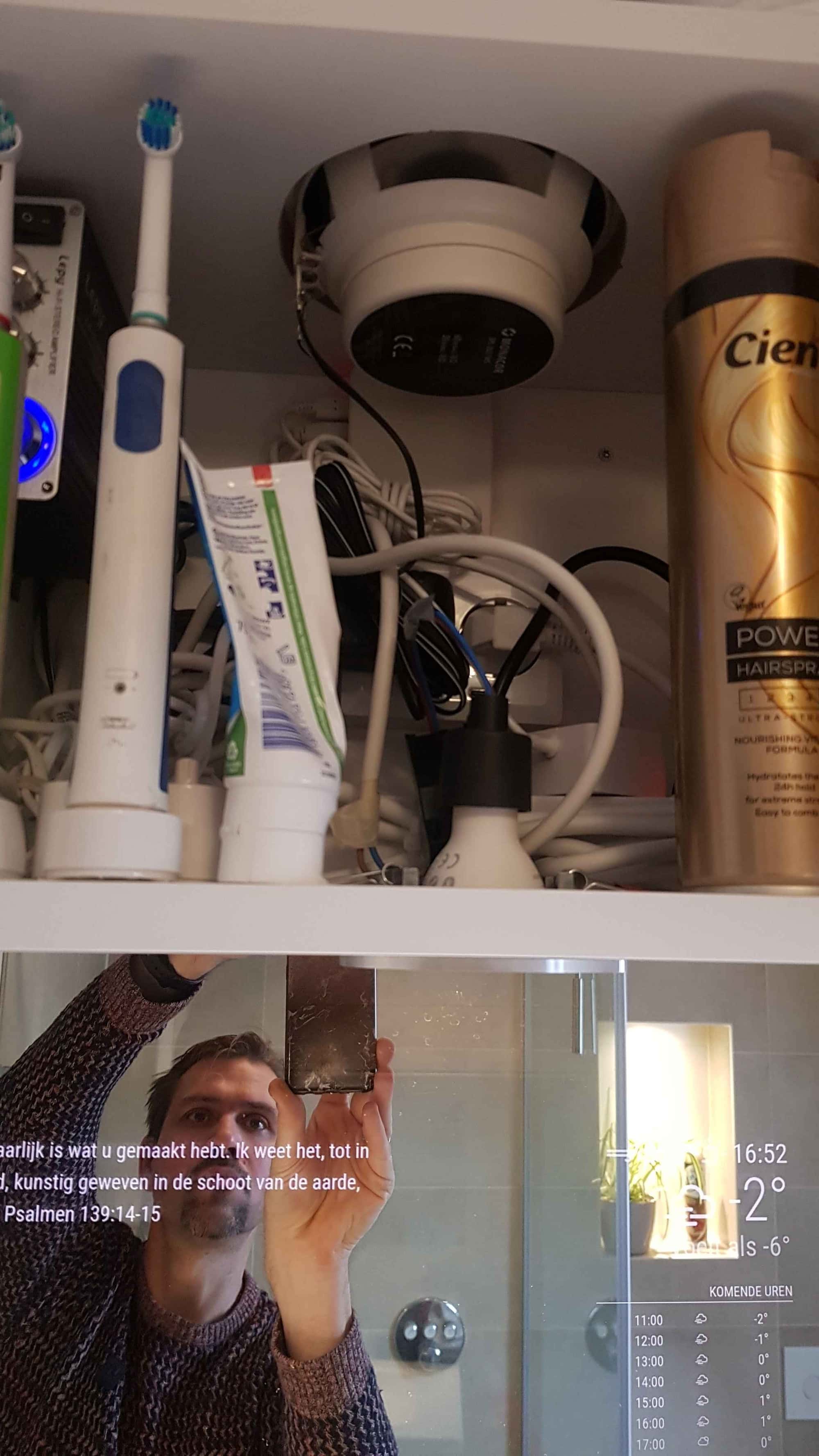
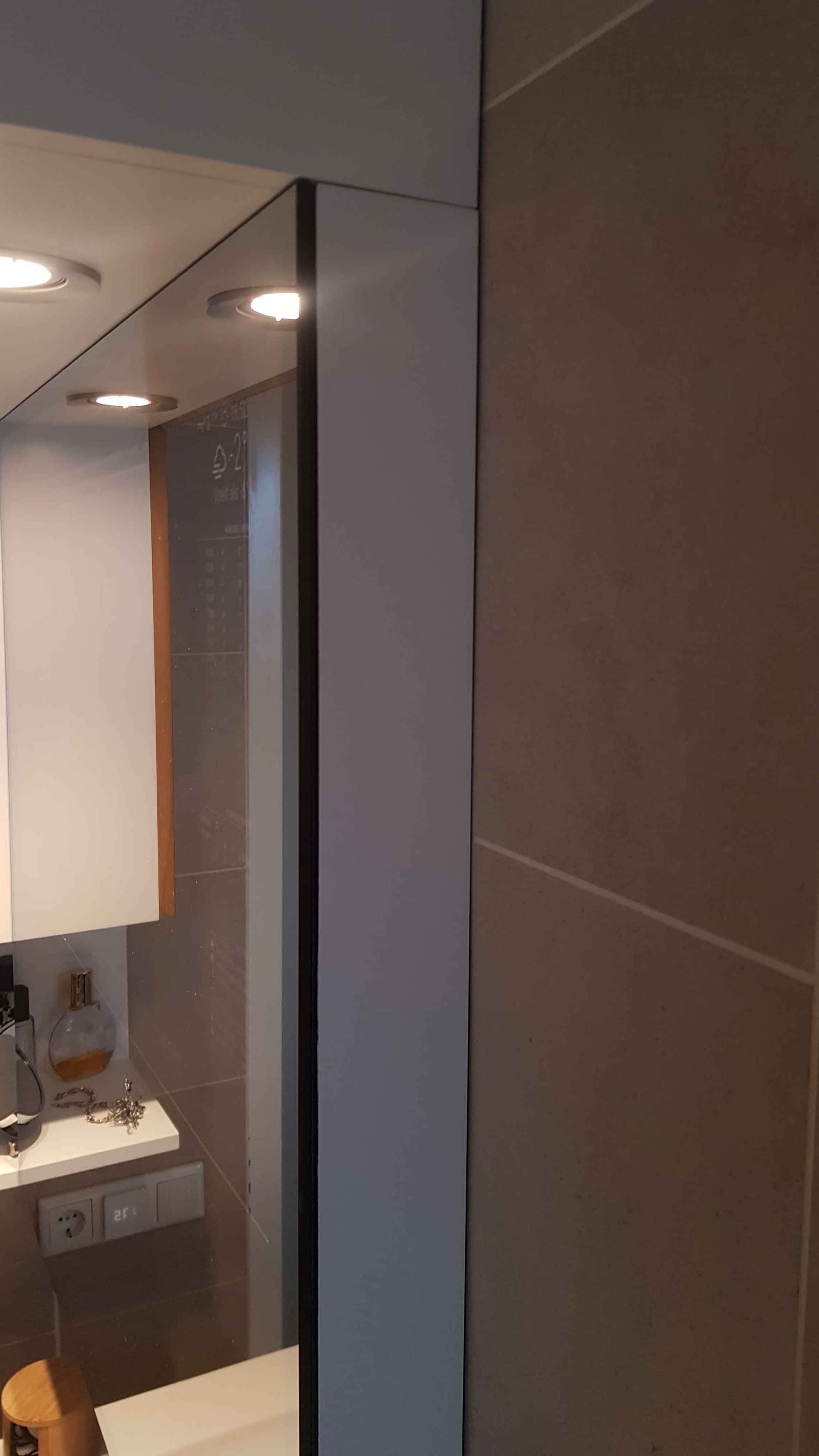
I have no pics of vids of the creation and as such cannot show you how the monitor is hung up. All I know is that a painted-black wooden panel is set behind the mirror (with dual side mirror tape), where the screen fits in perfectly and something is clamping the screen to the glass.
The pi and the power wall outlets are in the cabinet above the mirror, so only 2 cables (power ande hdmi) are drawn from the screen to that cabinet.
-
Bathroom mirror
We did a total make over of our bathroom last month, including all new custom made furniture. This was the opportunity to build in a magic mirror!
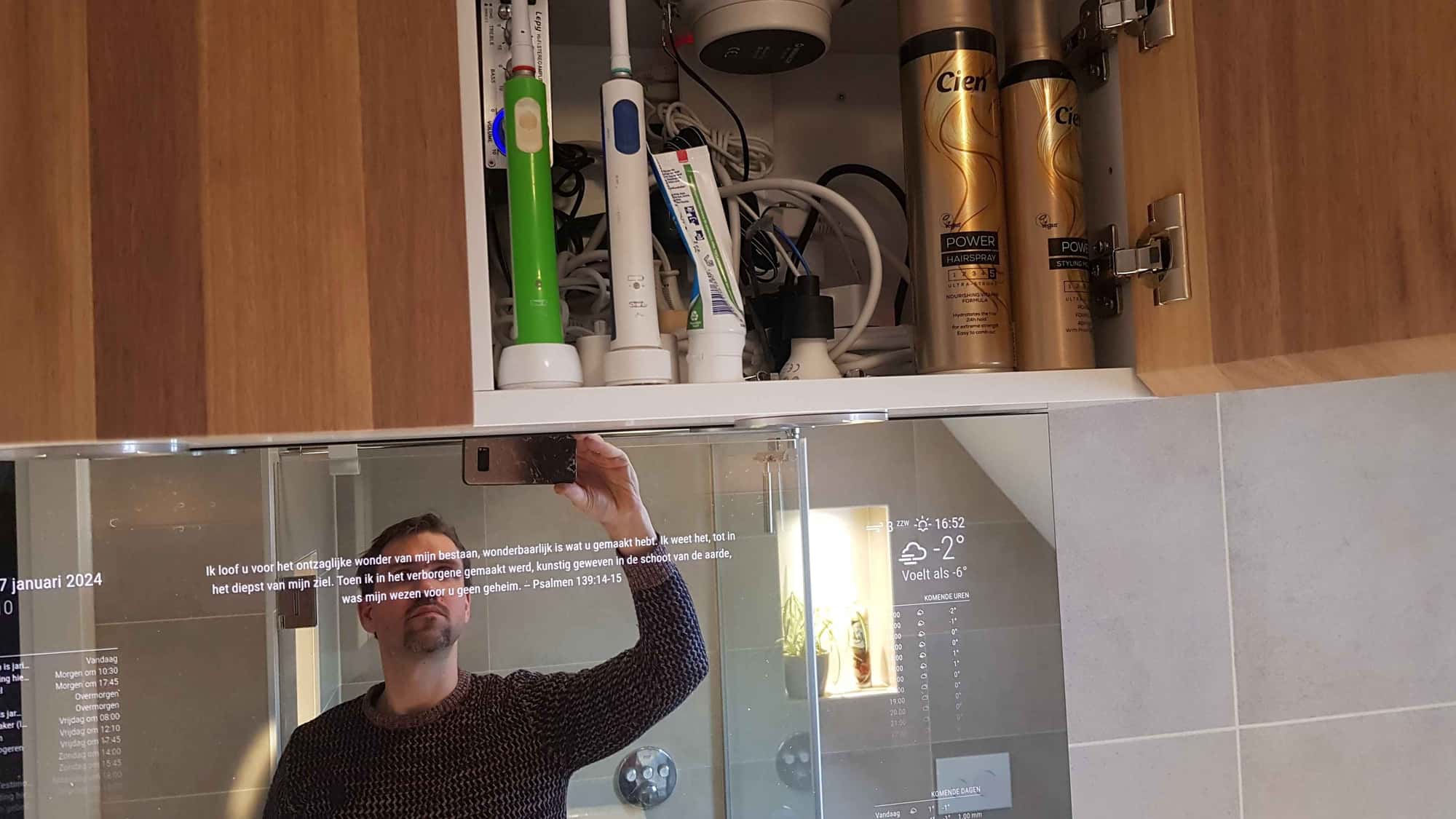
it was pretty exciting to see everything come together, the 32 inch display, the 80x80 cm 80%/20% mirror, the raspberry pi (also functioning as LMS player, synchronised with the rest of the house), the 6 inch speakers, the hue lights, all in a self-designed bathroom cabinet.
But the result is sublime. In the attached video and pictures, you can see the result.Used modules in standard mode:
Clock - RSS feed - WeatherWhen clicking a (z-wave) button (which runs a script on a domoticz server) the other modules become visible:
clock      -    MMM-RSS-FEED       -       Weather
calendar                                   Weather (upcoming hours)
                                           Weather (upcoming days)
                                           MMM-JsonTable
MMM-iFrame                                 nstreinen
                  Newsfeed
The RSS feed is used for the bibleverse of the day.
The iFrame is used for a now playing frame for the LMS player.
The JSON tables show who is at home (and since when) and the train departure times to my office’s town.Hope it inspirese you. Leave your questions in the replies.


