I think you need these parameters:
			updateInterval: 60 * 60 * 1000,
			retryDelay: 60 * 60 * 1000,          // retry only once per hour
I think you need these parameters:
updateInterval: 60 * 60 * 1000,
retryDelay: 60 * 60 * 1000, // retry only once per hour
@sdetweil not yet, It will take some time which I don’t have these days. I’ll let you know.
@late4marshmellow I’d like to make use of this nice module, but i’d like to get rid of the Header part (Where it shows the words: “Electricity Price EUR” and possibly also the “Now: … ore/kWh” part.
Is this possible with a css or maybe better with a parameter setting?
Nice stuff, very well done. I like the hue integration.
@sdetweil said in hourly forecast openweathermap doesn't show data:
@stephanvdplas are you on MagicMirror version 2.29?
if not, then addapiVersion:"3.0",
Thank you! This did the trick!
I am on 2.28 (and updating is not possible at the moment), but this extra line makes it work again!
@sdetweil said in hourly forecast openweathermap doesn't show data:
units: “imperial”,
tempUnits: “metric”,
windUnits: “mph”,
timeFormat: “12”,
useBeaufort: true,
lang: “en”,
degreeLabel: true,
useKmh: false,
showHumidity: false,
type: “hourly”,
maxEntries: 10,
fadePoint: 0.12,
colored: true,
fade: false,
weatherEndpoint:“/onecall” // added
Hmm, with these same settings (but with my lon/lat and api-kay) it doesn’t work.
Yesterday I changed my subscription to this:
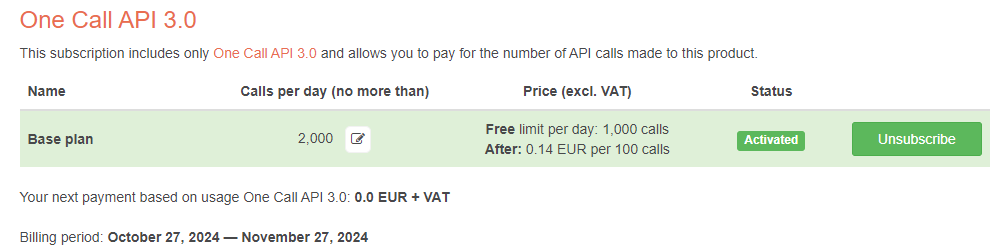
The API is working:
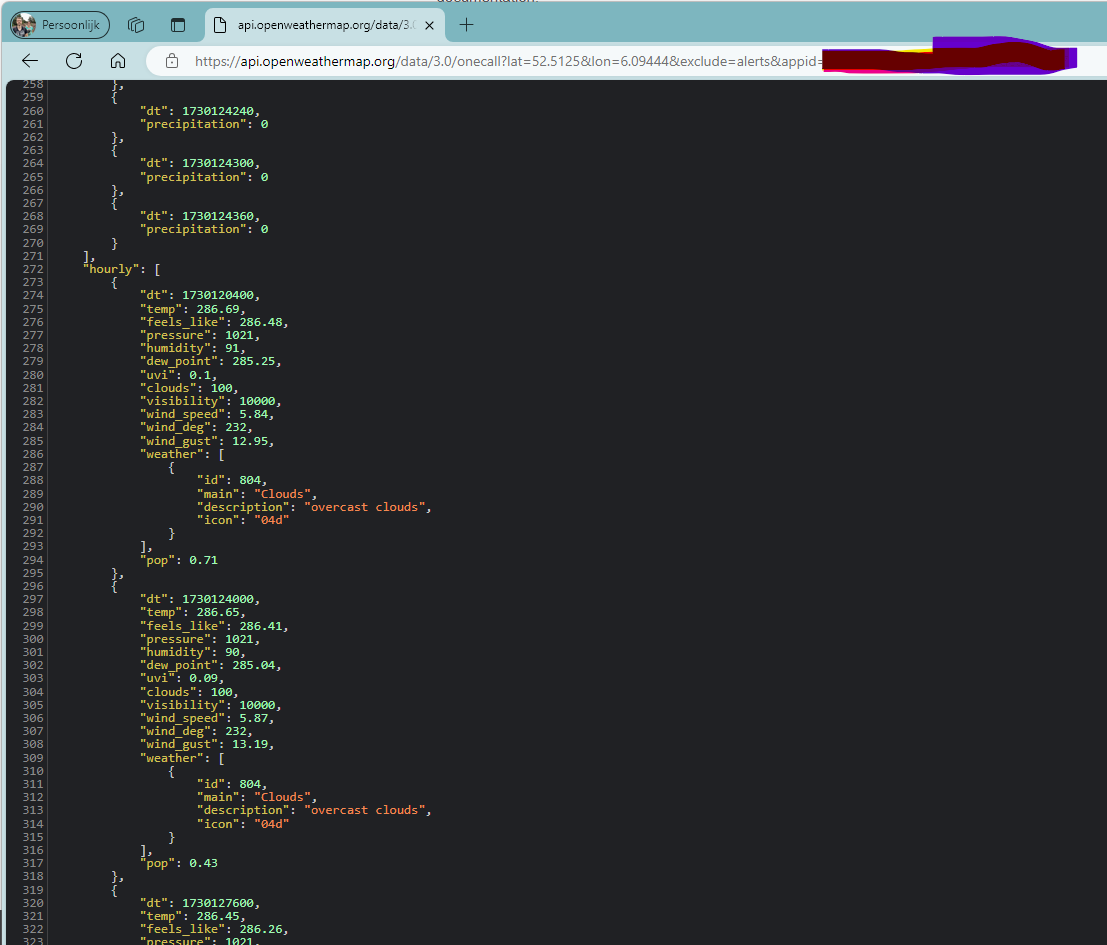
I’ll send you a PB with my API key so you can test this yourself.
@sdetweil
Ok. Can you (or any reader) confirm the hourly forecast is no longer working?
And is there something we can do to fix this?
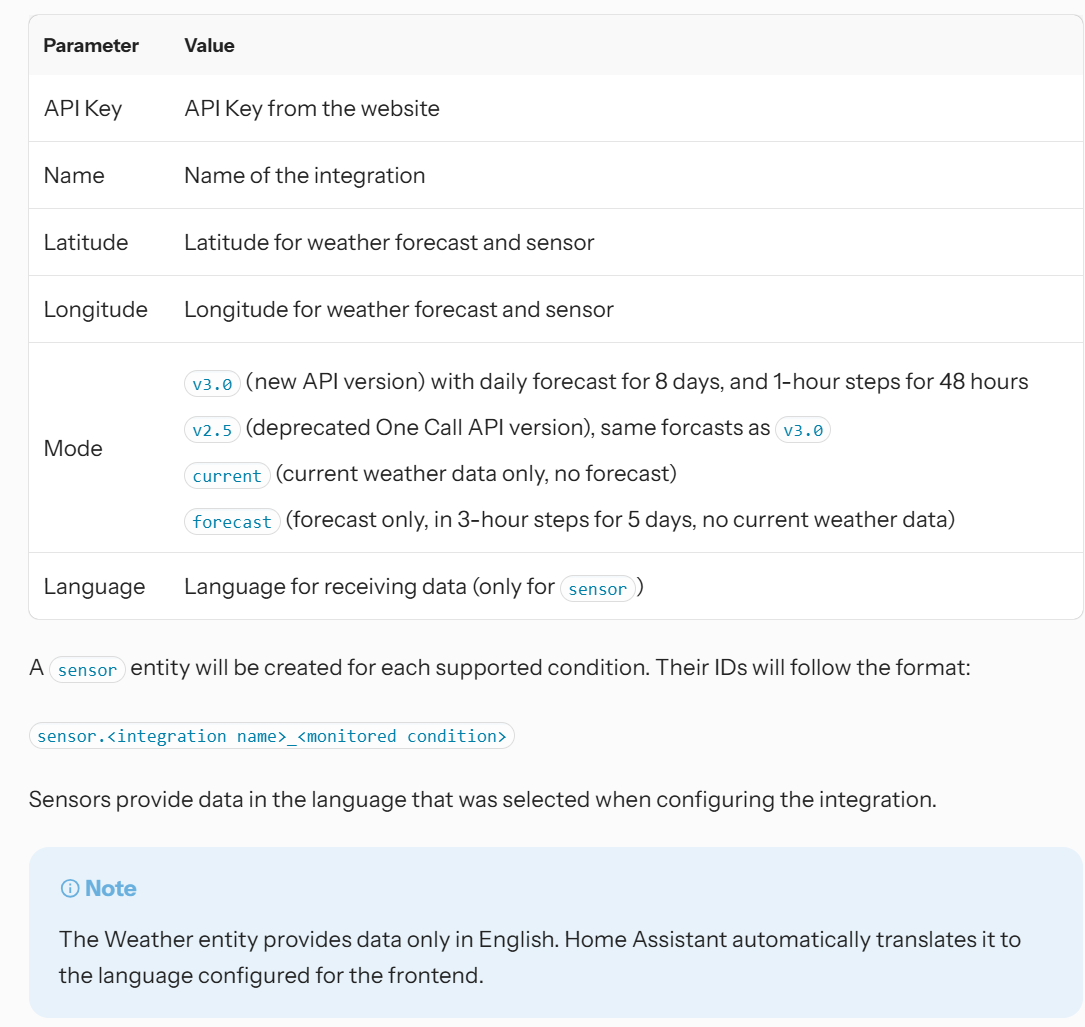
At the Home Assistant website, I read something about Mode setting to 3.0:
I see these messages:
moment-with-locales.js:281  Deprecation warning: value provided is not in a recognized RFC2822 or ISO format. moment construction falls back to js Date(), which is not reliable across all browsers and versions. Non RFC2822/ISO date formats are discouraged. Please refer to http://momentjs.com/guides/#/warnings/js-date/ for more info.
Arguments:
[0] _isAMomentObject: true, _isUTC: false, _useUTC: false, _l: undefined, _i: Manya, _f: undefined, _strict: undefined, _locale: [object Object]
Error
    at Function.createFromInputFallback (http://192.168.5.19:8080/vendor/node_modules/moment/min/moment-with-locales.js:318:25)
    at configFromString (http://192.168.5.19:8080/vendor/node_modules/moment/min/moment-with-locales.js:2607:19)
    at configFromInput (http://192.168.5.19:8080/vendor/node_modules/moment/min/moment-with-locales.js:3050:13)
    at prepareConfig (http://192.168.5.19:8080/vendor/node_modules/moment/min/moment-with-locales.js:3033:13)
    at createFromConfig (http://192.168.5.19:8080/vendor/node_modules/moment/min/moment-with-locales.js:3000:44)
    at createLocalOrUTC (http://192.168.5.19:8080/vendor/node_modules/moment/min/moment-with-locales.js:3094:16)
    at createLocal (http://192.168.5.19:8080/vendor/node_modules/moment/min/moment-with-locales.js:3098:16)
    at hooks (http://192.168.5.19:8080/vendor/node_modules/moment/min/moment-with-locales.js:10:29)
    at Class.getFormattedValue (http://192.168.5.19:8080/modules/MMM-JsonTable/MMM-JsonTable.js:124:23)
    at http://192.168.5.19:8080/modules/MMM-JsonTable/MMM-JsonTable.js:99:31
warn @ moment-with-locales.js:281
Show 1 more frame
Show less
8
```module.js:364  Parameter mismatch in module.hide: callback is not an optional parameter!
hide @ module.js:364
module.js:182 newsfeed is suspended.
2module.js:182 weather is suspended.
module.js:182 calendar is suspended.
module.js:182 MMM-JsonTable is suspended.
module.js:182 MMM-iFrame is suspended.
nstreinen.js:73 NS treinen suspend()
weather.js:164 New weather information available.
material/:1 [Intervention] Images loaded lazily and replaced with placeholders. Load events are deferred. See https://go.microsoft.com/fwlink/?linkid=2048113
module.js:391  Parameter mismatch in module.show: callback is not an optional parameter!
show @ module.js:391
(anonymous) @ MMM-Remote-Control.js:156
socketNotificationReceived @ MMM-Remote-Control.js:150
(anonymous) @ module.js:231
(anonymous) @ socketclient.js:32
Emitter.emit @ index.mjs:136
emitEvent @ socket.js:538
onevent @ socket.js:525
MMSocket.socket.onevent @ socketclient.js:26
onpacket @ socket.js:495
Emitter.emit @ index.mjs:136
(anonymous) @ manager.js:204
Promise.then
(anonymous) @ websocket-constructor.browser.js:5
ondecoded @ manager.js:203
Emitter.emit @ index.mjs:136
add @ index.js:146
ondata @ manager.js:190
Emitter.emit @ index.mjs:136
onPacket @ socket.js:341
Emitter.emit @ index.mjs:136
onPacket @ transport.js:98
onData @ transport.js:90
ws.onmessage @ websocket.js:68

module.js:189 weather is resumed.
The daily instance of the Weather module works fine. So there must be changed something in the API of openweathermap i’m afraid that makes the hourly forecast no longer working.
Hello all,
I use the default Weather module in MM three times, one current, the other two for hourly and for daily forecasts:
{
module: "weather",
position: "top_right",
config: {
weatherProvider: "openweathermap",
type: "current",
location: "Zwolle",
locationID: "2743476",
apiKey: "******",
showPrecipitationAmount: true,
appendLocationNameToHeader: false,
roundTemp: true,
windUnits: "beaufort",
}
},
{
module: "weather",
position: "top_right",
header: "komende uren",
config: {
weatherProvider: "openweathermap",
type: "hourly",
weatherEndpoint: "/onecall",
lat: 52.5125,
lon: 6.09444,
apiKey: "******",
maxEntries: 16,
showPrecipitationAmount: true,
colored: true,
appendLocationNameToHeader: false,
roundTemp: true,
}
},
{
module: "weather",
position: "top_right",
header: "komende dagen",
config: {
weatherProvider: "openweathermap",
type: "daily",
location: "Zwolle",
locationID: "2743476",
apiKey: "*******",
maxNumberOfDays : 11,
showPrecipitationAmount: true,
colored: false,
appendLocationNameToHeader: false,
roundTemp: true,
}
},
This worked like a charme, until last week, where the hourly forecast is shown empty:
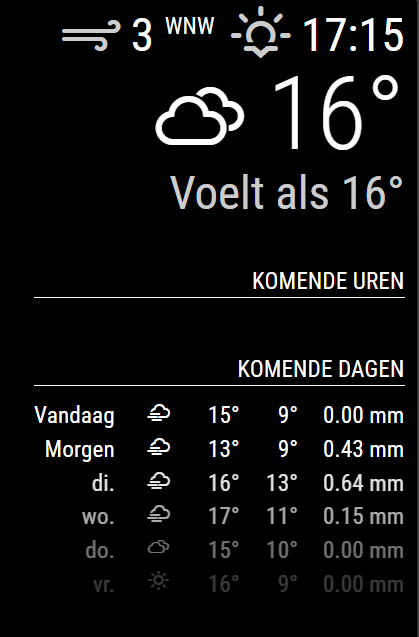
I see no log message in the mm logs regarding this.
What can I do to troubleshoot?
Regards,
Stephan
@sdetweil said in iFrame blank when displaing http://<ipaddress LMS server>:9000/material:
finding a test environment will be the tough thing
Off course I’m willing to help with that. Just PM if you need to test something or if I can help set up a test environment.
@sdetweil said in iFrame blank when displaing http://<ipaddress LMS server>:9000/material:
@stephanvdplas unrelated to your problem is your solution technique.
we provide access to these settings in config.js so you DON’T edit our code, as this causes update problems.
ok understood. But but both ways don’t work. Only thing that helps is reverting the installation of electron to 30.0.0.
@karsten13 sorry to report that there is no other possibility than to revert back to electron 30.0.0
After this, the iFrame works again. After re-installing 31.0.0, it is broken again.
So no I have implemented this workaround.
sudo npm install electron@30.0.0
this command saved my life mirror
@karsten13 I am quite sure about having the config right:
	let electronSwitchesDefaults = ["autoplay-policy", "no-user-gesture-required"];
	app.commandLine.appendSwitch(...new Set(electronSwitchesDefaults, config.electronSwitches));
	let electronOptionsDefaults = {
		width: electronSize.width,
		height: electronSize.height,
		icon: "mm2.png",
		x: 0,
		y: 0,
		darkTheme: true,
		webPreferences: {
			contextIsolation: true,
			nodeIntegration: false,
			zoomFactor: config.zoom,
			webSecurity: false
		},
		backgroundColor: "#000000"
	};

	// DEPRECATED: "kioskmode" backwards compatibility, to be removed
	// settings these options directly instead provides cleaner interface
	if (config.kioskmode) {
		electronOptionsDefaults.kiosk = true;
	} else {
		electronOptionsDefaults.show = false;
		electronOptionsDefaults.frame = false;
		electronOptionsDefaults.transparent = true;
		electronOptionsDefaults.hasShadow = false;
		electronOptionsDefaults.fullscreen = true;
	}

	const electronOptions = Object.assign({}, electronOptionsDefaults, config.electronOptions);

	// Create the browser window.
	mainWindow = new BrowserWindow(electronOptions);
So the webSecurity line is the only thing I added/changed.
@karsten13 good option. I tried it (actually I placed the option directly in the electron.js script) but it doesn’t change the situation at all.
@stephanvdplas There is another thing:
In the preview tab of the content it shows: Failed to load response data: Connection is closed, can’t dispatch pending call to Network.getResponseBody
@sdetweil said in iFrame blank when displaing http://<ipaddress LMS server>:9000/material:
@stephanvdplas said in iFrame blank when displaing http://<ipaddress LMS server>:9000/material:
Set-Cookie header didn’t specify a “SameSite” attribute and was defaulted to “SameSite=Lax”
Ok, I don’t KNOW for certain, but our cors proxy might work there
change the url in the iframe config to
http://localhost:MM_PORT/cors?
the rest like this
// the url
url=http://www.test.com/path?param1=value1 // example
// if there are headers, skip if not
&sendheaders=header1:value1,header2:value2&expectedheaders=header1,header2
make sure quotes around the url string’’
It doesn’t work. Now there are no errors, but it only shows an empty frame.
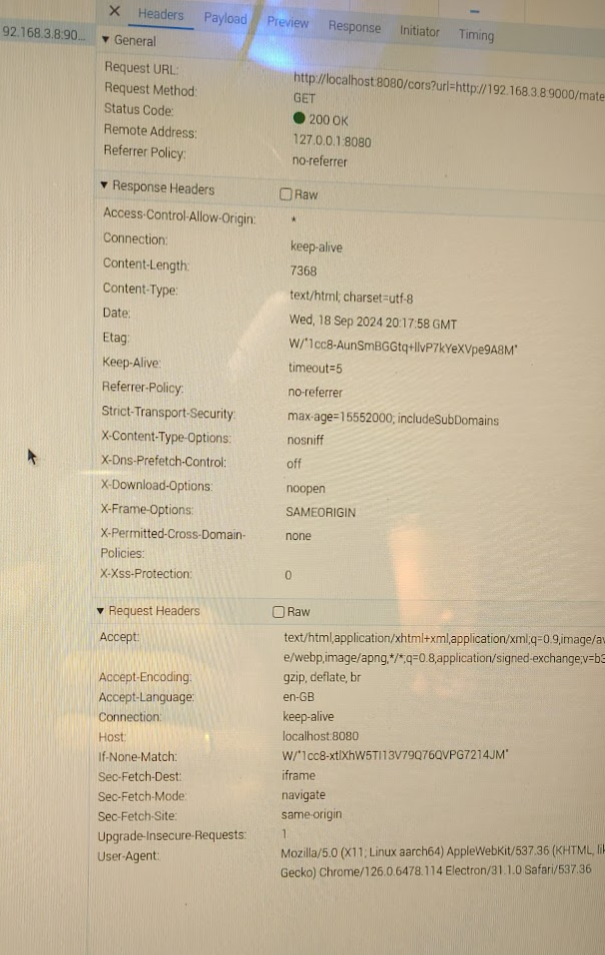
In the Preview tab, it shows {{snackbar.msg}}
[24-09-18 22:33:38.8839] Slim::Utils::Misc::msg (1319) Warniing : [22:33:38.8838] “my” variable $mobile masks earlier declaration in same scope at (eval 5777) line 46.
This warning is also seen in the debug log of LMS server, also when I open the 192.168.3.8/material on a browser on a windows machine (where the site is loading correctly).
@stephanvdplas in the network tab I see errors:
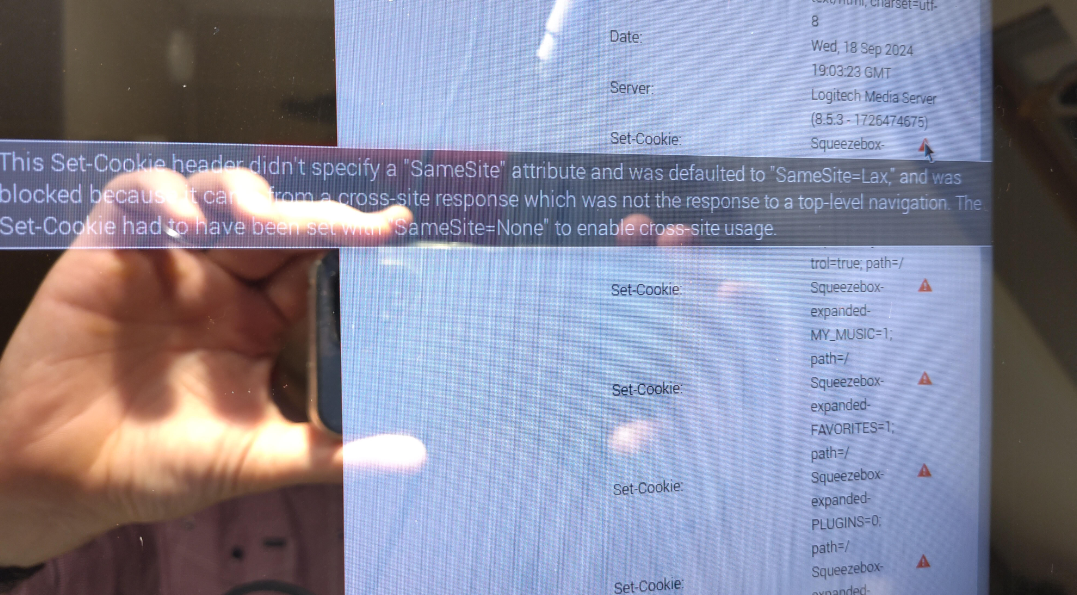
This Set-Cookie header didn’t specify a “SameSite” attribute and was defaulted to “SameSite=Lax”, and was blocked because it came from a cross-site response which was not the response to a top-level navigation. The Set-Cookie had to have been set with “SameSite=None to enable cross-site usage.”
@stephanvdplas no errors at all! Only a deprecation warning but it is about a different module .
Please help me to further troubleshoot. All other web content I tried is working fine and the content I want to show is working fine when browsing the mirror in a different browser via http://<ip address mirror>:8080.
So it must be some strange thing in electron or jsnode.