i got the mirror up and running. it loads the desktop and then the Chromium browser.
how do i get a music player like PiCorePlayer installed via command line? or OR what player can i install on the smart mirror to connect to my LMS and then play music?
seems nobody has done such a thing…
T
Offline
A New Chapter for MagicMirror: The Community Takes the Lead
Read the statement by Michael Teeuw here.
Read the statement by Michael Teeuw here.
Posts
-
Logitech Media Server, the player
-
disable MagicMirror update available
on my mirror, i see “update available”
how do i disable this message on top? i dont want to update anything as it is working fine.thanks!
-
blank black screen every 23 hours
yet another blank/black screen thread. pls help since i did not find anything from searching.
my mirror works flawlessly with the MMM-RTSPStream (security camera feed), weather, calendar, and quote module. i added in a totally separate code for PIR motion detection.
BUT for whatever reason, it only works perfectly for about 23hours. after that, i only get a blank black screen. PIR code still works fine whereby it turns the screen on when i walk by BUT it’s a blank black screen. when there’s no one nearby, it shuts off too.
any idea why? -
RE: cant stream 1 HikVision cam
@binderth i am happy to say i can view the camera now AND got the PIR working thanks to your link https://github.com/cowboysdude/Pir-Sensor/blob/master/monitor_on.sh
BUT when motion is detected, monitor turns on only with the camera stream. nothing else is displayed. no calendar, no weather, no time. just camera stream.
any idea why? i spent 3 hours and still clueless. thanks! -
RE: cant stream 1 HikVision cam
@binderth said in cant stream 1 HikVision cam:
MMM-PIR-Sensor
yes, i have MMM-PIR-Sensor running as well!
let me disable it and only have MMM-RTSPStream module running. thanks! -
cant stream 1 HikVision cam
i tried my best to follow the instructions for MMM-RTSPStream.
believe it or not, it was working for 10 seconds while i was setting up the Pi. when i restarted, the video feed no longer works. all i see is a white outline of where the video should be.here is my module config: https://i.imgur.com/jGMbmwc.jpg
intially, the thought the camera crashed but it is still working fine as seen here: https://i.imgur.com/sLH9Yhj.jpgand here is my port settings for the camera: https://i.imgur.com/ssbt5Vg.jpg
could someone please help? so strange it quit on me after a restart!
-
RE: MMM-PIR-Sensor (black screen)
was this solved?
i just installed everything from this tutorial: https://howchoo.com/g/ntcymzbimjv/how-to-install-magic-mirror-on-your-raspberry-pi
everything works EXCEPT this pir module. once i remove the module, off course everything is back to “normal”but if i add the module back in with
{
			module: 'MMM-PIR-Sensor',
			config: {
				sensorPIN: 4,
				powerSavingDelay: 25,
			}
},
i get nothing but a mouse cursor and a totally black screen. it doesnt turn off or on via the PIR either.
never mind…
i got it now. i reinstalled everything again.
cd ~/MagicMirror/modules
git clone https://github.com/paviro/MMM-PIR-Sensor.git
cd MMM-PIR-Sensor
npm installsudo usermod -a -G gpio pi
sudo chmod u+s /opt/vc/bin/tvservice && sudo chmod u+s /bin/chvt
to allow turning on/off the hdmi output.sudo reboot
sudo nano ~/MagicMirror/config/config.js
{ module: 'MMM-PIR-Sensor', config: { sensorPIN: "4", powerSavingDelay: "25", } }, -
RE: current weather feels 185F!!!
@maxbachmann
thank you. i dont know why that day was special. now, feels like temp is back to “normal” without me doing anything special. if it goes crazy again, i will delete those code. thanks! -
current weather feels 185F!!!
i just installed magic mirror on the rpi2. loooks great except not sure why current weather shows 185F
just to check, i went outside and it’re about 90F, not 185F!
any idea what went wrong? and how do i have current weather section colorized?
thanks! -
RE: timing on weather is off by about 8hours
@MichMich
pi@raspberrypi ~ $ date
Sat May 14 09:32:09 EDT 2016
pi@raspberrypi ~ $
and here is the screenshot. if i wake up every day at 9am, i would not notice the 8hrs delay.
but since i wake up at 6am, thats when i noticed the delay as seen in previous screenshots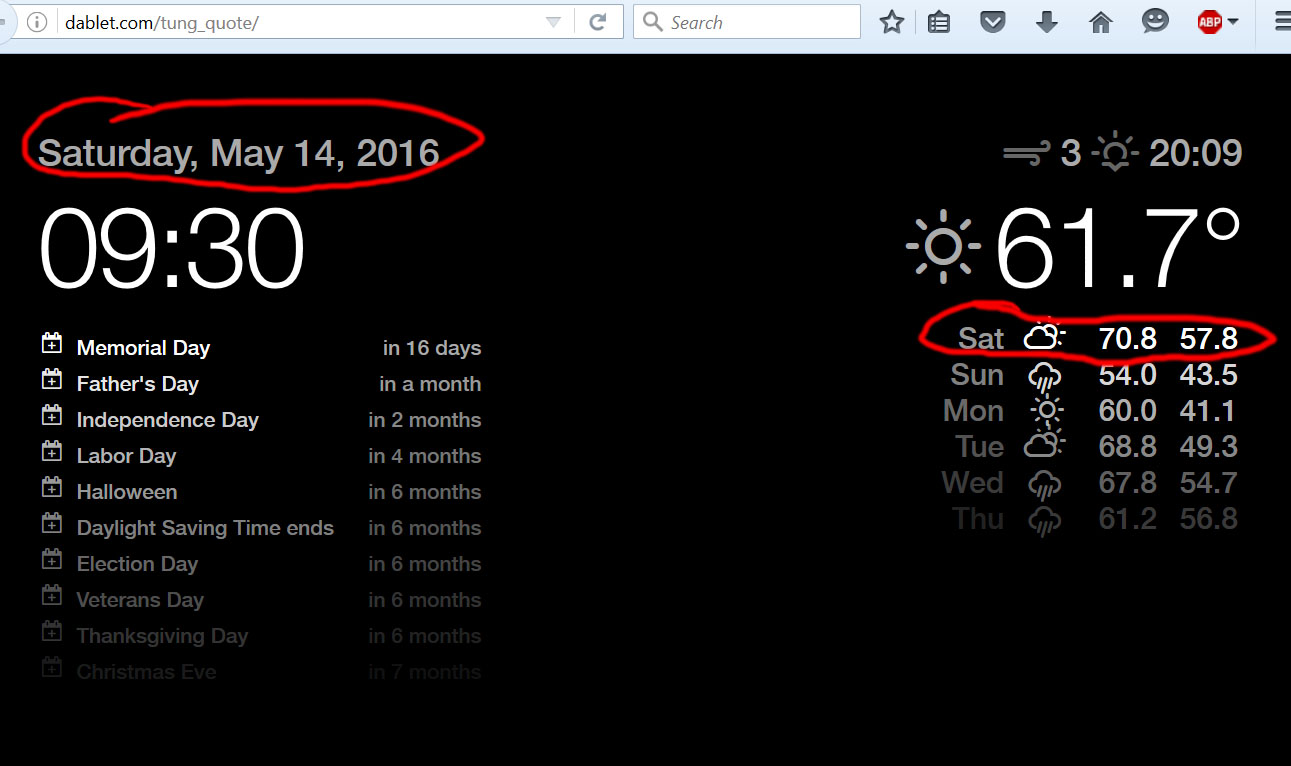
-
RE: timing on weather is off by about 8hours
good morning, here is my rpi setup.
for locale, it has en_GB ( I dont think this matters, but what is the value for USA?)
for timezone, it is already New York.
the rpi and my PC shows the same info when i go to this website : http://dablet.com/tung_quote/
the reason i have the rpi loads that website is because i can change the content as needed remotely. i dont have to visit the person’s house and log into putty locally to make changes.
@KirAsh4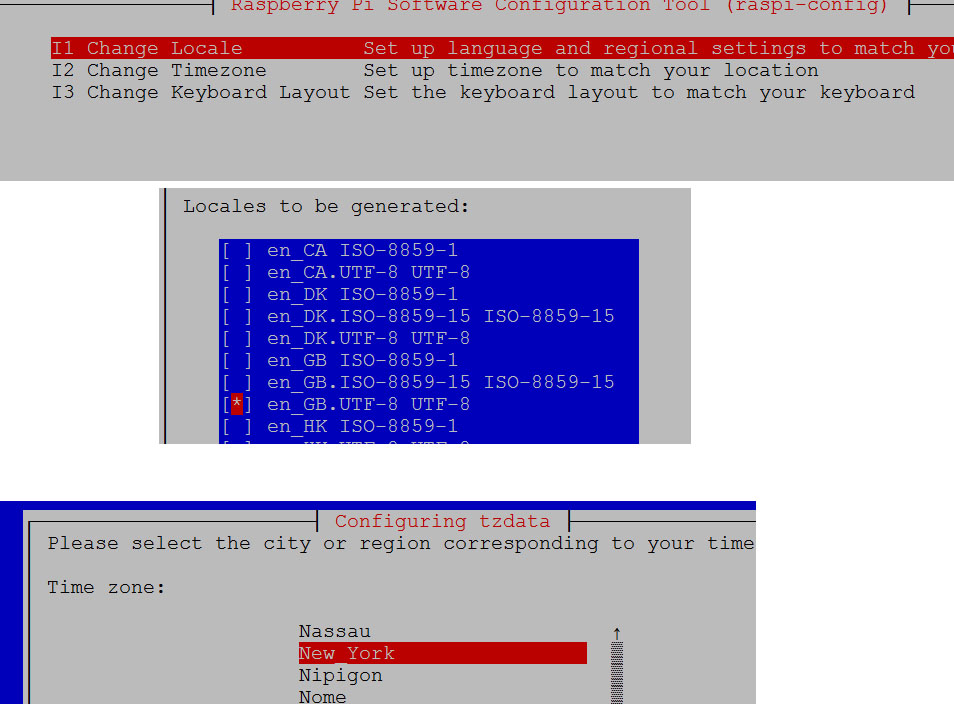
-
RE: timing on weather is off by about 8hours
@pugsly said in timing on weather is off by about 8hours:
I had a hard time with openweather as well, what I finally got to work was using the full City,State (No Space) as my location. What helped me was going to the openweather site and typing in different combinations until I found the one that was for my city which according to them there are 6 different city’s in the US with that name.
For Philadelphia what works is Philadelphia,Pennsylvania (Note there is NO SPACE between the city and state)
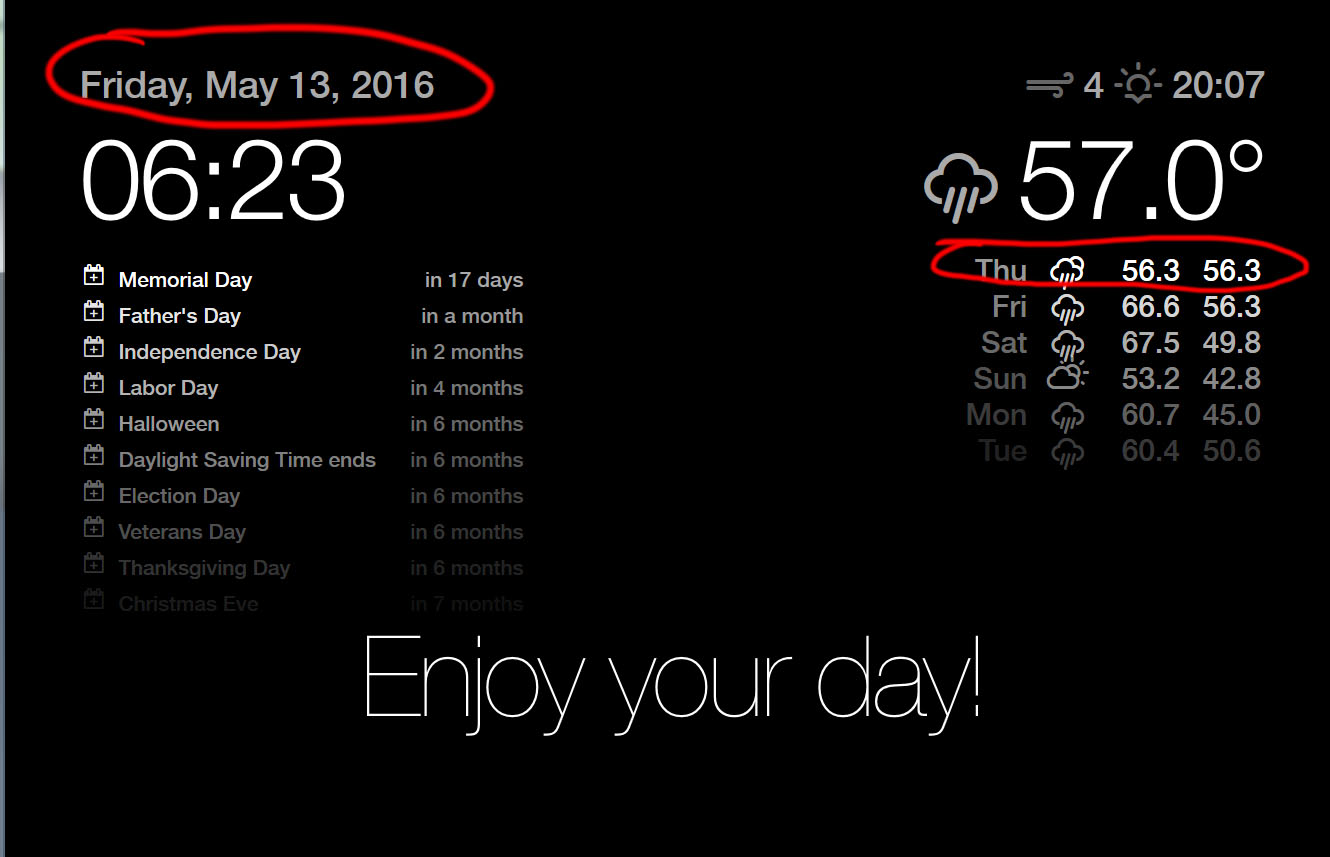
http://openweathermap.org/city/4560349unfortunately, it didnt work as seen by the screenshot below. i wonder if it is because the files are hosted on a webserver located in another city. all of Teeuw’s files are located on a bluehost.com server. the autostart file on the rpi tells Chromium to load this website http://dablet.com/tung_quote/
-
RE: timing on weather is off by about 8hours
@00conman said in timing on weather is off by about 8hours:
I had that same problem. The time in the top right is the time when the sun “officially” sets at your location.
im not referring to the sunset time. please see my screenshot and message for clarification.
anywho, here is my config file: http://www.dablet.com/tung_quote/js/config.js
location is set as “q: ‘Philadelphia, US’,” is that incorrect? or i must seet to zip code?
-
timing on weather is off by about 8hours
im in Philadelphia, PA, USA. time zone is new york city in raspi-config setting.
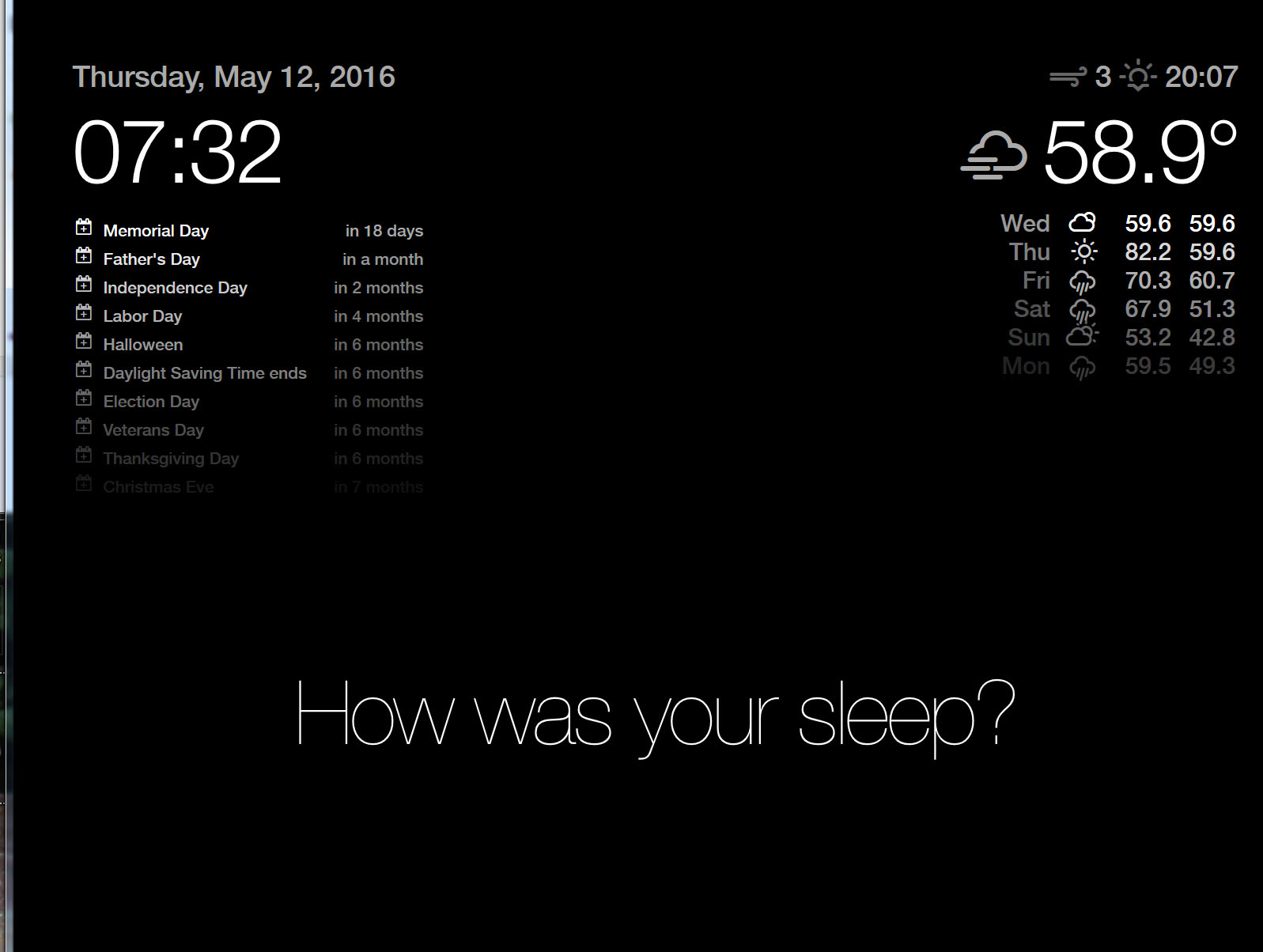
the time on the left side is correct with current time. however, the weather is still showing current condition from 8 hours ago.
in the screenshot, you can see it is Thursday morning, BUT the weather is showing conditions for 8 hours ago. hence you are also seeing Wednesday’s forecast, which is yesterday.
please help. thanks!