@sdetweil yes I know ha module, I am using it for sensors data without any fancy looks. I’m too lazy and no time to learn styling every detail 😀
 U
Offline
U
Offline
A New Chapter for MagicMirror: The Community Takes the Lead
Read the statement by Michael Teeuw here.
Read the statement by Michael Teeuw here.
Posts
-
RE: Home Dashboard
-
RE: Home Dashboard
@Hilt cool stuff, that looks clean.
Which MM module are you using to display HA as iFrame? Refresh rate 15s is a must, can it be faster refresh rate? -
RE: New module: Weather effects
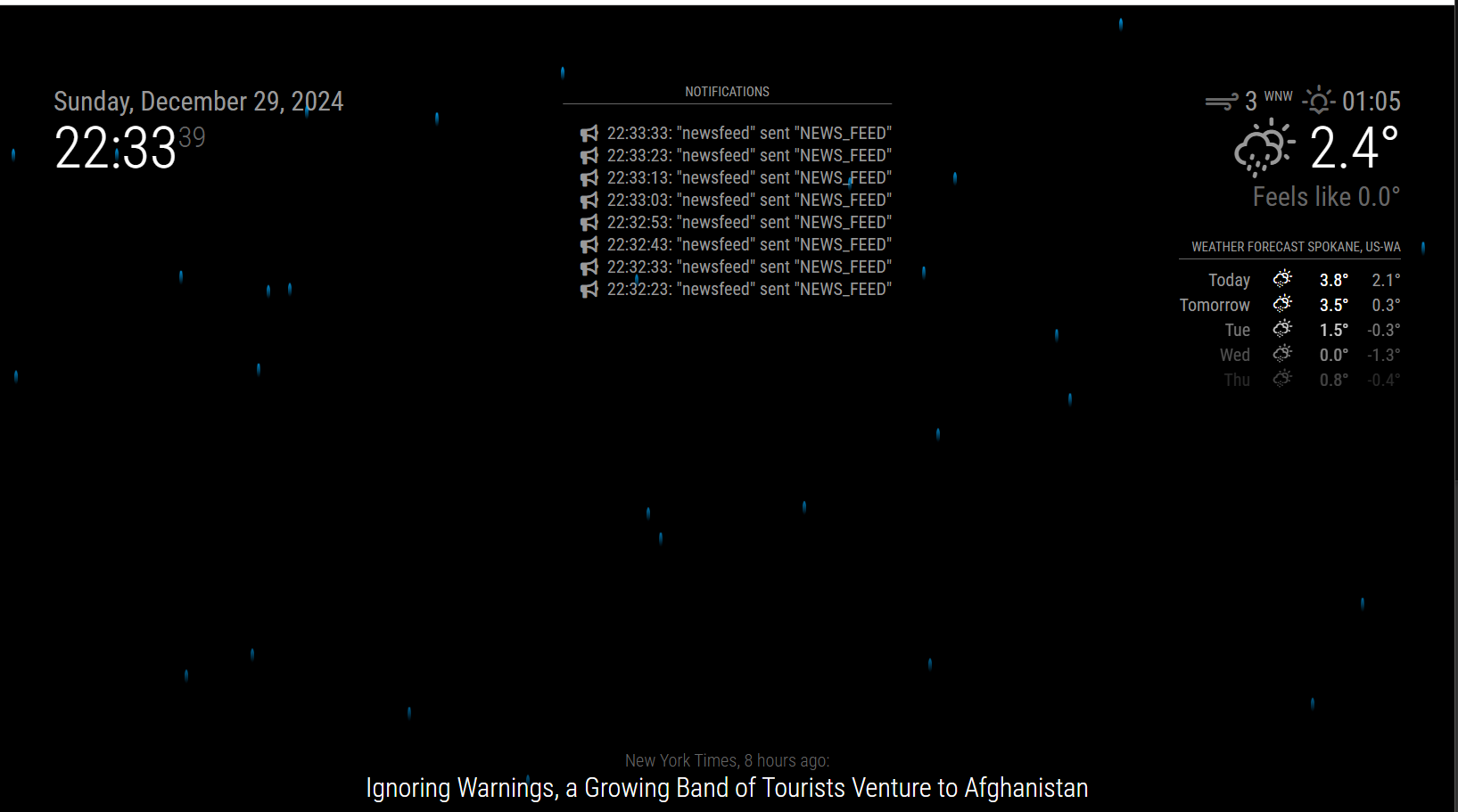
Okay, I just reinstalled the whole test environment from scratch and now it works. Why the hell it didn’t work earlier I don’t know. Important is that it works.
Thanks again @sdetweil for all the assistance and guidance.
-
RE: New module: Weather effects
@sdetweil I tried on Edge and Firefox browser and it’s the same, I can’t see the notifications module loading in the selected region position. No clue what could prevent this module from loading.
-
RE: New module: Weather effects
@sdetweil that must be the Grammarly extension on my chrome browser. I’ll retry with different browser later and report back.
-
RE: New module: Weather effects
@sdetweil I changed it to top_center location to see if that could help. No difference.
Inspecting the developers window I can’t see anything in top_center region.
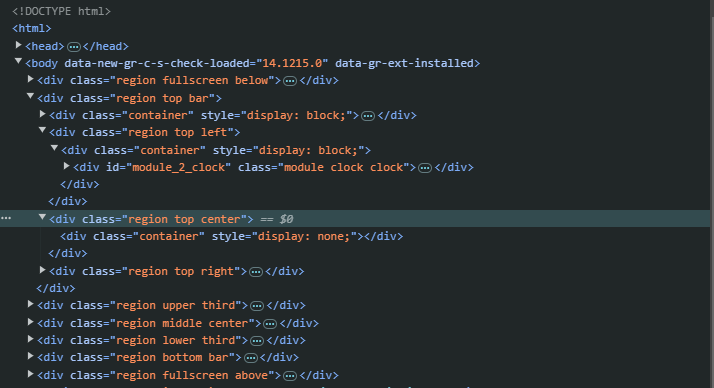
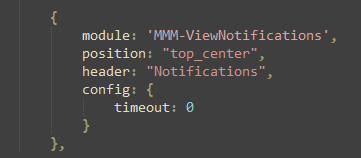
This is the config I am using
-
RE: New module: Weather effects
@sdetweil nope, cant even see the header of the notifications module. I am running this test enviroment as a server mode and on a windows 10 PC. If that makes any difference.
-
RE: New module: Weather effects
@sdetweil yes I used the default config. I also added timeout: 0 to see if I perhaps missed them. Default is 8sec timeout before notifications disappear.
-
RE: New module: Weather effects
@sdetweil top_left. It should show up under the clock.
-
RE: New module: Weather effects
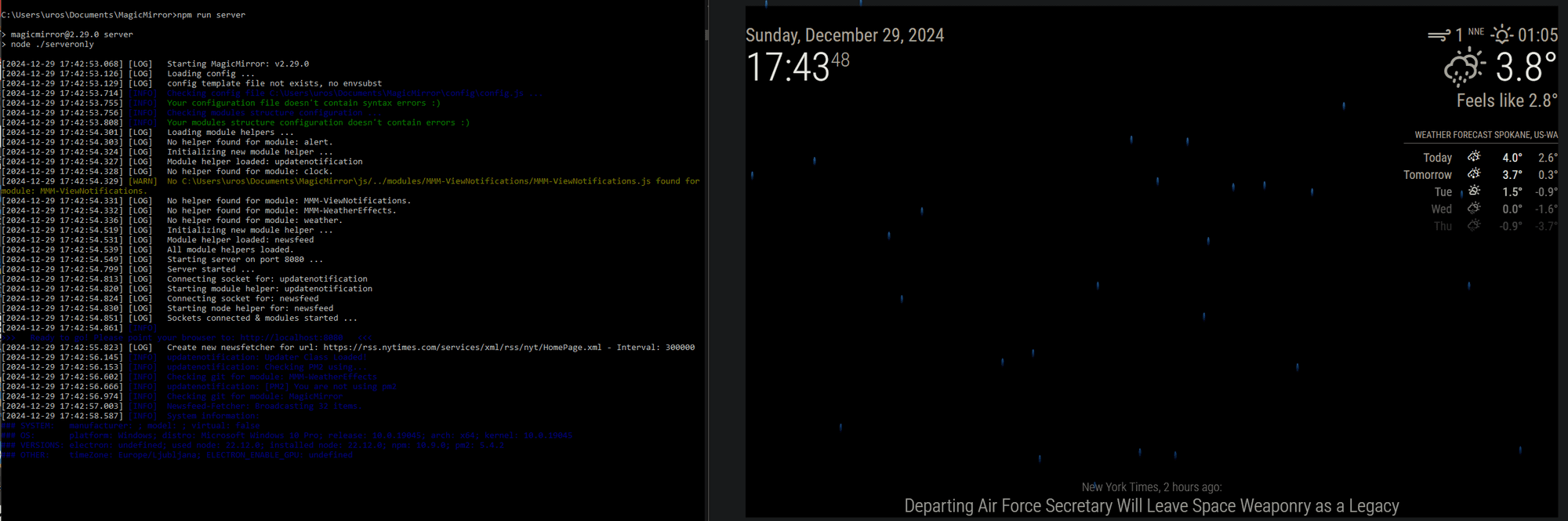
On my test MM install the weather effects work. This confirms the module is getting the notification broadcast from wethaer after all.
But the viewnotifications module doesn’t come up. I will keep it running for a bit longer to see if notifications show up. Even the newsfeed notifications should come up I think…
It’s not the end of the world, I am just digging into why I can’t see notifications :)
-
RE: New module: Weather effects
@sdetweil said in New module: Weather effects:
@uros76 yes, it was https://github.com/glitch452/MMM-ViewNotifications
it shows for me
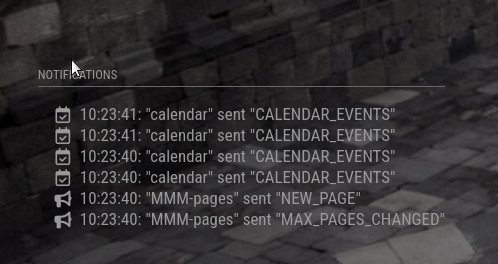
Well that’s interesting. I will keep trying to get this one to work. Not sure why it’s refusing to workfor me
-
RE: New module: Weather effects
@cgillinger duh, why didn’t I think of setting to a city where it rains LOL. I picked a random rainy city and presto, it works! Tnx again for this module.
@sdetweil thanks. I installed the MMM-Logging and checked the npm start console for any hint of notifications coming through but I can’t see anything related to notifications being broadcasted. I am probably missing something obvious again :(
And I can’t seem to find the MMM-Notifications location. Do you perhaps have a link to it?
I did thind this one but it doesn’t show anything https://github.com/glitch452/MMM-ViewNotifications -
RE: New module: Weather effects
I just inspected the pm2 log and under the latest entries I can’t see anything about weather module broadcasting notifications.
Do I need to looks somewhere else? -
RE: New module: Weather effects
Excellent! I was hoping someone would come up with this idea and module 😊. Thanks for this.
I have added allowOverrideNotification: true to the weather module config. At the moment we don’t have any rain or snow falling so can’t really confirm it works.Can you share more about how to check the console for weather notifications?
-
RE: Halloween module for Magic Mirror 🎃
This is awesome!
One suggestion, can you add a configuration setting to specify the png location/name? This way we could use this module for other festive periods :). For example moving snowflake in the winter -
RE: UPDATE: Replaced my PIR-Sensor with a Doppler Microwave Sensor.
@Lipax there you go, nothing wrong with the software code. It’s the PIR sensor giving false positives. Nothing you can really do about that. Perhaps a different brand/quality of PIR sensor if it will help but I doubt.
As mentioned before, due to exact same problem I gave up on PIR sensor completely and moved to the microwave. This works for me now over 3 years. without false positives.
-
RE: UPDATE: Replaced my PIR-Sensor with a Doppler Microwave Sensor.
@Lipax you need to be sure that sensor is not the cause.
Measuring it’s sensing, output voltage and duration is a good way of confirming if sensor works ok. -
RE: UPDATE: Replaced my PIR-Sensor with a Doppler Microwave Sensor.
@Lipax try different gpio pin, like a pin 18 which is a GPIO 5. It’s default set to input function. Don’t forget to adjust the python code, change switch to 18.
You might check the GPIO 0 (your pin 11) if it is set to input. Use command: raspi-gpio get 0 or raspi-gpio get to check all GPIO’s.
Also, use a multimeter to measure the voltage coming out from sensor. It should be around 3.3V for few seconds when sensing detected. This way you can monitor if actual detection / voltage is coming from sensor.
-
RE: UPDATE: Replaced my PIR-Sensor with a Doppler Microwave Sensor.
Can you share your python code? Perhaps there’s something there
-
RE: UPDATE: Replaced my PIR-Sensor with a Doppler Microwave Sensor.
@Lipax this sensor is very sensitive and catches any movement 360 around from several meters away. I had same problem… If you don’t dial down the sensitivity-range you will keep getting false positives.