MagicMirror Forum
    • Recent
    • Tags
    • Unsolved
    • Solved
    • MagicMirror² Repository
    • Documentation
    • 3rd-Party-Modules
    • Donate
    • Discord
    • Register
    • Login
    1. Home
    2. wmx
    3. Posts
    A New Chapter for MagicMirror: The Community Takes the Lead
    Read the statement by Michael Teeuw here.
    W
    Offline
    • Profile
    • Following 0
    • Followers 0
    • Topics 6
    • Posts 22
    • Groups 0

    Posts

    Recent Best Controversial
    • RE: MM crashing (after pi os update?)

      @sdetweil here first test results:

      If i disable your MyCovid19 modules (both of the two active) the system runs without crashing.
      I reduced config step by step to only these three modules (only configured one of each)

      • ottopaulsen/MMM-MQTT
      • Snille/MMM-homeassistant-sensors
      • sdetweil/MyCovid19
        the system crashed. But I can not reproduce it. Each combination of two of these three is running.

      How to look further?

      posted in Bug Hunt
      W
      wmx
    • RE: MM crashing (after pi os update?)

      @sdetweil ok, I’m going to test this with one module and going to enable one by one…

      posted in Bug Hunt
      W
      wmx
    • RE: MM crashing (after pi os update?)

      @sdetweil reran script with force, but still same issue

      posted in Bug Hunt
      W
      wmx
    • RE: MM crashing (after pi os update?)

      @sdetweil
      No, this time i did it manually. I used it for upgrading my first card (from first post).

      Can I use it now for a second time now?

      posted in Bug Hunt
      W
      wmx
    • RE: MM crashing (after pi os update?)

      @sdetweil
      I do NOT think the sd card is the reason here. I tried the following.
      Took a completely new second 32GB card, on which I installed MM 2.13.0 in december 2020. This card did only run for some hours in december. Pi came up and MM runs manually started with

      DISPLAY=:0 npm start
      

      for about half an hour.
      Then I decided to update MM (this was the fault here… :-( )
      After Upgrading MM to 2.15.0 (and updating all modules) the same problem occurs with this card!

      pi@mirror:~/MagicMirror $ DISPLAY=:0 npm start
      
      > magicmirror@2.15.0 start /home/pi/MagicMirror
      > DISPLAY="${DISPLAY:=:0}" ./node_modules/.bin/electron js/electron.js
      
      [23.04.2021 00:04.37.808] [LOG]   Starting MagicMirror: v2.15.0
      [23.04.2021 00:04.37.827] [LOG]   Loading config ...
      [23.04.2021 00:04.46.211] [LOG]   Starting node helper for: MMM-Remote-Control
      [23.04.2021 00:04.46.259] [LOG]   MMM-MQTT: Starting node helper
      [23.04.2021 00:04.46.264] [LOG]   Starting node_helper for module: MyCovid19
      [23.04.2021 00:05.18.598] [LOG]   MMM-MQTT: Starting client for:  {
      *** skipped same lines here ***
      }
      [23.04.2021 00:05.18.626] [LOG]   MMM-MQTT: Connecting to mqtt://moon.fritz.box:1883
      [23.04.2021 00:05.22.193] [LOG]   MMM-MQTT connected to mqtt://moon.fritz.box:1883
      [23.04.2021 00:05.22.202] [LOG]   MMM-MQTT: subscribing to sensor/wemos-schuppen-temp
      [23.04.2021 00:05.22.563] [ERROR] Failed to fetch git data for MyCovid19: Error: block timeout reached
      [23.04.2021 00:05.23.732] [ERROR] Failed to fetch git data for MMM-homeassistant-sensors: Error: block timeout reached
      [23.04.2021 00:05.25.023] [ERROR] Failed to fetch git data for MMM-MQTT: Error: block timeout reached
      [23.04.2021 00:05.26.530] [ERROR] Failed to fetch git data for MMM-PIR-Sensor: Error: block timeout reached
      [23.04.2021 00:05.34.347] [ERROR] Failed to fetch git data for MMM-Remote-Control: Error: block timeout reached
      [23.04.2021 00:05.35.557] [ERROR] Failed to fetch git data for default: Error: block timeout reached
      
      <--- Last few GCs --->
      
      [7523:0x77c8000]   113993 ms: Scavenge 210.7 (221.1) -> 210.2 (221.6) MB, 29.0 / 0.0 ms  (average mu = 0.795, current mu = 0.754) task
      [7523:0x77c8000]   114350 ms: Scavenge (reduce) 211.9 (221.9) -> 211.3 (220.1) MB, 103.9 / 0.0 ms  (average mu = 0.795, current mu = 0.754) allocation failure
      [7523:0x77c8000]   114759 ms: Scavenge (reduce) 212.8 (220.6) -> 212.3 (220.9) MB, 134.6 / 0.0 ms  (average mu = 0.795, current mu = 0.754) allocation failure
      
      
      <--- JS stacktrace --->
      
      /home/pi/MagicMirror/node_modules/electron/dist/electron exited with signal SIGSEGV
      npm ERR! code ELIFECYCLE
      npm ERR! errno 1
      npm ERR! magicmirror@2.15.0 start: `DISPLAY="${DISPLAY:=:0}" ./node_modules/.bin/electron js/electron.js`
      npm ERR! Exit status 1
      npm ERR!
      npm ERR! Failed at the magicmirror@2.15.0 start script.
      npm ERR! This is probably not a problem with npm. There is likely additional logging output above.
      
      npm ERR! A complete log of this run can be found in:
      npm ERR!     /home/pi/.npm/_logs/2021-04-22T22_06_32_848Z-debug.log


      and the log

      pi@mirror:~/MagicMirror $ cat /home/pi/.npm/_logs/2021-04-22T22_06_32_848Z-debug.log
      0 info it worked if it ends with ok
      1 verbose cli [ '/usr/bin/node', '/usr/bin/npm', 'start' ]
      2 info using npm@6.14.8
      3 info using node@v10.23.0
      4 verbose run-script [ 'prestart', 'start', 'poststart' ]
      5 info lifecycle magicmirror@2.15.0~prestart: magicmirror@2.15.0
      6 info lifecycle magicmirror@2.15.0~start: magicmirror@2.15.0
      7 verbose lifecycle magicmirror@2.15.0~start: unsafe-perm in lifecycle true
      8 verbose lifecycle magicmirror@2.15.0~start: PATH: /usr/lib/node_modules/npm/node_modules/npm-lifecycle/node-gyp-bin:/home/pi/MagicMirror/node_modules/.bin:/usr/local/sbin:/usr/local/bin:/usr/sbin:/usr/bin:/sbin:/bin:/usr/local/games:/usr/games
      9 verbose lifecycle magicmirror@2.15.0~start: CWD: /home/pi/MagicMirror
      10 silly lifecycle magicmirror@2.15.0~start: Args: [ '-c',
      10 silly lifecycle   'DISPLAY="${DISPLAY:=:0}" ./node_modules/.bin/electron js/electron.js' ]
      11 silly lifecycle magicmirror@2.15.0~start: Returned: code: 1  signal: null
      12 info lifecycle magicmirror@2.15.0~start: Failed to exec start script
      13 verbose stack Error: magicmirror@2.15.0 start: `DISPLAY="${DISPLAY:=:0}" ./node_modules/.bin/electron js/electron.js`
      13 verbose stack Exit status 1
      13 verbose stack     at EventEmitter.<anonymous> (/usr/lib/node_modules/npm/node_modules/npm-lifecycle/index.js:332:16)
      13 verbose stack     at EventEmitter.emit (events.js:198:13)
      13 verbose stack     at ChildProcess.<anonymous> (/usr/lib/node_modules/npm/node_modules/npm-lifecycle/lib/spawn.js:55:14)
      13 verbose stack     at ChildProcess.emit (events.js:198:13)
      13 verbose stack     at maybeClose (internal/child_process.js:982:16)
      13 verbose stack     at Process.ChildProcess._handle.onexit (internal/child_process.js:259:5)
      14 verbose pkgid magicmirror@2.15.0
      15 verbose cwd /home/pi/MagicMirror
      16 verbose Linux 5.4.79-v7+
      17 verbose argv "/usr/bin/node" "/usr/bin/npm" "start"
      18 verbose node v10.23.0
      19 verbose npm  v6.14.8
      20 error code ELIFECYCLE
      21 error errno 1
      22 error magicmirror@2.15.0 start: `DISPLAY="${DISPLAY:=:0}" ./node_modules/.bin/electron js/electron.js`
      22 error Exit status 1
      23 error Failed at the magicmirror@2.15.0 start script.
      23 error This is probably not a problem with npm. There is likely additional logging output above.
      24 verbose exit [ 1, true ]


      Sorry, but this is no accident.

      Is there a way to go back to MM 2.13.0?

      posted in Bug Hunt
      W
      wmx
    • RE: MM crashing (after pi os update?)

      @sdetweil

      The sd card is about one year old and half a year in use in the raspberry pi. It is a 16GB card.
      So you think I need to replace it? I have to do a complete new install?

      posted in Bug Hunt
      W
      wmx
    • MM crashing (after pi os update?)

      Hi folks,
      I’m running MM for a while now with 2.15.0 on a raspi 3B without problems. Since last weekend I discovered several reboots. On weekends the raspi is automatically updating via cron.
      I did not change the config or something else.
      Now the MM does not start any more. I always get these crashes:

      pi@mirror:~ $ ./mm.sh
      
      > magicmirror@2.15.0 start /home/pi/MagicMirror
      > DISPLAY="${DISPLAY:=:0}" ./node_modules/.bin/electron js/electron.js
      
      [22.04.2021 09:35.55.388] [LOG]   Starting MagicMirror: v2.15.0
      [22.04.2021 09:35.55.400] [LOG]   Loading config ...
      [22.04.2021 09:35.58.743] [LOG]   Starting node helper for: MMM-Remote-Control
      [22.04.2021 09:35.58.765] [LOG]   MMM-MQTT: Starting node helper
      [22.04.2021 09:35.58.768] [LOG]   Starting node_helper for module: MyCovid19
      [22.04.2021 09:36.07.734] [LOG]   active type=countries
      [22.04.2021 09:36.08.739] [LOG]   active type=countries
      [22.04.2021 09:36.11.312] [LOG]   MMM-MQTT: Starting client for:  {
      *** skipped a few MMM-MQTT debug lines***
      }
      [22.04.2021 09:36.11.327] [LOG]   MMM-MQTT: Connecting to mqtt://moon.fritz.box:1883
      [22.04.2021 09:36.12.149] [LOG]   MMM-MQTT connected to mqtt://moon.fritz.box:1883
      [22.04.2021 09:36.12.152] [LOG]   MMM-MQTT: subscribing to sensor/wemos-schuppen-temp
      [22.04.2021 09:36.14.648] [ERROR] Failed to fetch git data for MyCovid19: Error: block timeout reached
      [22.04.2021 09:36.15.933] [ERROR] Failed to fetch git data for MMM-homeassistant-sensors: Error: block timeout reached
      [22.04.2021 09:36.20.992] [ERROR] Failed to fetch git data for default: Error: block timeout reached
      
      <--- Last few GCs --->
      
      [1636:0x77a8000]    47470 ms: Scavenge (reduce) 214.4 (222.7) -> 214.2 (223.0) MB, 16.6 / 0.0 ms  (average mu = 0.616, current mu = 0.417) allocation failure
      [1636:0x77a8000]    47534 ms: Scavenge (reduce) 214.8 (223.3) -> 214.7 (223.3) MB, 22.5 / 0.0 ms  (average mu = 0.616, current mu = 0.417) allocation failure
      [1636:0x77a8000]    47599 ms: Scavenge (reduce) 215.0 (223.3) -> 214.8 (223.5) MB, 33.7 / 0.0 ms  (average mu = 0.616, current mu = 0.417) allocation failure
      
      
      <--- JS stacktrace --->
      
      /home/pi/MagicMirror/node_modules/electron/dist/electron exited with signal SIGSEGV
      npm ERR! code ELIFECYCLE
      npm ERR! errno 1
      npm ERR! magicmirror@2.15.0 start: `DISPLAY="${DISPLAY:=:0}" ./node_modules/.bin/electron js/electron.js`
      npm ERR! Exit status 1
      npm ERR!
      npm ERR! Failed at the magicmirror@2.15.0 start script.
      npm ERR! This is probably not a problem with npm. There is likely additional logging output above.
      
      npm ERR! A complete log of this run can be found in:
      npm ERR!     /home/pi/.npm/_logs/2021-04-22T07_36_42_804Z-debug.log
      

      And in the given log I find this

      0 info it worked if it ends with ok
      1 verbose cli [ '/usr/bin/node', '/usr/bin/npm', 'start' ]
      2 info using npm@6.14.12
      3 info using node@v10.24.1
      4 verbose run-script [ 'prestart', 'start', 'poststart' ]
      5 info lifecycle magicmirror@2.15.0~prestart: magicmirror@2.15.0
      6 info lifecycle magicmirror@2.15.0~start: magicmirror@2.15.0
      7 verbose lifecycle magicmirror@2.15.0~start: unsafe-perm in lifecycle true
      8 verbose lifecycle magicmirror@2.15.0~start: PATH: /usr/lib/node_modules/npm/node_modules/npm-lifecycle/node-gyp-bin:/home/pi/Mag$
      9 verbose lifecycle magicmirror@2.15.0~start: CWD: /home/pi/MagicMirror
      10 silly lifecycle magicmirror@2.15.0~start: Args: [ '-c',
      10 silly lifecycle   'DISPLAY="${DISPLAY:=:0}" ./node_modules/.bin/electron js/electron.js' ]
      11 silly lifecycle magicmirror@2.15.0~start: Returned: code: 1  signal: null
      12 info lifecycle magicmirror@2.15.0~start: Failed to exec start script
      13 verbose stack Error: magicmirror@2.15.0 start: `DISPLAY="${DISPLAY:=:0}" ./node_modules/.bin/electron js/electron.js`
      13 verbose stack Exit status 1
      13 verbose stack     at EventEmitter.<anonymous> (/usr/lib/node_modules/npm/node_modules/npm-lifecycle/index.js:332:16)
      13 verbose stack     at EventEmitter.emit (events.js:198:13)
      13 verbose stack     at ChildProcess.<anonymous> (/usr/lib/node_modules/npm/node_modules/npm-lifecycle/lib/spawn.js:55:14)
      13 verbose stack     at ChildProcess.emit (events.js:198:13)
      13 verbose stack     at maybeClose (internal/child_process.js:982:16)
      13 verbose stack     at Process.ChildProcess._handle.onexit (internal/child_process.js:259:5)
      14 verbose pkgid magicmirror@2.15.0
      15 verbose cwd /home/pi/MagicMirror
      16 verbose Linux 5.10.31-v7+
      17 verbose argv "/usr/bin/node" "/usr/bin/npm" "start"
      18 verbose node v10.24.1
      19 verbose npm  v6.14.12
      20 error code ELIFECYCLE
      21 error errno 1
      22 error magicmirror@2.15.0 start: `DISPLAY="${DISPLAY:=:0}" ./node_modules/.bin/electron js/electron.js`
      22 error Exit status 1
      23 error Failed at the magicmirror@2.15.0 start script.
      23 error This is probably not a problem with npm. There is likely additional logging output above.
      24 verbose exit [ 1, true ]
      

      I did reinstall of npm in MM dir but always end up here.
      Does anybody see the problem?
      How can I solve this?
      Any help is welcome.

      Second part:
      What’s the problem with getting data from git?
      There is no blocking firewall rule between.

      Regards

      posted in Bug Hunt
      W
      wmx
    • RE: Hallway renovation for MagicMirror ;-)

      @sdetweil Thanx!
      I think I have to take some actual and final photos in its place in hallway.

      posted in Show your Mirror
      W
      wmx
    • Hallway renovation for MagicMirror ;-)

      My wife saw the MagicMirror my brother built. She wished one too. So my project begun.
      I first had to do some exercises to get familiar with the theme MM.
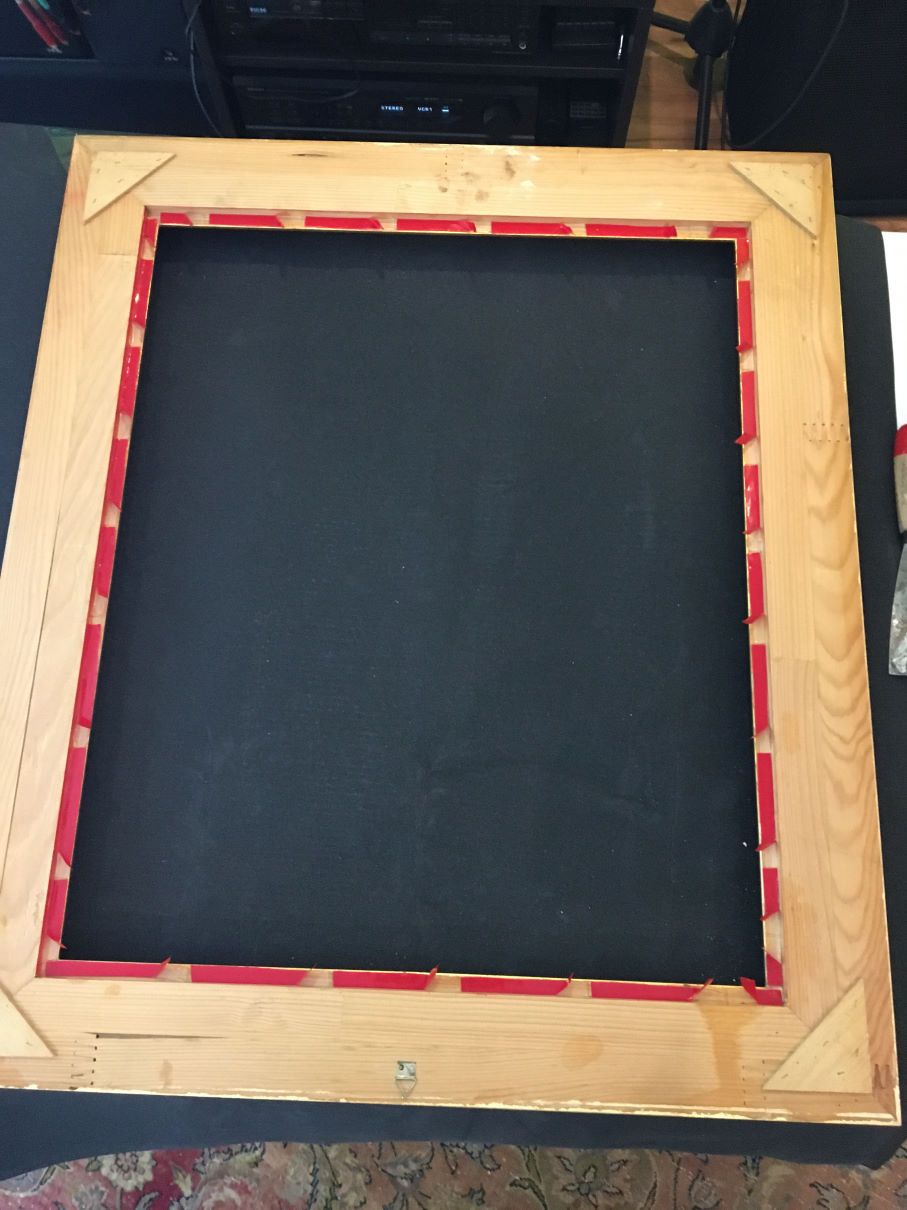
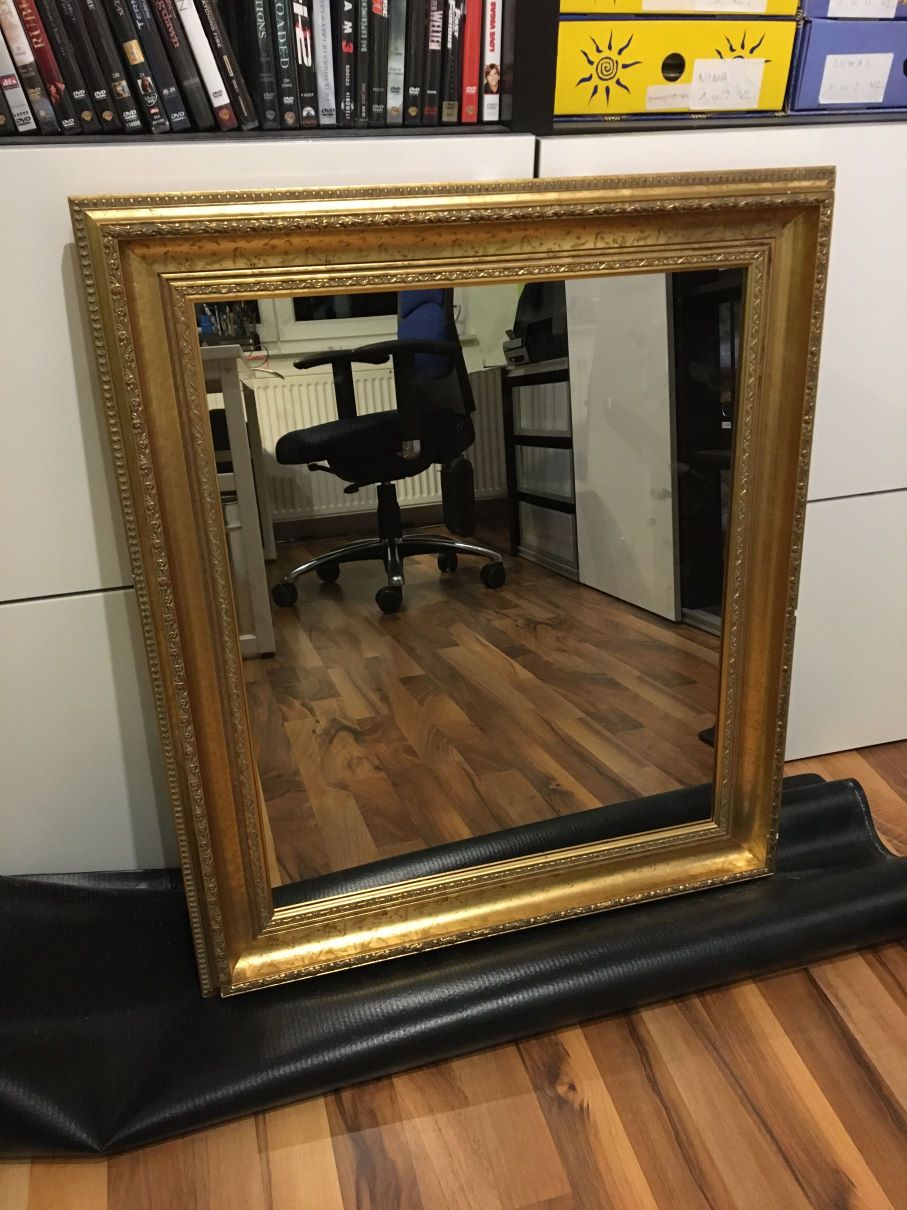
      And there was the old raspi that had nothing to do. Ok, this will do it. We bought an old used golden picture frame (this is womans decision, because she sees it). I also got a used 24" monitor near our home and SOME tools. After I had the frame I ordered a special sized semi mirror glas “Mirropane Chrome Spy 4 MM”.

      The one I like most is my new mirror fixing tape! This sticks everything like hell. Mirror on frame, finger on tape, finger on frame…

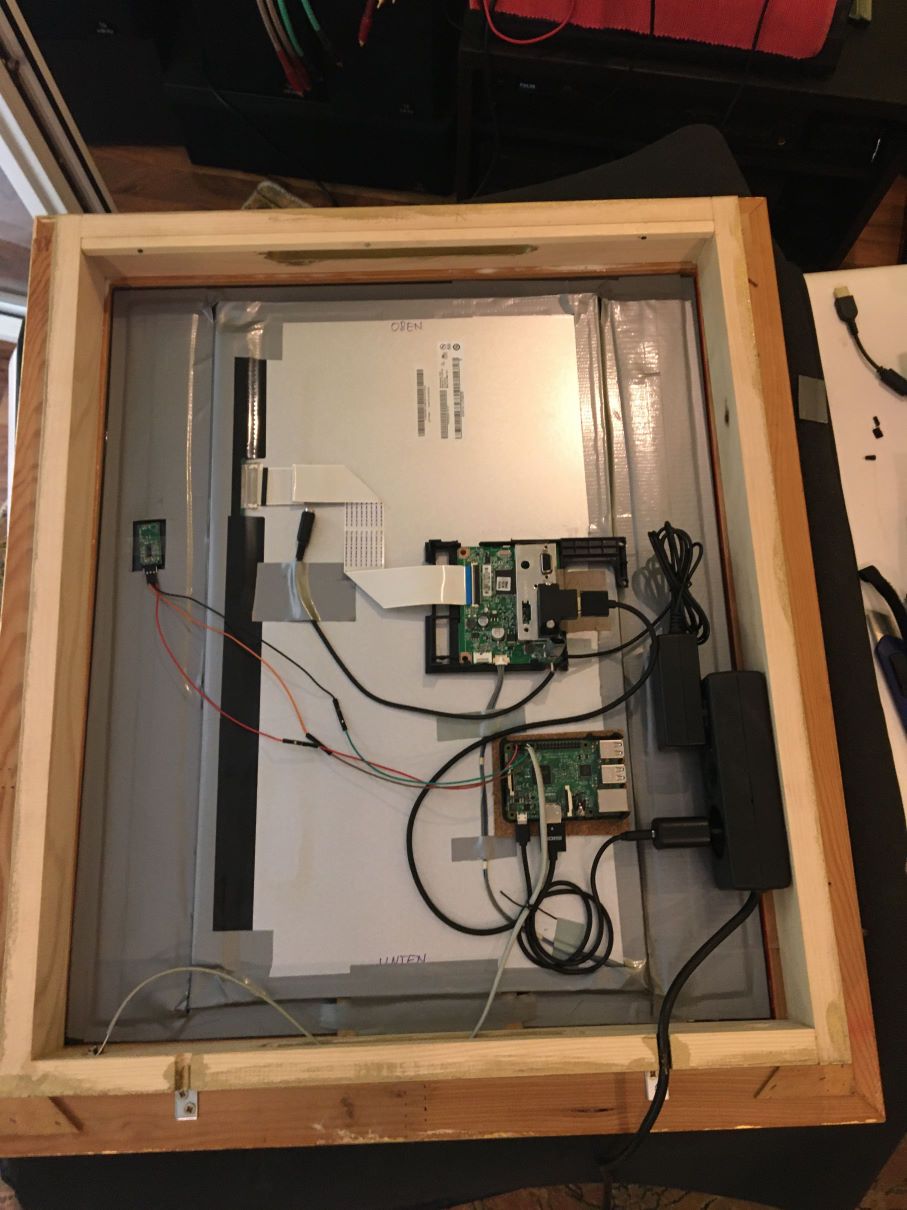
      When the hardware was first time build up, the frame needs an open box behind, to get all the stuff hidden. Let’s also get more wood, color, screws, nails and wood glue. (No, NO mirror fixing tape this time!)
      Time to get it all finally fixed, colored and mounted.

      All the time I did tests while setting up the software and slowly got a first running setup showing first contend on the screen.

      The problem:
      The WAF is not very high for seeing the power cord hanging and swinging to the power plug near the floor, while the mirror is in eye level. So, we need a new power plug BEHIND the mirror. And this ended up in a complete renovation of the whole hallway and putting in some new lights!
      At the end, we’ve a nice new hallway and the beautiful new mirror is hanging magically on the wall. Now, wife is happy and so am I!

      Btw. the new MagicMirror was the cheapest part of all…

      Here some pictures

      MM1.JPG
      the new golden frame

      MM2.JPG
      magic mirror tape

      MM3.JPG
      front view - no electric

      MM4.JPG
      setup backside (not final!)

      MM5.JPG
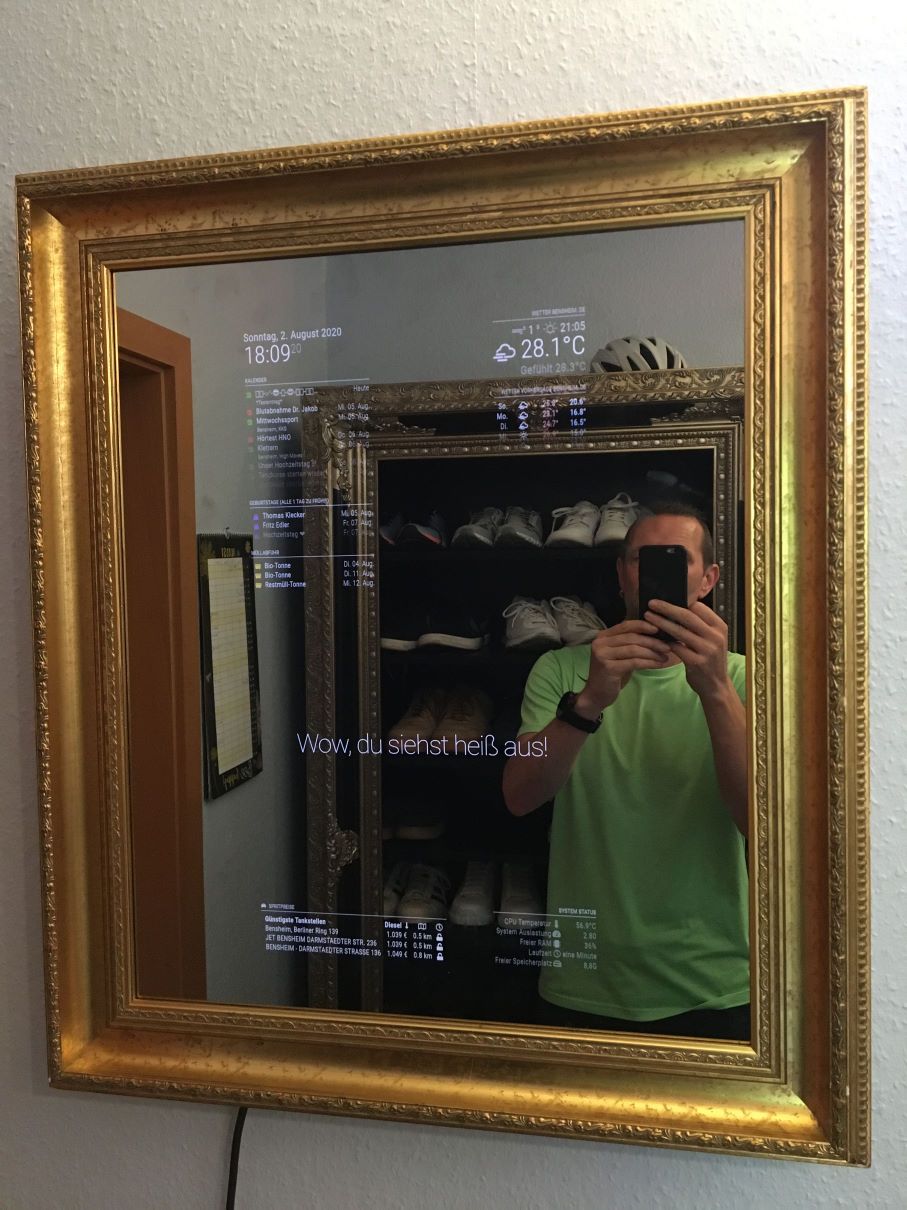
      first time wall mount

      I have to take some photos in new hallway…
      Enjoy

      2022-01-08 Update
      Here ist the picture from the final hallway with mirror
      IMG_9578.JPG

      posted in Show your Mirror
      W
      wmx
    • MMM-homeassistant-sensors: hide entry depending on state

      Hi @all,

      the configuration of our MM grows and I successfully connected the mirror to our homeassistant. Now I want to show “who’s @home”. I setup the sensors for each of us. The entry for the persons show with the picture from HA up always. Only the status(text)changes depending from “home” to “not home”. So one has to read every entry each time and that’s not satisfying.
      Is there a configuration possible to only show the entry (the sensor) if one is home and to hide the entry (the sensor) if one is not home?

      The current sensors are configured like this:

      sensor: "sensor.dirk_kombi",
      name: "Dirk ist %v%",
      displayvalue: false,
      replace: [{
      		"home": "da",
      		"not_home": "weg!",
      	}
      

      Any help welcome.
      Regards

      posted in Troubleshooting
      W
      wmx
    • 1 / 1