Read the statement by Michael Teeuw here.
Online Radio
-
@tanvir586
I release a new version of MMM-MplayerRadio (0.0.10) a few minutes ago which contains a new script called “streamlinkWrapper.bash” script. This script uses the streamlink tool to wrap the stream and restarts it if the connection gets lost.
You will find a example configuration in the examples directory for streamlinkWrapper which contains the configuration needed for your case.Make sure to install streamlink:
sudo apt -y update && sudo apt -y install streamlink -
@wishmaster270 Thank you so much mate. Even if it’s doesn’t work for me I’m still happy that you made this effort for me. I’ll install the latest version today and will install streamlink
-
@wishmaster270 Just updated. Think I’m doing it right. First I’ve installed the streamlink. And then I went to the MMM-MplayerRadio folder and execute git pull.
I was bit confused about the streamlink. Didn’t understand where to install it , on the MMM-MplayerRadio folder or just normal installation. Finally I installed normally. Hope I’m doing it right. -
@tanvir586
Normal installation is the right thing. If you got sound with the new configuration everything is fine.
Hope the disconnect will be recognized correctly and your stream restarts now. -
@wishmaster270 I’m not getting any sound.
config is right?{ module: "MMM-MplayerRadio", header: "Radio", position: "top_center", config: { stations: [ { title: "Almubarak", url: "https://relay.emasjidlive.uk/almubarakradio", logo: "https://almubarakradio.com/wp-content/uploads/2021/04/logorectangle-1024x326.png", customCommand: "/home/pi/MagicMirror/modules/MMM-MplayerRadio/scripts/streamlinkWrapper.bash", customCommandArgs: ["10", "30", "###URL###"], }, ], }, },I added this line aswell
customCommandArgs: [“-I”,“dummy”, “–http-reconnect”, “–http-continuous”, “###URL###”],but didn’t work
-
@tanvir586 If I used this config then the sound works but open vlc in separate windows
{
	module: "MMM-MplayerRadio",
	header: "Radio",
	position: "top_center",
	config: {
		stations: [
			{
				title: "Almubarak",
				url: "https://relay.emasjidlive.uk/almubarakradio",
				logo: "https://almubarakradio.com/wp-content/uploads/2021/04/logorectangle-1024x326.png",
customCommand: “/usr/bin/vlc”,
customCommand: “/home/pi/MagicMirror/modules/MMM-MplayerRadio/scripts/streamlinkWrapper.bash”,
customCommandArgs: [“10”, “30”, “###URL###”],
},
],
},
}, -
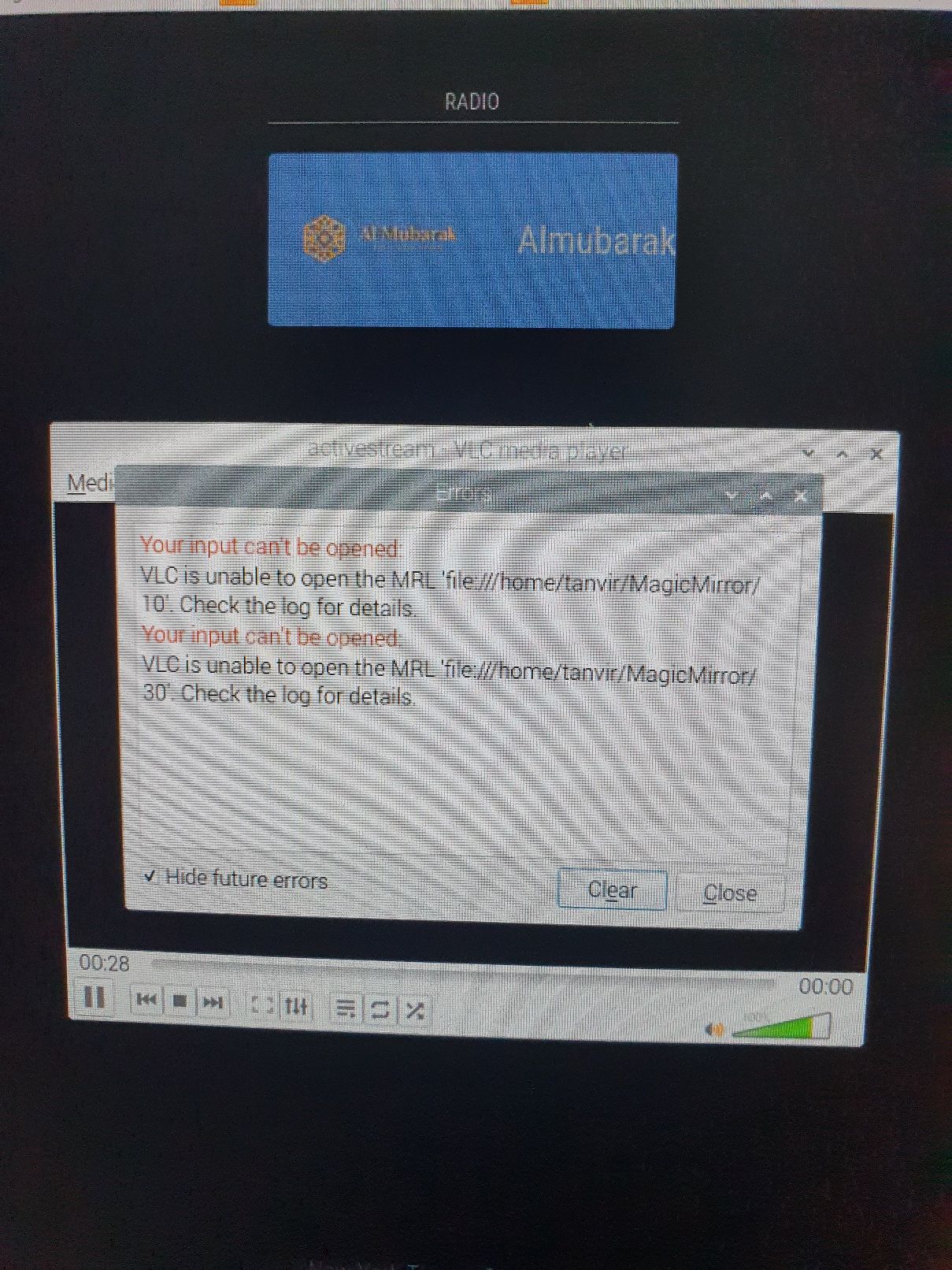
If I use this config then vlc open is separate window and it’s looks like this.
	{
		module: "MMM-MplayerRadio",
		header: "Radio",
		position: "top_center",
		config: {
			stations: [
				{
					title: "Almubarak",
					url: "https://relay.livemasjid.com:8443/activestream",
					logo: "https://almubarakradio.com/wp-content/uploads/2021/04/logorectangle-1024x326.png",
					customCommand: "/home/pi/MagicMirror/modules/MMM-MplayerRadio/scripts/streamlinkWrapper.bash",
					customCommand: "/usr/bin/vlc",
					customCommandArgs: ["10", "30", "###URL###"],
				},
			],
		},
	},
picture ;-
-
@tanvir586 Sorry, i am not at my pc at the moment. You only need the first customCommand line. The one with vlc is wrong.
You can try to run the run the command directly on the shell and see what happens./home/pi/MagicMirror/modules/MMM-MplayerRadio/scripts/streamlinkWrapper.bash 10 30 https://relay.emasjidlive.uk/almubarakradioYou can end it by pressing CRTL+c
-
@wishmaster270 Hi, it’s says this
tanvir@raspberrypi:~ $ /home/pi/MagicMirror/modules/MMM-MplayerRadio/scripts/streamlinkWrapper.bash 10 30 https://relay.emasjidlive.uk/almubarakradio
bash: /home/pi/MagicMirror/modules/MMM-MplayerRadio/scripts/streamlinkWrapper.bash: No such file or directory -
@tanvir586 and I installed mplayer.
-
@tanvir586 Are you sure you are running the latest version of the module?
The error says that the wrapper script I added yesterday does not exist.
Can you please check the script folder and check if the file is executable? -
@wishmaster270 I’ve updated yesterday. I’ll check again now
-
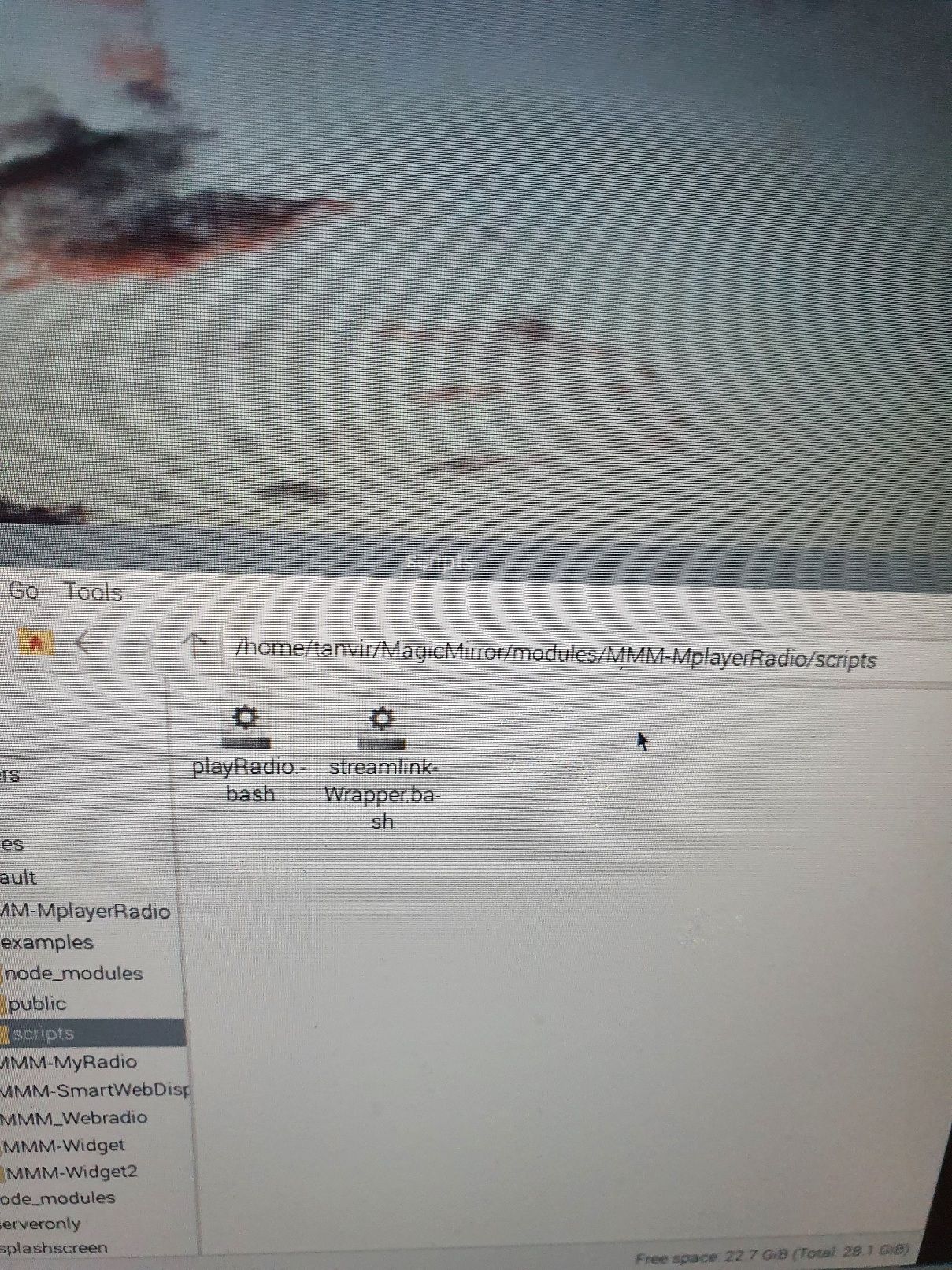
Should I reinstall? Or delete the module and fresh install?
-
@tanvir586 You installed to a different user. Your path will be
/home/tanvir/MagicMirror/modules/MMM-MplayerRadio/scripts/streamlinkWrapper.bash -
@wishmaster270 ok I’ll check shortly.
-
@wishmaster270 Hi mate…
It’s cotinueslly showing this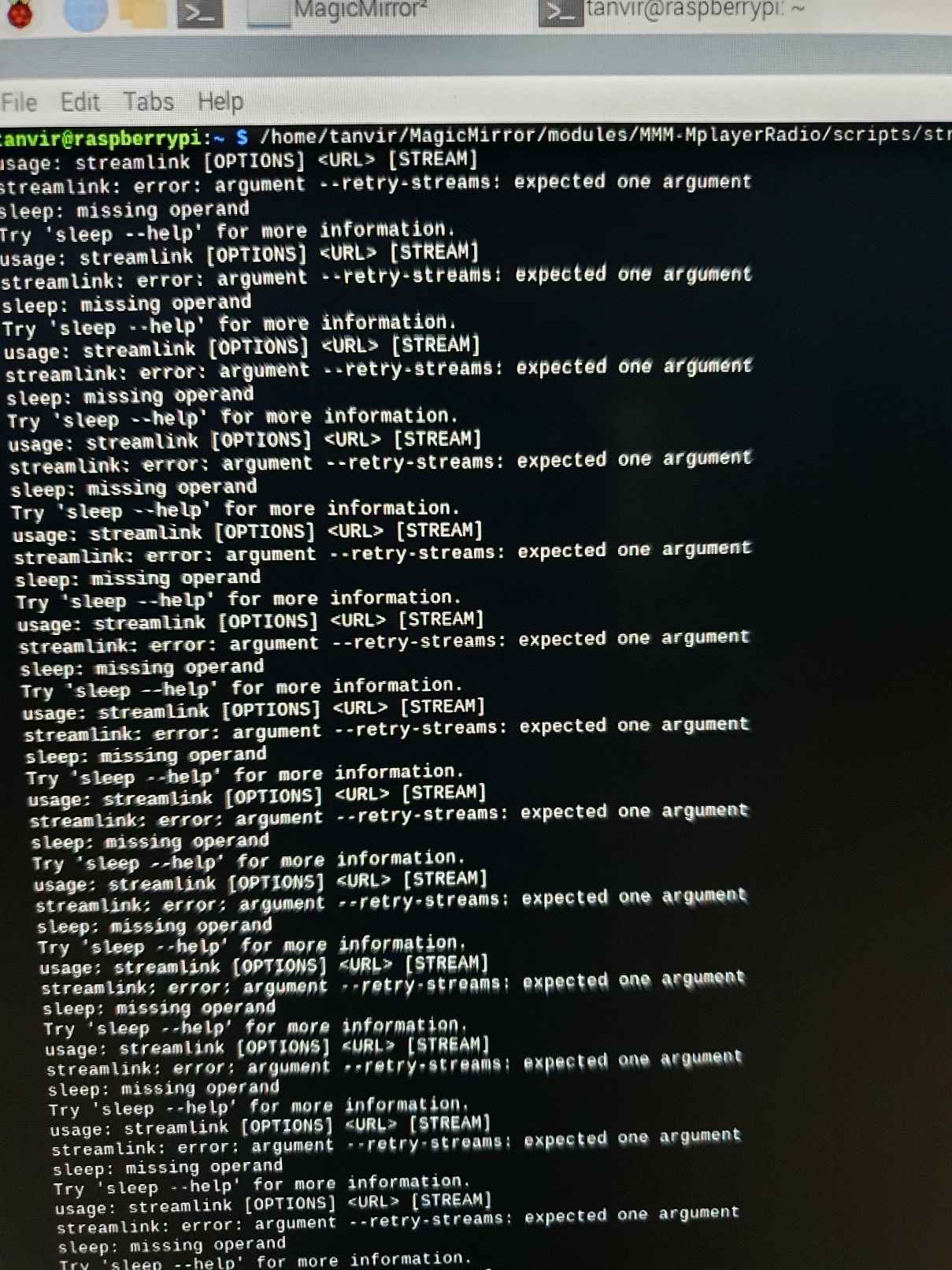
-
It looks like you use the right version but only the path in the “customCommand” option was wrong. With the following config it should work:
{ module: "MMM-MplayerRadio", header: "Radio", position: "top_center", config: { stations: [ { title: "Almubarak", url: "https://relay.emasjidlive.uk/almubarakradio", logo: "https://almubarakradio.com/wp-content/uploads/2021/04/logorectangle-1024x326.png", customCommand: "./modules/MMM-MplayerRadio/scripts/streamlinkWrapper.bash", customCommandArgs: ["10", "30", "###URL###"], }, ], }, }, -
@wishmaster270 Hi… the sound works perfectly. thank you very much. now just waiting now for the radio go offline and come back online. will text you back.
-
@wishmaster270 Hi. The Radio just came back online but no luck. Is doesn’t come online itself.
-
@tanvir586 Hi, bad to hear that.
At the moment I do not have any other idea.

Hello! It looks like you're interested in this conversation, but you don't have an account yet.
Getting fed up of having to scroll through the same posts each visit? When you register for an account, you'll always come back to exactly where you were before, and choose to be notified of new replies (either via email, or push notification). You'll also be able to save bookmarks and upvote posts to show your appreciation to other community members.
With your input, this post could be even better 💗
Register Login