MagicMirror Forum
    • Recent
    • Tags
    • Unsolved
    • Solved
    • MagicMirror² Repository
    • Documentation
    • 3rd-Party-Modules
    • Donate
    • Discord
    • Register
    • Login
    A New Chapter for MagicMirror: The Community Takes the Lead
    Read the statement by Michael Teeuw here.

    Calendar and Icons

    Scheduled Pinned Locked Moved Unsolved Troubleshooting
    18 Posts 3 Posters 5.2k Views 3 Watching
    Loading More Posts
    • Oldest to Newest
    • Newest to Oldest
    • Most Votes
    Reply
    • Reply as topic
    Log in to reply
    This topic has been deleted. Only users with topic management privileges can see it.
    • S Do not disturb
      sdetweil @bicolorbore586
      last edited by sdetweil

      @bicolorbore586

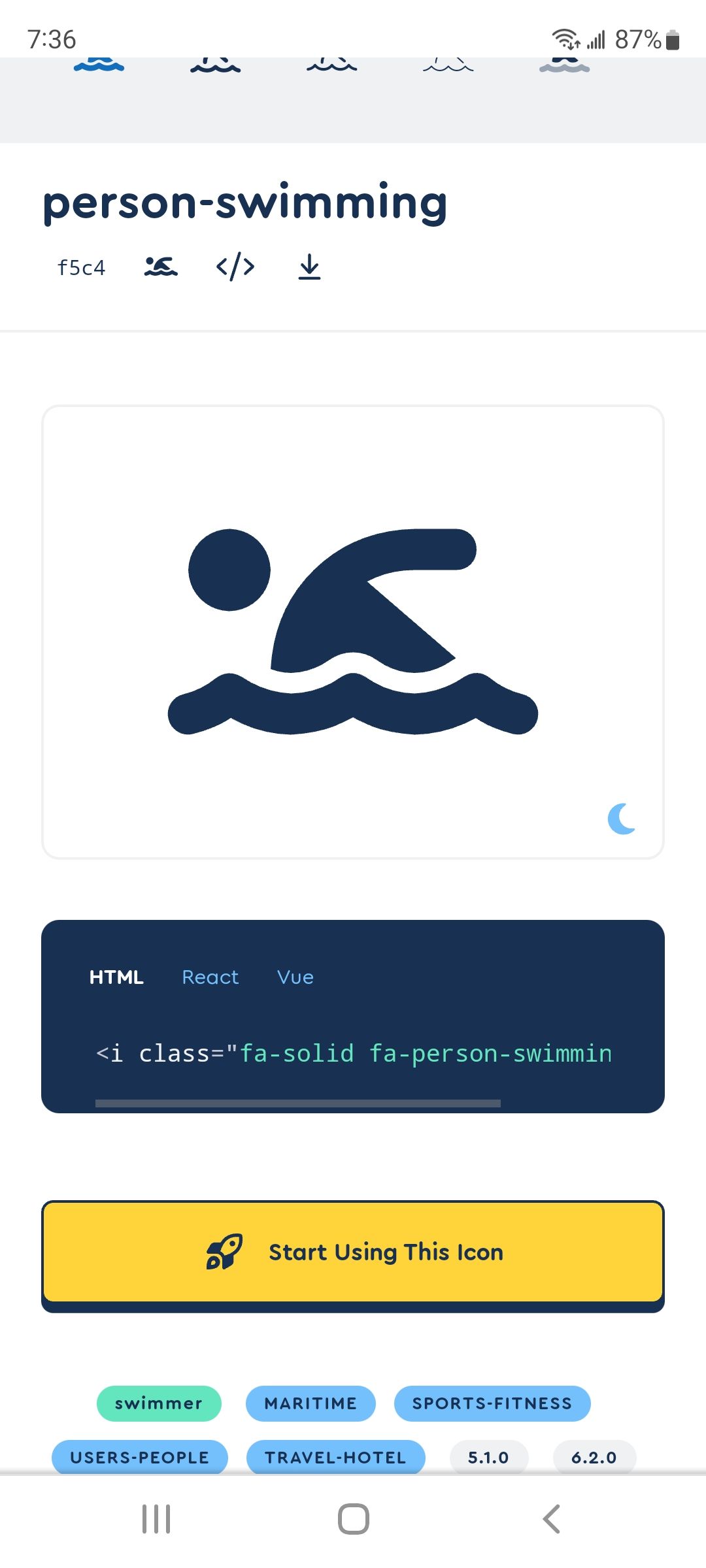
      https://fontawesome.com/search?q=swimming &o=r

      I don’t see a ‘swimming’ icon, I do see
      ‘person-swimming’
      Screenshot_20221027-073615_Chrome.jpg

      is cx3 using a different icon lib is it’s css ?

      Sam

      How to add modules

      learning how to use browser developers window for css changes

      B 1 Reply Last reply Reply Quote 0
      • B Offline
        bicolorbore586 @sdetweil
        last edited by

        @sdetweil

        Not sure I understand the question. I know from the github page it talks about EX3 taking information from the default calendar.

        Have just tried person-swimming, but still gives same results.

        S 1 Reply Last reply Reply Quote 0
        • S Do not disturb
          sdetweil @bicolorbore586
          last edited by

          @bicolorbore586 can u open the developers window, ctrl-shift-i, and select the console tab, and put cal
          in the filter field
          to see if there is any error

          Sam

          How to add modules

          learning how to use browser developers window for css changes

          B 1 Reply Last reply Reply Quote 0
          • B Offline
            bicolorbore586 @sdetweil
            last edited by

            @sdetweil

            Styles loaded for: MMM-CalendarExt3
            loader.js:164 Translations loaded for: MMM-CalendarExt3Refused to apply style from ‘http://localhost:8080/css/custom.css’ because its MIME type (‘text/html’) is not a supported stylesheet MIME type, and strict MIME checking is enabled.
            2calendar.js:89 Starting module: calendar
            localhost/:1 Refused to apply style from ‘http://localhost:8080/css/custom.css’ because its MIME type (‘text/html’) is not a supported stylesheet MIME type, and strict MIME checking is enabled.

            S 1 Reply Last reply Reply Quote 0
            • S Do not disturb
              sdetweil @bicolorbore586
              last edited by

              @bicolorbore586 that means custom.css doesn’t exist(which means u didn’t use my install script, cause I create it) from a termianl window, do

              touch ~/MagicMirror/css/custom.css
              

              Sam

              How to add modules

              learning how to use browser developers window for css changes

              B 1 Reply Last reply Reply Quote 0
              • B Offline
                bicolorbore586 @sdetweil
                last edited by

                @sdetweil No longer get the error, but the icon’s still don’t show

                S 1 Reply Last reply Reply Quote 0
                • S Do not disturb
                  sdetweil @bicolorbore586
                  last edited by

                  @bicolorbore586 see this,
                  https://forum.magicmirror.builders/topic/14862/help-with-a-couple-css-issues?_=1666112801067

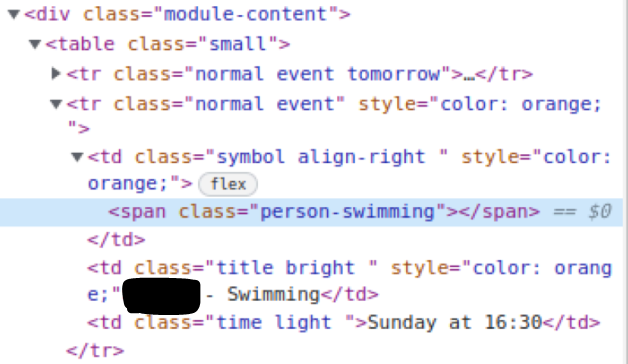
                  navigate to the calendar entry to see what the element looks like and if symbol is used…

                  Sam

                  How to add modules

                  learning how to use browser developers window for css changes

                  B 1 Reply Last reply Reply Quote 0
                  • B Offline
                    bicolorbore586 @sdetweil
                    last edited by

                    @sdetweil
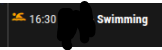
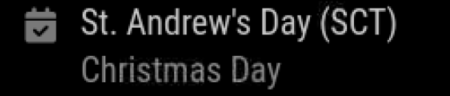
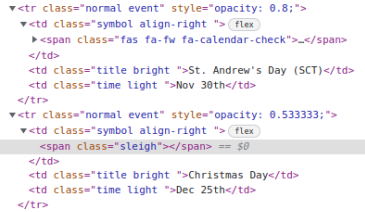
                    for comparison, using a UK holiday calendar, the default icon is present, but the sleigh for Christmas isn’t
                    dcf05251-9286-4f56-a08c-267e336adf2b-image.png
                    f0349f15-210f-4eda-a742-c66cc64f9524-image.png

                    6e48ef8e-a91a-446a-97ec-62139dd3c4c2-image.png
                    e9821091-6579-42cd-9f2e-103758d2e09c-image.png

                    S 1 Reply Last reply Reply Quote 0
                    • S Do not disturb
                      sdetweil @bicolorbore586
                      last edited by

                      @bicolorbore586 interesting…

                      but they don’t contain the font awesome prefixes

                      				symbol.className = "fas fa-fw fa-" + s
                      

                      what version of MagicMirror are u on?

                      see the startup messages or
                      grep version ~/MagicMirror/package.json

                      for grins change the symbol in custom event entry to
                      ‘fa-swimming’

                      it will probably fail in ext3

                      Sam

                      How to add modules

                      learning how to use browser developers window for css changes

                      B 1 Reply Last reply Reply Quote 0
                      • B Offline
                        bicolorbore586 @sdetweil
                        last edited by

                        @sdetweil v 2.22.0-develop

                        changing to fa-swimming removes the icon from ext3 as you predicted. Still not showing in default calendar either.

                        S M 2 Replies Last reply Reply Quote 0
                        • S Do not disturb
                          sdetweil @bicolorbore586
                          last edited by

                          @bicolorbore586 but if u examine the content again it should say fa-swimming

                          I just switched to 22 develop and still see the same code

                          Sam

                          How to add modules

                          learning how to use browser developers window for css changes

                          1 Reply Last reply Reply Quote 0
                          • M Offline
                            MMRIZE @bicolorbore586
                            last edited by

                            @bicolorbore586
                            2.22.0-develop? not 2.21.0-develop?

                            B S 2 Replies Last reply Reply Quote 0
                            • B Offline
                              bicolorbore586 @MMRIZE
                              last edited by

                              @MMRIZE Yes, although I have now downgraded to 2.21.0. Still experiencing the same issue.

                              M 1 Reply Last reply Reply Quote 0
                              • M Offline
                                MMRIZE @bicolorbore586
                                last edited by

                                @bicolorbore586
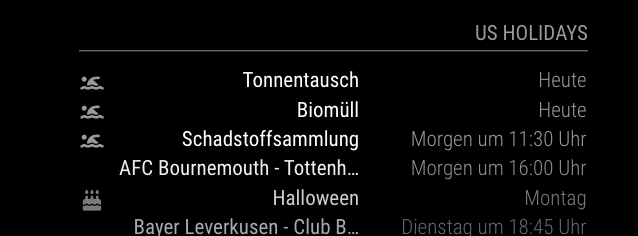
                                In my test on 2.21,
                                swimming, person-swimming, swimmer showed the right result. It is very interesting why yours is not.
                                ae75c193-1d0b-4449-88c2-8a6bf3e420a2-image.png

                                B 1 Reply Last reply Reply Quote 0
                                • B Offline
                                  bicolorbore586 @MMRIZE
                                  last edited by

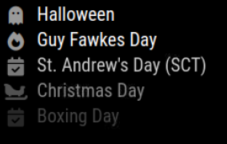
                                  @MMRIZE If I change / add fas fa-fw fa-symbol name, that appears to have resolved the issue.
                                  d4087f2a-f527-4c93-877c-326ea6fa1e4f-image.png

                                  S 1 Reply Last reply Reply Quote 0
                                  • S Do not disturb
                                    sdetweil @MMRIZE
                                    last edited by

                                    @MMRIZE 22-develop is the name of the upcoming release develop branch in package json

                                    so main is 2.21.0
                                    develop is 2.22-develop

                                    Sam

                                    How to add modules

                                    learning how to use browser developers window for css changes

                                    1 Reply Last reply Reply Quote 0
                                    • S Do not disturb
                                      sdetweil @bicolorbore586
                                      last edited by

                                      @bicolorbore586 I checked 19, 20,21…

                                      the extra classes are added under the covers… hard coded

                                      Sam

                                      How to add modules

                                      learning how to use browser developers window for css changes

                                      1 Reply Last reply Reply Quote 0

                                      Hello! It looks like you're interested in this conversation, but you don't have an account yet.

                                      Getting fed up of having to scroll through the same posts each visit? When you register for an account, you'll always come back to exactly where you were before, and choose to be notified of new replies (either via email, or push notification). You'll also be able to save bookmarks and upvote posts to show your appreciation to other community members.

                                      With your input, this post could be even better 💗

                                      Register Login

                                      • 1 / 1
                                      • First post
                                        Last post
                                      Enjoying MagicMirror? Please consider a donation!
                                      MagicMirror created by Michael Teeuw.
                                      Forum managed by Sam, technical setup by Karsten.
                                      This forum is using NodeBB as its core | Contributors
                                      Contact | Privacy Policy