MagicMirror Forum
    • Recent
    • Tags
    • Unsolved
    • Solved
    • MagicMirror² Repository
    • Documentation
    • 3rd-Party-Modules
    • Donate
    • Discord
    • Register
    • Login
    A New Chapter for MagicMirror: The Community Takes the Lead
    Read the statement by Michael Teeuw here.

    Calendar and Font Awesome - no icons

    Scheduled Pinned Locked Moved Unsolved Troubleshooting
    22 Posts 4 Posters 7.7k Views 4 Watching
    Loading More Posts
    • Oldest to Newest
    • Newest to Oldest
    • Most Votes
    Reply
    • Reply as topic
    Log in to reply
    This topic has been deleted. Only users with topic management privileges can see it.
    • R Offline
      RGN01 @BKeyport
      last edited by

      @BKeyport thank you for your assistance. I’m still battling. I now have this:

                {
                  url: 'https://calendar.google.com/calendar/ical/calendar1redacted/basic.ics',
                  symbol: 'fa-house',
                  symbolClassName: "fas fa-",
                  color: 'crimson'
                },


      The icons (the placeholders) have now disappeared completely and the text shifted left. I have also tried “fa-solid”, “fas”, and “fa-solid fa-” for symbolClassName.

      1 Reply Last reply Reply Quote 0
      • PierreGodeP Offline
        PierreGode Module Developer @RGN01
        last edited by sdetweil

        @RGN01
        here is my working config. might help you out understanding your issue. (sorry for the swedish)

        			module: "calendar",
        			header: "Familjekalender",
        			position: "top_left",
        			config: {
                                         customEvents: [
                                         {keyword: 'Spanien', symbol: 'fas fa-plane', color: 'Gold'},
        				 {keyword: 'Sundsvall', symbol: 'fa-solid fa-briefcase', color: 'white'},
        			         {keyword: 'Norrköping', symbol: 'fa-solid fa-briefcase', color: 'white'},
        			         {keyword: 'färja', symbol: 'fa-solid fa-ship', color: 'white'},
        			         {keyword: 'skolavslutning', symbol: 'fa-solid fa-graduation-cap', color: 'white'},
        			         {keyword: 'läkar', symbol: 'fa-solid fa-user-doctor', color: 'white'},
        			         {keyword: 'båt', symbol: 'fa-solid fa-ship', color: 'white'},
                                         {keyword: 'Flyg', symbol: 'fas fa-plane', color: 'Gold'},
        				 {keyword: 'arlanda', symbol: 'fas fa-plane', color: 'Gold'},
                                         {keyword: 'Resa', symbol: 'fas fa-pla<i class="fa-solid fa-graduation-capne', color: 'Gold'},
                                         {keyword: 'Semester', symbol: 'fas fa-plane', color: 'Gold'},
                                         {keyword: 'Fotboll', symbol: 'fas fa-futbol', color: 'white'},
                                         {keyword: 'Minecraft', symbol: 'fas fa-hammer', color: 'white'},
                                         {keyword: 'Bilresa', symbol: 'fas fa-car', color: 'white'},
                                         {keyword: 'Roadtrip', symbol: 'fas fa-car', color: 'white'},
        			         {keyword: 'Ferrari', symbol: 'fas fa-car', color: 'white'},
                                         {keyword: 'Camping', symbol: 'fas ffas fa-cara-campground', color: 'white'},
                                         {keyword: 'Campa', symbol: 'fas fa-campground', color: 'white'},
                                         {keyword: 'Vaccin', symbol: 'fas fa-vial', color: 'white'},
        				 {keyword: 'spruta', symbol: 'fa-solid fa-syringe', color: 'white'},
        				 {keyword: 'dos 4', symbol: 'fa-regular fa-syringe', color: 'white'},
                                         {keyword: 'Picknic', symbol: 'fas fa-hotdog', color: 'white'},
                                         {keyword: 'Middag', symbol: 'fas fa-utensils', color: 'white'},
        			         {keyword: 'Pinchos', symbol: 'fas fa-utensils', color: 'white'},
        			         {keyword: 'Ramblas', symbol: 'fas fa-utensils', color: 'white'},
        				 {keyword: 'restaurang', symbol: 'fas fa-utensils', color: 'white'},
                                         {keyword: 'delsedag', symbol: 'fas fa-birthday-cake', color: 'white'},
                                         {keyword: 'fyller', symbol: 'fas fa-birthday-cake', color: 'white'},
                                         {keyword: 'kalas', symbol: 'fas fa-birthday-cake', color: 'Gold'},
                                         {keyword: 'Game Jam', symbol: 'fas fa-cogs', color: 'white'},
                                         {keyword: 'Spelprogrammering', symbol: 'fas fa-cogs', color: 'white'},
                                         {keyword: 'Game', symbol: 'fa-solid fa-hat-wizard', color: 'white'},
                                         {keyword: 'Bil', symbol: 'fas fa-car', color: 'white'},
        			         {keyword: 'Tesla', symbol: 'fas fa-car', color: 'white'},
        			         {keyword: 'npf74a', symbol: 'fas fa-car', color: 'white'},
                                         {keyword: 'Dop', symbol: 'fa-solid fa-church', color: 'Gold'},
                                         {keyword: 'Lek', symbol: 'fa-solid fa-hat-wizard', color: 'white'},
                                         {keyword: 'Bröllop', symbol: 'fa-solid fa-church', color: 'Gold'},
                                         {keyword: 'vigsel', symbol: 'fa-solid fa-church', color: 'Gold'},
                                         {keyword: 'verktad', symbol: 'fa-solid fa-screwdriver-wrench', color: 'white'},
                                         {keyword: 'service', symbol: 'fa-solid fa-screwdriver-wrench', color: 'white'},
                                         {keyword: 'kolmården', symbol: 'fas fa-horse', color: 'Green'},
                                         {keyword: 'klippning', symbol: 'fa-solid fa-scissors', color: 'White'},
        			         {keyword: 'cyckel', symbol: 'fas fa-biking', color: 'White'},
                                         {keyword: 'cykla', symbol: 'fas fa-biking', color: 'White'},
                                         {keyword: 'aw', symbol: 'fas fa-beer', color: 'White'},
                                         {keyword: 'afterwork', symbol: 'fas fa-beer', color: 'White'},
                                         {keyword: 'klippa', symbol: 'fa-solid fa-scissors', color: 'White'},
        				 {keyword: 'grill', symbol: 'fa-solid fa-hotdog', color: 'White'},
        				 {keyword: 'korv', symbol: 'fa-solid fa-hotdog', color: 'White'},
                                         {keyword: 'Doktor', symbol: 'fa-solid fa-stethoscope', color: 'White'},
        				 {keyword: 'kirurg', symbol: 'fa-solid fa-stethoscope', color: 'White'},	 
        			         {keyword: 'spraytan', symbol: 'fa-solid fa-person-shelter', color: 'White'},
        			         {keyword: 'soldush', symbol: 'fa-solid fa-person-shelter', color: 'White'},	 
        				 {keyword: 'Tandläkare', symbol: 'fa-solid fa-tooth', color: 'White'},
        				 {keyword: 'Läkare', symbol: 'fa-solid fa-stethoscope', color: 'White'},
        			         {keyword: 'simma', symbol: 'fa-solid fa-person-swimming', color: 'White'},
        			         {keyword: 'simskola', symbol: 'fa-solid fa-person-swimming', color: 'White'},
        				 {keyword: 'bio', symbol: 'fa-solid fa-film', color: 'White'},
        				 {keyword: 'studera', symbol: 'fa-solid fa-book', color: 'White'},	 
        				 {keyword: 'plugga', symbol: 'fa-solid fa-book', color: 'White'},	 
        				 {keyword: 'läsa', symbol: 'fa-solid fa-book', color: 'White'},
        				 {keyword: 'God of War', symbol: 'fa-solid fa-axe', color: 'White'},	 	 
        				 {keyword: 'läsning', symbol: 'fa-solid fa-book', color: 'White'},	 
        				 {keyword: 'handboll', symbol: 'fa-solid fa-baseball', color: 'White'},	 	 
        			         {keyword: 'frisör', symbol: 'fa-solid fa-scissors', color: 'White'}	 
                          ],
                                      maximumEntries: 20,
        			      getRelative:0,
                                      showLocation:false,
                                      displayRepeatingCountTitle:true,
                                      maxTitleLength:30,
        
        S R 2 Replies Last reply Reply Quote 0
        • S Do not disturb
          sdetweil @PierreGode
          last edited by

          @PierreGode I edited to add the code block markers

          to do yourself
          paste your text
          select your text
          hit the button above the editor that looks like
          </>

          Sam

          How to add modules

          learning how to use browser developers window for css changes

          1 Reply Last reply Reply Quote 0
          • R Offline
            RGN01 @PierreGode
            last edited by

            @PierreGode Thank you for your help and no need to apologise for the Swedish!

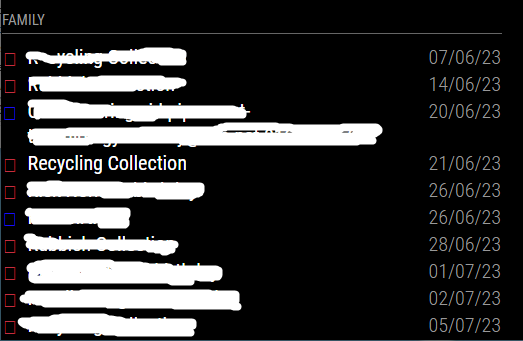
            I have tried using your approach (and your icons and colours) with new keywords to match - and the colouring works but I still don’t get the icons (I get empty frames).

            It is making me wonder if there is an underlying dependency that I’m missing. I have checked that Calendar is up to date and it is, as is my MM installation.

            I will keep on battling away to identify the issue!

            Richard

            BKeyportB S 2 Replies Last reply Reply Quote 0
            • BKeyportB Offline
              BKeyport Module Developer @RGN01
              last edited by

              Course we could get around this hassle if Electron would just support full emojis. 🤣🤣🤣🤣

              The "E" in "Javascript" stands for "Easy"

              R 1 Reply Last reply Reply Quote 0
              • S Do not disturb
                sdetweil @RGN01
                last edited by sdetweil

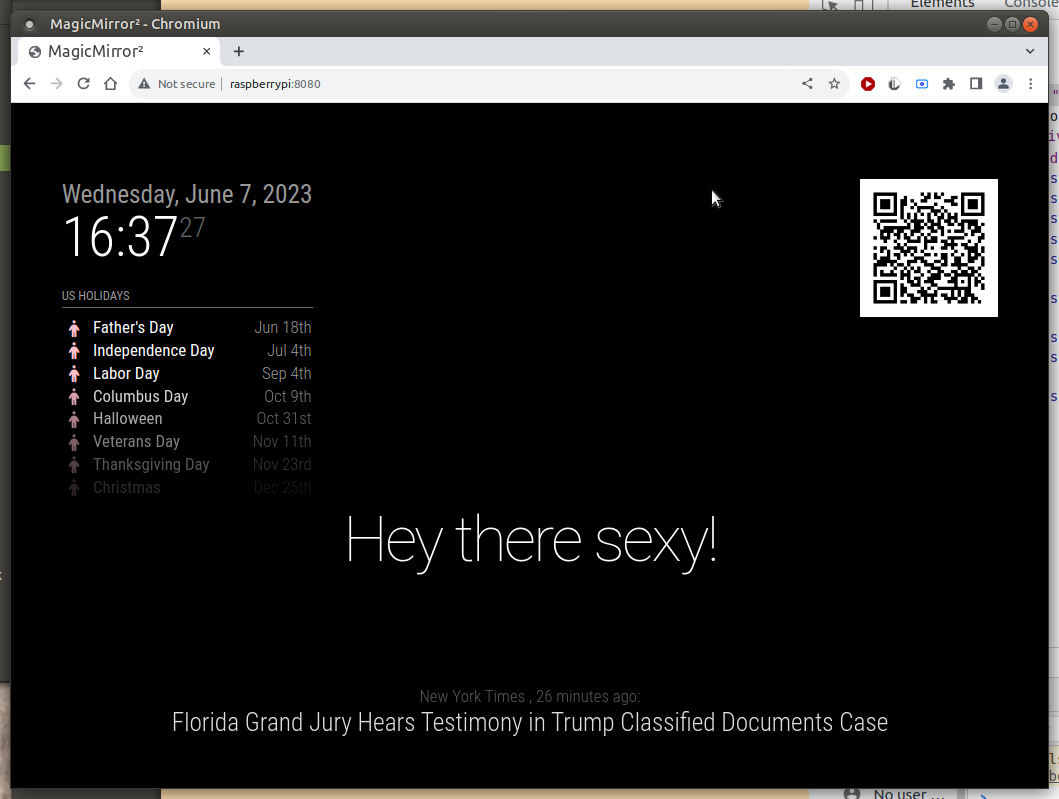
                @RGN01 i just installed a new instance of MM, and used your settings for symbol, color and symbolClassName. and they all worked.

                I only used this classname

                symbolClassName: “fas fa-”, the other works too “fas fa-fw fa-”
                Screenshot at 2023-06-07 16-37-27.png

                Sam

                How to add modules

                learning how to use browser developers window for css changes

                1 Reply Last reply Reply Quote 0
                • R Offline
                  RGN01 @BKeyport
                  last edited by

                  @BKeyport Thank you - perhaps that is my path of least resistance - reinstall MM.

                  I’ll give that a go on the weekend, if I don’t figure this out before.

                  S 1 Reply Last reply Reply Quote 0
                  • S Do not disturb
                    sdetweil @RGN01
                    last edited by

                    @RGN01 what version are you running?
                    see the startup messages or the top of package.json

                    Sam

                    How to add modules

                    learning how to use browser developers window for css changes

                    R 1 Reply Last reply Reply Quote 0
                    • R Offline
                      RGN01 @sdetweil
                      last edited by

                      @sdetweil thanks for your reply.

                      	"name": "magicmirror",
                      	"version": "2.23.0",
                      
                      S 1 Reply Last reply Reply Quote 0
                      • S Do not disturb
                        sdetweil @RGN01
                        last edited by

                        @RGN01 so reinstalling won’t help … as u have the latest

                        how did u install?? manual??

                        do this , reinstall the fonts

                        cd ~/MagicMirror/fonts
                        rm -rf node_modules
                        rm package-lock.json
                        npm install 
                        

                        then try MM again

                        Sam

                        How to add modules

                        learning how to use browser developers window for css changes

                        R 2 Replies Last reply Reply Quote 0
                        • R Offline
                          RGN01 @sdetweil
                          last edited by

                          @sdetweil Thank you. I have done the font reinstall and rebooted. Still the same, unfortunately.

                          When you said “then try MM again” did you mean reinstall or just see if it works?

                          S 1 Reply Last reply Reply Quote 0
                          • S Do not disturb
                            sdetweil @RGN01
                            last edited by

                            @RGN01 just see if it works

                            Sam

                            How to add modules

                            learning how to use browser developers window for css changes

                            1 Reply Last reply Reply Quote 0
                            • R Offline
                              RGN01 @sdetweil
                              last edited by

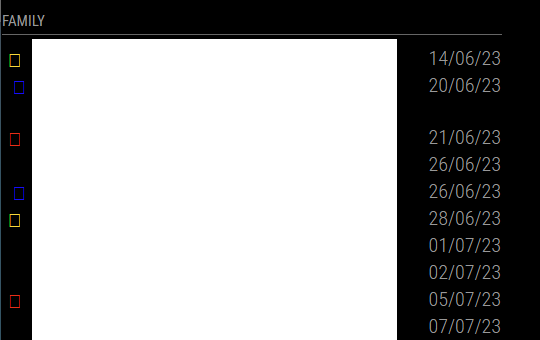
                              @sdetweil Thanks for clarifying. Unfortunately, no, it did not.
                              cal.png

                              S 1 Reply Last reply Reply Quote 0
                              • S Do not disturb
                                sdetweil @RGN01
                                last edited by sdetweil

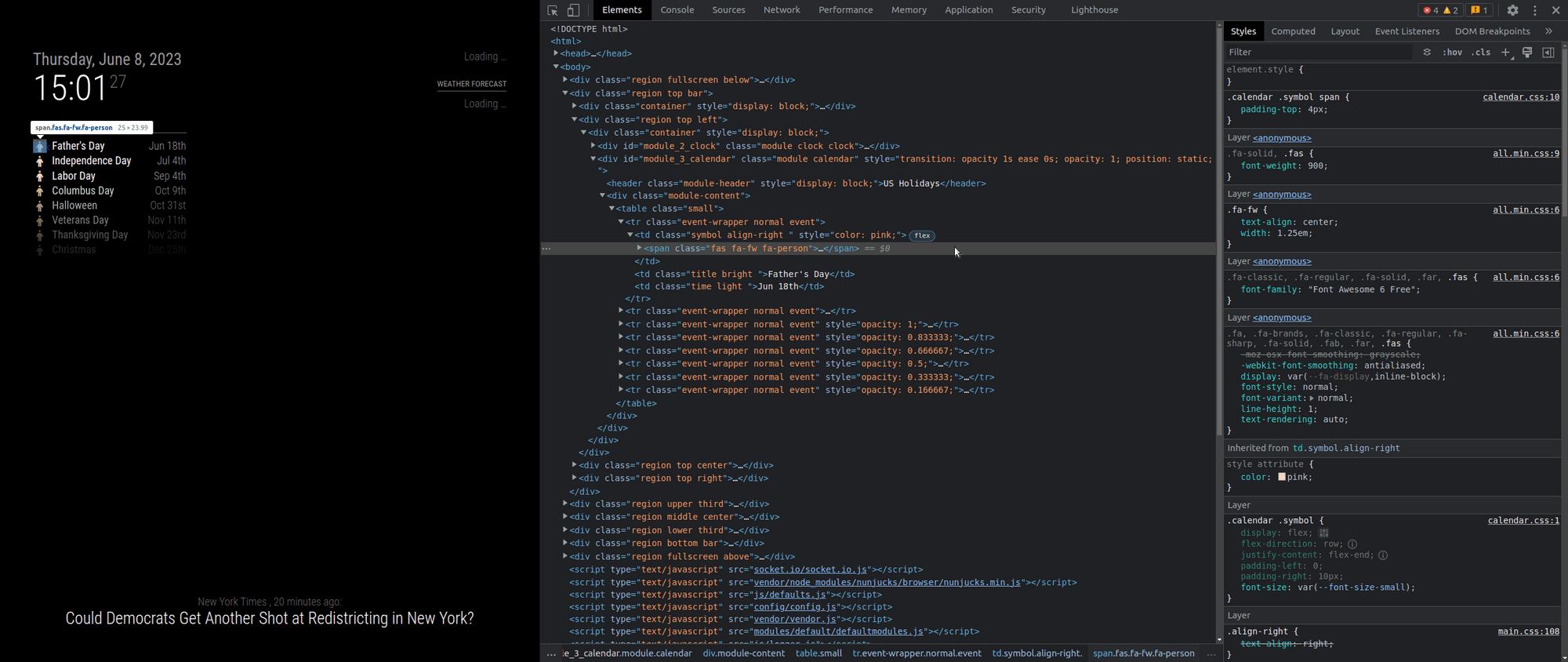
                                @RGN01 ok, lets open the developers window (ctrl-shift-i on the MM keyboard) , select the elements tab , select the pointer top left and use the mouse to position over the icon in the 1st element
                                see where its looking
                                Screenshot at 2023-06-08 15-01-28.png

                                Sam

                                How to add modules

                                learning how to use browser developers window for css changes

                                R 1 Reply Last reply Reply Quote 0
                                • R Offline
                                  RGN01 @sdetweil
                                  last edited by

                                  @sdetweil Thank you so much for your assistance - I really do appreciate it!

                                          {keyword: 'Recycling', symbol: 'fas fa-house', color: 'Red'},
                                          {keyword: 'Rubbish', symbol: 'fas fa-person', color: 'Gold'}
                                  		],
                                          calendars: [
                                            {
                                              url: 'https://calendar.google.com//Calendar1Redacted/basic.ics',
                                              symbol: 'fa-house',
                                            },


                                  It is matching to the ‘Rubbish’ keyword.
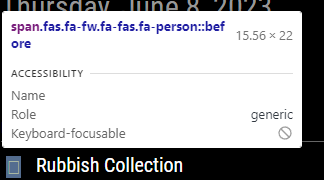
                                  Cal1.png

                                  Cal2.png

                                  S 1 Reply Last reply Reply Quote 0
                                  • S Do not disturb
                                    sdetweil @RGN01
                                    last edited by sdetweil

                                    @RGN01 said in Calendar and Font Awesome - no icons:

                                     {keyword: 'Recycling', symbol: 'fas fa-house', color: 'Red'},
                                        {keyword: 'Rubbish', symbol: 'fas fa-person', color: 'Gold'}
                                    

                                    there is the problem…

                                    u need to split the class and the symbol

                                                    symbol: 'person',
                                                    symbolClassName: "fas fa-fw fa-",
                                    

                                    the system appends the symbol name TO the classname

                                    here is the default value
                                    defaultSymbolClassName: “fas fa-fw fa-”,

                                    so, if it doesn’t need to be different (paid for icons use a different prefix)
                                    then don’t set it…

                                    and U can set the prefix (classname) once per calendar in the list of calendars
                                    symbolClassName: “fas fa-fw fa-”,

                                    NOT on every symbol entry

                                    Sam

                                    How to add modules

                                    learning how to use browser developers window for css changes

                                    R 1 Reply Last reply Reply Quote 0
                                    • R Offline
                                      RGN01 @sdetweil
                                      last edited by

                                      @sdetweil Thank you. You have helped a lot but I’m still battling. I’ve had a long day and am struggling to concentrate so will resume this tomorrow.

                                      S 1 Reply Last reply Reply Quote 0
                                      • S Do not disturb
                                        sdetweil @RGN01
                                        last edited by

                                        @RGN01

                                        this

                                        symbol: 'fas fa-house'
                                        

                                        should be this

                                        symbol: 'house'
                                        

                                        Sam

                                        How to add modules

                                        learning how to use browser developers window for css changes

                                        R 1 Reply Last reply Reply Quote 0
                                        • R Offline
                                          RGN01 @sdetweil
                                          last edited by

                                          @sdetweil Thanks again. I went back to basics and removed all ‘my’ entries from config.js and replaced them with the config from the reference page, slightly edited. This is what I now have:

                                              {
                                              module: "calendar",
                                              position: "bottom_left", 
                                              config: {
                                          	   coloredText: false,
                                          	   coloredBorder: false,
                                          	   coloredSymbol: false,
                                          	   coloredBackground: false,
                                          	   calendars: [
                                          		   {
                                          			  url: 'https://calendar.google.com/calendar/ical/Calendar1Redacted/basic.ics',
                                          			  symbol: 'calendar',
                                           	       },
                                          	],
                                          	}
                                          	},


                                          Which delivers: Cal3.png

                                          Looking at the developers window, I see: Cal4.png

                                          and Cal5.png

                                          S 1 Reply Last reply Reply Quote 0
                                          • S Do not disturb
                                            sdetweil @RGN01
                                            last edited by sdetweil

                                            @RGN01 I reviewed on my system, used the same symbol
                                            Screenshot at 2023-06-14 07-29-15.png

                                            same content… mine shows the icon

                                            edit: one question… do you have any font definitions in your custom.css?

                                            SO, this tells me the fonts didn’t get installed, so do
                                            edit… note I am adding on the vendor folder … as that is where the fontawesome css comes from

                                            cd ~/MagicMirror/fonts
                                            rm -rf node_modules
                                            rm package-lock.json
                                            npm install 
                                            cd ../vendor
                                            rm -rf node_modules
                                            rm package-lock.json
                                            ls
                                            npm install 


                                            then check the folder contents this is what mine looks like

                                            (base) sam@sams:~/MagicMirror/fonts$ ls
                                            node_modules  package.json  package-lock.json  roboto.css
                                            (base) sam@sams:~/MagicMirror/fonts$ ls node_modules/
                                            @fontsource
                                            (base) sam@sams:~/MagicMirror/fonts$ ls node_modules/@fontsource/
                                            roboto  roboto-condensed
                                            (base) sam@sams:~/MagicMirror/fonts$ 
                                            

                                            my MagicMirror/vendor folder looks like this

                                            (base) sam@sams:~/MagicMirror/vendor$ ls
                                            css  node_modules  package.json  package-lock.json  vendor.js
                                            (base) sam@sams:~/MagicMirror/vendor$ ls css
                                            font-awesome.css
                                            (base) sam@sams:~/MagicMirror/vendor$ 
                                            

                                            and my calendar config

                                            		{
                                            			module: "calendar",
                                            			header: "US Holidays",
                                            			position: "top_left",
                                            			config: {
                                            				coloredSymbol:true,
                                            				calendars: [
                                            					{
                                            
                                            					symbol: 'calendar',
                                            					color: 'pink',
                                            						url: "webcal://www.calendarlabs.com/ical-calendar/ics/76/US_Holidays.ics",
                                            						name:"holidays"
                                            					}
                                            				]
                                            			}
                                            		}
                                            

                                            the top of the MM web page shows the includes for font and css
                                            this is what the default looks like

                                            Screenshot at 2023-06-14 07-50-43.png

                                            Sam

                                            How to add modules

                                            learning how to use browser developers window for css changes

                                            1 Reply Last reply Reply Quote 0

                                            Hello! It looks like you're interested in this conversation, but you don't have an account yet.

                                            Getting fed up of having to scroll through the same posts each visit? When you register for an account, you'll always come back to exactly where you were before, and choose to be notified of new replies (either via email, or push notification). You'll also be able to save bookmarks and upvote posts to show your appreciation to other community members.

                                            With your input, this post could be even better 💗

                                            Register Login

                                            • 1
                                            • 2
                                            • 1 / 2
                                            • First post
                                              Last post
                                            Enjoying MagicMirror? Please consider a donation!
                                            MagicMirror created by Michael Teeuw.
                                            Forum managed by Sam, technical setup by Karsten.
                                            This forum is using NodeBB as its core | Contributors
                                            Contact | Privacy Policy