Read the statement by Michael Teeuw here.
Simple(?) module to send a notification every x minutes?
-
Module.register("test", {
  defaults: {
    interval: 60_000
  },
  start: function () {
    this.timer = null
    const job = () => {
      this.sendNotification("PAGE_CHANGED", 1)
      clearTimeout(this.timer)
      this.timer = setTimeout(job, this.config.interval)
    }
    job()
  },
})
Just from my brain, not tested.
-
@MMRIZE should wait til modules are ready. use interval timer
@UncleRoger try this
-
@sdetweil
Yup. You are right.
Just little things;- Generally, you are right. After
ALL_MODULES_STARTEDnotification, it would be better to start communication. But sending notifications is harmless, so I put it intostart, just for example. - Personally, I prefer loop of
timeoutthan normalinterval. Butintervalwould be more obvious.
- Generally, you are right. After
-
@sdetweil said in Simple(?) module to send a notification every x minutes?:
Thank you so much! That got a lot farther than I ever did. When it gets to the point of actually sending the notification, however, I see an error in the browser console:
sendNotification: Notification should be a string.As far as I can tell, the notification (this.config.notification) is a string. Is there something else that I can do to force it to be considered a string?
Note: the only change I made was to add a bunch of console.log messages so I could try to understand what was going on and then, when I saw that error, commented out the sendnotification line (which made the error disappear). When I uncommented it, the error came back.
-
@UncleRoger do a git pull in the module folder… just posted a fix
-
@sdetweil
Got the new version (typo in “notification”?) and it seems to work except that it ignores the interval and just constantly sends the notification.Also, there’s an error showing in the console log:
Parameter mismatch in module.show: callback is not an optional parameter! 3 module.js:394:8with different numbers. I’m not sure that’s a problem (MMM-BackgroundSlideshow has the same error and it works fine) but I thought I’d mention it.
-
@UncleRoger can u post the module config
-
@sdetweil
This is what I have:{ module: 'MMM-SendNotification', position: 'top_right', classes: "fixed", config: { interval: 60000, // 1 minute interval notification: 'PAGE_CHANGED', payload: 1, }, },Thank you for your patience and assistance! You are amazing!
-
@UncleRoger no position, as there is no UI…
-
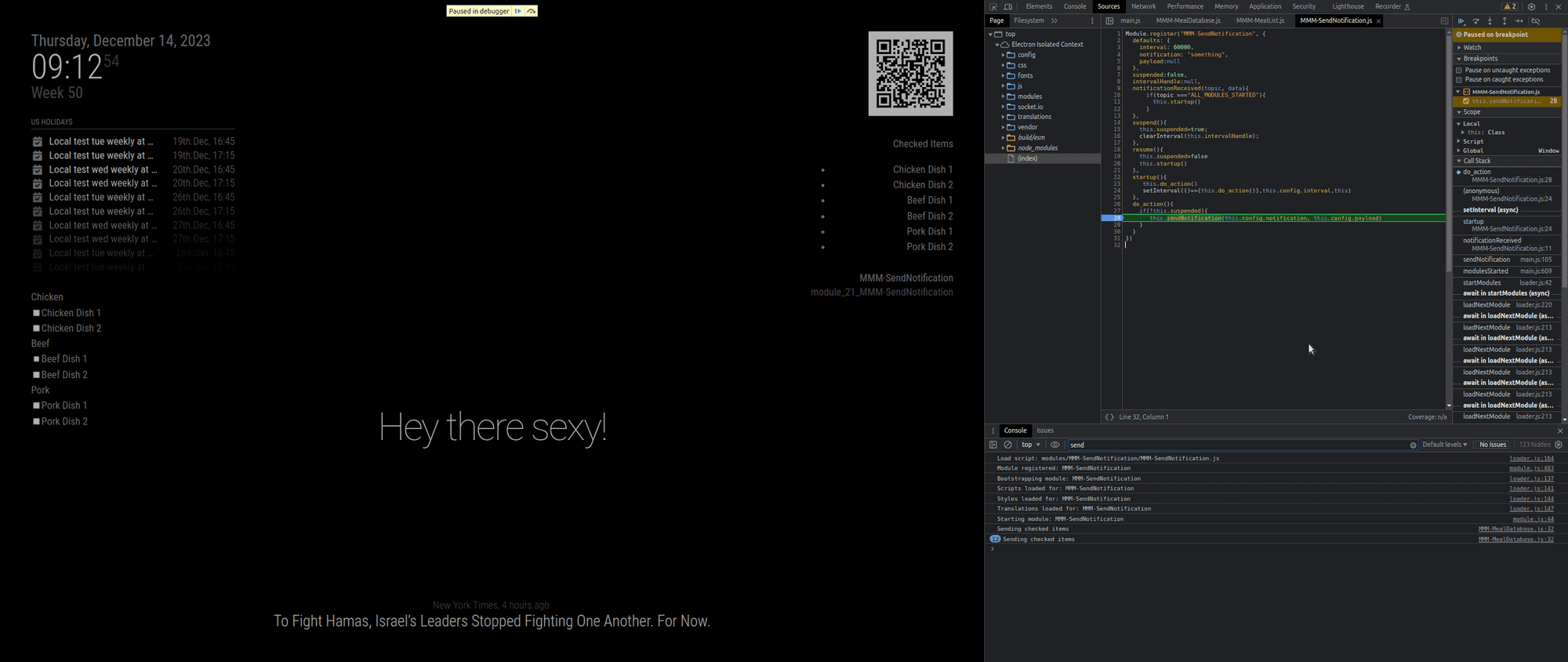
@UncleRoger I ran your config in debug ( npm start dev) with a stop on the actual sendNotification and it happens once every minute.
I don’t have pages or carousel installed…
-
@MMRIZE said in Simple(?) module to send a notification every x minutes?:
But sending notifications is harmless, so I put it into start, just for example.
not harmless to the receiver if not setup yet
-
@sdetweil
I’ve no clue how to run it the way you did with the stop and all, but I did start commenting out modules and it seems that MMM-pages is the culprit.Without it, SendNotification works fine but when it’s active, SendNotification sends multiple notifications per second:
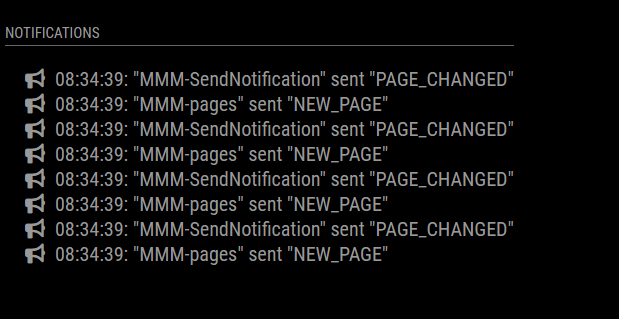
It may be that MMM-pages is suspending and resuming MMM-SendNotification with each change, even though it’s set as “fixed”, and maybe that’s triggering it?It may be that this is just something that won’t work for me.
I really appreciate your help!
-
@UncleRoger ok, I’ll check it out… hang on…
-
@UncleRoger ok… it was pages (for the error)
if you are using my fork
    cd ~/MagicMirror/modules/MMM-Pages
    git pull
if u are NOT using my fork
cd ~/MagicMirror/modulesthen rename the MMM-Pages folder out of the way (the command is mv)
thengit clone https://github.com/sdetweil/MMM-Pagesalso, two parms need to be added
here is the updated config
			{
        module: 'MMM-Pages',
        config: {
                modules:
                    [[ "page1" ],
                     [ "page2" ],
                //     [ "page3"],
                    ],
                fixed: [ "fixed" ],
                hiddenPages: {
                    "screenSaver": [ "screensaver_page" ],
                    "admin": [ "admin_page" ],
                },
                animationTime: 10000,
                rotationTime: 10000,
        }
      }
rotationtime defaults to 0!!!
-
@sdetweil
I switched to your fork and while it’s better, it’s still sending a notification every several seconds.
Here’s my config:{ module: "MMM-Pages", classes: "fixed", config: { modules:[ [ "page1" ], [ "page2" ], ], fixed: [ "fixed" ], rotationTime: 10000, animationTime: 10000, } },and
        {
            module: 'MMM-SendNotification',
            classes: "fixed",
            config: {
                interval: 3600000, // 1 minute interval
                notification: 'PAGE_CHANGED',
                payload: 1,
            },
        },
(I upped the interval to see if that would do anything. It didn’t.)
I’ve commented out all the other modules except the clock, MMM-BackgroundSlideshow, and MMM-ViewNotifications.
-
@UncleRoger ok, git pull the latest
and restartI now check to see if the handler was turned off on resume, so don’t start another
lmk
-
@sdetweil
That worked! Thank you so much!Now I am just being cheeky but if you are bored and want to add a feature, it would be great to be able to reset the timer based on a notification. (In my case, if MMM-Keypress sends a PAGE_INCREMENT notification to change pages, restart the timer from that point.)
Anyway, I am getting really close to having everything the way I want it and am hoping that I can build an actual frame for the mirror and mount it next week and I couldn’t have done it without all your help (and so many others, like @MMRIZE and everyone who wrote the modules I’m using.) So, really, thank you!
-
@UncleRoger done, git pull to update
if the notification received matches the configured notification restart the timer
-
@sdetweil
You truly are amazing!Am I right in thinking that if I change this:
} else if(topic==this.config.notification){to this:
} else if(topic==this.config.resetNotification){and put this in the config:
resetNotification: "DIFF_NOTIF",in addition to the notification: setting, then I can have it reset when a different notification is received? And I’m assuming all modules get all the notifications?
This would be so that if someone comes up and pushed the button to switch to the info display close to the end of the timer, it will reset it so they have time to look at what they want.
-
@sdetweil
I made that change and it does indeed work as I’d hoped. This is totally awesome!Thank you!

Hello! It looks like you're interested in this conversation, but you don't have an account yet.
Getting fed up of having to scroll through the same posts each visit? When you register for an account, you'll always come back to exactly where you were before, and choose to be notified of new replies (either via email, or push notification). You'll also be able to save bookmarks and upvote posts to show your appreciation to other community members.
With your input, this post could be even better 💗
Register Login