Read the statement by Michael Teeuw here.
New module: Weather effects
-
I just inspected the pm2 log and under the latest entries I can’t see anything about weather module broadcasting notifications.
Do I need to looks somewhere else? -
@uros76 weather is done all in browser, so no messages would appear in the pm2 log
you could install MMM-Notifications which has a window showing those events
-
I dont think PM2 shows module-specific broadcasts unless explicitly logged, but Im no expert. Maybe @sdetweil knows?
To test it I just bascially found locations with rain or snow, and set that in config.js.
-
@cgillinger correct. notifications are not logged
1 they are in browser
2 if the sending or receiving module does not console.log() a message there is nothing to seeyou can install MMM-Logging which will capture the browser console and merge it with the npm start output
or install MMM-Notifications which will display them in a window on the MagicMirror screen
-
@cgillinger Very cool well done
-
@cgillinger duh, why didn’t I think of setting to a city where it rains LOL. I picked a random rainy city and presto, it works! Tnx again for this module.
@sdetweil thanks. I installed the MMM-Logging and checked the npm start console for any hint of notifications coming through but I can’t see anything related to notifications being broadcasted. I am probably missing something obvious again :(
And I can’t seem to find the MMM-Notifications location. Do you perhaps have a link to it?
I did thind this one but it doesn’t show anything https://github.com/glitch452/MMM-ViewNotifications -
-
And I just want to add here that I’m running it on a Raspberry Pi with a 7-inch screen, so there’s not much screen space to work with. I don’t have room for the weather module with the ‘current’ option as well. However, after testing, it seems to work perfectly fine to keep the module ‘hidden’ by simply omitting a location in the config.js file
I’m considering making the rain direction controlled by the wind direction from the Weather module. If it’s possible, it would look pretty neat.
-
@cgillinger yes, commenting out the psosition still allows the module to work in the background…
also do this for calendar with Ext3 family of modules -
@uros76 said in New module: Weather effects:
I installed the MMM-Logging and checked the npm start console for any hint of notifications coming through
yes, if they don’t print a console message then its not in the the log for logging to forward…
-
@sdetweil said in New module: Weather effects:
@uros76 yes, it was https://github.com/glitch452/MMM-ViewNotifications
it shows for me
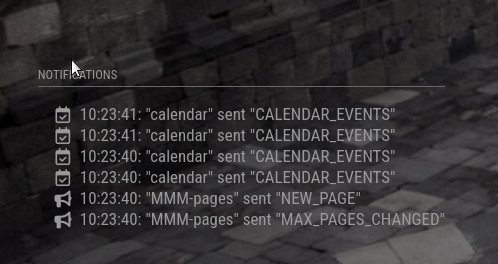
Well that’s interesting. I will keep trying to get this one to work. Not sure why it’s refusing to workfor me
-
On my test MM install the weather effects work. This confirms the module is getting the notification broadcast from wethaer after all.
But the viewnotifications module doesn’t come up. I will keep it running for a bit longer to see if notifications show up. Even the newsfeed notifications should come up I think…
It’s not the end of the world, I am just digging into why I can’t see notifications :)
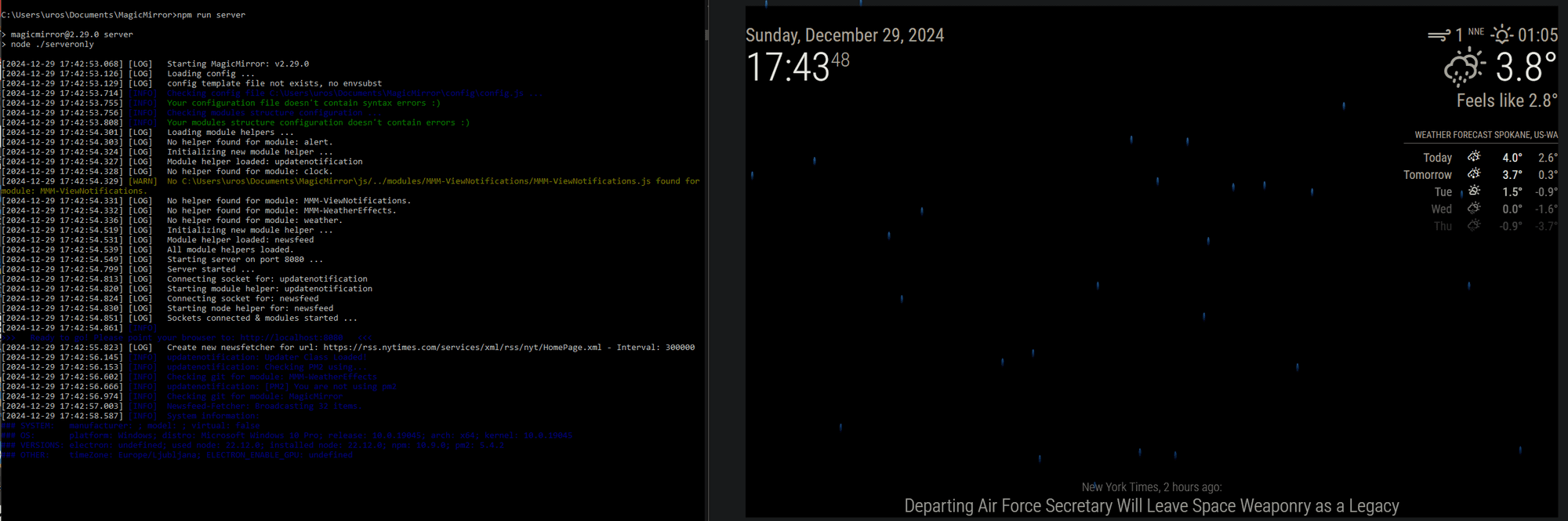
-
@uros76 said in New module: Weather effects:
But the viewnotifications module doesn’t come up. I will keep it running for a bit longer to see if notifications show up
what position is it in?
-
@sdetweil top_left. It should show up under the clock.
-
@uros76 did you use the default config?
{ module: 'MMM-ViewNotifications', position: "top_left", header: "Notifications", classes:"page1", // for MMM-pages config: { // See below for Configuration Options } }, -
@sdetweil yes I used the default config. I also added timeout: 0 to see if I perhaps missed them. Default is 8sec timeout before notifications disappear.
-
@uros76 ok… did the header appear?
-
@sdetweil nope, cant even see the header of the notifications module. I am running this test enviroment as a server mode and on a windows 10 PC. If that makes any difference.
-
@uros76 its only in browser, so thats all that matters…
notifications list can’t last forever as its crazy busy sometimes…
open the developers window, ctrl-shift-i, select the elements tab, and expand the top bar, top left section
(mine is in bottom left)
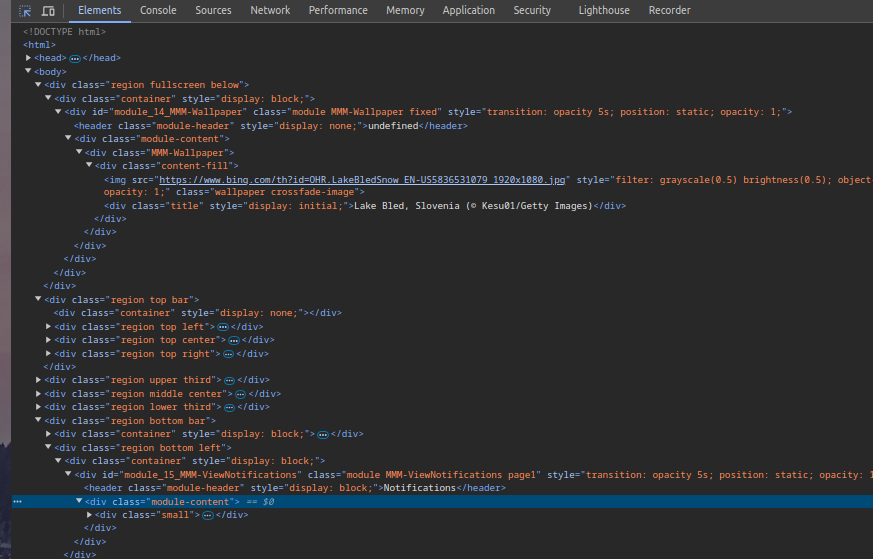
-
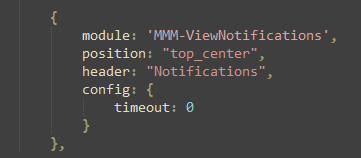
@sdetweil I changed it to top_center location to see if that could help. No difference.
Inspecting the developers window I can’t see anything in top_center region.
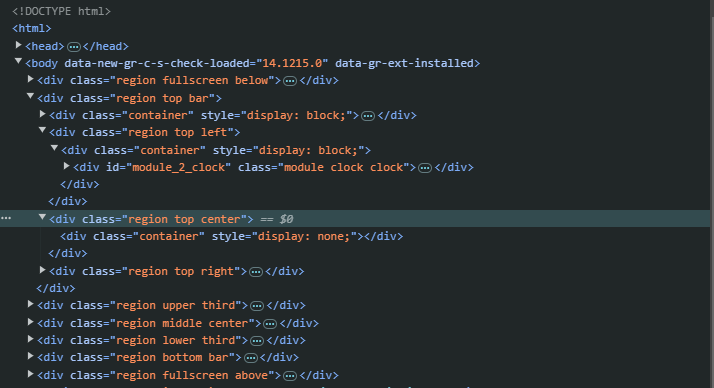
This is the config I am using

Hello! It looks like you're interested in this conversation, but you don't have an account yet.
Getting fed up of having to scroll through the same posts each visit? When you register for an account, you'll always come back to exactly where you were before, and choose to be notified of new replies (either via email, or push notification). You'll also be able to save bookmarks and upvote posts to show your appreciation to other community members.
With your input, this post could be even better 💗
Register Login