MagicMirror Forum
    • Recent
    • Tags
    • Unsolved
    • Solved
    • MagicMirror² Repository
    • Documentation
    • 3rd-Party-Modules
    • Donate
    • Discord
    • Register
    • Login
    A New Chapter for MagicMirror: The Community Takes the Lead
    Read the statement by Michael Teeuw here.

    Default calendar customEvents not working

    Scheduled Pinned Locked Moved Unsolved Troubleshooting
    22 Posts 2 Posters 4.4k Views 2 Watching
    Loading More Posts
    • Oldest to Newest
    • Newest to Oldest
    • Most Votes
    Reply
    • Reply as topic
    Log in to reply
    This topic has been deleted. Only users with topic management privileges can see it.
    • S Offline
      sdetweil @pauabaer
      last edited by

      @pauabaer could you add

      ,"DEBUG"
      

      to the config.js logLevel property
      as well as your transform
      and run MM with (stop pm2 version , with pm2 stop MagicMirror)

      npm start >somefile.txt 2>&1

      so we can see the actual text of the event
      (watch out, the log output contains the COMPLETE text of the calendar url)

      I only need the text of the event… (it supposedly has the date in it)

      Sam

      How to add modules

      learning how to use browser developers window for css changes

      P 1 Reply Last reply Reply Quote 0
      • P Offline
        pauabaer @sdetweil
        last edited by

        @sdetweil
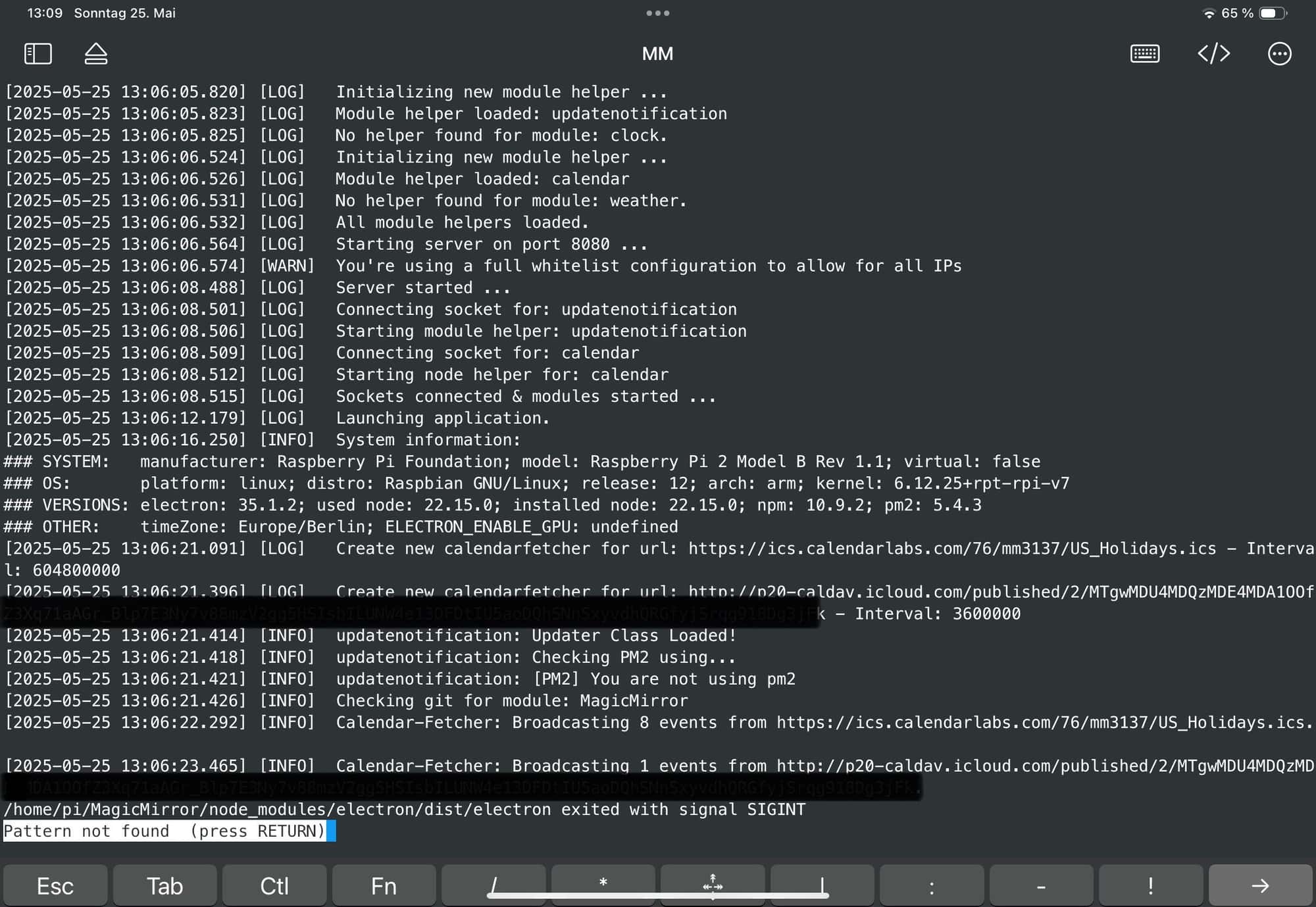
        Finally I got some time to test. See the pic below:
        IMG_2563.jpeg

        I got the message that there is one entry but no title is shown. Did I do something wrong?

        S 1 Reply Last reply Reply Quote 0
        • S Offline
          sdetweil @pauabaer
          last edited by

          @pauabaer you didn’t add the debug setting to config.js

          the transform happens in the front end, the backend (node_helper) gets the events from source and formats them for frontend.tye log you showed is from the backend

          Sam

          How to add modules

          learning how to use browser developers window for css changes

          P 1 Reply Last reply Reply Quote 0
          • P Offline
            pauabaer @sdetweil
            last edited by

            @sdetweil
            I did add the debug setting but presumably at the wrong position.
            Thought I should add it here:

            
            module: "calendar",
            header: "Familienkalender",
            position: "top_left",
                               config:{
                                      loglevel: ["DEBUG"],
                                                    customEvents: [
                                                            {
                                                            keyword: "Geburtstag",
                                                            symbol: "birthday-cake",
                                                            transform: {
                                                                    search: "^([^\']*) \'(\\d{4})$",
                                                                    replace: "$1 ($2)",
                                                                    yearmatchgroup: 2
                                                                    }
                                                            }
            
            
            S 1 Reply Last reply Reply Quote 0
            • S Offline
              sdetweil @pauabaer
              last edited by sdetweil

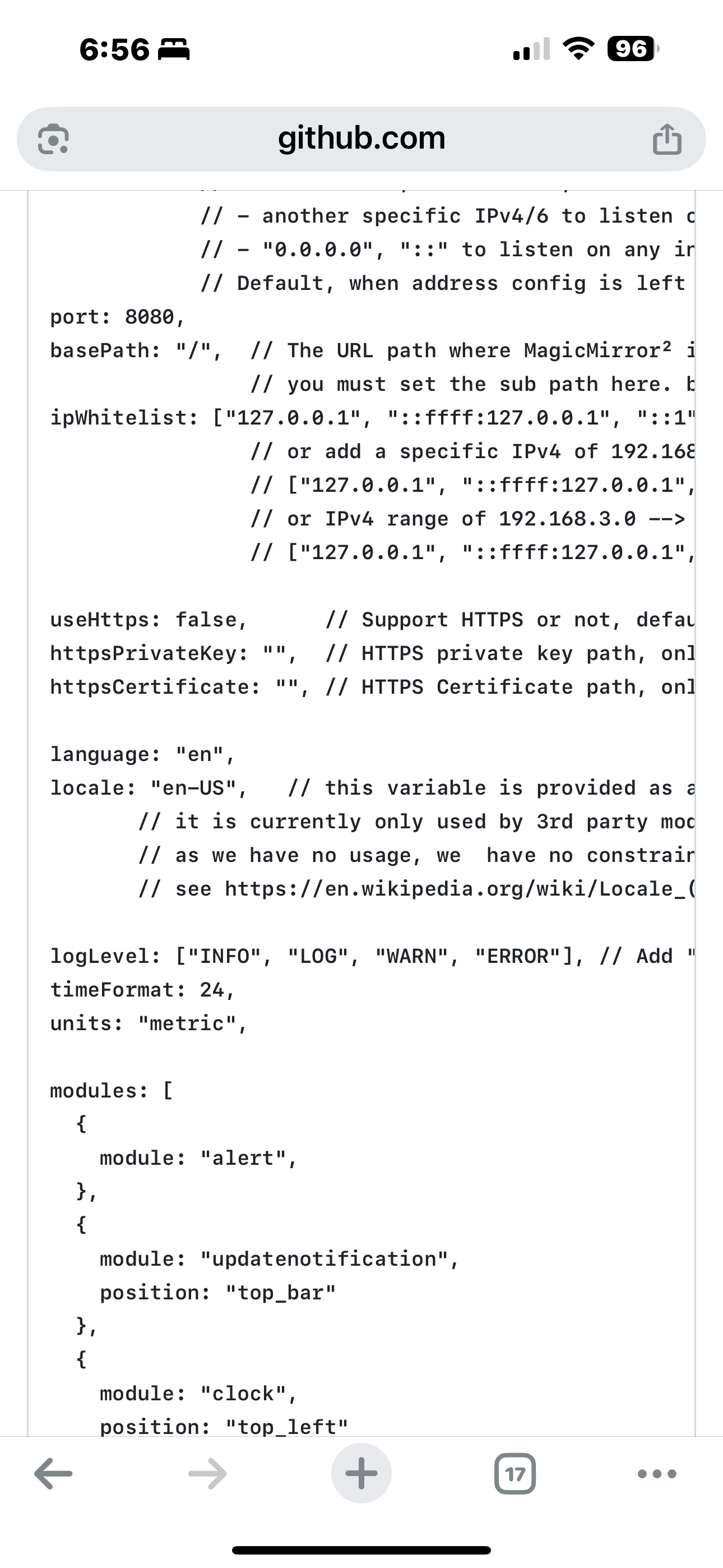
              @pauabaer logevel is above the modules list
              its not a module setting
              IMG_1297.png

              Sam

              How to add modules

              learning how to use browser developers window for css changes

              P 1 Reply Last reply Reply Quote 0
              • P Offline
                pauabaer @sdetweil
                last edited by

                @sdetweil
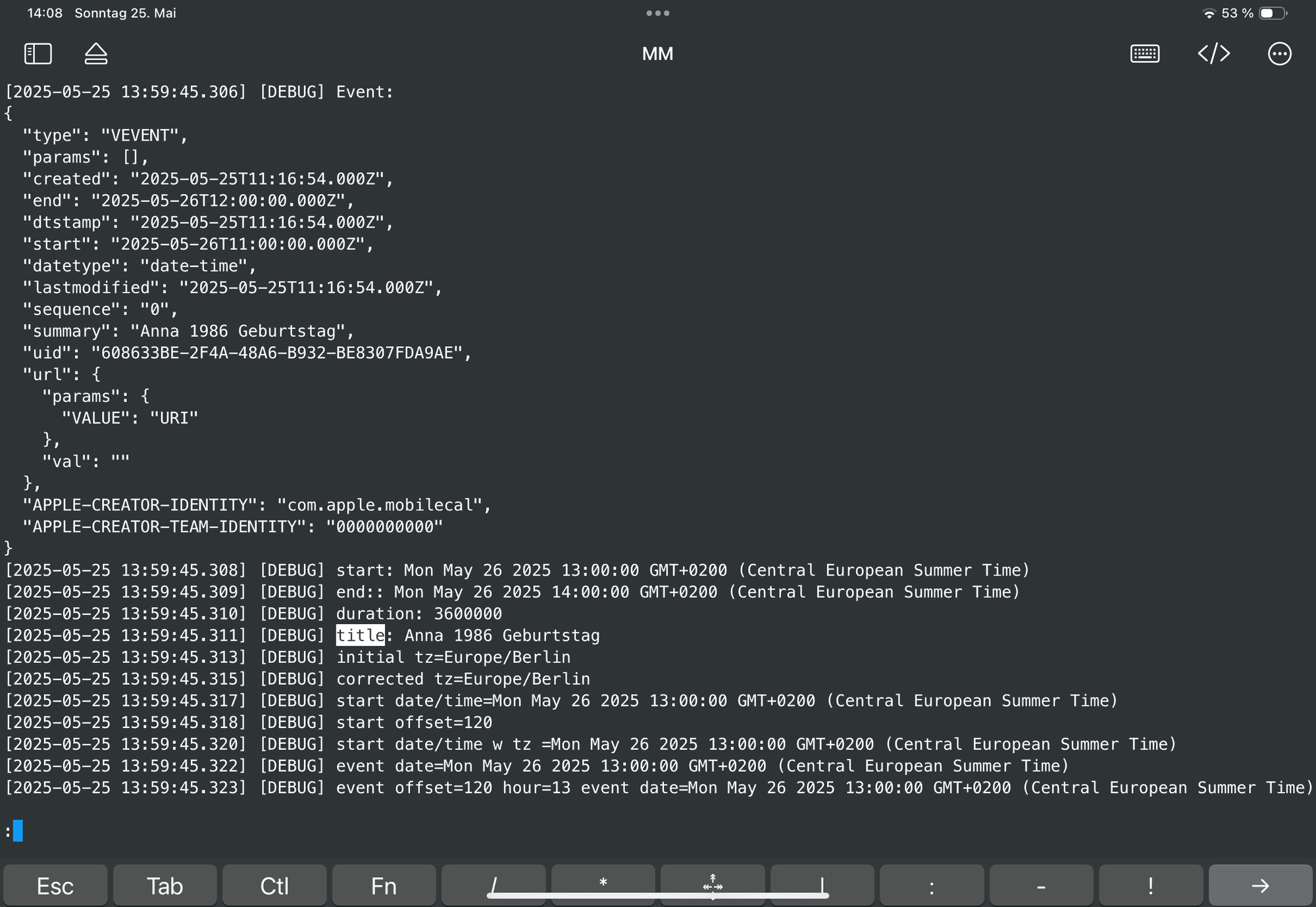
                Meanwhile I found the right place. Sorry for this.
                In the pic below you can see the entry.
                IMG_2565.png

                Does help you?

                1 Reply Last reply Reply Quote 0
                • S Offline
                  sdetweil
                  last edited by

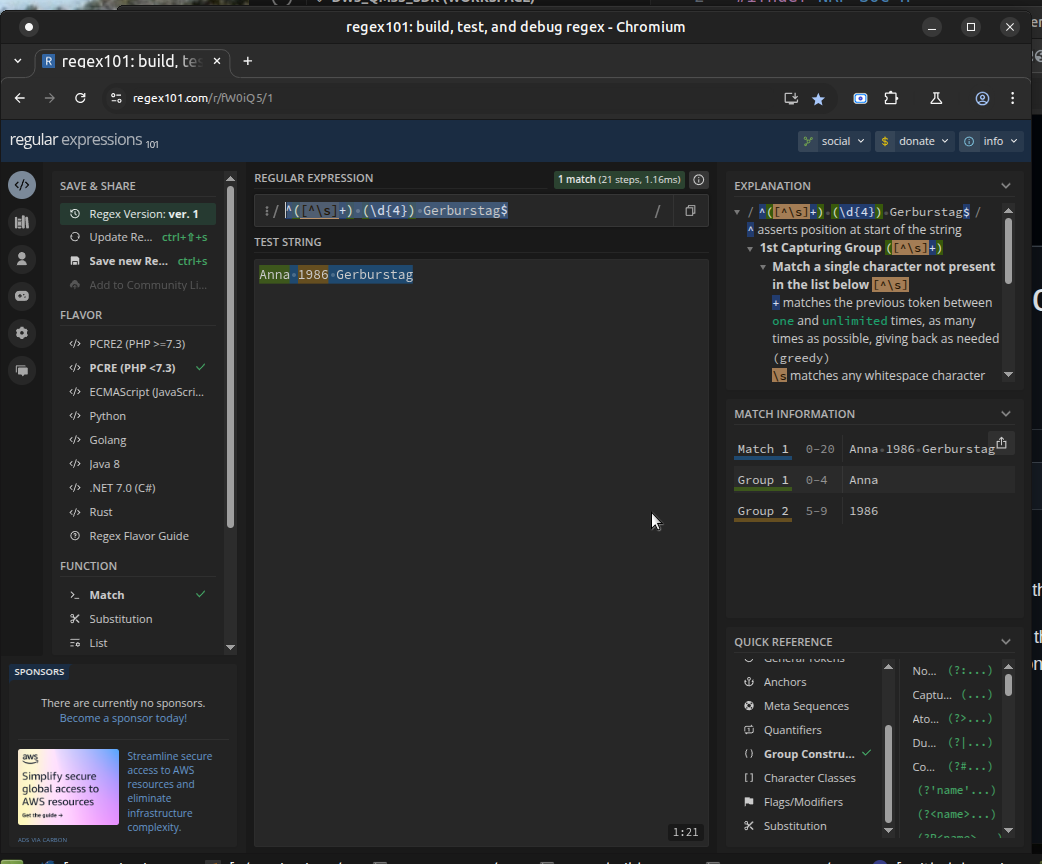
                  your search regex is wrong,

                  ^(.+) (\\d{4}) Geburtstag$
                  

                  its captures EVERYTHING from the start… and there is nothing left for the remainder of the expression

                  you need to capture any character UP to the 1st space,

                  ^([^\s]+) (\d{4}) Gerburstag$
                  

                  I use https://regex101.com/ to test (see below)

                  escape the backslash as required
                  Screenshot at 2025-05-25 08-02-23.png

                  Sam

                  How to add modules

                  learning how to use browser developers window for css changes

                  P 1 Reply Last reply Reply Quote 0
                  • P Offline
                    pauabaer @sdetweil
                    last edited by

                    @sdetweil
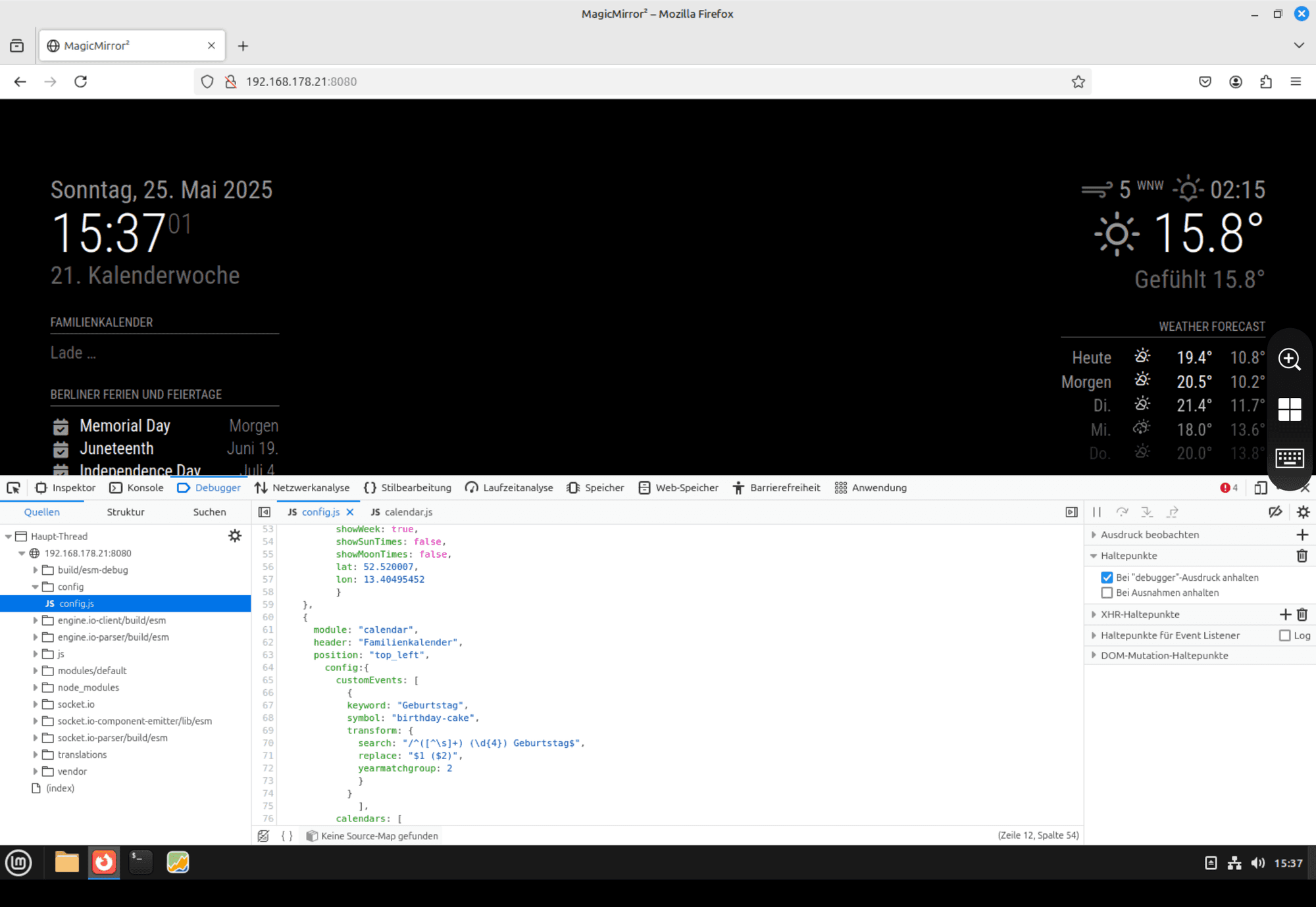
                    Ok. Within the regex101 there is no mistake. But when I change within the config nothing happens again.
                    IMG_2567.png

                    S 1 Reply Last reply Reply Quote 0
                    • S Offline
                      sdetweil @pauabaer
                      last edited by sdetweil

                      @pauabaer you needed to escape the \ with another backslash
                      in the string… its a javascript thing

                      as I noted in my prior post
                      also remove the leading /

                      Sam

                      How to add modules

                      learning how to use browser developers window for css changes

                      P 1 Reply Last reply Reply Quote 0
                      • P Offline
                        pauabaer @sdetweil
                        last edited by

                        @sdetweil
                        I did. But…

                        IMG_2569.png

                        I got the feeling i am not far away from the solution. Have still patient to bring me to that point? :)

                        S P 2 Replies Last reply Reply Quote 0
                        • S Offline
                          sdetweil @pauabaer
                          last edited by

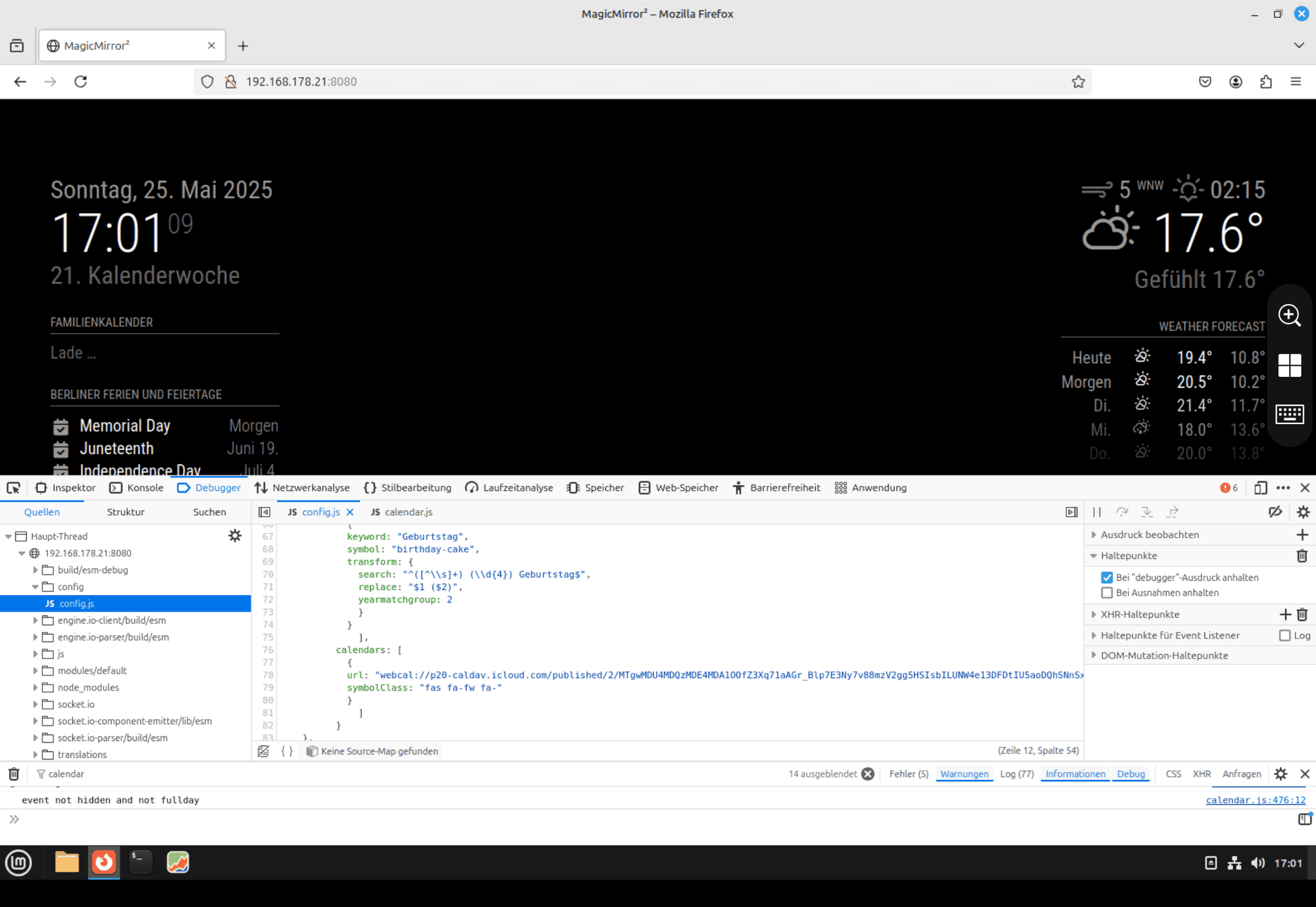
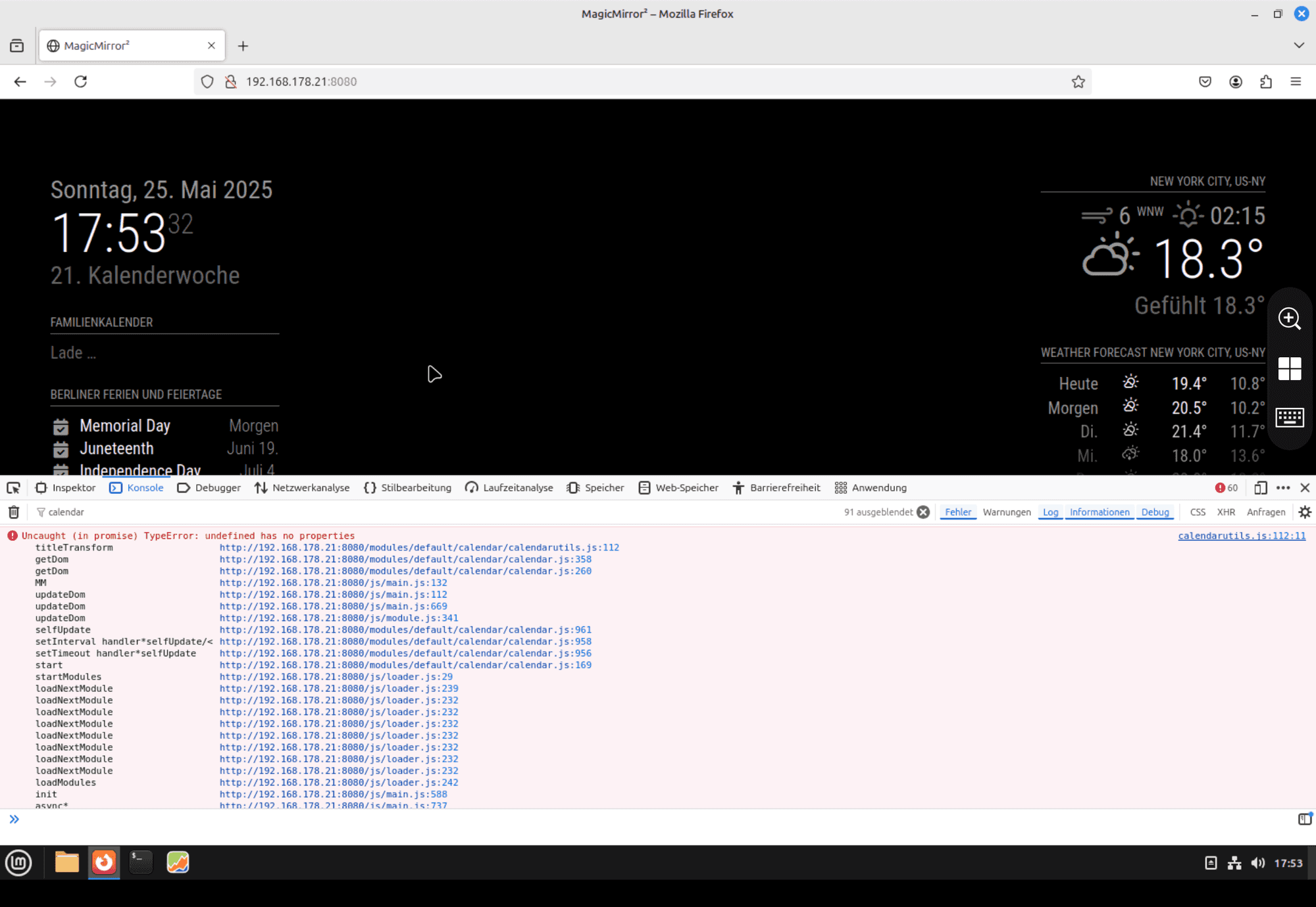
                          @pauabaer do you still see the same error in the dev console?

                          Sam

                          How to add modules

                          learning how to use browser developers window for css changes

                          1 Reply Last reply Reply Quote 0
                          • P Offline
                            pauabaer @pauabaer
                            last edited by

                            IMG_2570.png

                            P 1 Reply Last reply Reply Quote 0
                            • P Offline
                              pauabaer @pauabaer
                              last edited by

                              It’s not the error I saw before.

                              S 1 Reply Last reply Reply Quote 0
                              • S Offline
                                sdetweil @pauabaer
                                last edited by

                                @pauabaer ok, i am at grandson baseball for a while

                                Sam

                                How to add modules

                                learning how to use browser developers window for css changes

                                P 1 Reply Last reply Reply Quote 0
                                • P Offline
                                  pauabaer @sdetweil
                                  last edited by

                                  @sdetweil
                                  Ok. Let me know when you are back and can help again.
                                  Thanks a lot.

                                  S 1 Reply Last reply Reply Quote 0
                                  • S Offline
                                    sdetweil @pauabaer
                                    last edited by

                                    @pauabaer I’m back

                                    my config for customEvents is

                                                                                    {
                                                                                    keyword: "Gerburtstag",
                                                                                    symbol: "birthday-cake",
                                                                                    transform: {           
                                                                                            search: "^([^\\s]+) (\\d{4}) Gerburtstag$",           
                                                                                            replace: "$1 ($2)",           
                                                                                            yearmatchgroup: 2
                                                                                            }
                                                                                    } 
                                    

                                    my test calendar event title (from the summary field in the actual ICS data) is

                                    SUMMARY:test 1986 Gerburtstag
                                    

                                    the debug line in the parser is

                                    [2025-05-25 16:08:47.371] [DEBUG] title: test 1986 Gerburtstag 
                                    

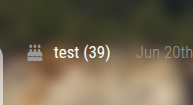
                                    I see
                                    Screenshot at 2025-05-25 16-05-03.png

                                    I walked thru the code and it worked as expected…

                                    Sam

                                    How to add modules

                                    learning how to use browser developers window for css changes

                                    1 Reply Last reply Reply Quote 0

                                    Hello! It looks like you're interested in this conversation, but you don't have an account yet.

                                    Getting fed up of having to scroll through the same posts each visit? When you register for an account, you'll always come back to exactly where you were before, and choose to be notified of new replies (either via email, or push notification). You'll also be able to save bookmarks and upvote posts to show your appreciation to other community members.

                                    With your input, this post could be even better 💗

                                    Register Login

                                    • 1
                                    • 2
                                    • 1 / 2
                                    • First post
                                      Last post
                                    Enjoying MagicMirror? Please consider a donation!
                                    MagicMirror created by Michael Teeuw.
                                    Forum managed by Sam, technical setup by Karsten.
                                    This forum is using NodeBB as its core | Contributors
                                    Contact | Privacy Policy