Read the statement by Michael Teeuw here.
Modules won't appear when I insert MMM-Facial-Recognition module
-
Hello everyone I finally managed to solve problems regarding facial recognition. It detects ppl’s face very well.
However, the problem is when I insert this module, other modules(default modules) dissapear but weather forecast.
like this picture below. Every modules worked perfectly without MMM-Facial-Recognition.
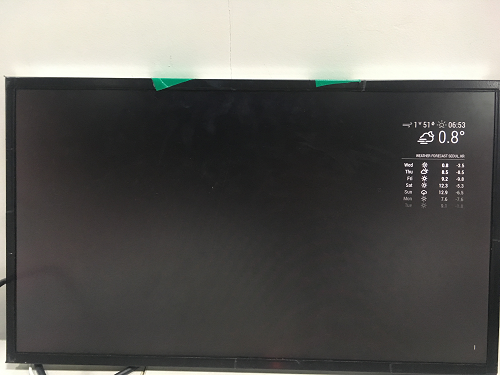
This is what happens when I do npm start without MMM-Facial-Recognition module, but ( default modules and mm-music-player, mm-hide-all,calendar_monthly module) in the MagicMirror.
pi@raspberrypi:~/MagicMirror $ npm start

> magicmirror@2.1.0 start /home/pi/MagicMirror
> electron js/electron.js

Starting MagicMirror: v2.1.0
Loading config ...
Loading module helpers ...
No helper found for module: alert.
Initializing mm-music-player module helper ...
Initializing new module helper ...
No helper found for module: calendar_monthly.
No helper found for module: clock.
Initializing new module helper ...
No helper found for module: currentweather.
No helper found for module: mm-hide-all.
No helper found for module: weatherforecast.
No helper found for module: compliments.
Initializing new module helper ...
All module helpers loaded.
Starting server op port 8080 ...
Server started ...
Connecting socket for: mm-music-player
Connecting socket for: updatenotification
Connecting socket for: calendar
Starting node helper for: calendar
Connecting socket for: newsfeed
Starting module: newsfeed
Sockets connected & modules started ...
Launching application.
Create new calendar fetcher for url: http://www.calendarlabs.com/templates/ical/SouthKorea-Holidays.ics - Interval: 300000
Create new news fetcher for url: http://www.nytimes.com/services/xml/rss/nyt/HomePage.xml - Interval: 300000
and this is what happens when I add MMM-Facial-Reconition module with above modules
pi@raspberrypi:~/MagicMirror $ npm start

> magicmirror@2.1.0 start /home/pi/MagicMirror
> electron js/electron.js

Starting MagicMirror: v2.1.0
Loading config ...
Loading module helpers ...
No helper found for module: alert.
Initializing mm-music-player module helper ...
Initializing new module helper ...
No helper found for module: calendar_monthly.
No helper found for module: clock.
Initializing new module helper ...
No helper found for module: currentweather.
No helper found for module: mm-hide-all.
No helper found for module: weatherforecast.
No helper found for module: compliments.
Initializing new module helper ...
Initializing new module helper ...
All module helpers loaded.
Starting server op port 8080 ...
Server started ...
Connecting socket for: mm-music-player
Connecting socket for: updatenotification
Connecting socket for: calendar
Starting node helper for: calendar
Connecting socket for: newsfeed
Starting module: newsfeed
Connecting socket for: MMM-Facial-Recognition
Staring module helper: MMM-Facial-Recognition
Sockets connected & modules started ...
Launching application.
Create new calendar fetcher for url: http://www.calendarlabs.com/templates/ical/SouthKorea-Holidays.ics - Interval: 300000
Create new news fetcher for url: http://www.nytimes.com/services/xml/rss/nyt/HomePage.xml - Interval: 300000
[MMM-Facial-Recognition] Facerecognition started...
[MMM-Facial-Recognition] Loading training data...
[MMM-Facial-Recognition] ALGORITHM: LBPH
[MMM-Facial-Recognition] Training data loaded!
[MMM-Facial-Recognition] --------------------
[MMM-Facial-Recognition] PiCam ausgew채hlt...
[MMM-Facial-Recognition] User undefined with confidence null logged in.
[MMM-Facial-Recognition] User undefined logged out.
^C[MMM-Facial-Recognition] Shutdown: Cleaning up camera...
How can I make the other modules be displayed well regardless of the MMM-Facial-Recognition added or not?
Thanks for reading this! -
If you launch the browser, press F12 and look for any errors in console, what do you see?
-
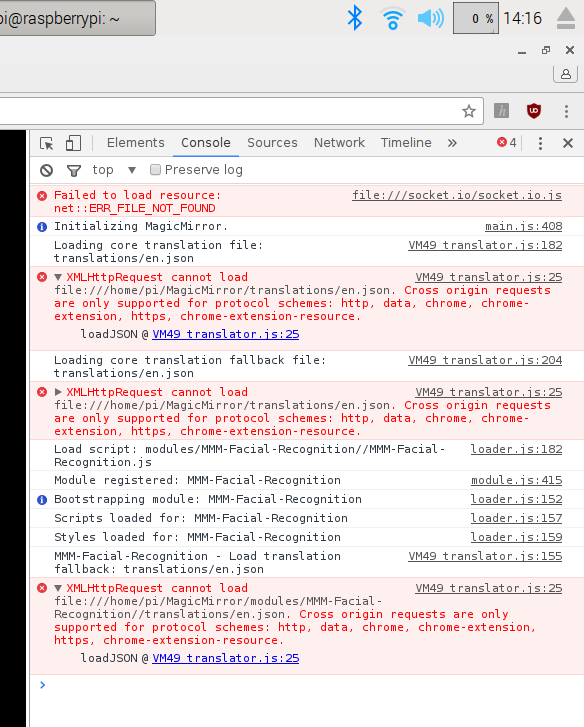
@yawns tnx alot! I launched it with Chromium and it says there are 4 errors.
Here is my Console.
-
This post is deleted! -
@yawns I’m having a same problem like @angie2601’s
If you have any idea of solving it , plz let me know :)
ASAP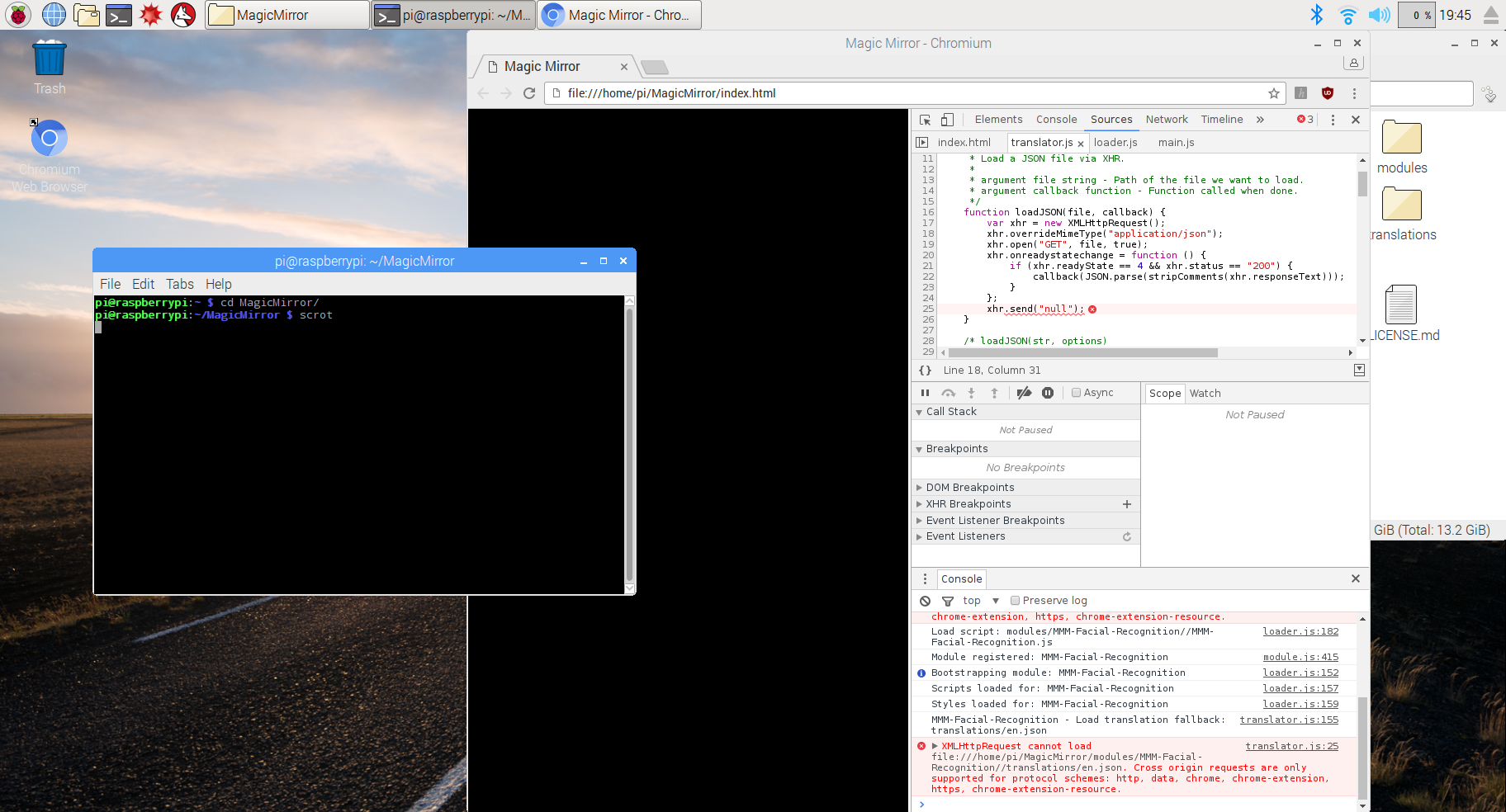
This is my console
-
-
@HC
Why are you opening the html file? You should start magicmirror withnode serveronlyand direct your browser tohttp://localhost:8080or you should runnpm startwhich will launch the browser on its own
Hello! It looks like you're interested in this conversation, but you don't have an account yet.
Getting fed up of having to scroll through the same posts each visit? When you register for an account, you'll always come back to exactly where you were before, and choose to be notified of new replies (either via email, or push notification). You'll also be able to save bookmarks and upvote posts to show your appreciation to other community members.
With your input, this post could be even better 💗
Register Login